
If you want to build something that genuinely impresses — a bright, colourful scrolling scoreboard, a retro pixel art display, or a full-colour information wall — the HUB75 RGB LED matrix panel with ESP32 is the project for you. These panels, the same type used in outdoor stadium screens and shopping mall advertisements, are now available at hobbyist-friendly prices in India. In this complete build guide, we cover every step from choosing the right panel to writing your first animation sketch.
What Is a HUB75 RGB LED Matrix Panel?
A HUB75 panel is a modular RGB LED matrix that communicates via the HUB75 parallel interface — a 16-pin ribbon cable carrying row address signals, RGB data, clock, latch, and output enable lines. The panels come in various pixel pitches (P2, P3, P4, P5, P6, P10) where the number indicates the distance in millimetres between pixels.
Common panel sizes and their resolutions:
- 64×32 pixels (32×16cm): The most popular hobbyist size. One 64×32 P4 panel fits nicely on a desk.
- 64×64 pixels: Square format, great for clocks and animations.
- 128×64 pixels: Two 64×64 panels chained — impressive for a room-size display.
Each panel contains rows of RGB LEDs driven by shift registers (usually 74HC595 or FM6126A/ICN2038S). The ESP32’s job is to rapidly multiplex through the rows, sending colour data fast enough that your eye perceives all pixels as being on simultaneously (persistence of vision). The ESP32-HUB75-MatrixPanel-DMA library uses ESP32’s DMA engine to do this in hardware, freeing the CPU for your application code.
Choosing the Right Panel: P2, P3, P4, P5, P10
| Type | Pixel Pitch | Best Viewing Distance | Use Case |
|---|---|---|---|
| P2 | 2mm | 0.5–2m | High-res indoor display, desk panel |
| P3 | 3mm | 1–4m | Indoor scoreboard, info display |
| P4 | 4mm | 2–6m | Indoor/semi-outdoor, most popular for projects |
| P5 | 5mm | 3–8m | Semi-outdoor, shop front ticker |
| P10 | 10mm | 5–20m | Outdoor, large stadium/road signs |
For a beginner or hobbyist project in India, the P4 or P5 64×32 panel is the sweet spot — affordable, widely available, bright enough for indoor use, and well-supported by the ESP32 library. A P3 64×64 is excellent for a desk clock or art display where you sit close.
Components Required for the Build
- HUB75 RGB LED matrix panel (P4 or P5, 64×32 recommended)
- ESP32 development board (38-pin or 30-pin)
- 5V 4A–8A power supply (a panel at full brightness can draw 3–5A at 5V)
- HUB75 16-pin ribbon cable (usually included with panel)
- Female IDC connector or jumper wires for breakout
- Breadboard or custom PCB
- USB cable for programming
For a 2-panel video wall build, double the power supply capacity to at least 10A at 5V.
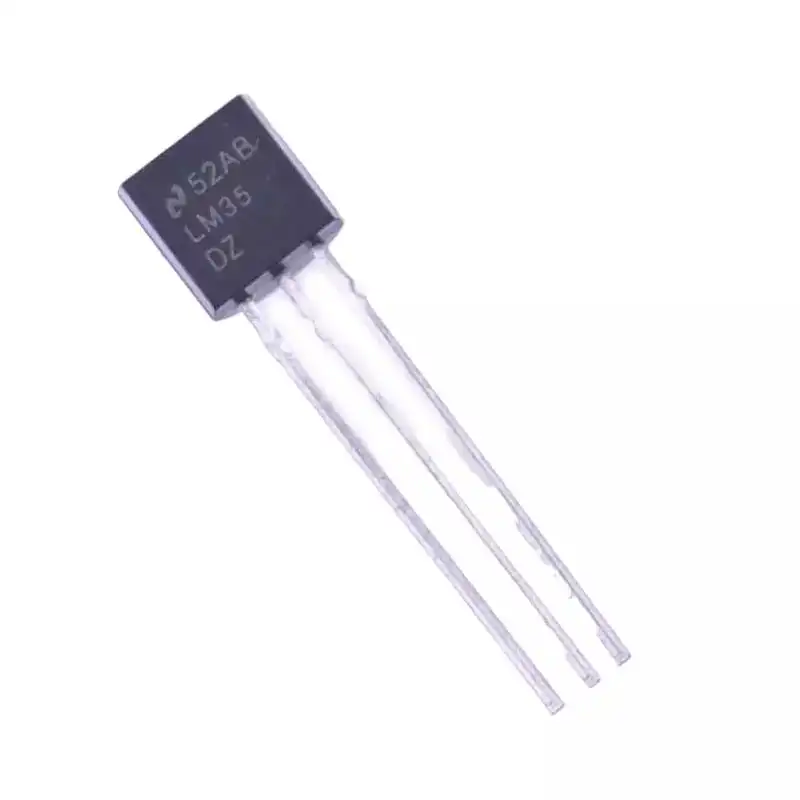
LM35 Temperature Sensor
Add temperature data to your HUB75 video wall — display live room temperature alongside your scrolling text or clock using this easy analog sensor.
HUB75 to ESP32 Wiring Diagram
The ESP32-HUB75-MatrixPanel-DMA library uses a default pin mapping you can customise. Here is the recommended default mapping for a 38-pin ESP32 DevKit:
| HUB75 Pin | Signal | ESP32 GPIO |
|---|---|---|
| R1 | Red upper half | GPIO 25 |
| G1 | Green upper half | GPIO 26 |
| B1 | Blue upper half | GPIO 27 |
| R2 | Red lower half | GPIO 14 |
| G2 | Green lower half | GPIO 12 |
| B2 | Blue lower half | GPIO 13 |
| A | Row address bit 0 | GPIO 23 |
| B | Row address bit 1 | GPIO 19 |
| C | Row address bit 2 | GPIO 5 |
| D | Row address bit 3 | GPIO 17 |
| CLK | Clock | GPIO 16 |
| LAT | Latch | GPIO 4 |
| OE | Output Enable (active low) | GPIO 15 |
| GND | Ground | GND |
Important: Power the panel from a separate 5V power supply — never from the ESP32’s 5V pin. Connect the grounds of the ESP32 and power supply together.
ESP32-HUB75-MatrixPanel Library Setup
- Open Arduino IDE → Sketch → Include Library → Manage Libraries.
- Search for ESP32 HUB75 LED Matrix Panel DMA Display by mrcodetastic. Install it (also installs dependencies: Adafruit GFX, FastLED).
- In your sketch, include the header and create the panel object:
#include <ESP32-HUB75-MatrixPanel-I2S-DMA.h>

// Panel dimensions
#define PANEL_WIDTH  64
#define PANEL_HEIGHT 32
#define PANELS_NUM   1  // Number of chained panels

MatrixPanel_I2S_DMA *dma_display = nullptr;

void setup() {
  HUB75_I2S_CFG mxconfig(
    PANEL_WIDTH,   // Width
    PANEL_HEIGHT,  // Height
    PANELS_NUM     // Panels chained
  );
  // If using FM6126A driver chip (common on newer panels):
  // mxconfig.driver = HUB75_I2S_CFG::FM6126A;

  dma_display = new MatrixPanel_I2S_DMA(mxconfig);
  dma_display->begin();
  dma_display->setBrightness8(80); // 0-255, start low to avoid excessive power draw
  dma_display->clearScreen();
}

void loop() {
  dma_display->fillScreen(dma_display->color333(0, 0, 0)); // Black
  // Your drawing code here
}
Your First Sketch: Scrolling Text
Scrolling text is the “Hello World” of LED matrix displays. The library includes Adafruit GFX’s scroll functions:
#include <ESP32-HUB75-MatrixPanel-I2S-DMA.h>
#include <Fonts/FreeSansBold9pt7b.h>

MatrixPanel_I2S_DMA *dma_display = nullptr;
int16_t xPos = 64; // Start off-screen right

void setup() {
  HUB75_I2S_CFG cfg(64, 32, 1);
  dma_display = new MatrixPanel_I2S_DMA(cfg);
  dma_display->begin();
  dma_display->setBrightness8(60);
  dma_display->setFont(&FreeSansBold9pt7b);
  dma_display->setTextColor(dma_display->color565(255, 128, 0)); // Orange
}

void loop() {
  dma_display->clearScreen();
  dma_display->setCursor(xPos, 22);
  dma_display->print("Jai Hind!");
  xPos -= 1;
  if (xPos < -130) xPos = 64; // Reset when text scrolls off left
  delay(30); // ~33fps scroll speed
}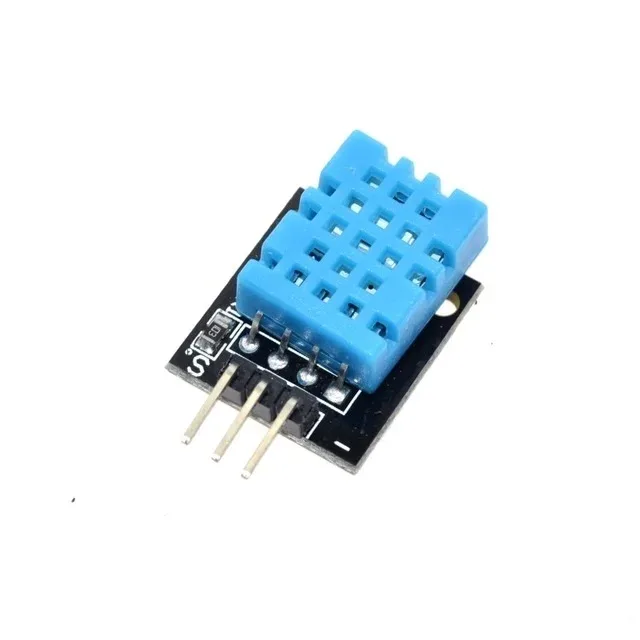
DHT11 Humidity and Temperature Sensor Module
Display live temperature and humidity readings on your RGB matrix panel. Easy integration via single-pin data — no I2C bus conflicts with the HUB75 interface.
Chaining Multiple Panels for a Video Wall
HUB75 panels chain together via their output connector — the OUT connector on one panel connects to the IN connector of the next. The library treats chained panels as one wide virtual display.
// 2 panels chained horizontally = 128x32 total display
HUB75_I2S_CFG cfg(64, 32, 2); // width=64, height=32, num_panels=2
// Result: dma_display->width() = 128, height() = 32
For a 2×2 tile arrangement (2 rows × 2 columns = 4 panels, 128×64 total):
- Set
PANEL_WIDTH=64, PANEL_HEIGHT=32, PANELS_NUM=4 - Set
cfg.mx_height = 2to tell the library about the 2-row arrangement - The library automatically maps coordinates across all 4 panels
For power: a single fully-lit 64×32 RGB panel at maximum brightness draws about 3–4A at 5V. A 2×2 wall of 4 panels can peak at 12–16A. Always use an adequately rated 5V switching power supply — a 30A SMPS (₹800–₹1500 in India) is ideal for 4-panel builds.
Project Ideas for Indian Makers
1. IPL / Cricket Scoreboard
Fetch live cricket scores from Cricbuzz API (or a free cricket score API) over Wi-Fi and display the current score, overs, wickets, and run rate on a 128×32 matrix. Update every 30 seconds during a live match. This is a guaranteed crowd-pleaser in any Indian household during IPL season!
2. Stock / Nifty Ticker
Pull NSE/BSE stock prices from a financial API and scroll tickers across the display. Show the Nifty 50 index, Sensex, or individual stock prices with colour-coded green (up) and red (down) indicators.
3. Office/Home Clock with Weather
Display the current time in large digits (left half) and current city weather (temperature from DHT11/LM35, humidity) on the right half. Split the 64×32 panel into two halves for a dual-panel dashboard.
4. Retro Pixel Art Animation Display
Play GIF animations converted to frame arrays on the panel. Tools like LVGL’s image converter or AnimatedGIF library let you play short looping animations — great for artistic installations or gaming setups.
5. Gym / Classroom Timer
A large, bright countdown timer visible from across a room. Set via a web interface served from the ESP32 itself (no app needed — just a browser). Use a rotary encoder for physical control.

DHT20 SIP Packaged Temperature and Humidity Sensor
I2C temperature and humidity sensor — integrate into your HUB75 clock build to display live environmental data alongside time.
Power Supply and Heat Management
HUB75 panels can get warm during prolonged high-brightness use, especially in India’s summer heat. Follow these guidelines:
- Never exceed full brightness: Set brightness to 80–120 out of 255 for daily use. Full brightness (255) makes panels very hot and shortens LED lifespan.
- Power rail from supply, not ESP32: Connect 5V from your external PSU directly to the panel’s power connector. The ESP32 USB 5V cannot supply the required current.
- Decoupling capacitors: Place a 1000µF 10V electrolytic capacitor across the panel’s power input to smooth current spikes during row scanning.
- Ventilation: If mounting panels in an enclosure, add ventilation holes or a small fan. Panel PCBs can reach 50–60°C at full brightness in a closed box.
- Separate grounds: Connect ESP32 GND and panel PSU GND together to prevent ground loops causing display flickering.
Frequently Asked Questions
Which ESP32 pin mapping is compatible with the HUB75 library?
The default pin mapping in the ESP32-HUB75-MatrixPanel-DMA library works with the standard 38-pin ESP32 DevKit. If you are using a custom PCB or different ESP32 board, you can customise every pin in the HUB75_I2S_CFG structure. The library’s GitHub wiki has a full list of tested pin configurations.
My HUB75 panel has dim or wrong colours — what is wrong?
Check three things: (1) Make sure power supply ground is connected to ESP32 ground. (2) Some newer panels use FM6126A or ICN2038S driver ICs instead of the older ICND2038 — uncomment mxconfig.driver = HUB75_I2S_CFG::FM6126A; in your config. (3) Confirm all 13 signal wires are correctly connected — a single swapped wire can cause colour shifts or blank rows.
Can I use an Arduino Uno instead of ESP32 for HUB75?
No, not practically. The HUB75 interface requires very fast bit-banging or DMA to refresh all rows fast enough for flicker-free display. An 8-bit AVR Arduino Uno at 16MHz cannot keep up. Always use an ESP32 (or a Raspberry Pi for even more complex builds). The ESP32-HUB75-MatrixPanel-DMA library is ESP32-specific.
How many HUB75 panels can one ESP32 drive?
With the DMA library, one ESP32 can reliably drive up to 4–8 panels chained in a row (up to 512×32 pixels). For a 2D tile arrangement, up to 4 panels (2×2, 128×64 total) is well within limits. Beyond that, image quality and refresh rate start to degrade. Use multiple ESP32 boards for very large video walls.
Where can I buy HUB75 panels in India?
HUB75 panels are available from electronics distributors in India. Search for P4 or P5 64×32 RGB LED matrix panel. Zbotic stocks display modules and sensors to complement your LED matrix builds — check our Display Modules section for the latest stock.
Do I need a level shifter between ESP32 (3.3V) and HUB75 panel (5V logic)?
HUB75 panels technically operate at 5V logic levels, and the ESP32 outputs 3.3V signals. In practice, most panels work correctly with 3.3V drive — the input thresholds on the panel’s shift registers are usually well below 3.3V. For long cables or large panels, use a 74AHCT245 level shifter buffer for more reliable operation, especially on the CLK line.
Find ESP32 boards, sensors, and display accessories at Zbotic — India’s trusted source for electronics components. Fast delivery pan-India with expert support for maker projects.


Add comment