


Looking for Samd21 Board? Adafruit QT Py – SAMD21 Dev Board with STEMMA QT is available at Zbotic with fast shipping across India.
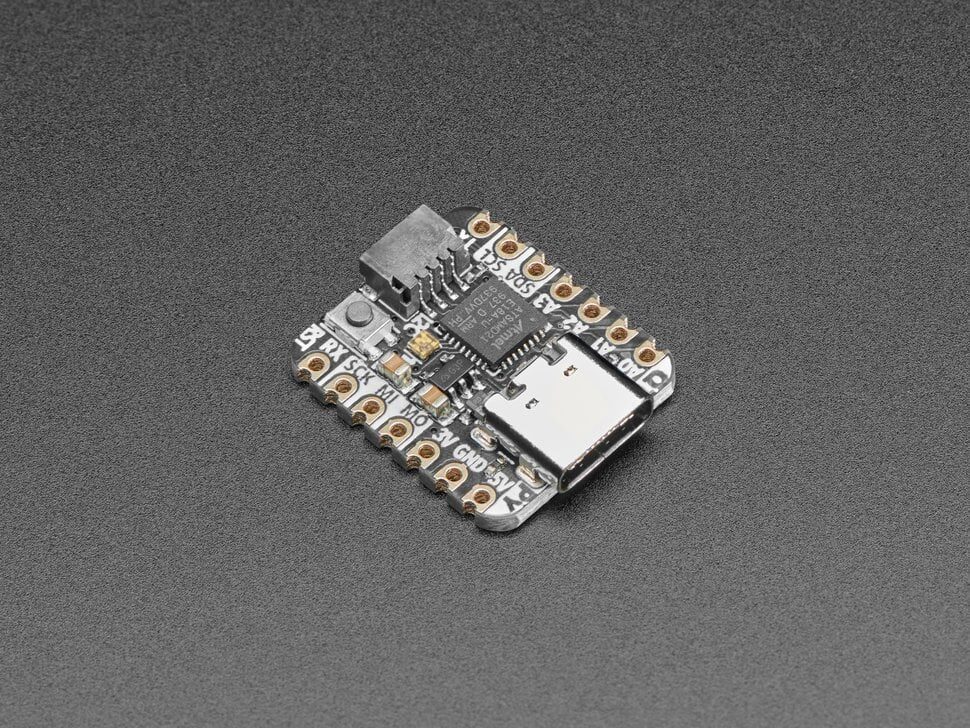
Adafruit QT Py – SAMD21 Dev Board with STEMMA QT is a chainable I2C port that can be used with any of our STEMMA QT sensors and accessories. All plug-and-play thanks to the innovative chainable design: SparkFun Qwiic-compatible STEMMA QT connectors for the I2C bus so you don’t even need to solder! Just plug in a compatible cable and attach it to your MCU of choice, and you’re ready to load up some software and measure some light.
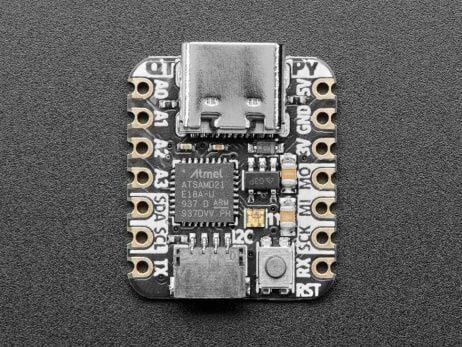
Pinout and shape is Seeed Xiao compatible, with castellated pads so you can solder it flat to a PCB. In addition to the QT connector, we also added an RGB NeoPixel (with controllable power pin to allow for ultra-low-power usage), and a reset button (great for restarting your program, or entering the bootloader).
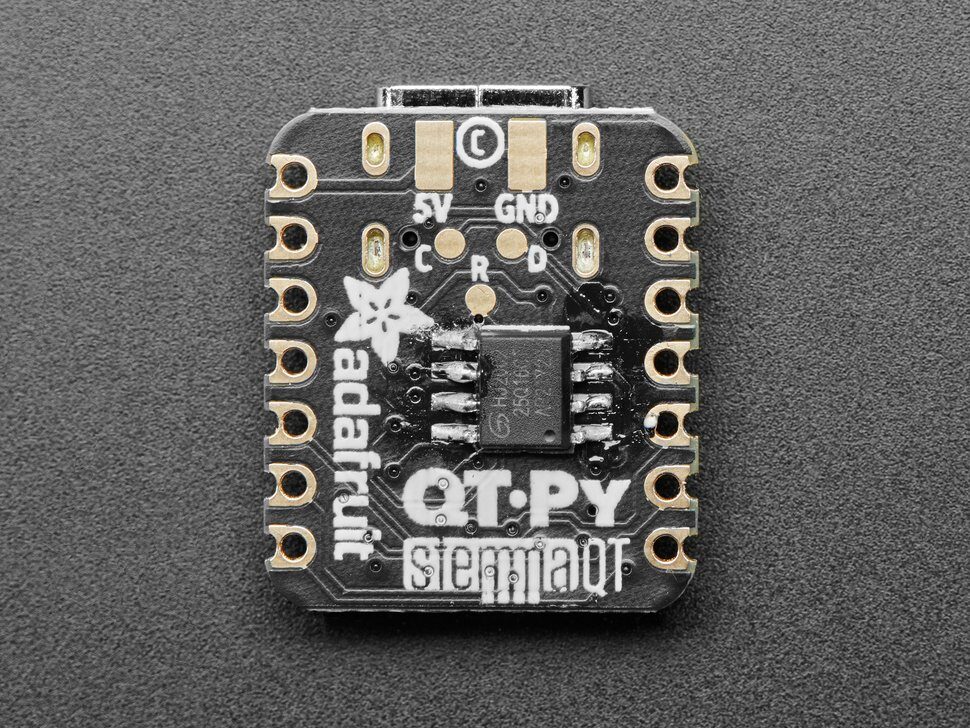
Runs Arduino like a dream, and can be used for basic CircuitPython projects. For more advanced usage like datalogging or file storage, solder an SOIC SPI flash chip onto the bottom pads.
Features:
- Same size, form-factor, and pin-out as Seeed Xiao
- USB Type C connector – If you have only Micro B cables, this adapter will come in handy!
- ATSAMD21E18 32-bit Cortex M0+ – 48 MHz 32 bit processor with 256KB Flash and 32 KB RAM
- Native USB supported by every OS – can be used in Arduino or CircuitPython as USB serial console, MIDI, Keyboard/Mouse HID, even a little disk drive for storing Python scripts.
- Can be used with Arduino IDE or CircuitPython
- Built in RGB NeoPixel LED
- 11 GPIO pins:
- True analog output on one I/O pin – can be used to play 10-bit quality audio clips in Arduino (CircuitPython does not have storage for audio clips)
- 9 x 12-bit analog inputs (SDA/SCL do not have analog inputs)
- 1 x Optional AREF on A1
- 9 x PWM outputs (A0 is analog out, A1 is not PWM capable)
- Hardware I2C port with STEMMA QT plug-n-play connector
- Hardware UART
- Hardware SPI
- Hardware I2S
- 6 x Capacitive Touch with no additional components required
- 3.3V regulator with 600mA peak output
- Optional SOIC-8 SPI Flash chip on bottom
- Reset switch for starting your project code over or entering bootloader mode
- Really really small
Package Includes:
1 x Adafruit QT Py – SAMD21 Dev Board with STEMMA QT
About Samd21 Board
Adafruit QT Py – SAMD21 Dev Board with STEMMA QT is available at Zbotic, India’s trusted electronics and robotics store. Manufactured by Adafruit, this product is designed for hobbyists, students, and professionals working on electronics, robotics, and DIY projects.
Product Details
- Brand: Adafruit
- SKU: AI1765
- Category: Boards Compatible with Arduino
Why Buy from Zbotic?
Zbotic offers a wide range of electronics components, development boards, sensors, and robotics parts. All products are quality-checked and shipped within 24 hours. Free shipping on qualifying orders. We offer COD (Cash on Delivery) and secure online payment options. Our customer support team is available to help with technical queries about Samd21 Board and other products.
Applications
Samd21 Board can be used in a variety of projects including Arduino projects, Raspberry Pi builds, drone assembly, 3D printing, IoT applications, and educational experiments. Whether you are a beginner or an advanced user, this component provides the reliability and performance you need. Order your Samd21 Board today and start building.
Adafruit QT Py – SAMD21 Dev Board with STEMMA QT Overview
The Adafruit QT Py – SAMD21 Dev Board with STEMMA QT is a compact Arduino-compatible evaluation platform powered by the ATSAMD21E18 ARM® Cortex®-M0 microcontroller. It features a SparkFun Qwiic-compatible STEMMA QT I2C port for solderless sensor chaining and an onboard NeoPixel for visual feedback.
Key Features of Adafruit QT Py – SAMD21 Dev Board with STEMMA QT
- ATSAMD21E18 ARM® Cortex®-M0 core for efficient 32-bit performance
- Chainable STEMMA QT I2C connector compatible with SparkFun Qwiic cables
- Seeed XIAO form factor with castellated pads for flat PCB soldering
- Onboard RGB NeoPixel LED with controllable power pin for low-power modes
- Plug-and-play sensor integration—no soldering required for I2C modules
- Genuine product with fast shipping from Zbotic across India
Applications and Use Cases
- Daisy-chained environmental sensing networks using multiple STEMMA QT modules
- Wearable prototypes with status indicators driven by the onboard NeoPixel
- Ultra-low-power battery-operated IoT nodes thanks to NeoPixel power control
- Compact robotics controllers and sensor hubs in tight enclosures
- Embedded PCB applications utilizing the castellated pad footprint
How to Use Adafruit QT Py – SAMD21 Dev Board with STEMMA QT
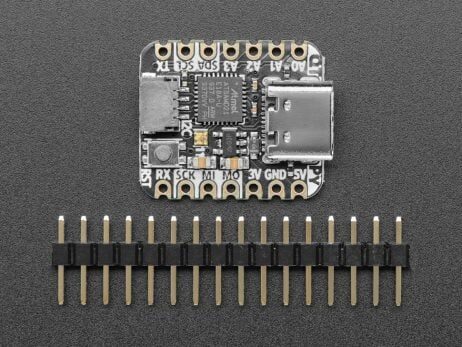
Plug a STEMMA QT-compatible sensor into the I2C port using a JST cable, connect the QT Py to your computer via USB, install the “Adafruit SAMD” board package in the Arduino IDE, select the QT Py as your target, and upload your sketch. Optionally solder the board into your custom PCB using the castellated pads or attach header pins for breadboard prototyping.
Why Buy from Zbotic?
- Genuine Products: All items sourced from authorized distributors
- Fast Shipping: Orders ship within 24 hours with tracking (non backordered products)
- Free Shipping: Free delivery on qualifying orders
- COD Available: Cash on Delivery, UPI, cards, net banking
- Technical Support: Expert help for setup and troubleshooting
- Easy Returns: Hassle-free replacement for defective products
Frequently Asked Questions
Can I connect multiple sensors to the QT Py?
Yes, the STEMMA QT port implements a standard I2C bus. You can daisy-chain multiple STEMMA QT or Qwiic devices using JST cables and address them individually in your code.
How do I power and program the board?
Connect the QT Py to your computer with a USB cable. It draws 5 V from USB and regulates down to 3.3 V for the microcontroller and I/O. Use the Arduino IDE with the Adafruit SAMD board package to write and upload your firmware.
Can I disable the NeoPixel for battery projects?
Yes, the NeoPixel’s power line is switched by a dedicated GPIO pin. In your sketch, drive that pin low to cut power to the LED and minimize current consumption.

Arduino SPI Tutorial: Master/Slave Setup & Register Control
SPI (Serial Peripheral Interface) is the fastest serial communication protocol available on Arduino. When you need to drive...
Read More →
Arduino Motor Shield R3: Drive DC and Stepper Motors Easily
The Arduino Motor Shield R3 is the simplest way to add motor control to your Arduino projects —...
Read More →
Official Arduino Kit vs Clone Kits: Worth the Premium?
The debate between official Arduino and clone boards is one every Indian maker faces when starting out. With...
Read More →Technical Specifications
| Brand | Adafruit |
|---|---|
| SKU | AI1765 |
| Weight | 0.004 kg |
| Availability | Out of Stock |
Applications & Use Cases
The Adafruit QT Py – SAMD21 Dev Board with STEMMA QT is a versatile boards compatible with arduino used across a wide range of applications including electronics learning, robotics, home automation, sensor interfacing, and motor control.
Common use cases:
- Learning programming and electronics
- Building a line-following robot
- Creating a home automation hub
This product is ideal for students, hobbyists, and electronics beginners.
Technical Tip: Arduino Uno is the standard learning board. Mega offers more pins for complex projects. Nano suits breadboard prototyping.
Shipping & Delivery
- Free shipping on orders above ₹999 across India
- Dispatched within 1-3 business days
- Expected delivery: 3-7 business days depending on location
- Secure packaging to ensure safe transit of electronic components
- Genuine Adafruit product sourced from authorized channels





Ankur Tiwari (verified owner) –
Good Adafruit QT Py – SAMD21 Dev. Took a while to get the drivers working but board itself is solid.
Neeraj Bose (verified owner) –
This Adafruit QT Py – SAMD21 Dev is genuine quality. My students love working with it in our robotics lab.
Himanshu Luthra –
This Adafruit QT Py – SAMD21 Dev is a must-have for any maker. Works perfectly with Arduino IDE.
Ashish Mishra –
This Adafruit QT Py – SAMD21 Dev is genuine quality. My students love working with it in our robotics lab.
Aditi Nayak (verified owner) –
Excellent Adafruit QT Py – SAMD21 Dev! Perfect for my Arduino project. All pins working correctly.
Shubham Modi (verified owner) –
Nice Adafruit QT Py – SAMD21 Dev for the price. Using it in my college project, performs well.
Kritika Srivastava (verified owner) –
This Adafruit QT Py – SAMD21 Dev is a must-have for any maker. Works perfectly with Arduino IDE.
Vinay Reddy (verified owner) –
Nice Adafruit QT Py – SAMD21 Dev for the price. Using it in my college project, performs well.
Lakshmi Modi –
Decent quality Adafruit QT Py – SAMD21 Dev. Some pins needed cleaning but works fine now.
Ashwin Mishra –
Okay Adafruit QT Py – SAMD21 Dev. Works but had to troubleshoot driver issues initially.
Yash Trivedi (verified owner) –
This Adafruit QT Py – SAMD21 Dev is a must-have for any maker. Works perfectly with Arduino IDE.
Ashish Tandon (verified owner) –
Outstanding quality Adafruit QT Py – SAMD21 Dev. I teach electronics and order these in bulk for my classes.
Rakesh Solanki (verified owner) –
Great quality Adafruit QT Py – SAMD21 Dev. Uploaded my first sketch and it worked flawlessly. Ideal for beginners.