
The VCNL4040 is a fully integrated proximity and ambient light sensor from Vishay Semiconductors. Combining an IR LED, photodetector, 16-bit ADC, and I2C interface into a tiny package, it offers obstacle detection, gesture triggering, and accurate ambient light measurement — all from a single compact module. If you need reliable, short-range proximity detection without the complexity of ultrasonic sensors or the interference issues of bare IR LED-photodetector pairs, the VCNL4040 is an excellent choice for Arduino projects.
This tutorial provides a complete guide to the VCNL4040: how it works, its specifications, wiring to Arduino, library installation, code examples, and practical applications including a proximity-activated display and an IR distance comparator.
1. VCNL4040 Overview
The VCNL4040 integrates four key components into a single 2.0 × 2.4 mm package:
- IR VCSEL (Vertical Cavity Surface Emitting Laser) emitter — a 940 nm IR LED that pulses at a precise frequency
- Photodetector — receives the reflected IR energy and the ambient visible light
- Signal conditioning and 16-bit ADC — converts detected signals to digital counts
- I2C interface — for communication with microcontrollers
The result is a sensor that can detect nearby objects (0–200 mm range) with high repeatability and measure ambient light (lux) simultaneously — without needing any external optics or timing circuits. The integration with Arduino takes less than 10 minutes with the right library.
Key use cases for the VCNL4040:
- Touchless UI (proximity-triggered buttons, menus)
- Display sleep/wake on approach
- Object presence detection on conveyor belts
- Coin/card detection in slots
- Gesture recognition (coarse)
- Ambient light compensation for display brightness
- Faucet / soap dispenser automation
2. How the VCNL4040 Measures Proximity
The VCNL4040 uses reflective proximity sensing — a technique based on measuring the intensity of reflected IR light:
- The on-chip IR VCSEL emitter pulses at 940 nm in sync with the measurement cycle.
- When an object is nearby, it reflects some of the IR energy back toward the sensor.
- The on-chip photodetector captures the reflected IR light.
- The ADC converts the detected signal to a 16-bit count (0–65535). Higher count = more reflected light = closer object.
- This count is read via I2C as the proximity (PS) data register.
Importantly, the VCNL4040 uses a differential measurement: it takes readings with the IR emitter on and off, then subtracts the ambient IR component. This greatly reduces false readings from sunlight and other IR sources — a significant improvement over simple IR-LED/phototransistor circuits.
The proximity count is not a linear distance measurement in millimeters. It’s an intensity value that depends on the object’s reflectivity, color (dark objects reflect less IR), size, and distance. You’ll typically use it as a relative value or calibrate it for a specific application.
3. Ambient Light Sensor (ALS) Channel
In addition to proximity, the VCNL4040 includes a dedicated ambient light sensing channel with a filter designed to match the human eye’s spectral response. The ALS channel measures visible light in lux with configurable integration time (80 ms to 640 ms) and provides 16-bit readings.
The ALS sensitivity formula from the datasheet:
Illuminance (lux) = ALS_COUNT × 0.1 lux/count (at default integration time, 100ms)At longer integration times, multiply by a correction factor: 0.05 lux/count at 200 ms, 0.025 at 400 ms, 0.0125 at 800 ms. The longer the integration, the more sensitive the ALS channel.
Practical uses for the ALS channel:
- Auto-brightness for OLED/LCD displays
- Detecting day/night for automatic lighting
- Logging indoor light levels over time
- Adjusting camera exposure on embedded systems
4. Full Specifications
- Supply voltage: 2.5V to 3.6V (most breakouts are 5V-tolerant with regulator)
- I2C address: 0x60 (fixed)
- I2C speed: up to 400 kHz (Fast Mode)
- Proximity output: 16-bit (0–65535 counts)
- ALS output: 16-bit (0–65535 counts), configurable integration time
- IR emitter wavelength: 940 nm
- Detection range: up to ~200 mm (reflectivity and surface dependent)
- Proximity integration time: 1T to 8T (configurable duty cycle)
- ALS integration time: 80 ms, 160 ms, 320 ms, 640 ms
- Current draw: ~100 µA (normal operation)
- Operating temperature: -40°C to +85°C
- Package: 2.0 × 2.4 mm LCC (available on Adafruit breakout, SparkFun, etc.)
- Interrupt pin (INT): Active-low, configurable threshold
5. Wiring VCNL4040 to Arduino
Using the Adafruit VCNL4040 breakout or SparkFun breakout, the wiring is simple:
| VCNL4040 Pin | Arduino Uno | ESP32 |
|---|---|---|
| VIN / 3V3 | 3.3V or 5V (check board) | 3.3V |
| GND | GND | GND |
| SDA | A4 | GPIO 21 |
| SCL | A5 | GPIO 22 |
| INT (optional) | Pin 2 | Any GPIO (pullup) |
Pull-up resistors: The VCNL4040 requires 4.7kΩ pull-up resistors on SDA and SCL. Most breakout boards include these. The INT pin is open-drain and requires an external 10kΩ pull-up to VCC.
Power supply noise: Add a 100 nF capacitor between VDD and GND, as close to the sensor as possible. Power supply noise affects the IR emitter’s pulse stability and thus proximity measurement repeatability.
6. Library Installation
Two well-maintained libraries are available:
Option 1 — Adafruit VCNL4040:
- Go to Tools → Manage Libraries
- Search “Adafruit VCNL4040”
- Install, accepting Adafruit BusIO dependency
Option 2 — SparkFun VCNL4040:
- Search “SparkFun VCNL4040” in Library Manager
- Install the SparkFun library
Both libraries provide access to all sensor features including proximity, ALS, and interrupt configuration. The examples below use the Adafruit library.
7. Basic Code: Proximity and Ambient Light
// VCNL4040 - Proximity and Ambient Light Sensing
// Requires: Adafruit VCNL4040 library
#include <Adafruit_VCNL4040.h>

Adafruit_VCNL4040 vcnl4040 = Adafruit_VCNL4040();

void setup() {
  Serial.begin(115200);
  while (!Serial);

  if (!vcnl4040.begin()) {
    Serial.println("VCNL4040 not found! Check wiring.");
    while (1);
  }

  // Configure proximity LED current (higher = more range, more power)
  vcnl4040.setProximityLEDCurrent(VCNL4040_LED_CURRENT_200MA);

  // Set proximity integration time (more IT = more sensitive)
  vcnl4040.setProximityIntegrationTime(VCNL4040_PS_IT8T);

  // Set ALS integration time (longer = more sensitive in dark)
  vcnl4040.setAmbientIntegrationTime(VCNL4040_AMBIENT_INTEGRATION_TIME_160MS);

  Serial.println("VCNL4040 Ready");
}

void loop() {
  uint16_t proximity = vcnl4040.getProximity();
  uint16_t als = vcnl4040.getLux();

  Serial.print("Proximity: ");
  Serial.print(proximity);
  Serial.print(" counts | ");

  // Estimate qualitative distance
  if (proximity > 40000) Serial.print("(very close <2cm)");
  else if (proximity > 10000) Serial.print("(close 2-5cm)");
  else if (proximity > 3000) Serial.print("(near 5-15cm)");
  else if (proximity > 500) Serial.print("(far 15-20cm)");
  else Serial.print("(no object)");

  Serial.print(" | ALS: ");
  Serial.print(als);
  Serial.println(" lux");

  delay(200);
}
The qualitative distance thresholds in the example above assume a white paper target with 200mA LED current. Adjust them empirically for your specific application — dark objects, glossy surfaces, and small targets will produce different proximity counts at the same distance.
8. Using the Interrupt Pin
For power-efficient applications, configure the VCNL4040 to raise an interrupt when proximity exceeds a threshold, so the MCU can sleep between events:
// VCNL4040 - Interrupt-Driven Proximity Detection
#include <Adafruit_VCNL4040.h>

Adafruit_VCNL4040 vcnl4040 = Adafruit_VCNL4040();

const int INT_PIN = 2;
volatile bool proximityAlert = false;

void onProximityAlert() {
  proximityAlert = true;
}

void setup() {
  Serial.begin(115200);
  vcnl4040.begin();

  // Set proximity thresholds
  vcnl4040.setProximityHighThreshold(5000);  // Alert when object closer than this
  vcnl4040.setProximityLowThreshold(1000);   // Alert when object moves away past this

  // Enable interrupt for both low and high threshold crossing
  vcnl4040.setProximityInterruptType(VCNL4040_PS_INT_BOTH);

  pinMode(INT_PIN, INPUT_PULLUP);
  attachInterrupt(digitalPinToInterrupt(INT_PIN), onProximityAlert, FALLING);

  Serial.println("Waiting for proximity event...");
}

void loop() {
  if (proximityAlert) {
    proximityAlert = false;
    uint16_t ps = vcnl4040.getProximity();
    uint16_t intFlags = vcnl4040.getInterruptStatus();

    if (intFlags & VCNL4040_PS_IF_CLOSE) {
      Serial.print("Object ENTERED: "); Serial.println(ps);
    } else if (intFlags & VCNL4040_PS_IF_AWAY) {
      Serial.print("Object LEFT: "); Serial.println(ps);
    }
  }
  // MCU can sleep here between interrupts
}
This interrupt-driven approach is ideal for battery-powered sensors that need to wake up only when an object approaches — like a proximity-activated display or a hands-free dispenser.
9. Project: Proximity-Activated Display with Auto-Brightness
This project uses the VCNL4040’s proximity and ALS channels together: wake an OLED display when someone approaches, then automatically set brightness based on ambient light.
// VCNL4040 + SSD1306 OLED: Auto-wake, Auto-brightness display
#include <Adafruit_VCNL4040.h>
#include <Adafruit_SSD1306.h>
#include <Wire.h>

Adafruit_VCNL4040 vcnl4040;
Adafruit_SSD1306 display(128, 64, &Wire, -1);

bool displayOn = false;
unsigned long lastProxTime = 0;
const unsigned long TIMEOUT_MS = 10000; // 10 second display timeout

void setup() {
  Serial.begin(115200);
  vcnl4040.begin();
  vcnl4040.setProximityLEDCurrent(VCNL4040_LED_CURRENT_200MA);

  display.begin(SSD1306_SWITCHCAPVCC, 0x3C);
  display.clearDisplay();
  display.display();
}

void loop() {
  uint16_t ps = vcnl4040.getProximity();
  uint16_t lux = vcnl4040.getLux();

  bool objectNear = (ps > 3000);

  if (objectNear) {
    lastProxTime = millis();
    if (!displayOn) {
      displayOn = true;
      display.ssd1306_command(SSD1306_DISPLAYON);
    }
  }

  if (displayOn && (millis() - lastProxTime > TIMEOUT_MS)) {
    displayOn = false;
    display.ssd1306_command(SSD1306_DISPLAYOFF);
  }

  if (displayOn) {
    display.clearDisplay();
    display.setTextColor(WHITE);
    display.setTextSize(1);
    display.setCursor(0, 0);
    display.println("Proximity Display");
    display.print("PS: "); display.println(ps);
    display.print("Light: "); display.print(lux); display.println(" lux");

    // Auto-brightness based on lux
    uint8_t contrast = map(constrain(lux, 1, 1000), 1, 1000, 10, 255);
    display.ssd1306_command(SSD1306_SETCONTRAST);
    display.ssd1306_command(contrast);

    display.display();
  }

  delay(100);
}
10. Limitations and Important Notes
The VCNL4040 is excellent but has constraints you should know before building around it:
- Not a distance sensor in mm: Proximity counts are not linearly proportional to distance in a simple way. Use calibration lookup tables for any application needing mm-level accuracy.
- Object-dependent: A white sheet of paper might give 30,000 counts at 5 cm, while a black cloth gives only 2,000 counts at the same distance. Factor reflectivity into your threshold design.
- Maximum range ~200 mm: Beyond this, the reflected signal is too weak to distinguish from noise, especially with dark objects.
- Sunlight interference: Bright direct sunlight can saturate the photodetector. The differential measurement helps, but avoid pointing the sensor directly at a window with strong sunlight.
- Fixed I2C address (0x60): Only one VCNL4040 per I2C bus without a multiplexer.
- No temperature compensation: Proximity counts shift slightly with temperature. For precision applications in varying environments, calibrate at operating temperature.
11. VCNL4040 vs VL53L0X vs HC-SR04
| Feature | VCNL4040 | VL53L0X (ToF) | HC-SR04 (Ultrasonic) |
|---|---|---|---|
| Technology | IR reflective | IR Time-of-Flight | Ultrasonic echo |
| Distance output | Counts (relative) | mm (absolute) | cm (absolute) |
| Range | 0–200 mm | 0–2000 mm | 20–4000 mm |
| Interface | I2C | I2C | GPIO (trigger/echo) |
| Ambient light sensing | Yes (lux) | No | No |
| Size | Very small | Small | Large |
| Color-dependent | Yes (IR reflectivity) | Slightly | No |
| Best for | Presence detection, UI | Precise distance | Long range distance |
Use the VCNL4040 for close-range presence/proximity detection and light sensing. Use VL53L0X for absolute distance measurement up to 2 meters. Use HC-SR04 for longer-range distance measurement.
12. Recommended Products from Zbotic
Build a smarter proximity system by pairing the VCNL4040 with these complementary sensors and modules from Zbotic:
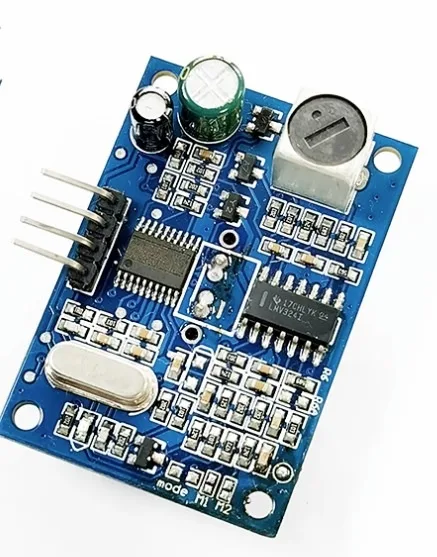
A86 JSN-SR04T Waterproof Ultrasonic Rangefinder Module
When your project needs longer-range distance measurement (up to 4m) or needs to work in wet environments, the JSN-SR04T complements the VCNL4040’s short-range proximity sensing perfectly.

B2X2 4 Elements Infrared Motion Analog PIR Sensor for Lighting
Combine PIR motion sensing for room-wide occupancy detection with the VCNL4040’s close-range proximity for a complete smart lighting automation system — PIR wakes the system, VCNL4040 provides gesture control.
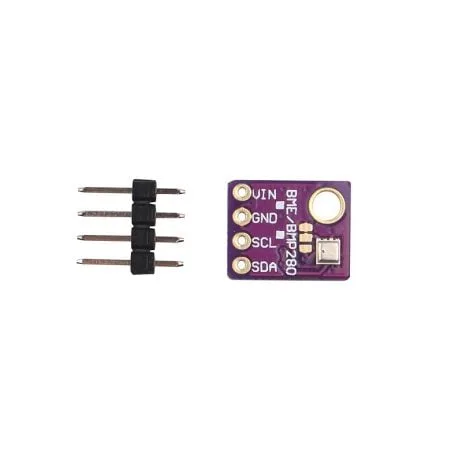
GY-BME280-5V Temperature and Humidity Sensor
Share the I2C bus between the VCNL4040 and BME280 in a smart room controller — proximity sensing, ambient light, temperature, humidity, and pressure from just two sensors.
13. Frequently Asked Questions
What is the I2C address of the VCNL4040?
The VCNL4040 has a fixed I2C address of 0x60. Unlike some sensors, this address cannot be changed via hardware pins. If you need multiple VCNL4040 sensors, use an I2C multiplexer like the TCA9548A.
How do I convert VCNL4040 proximity counts to centimeters?
There is no simple universal formula because the relationship between proximity count and distance depends on the target’s size, color, and surface reflectivity. The standard approach is to measure counts at known distances for your specific target (e.g., a hand at 1cm, 2cm, 5cm, 10cm, etc.) and build a lookup table or fit a curve. For a white surface, typical values range from ~50,000 counts at 1cm to ~200 counts at 20cm — but always calibrate for your target.
Can the VCNL4040 detect black objects?
Yes, but with shorter effective range. Black surfaces absorb IR light and reflect very little back to the sensor. A black object that registers 10,000 counts at 2cm may only register 500 counts at 5cm, while a white surface would register much higher counts at the same distances. Increase LED current to 200mA and use the longest integration time for best sensitivity with dark targets.
What is the difference between VCNL4040 and VCNL4200?
The VCNL4200 is an upgraded version of the VCNL4040 with extended proximity range (up to 1.5m vs 200mm for VCNL4040) achieved through a higher-power IR emitter and more sensitive photodetector. The VCNL4040 is better suited for close-range (<20cm) applications due to its compact size, while the VCNL4200 targets longer-range applications like phone wake-up detection.
Can VCNL4040 work with 5V Arduino Uno?
The VCNL4040 chip itself requires 3.3V maximum. When using an Adafruit or SparkFun breakout board, these modules include an on-board voltage regulator and I2C level shifter, making them 5V-tolerant and directly compatible with Arduino Uno’s 5V supply and 5V I2C lines. Always check your specific breakout board’s specifications before connecting to 5V.
How can I use VCNL4040 for gesture detection?
The VCNL4040 is a single-zone sensor — it cannot detect directional gestures (left/right/up/down) on its own. For gesture direction, use two or four VCNL4040 sensors arranged in a cross pattern (with an I2C multiplexer), or use a dedicated gesture sensor like the APDS-9960 which has multiple photodetectors in a 2×2 array for directional gesture detection. The VCNL4040 can detect approach/retreat (near/far) gestures from a single position.
14. Conclusion
The VCNL4040 is a remarkably capable sensor for its size and price point. Its combination of proximity sensing (0–200 mm), ambient light measurement (lux), configurable interrupt thresholds, and low power consumption make it ideal for a wide range of interactive electronics projects. It’s particularly well-suited for touchless UI controls, display wake-up systems, presence detection, and smart lighting.
The I2C interface and available Arduino libraries make getting started fast, and the configurable gain, LED current, and integration time give you the flexibility to adapt to different environments and target materials. While it’s not a precision distance sensor like the VL53L0X, for close-range presence detection and ambient light sensing, the VCNL4040 is hard to beat.


Add comment