
SIM900A GSM Module: Send SMS with Arduino Step-by-Step
Learning to use a SIM900A GSM Arduino send SMS setup is a milestone for every IoT maker — it opens the door to real-world alerting systems, remote monitoring, and cellular-connected devices that work anywhere in India where there is a mobile signal. In this step-by-step tutorial, we cover everything from powering the SIM900A correctly (the most common failure point) to writing robust Arduino code that sends an SMS with a sensor reading, and we include all the AT commands you need for complete cellular control.
SIM900A Module Overview
The SIM900A is a quad-band GSM/GPRS module from SIMCom that supports 900/1800 MHz frequency bands — exactly the bands used by Indian operators like Airtel, Jio, Vi, and BSNL on their 2G/GSM networks. The module exposes a full AT command interface via UART, allowing you to send and receive SMS, make/receive voice calls, and establish GPRS data connections.
Key specifications:
- Frequency bands: EGSM 900 MHz + DCS 1800 MHz (perfect for India)
- Supply voltage: 3.4V – 4.4V (NOT 5V — this kills modules)
- Peak current: Up to 2A during transmission burst
- Typical current: ~50 mA idle, ~300 mA talking
- UART baud rate: Auto-baud (default), typically 9600 or 115200
- SIM type: Standard SIM (mini-SIM, 2FF) — not micro or nano
- Temperature range: -40 to +85°C
Important: SIM900A vs SIM900 vs SIM800L
- SIM900A: 900/1800 MHz only — designed for Asia. Works on Indian 2G networks.
- SIM900: Quad-band 850/900/1800/1900 MHz — global coverage, slightly pricier
- SIM800L: Smaller, 850/900/1800/1900 MHz — very popular for Indian makers, available at ₹150–250
Power Requirements (Critical!)
Incorrect power supply is responsible for 80% of SIM900A failures in the wild. Do not power from Arduino’s 5V pin — it cannot supply the 2A peak current the module demands during a transmission burst, causing the module to reset mid-send and produce mysterious failures.
Recommended power options:
- Dedicated buck converter: LM2596 or XL4016 step-down converter set to 4.0V, powered from a 7–12V adapter. This is the most reliable method for bench development.
- 18650 LiPo battery directly: A single fully charged 18650 cell (4.2V) can drive the SIM900A directly. Add a 100µF + 470µF capacitor bank across VCC-GND right at the module pins to handle the 2A spikes.
- Module board’s onboard regulator: Many SIM900A breakout boards include a micro-USB power input or DC jack — use this to feed regulated 5V, which the board steps down internally.
Capacitor rule of thumb: Always solder at least a 1000µF 10V electrolytic capacitor directly across VCC and GND pads of the SIM900A IC. This single step resolves most power-related reset loops.
SIM Card Selection for India
For the SIM900A to work in India:
- Use a standard (2FF) SIM — the large SIM. If you have a nano SIM, you need a nano-to-standard adapter.
- Airtel, Vi (Vodafone-Idea), and BSNL have the best 2G coverage in India — they maintain 2G networks specifically for IoT/M2M. Jio is VoLTE only and does NOT work on SIM900A.
- Activate the SIM with a basic voice plan — data is not needed for SMS.
- Ensure the SIM is not blocked for corporate or bulk SMS (plain consumer SIMs are fine for personal projects).
Wiring SIM900A to Arduino Uno
We will use SoftwareSerial so the hardware serial (USB) remains free for debugging:
- SIM900A TX → Arduino Digital Pin 7 (SoftwareSerial RX)
- SIM900A RX → Arduino Digital Pin 8 (SoftwareSerial TX)
- SIM900A GND → Arduino GND (AND external power supply GND — common ground is mandatory)
- SIM900A VCC → External 4.0V supply (NOT Arduino 5V)
- Arduino VCC (5V) → Arduino powered separately via USB
Note on the PWRKEY pin: Some SIM900A modules need a 1-second LOW pulse on the PWRKEY pin to power on. Check your module’s LED: a fast blink (64 ms on, 800 ms off) means it is registered on the network. A slow blink (64 ms on, 3 s off) means it is searching. If the module doesn’t respond to AT commands, toggle PWRKEY low for 1.2 seconds after power-up.
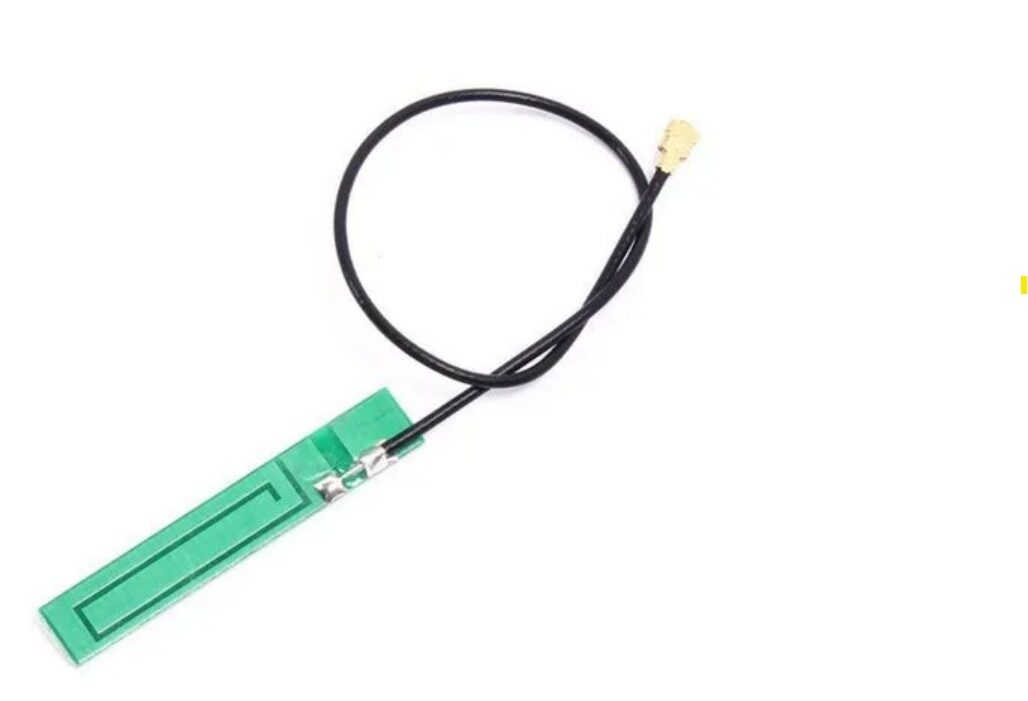
15cm 3dBi GSM/GPRS PCB Antenna with IPEX Connector
Boost your SIM900A signal significantly with this 3 dBi GSM antenna. Essential for reliable SMS delivery in areas with weak signal or when the module is inside an enclosure.
Key AT Commands Reference
Open the Serial Monitor (or a terminal) at the module’s baud rate. Test connectivity first, then configure SMS mode:
| AT Command | Description | Response |
|---|---|---|
AT |
Test module | OK |
AT+CPIN? |
Check SIM status | +CPIN: READY |
AT+CREG? |
Network registration status | +CREG: 0,1 (registered) |
AT+CSQ |
Signal quality (RSSI) | +CSQ: 18,0 (0–31, higher=better) |
AT+CMGF=1 |
Set SMS text mode | OK |
AT+CMGS="+919876543210" |
Send SMS to number | Prompts > for message |
Ctrl+Z (0x1A) |
Send the SMS | +CMGS: 5, OK |
AT+CMGL="ALL" |
List all stored SMS | List of messages |
AT+CMGD=1,4 |
Delete all read SMS | OK |
Arduino Code: Send an SMS
#include <SoftwareSerial.h>

SoftwareSerial gsmSerial(7, 8); // RX, TX

void setup() {
  Serial.begin(9600);
  gsmSerial.begin(9600);
  delay(1000);

  Serial.println("Initializing GSM module...");
  sendCommand("AT", 1000);          // Test
  sendCommand("AT+CPIN?", 1000);   // Check SIM
  sendCommand("AT+CREG?", 1000);   // Check registration
  sendCommand("AT+CSQ", 1000);     // Signal strength
  sendCommand("AT+CMGF=1", 1000); // Text mode SMS

  Serial.println("Sending SMS...");
  sendSMS("+919876543210", "Hello from Arduino! Temp: 28C, Humidity: 65%");
}

void loop() { }

void sendSMS(String number, String message) {
  gsmSerial.print("AT+CMGS="");
  gsmSerial.print(number);
  gsmSerial.println(""");
  delay(1000);
  gsmSerial.print(message);
  delay(500);
  gsmSerial.write(26); // Ctrl+Z to send
  delay(5000);
  while (gsmSerial.available()) {
    Serial.write(gsmSerial.read());
  }
  Serial.println("nSMS sent (or error above).");
}

void sendCommand(String cmd, int timeout) {
  gsmSerial.println(cmd);
  long t = millis();
  while (millis() - t < timeout) {
    if (gsmSerial.available()) Serial.write(gsmSerial.read());
  }
}
Replace +919876543210 with the full international format of your Indian mobile number (country code +91 followed by the 10-digit number).
Arduino Code: Receive & Parse SMS
This sketch monitors incoming SMS and toggles an LED based on the content — a simple remote control over SMS:
#include <SoftwareSerial.h>

SoftwareSerial gsmSerial(7, 8);
String incomingData = "";
const int LED = 13;

void setup() {
  Serial.begin(9600);
  gsmSerial.begin(9600);
  pinMode(LED, OUTPUT);
  delay(1000);
  gsmSerial.println("AT+CMGF=1");   // Text mode
  delay(500);
  gsmSerial.println("AT+CNMI=2,2,0,0,0"); // Auto deliver new SMS to serial
  delay(500);
  Serial.println("Waiting for SMS...");
}

void loop() {
  if (gsmSerial.available()) {
    char c = gsmSerial.read();
    incomingData += c;
    if (incomingData.endsWith("n")) {
      incomingData.trim();
      Serial.println("Received: " + incomingData);
      if (incomingData.indexOf("LED ON") >= 0) {
        digitalWrite(LED, HIGH);
        Serial.println("LED turned ON");
      } else if (incomingData.indexOf("LED OFF") >= 0) {
        digitalWrite(LED, LOW);
        Serial.println("LED turned OFF");
      }
      incomingData = "";
    }
  }
}
Send “LED ON” or “LED OFF” as an SMS to the SIM in the module and the Arduino will respond accordingly. You can extend this to control relays, read sensor values on demand, or trigger alerts.
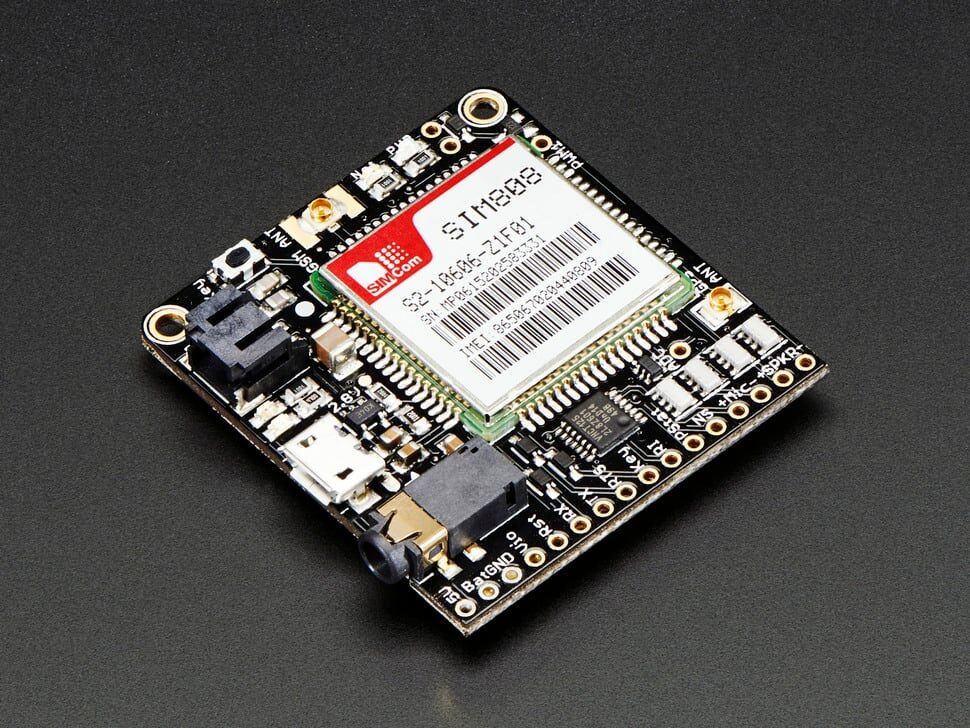
Adafruit FONA 808 – Mini Cellular GSM + GPS Breakout
Combines GSM/GPRS and GPS in one compact breakout board. Perfect for vehicle tracking, field asset monitoring, or any project needing both SMS alerts and location data.
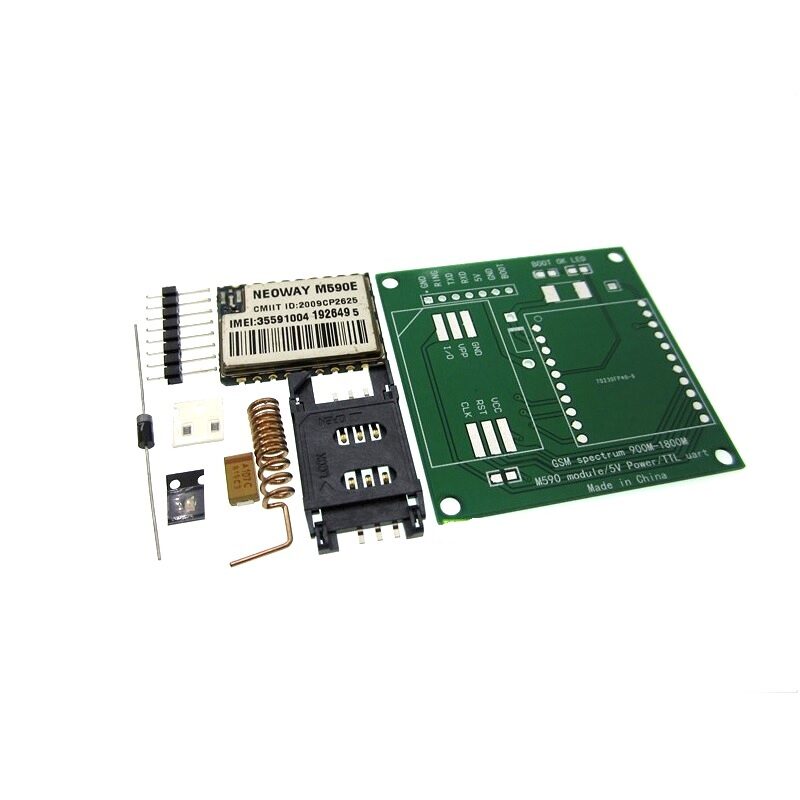
DIY GSM/GPRS M590E Module Kit
An affordable alternative to SIM900A with similar AT command interface. Great for DIY SMS alert systems, remote monitoring, and GPRS data connectivity projects.
Practical Project Ideas
The ability to send SMS from Arduino opens up a whole world of useful, real-life projects for India:
- Home security alert: PIR motion sensor + SIM900A sends an SMS to your phone whenever motion is detected in your house while you are away.
- Water tank overflow alert: A float switch at the top of the overhead tank sends “Tank Full! Turn off pump” as an SMS when the water level is critical.
- Temperature alert for server room/cold storage: An LM35 or DHT22 sensor sends an SMS if temperature crosses a threshold — critical for medicine storage in Indian pharmacies.
- SMS-controlled relay: Control irrigation pumps or street lights remotely by sending an SMS command from your phone.
- Vehicle GPS tracker with SMS: Combine SIM900A with a GPS module — send “LOCATION” as an SMS and receive back GPS coordinates as a Google Maps link.
- Gas leak detector: MQ-2 gas sensor + SIM900A alerts family members via SMS when LPG or CNG gas levels are dangerous — highly relevant for Indian kitchens.
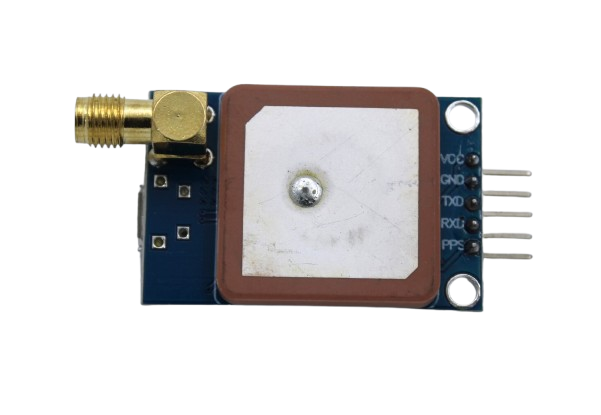
GPS NEO-6M Satellite Positioning Module for Arduino
Pair this NEO-6M GPS module with SIM900A to build a complete vehicle tracker that sends SMS location updates. Works indoors with the included ceramic patch antenna.
Frequently Asked Questions
Does SIM900A work with Jio SIM in India?
No. Jio is a VoLTE (4G LTE voice) only network — it has no 2G (GSM) network. The SIM900A is a 2G GSM module and cannot connect to Jio at all. Use Airtel, Vi (Vodafone-Idea), or BSNL SIM cards which maintain active 2G networks for IoT and machine-to-machine use.
Why does SIM900A keep resetting or not respond?
The most common cause is inadequate power supply. The SIM900A draws up to 2A in short bursts during GSM transmission. If your power supply cannot deliver this current, the module resets. Use a dedicated power supply capable of at least 2A at 4.0V and add a 1000µF capacitor directly across the module’s VCC and GND pins.
Why does AT+CMGS return ERROR?
Check these in order: (1) Did you set text mode with AT+CMGF=1? (2) Is AT+CREG? returning 0,1 (registered on network)? (3) Is the phone number in full international format (+91XXXXXXXXXX)? (4) Is the SIM card properly inserted and not PIN-locked? Run AT+CPIN? to check — it should return READY.
Can I use SIM900A to make phone calls?
Yes. Use ATD+919876543210; to dial a number and ATH to hang up. The module has audio codec support, but you need to connect a microphone and speaker to the module’s MIC and SPK pins for voice calls. SMS-based projects are far more common in maker applications.
Can SIM900A send data over GPRS to the internet?
Yes. The SIM900A supports GPRS Class 10 data at up to 85.6 kbps. You can post data to HTTP endpoints using AT+HTTPINIT, AT+HTTPPARA, and AT+HTTPACTION commands. This is suitable for sending sensor data to platforms like ThingSpeak or a custom cloud server at very low intervals.
Build Your Cellular IoT Project Today
Zbotic stocks GSM modules, GPS trackers, antennas, and complete Arduino project kits at the best prices in India. Get everything you need for your SMS alert or GPRS data project, delivered fast.







Add comment