
Table of Contents
- Introduction
- Understanding FPV Video Systems
- Analog FPV: The Classic Choice
- DJI O3 Air Unit: The Premium Digital Option
- Walksnail Avatar: The Open Digital Platform
- Head-to-Head Comparison
- Latency Deep Dive
- Buying Advice for Indian Pilots
- Recommended Products
- Frequently Asked Questions
- Verdict
Introduction
If there’s one debate that never dies in the Indian FPV community, it’s the eternal question: analog or digital? And within the digital camp, a fierce rivalry has emerged between DJI’s O3 Air Unit and the rising challenger, Walksnail’s Avatar HD system. Each platform has passionate advocates and legitimate advantages — and each comes with very different price tags that matter enormously in the Indian market.
This comprehensive comparison cuts through the marketing and gives you the real information you need to make the right choice for your build, your budget, and your flying style. We’ll examine image quality, latency, range, reliability, ecosystem lock-in, and total cost of ownership — all from the perspective of an Indian FPV pilot buying components in rupees.
Whether you’re a first-time builder setting up your 5-inch freestyle quad or an experienced pilot upgrading a fleet of racing drones, this guide will help you pick the right FPV system with confidence.
Understanding FPV Video Systems
An FPV (First Person View) video system consists of three components working together:
- Camera: Captures the forward-facing video on the drone
- Video transmitter (VTX): Transmits the video signal wirelessly to the ground
- Goggles or monitor: Receives and displays the video for the pilot
The fundamental divide in FPV systems is between analog and digital transmission:
Analog systems encode the video as a continuous electrical signal (PAL or NTSC format) and transmit it over a 5.8GHz carrier wave. The receiver decodes the signal into video. Analog is the original FPV technology — it’s fast, simple, and cheap, but image quality is limited to standard definition with characteristic noise, static, and colour distortion.
Digital systems compress the video, transmit it as data packets, and decompress it at the goggles. The result can be high-definition, crisp, clear video. However, digital compression and wireless transmission introduce latency, and digital systems are significantly more complex and expensive.
Analog FPV: The Classic Choice
Analog FPV has been the backbone of the hobby for over a decade. Despite being technically inferior on paper, analog remains widely used — and for good reasons.
How Analog FPV Works
Analog cameras output a composite video signal (CVBS) in either PAL (625 lines, 25fps, used in India and Europe) or NTSC (525 lines, 30fps, North America and Japan). This signal goes directly to a VTX (Video Transmitter) chip which modulates it onto a 5.8GHz carrier. The receiver at the goggles demodulates the carrier to recover the original video signal.
Because there’s no compression, encoding, or buffering in the signal chain, analog latency is essentially zero beyond the propagation delay of the radio wave itself — effectively under 1ms. This is why many competitive FPV racers, who prize instantaneous stick-to-response feel, still choose analog.
Image Quality
Modern analog cameras have improved dramatically from early 640×480 sensors. Current cameras like the Foxeer Falkor 3 and Runcam Phoenix 2 offer up to 1500TVL (TV Lines) sensitivity with wide dynamic range (WDR) and StarLight technology for low-light performance.
However, 1500TVL is a marketing specification — the actual resolved detail is limited by the NTSC/PAL bandwidth to approximately 700TVL equivalent. Analog FPV images are noticeably softer and noisier than digital, especially in challenging light conditions.
Analog Strengths
- Lowest latency: True zero-latency transmission, no video artifacts when signal degrades — just noise, not dropout
- Cheapest entry: A complete analog FPV system (camera + VTX + goggles) can be assembled for ₹4,000–₹10,000 in India
- Open ecosystem: Any 5.8GHz VTX works with any 5.8GHz receiver/goggles on the same frequency
- Ultra-light: Analog cameras weigh 2–10g. VTX modules weigh 2–8g. Critical for 2-inch and 3-inch micro builds
- Graceful degradation: Signal weakening shows as increasing noise/static — you still have video even with poor signal, unlike digital dropouts
Analog Weaknesses
- Standard definition — limited detail in fast-moving footage
- Susceptible to video interference from other pilots on same channel
- High-voltage interference from ESCs can corrupt analog video
- Video recording (DVR) quality is SD only

1/3″ CMOS 700TVL Mini FPV Camera PAL/NTSC
Compact analog FPV camera with 700TVL resolution, 2.1mm lens, and PAL/NTSC support. An affordable entry-level option for micro builds and practice quads where weight and cost are priorities.
DJI O3 Air Unit: The Premium Digital Option
DJI entered the FPV market with their Digital FPV System in 2019 and has since released the O2, O3, and O3 Pro systems. The O3 Air Unit, released in 2022, is currently DJI’s flagship drone-mountable video transmission system.
Technical Specifications
- Video transmission: 1080p/60fps or 810p at up to 120fps (high-refresh mode)
- Latency: As low as 22ms in 1080p/60 mode, 28ms in 1080p/100 mode
- Range: Up to 10km in open areas (O3 Pro claims 20km)
- Frequency: 5.8GHz (auto-switches to 2.4GHz if 5.8GHz is congested)
- OSD: Configurable via DJI Assistant
- Recording: Internal microSD card records raw H.265 4K/60fps or 4K/120fps footage simultaneously with the transmitted video
- Weight: 34.6g (air unit) + 5.7g (camera)
- Power: 7–26V input, 6.5W nominal
DJI Goggles Compatibility
DJI O3 requires DJI goggles — the DJI Goggles 2 (Micro OLED, ultra-sharp) or the older DJI FPV Goggles V2. Goggles 2 costs approximately ₹85,000 in India. You cannot use third-party goggles (Fatshark, Skyzone, etc.) with DJI’s digital link.
O3 Air Unit Strengths
- Image quality: Crystal clear 1080p video with minimal noise even in low light. The DJI camera sensor is exceptional.
- Built-in DVR: 4K recording directly on the unit gives broadcast-quality footage without a separate GoPro
- Auto frequency switching: Avoids 5.8GHz interference by dropping to 2.4GHz automatically
- Rock-solid signal: DJI’s proprietary OcuSync protocol is extremely reliable at medium ranges
- Ecosystem integration: Works seamlessly with DJI drones and accessories
O3 Air Unit Weaknesses
- Closed ecosystem: Requires DJI goggles. No third-party goggle support.
- Price: Air unit alone costs ~₹25,000–₹30,000, goggles add another ₹50,000+
- Weight: 34.6g is significant for 3-inch and smaller builds
- Limited range compared to 1.3GHz systems: 10km in ideal conditions, much less in urban India
- Import dependent: DJI products face GST and import duties, making them expensive in India
Walksnail Avatar: The Open Digital Platform
Walksnail’s Avatar HD system, released in 2022, was developed by many of the same engineers who originally created the early DJI FPV system. It’s emerged as a serious alternative that addresses several of DJI O3’s limitations.
Technical Specifications
- Video transmission: 1080p/60fps standard; Avatar Pro kit supports 1080p/100fps
- Latency: Approximately 22ms at 1080p/60fps (comparable to DJI O3)
- Range: Claims up to 6km; practical range 2–4km for typical pilots
- Frequency: 5.8GHz
- OSD: Configurable via Walksnail app or web interface
- Recording: 1080p DVR recording on microSD in the goggles; HD recording option in newer units
- Weight: 7g (Avatar mini camera + VTX) to 27g (full HD kit)
- Power: 6–26V (some versions 3.3V for direct FC connection)
Avatar’s Key Advantage: Open Ecosystem
This is where Avatar fundamentally differs from DJI. Walksnail supports third-party goggle compatibility. Fatshark Dominator HD goggles, SteadiView goggles, and certain Skyzone models support the Avatar link, giving you choice in your goggle selection. This also enables longer-term ecosystem investment — your goggles work with multiple video systems.
Gyroflow Integration
The Avatar system supports Gyroflow stabilisation — the recorded gyroscope data can be used to digitally stabilise footage in post-production, achieving GoPro-like smooth video without gimbal hardware. For content creators and cinematic FPV pilots, this is a major advantage.
Avatar Weaknesses
- Image quality slightly below O3: DJI’s camera sensor advantage is real, especially in low light
- Shorter range than O3: For long-range operations, O3 has the edge
- Fragmented ecosystem: Multiple goggles versions and compatibility matrices can be confusing
- Smaller community: Less documentation and fewer build guides compared to DJI
Head-to-Head Comparison
| Feature | Analog | DJI O3 | Walksnail Avatar |
|---|---|---|---|
| Video Quality | SD (480–700TVL) | 1080p/60fps | 1080p/60fps |
| Latency | <1ms | 22–28ms | 22–28ms |
| Range | 1–5km | 10km | 4–6km |
| Total System Cost (India) | ₹5,000–₹15,000 | ₹75,000–₹1,20,000+ | ₹35,000–₹70,000 |
| VTX Weight | 2–8g | 34.6g | 7–27g |
| Goggle Choice | Any 5.8GHz | DJI only | Multiple brands |
| DVR Recording | SD only | 4K H.265 raw | 1080p |
| Signal degradation | Noise/static (gradual) | Sudden dropout | Sudden dropout |
| Ecosystem | Open | Closed (DJI) | Semi-open |
| Best for | Racing, budget builds | Cinematic, long range | Freestyle, content creation |
Latency Deep Dive
Latency is the most technically nuanced aspect of this comparison and the one most often misunderstood. Let’s break it down properly.
Analog Latency
Analog FPV has essentially zero video transmission latency. The video signal is processed at 25fps (PAL) or 30fps (NTSC), meaning there’s a maximum of 40ms or 33ms frame delay from camera to display. The actual transmission latency is under 1ms. However, most analog goggles add ~1–2ms of display latency. Total: typically 1–3ms transmission + 33–40ms maximum frame capture delay.
Digital Latency
DJI O3 and Walksnail Avatar add video compression, wireless transmission, and decompression latency. At 1080p/60fps, there are 16.7ms between frames. DJI’s OcuSync 3.0 achieves 22ms total latency at best settings. Walksnail Avatar matches this at ~22ms.
Is 22ms noticeable? In controlled testing, most pilots cannot distinguish latency differences below 30ms. However, at competition level, even 10ms can affect performance in tight obstacle courses. This is why analog FPV remains competitive in racing despite inferior image quality.
The Real-World Experience
For freestyle flying, cinematic flight, and casual racing: the latency difference between analog and digital is not perceivable in normal flying. For professional FPV racing on tight technical courses: analog is preferable due to latency advantage. For long-range flying: digital gives you critical visual information (can see obstacles clearly at 300m that are invisible in analog noise) that outweighs any latency concern.
Buying Advice for Indian Pilots
Budget Under ₹20,000 (Total Build)
Analog is your only practical choice. A quality analog FPV camera + VTX costs ₹1,500–₹3,000. Budget goggles (Eachine EV800D, Skyzone SKY02X) are ₹5,000–₹8,000. This leaves your budget for the frame, motors, ESC, and flight controller.
Budget ₹20,000–₹50,000 (Total Build)
Consider Walksnail Avatar HD as a stretch goal — the Avatar mini kit is more affordable than the full system. Alternatively, build a high-quality analog system and invest savings in better motors, ESC, and flight controller. Walksnail HD at this budget may require compromise elsewhere in the build.
Budget Above ₹50,000
Digital FPV makes sense here. Choose between DJI O3 (better image quality, longer range, more expensive ecosystem) or Walksnail Avatar (open ecosystem, lighter options, lower total cost). If you’re creating content for YouTube or social media, DJI O3’s built-in 4K recording can replace a separate action camera, making the system cost more justifiable.
Import Considerations
DJI O3 and Walksnail Avatar are imported products. Customs duty, IGST, and broker fees can add 20–30% to the price. Purchase from authorised Indian distributors where possible to avoid customs complications. The FPV community’s Indian Facebook groups and Telegram channels are good sources for trusted dealers.
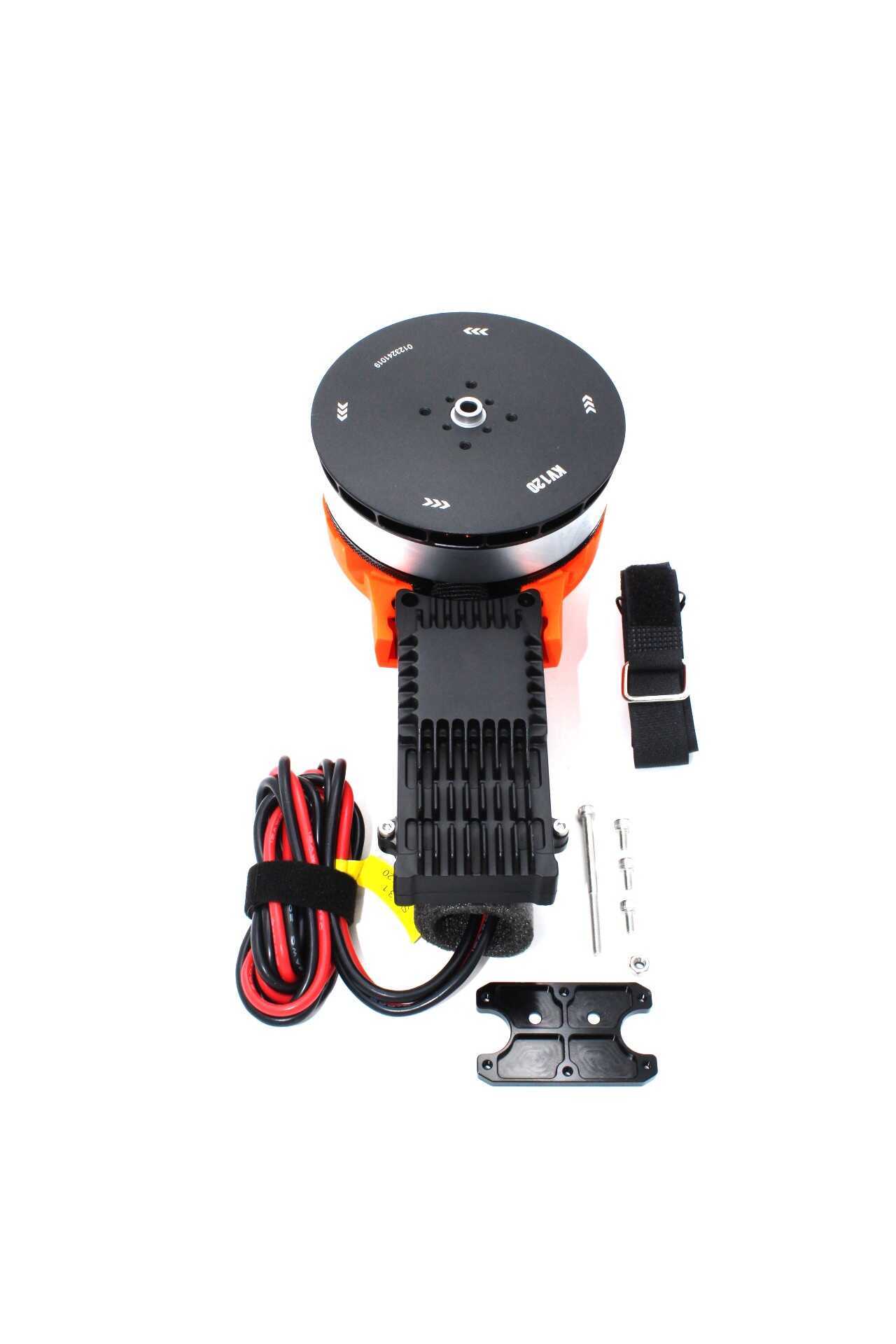
T-Motor A10 KV120 CCW Modular Propulsion System
Premium T-Motor modular propulsion system for large-format FPV and professional builds. Pairs with DJI O3 on long-range cinematics where motor quality directly impacts image smoothness.

35A 4-in-1 Brushless ESC for FPV Racing
Low-noise 4-in-1 ESC suitable for analog FPV builds. Minimises electrical interference that degrades analog video quality, ensuring cleaner OSD and less screen noise.
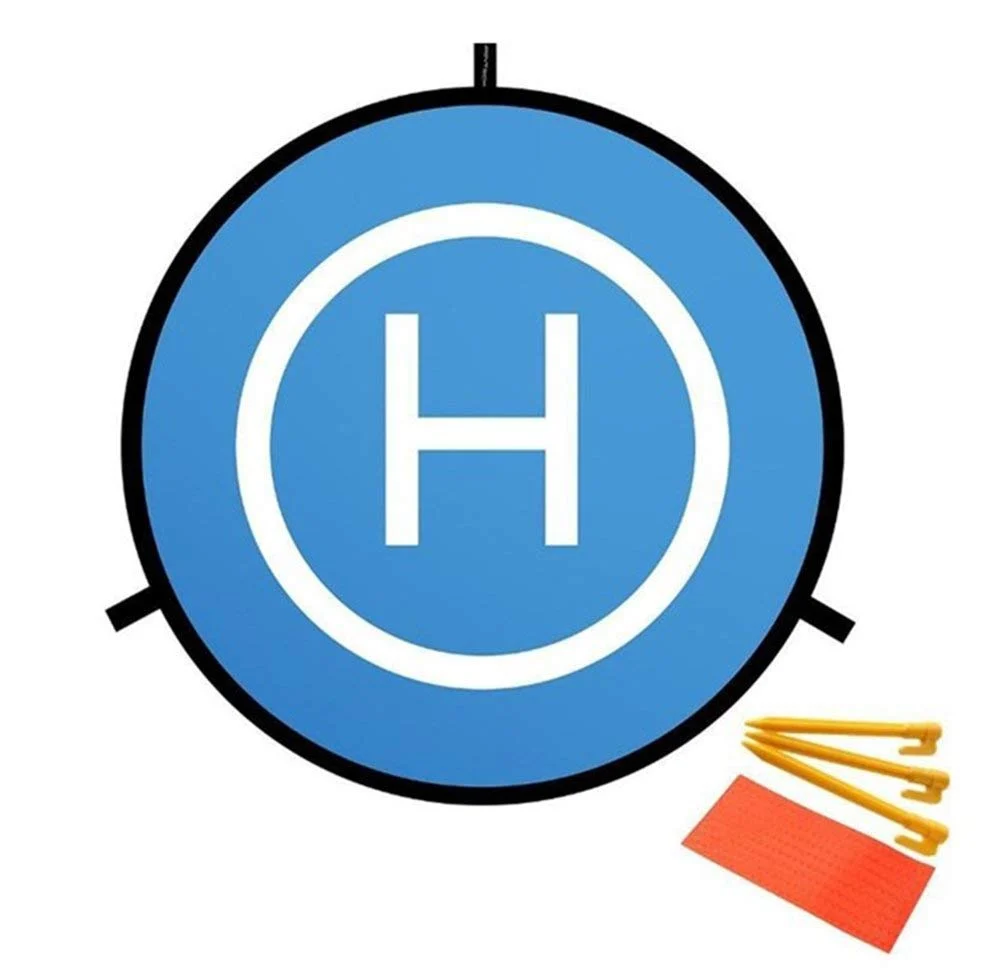
110cm Fast-Fold Landing Pad for RC Drone
A bright, highly visible landing pad that doubles as a signal-clean takeoff surface. Essential for grass field operations where debris can damage FPV cameras and VTX antennas.
Frequently Asked Questions
Can I use DJI O3 with Betaflight?
Yes. DJI O3 is fully compatible with Betaflight-based flight controllers. The air unit connects via UART for OSD data using the MSP DisplayPort protocol. Configure the UART in Betaflight Configurator with MSP enabled, and OSD elements will appear in your goggles. There’s no flight controller limitation — O3 works with any FC running Betaflight, iNav, or ArduPilot.
Is analog FPV dying?
Not in India. While digital FPV is growing rapidly in popularity, analog remains dominant in the Indian market due to price sensitivity. The total cost difference between an analog and DJI O3 digital system is ₹60,000–₹80,000 — that’s enough to build a second complete drone. Until digital system prices drop significantly, analog FPV will remain the primary choice for most Indian pilots.
What happens when digital FPV loses signal?
Digital systems like DJI O3 and Walksnail Avatar show a sudden blackout (black screen) when signal drops below the minimum threshold for decoding. Analog FPV, by contrast, shows progressively worse noise and static as signal weakens but maintains some video even at very poor signal levels. This gradual degradation is actually safer for long-range flying — analog gives you warning before complete loss, while digital can cut out suddenly.
Does DJI O3 work in India legally?
The 5.8GHz frequency used by DJI O3 operates in India’s ISM band, which is license-exempt up to 100mW EIRP for most devices. DJI O3 output power at its minimum setting may exceed this. For hobby use, enforcement is minimal, but for commercial operations, check with WPC regulations. Additionally, DGCA regulations govern where you can fly the drone, not the FPV frequency specifically.
Can I mix DJI O3 air unit with non-DJI goggles?
No. DJI O3 uses DJI’s proprietary OcuSync 3.0 protocol which is not compatible with any third-party goggles. You must use DJI Goggles 2 or DJI FPV Goggles V2. This closed ecosystem is one of O3’s biggest disadvantages compared to Walksnail Avatar, which supports multiple goggle brands.
Verdict
There is no single “best” FPV system — the right choice depends entirely on your use case, budget, and priorities.
Choose Analog if: You’re on a budget, building a racing or freestyle quad, prioritising absolute lowest latency, or need the lightest possible weight. Analog remains the best value proposition for competitive FPV racing in India.
Choose DJI O3 if: Image quality and built-in 4K recording are priorities, you’re doing long-range operations, you don’t mind the closed DJI ecosystem, and budget isn’t a constraint. The image quality and range advantages are real and meaningful for professional content creation.
Choose Walksnail Avatar if: You want digital quality with the flexibility of a semi-open ecosystem, need lighter weight than O3, are creating freestyle or cinematic content, and want the option to use different goggle brands. The Gyroflow integration is a genuine differentiator for content creators.
For the majority of Indian builders and pilots, we recommend starting with a quality analog setup to learn the hobby, then upgrading to digital when your skills and budget align. Explore Zbotic’s FPV components collection for cameras, ESCs, motors, and everything you need to build a capable FPV platform.





Add comment