
Choosing between a cheap color TFT and an OLED display module in India is one of the most common dilemmas for Arduino, ESP32, and Raspberry Pi makers. Both display types are widely available on Indian electronics platforms at prices ranging from ₹80 to ₹800, but they perform very differently in real projects. This guide breaks down the honest price-vs-quality trade-offs so you can pick the right display for your build — without wasting money on the wrong one.
Color TFT Displays: What You Get for the Price
TFT (Thin-Film Transistor) LCD displays dominate the low-cost segment of the Indian hobbyist market for good reason: they are cheap, durable, and available in full colour. The most popular sizes are 1.8″ (128×160, ST7735), 2.4″ (240×320, ILI9341), and 3.5″ (320×480, ILI9488). You can find 1.8″ TFT modules for as little as ₹120–180 in India, while a 2.4″ touchscreen TFT goes for around ₹300–500.
Key characteristics of TFT displays:
- Full 65K or 262K colours: TFTs use a backlit liquid crystal panel with RGB sub-pixels — great for displaying colourful graphics, images, and icons
- Backlight always on: The LED backlight runs continuously, consuming power even when displaying a black screen
- Bright but glare-prone: The glossy surface reflects ambient light — in Indian outdoor settings, this can wash out the display significantly
- Wide viewing angles: IPS-type TFTs have wide viewing angles; standard TN TFTs narrow considerably off-axis
- Durability: LCD panels last tens of thousands of hours without burn-in concerns
- SPI or parallel interface: Most hobby TFTs use SPI (slower but fewer pins) or 8-bit parallel (faster, needs more pins)
OLED Displays: Why They Cost More
OLED (Organic Light-Emitting Diode) displays generate light at the pixel level — each pixel contains organic compounds that emit light when current passes through them. There is no backlight. This fundamental difference creates several advantages, but also some trade-offs.
In India, the most common OLED modules are:
- 0.96″ SSD1306: 128×64 pixels, monochrome (white, blue, or yellow+blue), I2C or SPI — ₹80–150
- 1.3″ SH1106: 128×64 monochrome, I2C or SPI — ₹150–250
- 0.91″ SSD1306: 128×32 pixels, ultra-compact — ₹70–120
- 1.5″ SSD1351: 128×128 full colour OLED — ₹600–900
- 2.42″ SSD1309: 128×64 larger monochrome — ₹500–800
Colour OLEDs exist but cost 4–6× more than comparable TFTs. For Indian hobbyists, the practical OLED choice is almost always a monochrome SSD1306 or SH1106 for text and simple graphics.
Head-to-Head Comparison: TFT vs OLED
| Parameter | Cheap Color TFT | OLED (Monochrome) |
|---|---|---|
| Price in India | ₹120–500 | ₹80–250 |
| Colour | Full 65K colours | Monochrome (most) |
| Power (typical) | 40–80 mA | 5–25 mA |
| Contrast ratio | 300:1 – 500:1 | 10,000:1+ |
| Black level | Gray (backlight bleed) | True black (pixel off) |
| Brightness (cd/m²) | 200–400 | 100–200 |
| Burn-in risk | None | Yes (static images) |
| Viewing angle | Moderate (TN) / Wide (IPS) | Very wide |
| Interface | SPI (4 pins + CS/DC/RST) | I2C (2 pins) or SPI |
| Library support | Adafruit GFX + driver | Adafruit SSD1306 / U8g2 |
Real Pricing in India (2024–2025)
Here is what you actually pay in India (prices approximate, excluding shipping):
- 0.96″ OLED SSD1306 (I2C): ₹80–130 — the cheapest display option for text/data projects
- 1.8″ TFT SPI (ST7735, 128×160): ₹120–200 — entry-level colour display
- 2.4″ TFT SPI (ILI9341, 240×320): ₹280–450 — most popular hobbyist colour display
- 2.4″ TFT with Touchscreen: ₹380–550 — adds resistive touch, great for instrument panels
- 1.3″ OLED (SH1106): ₹180–280 — slightly larger text area than 0.96″
- 1.54″ colour OLED (SSD1351): ₹650–900 — full-colour OLED, premium price
- 3.5″ TFT (ILI9488, 320×480): ₹500–800 — large display for Raspberry Pi or ESP32
The sweet spot for value in India is the 0.96″ OLED SSD1306 for data display projects and the 2.4″ ILI9341 TFT for graphical/colour projects. Both have excellent library and community support, which reduces development time significantly.
Power Consumption Comparison
This is where OLED wins decisively for battery-powered IoT projects. The TFT backlight alone draws 40–80 mA continuously. An OLED’s power draw scales with how many pixels are lit — displaying white text on black uses around 10–20 mA total, while an all-white screen draws up to 60 mA (negating the advantage).
Practical rule: If your display shows mostly dark content with small bright text (sensor readings, status indicators), use OLED — you will consume 3–5× less power than a TFT. If you need full-colour graphics or images, a TFT is your only budget option and the power draw is unavoidable.
For solar-powered IoT nodes in India — where monsoon clouds and winter low-sun conditions are real constraints — this power difference can mean the difference between a 1-day battery backup and a 5-day backup. Combine an OLED display with a BME280 environmental sensor and DS18B20 for a complete low-power weather station.

GY-BME280-3.3 Precision Altimeter Atmospheric Pressure Sensor Module
The BME280 reads temperature, humidity, and pressure in one module. Pair with a 0.96″ OLED for a compact, low-power weather station — runs on 3.3V with minimal current draw.
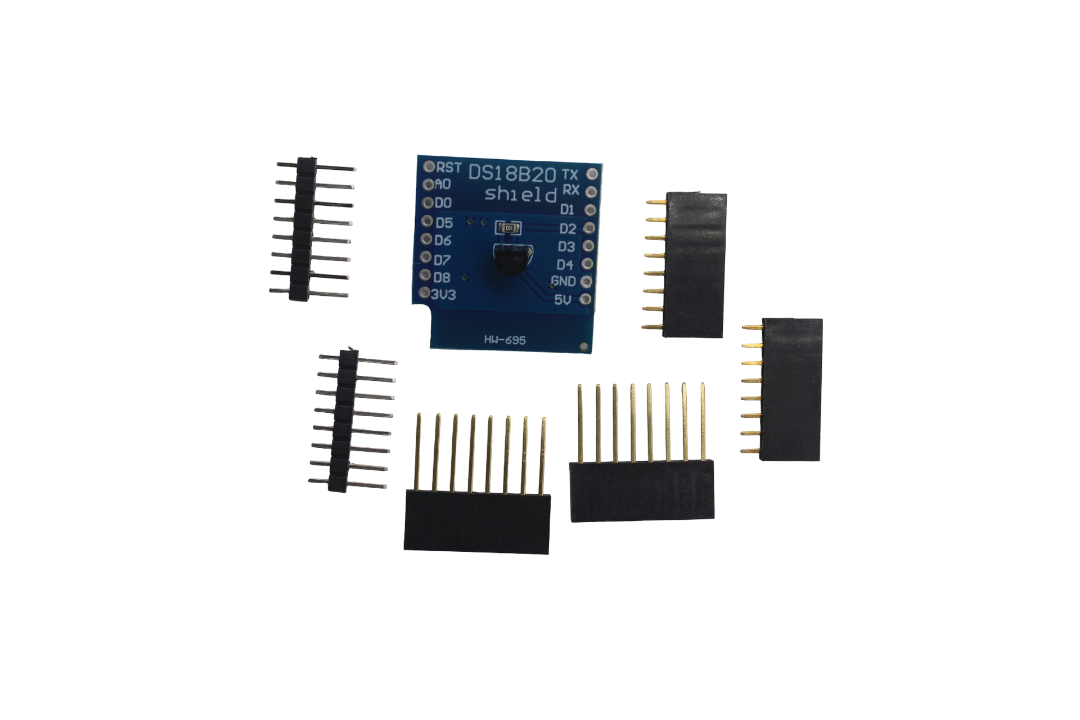
DS18B20 Module for D1 Mini Temperature Measurement Sensor Module
The DS18B20 digital thermometer is perfect for displaying temperature on either TFT or OLED panels. Low power, waterproof variant available, ideal for outdoor IoT deployments in India.
Best Use Cases for Each Display Type
Choose TFT Color Display When:
- You need to display images, icons, or colourful graphs (weather app UI, instrument cluster)
- Your project has a permanent 5V power supply (wall adapter, USB)
- You want a touchscreen interface without extra components
- You are building a game console, media player, or GUI-heavy device
- Resolution matters — 240×320 TFT gives 4× more pixels than typical monochrome OLED
Choose OLED When:
- Your project runs on battery or solar power
- You only need to display text, numbers, and simple icons
- The display will be viewed in varied lighting conditions (indoors + low light)
- You want the sharpest possible text at small sizes
- GPIO pins are scarce (I2C OLED uses only 2 pins)
- Your project needs a slim, modern aesthetic
Our Recommendations for Indian Makers
For absolute beginners: Start with the 0.96″ OLED SSD1306 I2C. It is the cheapest, easiest to wire (just VCC, GND, SCL, SDA), has excellent library support (Adafruit SSD1306), and the contrast is impressive. You can display temperature from a DHT11 or LM35 within an hour of starting.
For IoT/sensor dashboard projects: Still OLED for battery-powered deployments. Use TFT if you need more data columns or colour-coded alerts.
For robotics and game projects: Go with the 2.4″ ILI9341 TFT. The 240×320 resolution and full colour make it far more capable for map displays, game graphics, and camera previews from ESP32-CAM.
For wearables: OLED wins on power and slim profile. The 0.91″ 128×32 OLED is almost credit-card thin when combined with a Pro Mini.
For workshop instruments (oscilloscope, spectrum analyser, multimeter): TFT wins on colour-coding ability, but OLED’s contrast is superior for waveform visibility in dark labs. Many commercial instruments use 2.4″–3.5″ TFT for this reason.

LM35 Temperature Sensors
The LM35 is the perfect first sensor to pair with any display module — TFT or OLED. Its analogue output is easy to read and calibrate, making it ideal for beginner display projects.
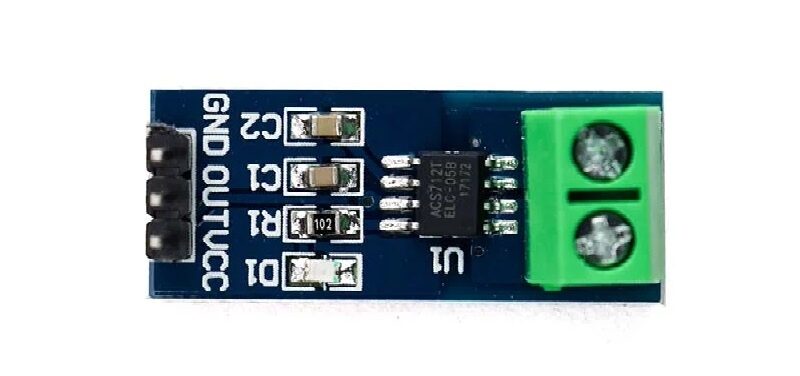
5A Range Current Sensor Module ACS712
Build a power meter display by pairing the ACS712 current sensor with a TFT colour display. Plot real-time current waveforms in colour for motor control and power management projects.
Frequently Asked Questions
Is a cheap TFT from a local Indian electronics market reliable?
Generally yes, but quality control varies. Branded modules from reputable online stores tend to have better soldering and controller ICs than the cheapest local market finds. Batch variation can affect white balance and brightness. For critical projects, buy from a trusted source like Zbotic.
Why does my cheap TFT look washed out outdoors in Indian sunlight?
TFT modules use glossy glass that reflects ambient light aggressively. At 200 cd/m² brightness they are practically unreadable in direct Indian sunlight (which can be 10,000+ lux). Solutions: use a matte screen protector to reduce glare, increase backlight PWM to max, or switch to a high-brightness TFT (500–1000 cd/m²).
Will OLED burn in if I show a static display?
Yes, OLED burn-in is a real concern for static images displayed for hours daily over months. Mitigate it by: dimming the display after 30 seconds of inactivity, using a screensaver that inverts colours, or shifting the displayed content by 1 pixel every few minutes (pixel-shift technique).
Can I use both TFT and OLED on the same Arduino project?
Yes, if you have enough GPIO pins and RAM. An Arduino Mega or ESP32 can handle both simultaneously. On an Arduino Uno, RAM (2KB) becomes the bottleneck — a full-colour TFT frame buffer alone can exceed available RAM.
Are colour OLEDs worth the price in India?
Only for niche use cases. A 1.54″ colour OLED at ₹700–900 gives beautiful images but is fragile and suffers from burn-in. For the same price or less, a 2.4″ ILI9341 TFT gives more pixels, full colour, optional touch, and no burn-in risk. For most Indian hobbyist projects, monochrome OLED + TFT covers all needs without spending on colour OLED.
Find the Right Display for Your Project
Browse TFT and OLED display modules at Zbotic — India’s trusted electronics store with genuine components, competitive prices, and fast shipping across India.







Add comment