
Table of Contents
- What Is the VL53L0X?
- How Time-of-Flight Laser Ranging Works
- Specifications and Module Pinout
- Wiring the VL53L0X to Arduino
- Library Installation and First Test
- Ranging Modes: Speed vs Accuracy
- Basic Distance Meter Project
- Using Multiple VL53L0X Sensors
- Proximity and Gesture Detection
- VL53L0X vs HC-SR04: Key Differences
- Troubleshooting and Accuracy Tips
- Frequently Asked Questions
Ultrasonic sensors like the HC-SR04 have served Arduino makers well for years, but they have real limitations: they struggle with soft or angled surfaces, have a minimum range of ~2 cm, a wide 15° beam angle that causes false readings from nearby objects, and they simply cannot work in an enclosure or through a window. The VL53L0X laser distance sensor solves all of these problems at once.
Based on ST Microelectronics’ FlightSense technology, the VL53L0X uses invisible 940 nm laser pulses and a single-photon avalanche diode (SPAD) array to measure distance by timing how long light takes to bounce back from a target. The result is precision ranging from 30 mm up to 2000 mm with ±3% typical accuracy and a narrow 25° field of view — all from a 4.4 mm × 2.4 mm IC that speaks I2C.
What Is the VL53L0X?
The VL53L0X (pronounced “VL-53-L-0-X”) is ST’s first-generation single-zone ToF (Time-of-Flight) ranging sensor. It was released in 2016 and quickly became the go-to precision distance sensor for robotics, drones, IoT devices, and industrial automation. ST followed it with the VL53L1X (longer range, 4000 mm) and VL53L5CX (multi-zone 8×8 ranging matrix), but the VL53L0X remains the most popular due to its low cost and excellent ecosystem support.
Key characteristics that distinguish it from ultrasonic sensors:
- Works on nearly any surface — matte, glossy, transparent (glass reads inconsistently, but most solids work)
- Unaffected by the target’s colour or reflectivity (within limits)
- Minimum range of 30 mm (vs 20 mm for HC-SR04, but much more reliable at close range)
- Narrow 25° field of view prevents interference from adjacent objects
- Can range through protective cover glass (specified for up to 1.5 mm cover glass)
- No moving parts, completely solid state
- Operates at both 3.3 V and 5 V logic levels
How Time-of-Flight Laser Ranging Works
The VL53L0X operates on the principle of direct time-of-flight measurement. The process is elegantly simple in concept:
- The sensor emits a brief pulse of 940 nm infrared laser light (Class 1 — eye safe at any range)
- The light pulse travels to the target and reflects back
- The SPAD photodetector array captures the returning photons
- Precision timing circuitry measures the elapsed time between emission and detection
- Since light travels at 300,000 km/s, the distance is calculated as: Distance = (Speed of Light × Time) / 2
In practice, the VL53L0X does not measure a single photon return. It fires many thousands of laser pulses per second and uses statistical analysis (a histogram of photon arrival times) to extract distance from noisy, low-signal conditions. This SPAD-based photon counting is what allows it to work in bright sunlight and at long distances where a single photon detection would be unreliable.
The timing resolution required is extraordinary — 2 metres of range corresponds to just 13 nanoseconds of round-trip time. This is why the VL53L0X has dedicated timing hardware: a 20 MHz oscillator and a specialised time-to-digital converter (TDC) that can resolve timing to sub-nanosecond accuracy.
Specifications and Module Pinout
VL53L0X key specifications:
- Ranging distance: 30 mm to 2000 mm (2 m)
- Ranging accuracy: ±3% up to 1200 mm, degrades at greater distances with low-reflectivity targets
- Field of view: 25° (full angle)
- Laser wavelength: 940 nm infrared (Class 1 eye-safe)
- Supply voltage: 2.6 V – 3.5 V for VCC_IO; module regulates from 2.6 V – 5.5 V
- I2C speed: standard (100 kHz) or fast mode (400 kHz)
- I2C address: 0x29 (default, reprogrammable in firmware)
- Measurement time: 20 ms (high speed), 33 ms (default), 200 ms+ (high accuracy)
- Power consumption: 19 mA (ranging), 6 µA (standby)
- Operating temperature: −20 °C to +70 °C
Module pinout (Adafruit / generic breakout):
| Pin | Description |
|---|---|
| VIN | Power input: 2.6 V – 5.5 V |
| GND | Ground |
| SDA | I2C data |
| SCL | I2C clock |
| XSHUT | Active-low shutdown pin — pull LOW to disable the sensor |
| GPIO1 | Interrupt output — fires when measurement is complete |
Wiring the VL53L0X to Arduino
For a single sensor, the wiring is identical to any I2C device:
| VL53L0X | Arduino Uno/Nano | ESP32 |
|---|---|---|
| VIN | 5 V | 3.3 V |
| GND | GND | GND |
| SDA | A4 | GPIO21 |
| SCL | A5 | GPIO22 |
| XSHUT | Not connected (or Pin 9 for multi-sensor) | Not connected |
Leave XSHUT unconnected for normal operation — the module has an internal pull-up that keeps the sensor active. Leave GPIO1 unconnected for polling-mode use (simpler for beginners).
Library Installation and First Test
Two excellent libraries exist for the VL53L0X on Arduino:
Option 1: Pololu VL53L0X Library (recommended)
Lightweight, directly wraps the ST API, very reliable. Install via Library Manager by searching “VL53L0X” and installing the library by Pololu.
Option 2: Adafruit VL53L0X Library
Higher-level abstraction, works well with Adafruit modules. Search “Adafruit VL53L0X” in Library Manager.
Quick test with the Pololu library:
#include <Wire.h>
#include <VL53L0X.h>

VL53L0X sensor;

void setup() {
  Serial.begin(9600);
  Wire.begin();

  sensor.setTimeout(500);
  if (!sensor.init()) {
    Serial.println("VL53L0X init failed! Check wiring.");
    while (1);
  }

  sensor.startContinuous();
  Serial.println("VL53L0X ready.");
}

void loop() {
  uint16_t dist = sensor.readRangeContinuousMillimeters();

  if (sensor.timeoutOccurred()) {
    Serial.println("TIMEOUT");
  } else {
    Serial.print("Distance: ");
    Serial.print(dist);
    Serial.println(" mm");
  }

  delay(100);
}
Open Serial Monitor at 9600 baud. Point the sensor at various surfaces — a wall, your hand, a piece of paper — and observe the distance readings in millimetres. The sensor outputs 8190 or 65535 when no target is detected within range.
Ranging Modes: Speed vs Accuracy
The VL53L0X offers three ranging profiles, selectable via the library:
Default mode (no special configuration):
- Measurement time: ~33 ms per reading
- Accuracy: ±3% at up to 1200 mm
- Best for: general-purpose ranging, indoor robots, obstacle detection
High speed mode:
sensor.setMeasurementTimingBudget(20000); // 20 ms- Measurement time: 20 ms (50 readings/second)
- Accuracy: slightly reduced (±5–6%)
- Best for: fast obstacle avoidance on mobile robots
High accuracy mode:
sensor.setMeasurementTimingBudget(200000); // 200 ms- Measurement time: 200 ms (5 readings/second)
- Accuracy: ±1–2%
- Best for: precise positioning, level detection, liquid level measurement
Long range mode (undocumented but commonly used):
sensor.setSignalRateLimit(0.1);  // reduce from default 0.25
sensor.setVcselPulsePeriod(VL53L0X::VcselPeriodPreRange, 18);
sensor.setVcselPulsePeriod(VL53L0X::VcselPeriodFinalRange, 14);
sensor.setMeasurementTimingBudget(200000);- Extends usable range to ~2000 mm on white targets
- Accuracy degrades at distance; use primarily for presence detection beyond 1.2 m
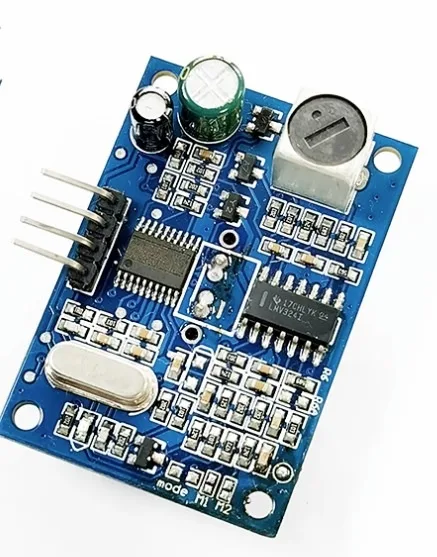
JSN-SR04T Waterproof Ultrasonic Rangefinder
When you need outdoor or wet-environment ranging where the VL53L0X is not suitable, this waterproof ultrasonic sensor fills the gap.
Basic Distance Meter Project
This project builds a compact digital tape measure that displays distance on a 16×2 LCD. It is a useful standalone tool and a great first VL53L0X project.
Components:
- Arduino Uno
- VL53L0X module
- 16×2 I2C LCD display (I2C address 0x27 — different from VL53L0X’s 0x29)
- Jumper wires
Both the VL53L0X and the LCD share the I2C bus — wire their SDA and SCL pins together, with both connected to Arduino A4/A5.
#include <Wire.h>
#include <VL53L0X.h>
#include <LiquidCrystal_I2C.h>

VL53L0X sensor;
LiquidCrystal_I2C lcd(0x27, 16, 2);

void setup() {
  Wire.begin();
  lcd.init();
  lcd.backlight();

  sensor.setTimeout(500);
  sensor.init();
  sensor.setMeasurementTimingBudget(33000); // default mode
  sensor.startContinuous();

  lcd.setCursor(0, 0);
  lcd.print("VL53L0X Meter");
  delay(1500);
  lcd.clear();
}

void loop() {
  uint16_t dist = sensor.readRangeContinuousMillimeters();

  lcd.setCursor(0, 0);
  lcd.print("Distance:");
  lcd.setCursor(0, 1);

  if (sensor.timeoutOccurred() || dist > 2000) {
    lcd.print("Out of range    ");
  } else {
    lcd.print(dist);
    lcd.print(" mm  (");
    lcd.print(dist / 10);
    lcd.print(" cm)   ");
  }

  delay(100);
}
Using Multiple VL53L0X Sensors
The VL53L0X has a fixed I2C address of 0x29. To use multiple sensors on one I2C bus, you must reassign addresses at startup using the XSHUT pin. The procedure is:
- Pull all XSHUT pins LOW to disable all sensors
- Enable sensor 1 (pull its XSHUT HIGH)
- Program sensor 1 to a new address (e.g. 0x30)
- Enable sensor 2 (pull its XSHUT HIGH) — it starts at 0x29 since it was just powered on
- Program sensor 2 to another new address (e.g. 0x31)
- Repeat for each additional sensor
#include <Wire.h>
#include <VL53L0X.h>

#define XSHUT_1  9
#define XSHUT_2  10

VL53L0X sensor1;
VL53L0X sensor2;

void setup() {
  Serial.begin(9600);
  Wire.begin();

  // Disable both sensors
  pinMode(XSHUT_1, OUTPUT); digitalWrite(XSHUT_1, LOW);
  pinMode(XSHUT_2, OUTPUT); digitalWrite(XSHUT_2, LOW);
  delay(10);

  // Enable and configure sensor 1
  digitalWrite(XSHUT_1, HIGH); delay(10);
  sensor1.setTimeout(500);
  sensor1.init();
  sensor1.setAddress(0x30);

  // Enable and configure sensor 2
  digitalWrite(XSHUT_2, HIGH); delay(10);
  sensor2.setTimeout(500);
  sensor2.init();
  sensor2.setAddress(0x31);

  sensor1.startContinuous();
  sensor2.startContinuous();
}

void loop() {
  Serial.print("S1: "); Serial.print(sensor1.readRangeContinuousMillimeters()); Serial.print(" mm | ");
  Serial.print("S2: "); Serial.print(sensor2.readRangeContinuousMillimeters()); Serial.println(" mm");
  delay(100);
}
This technique scales to as many sensors as you have GPIO pins for XSHUT control. A 6-sensor ring around a robot can give 360° obstacle awareness with sub-5% accuracy at reasonable cost.
Proximity and Gesture Detection
Beyond simple ranging, the VL53L0X can detect hand presence and basic gesture direction by comparing readings from two sensors placed side by side. If you mount two VL53L0X sensors 30–40 mm apart horizontally:
- If both sensors detect an object at the same range → object is directly in front
- If left sensor triggers first, then right → swipe right gesture detected
- If right sensor triggers first, then left → swipe left gesture detected
ST’s VL53L1X (the upgraded version) has a configurable region-of-interest (ROI) that allows gesture detection with a single sensor by sampling different portions of the SPAD array. If gesture detection is a primary use case, the VL53L1X is worth the modest price premium over the VL53L0X.
VL53L0X vs HC-SR04: Key Differences
| Feature | VL53L0X (Laser ToF) | HC-SR04 (Ultrasonic) |
|---|---|---|
| Range | 30 mm – 2000 mm | 20 mm – 4000 mm |
| Accuracy | ±3% (±1 mm at close range) | ±3 mm (30 mm – 200 mm), worse at distance |
| Field of view | 25° (narrow) | 15°–30° cone (wide, harder to control) |
| Surface independence | Excellent (any colour, texture) | Poor on soft/angled/foam surfaces |
| Interface | I2C (2 wires + power) | 2 GPIO (Trig + Echo) |
| Multiple sensors | Easy via I2C address reassignment | Each needs its own GPIO pair |
| Outdoors in sunlight | Limited (background light affects SPAD) | Works fine |
| Cost | Higher | Lower |
Choose VL53L0X when: You need precision, the target may be soft or angled, you are working in an enclosure, or you need to chain multiple sensors on one I2C bus.
Stick with HC-SR04 when: You need maximum range (3–4 metres), you are working outdoors in bright sunlight, or cost is the primary constraint.

Benewake AD2-S-X3 High-Performance Automotive-Grade LiDAR
When your project needs industrial-grade long-range LiDAR — this automotive-grade sensor is the professional step up from the VL53L0X.
Troubleshooting and Accuracy Tips
Sensor init fails / not found on I2C:
- Run I2C scanner sketch — VL53L0X should appear at 0x29
- Check SDA/SCL are not swapped
- Verify the module has power (most have an LED indicator)
- Try reducing I2C speed:
Wire.setClock(100000);
Reading always returns 8190 or 65535:
- No target in range — the sensor returns a special out-of-range value
- Ensure the target is within 2 metres and directly in the sensor’s 25° cone
- Highly reflective mirrors or transparent glass may not return enough diffuse light
Readings drift or are inconsistent:
- Vibration or movement of the sensor itself causes noise — mount firmly
- Strong direct sunlight saturates the SPAD array; use in shaded conditions or reduce timing budget
- Apply a rolling average filter: keep the last 5 readings and report their mean
Accuracy on black surfaces is poor:
- Very dark surfaces absorb nearly all the 940 nm light and return very few photons
- Increase the timing budget (200 ms) for long-range mode with low-reflectivity targets
- Maximum reliable range drops to ~500–800 mm on matte black targets

25kHz Ultrasonic Sensor Transmitter T25
For applications where laser ranging limitations apply, this ultrasonic transmitter pairs with its receiver for robust distance sensing.
Frequently Asked Questions
Is the VL53L0X laser safe to look at?
Yes. The VL53L0X uses a Class 1 laser — the same classification as CD and DVD players. Class 1 lasers are safe under all normal use conditions, including brief direct eye exposure. The 940 nm wavelength is invisible to the naked eye, but you can see it with a smartphone camera. There is no need for protective eyewear.
Can the VL53L0X measure through glass?
The VL53L0X is specified to work through cover glass up to 1.5 mm thick (when positioned within ~1 mm of the glass). Thin glass acts mostly as a transparent window. Thicker glass or glass at an angle introduces reflections that confuse the sensor. Transparent plastic (acrylic, polycarbonate) up to 2–3 mm thick generally works well.
What is the VL53L0X minimum detection distance?
The specified minimum is 30 mm. At distances below 30 mm, the sensor output is unreliable and may saturate. If you need to measure objects very close to the sensor, consider the VL6180X (dedicated proximity sensor from ST, 0–100 mm range).
Can I use the VL53L0X outdoors?
With limitations. The sensor works outdoors but direct sunlight greatly reduces maximum range and can cause missed readings because sunlight floods the SPAD array with background photons. In shaded outdoor conditions, performance is similar to indoors. Avoid pointing the sensor toward a sunny sky or bright sun-illuminated surfaces.
What is the difference between VL53L0X and VL53L1X?
The VL53L1X is ST’s second-generation ToF sensor. It offers longer range (up to 4000 mm vs 2000 mm), programmable region-of-interest for zone-based detection, and better multi-zone proximity sensing. The library and wiring are similar. If your project needs over 2 metres or gesture/zone detection, upgrade to the VL53L1X.
How many VL53L0X sensors can I use on one Arduino?
Theoretically unlimited — as long as you have enough GPIO pins to control XSHUT for each sensor and assign unique I2C addresses. In practice, 5–8 sensors on a single Arduino I2C bus is very manageable. Beyond that, consider I2C multiplexers (TCA9548A) to expand the bus.
Conclusion
The VL53L0X laser distance sensor represents a genuine step-change in what hobbyist electronics can achieve. Its combination of 30 mm – 2000 mm precision ranging, surface-independent sensing, narrow beam, I2C interface, and eye-safe laser operation makes it the right choice for a huge variety of applications that would frustrate or fail with ultrasonic sensors.
The Pololu library makes getting started straightforward: a few lines of code and you have millimetre-accurate distance readings streaming to your Serial Monitor. From there, the three ranging modes let you tune the performance profile for your specific application — faster for robotics, more accurate for measurement tools, and longer range for presence detection across a room.
Whether you are building a collision-avoidance system for a robot, a liquid level monitor, a touchless user interface, or a precise positioning system, the VL53L0X is a sensor you will reach for repeatedly once you have one in your toolkit.


Add comment