
RFM95W LoRa Module: Arduino Library & The Things Network Setup
The RFM95W LoRa module with Arduino and The Things Network is one of the most exciting combinations in the Indian IoT maker scene right now. LoRa (Long Range) radio technology lets you send small sensor packets over distances of 2–15 km using sub-GHz frequencies — all on a single coin cell if needed. The RFM95W from HopeRF is the go-to module for maker-grade LoRa projects, and The Things Network (TTN) provides free, community-powered LoRaWAN infrastructure with gateways across many Indian cities. This guide covers everything from wiring the RFM95W to Arduino, installing the LMIC library, registering your device on TTN, and sending your first uplink packet.
What is the RFM95W LoRa Module?
The RFM95W is a LoRa transceiver module from HopeRF based on the Semtech SX1276 chip — the industry-standard LoRa chipset. It operates in the 868/915 MHz bands (for India, the 865-867 MHz IN865 band is used) and supports LoRa spread spectrum modulation for exceptional link budget and range.
Key RFM95W specifications:
- Frequency range: 862–1020 MHz (covers IN865 for India)
- Output power: up to +20 dBm (100 mW)
- Receiver sensitivity: −148 dBm (SF12, 125 kHz bandwidth)
- Communication interface: SPI
- Operating voltage: 3.3V (NOT 5V tolerant on most signals — use level shifters with Arduino Uno)
- Current: 120 mA TX, 10.3 mA RX, 0.2 µA sleep
- Package: SMD module with castellated pads, ~16×16 mm
The RFM95W communicates via SPI, so it connects to Arduino’s MOSI, MISO, SCK, and a chip select (NSS) pin. It also needs a DIO0 interrupt pin for packet detection and optionally DIO1, DIO2 for timing-sensitive LoRaWAN operations.
LoRaWAN and The Things Network Explained
LoRa is the physical radio layer — it’s just a modulation scheme. LoRaWAN is the network protocol stack built on top of LoRa: it defines how devices join networks (OTAA or ABP), how data is encrypted (AES-128), duty cycle limits, and how gateways forward packets to the cloud.
The Things Network (TTN) is a free, open, community-driven LoRaWAN network. Community members around the world (and in India) deploy LoRaWAN gateways and connect them to TTN’s cloud. If there’s a TTN gateway in range of your location (check ttnmapper.org), you can send data for free with zero infrastructure cost on your side.
TTN V3 (The Things Stack Community Edition) is the current platform. It provides:
- Free device registration (up to 10 end devices per application, more with application for higher limits)
- Uplink/downlink message handling
- Payload decoding (JavaScript formatter)
- Webhooks and MQTT integration for forwarding data to your server
- Storage integration for last-N messages
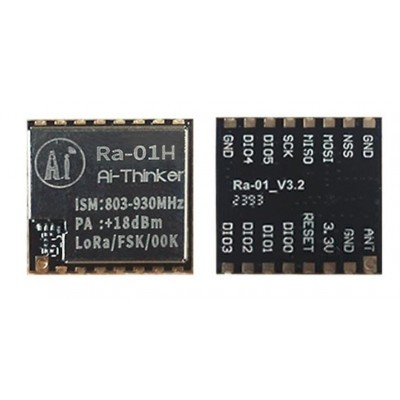
Ai Thinker LoRa Ra-01H Module
Based on the SX1262 chip, the Ra-01H covers 803–930 MHz including the Indian IN865 band. A great alternative to the RFM95W with even better performance and easier PCB mounting.
Hardware Wiring: RFM95W to Arduino Uno/Mega
Critical: The RFM95W operates at 3.3V. Arduino Uno’s SPI pins are 5V. You need a logic level converter (bi-directional, 4-channel) for MOSI, MISO, SCK, and NSS. Alternatively, use a 3.3V Arduino (Pro Mini 3.3V, Feather, etc.) for a direct connection.
Wiring with level converter to Arduino Uno:
| RFM95W Pin | Arduino Uno Pin | Notes |
|---|---|---|
| VCC (3.3V) | 3.3V | NOT 5V |
| GND | GND | Common ground |
| MOSI | Pin 11 (via LLC) | SPI MOSI |
| MISO | Pin 12 (via LLC) | SPI MISO |
| SCK | Pin 13 (via LLC) | SPI Clock |
| NSS | Pin 10 (via LLC) | Chip Select |
| DIO0 | Pin 2 | Interrupt (3.3V safe for Uno) |
| DIO1 | Pin 3 | Required for LoRaWAN |
| RST | Pin 9 (via LLC) | Reset |
Solder a wire antenna or use a helical antenna at the ANT pad. For IN865 (868 MHz), a quarter-wave whip antenna is 8.2 cm of wire.
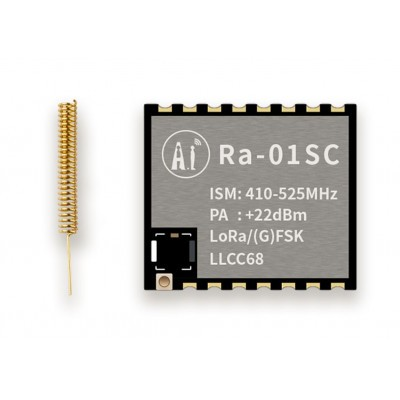
Ai Thinker LoRa Ra-01SC Module
2.4 GHz LoRa module for short-to-medium range applications where sub-GHz bands are restricted. Ideal for indoor or campus-scale LoRa networks.
Arduino LoRa Library: MCCI LMIC Setup
For LoRaWAN (TTN), the recommended Arduino library is MCCI LoRaWAN LMIC library (by MCCI Catena / Terry Moore). It’s a port of IBM’s LMIC (LoraMAC-in-C) for Arduino and supports OTAA, Class A/B operations, and the IN865 regional parameters.
Install via Arduino Library Manager: Search for “MCCI LoRaWAN LMIC” and install.
After installation, create/edit project_config/lmic_project_config.h in the library folder to select the IN865 regional plan for India:
// lmic_project_config.h — select ONE region
// For India (IN865-867):
#define CFG_in866 1
// Disable unused regions:
// #define CFG_eu868 1
// #define CFG_us915 1
// SX1276 for RFM95W:
#define CFG_sx1276_radio 1
// Optional: disable PING/BEACON for simpler Class A only:
#define DISABLE_PING
#define DISABLE_BEACONS
Alternatively, from Arduino IDE 2.x, create a lmic_project_config.h in your sketch folder and add #include <../../../lmic_project_config.h> as the first line of the LMIC library’s config.h.
Registering Your Device on The Things Network
Visit console.thethingsnetwork.org and create a free account. Then:
- Create a new Application (e.g., “my-sensor-node”). Note the Application EUI.
- Within the application, click Register end device.
- Choose “Enter end device specifics manually”.
- Set frequency plan: India (IN865-867).
- LoRaWAN version: 1.0.3 (matches MCCI LMIC defaults).
- Activation mode: OTAA (recommended over ABP).
- Generate a DevEUI, AppEUI, and AppKey (or enter your own).
- Copy the DevEUI, AppEUI, and AppKey — you’ll paste these into your Arduino sketch.
TTN uses big-endian (MSB) byte order for display, but LMIC uses little-endian (LSB) arrays in code. The TTN console provides both formats — copy the LSB versions for LMIC.
Sending Your First LoRaWAN Uplink Packet
Here is a minimal OTAA uplink sketch for RFM95W + Arduino Uno + TTN IN865:
#include <lmic.h>
#include <hal/hal.h>
#include <SPI.h>

// Paste from TTN console — LSB order
static const u1_t PROGMEM APPEUI[8]  = { 0x00, 0x00, 0x00, 0x00, 0x00, 0x00, 0x00, 0x00 };
static const u1_t PROGMEM DEVEUI[8]  = { 0xXX, 0xXX, ... }; // Your DevEUI LSB
static const u1_t PROGMEM APPKEY[16] = { 0xXX, 0xXX, ... }; // Your AppKey MSB

void os_getArtEui(u1_t* buf)  { memcpy_P(buf, APPEUI, 8); }
void os_getDevEui(u1_t* buf)  { memcpy_P(buf, DEVEUI, 8); }
void os_getDevKey(u1_t* buf)  { memcpy_P(buf, APPKEY, 16); }

static osjob_t sendjob;
const lmic_pinmap lmic_pins = {
  .nss  = 10,
  .rxtx = LMIC_UNUSED_PIN,
  .rst  = 9,
  .dio  = {2, 3, LMIC_UNUSED_PIN},
};

void do_send(osjob_t* j) {
  if (LMIC.opmode & OP_TXRXPEND) {
    Serial.println("Busy, skipping");
  } else {
    // Send a 2-byte temperature value (e.g., 256 = 25.6°C)
    uint8_t payload[2] = { 0x01, 0x00 };
    LMIC_setTxData2(1, payload, sizeof(payload), 0);
    Serial.println("Packet queued");
  }
  // Schedule next transmission in 60 seconds
  os_setTimedCallback(&sendjob, os_getTime() + sec2osticks(60), do_send);
}

void onEvent(ev_t ev) {
  switch(ev) {
    case EV_JOINED:   Serial.println("OTAA joined!"); break;
    case EV_TXCOMPLETE: Serial.println("TX complete"); break;
    default: break;
  }
}

void setup() {
  Serial.begin(9600);
  os_init();
  LMIC_reset();
  LMIC_startJoining();
  do_send(&sendjob);
}

void loop() {
  os_runloop_once();
}
OTAA joining can take 30 seconds to a few minutes — be patient. Once joined, “OTAA joined!” prints on Serial Monitor and your device appears as “connected” in the TTN console.
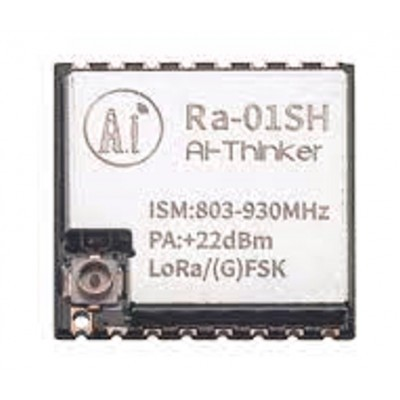
Ai Thinker LoRa Ra-01SH Spread Spectrum Wireless Module
High-performance LoRa module covering 803–930 MHz with excellent sensitivity. Works with MCCI LMIC library and The Things Network for long-range IoT deployments.
Indian Frequency Band: IN865
India’s telecom regulator (TRAI/DoT) has allocated the 865–867 MHz band for unlicensed short-range devices including LoRa. The IN865 regional parameters for LoRaWAN specify:
- 3 default channels: 865.0625, 865.4025, and 865.985 MHz
- Duty cycle: 1% per sub-band
- Maximum EIRP: 14 dBm (25 mW) in India
- Spreading factors: SF7–SF12 (higher SF = longer range, slower data rate)
The RFM95W’s frequency range (862–1020 MHz) covers all IN865 channels. When you configure CFG_in866 1 in the LMIC config and select IN865 in TTN, the library handles channel frequency, duty cycle compliance, and downlink window timing automatically.
Important for Indian makers: Always use IN865, never EU868 or US915 even if your hardware supports them — operating on wrong frequencies is illegal in India and your packets won’t reach IN865-configured TTN gateways anyway.
Maximising LoRa Range in Indian Conditions
LoRa’s range is heavily influenced by terrain and obstacles. Here are practical tips for getting maximum range in India’s diverse environments:
- Antenna height: Every metre of elevation gain helps enormously in flat terrain (Gangetic plains, coastal areas). Mount your gateway antenna as high as possible.
- Spreading factor: SF12 gives maximum range (~15 km in open terrain) but lowest data rate (250 bps) and longest airtime. SF7 is fast but range is 2–3 km. TTN’s ADR (Adaptive Data Rate) manages this automatically — leave it enabled.
- Payload size: Keep payloads to 10–20 bytes. Smaller payloads = shorter airtime = better duty cycle compliance = more frequent transmissions within the 1% duty limit.
- Urban India: In cities like Pune, Bengaluru, or Hyderabad where TTN coverage exists, even SF7 gives 1–3 km with building penetration. SF10+ easily covers 5–8 km.
- Agricultural IoT: In open fields (common use case for irrigation/weather monitoring in India), SF10-SF12 with a 5m tall pole-mounted antenna routinely achieves 8–12 km.
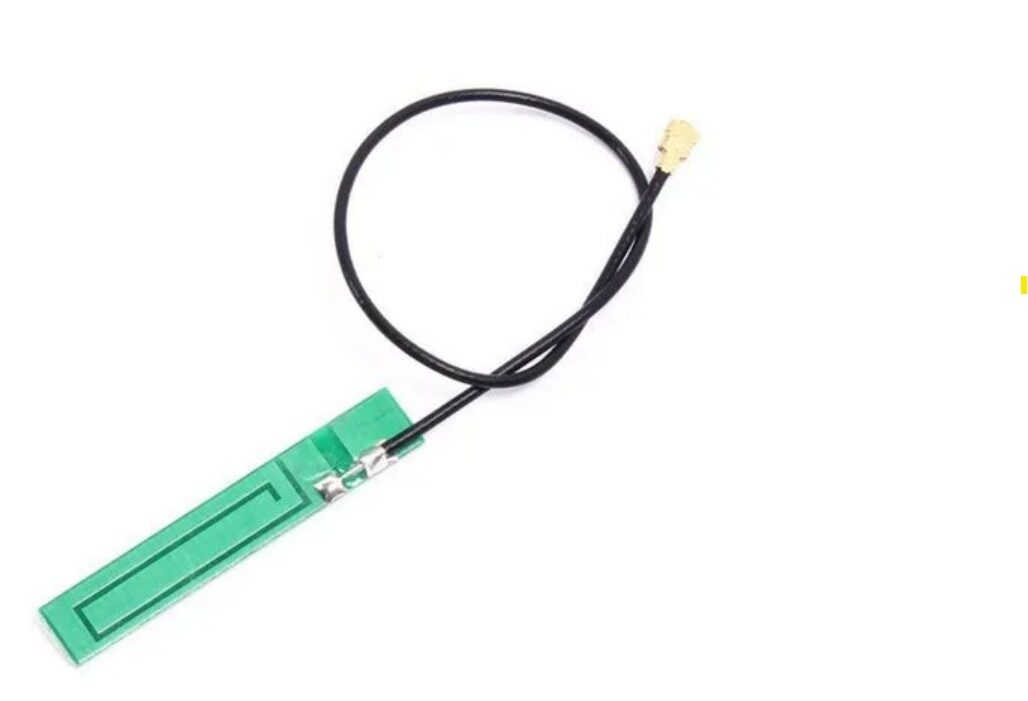
15cm 3DBI GSM/GPRS/3G PCB Antenna with IPEX Connector
Flexible PCB antenna for sub-GHz bands. Works well with LoRa modules at 868 MHz and can be used as an external antenna upgrade for RFM95W or Ai Thinker LoRa modules.
Frequently Asked Questions
Is The Things Network available in India?
Yes, TTN has community gateways in several Indian cities including Bengaluru, Hyderabad, Pune, Mumbai, Chennai, and Delhi. Coverage is patchy compared to Europe, but growing. Check ttnmapper.org for your city. You can also build your own single-channel or full-stack LoRaWAN gateway for your project.
What’s the difference between OTAA and ABP activation?
OTAA (Over-the-Air Activation) is the recommended and more secure method — the device negotiates session keys dynamically each time it joins. ABP (Activation By Personalisation) hardcodes session keys and is simpler to set up but less secure and won’t reassign if the network changes. Always use OTAA for production deployments.
Why is my RFM95W not joining TTN after 5 minutes?
Common causes: no TTN gateway in range (check ttnmapper.org), wrong frequency plan (must be IN865 for India), DIO1 not connected (required for RX2 window in OTAA), wrong AppKey or DevEUI byte order (LSB vs MSB), or poor antenna. Check Serial output for join attempt messages.
How many messages can I send per day on TTN?
TTN Fair Use Policy limits each device to 30 seconds of total uplink airtime per day and 10 downlink messages per day. At SF7, a 12-byte payload takes ~50ms, so you can send roughly 600 messages/day. At SF12, airtime is ~2 seconds per packet, limiting you to 15 messages/day.
Can I use the RFM95W without LoRaWAN (point-to-point)?
Yes — use the simpler RadioHead or arduino-LoRa library for direct point-to-point LoRa communication without the full LoRaWAN stack. This is useful for private two-node sensor links without needing TTN infrastructure.







Add comment