
NRF24L01 Not Working: Troubleshooting Common Issues
If your NRF24L01 is not working despite correct-looking code and wiring, you are in very good company — this 2.4 GHz transceiver module is notorious for baffling even experienced makers. The NRF24L01 is one of the most capable and affordable wireless modules available in India, but its sensitivity to power supply noise, strict SPI timing requirements, and counterintuitive address/channel configuration catch beginners off guard every time. This troubleshooting guide systematically walks you through every known failure mode with concrete, verified fixes.
5-Minute Quick Checklist
Before deep-diving, run through this checklist. Most NRF24L01 failures are resolved by items 1–3:
- ☐ Power: NRF24L01 is powered from a dedicated 3.3V supply, NOT the Arduino 3.3V pin directly
- ☐ Capacitor: 10µF + 100nF capacitors across VCC-GND right at the module pins
- ☐ Logic levels: All SPI pins (MOSI, SCK, CSN, CE) use 3.3V logic OR logic level converter if using 5V Arduino
- ☐ Common GND: Both Arduinos share a common ground wire
- ☐ Address: Both TX and RX use the exact same 5-byte pipe address on matching pipe numbers
- ☐ Channel: Both modules use the same RF channel (avoid channel 2/3/4 — same as WiFi ch.1)
- ☐ Library: Using RF24 by TMRh20 (not the unmaintained Maniacbug version)
- ☐ Module test:
radio.begin()returnstrue,radio.isChipConnected()returnstrue
Fix #1: Power Supply (Most Common Issue)
The NRF24L01 is the most power-sensitive module you will ever use on a breadboard. It draws up to 115 mA peak during transmission, and the on-board 3.3V regulator of an Arduino Uno (LP2985 or similar) is rated for only 50 mA — it simply cannot supply enough current without voltage drooping below 3.0V, causing unpredictable behaviour or silent failure.
The Correct Power Solution
Add a dedicated capacitor network directly at the module’s VCC and GND pins:
- Solder a 10µF electrolytic capacitor (positive to VCC, negative to GND) directly onto the module’s 8-pin header pads
- Add a 100nF (0.1µF) ceramic capacitor in parallel (high-frequency decoupling)
- Optionally, add an AMS1117-3.3V or LD1117-3.3V voltage regulator powered from Arduino’s 5V pin — rated for 800 mA, more than enough
Many makers report their NRF24L01 going from completely silent to working perfectly simply by adding the 10µF capacitor. This single fix resolves ~50% of all NRF24L01 issues.
Also check: Long breadboard jumper wires add resistance and inductance that worsen power delivery. Use short, direct jumper wires (under 10 cm) for VCC and GND connections to the module.
Fix #2: SPI Wiring Verification
The NRF24L01 uses a 4-wire SPI interface plus two control pins (CE and CSN). The pin mapping varies by Arduino board:
NRF24L01 8-Pin Pinout
| NRF24L01 Pin | Arduino Uno | Arduino Nano | Mega 2560 |
|---|---|---|---|
| VCC | 3.3V (+ capacitor) | 3.3V | 3.3V |
| GND | GND | GND | GND |
| CE | Pin 9 (user choice) | Pin 9 | Pin 49 |
| CSN | Pin 10 (user choice) | Pin 10 | Pin 53 |
| SCK | Pin 13 | Pin 13 | Pin 52 |
| MOSI | Pin 11 | Pin 11 | Pin 51 |
| MISO | Pin 12 | Pin 12 | Pin 50 |
5V logic warning: The NRF24L01 is a 3.3V logic device. The MISO pin is safe to connect directly to Arduino (3.3V is above Arduino’s 1.5V logic threshold). However, MOSI, SCK, CSN, and CE are inputs to the NRF24L01 and should ideally be 3.3V. In practice, many makers connect 5V Arduino directly and it works, but for reliable operation use a voltage divider or a 74HC125 logic level converter on these four lines.
Fix #3: RF24 Library Configuration
Use the RF24 library by TMRh20 — the original Maniacbug version is unmaintained and has known bugs with certain Arduino/bootloader combinations.
Install RF24: Arduino IDE → Sketch → Include Library → Manage Libraries → Search “RF24” → Install version by TMRh20.
Diagnostic sketch — run this first:
#include <RF24.h>
#include <SPI.h>

// RF24(CE_pin, CSN_pin)
RF24 radio(9, 10);

void setup() {
  Serial.begin(9600);
  while (!Serial); // Wait for serial on Uno

  if (radio.begin()) {
    Serial.println("radio.begin() = true (SPI OK)");
  } else {
    Serial.println("radio.begin() = false — check SPI wiring & power!");
    while (1);
  }

  if (radio.isChipConnected()) {
    Serial.println("isChipConnected() = true — NRF24L01 detected!");
  } else {
    Serial.println("isChipConnected() = false — module not found");
  }

  radio.printDetails(); // Print all register values
}

void loop() {}
Run this sketch and open the Serial Monitor at 9600 baud. The output of radio.printDetails() should show non-zero register values. If you see all zeros or isChipConnected() is false, your SPI wiring is wrong or the power supply is insufficient.
Fix #4: Address and Channel Matching
Address and channel mismatches are the second most common cause of NRF24L01 “working but not receiving” issues. The RF24 library uses 6 reading pipes and addresses must match exactly.
Critical rules:
- The transmitter calls
radio.openWritingPipe(address)— this address MUST match the receiver’sradio.openReadingPipe(1, address) - The address is a 5-byte array:
const byte address[6] = "00001";— note the null terminator makes it 6 chars but only 5 bytes are used - Both modules must use the same channel:
radio.setChannel(100);— use channels 76–125 to avoid WiFi 2.4 GHz overlap (WiFi uses channels 1–13, which correspond to NRF channels 2–83) - The payload size must match if using static payloads:
radio.setPayloadSize(32);on both sides, or enable dynamic payloads withradio.enableDynamicPayloads();
Channel 100 is widely recommended for Indian homes — it sits above most WiFi traffic at 2500 MHz (calculated as 2400 + channel MHz), giving you clean air for NRF24L01 transmissions.
Fix #5: Hardware Test — Is the Module Dead?
If the diagnostic sketch shows isChipConnected() = false even after fixing power and wiring, the module may be damaged. NRF24L01 is sensitive to static discharge and over-voltage on its 3.3V supply. Test with these steps:
- Measure VCC pin voltage with a multimeter — should be 3.0–3.6V
- Measure GND continuity from module to Arduino GND
- Try a completely different NRF24L01 module — clone modules from certain batches have higher failure rates
- If using the PA+LNA variant, ensure you have adequate power (it draws up to 150 mA at full transmit power)
NRF24L01 vs NRF24L01+PA+LNA: Key Differences
Indian online marketplaces sell two variants and beginners often confuse them:
Standard NRF24L01
- Built-in PCB antenna
- Transmit power: 0 dBm (1 mW max)
- Range: 50–100 m open air
- Current: 11.3 mA TX, 13.5 mA RX
- Best for: Short-range indoor projects, easy to power from Arduino 3.3V pin
NRF24L01+PA+LNA (External Antenna)
- Power amplifier (PA) + low-noise amplifier (LNA) + SMA external antenna
- Transmit power: +20 dBm (100 mW max) at PA_HIGH
- Range: 1–1.5 km open air
- Current: Up to 150 mA TX — MUST have a proper external 3.3V supply
- Best for: Long-range outdoor links, drone control, field sensor networks
The PA+LNA variant at PA_HIGH power will absolutely fail with Arduino’s onboard 3.3V regulator — no exceptions. Always use an external voltage regulator for this variant.
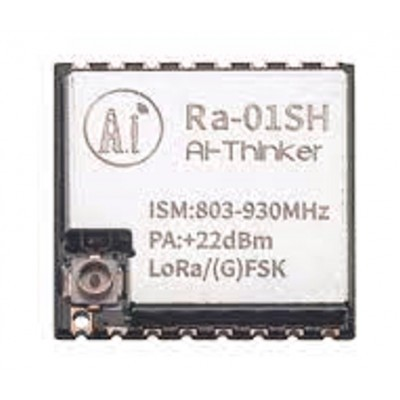
Ai Thinker LoRa Ra-01SH Spread Spectrum Wireless Module
If NRF24L01 range is not enough, step up to this SX1262-based LoRa module for 10+ km range. Better interference immunity than 2.4 GHz NRF for outdoor projects in India.
Verified Working Code (Transmitter + Receiver)
Here is clean, reliable code that incorporates all the best practices discussed above:
Transmitter
#include <RF24.h>
#include <SPI.h>

RF24 radio(9, 10); // CE, CSN
const byte address[6] = "00001";

void setup() {
  Serial.begin(9600);
  radio.begin();
  radio.setChannel(100);          // Above WiFi band
  radio.setPALevel(RF24_PA_LOW);  // Start low; increase if needed
  radio.setDataRate(RF24_250KBPS); // Better range than 1/2 Mbps
  radio.setRetries(5, 10);        // 5 retries, 10×250µs delay
  radio.openWritingPipe(address);
  radio.stopListening();          // Transmitter mode
}

void loop() {
  int sensorValue = analogRead(A0);
  bool success = radio.write(&sensorValue, sizeof(sensorValue));
  if (success) {
    Serial.print("Sent: ");
    Serial.println(sensorValue);
  } else {
    Serial.println("Transmission failed — check receiver");
  }
  delay(1000);
}
Receiver
#include <RF24.h>
#include <SPI.h>

RF24 radio(9, 10);
const byte address[6] = "00001";

void setup() {
  Serial.begin(9600);
  radio.begin();
  radio.setChannel(100);          // MUST match transmitter
  radio.setPALevel(RF24_PA_LOW);
  radio.setDataRate(RF24_250KBPS); // MUST match transmitter
  radio.openReadingPipe(1, address); // Pipe 1, same address
  radio.startListening();         // Receiver mode
}

void loop() {
  if (radio.available()) {
    int received;
    radio.read(&received, sizeof(received));
    Serial.print("Received: ");
    Serial.println(received);
  }
}
Key settings that must match on both sides: channel, data rate, payload size (or both use dynamic payloads), and address on the same pipe number.
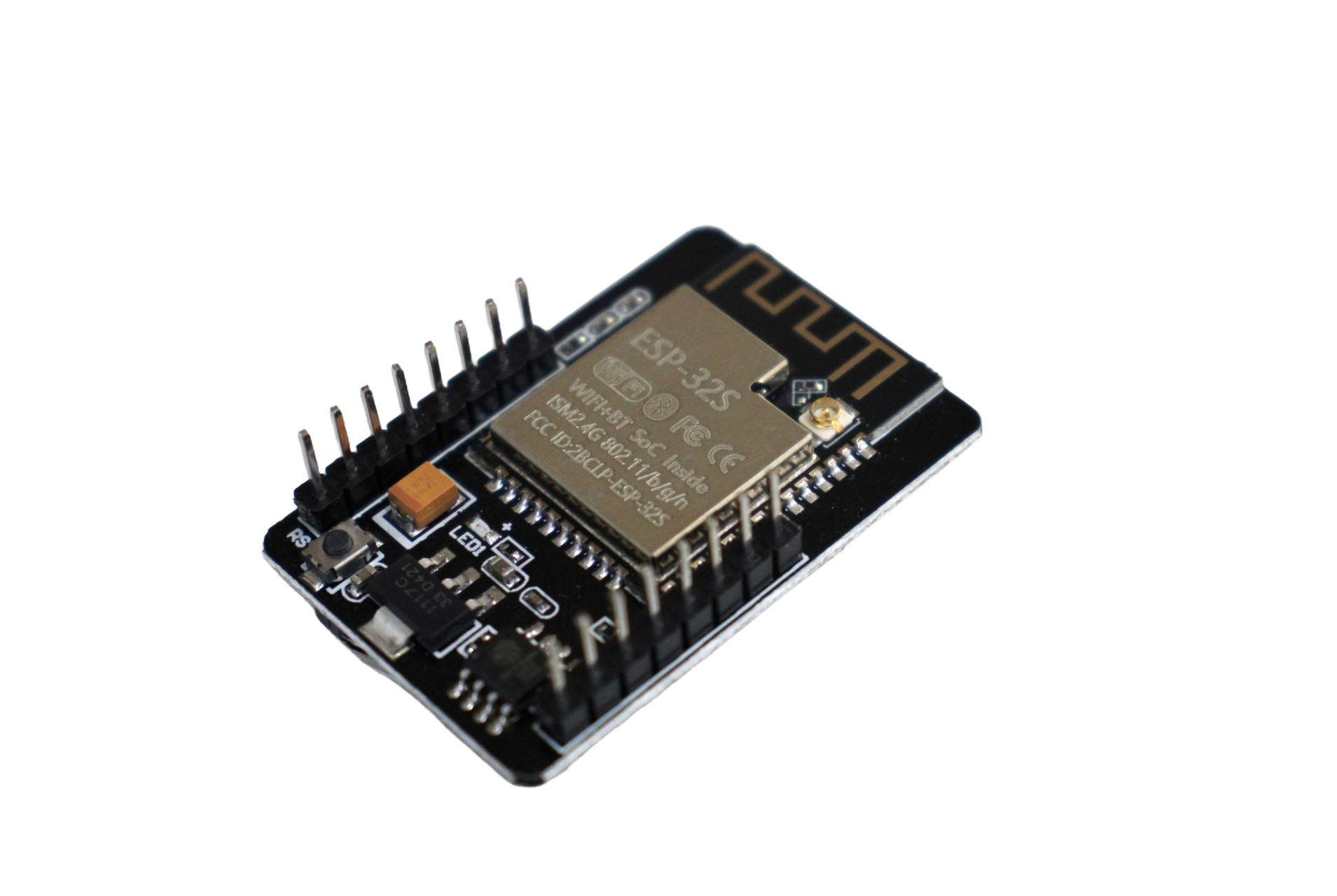
ESP32 CAM WiFi + Bluetooth Module with OV2640 Camera
Consider ESP-NOW (ESP32 protocol) as a robust alternative to NRF24L01 — built-in WiFi radio, no extra hardware, ACK support, and easy Arduino library. Works in India at 2.4 GHz.
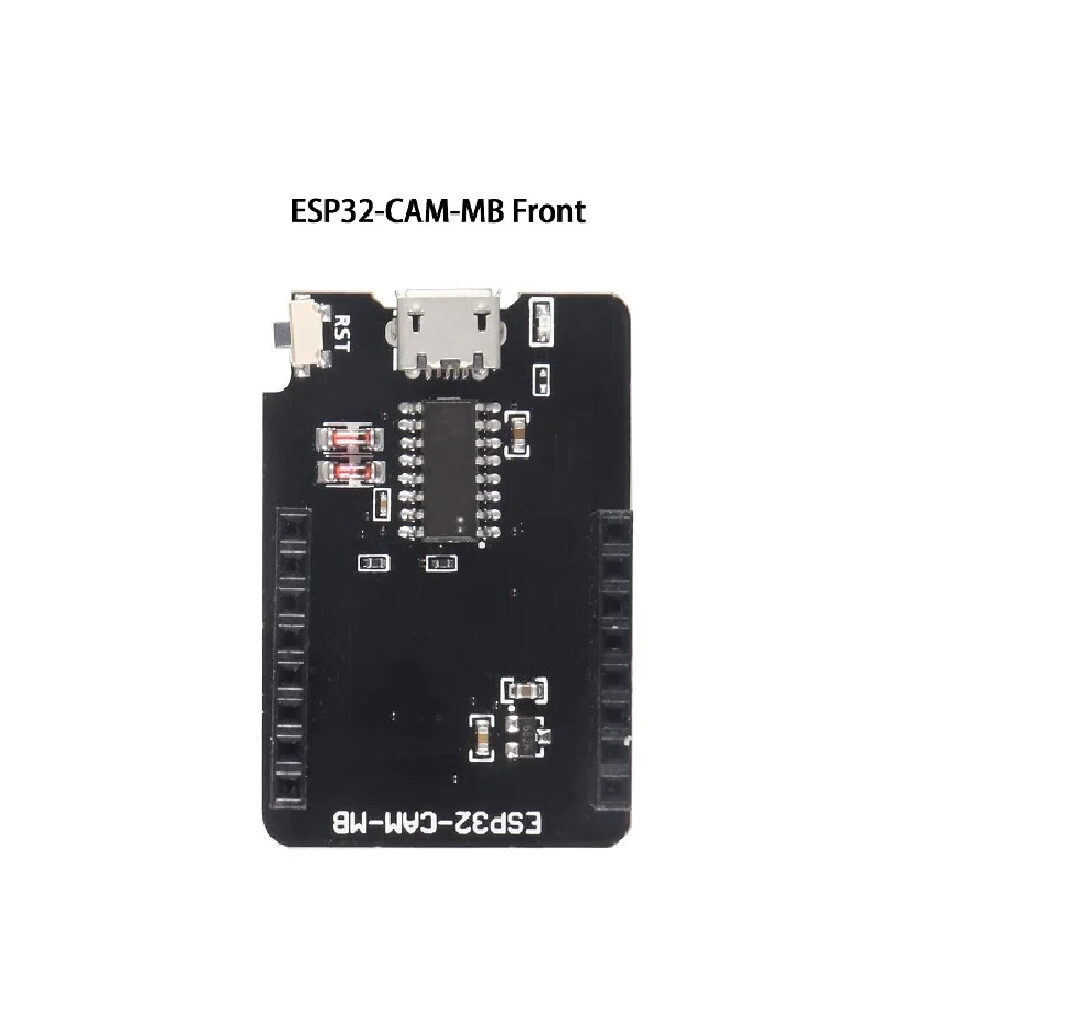
ESP32-CAM-MB Micro USB Download Module
Program your ESP32 CAM without a separate USB-to-serial adapter. Essential companion for wireless projects using ESP32 CAM and ESP-NOW as an NRF24L01 alternative.
Frequently Asked Questions
radio.begin() returns false — what does it mean?
radio.begin() returning false means the SPI communication to the NRF24L01 is completely failing. Check: (1) VCC is 3.3V not 5V, (2) all SPI wires (MOSI, MISO, SCK) are connected correctly for your Arduino board, (3) CE and CSN pin numbers in code match actual connections, (4) there is a 10µF capacitor on VCC-GND. If it still fails, the module may be damaged.
Transmitter shows “sent” but receiver never receives — why?
This almost always means: (1) address mismatch — the writing pipe address on TX must exactly match the reading pipe address on RX, (2) channel mismatch — both must call radio.setChannel() with the same value, (3) data rate mismatch — both must use the same radio.setDataRate() value. Also verify radio.startListening() is called on the receiver and radio.stopListening() on the transmitter.
Does NRF24L01 work in the 2.4 GHz WiFi environment of Indian apartments?
Yes, but use channels above 76 to avoid WiFi overlap. Indian apartment complexes often have 20–50 WiFi networks visible, all on 2.4 GHz channels 1–11 (NRF channels 2–36). Setting radio.setChannel(100) or higher (up to 125) puts NRF24L01 above the WiFi band. Also set radio.setDataRate(RF24_250KBPS) — the lower data rate provides better sensitivity for noisy environments.
How do I use NRF24L01 with Arduino Mega?
On Arduino Mega, the hardware SPI pins are different: MOSI=51, MISO=50, SCK=52, SS/CSN=53. Connect NRF24L01 MOSI to Mega pin 51, MISO to 50, SCK to 52, and choose your CE pin (e.g., pin 49) and CSN pin (e.g., pin 53). Use RF24 radio(49, 53); in your code. VCC still needs 3.3V with a 10µF capacitor.
Can I use more than 2 NRF24L01 modules together?
Yes. One receiver can listen on up to 6 pipes simultaneously using radio.openReadingPipe(1, addr1) through radio.openReadingPipe(6, addr6). The first byte of each pipe address must be unique; the other 4 bytes should be shared. This allows one central receiver to collect data from up to 6 transmitter nodes efficiently.
Get Your NRF24L01 Project Running
Zbotic stocks NRF24L01 modules, ESP32 boards, LoRa modules, and all the accessories you need to build reliable wireless projects. Browse our full wireless module range for the best prices in India.







Add comment