
Table of Contents
- How Servo Motors Work
- Micro Servo: SG90 and Similar
- Standard Servo: MG996 and Similar
- Detailed Comparison Table
- Understanding Torque Ratings
- Plastic Gears vs Metal Gears
- Which Servo for Which Project?
- Arduino Servo Control
- Mounting & Accessories
- Products at Zbotic
- FAQ
How Servo Motors Work
A servo motor is a self-contained closed-loop actuator that consists of a DC motor, a gear train to reduce speed and increase torque, a potentiometer (position sensor), and a control electronics board — all inside one housing with a standard 3-wire connector.
The three wires are:
- Power (red): 4.8 V to 6.0 V for most hobby servos
- Ground (brown/black): Negative power and signal reference
- Signal (yellow/white/orange): PWM control signal — typically 50 Hz with 1000–2000 µs pulse width
The servo’s internal control board compares the PWM pulse width (representing the desired angle) against the potentiometer reading (actual angle) and drives the motor to eliminate the error. This closed-loop control gives precise, repeatable positioning without any external encoder or complex control code — the entire control loop is inside the servo.
The standard PWM mapping for hobby servos:
- 1000 µs (1 ms): 0° position
- 1500 µs (1.5 ms): 90° position (centre)
- 2000 µs (2 ms): 180° position
Micro Servo: SG90 and Similar
The SG90 is the archetypal micro servo. Originally designed for RC aircraft control surfaces, it has become the go-to servo for educational robotics and small projects worldwide. In India, it is one of the most popular electronics components sold.
SG90 Specifications
- Weight: ~9 grams
- Dimensions: 22 × 11.5 × 27 mm
- Torque: 1.8 kg·cm at 4.8 V / 2.2 kg·cm at 6.0 V
- Operating speed: 0.1 sec/60° at 4.8 V
- Operating voltage: 4.8 V – 6.0 V
- Control angle: ~180° (varies by brand/version)
- Gear material: Plastic (nylon)
- Stall current: ~700 mA
- Deadband: ~5 µs
SG90 Variants
The SG90 comes in multiple flavours commonly sold in India:
- TowerPro SG90: The original brand; well-regarded for consistent quality
- Generic SG90 (China chip): Cheaper clone versions with slightly lower torque and wider deadband; adequate for most hobby projects
- SG90S: A metal-geared variant of the SG90 size (rare) — more durable but still limited torque

TowerPro SG90 180 Degree Rotation Servo Motor
The original TowerPro SG90 micro servo. 9g, 1.8 kg·cm torque at 4.8V. Perfect for robotic arms, RC aircraft rudders, pan-tilt mounts, and educational projects.

Servo SG90 9g 180 Degree (China Chip)
Budget-friendly SG90 clone ideal for prototyping, learning, and high-count servo builds (robotic hands, hexapods). Great value when you need 6–18 servos without breaking the bank.
Standard Servo: MG996 and Similar
The MG996 (and its older sibling the MG995) is the most popular standard servo in India for robotics projects requiring real torque. It is physically larger than the SG90 and uses metal gears, giving it dramatically more torque and durability under load.
MG996 Specifications
- Weight: ~55 grams
- Dimensions: 40.7 × 19.7 × 42.9 mm
- Torque: 9.4 kg·cm at 4.8 V / 11 kg·cm at 6.0 V (high quality); 8–13 kg·cm varies by version
- Operating speed: 0.17 sec/60° at 4.8 V
- Operating voltage: 4.8 V – 7.2 V
- Control angle: ~180°
- Gear material: Metal (stainless steel or zinc alloy)
- Stall current: ~2.5 A (can spike to 3 A on startup)
- Bearing: Dual ball bearings (output shaft)
MG996 vs MG995
The MG995 is the older design with slightly lower torque. The MG996R is a revised version with improved circuitry for better consistency. Both use the same physical dimensions and mounting pattern. For new projects, the MG996 is the better choice.
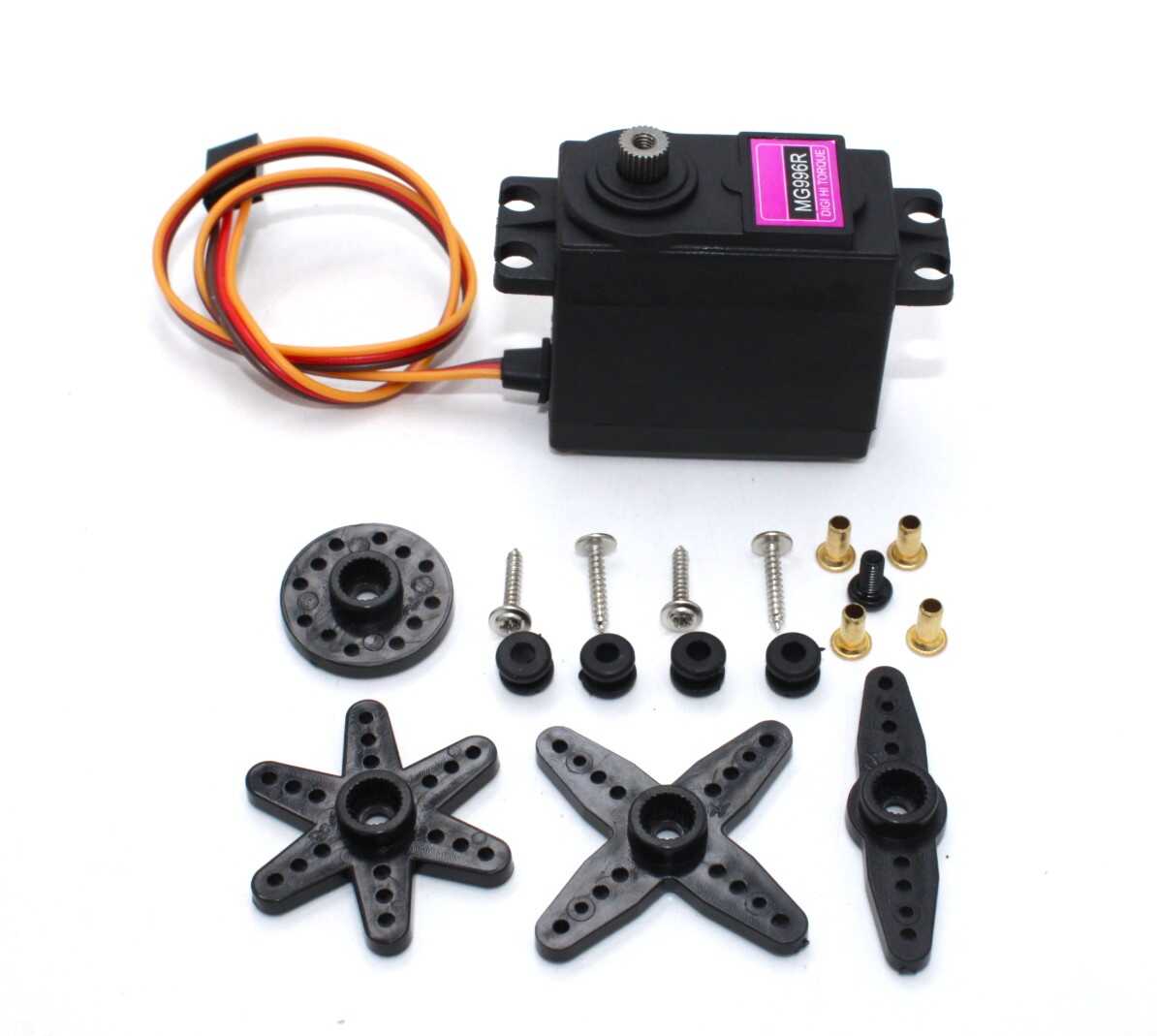
Servo MG996 13KG 180 Degree – High Quality
Premium MG996 standard servo with 13 kg·cm torque, metal gears, and dual ball bearings. Ideal for robotic arms, steering servos in RC cars, and any application needing serious holding torque.
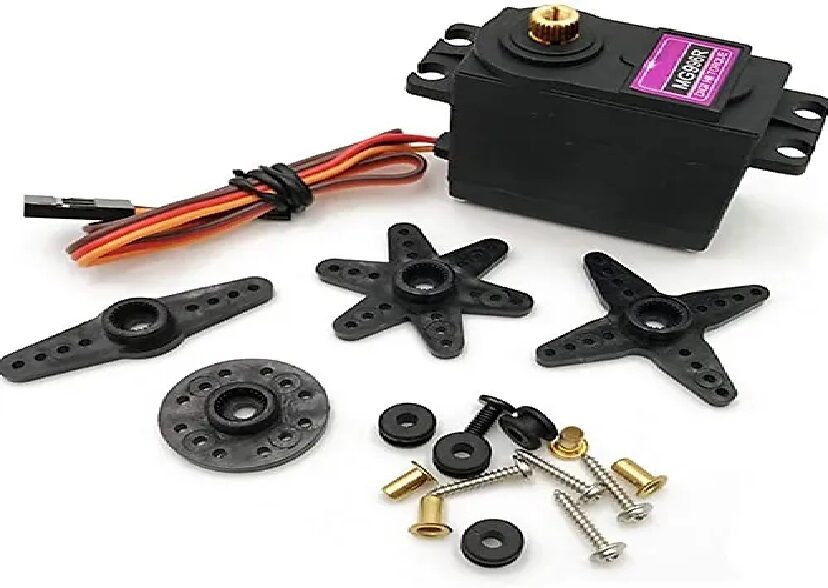
Servo MG996 13KG 180 Degree – Normal Quality
Budget-friendly MG996 with metal gears and good torque for the price. Suitable for prototyping and student projects where the premium version’s consistency isn’t critical.
Detailed Comparison Table
| Property | SG90 (Micro) | MG996 (Standard) |
|---|---|---|
| Weight | ~9 g | ~55 g |
| Dimensions (L×W×H mm) | 22 × 11.5 × 27 | 40 × 20 × 43 |
| Torque at 4.8V | 1.8 kg·cm | 9.4 kg·cm |
| Torque at 6V | 2.2 kg·cm | 11 kg·cm |
| Speed (sec/60°) | 0.10 s @ 4.8V | 0.17 s @ 4.8V |
| Stall Current | ~700 mA | ~2500 mA |
| Gear Material | Plastic (nylon) | Metal (stainless) |
| Output Bearing | Plain (bushing) | Dual ball bearing |
| Voltage Range | 4.8 – 6.0 V | 4.8 – 7.2 V |
| Connector | JR/Futaba 3-pin | JR/Futaba 3-pin |
| Relative Price | Low | Medium |
| Best For | Light loads, multi-servo | Heavy loads, RC cars |
Understanding Torque Ratings
Servo torque is rated in kg·cm (kilogram-centimetre). This means the force in kg that the servo can exert at 1 cm radius from its shaft. To put it in perspective:
- 1.8 kg·cm (SG90): Can lift 180 grams at 1 cm from the shaft, or 18 grams at 10 cm from the shaft
- 11 kg·cm (MG996): Can lift 1,100 grams at 1 cm from the shaft, or 110 grams at 10 cm from the shaft
In practice, you should use only 50–70% of rated torque to avoid stalling the servo and to maintain long-term reliability. Stall current on the MG996 is about 2.5 A — exceeding this for extended periods burns out the motor winding.
Torque and Arm Length
When designing a robotic arm or mechanism, the further the load is from the servo shaft, the less load capacity you have. A 4-DOF robot arm with a 20 cm reach using SG90 servos will have very limited payload — typically under 30 grams at full extension. For any arm that needs to pick up objects over 50 grams, use MG996 or larger digital servos.
Plastic Gears vs Metal Gears
The gear material is one of the most important practical differences between micro and standard servos.
Plastic (Nylon) Gears — SG90
- Pros: Quiet, lightweight, inexpensive, self-lubricating
- Cons: Strip easily under shock loads (e.g., if a robot arm hits an obstacle); limited to rated torque; degrade with age and UV exposure
- Failure mode: Sudden and complete — stripped gears make the servo spin freely with no resistance
- Lifespan: Thousands of cycles under normal load; much less under shock or overload
Metal Gears — MG996
- Pros: Much higher shock resistance; can handle brief overloads; longer lifespan; more consistent backlash (less position error)
- Cons: Heavier; slightly louder (gear whine); more expensive; require lubrication over time
- Failure mode: Gradual — increased backlash and play before complete failure, giving warning signs
- Lifespan: Tens of thousands of cycles under normal load
Rule of thumb: If your servo is going to experience shock loads (robot arm hitting objects, RC car steering on rough terrain, door actuator), always use metal gears.
Which Servo for Which Project?
Use Micro Servo (SG90) When:
- Building a multi-servo humanoid robot or hexapod (weight and power matter; 12–18 servos)
- Pan-tilt camera mount for a lightweight camera (GoPro or phone)
- RC aircraft control surfaces (ailerons, rudder, elevator) for small planes
- Animatronic props where loads are very light
- Educational/classroom projects
- Projects powered by power banks or small LiPo batteries where current is limited
- Any project where you need 6+ servos and total current budget matters
Use Standard Servo (MG996) When:
- RC car, buggy, or truck steering (high shock loads from terrain)
- Robot arm that needs to pick up and hold objects weighing 100 g+
- Camera gimbal pan axis (heavier cameras)
- Automated door, window, or gate actuator
- Throttle and brake servos in RC boats and large planes
- Any mechanism exposed to vibration or shock
- Projects where gear stripping would cause damage or safety risks
Arduino Servo Control
Both micro and standard servos use identical control signals — the difference is only in their current draw. The Arduino’s built-in Servo library handles both:
#include <Servo.h>

Servo sg90;   // Micro servo on pin 9
Servo mg996;  // Standard servo on pin 10

void setup() {
  sg90.attach(9);
  mg996.attach(10);

  sg90.write(90);   // Centre position
  mg996.write(90);  // Centre position
  delay(1000);
}

void loop() {
  // Sweep from 0 to 180 degrees
  for (int angle = 0; angle <= 180; angle += 5) {
    sg90.write(angle);
    mg996.write(angle);
    delay(50);
  }
  delay(500);

  // Sweep back from 180 to 0
  for (int angle = 180; angle >= 0; angle -= 5) {
    sg90.write(angle);
    mg996.write(angle);
    delay(50);
  }
  delay(500);
}
Power Supply Considerations
This is the most common mistake with servo projects: never power multiple servos from the Arduino’s 5V pin.
- The Arduino’s 5V pin (from USB or onboard regulator) can supply only 400–500 mA total
- A single MG996 at stall draws 2.5 A — far beyond what the Arduino can provide
- Even a single SG90 under load at 700 mA can cause voltage drop and reset the Arduino
- Solution: Power servo(s) from a separate 5V supply (or 6V for maximum torque). Connect signal wire to Arduino pin. Connect GND of servo supply to Arduino GND.
Mounting & Accessories
Servo mounting hardware makes a big difference in the quality of your build. Both SG90 and MG996 have standardised mounting ears with 2mm screw holes. Common accessories:

Servo Mount Holder Bracket for SG90/MG90 (Pack of 2)
Aluminium servo bracket compatible with SG90 and MG90 micro servos. Enables perpendicular mounting for pan-tilt rigs, robotic joints, and multi-axis mechanisms.
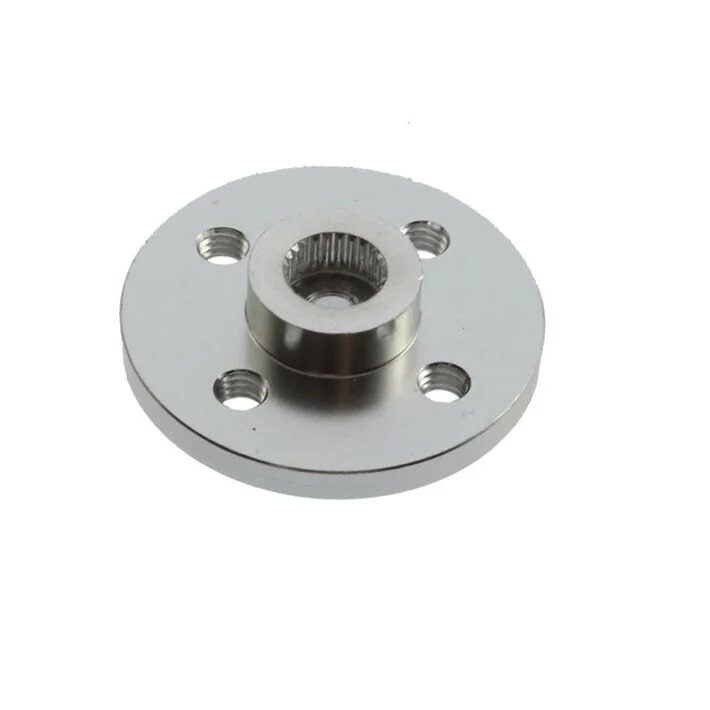
Aluminum Servo Horn/Arm 25T Round Disc – MG995/MG996
Upgrade your MG996 with an aluminium servo horn for better rigidity and multiple attachment points. 25T spline compatible with standard MG series servos.
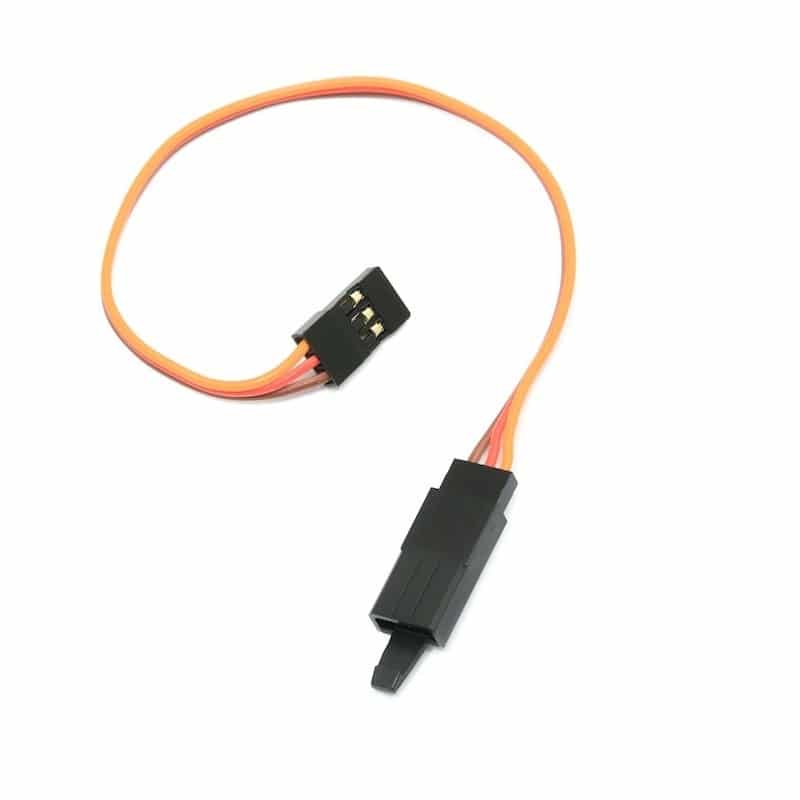
15 CM 26AWG Servo Lead Extension (JR) Cable
Extend your servo cable reach by 15 cm. Essential for robots and RC builds where the servo is mounted far from the controller. JR connector compatible with SG90 and MG996.
Products at Zbotic
Zbotic stocks the full range of servo motors and accessories for maker projects across India:
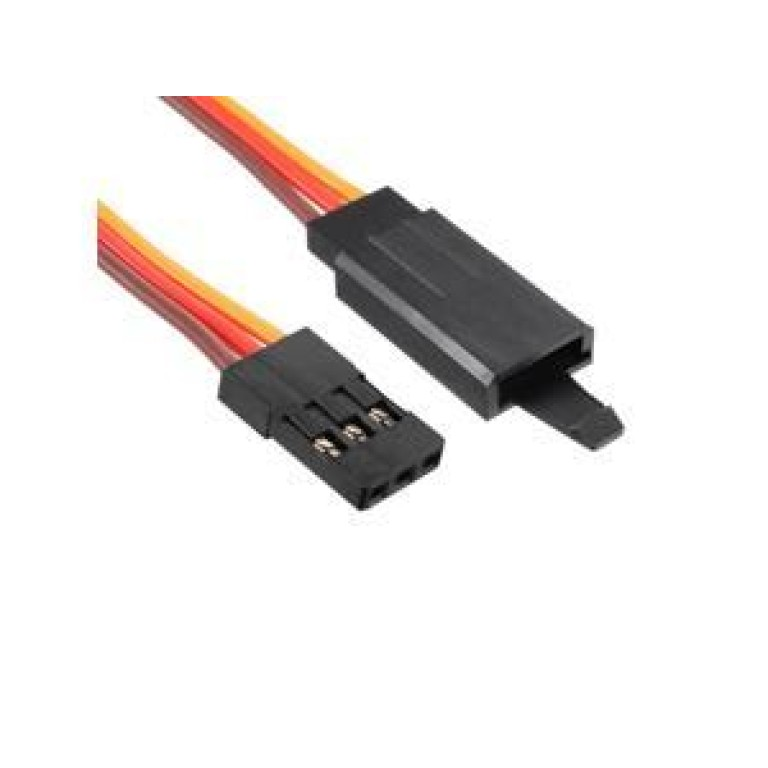
10cm 60-Core JR Male to Futaba Female Servo Extension Wire
High-strand-count servo extension with hook for secure connections. Compatible with SG90, MG996, and all standard JR/Futaba servo connectors in multi-servo robotic builds.
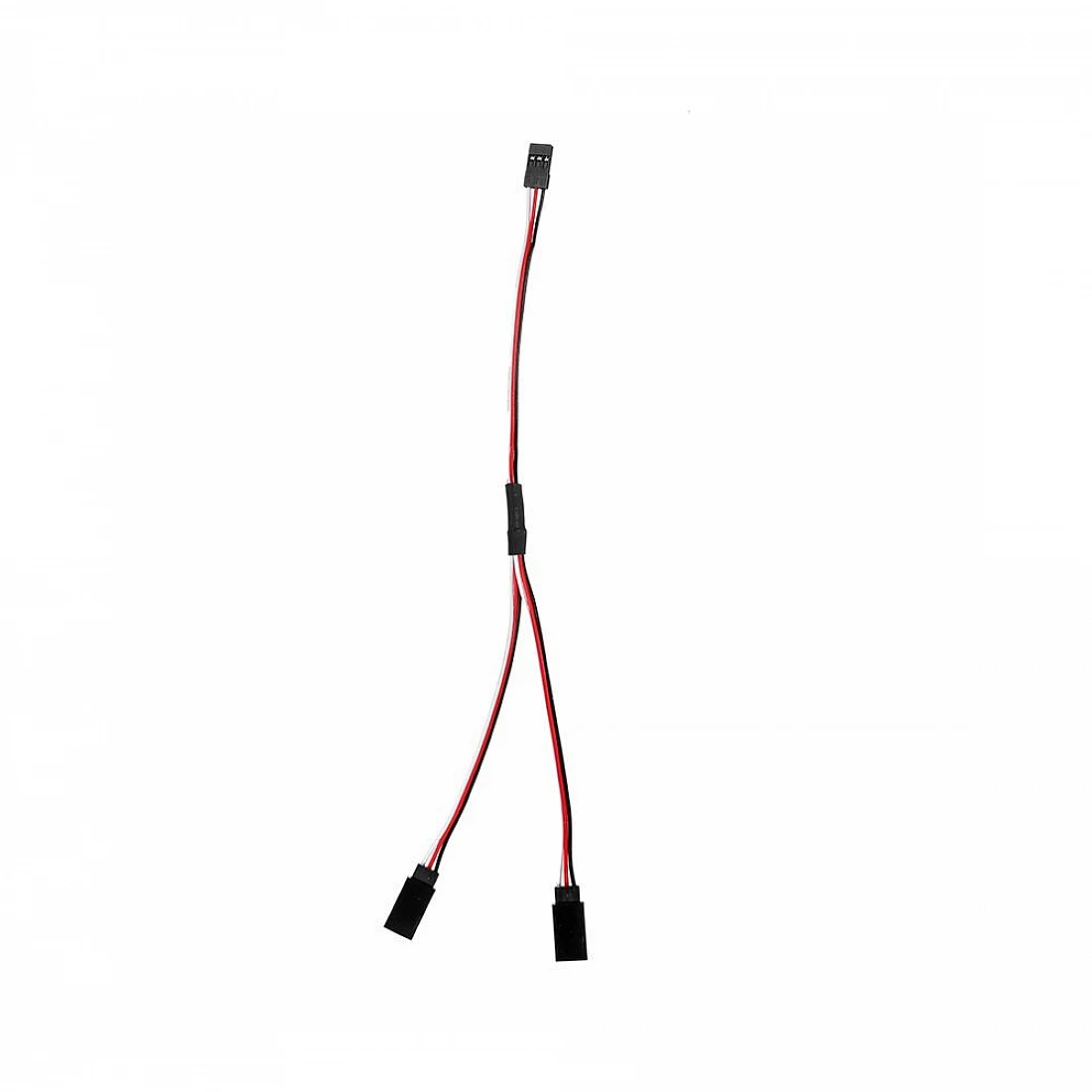
15cm 1JR Male to 2 Futaba Female Y-Type Servo Wire
Y-splitter servo wire to connect two servos to one receiver/controller channel. Useful in differential servo setups and dual aileron wing configurations.
Frequently Asked Questions
Can I power an MG996 servo from an Arduino’s 5V pin?
No. The MG996 draws up to 2.5 A at stall, far more than the 500 mA the Arduino’s 5V pin can supply from USB. You must use a dedicated 5V power supply (or 6V for maximum torque) rated at least 2A per MG996 servo. Connect only the signal wire to the Arduino, and share the ground between Arduino and the servo power supply.
What is the difference between SG90 and MG90S?
The MG90S is essentially an SG90 chassis with metal gears (hence the MG prefix) and a ball bearing output shaft. It has slightly higher torque (~1.8 kg·cm vs 1.8 kg·cm — similar but more consistent) and much better durability under shock loads. Weight is ~13.4 g vs 9 g for the SG90. Use MG90S when you need micro servo size but better durability.
How many SG90 servos can I connect to one Arduino?
Arduino Uno has 6 digital pins capable of servo output (using the Servo library). For power, 6 SG90s at idle draw ~120 mA total, but can spike to 4.2 A combined at stall. Use an external 5V/5A supply for the servos. With a PCA9685 servo driver board (I2C), you can control 16 servos from any Arduino using just 2 pins.
Why does my servo jitter and shake even when I am not sending new commands?
Servo jitter is usually caused by: (1) noise on the power supply — add a 100–470 µF electrolytic capacitor across the servo power leads; (2) PWM signal noise — add a 100Ω resistor in series with the signal wire; (3) cheap servo potentiometer — some low-quality servos have noisy potentiometers that cause hunting. For critical applications, invest in better quality servos with digital electronics.
Can micro servos (SG90) handle continuous rotation?
Standard SG90 servos are positional (0°–180°) only. However, modified or purpose-built continuous rotation SG90 variants are available. These have the internal pot disconnected and spin continuously with speed controlled by the PWM signal. Do not attempt to force a standard positional servo beyond its end-stops — it will stall and burn out the motor.
What torque do I need for a 4-DOF robotic arm?
For a desktop robotic arm with ~30 cm reach picking up objects under 50g, SG90 servos work for the wrist and gripper but you will need MG996 (or larger digital servos) for the shoulder and elbow joints. As a rule: calculate the moment arm (distance × load weight) at each joint, and choose a servo with at least 2× the required torque for reliable operation without stalling.
Conclusion
The choice between a micro servo and a standard servo comes down to three factors: the load you need to move, the size and weight budget of your project, and the number of servos required. The SG90 is a remarkable performer for its size and cost — it is the right choice for most educational and light-duty projects. The MG996 brings serious torque, metal durability, and precision for projects where reliability under load is non-negotiable.
Both are fully compatible with Arduino’s Servo library and standard PWM control. The key is providing adequate separate power to avoid resetting your Arduino or damaging the microcontroller. Shop the full range of servo motors and accessories at Zbotic — delivered across India with fast shipping.






Add comment