
Imagine sending your drone up before a cycling event, pressing a button, and having it autonomously follow the lead cyclist — camera locked on target, altitude maintained, no pilot input needed. This is the promise of GPS Follow-Me mode on drones, and it’s increasingly achievable for Indian drone builders using open-source flight stacks like ArduCopter. This guide explains exactly how Follow-Me mode works, what hardware you need, how to configure it, and the important safety considerations for Indian airspace.
How GPS Follow-Me Mode Works
GPS Follow-Me is conceptually simple: the drone continuously receives GPS position data from a moving tracker (typically your smartphone, a dedicated GPS device, or another drone), and commands itself to maintain a fixed offset from that tracker’s position.
The workflow is:
- Tracker broadcasts position: Your phone’s GPS (or a handheld GPS unit) periodically broadcasts its coordinates — usually via MAVLink over a telemetry radio link or Wi-Fi to the GCS.
- GCS relays position to drone: The Ground Control Station (Mission Planner, QGroundControl, or a companion computer) receives the tracker’s position and converts it to MAVLink SET_POSITION_TARGET commands.
- FC executes position target: The flight controller, in GUIDED mode, moves the drone to maintain the commanded position offset (e.g., 5m behind and 10m above the tracker).
- Loop repeats: Position updates stream at 1–5 Hz, and the drone continuously re-executes position commands, resulting in smooth autonomous following.
GPS accuracy determines how smooth and precise the follow-me behaviour is. Standard GPS gives ~3–5m accuracy. RTK GPS can give ~2cm accuracy, enabling tight, cinematic follow shots. For most applications in India, standard GPS is adequate.
Hardware Requirements
Minimum Setup (GCS-Based Follow-Me)
- Pixhawk or compatible flight controller (ArduCopter firmware)
- GPS module on the drone (M8N or M9N recommended)
- Telemetry radio pair (433MHz or 915MHz)
- Smartphone or laptop running QGroundControl
- A drone frame capable of stable GPS flight
Advanced Setup (Companion Computer)
- All above, plus:
- Raspberry Pi or similar companion computer
- Higher bandwidth telemetry link (or Wi-Fi)
- Custom Python script for follow-me logic
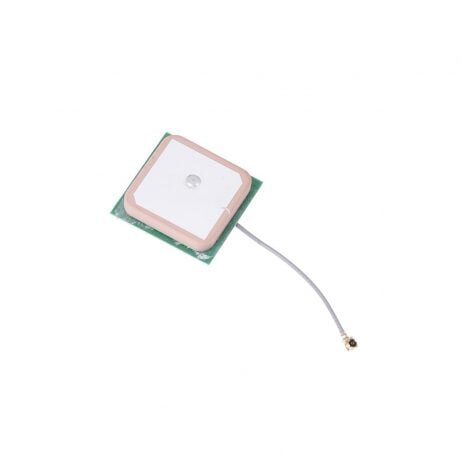
25x25x8mm 28dB High Gain Ceramic Active GPS Antenna
A high-gain 28dB active GPS antenna compatible with NEO-6M/7M/8M modules. Better signal acquisition means faster 3D fix lock and more stable GPS position hold — essential for reliable follow-me operation.

3DR 100mW Radio Telemetry 915MHz For APM PX4 Pixhawk
A reliable 915MHz telemetry radio pair for real-time MAVLink communication between the drone and your phone/laptop GCS — the backbone of GPS follow-me mode.
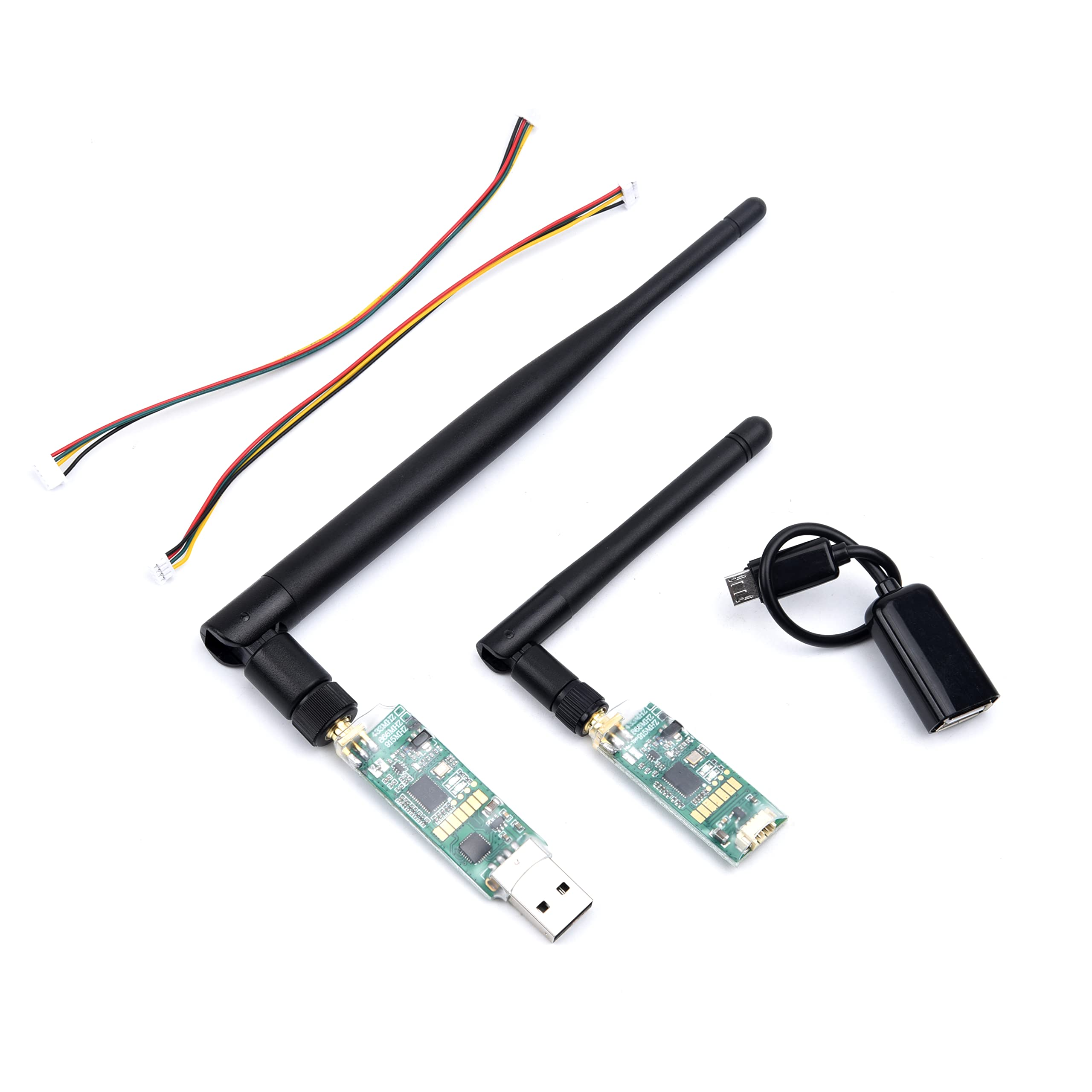
3DR Single TTL MINI Radio Telemetry 433MHz 500mW
A compact 500mW 433MHz telemetry module for builds where weight and size matter. Up to 1km range provides enough margin for most follow-me scenarios in open areas.
GCS-Based Follow-Me with QGroundControl
QGroundControl (QGC) has a built-in Follow Me feature that uses your phone’s GPS as the tracker. This is the easiest way to get started:
Step-by-Step Setup
- Install QGroundControl on your Android phone or laptop
- Connect the telemetry radio to your phone (via USB OTG adapter) or laptop
- Arm and take off to a safe altitude in LOITER mode
- In QGC, go to Fly > Follow Me
- Set the follow distance (typically 5–10m) and altitude offset (10–20m)
- Enable Follow Me — QGC begins streaming your phone’s GPS to the drone
- Walk or drive — the drone follows
Important: QGC Follow Me puts the drone in GUIDED mode. Always keep your RC transmitter in hand and be ready to switch to LOITER or STABILIZE at any moment.
Companion Computer Follow-Me
For more sophisticated follow-me behaviour — custom offsets, predictive tracking, obstacle avoidance — a Raspberry Pi companion computer running DroneKit gives you full control:
from dronekit import connect, VehicleMode, LocationGlobalRelative
import time

vehicle = connect('/dev/serial0', baud=921600, wait_ready=True)

def set_guided_mode():
    vehicle.mode = VehicleMode("GUIDED")
    while vehicle.mode.name != 'GUIDED':
        time.sleep(0.5)

def follow_target(target_lat, target_lon, follow_alt=15.0,
                  behind_distance=5.0):
    """
    Command drone to a position offset from the target.
    In a real build, target coords come from a GPS tracker
    broadcasting via telemetry or socket.
    """
    # Simple approach: go directly to target lat/lon + altitude offset
    target_location = LocationGlobalRelative(
        target_lat, target_lon, follow_alt
    )
    vehicle.simple_goto(target_location, groundspeed=5)  # 5 m/s

set_guided_mode()

# Main follow loop — replace with real GPS data source
while True:
    # Get tracker position (from serial GPS, socket, etc.)
    tracker_lat = 18.5204  # Example: Pune
    tracker_lon = 73.8567

    follow_target(tracker_lat, tracker_lon, follow_alt=15.0)
    time.sleep(0.5)  # Update at 2Hz
ArduCopter GUIDED Mode Configuration
Follow-Me relies on GUIDED mode. Key parameters to configure in Mission Planner:
| Parameter | Recommended Value | Description |
|---|---|---|
| WPNAV_SPEED | 500–1500 cm/s | Max speed when navigating to new position target |
| WPNAV_ACCEL | 100–250 cm/s² | Acceleration limit — lower = smoother but slower response |
| FS_GCS_ENABLE | 1 (RTL on GCS loss) | Critical: enable GCS failsafe for follow-me operations |
| FS_THR_ENABLE | 1 | RC failsafe — RTL if RC link lost during follow-me |
| GUIDED_OPTIONS | 0 or 2 | Bit 1: allow RC pilot altitude override in GUIDED |
GPS Parameters for Better Position Hold
- GPS_HDOP_GOOD: Set to 1.4 (stricter than default 2.0) — only allow follow-me when GPS quality is good
- EKF2_GPS_DELAY: Set according to your GPS module spec (typically 170ms for M8N)
- AHRS_GPS_USE: 1 (enabled)
Telemetry Link Setup
A reliable, low-latency telemetry link is critical for smooth follow-me. Higher update rates = more responsive tracking. Configure your telemetry parameters:
In Mission Planner, go to Config > Planner > Data Rate and set the data rate to match your link capacity. For 3DR radios at 57600 baud, a 4Hz update rate is sustainable. At 115200 baud, you can push to 8–10Hz.
For smartphone-based follow-me where you’re walking alongside, 2–4Hz is sufficient. For following a vehicle at 30+ km/h, faster update rates (4–8Hz) improve tracking smoothness.
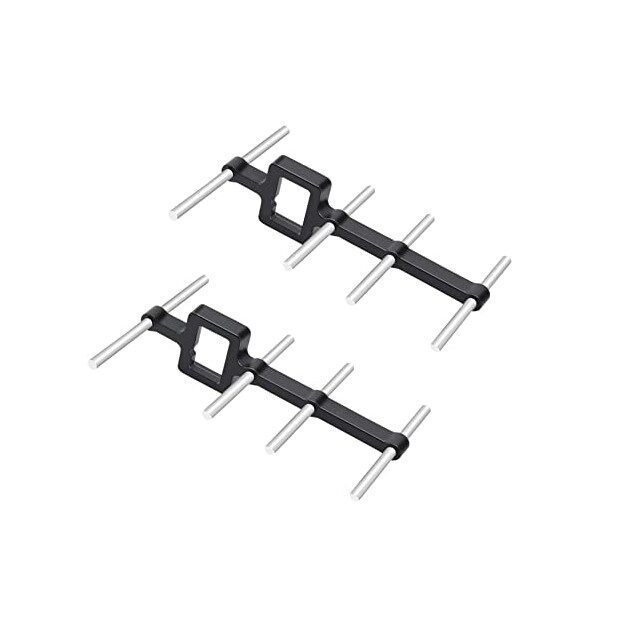
2.4GHz Yagi-UDA Drone Signal Booster
A high-gain Yagi antenna booster to extend your drone’s control and telemetry range — essential when follow-me takes your drone further than standard omni-antennas can reliably reach.
Accuracy and Limitations
GPS Follow-Me has real-world limitations that every Indian drone operator must understand:
GPS Accuracy
Consumer GPS (like your Android phone GPS) gives 3–10m accuracy depending on satellite count, atmospheric conditions, and multipath interference (buildings, trees). This means your drone may wander within a 6–20m radius around the true target position — acceptable for open-field tracking but too coarse for tight shots near obstacles.
Latency
The chain from phone GPS → GCS app → telemetry radio → flight controller introduces 500ms–2s of latency. At a jogging pace (~3 m/s), the drone could be 1.5–6m behind where it “thinks” the target is. Factor this into your follow distance and altitude settings.
No Obstacle Avoidance
Standard GPS Follow-Me has zero obstacle avoidance. If the tracker walks under a tree or into a building, the drone will try to follow — into the obstacle. Always maintain visual line-of-sight and keep your hand on the RC transmitter.
Tree and Building Canopy
GPS signal is attenuated under dense tree cover. In forested areas or urban canyons, both the drone’s GPS and your phone’s GPS may lose accuracy or lock simultaneously, causing erratic follow-me behaviour.
Safety Best Practices
Follow-Me mode involves a drone autonomously moving without direct pilot input. Safety is non-negotiable:
- Always maintain VLOS: Never let the drone go beyond your line of sight during follow-me. BVLOS requires specific DGCA permission.
- Arm failsafes: Set GCS failsafe (RTL on telemetry loss), RC failsafe (RTL on RC loss), and battery failsafe (RTL at 30% remaining).
- Set a sensible altitude: 15–25m altitude in open fields gives the drone clearance over most obstructions while keeping it visually trackable.
- Start with slow tracking: Begin with a stationary target, confirm position hold is stable, then start walking slowly before trying faster movement.
- Never fly over people: In follow-me scenarios in India, bystanders often gather to watch drones. Maintain lateral clearance — never position the follow-me target directly under the drone’s flight path near crowds.
- Pre-flight GPS check: Wait for 10+ satellites and HDOP below 1.5 before initiating follow-me. In India, early morning and late evening typically give better GPS geometry.
- Test GUIDED mode first: Before relying on follow-me, test GUIDED mode by sending the drone to a fixed GPS waypoint. Confirm it holds position accurately before adding the moving target element.
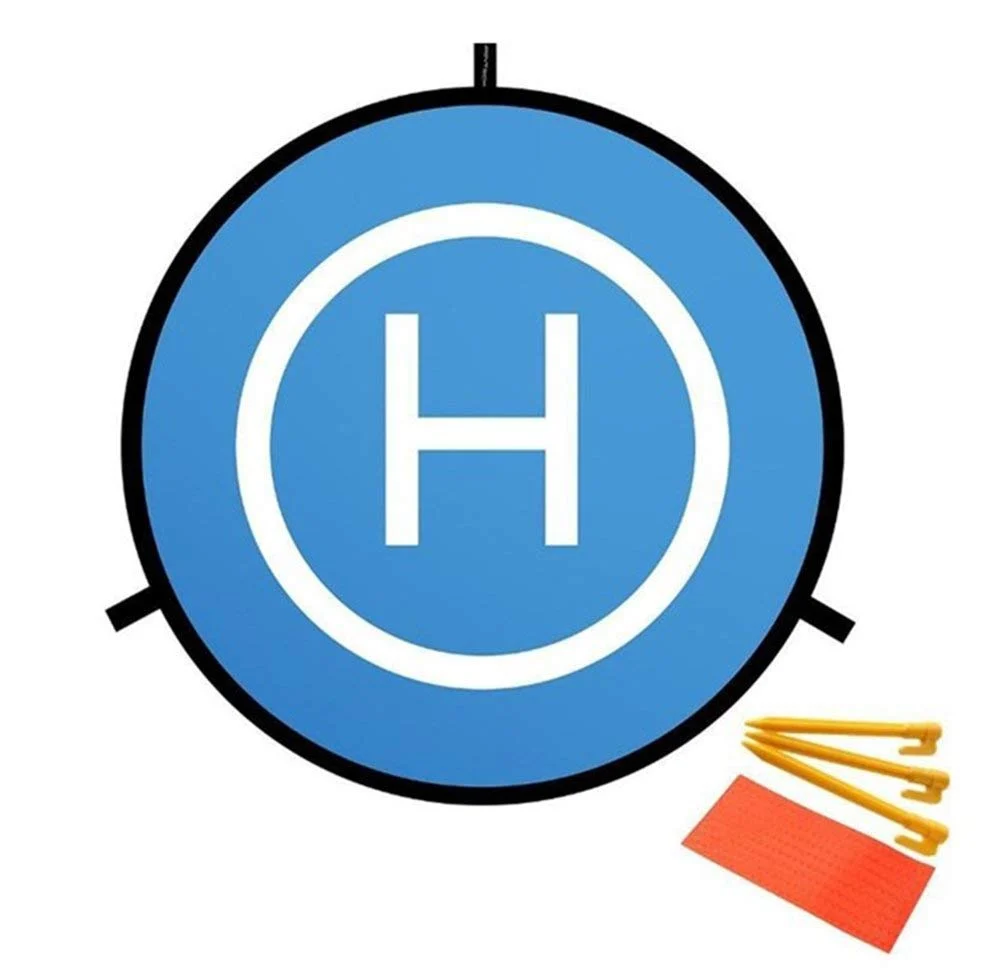
110cm Diameter Fast-fold Landing Pad / Helipad for RC Drone
A high-visibility landing pad that provides a clear landing target in unfamiliar terrain — useful when follow-me missions take you away from your launch point and you need a clean, visible landing zone.
Follow-Me Use Cases in India
Agricultural Monitoring
Indian farmers are adopting drones for crop scouting. A drone in follow-me mode can autonomously track a farmer or vehicle traversing a field perimeter, capturing consistent aerial footage for field health mapping without requiring a dedicated drone pilot.
Adventure Sports and Events
India has a growing adventure sports community — mountain biking in Manali, trail running in the Aravalis, off-road rallies in Rajasthan. Follow-me mode allows a single person to capture dynamic aerial footage of these activities without a separate camera operator.
Construction Site Monitoring
A site manager walking a large construction site with a GPS tracker can have a drone automatically capture overhead footage of their inspection route — documenting site progress without a dedicated UAV operator following them around manually.
Security Perimeter Patrol
Guard vehicles patrolling large facility perimeters (ports, warehouses, solar farms) can have a drone autonomously track the patrol vehicle from above, providing aerial overwatch without a pilot in the drone team.
Going Beyond GPS: Vision-Based Follow-Me
GPS Follow-Me is limited by GPS accuracy (~3–5m) and has no awareness of the visual subject. True cinematic tracking requires vision-based approaches:
- DeepSORT / ByteTrack: Neural network person detection + tracking, running on a Raspberry Pi or Jetson companion computer. Tracks a specific person in the frame and sends velocity commands to keep them centred.
- ArUco marker tracking: Subject wears or carries an ArUco marker. The drone camera detects it and follows precisely — sub-metre accuracy, unaffected by GPS quality.
- Hybrid GPS + Vision: GPS provides coarse position (drone stays roughly behind you), while vision fine-tunes pointing to keep the subject centred in frame. This is how commercial drones like DJI ActiveTrack work.
For Indian builders, the ArUco approach is the most accessible starting point for vision-based tracking — it requires only a standard camera and the OpenCV aruco module, with no machine learning required.
Frequently Asked Questions
Q: Can I use follow-me mode on a DJI drone?
Yes, DJI consumer drones have built-in ActiveTrack (vision-based) and GPS follow-me features in the DJI Fly/GO app. However, DJI’s system is proprietary — you can’t customise the behaviour or integrate with external trackers. ArduCopter-based builds give you full programmable control of follow-me behaviour.
Q: What is the minimum safe distance for follow-me tracking?
The minimum practical distance depends on GPS accuracy, obstacle density, and target speed. A general guideline: 5m horizontal minimum in clear open areas with slow-moving targets, 10m+ for fast-moving targets or when near obstacles. Never less than the drone’s rotor diameter + 3m as an absolute safety minimum to prevent collision if the target suddenly stops.
Q: Does my phone need mobile data for follow-me mode?
No. Your phone’s GPS works entirely offline — it uses satellite signals, not mobile data. The QGroundControl app sends your phone’s GPS coordinates to the drone via the telemetry radio (USB OTG or Bluetooth), not the internet. Mobile data is not required during flight.
Q: Is DGCA permission required for GPS follow-me flights in India?
DGCA drone rules classify by drone weight, not mode. If your drone is under 250g (nano category), most restrictions don’t apply. For drones above 250g operating in the Green Zone, VLOS flights within 400 feet AGL for educational/recreational purposes are generally permitted. However, follow-me over populated areas, within 3km of airports, or BVLOS requires specific DGCA permissions via the DigitalSky portal. Always check the current zone classification for your flight location.
Q: Why does the drone lag behind the target in follow-me mode?
Lag in follow-me mode is caused by: telemetry update latency (lower baud rate = more lag), GPS position update rate (typically 1–5Hz), and the drone’s navigation speed setting (WPNAV_SPEED in ArduCopter). Increasing telemetry baud rate, using a GPS module that outputs at 5–10Hz, and increasing WPNAV_SPEED all reduce lag. However, very high WPNAV_SPEED makes the drone jerky — tune for your use case.
Conclusion
GPS Follow-Me mode transforms your drone from a manually-flown aircraft into an autonomous tracking platform. With an ArduCopter-based flight stack, a reliable telemetry link, and careful parameter tuning, you can build a follow-me capable drone entirely from components available in India at a fraction of the cost of commercial alternatives.
Start simple: get solid GUIDED mode position hold, then add the follow-me layer via QGroundControl. Once you’re confident with GPS follow-me, explore vision-based tracking for cinematography-grade results. The combination of GPS coarse tracking and camera-based fine tracking is where the real magic happens — and it’s all achievable with open-source tools and hardware from Zbotic.
Build Your Autonomous Follow-Me Drone
GPS modules, telemetry radios, drone frames, and all the components you need to build a fully autonomous follow-me capable drone — available at Zbotic with India-wide delivery.






Add comment