
Building a DIY smart doorbell with ESP32-CAM and Telegram notification is one of the most rewarding home automation projects you can complete over a weekend. This project gives you real-time photo alerts directly on your smartphone the moment someone presses the doorbell — without any monthly subscription or cloud dependency. Whether you live in Mumbai, Bengaluru, or a smaller Indian city, this fully local solution keeps your home secure and your wallet happy.
Why ESP32-CAM is Perfect for a DIY Doorbell
The ESP32-CAM module packs an incredible feature set into a module smaller than a matchbox. It integrates an Espressif ESP32-S chip with 4 MB PSRAM, a microSD card slot for local storage, built-in Wi-Fi and Bluetooth, and — most importantly — an OV2640 camera sensor capable of 2-megapixel still images and 720p video streams. All this costs roughly ₹350–₹500 from Indian electronics suppliers like Zbotic, making it far more affordable than commercial smart doorbells that often charge ₹3,000–₹8,000 plus annual subscriptions.
Telegram is the messaging platform of choice for ESP32 IoT projects because it offers a free Bot API that works over HTTPS. The bot API allows your ESP32-CAM to send photos, videos, and text messages to any Telegram chat — including group chats for family members. Unlike WhatsApp Business API, Telegram’s Bot API is entirely free and requires no business registration. The combination of ESP32-CAM and Telegram gives you a professional-grade smart doorbell experience without any recurring costs.
In India specifically, network reliability matters. The ESP32-CAM handles Wi-Fi reconnections gracefully, and Telegram’s servers are geographically distributed so latency from Indian ISPs like Jio, Airtel, or ACT Fibernet is typically under 200 ms, ensuring notifications arrive almost instantly.

Ai Thinker ESP32 CAM Development Board WiFi+Bluetooth with AF2569 Camera Module
The go-to ESP32-CAM board for doorbell projects — includes the camera module, onboard LED flash, and microSD slot for local image backup.
Components You Need
Gathering the right components before starting saves you multiple trips to the electronics market. Here is the complete bill of materials for this project:
- ESP32-CAM module (Ai-Thinker with OV2640 camera) — the core of the project
- ESP32-CAM-MB USB programmer board — makes programming the ESP32-CAM far easier, avoids the 10-pin FTDI dance
- Momentary push button — 12 mm tactile switch works well as the doorbell button
- 5V power supply — a 5V 2A USB wall adapter or a dedicated 5V DC supply; the ESP32-CAM can pull up to 800 mA during Wi-Fi transmission and camera capture
- 100 µF electrolytic capacitor — smooths power supply noise during image capture bursts
- 10 kΩ resistor — pull-up for the doorbell button GPIO line
- Optional: microSD card (8–32 GB) — for saving a local copy of every visitor photo
- Outdoor enclosure — IP65-rated junction box from your local hardware store, roughly ₹80–₹150
- Jumper wires and stripboard/PCB for final assembly
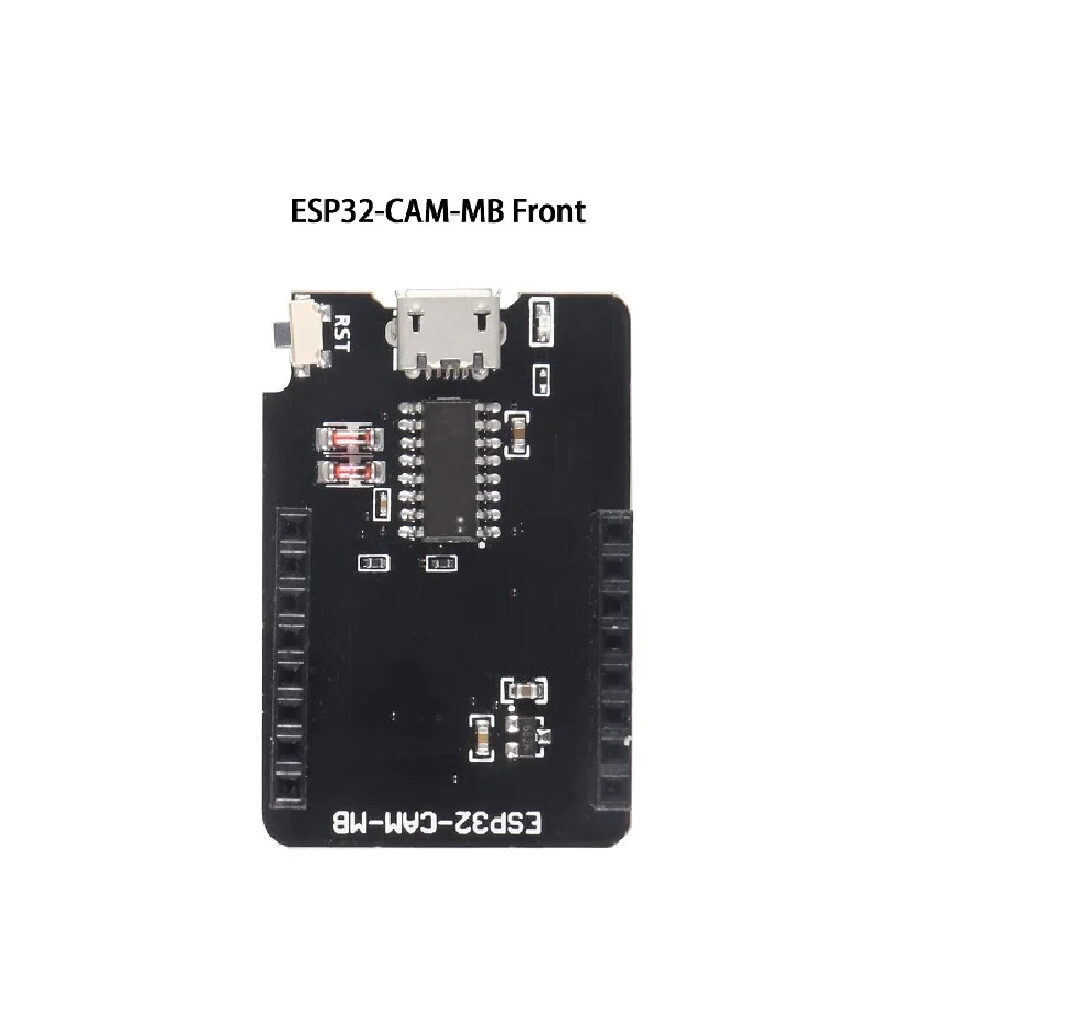
ESP32-CAM-MB MICRO USB Download Module for ESP32 CAM Development Board
Eliminates the need for a separate FTDI programmer — just plug in USB, upload your sketch, and you’re done. Essential for fast iteration during development.
Circuit Wiring and Assembly
The ESP32-CAM has a somewhat non-standard pinout compared to a regular ESP32 development board. Here is the wiring guide for the doorbell button:
- Connect one leg of the push button to GPIO 13 on the ESP32-CAM
- Connect the other leg to GND
- Add a 10 kΩ pull-up resistor between GPIO 13 and the 3.3V rail (alternatively, enable the internal pull-up in firmware)
- Power the board via the 5V and GND pins — do not power it from a 3.3V source; the onboard regulator handles the conversion
- If you are using the ESP32-CAM-MB board, power comes directly from the micro-USB port and you do not need a separate power supply during development
GPIO 13 is chosen deliberately because it does not interfere with the camera data lines (Y2–Y9 on GPIO 5, 18, 19, 21, 36, 39, 34, 35), the clock lines (XCLK on GPIO 0, PCLK on GPIO 22), or the VSYNC/HREF lines (GPIO 25/23). GPIO 4 controls the onboard LED flash — it is available for other uses but be aware it will turn on the bright LED if set HIGH, which can be useful for night photography.
Power supply tip for Indian users: Power fluctuations are common in many Indian localities. A 470 µF capacitor across the 5V supply rail, combined with a 1N4007 diode in series (to prevent reverse polarity from neighbours’ voltage spikes on shared DT lines), adds meaningful protection to your doorbell installation.
Setting Up a Telegram Bot
Creating a Telegram bot takes under five minutes and requires only the Telegram app on your phone:
- Open Telegram and search for @BotFather
- Send the command
/newbot - Follow the prompts to give your bot a name (e.g., “My Doorbell Bot”) and a username ending in
bot(e.g.,myhouse_doorbell_bot) - BotFather will give you a Bot Token like
7123456789:AAFxyz...— copy this carefully, you will need it in the firmware - Start a chat with your bot by clicking the link BotFather provides
- Send any message to your bot (say “hello”) — this initialises the chat
- Visit
https://api.telegram.org/bot<YOUR_TOKEN>/getUpdatesin a browser and note the chat ID from the JSON response (it looks like a large integer, possibly negative for group chats)
For a family group notification setup, create a Telegram group, add your bot to the group, and use the group’s chat ID (a negative number) as the destination. All family members in the group will receive doorbell alerts simultaneously — a feature most commercial systems charge extra for.
Firmware: Arduino Code Explained
The firmware is written in Arduino IDE with the ESP32 board package. Install these libraries before compiling:
- ESP32 board package (Espressif Systems) via Arduino Boards Manager
- UniversalTelegramBot by Brian Lough — available in Arduino Library Manager
- ArduinoJson by Benoit Blanchon — version 6.x
Here is the core logic flow of the firmware:
1. Setup: Initialize camera with UXGA resolution, connect to Wi-Fi
2. Main loop:
   a. Check GPIO 13 for button press (LOW = pressed, due to pull-up)
   b. On button press:
      i.  Capture JPEG image from camera
      ii. Send photo to Telegram chat via Bot API (sendPhoto)
      iii.Send text message with timestamp: "Doorbell pressed at HH:MM:SS"
      iv. Save image to microSD (if present)
      v.  Debounce delay (500 ms) to ignore multiple triggers
   c. Reconnect Wi-Fi if disconnected
   d. Optional: Check Telegram for reply messages (two-way communication)
Key firmware constants you must configure:
ssidandpassword— your home Wi-Fi credentialsBOT_TOKEN— from BotFatherCHAT_ID— your Telegram chat or group IDBUTTON_PIN 13— change if you use a different GPIO
For night vision capability, you can automatically turn on the onboard flash (GPIO 4) briefly before capturing the photo whenever ambient light is low. A simple LDR voltage divider on GPIO 14 can detect darkness and trigger the flash automatically.
OTA (Over-The-Air) updates: Once your doorbell is mounted outside, you do not want to dismantle it every time you update firmware. Add the ArduinoOTA library to your sketch so you can push updates wirelessly from Arduino IDE over your local network — a crucial feature for long-term maintenance.
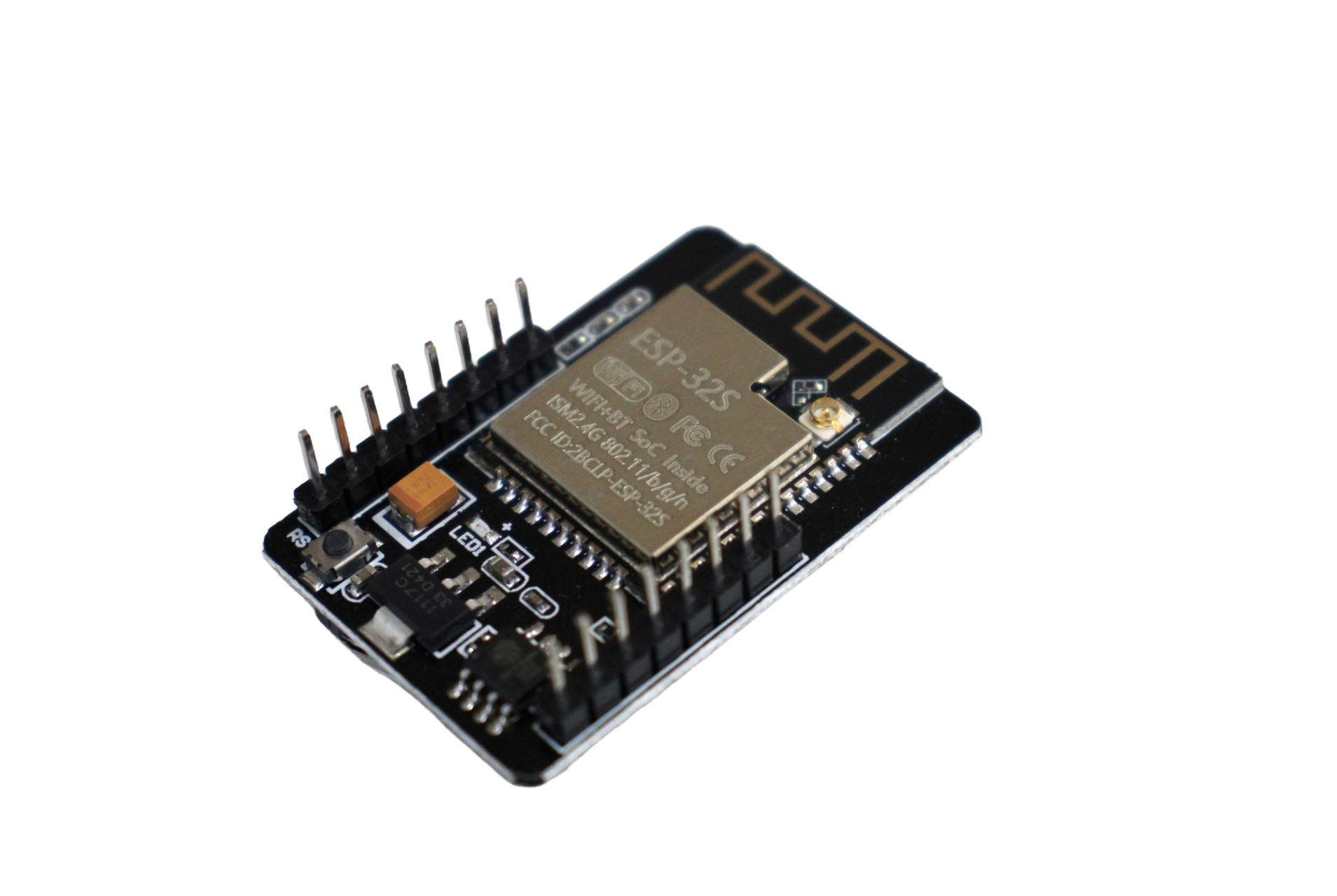
ESP32 CAM WiFi Module Bluetooth with OV2640 Camera Module 2MP For Face Recognition
The OV2640 2MP camera paired with ESP32 gives you sharp doorbell snapshots and even supports basic face recognition for advanced projects.
Enclosure and Outdoor Installation Tips
Outdoor installations in India face unique challenges: monsoon humidity, dust, extreme heat (up to 45°C in May-June), and curious insects. Here are proven tips for a durable installation:
- Use an IP65 enclosure — a simple plastic junction box from your local electrical shop works well. Drill a 10 mm hole for the camera lens and a 14 mm hole for the doorbell button bezel
- Apply silicone sealant around all cable entry points and the lens opening to prevent water ingress during heavy monsoon rains
- Add a small desiccant packet inside the enclosure to absorb residual humidity — replace it annually during summer before monsoon season
- Mount with camera facing slightly downward (10–15 degree tilt) — this provides better face visibility for visitors standing at the door and reduces direct sunlight glare in the morning
- Use a sunshade/visor over the camera — a small strip of aluminium sheet bent at 90 degrees prevents rain from hitting the lens directly
- Power cabling: Run 2-core wire (or repurpose existing doorbell wiring) from your home’s 5V supply to the enclosure. Ensure wire joints are properly insulated and inside weatherproof connectors
For apartments with metal doors and door frames, Wi-Fi signal can degrade significantly. In such cases, position your Wi-Fi router near the main door, or use a Wi-Fi repeater/mesh node near the entrance. Signal strength below -75 dBm will cause frequent disconnections and missed notifications.
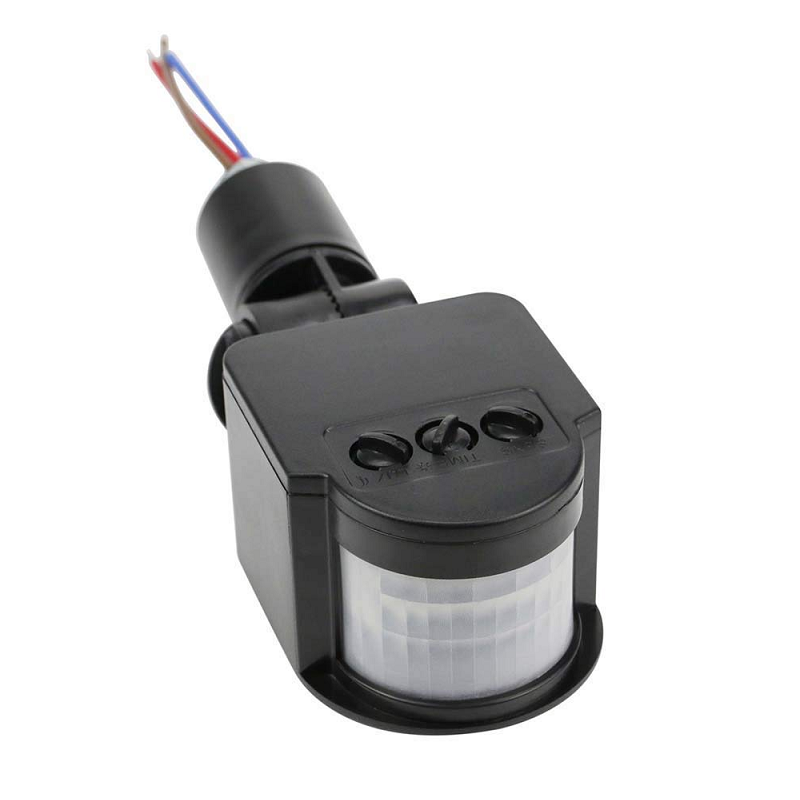
AC 220V Security PIR Human Body Motion Sensor Detector
Extend your doorbell project with motion detection — trigger the ESP32-CAM to capture and send a photo even when visitors don’t press the button.
Frequently Asked Questions
Can the ESP32-CAM stream live video to Telegram?
Telegram’s bot API does not support live video streaming, but you can send short video clips (up to 50 MB) using the sendVideo API. A more practical approach is to run an MJPEG stream web server on the ESP32-CAM that you access directly from your browser when on the local Wi-Fi network. For remote access without port forwarding, combine this with ngrok or Cloudflare Tunnel (both free for personal use).
What is the image quality of the ESP32-CAM doorbell?
At UXGA (1600×1200) resolution, the OV2640 produces clear face images in good daylight. In low light conditions without the LED flash, quality degrades noticeably. For better night vision, add an external IR LED array (available as 12V IR flood lights from Zbotic or electrical shops) or a white LED ring light for a more visible-spectrum solution. The onboard LED flash is bright but very close to the lens, sometimes causing overexposure in dark environments.
How do I handle Wi-Fi drops and missed notifications?
Implement a reconnection routine in your loop function that checks WiFi.status() every 10 seconds and calls WiFi.reconnect() if disconnected. Additionally, save button presses to a queue in SPIFFS (ESP32’s internal flash file system) so that if Wi-Fi is unavailable at press time, the notification is sent once connectivity is restored. This prevents missed alerts during temporary ISP outages common in India.
Is the ESP32-CAM doorbell secure?
Yes, when implemented correctly. Telegram uses TLS encryption for all API communications, so your photos are transmitted securely. The biggest security consideration is your Wi-Fi network security — use WPA2-PSK with a strong password. On the firmware side, never hardcode credentials in publicly shared code; use a separate secrets.h file excluded from version control. Additionally, use a Telegram bot rather than your personal account to avoid exposing your account token.
Can I add two-way audio to this doorbell?
The standard ESP32-CAM does not have an onboard microphone or speaker. For two-way audio, you can add an I2S microphone (like INMP441) and an I2S amplifier with speaker, but streaming audio in real-time is challenging due to bandwidth constraints. A simpler alternative is using a separate ESP32 module with a small I2S speaker to play a pre-recorded message (“Please wait, the owner has been notified”) when the button is pressed.
Build Your Smart Doorbell with Zbotic
All the components for this DIY ESP32-CAM Telegram doorbell project are available at Zbotic — India’s trusted electronics components store. From ESP32-CAM modules and programmer boards to sensors and accessories, we ship across India with fast delivery.





Add comment