
Balancing Charger for LiPo: iMax B6 & B6AC Tutorial India
The iMax B6 is arguably the most popular LiPo balance charger in India among RC hobbyists, drone pilots, and electronics makers — and for good reason. For its price, it handles an impressive range of battery chemistries and provides individual cell balancing that standalone chargers simply cannot match. But many users in India who buy the B6 or B6AC are confused by the menu system, unsure which settings to use, or don’t know about critical features like storage charging. This complete tutorial covers everything you need to charge, balance, discharge, and store your LiPo packs safely using the iMax B6 and B6AC.
iMax B6 vs B6AC: Which Should You Buy?
The iMax B6 and B6AC are functionally identical chargers with one key difference: the B6AC (AC/DC) has a built-in AC power supply, so you can plug it directly into a 220V Indian wall socket. The standard B6 (DC only) requires a separate 12V DC power supply — typically a lead-acid battery or a DC bench supply.
| Feature | iMax B6 (DC) | iMax B6AC (AC/DC) |
|---|---|---|
| Input | 11–18V DC only | 100–240V AC or 11–18V DC |
| Max charge power (AC) | N/A | 50W |
| Max charge power (DC) | 50W | 50W |
| Portability | Excellent (use car battery at field) | Good (wall plug anywhere) |
| Best for | Field charging from car/bike battery | Home/workshop charging |
For most Indian hobbyists charging at home, the B6AC is more convenient. If you do a lot of field flying (parks, farms), the B6 paired with a 12V battery is more flexible. Both support LiPo, LiHV, LiFe, Li-ion, NiMH, NiCd, and Pb (lead acid) chemistries.
Genuine vs Clone: The Indian market is flooded with B6 clones. While many clones work adequately, the firmware is often buggy — particularly the delta-peak detection for NiMH and the balance accuracy. Buy from a reputable Indian electronics retailer and look for the SkyRC iMax B6 branding (the genuine manufacturer). ISDT chargers are a well-regarded alternative in a similar price bracket with better firmware.
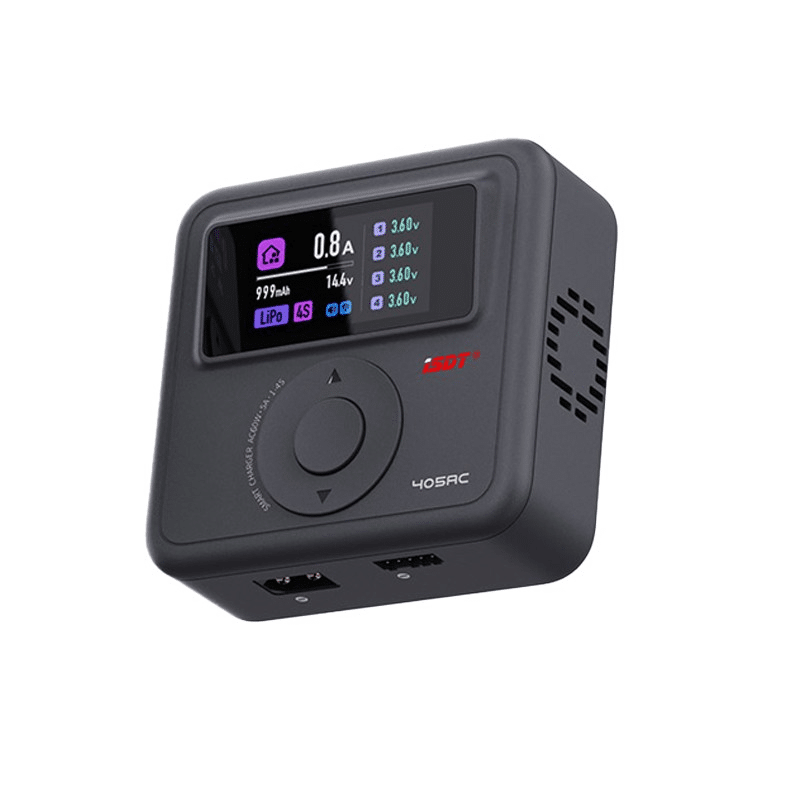
ISDT 405AC 60W AC GaN Smart Charger – 0.1-5A, 1-4S LiPo/LiHv/LiFe (XT60 Output)
A modern alternative to the iMax B6AC — GaN technology, 60W output, compact design. Supports 1-4S LiPo/LiHV/LiFe chemistry with accurate balance charging. Plug directly into 220V.
Understanding the Display and Menu
The B6 display shows two lines of information. The top line cycles between battery type/charge mode and current cell voltages. The bottom line shows elapsed time, total charge delivered (mAh), and output current.
Key Display Readings
- CV (Constant Voltage): Charger has reached target voltage and is tapering current — nearing completion.
- CC (Constant Current): Charger is in the bulk charge phase, delivering full current.
- BALANCE: Active cell balancing in progress — individual cells being topped up.
- FULL: Charge complete. Cells have reached 4.20V and current tapered to ~0.1A.
- BAL. CHARGE: Combined charging and balancing mode — this is what you want for almost all normal charging.
Navigating the Menu
The B6 has 4 buttons: DEC (−), INC (+), BATT.TYPE/STOP, and ENTER/START. Long-press BATT.TYPE to select chemistry. Short-press to cycle through programme slots. Press INC/DEC to adjust highlighted values. Long-press ENTER/START to begin charging after connecting the battery.
LiPo Charge Settings Explained
When you select LiPo as your battery type, you’ll need to configure three critical parameters:
1. Cell Count (S rating)
This tells the charger what voltage to target. Always verify this matches your pack:
- 1S = 3.7V nominal, 4.20V full
- 2S = 7.4V nominal, 8.40V full
- 3S = 11.1V nominal, 12.60V full
- 4S = 14.8V nominal, 16.80V full
- 5S = 18.5V nominal, 21.0V full
- 6S = 22.2V nominal, 25.20V full
Critical: Setting the wrong cell count is the single most common cause of LiPo damage. A 3S pack charged with a 4S setting will be overcharged to 16.8V — this will destroy the pack and may cause fire. Always count your pack’s balance lead wires: a 3S pack has 4 wires in the balance lead (1 ground + 3 cells).
2. Charge Current
Set this to the pack’s recommended C-rate. For most LiPo packs, 1C is the safest charge rate for maximum longevity. So a 2200 mAh pack charges at 2.2A (1C), a 1300 mAh pack at 1.3A.
Many packs are rated for 2C charge (faster charging) — a 2200 mAh pack could charge at 4.4A in that case. Faster charging generates more heat and reduces cycle life. For most Indian hobbyists, 1C is the right default.
3. Charge Programme
Always select BALANCE CHG (Balance Charge), not just CHARGE. The plain CHARGE mode doesn’t use the balance lead and won’t monitor individual cell voltages. Over time, cells drift in voltage and a non-balanced pack can have some cells overcharged and others undercharged.
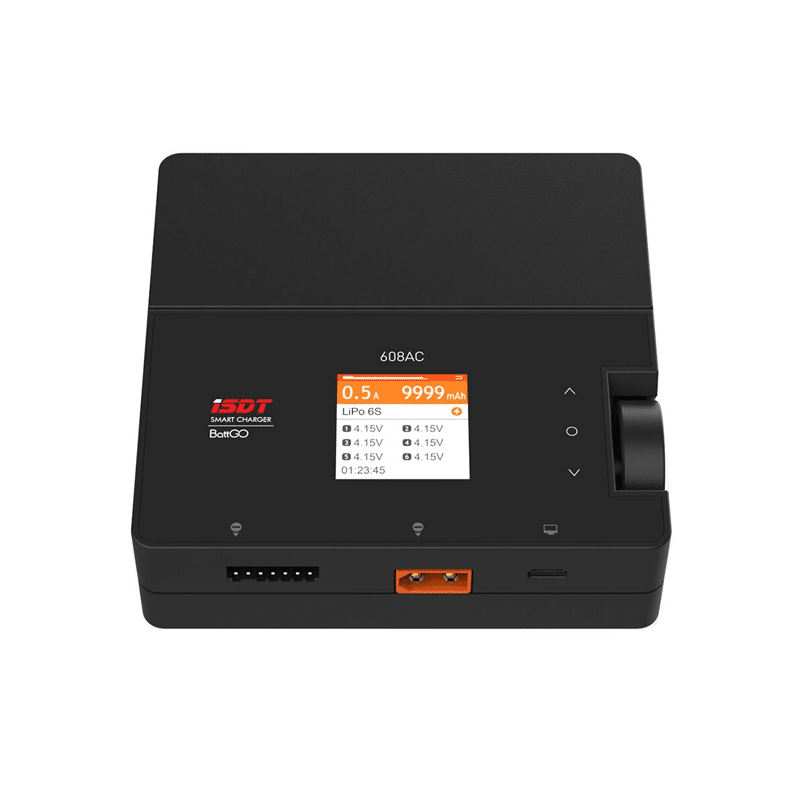
ISDT 608 AC Lipo Battery Charger – AC 50W / DC 200W Dual Mode RC Discharger/Charger
Upgrade from the iMax B6AC — 200W DC output for fast field charging, built-in discharger, and supports up to 8S. Ideal for serious RC pilots with multiple packs.
Balance Charging Step by Step
- Connect the main charge lead: Plug the pack’s main connector (XT60, XT30, T-plug, or JST depending on your pack) into the corresponding connector on the B6. Connect positive to positive, negative to negative. The B6 comes with alligator clip leads for packs without standard connectors.
- Connect the balance lead: Plug the pack’s JST-XH balance lead into the matching port on the side of the B6. The B6 has ports for 2S through 6S packs — use the correct one. The socket closest to the edge is always ground.
- Select battery type: Long-press BATT.TYPE/STOP and navigate to LiPo. Press ENTER.
- Set cell count: Navigate to BAL.CHARGE and press ENTER. Set the cell count using INC/DEC to match your pack (e.g., 3 for a 3S pack). Press ENTER.
- Set charge current: Adjust to your desired current (e.g., 2.2 for a 2200 mAh pack at 1C). Press ENTER.
- Verify settings and start: The B6 will display your settings. Long-press ENTER/START. The charger will beep and show “CONFIRM: CHECK BATTERY” — press ENTER again to confirm. Charging begins.
- Monitor the first few minutes: Watch for errors (wrong cell count detected, safety timer, temperature alarm). After 5 minutes, verify the current cell voltages on the display make sense for your pack’s known state of charge.
- Completion: The B6 beeps multiple times when charging is complete. Disconnect the balance lead first, then the main lead.
Storage Charge: The Most Important Feature Nobody Uses
Storage charge is the most underused feature on the iMax B6 — and arguably the most important for long-term pack health. When you won’t be flying for more than 2–3 days, you should put your packs into storage voltage rather than leaving them fully charged or depleted.
Ideal storage voltage: 3.80–3.85V per cell (approximately 50–60% charge). At full charge (4.2V/cell), electrolyte slowly oxidises. At low charge (below 3.5V/cell), copper dissolution can occur. Storage voltage is chemically stable for weeks to months.
How to Run Storage Charge on B6
- Connect the pack as normal (main lead + balance lead).
- Select LiPo → STORAGE.
- Set cell count and current (0.5–1C is fine).
- The charger will charge the pack if it’s below 3.8V/cell, or discharge it if above 3.8V/cell, until all cells reach storage voltage.
Indian climate note: High temperatures (40°C+) accelerate electrolyte degradation even at storage voltage. In summer, store packs in an air-conditioned room or a temperature-controlled container if possible.
Using the Discharge Function
The B6’s discharge function is useful for two purposes: checking actual pack capacity versus rated capacity, and conditioning packs before storage or disposal.
The B6 can discharge at a maximum of 1A with 5W of maximum discharge power. This is low — a 3S pack at 1A is only 11.1W, but the B6 caps at 5W, meaning it’ll discharge a 3S pack at about 0.45A. For packs larger than 2000 mAh, this takes a very long time. For faster discharge, use an external resistive load and monitor voltage manually.
To run a discharge cycle: Select LiPo → DISCHARGE. Set cell count and discharge current (0.5A typical). Long-press START. The B6 will discharge to the cutoff voltage (3.0V/cell by default, adjustable) and display total mAh discharged. This is your actual usable capacity.

ISDT A4 Air Smart Battery Charger for NiMH, NiCd, Li-Ion, LiFePO4 with Bluetooth
Wireless monitoring via Bluetooth app — view real-time cell voltages and charge data on your smartphone. Ideal for hobbyists who want modern features beyond the iMax B6.
Charging NiMH, NiCd, and Li-ion on the B6
The B6 is a true multi-chemistry charger. Here’s a quick reference for other common battery types:
NiMH / NiCd (AA/AAA rechargeable batteries)
Use the NiMH or NiCd programme. The B6 uses delta-peak detection to determine when charging is complete (voltage briefly dips when cells are full). Set charge current to 0.5–1C. Important: NiMH/NiCd don’t have balance leads — just connect the main lead. Typical AA cell capacity is 1800–2500 mAh; AAA is 800–1000 mAh.
Li-ion (cylindrical cells like 18650)
The Li-ion programme targets 4.10V/cell (vs 4.20V for LiPo). If you’re charging LiNiMnCoO2 (NMC) or LiNiCoAlO2 (NCA) cells rated to 4.20V, you can use the LiPo setting — both are 4.2V chemistry. True Li-ion cells (older LiCoO2) should use the Li-Ion setting. For balancing multiple 18650 cells in series, you need balance leads — the B6 can do this with a custom balance wiring harness.
LiFePO4 (LFP)
Charges to 3.65V/cell with a nominal voltage of 3.2V/cell. The B6 has a dedicated LiFe programme. Popular in larger solar storage systems and high-safety applications. Much safer chemistry than LiPo — far less prone to fire.
Frequently Asked Questions
Can I leave the iMax B6 unattended while charging?
The B6 has automatic charge termination and a safety timer, but LiPo fires can still occur due to defective cells, wrong settings, or damaged packs. Best practice is to always charge in a fireproof location (metal tray, LiPo bag), never leave packs charging overnight or while you sleep, and check in every 15–20 minutes. Indian makers often charge in their balcony or near an open window for safety.
The B6 shows a “CONNECTION BREAK” error — what does it mean?
This error typically means the charger detected an intermittent connection on the main leads or balance lead. Check that all connectors are fully seated, the balance lead is in the correct S-count port, and none of the lead wires are broken or loose. Also verify the polarity on the main lead — connecting it reversed triggers this error as a safety shutoff on some firmware versions.
How do I know if my iMax B6 is genuine or a clone?
Genuine SkyRC iMax B6 units have the SkyRC logo on the face, a serial number on the back label, and can be verified at SkyRC’s website using the serial number. Clones often have slightly different menus, missing or wrong balance accuracy (±10mV on genuine vs ±20–50mV on clones), and cheaper construction visible on the bottom vents and buttons. Many Indian hobby stores sell clones labelled as B6 — buy from a trusted source.
What power supply do I need to run the iMax B6 DC version in India?
The B6 DC requires 11–18V DC input. A 12V lead-acid battery (car battery or sealed 7Ah SLA) works perfectly in the field. At home, use a regulated 12V DC power supply rated at least 5A (60W output / 12V = 5A). A meanwell or similar switching PSU rated at 12V/5A+ is ideal. Never use an unregulated adapter — voltage spikes can damage the charger or pack.
How many times can I charge a LiPo with the iMax B6 before it degrades?
With proper charging practices (1C rate, always balance charging, storage voltage when not in use), a quality LiPo should last 200–400 charge cycles before dropping to 80% of rated capacity. The B6’s balance charging actually extends life by keeping cells even. Indian summer heat is the biggest life-reducer — try to charge and store packs in cool, dry conditions whenever possible.
Upgrade Your Charging Setup
From the iMax B6 to advanced ISDT smart chargers, Zbotic has the best balance chargers for RC hobbyists and drone pilots in India. Shop now for fast shipping and genuine products.





Add comment