
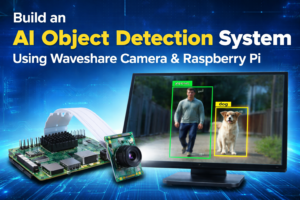
AI Object Detection Using Waveshare Camera & Raspberry Pi (Complete Guide)

Introduction
Want to build a real-time AI object detection system for smart surveillance or automation?
In this project, we will build a powerful AI Object Detection System Using Waveshare Camera & Raspberry Pi — perfect for:
- Engineering final-year projects
- AI & Robotics enthusiasts
- Industrial safety monitoring
- Smart CCTV systems
- Startup product prototypes
All required components are available at: https://zbotic.in/
Why Use Waveshare Camera for AI Projects?
Waveshare camera modules are widely used for embedded AI and computer vision projects because they offer:
✔ High-resolution Sony sensors (IMX219 / IMX477)
✔ Raspberry Pi CSI compatibility
✔ Stable Linux driver support
✔ Low latency video capture
✔ Industrial-grade build quality
When paired with Raspberry Pi, they become a powerful edge AI system.
Components Required (Available on Zbotic.in)
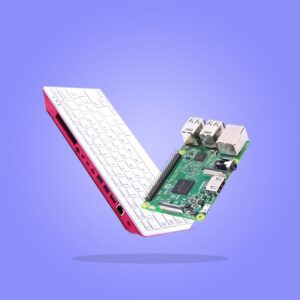
1️⃣ Raspberry Pi 4 Model B (4GB or 8GB)
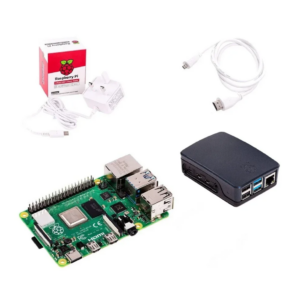
Recommended Product:
👉 Raspberry Pi 4 Model B (4GB/8GB)
https://zbotic.in/product/raspberry-pi-4-model-b/
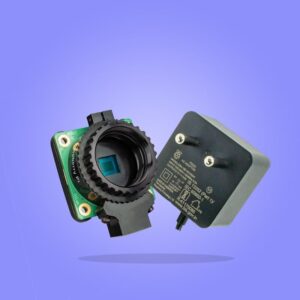
2️⃣ Waveshare Raspberry Pi Camera Module
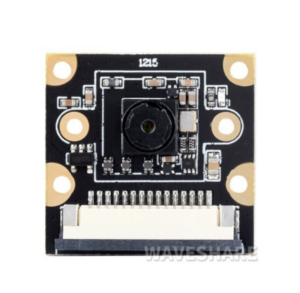
Recommended Products:
👉 Waveshare IMX219 Camera Module
https://zbotic.in/product/waveshare-imx219-camera-module/
3️⃣ MicroSD Card (32GB+)
👉 MicroSD Card for Raspberry Pi
https://zbotic.in/product/sandisk-micro-sd-sdhc-16gb-class-10-memory-card-up-to-98mb-s-speed/
4️⃣ 5V Power Adapter for Raspberry Pi
👉 Official Raspberry Pi Power Supply
https://zbotic.in/product/raspberry-pi-power-supply/
5️⃣ Raspberry Pi Case (Optional)
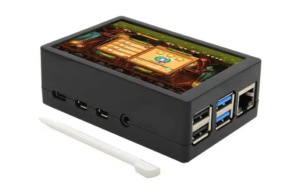
👉 Raspberry Pi 4 Case
https://zbotic.in/product/raspberry-pi-4-case/
How AI Object Detection Using Waveshare Camera & Raspberry Pi Works
- Waveshare camera captures real-time video.
- Raspberry Pi processes frames using OpenCV.
- TensorFlow Lite model detects objects.
- Bounding boxes are drawn.
- Detection results are displayed live.
- Optional: Alerts or cloud logging.
This is known as Edge AI Processing, where AI runs locally on device without cloud dependency.
Basic Hardware Setup
Connecting Waveshare Camera to Raspberry Pi
• Insert ribbon cable into CSI port
• Blue side of cable should face Ethernet port
• Lock CSI connector firmly
• Enable camera via raspi-config
(No GPIO wiring required)
Software Installation
Step 1: Install Raspberry Pi OS
Download from official Raspberry Pi website:
🔗 https://www.raspberrypi.com/software/
Flash using Raspberry Pi Imager.
Step 2: Enable Camera
sudo raspi-config
Enable Camera → Reboot
Step 3: Install Required Libraries
sudo apt update
sudo apt install python3-opencv
pip3 install tflite-runtime numpy
Official OpenCV documentation:
🔗 https://docs.opencv.org/
TensorFlow Lite documentation:
🔗 https://www.tensorflow.org/lite
Basic AI Object Detection Code (Python)
import cv2
import numpy as np
import tflite_runtime.interpreter as tflite
# Load TFLite model
interpreter = tflite.Interpreter(model_path="detect.tflite")
interpreter.allocate_tensors()
input_details = interpreter.get_input_details()
output_details = interpreter.get_output_details()
cap = cv2.VideoCapture(0)
while True:
    ret, frame = cap.read()
    img = cv2.resize(frame, (300, 300))
    input_data = np.expand_dims(img, axis=0)
    interpreter.set_tensor(input_details[0]['index'], input_data)
    interpreter.invoke()
    boxes = interpreter.get_tensor(output_details[0]['index'])
    classes = interpreter.get_tensor(output_details[1]['index'])
    scores = interpreter.get_tensor(output_details[2]['index'])
    for i in range(len(scores[0])):
        if scores[0][i] > 0.5:
            box = boxes[0][i]
            y1, x1, y2, x2 = box
            h, w, _ = frame.shape
            cv2.rectangle(frame,
                          (int(x1*w), int(y1*h)),
                          (int(x2*w), int(y2*h)),
                          (0,255,0), 2)
    cv2.imshow("AI Detection", frame)
    if cv2.waitKey(1) & 0xFF == ord('q'):
        break
cap.release()
cv2.destroyAllWindows()
What This System Can Detect
Using MobileNet SSD model, it can detect:
- Person
- Car
- Bicycle
- Dog
- Cat
- Bottle
- Chair
- Laptop
- Mobile phone
You can download pretrained model from:
🔗 https://github.com/tensorflow/models
Applications of AI Object Detection Using Waveshare Camera & Raspberry Pi
• Smart CCTV system
• Face mask detection
• Factory safety monitoring
• Intrusion detection
• People counting
• Attendance system
• Retail analytics
Frequently Asked Questions (FAQs)
1️⃣ What is AI Object Detection using Raspberry Pi?
AI Object Detection using Raspberry Pi is a computer vision project where a camera captures real-time video, and a machine learning model (like TensorFlow Lite) identifies objects such as people, cars, or animals.
2️⃣ Which Waveshare camera module is best for this project?
You can use:
- Waveshare IMX219 Camera Module (recommended for beginners)
- Waveshare IMX477 High Quality Camera (for advanced and high-resolution projects)
IMX477 provides better image clarity for industrial or research applications.
3️⃣ Can Raspberry Pi handle real-time object detection?
Yes ✅
Raspberry Pi 4 (4GB or 8GB) can handle real-time object detection using lightweight models like MobileNet SSD with TensorFlow Lite.
However, performance depends on:
- Model size
- Frame resolution
- Optimization level
4️⃣ Do I need internet for AI object detection?
No ❌ (Not mandatory)
Object detection can run completely offline if you use a locally stored TensorFlow Lite model.
Internet is only required if:
- You want cloud storage
- You want remote monitoring
- You download models
5️⃣ Which programming language is used in this project?
This project uses:
- Python
- OpenCV
- TensorFlow Lite
Python is preferred because of its strong AI and computer vision libraries.
6️⃣ What objects can this system detect?
Using the MobileNet SSD model, it can detect:
- Person
- Car
- Dog
- Cat
- Bicycle
- Chair
- Bottle
- Laptop
- And 80+ common objects
7️⃣ Is this suitable for engineering final-year projects?
Yes ✅
This is an excellent project for:
- BE/BTech Final Year
- Diploma Mini Project
- AI/ML Specialization
- Robotics Lab Submission
It demonstrates:
- Computer vision
- Embedded AI
- Edge computing
- Real-time processing
8️⃣ Can I convert this into a smart CCTV system?
Absolutely 🚀
You can upgrade it with:
- Motion detection
- Face recognition
- Email alerts
- Telegram notifications
- Cloud storage integration
9️⃣ Does this project support face recognition?
Yes, but face recognition requires:
- Additional face dataset
- Face embedding models
- Extra processing
It is an advanced upgrade beyond basic object detection.
🔟 Where can I buy genuine Waveshare camera modules in India?
You can purchase 100% genuine Waveshare camera modules and Raspberry Pi accessories from: https://zbotic.in/
Why Buy Waveshare Components from Zbotic?
✔ 100% Genuine Waveshare Products
✔ Fast Shipping Across India
✔ Bulk & Institutional Orders
✔ Technical Support Available
✔ Competitive Pricing
Shop Now: https://zbotic.in/
Final Thoughts
If you want to build a powerful AI system that is:
- Scalable
- Industry-ready
- Real-time
- Edge-based
Then AI Object Detection Using Waveshare Camera & Raspberry Pi is the perfect project.
Start building today with genuine components from: https://zbotic.in/





Add comment