
Ender 3 V3 SE vs KE: Best Budget 3D Printer for India in 2026
If you have been shopping for a budget 3D printer in India and stumbled upon the Creality Ender 3 V3 SE and V3 KE, you are not alone. These two printers look similar on paper, carry similar price tags, and come from the same manufacturer — yet they are aimed at quite different users. This in-depth comparison will help you decide which one deserves your money in 2026.
We will cover hardware specifications, real-world print quality, ease of use, long-term ownership costs, and how both machines perform in typical Indian conditions — including power fluctuations, humidity, and availability of spare parts.
Quick Overview: SE vs KE at a Glance
| Feature | Ender 3 V3 SE | Ender 3 V3 KE |
|---|---|---|
| Build Volume | 220×220×250 mm | 220×220×240 mm |
| Max Print Speed | 250 mm/s | 500 mm/s |
| Auto Levelling | CR Touch (25 pt) | Eddy current probe |
| Hotend Max Temp | 260°C | 300°C |
| Extruder | Sprite direct drive | Nebula direct drive |
| Screen | 4.3″ LCD touch | 4.3″ LCD touch |
| Wi-Fi | No | Yes (Creality Cloud) |
| Approx India Price | ₹15,000–18,000 | ₹20,000–24,000 |
Hardware Specifications Deep Dive
Frame and Build Quality
Both printers use the classic Ender 3 cross-gantry design with an aluminum extrusion frame. The V3 SE retains the traditional structure with minor rigidity improvements, while the V3 KE introduces a more robust dual-Z design on some variants. Build quality on both is comparable — adequate for the price, though serious high-speed printing on the KE does benefit from the improved frame stiffness.
Motion System
This is where the two printers diverge most significantly. The V3 SE uses a standard Cartesian motion system — the printhead moves on the X axis while the bed moves on Y. This is tried and tested, but limits maximum printing speed due to bed inertia.
The V3 KE uses a modified CoreXY-like input shaping architecture with Klipper firmware, allowing it to reach 500 mm/s maximum speed. In practice, real-world printing speeds of 200–300 mm/s are more realistic on the KE for quality prints.
Hotend and Extruder
The SE’s Sprite direct drive extruder is a proven design borrowed from earlier Ender models. It handles PLA, PETG, and TPU reliably up to 260°C. The KE’s Nebula hotend reaches 300°C, opening the door to engineering filaments like PA (nylon) and PC (polycarbonate) blends — a significant advantage for advanced users.
Bed Levelling
Both have automatic bed levelling. The SE uses a CR Touch probe (a capacitive/optical probe similar to BLTouch) that creates a 25-point mesh. The KE uses an eddy current probe integrated directly into the hotend, which is faster and generally more reliable as it eliminates the separate probe mechanism. For Indian users who may deal with temperature swings causing bed warping, both auto-levelling systems are a genuine quality-of-life improvement over older Ender models.
Print Speed and Performance
Speed is the most marketed difference between these two printers. Creality advertises 500 mm/s for the KE, but let us unpack what this actually means.
At 500 mm/s, quality degrades significantly — stringy, wavy prints with poor layer adhesion. The KE’s realistic sweet spot is 200–300 mm/s with input shaping enabled through Klipper. At these speeds, print quality is genuinely excellent and faster than the SE’s practical top speed of 150–200 mm/s.
What does this mean for actual print times? A 100g benchmark object (like a standard benchy or box) prints in roughly 45 minutes on the SE versus 25–30 minutes on the KE at their respective quality-optimised speeds. For someone running prints daily, this difference compounds significantly over time.
Print Quality: Which One Wins?
At equivalent speeds (say, 100 mm/s), print quality is nearly identical between the SE and KE. Both produce clean layer lines, good bridging, and satisfactory overhangs up to about 50 degrees.
Where the KE edges ahead is in input shaping via Klipper — it actively compensates for resonance artifacts (ringing/ghosting) that appear at high speeds. At 200+ mm/s, the KE’s Klipper-controlled input shaping keeps prints cleaner than the SE can achieve at similar speeds.
For fine detail work at 0.1–0.15 mm layer heights, both printers perform similarly. The SE is slightly more predictable for beginners as Marlin firmware is well-documented and stable.
Software and Connectivity
Firmware
The SE runs Marlin firmware — the industry standard, beloved for its stability, massive community support, and extensive documentation. For beginners in India, the abundance of Marlin guides, YouTube tutorials, and forum support in Hindi and English is a real advantage.
The KE runs Klipper firmware. Klipper is more powerful and flexible, enabling features like input shaping, pressure advance, and remote configuration via a web browser. However, Klipper has a steeper learning curve. If you are comfortable with Linux basics, you will unlock tremendous customisation. If you just want to plug in and print, Marlin is friendlier.
Connectivity
The SE is SD card and USB only — you plug in your card, select the file, and print. Simple and reliable, especially if your Wi-Fi is spotty (a real concern in many Indian homes and workshops).
The KE adds Wi-Fi and integration with Creality Cloud, allowing you to send files, monitor prints remotely, and even slice in the cloud. This is convenient but requires a stable internet connection and Creality’s servers to cooperate. Creality Cloud’s reliability for Indian users has been mixed — some report occasional connectivity issues.
Setup and Ease of Use
Both printers arrive partially assembled and take 20–30 minutes to set up fully. The SE’s setup is marginally simpler due to fewer components and the familiar Marlin interface. First-time Indian users who have never owned a 3D printer will find the SE’s guided levelling and simple UI less intimidating.
The KE’s Klipper setup is wizard-driven and streamlined compared to raw Klipper installation, but configuring advanced features like resonance compensation still requires some technical knowledge.
Filament Compatibility
For the most common filaments used in India — PLA, PETG, TPU — both printers are excellent. The SE handles these without issues at its rated temperatures.
The KE’s 300°C hotend opens up ABS, ASA, PA (nylon), and PC blends. If you foresee printing engineering-grade materials for structural parts, functional prototypes, or outdoor-rated components, the KE’s temperature advantage matters.
ABS is particularly relevant for Indian users because of its heat resistance — critical for parts used in vehicles, outdoor enclosures, and environments where temperatures regularly exceed 40–50°C. PLA softens at around 60°C, making it unsuitable for many Indian outdoor applications.
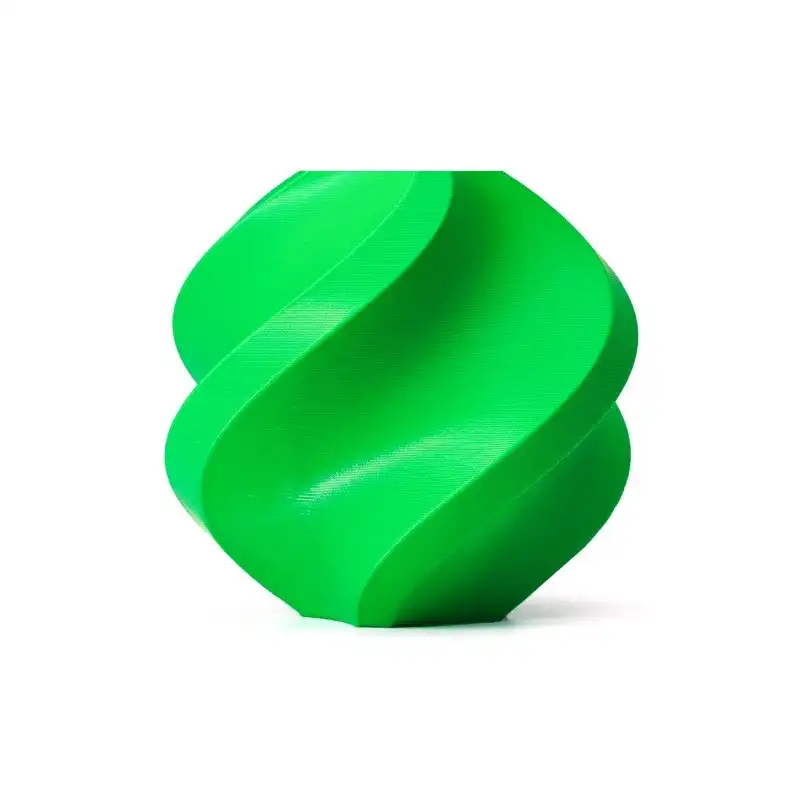
Bambu Lab ABS 3D Printer Filament – Bambu Green 1.75mm
High-quality ABS filament from Bambu Lab on a reusable spool. Excellent for printing heat-resistant parts on the Ender 3 V3 KE. Great for functional parts in India’s warm climate.

Bambu Lab ABS 3D Printer Filament – Black 1.75mm
Premium black ABS filament from Bambu Lab for professional-grade heat-resistant prints. Works with both Ender 3 V3 KE and enclosed printers. 1kg spool.
Spare Parts and Maintenance in India
This is an often-overlooked factor for Indian buyers. How easily can you get spare parts when something breaks?
The Ender 3 ecosystem is one of the most widely supported in the world. Nozzles, PTFE tubes, heated bed springs, thermistors, and heater blocks are available from multiple Indian suppliers. The SE’s standard components are compatible with a wide range of aftermarket parts.
The KE’s Nebula hotend is more proprietary. While Creality sells official spares, aftermarket availability in India is limited. If your KE hotend fails, you may wait 1–2 weeks for an official replacement to ship, versus sourcing a standard MK8-compatible part for the SE in 1–2 days from a local electronics store.

100k NTC Thermistor with Copper Tip for MK8 Extruder
Replacement thermistor for MK8 hotends used in Ender 3 and compatible printers. Essential spare part to keep on hand for quick hotend repairs.
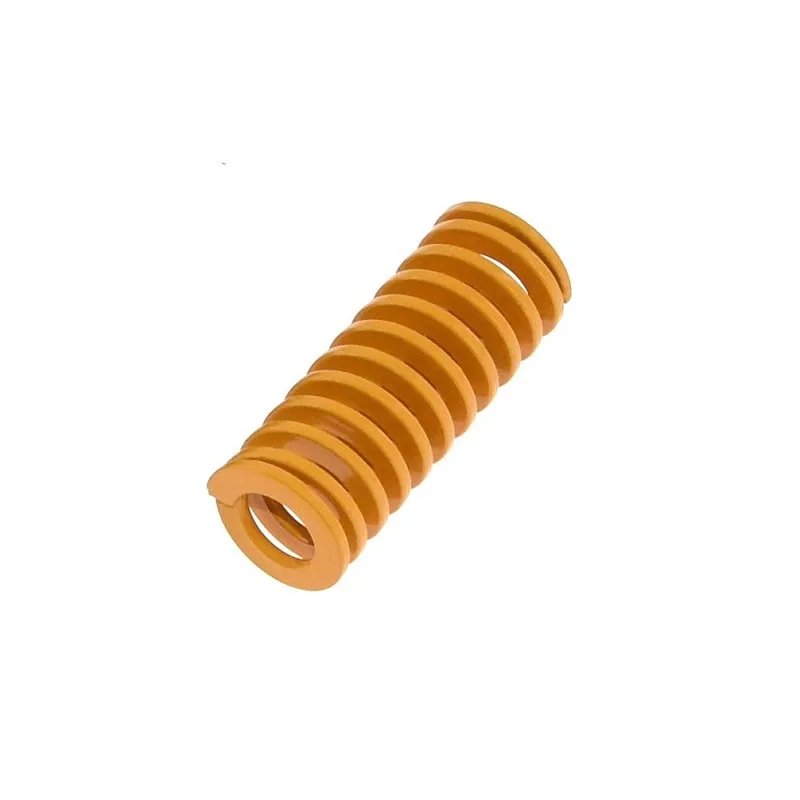
3D Printer Parts Spring for Heated Bed MK3 CR-10 Hotbed
Replacement levelling springs for Ender 3, CR-10, and MK3-compatible heated beds. Keep these on hand — they compress over time and affect bed levelling accuracy.
Who Should Buy Which?
Buy the Ender 3 V3 SE if you:
- Are a beginner buying your first 3D printer
- Primarily print PLA or PETG for hobby projects
- Want the most established community support and tutorials
- Are on a tighter budget and want maximum reliability per rupee
- Prefer a simpler Marlin firmware experience
- Work in an area where quick, cheap spare parts availability matters
Buy the Ender 3 V3 KE if you:
- Are an intermediate user comfortable with Linux and configuration
- Need higher throughput — running many prints or larger print farms
- Want to print ABS, ASA, or engineering filaments for functional parts
- Are interested in Klipper and its advanced features
- Value Wi-Fi remote monitoring and cloud slicing
- Are upgrading from an older Ender 3 and want a meaningful speed improvement
Must-Have Accessories for Both Printers
Regardless of which you choose, these accessories will significantly improve your ownership experience:

Frosted Heated Bed Sticker Build Plate (220×220mm)
Adhesive-backed frosted build surface for improved first-layer adhesion on PLA, PETG, and ABS. Compatible with Ender 3 V3 SE and KE 220mm beds. Easy to replace when worn.

3D Printer Build Platform Glass Retainer Clips (Pack of 4)
Stainless steel clips to securely hold a glass bed or build surface. Essential if you use a glass plate as your print surface on the Ender 3 V3 SE or KE.

Bambu Lab PLA Filament – Silver 1.75mm with Reusable Spool
Premium quality Bambu Lab PLA in silver on a reusable spool. Consistent diameter (±0.03mm), excellent for both Ender 3 V3 SE and KE. Great first filament for new printer owners.
Frequently Asked Questions
Is the Ender 3 V3 KE worth the extra cost in India?
If you are an intermediate to advanced user who wants speed, Klipper flexibility, and engineering filament capability, yes. For beginners or casual hobbyists, the SE offers better value.
Which printer handles India’s summer heat better?
Neither has a built-in enclosure, so printing ABS in India’s summer is challenging on both without adding an enclosure. The KE’s higher-temperature hotend is more suited to ABS if you build or buy an enclosure.
Can I upgrade the SE to match the KE’s speed?
You can add Klipper to the SE via a Raspberry Pi, which brings input shaping and some speed improvements. However, the SE’s bed-slinger design will still have inherent speed limits due to bed inertia. Maximum practical upgrade speed is around 200 mm/s.
What is the warranty situation for Creality printers in India?
Creality offers a 12-month warranty. For India, warranty claims typically go through the authorised distributor. Keep your purchase invoice and check the seller’s after-sales support before buying.
Which Creality Ender 3 variant should a student in India buy in 2026?
The Ender 3 V3 SE is the recommended choice for students — lower cost, simpler to learn, massive community tutorials, and compatible with the widest range of affordable accessories available in India.
Final Verdict
Both the Ender 3 V3 SE and V3 KE are excellent printers for their price ranges, representing the best of what budget FDM printing has to offer in 2026.
Choose the SE if you are new to 3D printing, on a budget, or want the most straightforward path to great prints with maximum community support. It is the safer choice and will serve you well for years.
Choose the KE if you want more speed, Klipper’s advanced capabilities, and the ability to print high-temperature engineering filaments. It rewards users who are willing to invest time in configuration.
For all the filaments, spare parts, nozzles, and accessories mentioned in this guide, visit Zbotic.in — India’s trusted store for electronics components and maker supplies.



Add comment