
Table of Contents
- Post-Crash Assessment: What to Check First
- Repairing and Replacing Broken Arms
- Diagnosing Motor Damage
- Motor Replacement Step-by-Step
- Diagnosing ESC Damage
- ESC Replacement Guide
- Post-Repair Testing and Tuning
- Crash Prevention Tips
- Replacement Parts Available at Zbotic
- FAQ
You’ve just had a hard FPV crash — the drone is somewhere in a field, possibly in three pieces. Before the frustration sets in, take a breath. FPV drone crashes are a normal part of flying, and most damage is completely repairable with the right approach. This comprehensive guide will walk you through assessing crash damage, repairing broken arms, replacing damaged motors, and swapping blown ESCs — everything you need to get back in the air quickly and economically.
For Indian FPV pilots, repairing your own drone makes even more financial sense. Importing replacement parts or sending the drone to a repair shop can take weeks and cost a premium. With this guide and quality parts from Zbotic, you can handle most crash repairs yourself in an afternoon.
Post-Crash Assessment: What to Check First
Resist the urge to immediately power on your drone after a crash. A systematic inspection prevents secondary damage from a short circuit or a failed component that could harm your battery or working electronics.
1. Retrieve and Visually Inspect (Powered Off)
Walk to your crash site carefully — spinning or twitching props can still cause injury even after a crash if the FC is still armed. Disarm via your transmitter or disconnect the battery first. Once confirmed disarmed:
- Check for props stuck in armed position
- Look for obvious structural breaks in arms, frame, canopy
- Check battery condition — look for swelling, tears, or electrolyte leakage (a sharp, sweet smell). A puffy or leaking LiPo is dangerous — do not charge it
- Smell for burning — burnt electronics have a distinctive acrid smell
2. Document the Damage
Take photos before you start disassembly. This helps you remember connector orientations, wire routing, and screw locations when reassembling. A 60-second photo session saves 30 minutes of head-scratching later.
3. Systematic Damage Categories
| Component | Common Crash Damage | Repair Complexity |
|---|---|---|
| Props | Chips, cracks, full breaks | Replace always |
| Arms | Cracks, snaps, stress fractures | Easy to Medium |
| Motors | Bent shafts, burnt windings, damaged bell | Medium |
| ESCs | Burnt FETs, PCB damage | Medium to Hard |
| FC/VTx/Camera | PCB stress cracks, broken connectors | Hard |
| Frame | Cracked main plate | Hard (full rebuild) |
Repairing and Replacing Broken Arms
Arms are the most commonly broken parts in FPV crashes because they absorb the initial impact force. Most quality FPV frames use replaceable arms for exactly this reason — they’re designed to be the sacrificial component that breaks to protect the more expensive electronics.
Types of Arm Damage
Clean breaks: The arm snaps at a single point, usually near the motor mount or near the main frame. If the break is clean and away from the motor mount threads, some pilots use epoxy or carbon fibre reinforcement patches as a temporary fix for training builds. For race builds or anything carrying cameras, always replace.
Stress cracks: These are hairline cracks that haven’t fully broken yet. They’re actually more dangerous than clean breaks because the arm may hold for one or two flights and then fail suddenly mid-flight. Tap the arm — a cracked arm sounds different (duller) than a healthy arm. Always replace stress-cracked arms.
Thread damage: The motor mount threads strip after crashes. This can sometimes be repaired with a thread repair kit (Heli-Coil type inserts), but often replacement is faster.
Removing and Replacing an Arm
- Document everything — photograph motor wire routing through the arm before removal
- Remove the motor screws and slide the motor off the arm (or desolder motor wires from ESC if hardwired)
- Remove the arm mounting bolts from the main frame (usually 2-4 M3 screws per arm)
- Note the arm orientation — some frames have specific front/back arm positions
- Thread motor wires through the new arm before mounting (easier than after)
- Torque arm bolts to spec — finger tight plus a quarter turn for M3 nylon lock nuts
- Remount motor, check for smooth spinning by hand (no grinding or roughness)
Tip for Indian builders: Many Chinese frame manufacturers don’t sell individual arm replacements in India. Zbotic stocks replacement parts for popular frame kits. It’s also worth ordering an extra set of arms when you first buy any frame — they’re cheap insurance.
Diagnosing Motor Damage
Before buying a replacement motor, properly diagnose what’s actually wrong. Sometimes a crashed motor only needs cleaning or a shaft replacement.
Visual Inspection
- Spin the motor bell by hand — it should spin freely and smoothly with a slight magnetic cogging feel. Grinding, roughness, or wobble indicates bearing or shaft damage
- Check for bent shaft — place the motor on a flat surface and look at the shaft from the side. Any wobble when you rotate it slowly indicates a bent shaft
- Inspect motor windings through the air gaps — look for blackened/burnt windings (usually a dark brown or black discolouration compared to normal copper-orange colour)
- Check the motor bell — cracks, chips, or deep impact marks indicate structural damage
Electrical Testing
With a multimeter set to resistance (ohms):
- Test resistance between each pair of motor leads (A-B, B-C, A-C). A healthy motor has equal, low resistance (typically 0.03-0.15 ohms for racing motors). Any reading that’s significantly different indicates a winding fault
- Test between any motor lead and the motor bell/mounting screws. You should read infinite resistance (open circuit). Any continuity here means the windings are shorted to the motor case — replace the motor
- Test for burnt smell — overloaded motors have a distinct burnt varnish smell even without visible damage
Shaft Replacement
A bent shaft is the most common repairable motor damage. Motor shafts are press-fit (not welded) and can be pressed out and replaced. You need:
- Replacement shaft of the correct diameter (usually 1.5mm, 2mm, or 3mm for FPV motors) and length
- A drill press or vice to press out the old shaft
- The same tools to press in the new shaft
If you don’t have the tools, motor shaft replacement costs about ₹100-150 at most electronics repair shops that handle motors. A full motor replacement from Zbotic is often more economical than the time and effort involved.
Motor Replacement Step-by-Step
Selecting a Replacement Motor
If you’re replacing a crashed motor, match these specifications exactly:
- Stator size: First two digits of the motor designation (e.g., 2306 = 23mm stator diameter)
- KV rating: Critical — higher KV for lower voltage/smaller props, lower KV for higher voltage/larger props. Never mix KV ratings on the same quad
- Motor direction: Note whether the motor being replaced is CW or CCW. On most modern FPV quads the rotation direction is configured in ESC/Betaflight, but the physical motor bell direction of the worn thread lock indicates the original configuration
- Mounting pattern: 9×9 or 12×12 M3 bolt circle (check the arm)
Removal Process
- Remove the prop (if still attached — never work on a drone with props attached to a connected battery)
- Hold the motor bell with one hand and use a T-shaped M2.5 hex driver for the motor mount screws. These are often thread-locked and will require firm pressure
- Once screws are out, the motor slides off the arm (the ESC wires run through the arm)
- At the ESC end, motor wires are either soldered directly to the ESC pads or use a connector (JST, bullet, etc.)
- For direct solder: use a quality soldering iron at 380°C with good flux, and heat each joint quickly to avoid lifting the ESC pads
- Photograph the wire colour order before desoldering
Installation Process
- Thread new motor wires through the arm before mounting the motor head
- Apply a tiny amount of thread locker (blue Loctite) to the motor mount screws — just one drop per screw, don’t get it on the arm threads
- Tighten motor mount screws in a cross pattern (like lug nuts on a car wheel) for even seating
- Solder motor wires to ESC pads — match the same colour order as the original motor (they should rotate the same direction)
- After soldering, gently tug each wire to confirm solid joints
- Use heatshrink over any exposed solder joints before final assembly
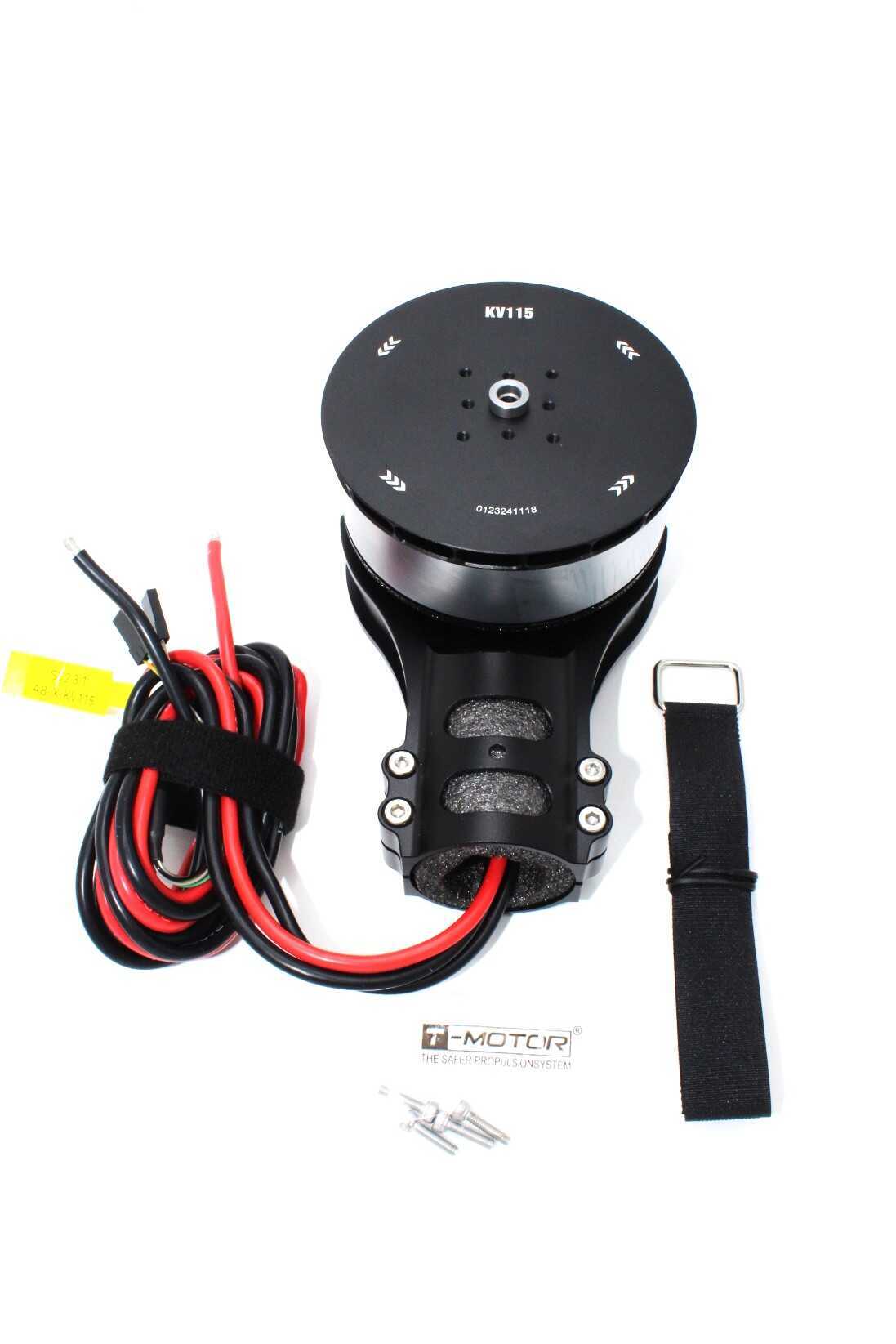
T-Motor A8-X-KV115-CCW Modular Propulsion System
Premium T-Motor brushless motor designed for reliability and performance. The modular design makes maintenance and replacement significantly easier after crashes.
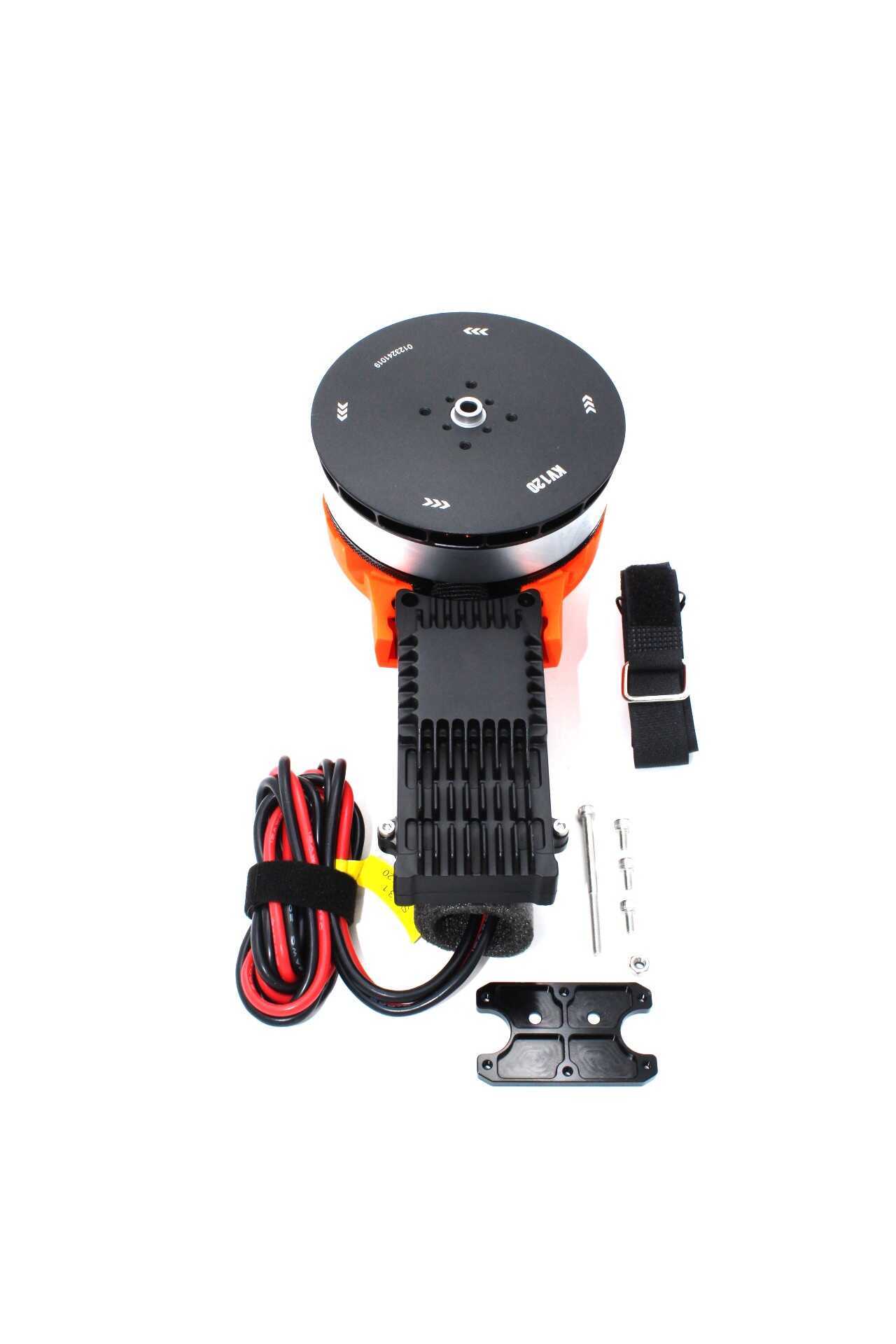
T-Motor A10-KV120-CCW Modular Propulsion System
High-thrust T-Motor A10 for larger FPV and cinematic builds. Modular system simplifies post-crash motor swaps without specialized tools.
Diagnosing ESC Damage
ESC (Electronic Speed Controller) damage is often the most costly crash repair. ESCs regulate power to the motors, and they’re vulnerable to both crash impacts and electrical damage from motor shorts. Here’s how to diagnose accurately before spending money.
Visual Inspection
- Look for burnt or blackened components on the ESC PCB — burnt MOSFETs (the small black rectangular chips) are a telltale sign
- Check for PCB cracks, especially around solder points under stress
- Look for delaminated PCB layers (bubbling or discolouration) from heat or impact
- Inspect solder joints to the power pads, motor pads, and signal connector — reflow any cold or cracked joints before declaring the ESC dead
Electrical Testing
- Continuity test on power input: With a multimeter, check between positive and negative power input pads. There should NOT be continuity (dead short). A direct short means burnt MOSFETs and the ESC needs replacement
- Motor output test: With the ESC disconnected from the battery, measure resistance between each motor output pad and the positive power pad. Very low resistance (near zero) on any motor output indicates a shorted FET on that phase
- Signal testing: If the ESC powers on without smoke, connect it to the FC and use Betaflight’s Motor tab to command each motor output. A motor that doesn’t respond while others do usually indicates ESC damage
Smoke Test (Carefully)
If you can’t identify damage visually, connect an anti-spark lead (or use a current-limited bench power supply) and carefully apply power. Smoke, unusual heat, or burning smell from a specific component pinpoints the fault. Always use an XT60 anti-spark connector or a resistor in series to limit initial inrush current during post-repair testing.
ESC Replacement Guide
Replacing a Single ESC in a 4-in-1 Stack
If you run individual ESCs, replacing one is straightforward. For 4-in-1 ESC stacks, the entire board must be replaced even if only one channel is damaged. This is why some experienced builders prefer individual ESCs for builds where crashes are frequent — you replace only what’s damaged.
4-in-1 ESC Replacement Steps
- Label or photograph all connections — battery leads, motor leads, signal cable, VBat leads
- Desolder battery leads from the ESC power pads (large pads, thick wires)
- Desolder motor wires (4 motors × 3 phases = 12 wires total on a 4-in-1)
- Disconnect the signal cable to the FC (usually a JST connector)
- Remove the ESC from the stack (M3 standoff bolts)
- Install the new ESC, ensuring anti-vibration grommets are properly seated
- Solder motor wires back — keep the same colour order per motor position. If you mix motor phases you get reverse rotation; if you mix motor positions entirely you’ll need to re-test rotation in Betaflight
- Solder battery leads — ensure red to positive, black to negative (double-check before connecting LiPo!)
- Flash new ESC firmware via BLHeli/Bluejay Configurator to match your previous settings
After ESC Replacement: Configuration Checklist
- Reconnect without props and test motor spin direction in Betaflight Motors tab
- Verify all 4 motors spin in the correct direction for your frame type (X, H, or stretched X)
- Check motor rotation consistency — all should spin up smoothly together on the master slider
- Re-enable Bidirectional DSHOT in ESC firmware if you were using RPM filter
- Run motor calibration if required

35A V2.1 2-5S 4-in-1 Brushless ESC for RC Drone FPV Racing
35A 4-in-1 ESC rated for 2-5S batteries. Direct drop-in replacement for most 30×30 stack builds. BLHeli_32 compatible for easy firmware management.
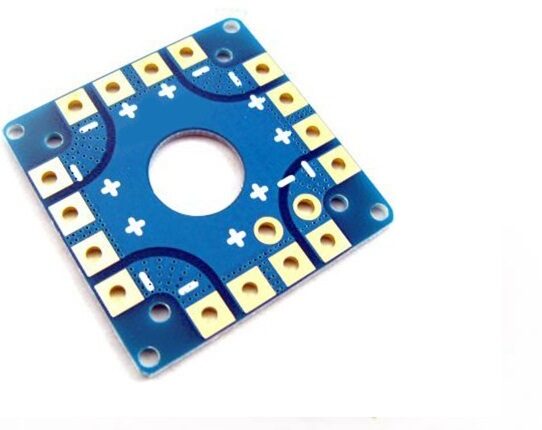
100A Multirotor ESC Power Distribution Battery Board For Quadcopter
Heavy-duty power distribution board for larger FPV and racing quads. Replace damaged PDB components without needing a full stack rebuild.
Post-Repair Testing and Tuning
Never fly your repaired drone at full power or in an open area immediately. Follow this test sequence:
Bench Testing (No Props)
- Connect battery with anti-spark lead and check for smoke, unusual heat, or sparks
- Power on transmitter and verify FC connects, arms correctly
- In Betaflight Motors tab, test each motor individually — confirm correct spin direction
- Run all motors simultaneously at 10-15% throttle and feel for unusual vibration
- Check for any error messages in Betaflight’s status tab
Controlled Hover Test (Props On, Open Space)
- Attach props — verify correct CW/CCW prop on correct motor
- Do a low, controlled hover 1-2 meters high over soft ground
- Check for any unusual oscillations, drift, or responsiveness issues
- Land and immediately check motor temperatures with the back of your finger — they should be warm but comfortable to touch
- If everything looks good, gradually increase the intensity of flying over the next few flights
PIDs After Motor or ESC Replacement
If you replaced a motor or ESC, don’t assume your existing PID tune is still valid — especially if you replaced with a slightly different motor specification. Run the drone with default PIDs first, then retune using your standard process. A different motor (even same model, different batch) can have different resonance characteristics.
Crash Prevention Tips for Indian FPV Pilots
The best repair is the one you don’t need. Here are practical prevention tips:
- Pre-flight checks: Waggle each arm — no clicking or movement. Spin each prop — no wobble. Check all screws, especially motor mounts (they loosen with vibration)
- Use a landing pad: Landing on rough Indian terrain (gravel, brick rubble, agricultural fields) damages props and motor shafts far more than smooth landings. A proper landing pad significantly extends component life
- Fly in failsafe-safe areas: Always configure a failsafe (RTH or disarm with prop coast) and test it before flying over hard surfaces
- Balance your props: Imbalanced props vibrate at the natural frequency, stressing motor bearings and leading to faster bearing failure
- Tight frame hardware: Use thread-locker on motor screws and arm bolts. Check after every 5-10 flights — thermal cycling loosens hardware over time
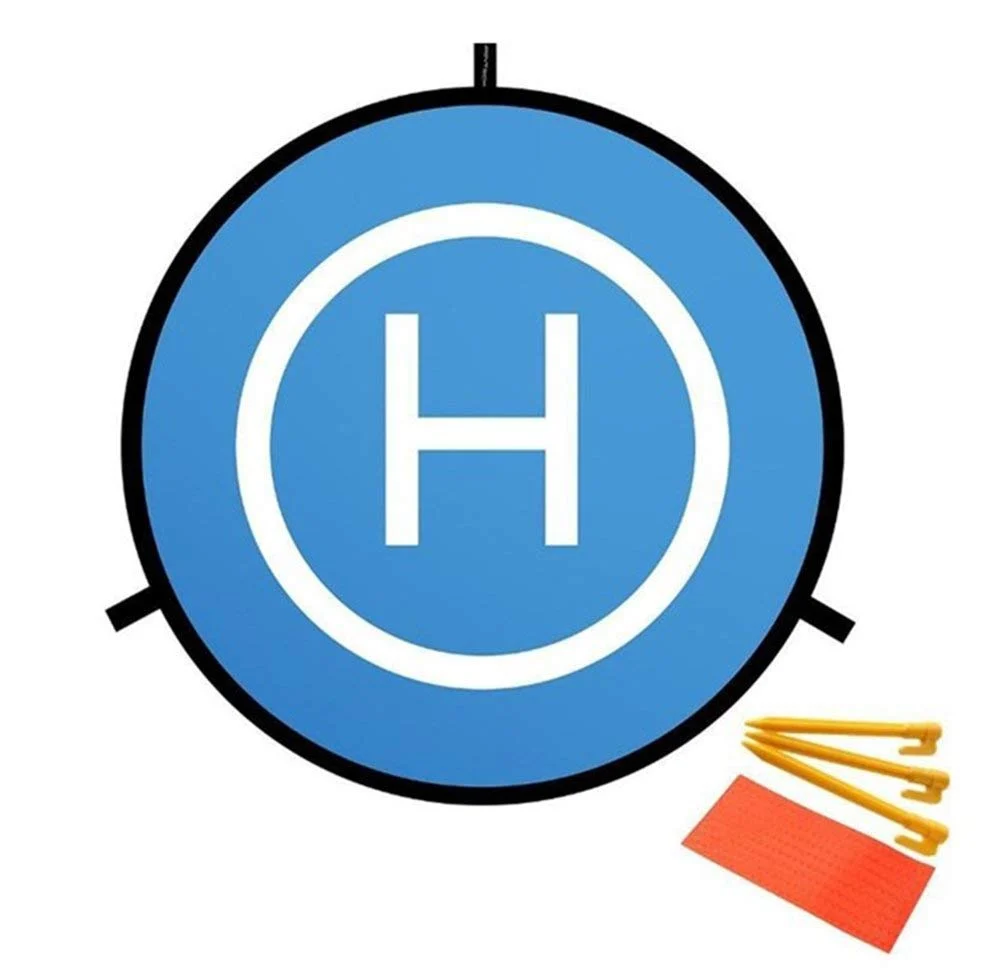
110cm Fast-Fold Landing Pad / Helipad for RC Drone
Large 110cm landing pad folds compactly for transport. Provides a clean, flat landing surface that protects props, motors and ESCs from rough terrain damage on every landing.
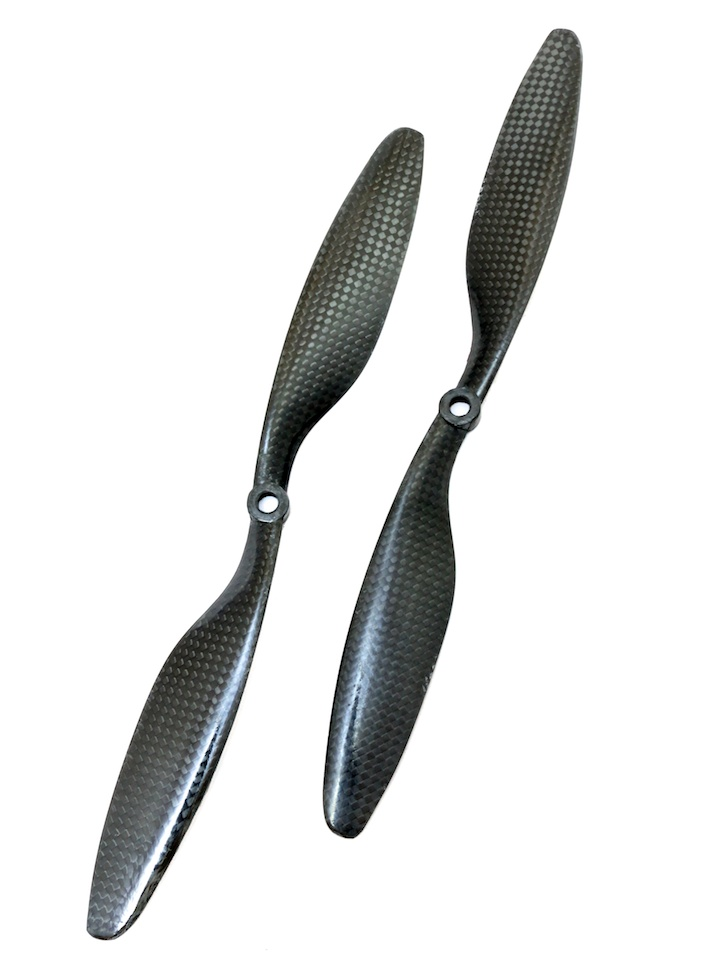
1045 2 Blades Carbon Fiber Propeller CW&CCW For DJI
Carbon fibre props for DJI-compatible mounts. Always keep spare props — they’re the first thing to replace after any crash and should be changed regardless of apparent damage.
Frequently Asked Questions
How do I know if my motor is burnt or just needs bearing replacement?
If the motor windings have visible blackening or smell burnt, the motor needs replacement — rewinding at home is not practical for small FPV motors. If the motor spins roughly but doesn’t smell burnt and windings look copper-coloured, it likely just needs bearing replacement. Test with a multimeter as described in the diagnosis section to confirm winding integrity.
Can I replace just one motor in my quad, or do I need to replace all four?
You can replace just one motor. However, replace it with the exact same model — same motor designation, same KV rating, same brand. Mixing motor models with different efficiency curves can cause uneven response, making tuning harder. If the specific model is no longer available, replace all four for the most consistent performance.
My ESC doesn’t show any visible damage but one motor doesn’t spin. What else could be wrong?
Check these in order: (1) Motor wire solder joints — vibrations can crack solder on ESC pads even without crash damage. Reflow the joints for that motor. (2) ESC signal connection — verify the signal wire from FC to ESC is intact and the connector is seated properly. (3) In Betaflight CLI, type motor 3 1000 (replace 3 with the motor number) to test direct motor command. (4) Swap motor connections to a working ESC channel — if the motor works on another channel, the ESC output is dead.
How much does a typical FPV drone crash repair cost in India?
Props: ₹150-400 for a set. Arms: ₹200-600 each depending on frame. Motors: ₹800-2500 depending on quality. Single ESC: ₹400-1200. 4-in-1 ESC stack: ₹1500-4000. FC: ₹1500-6000. Most common crashes (props + one arm + motor) run ₹1500-3500 total — much less than a new drone, especially for quality 5-inch builds.
Should I fly my drone on reduced power after a crash repair?
Yes, for the first 2-3 flights. Run gentle, controlled flights to verify everything is working correctly before high-power manoeuvres. Check motor temperatures after the first flight. If everything checks out — no unusual heat, vibration, or flight characteristics — you can gradually return to normal flying intensity.
Get Back in the Air with Genuine Replacement Parts
Zbotic.in stocks motors, ESCs, props, and frames for FPV drone repair. Fast delivery across India means less downtime between your crash and your next flight.







Add comment