
Drone swarms — multiple UAVs flying in a coordinated fashion — were once the exclusive domain of research labs and defence organisations. Today, thanks to open-source flight stacks like ArduPilot/ArduCopter and affordable hardware, Indian makers, agriculture companies, and hobbyists can experiment with basic swarm concepts on a budget. Whether you want to choreograph a light show, cover large agricultural fields faster, or build a redundant surveillance network, understanding multi-UAV coordination is your first step.
This guide walks you through the fundamentals: architecture, hardware selection, communication setup, flight modes, and the regulatory landscape in India. Let’s get started.
1. What Is a Drone Swarm?
A drone swarm is a group of two or more UAVs that operate in a coordinated manner, either autonomously or under centralised human supervision. Swarms are classified broadly into two types:
- Centralised swarms: A single ground station or master drone issues commands to all agents. Simpler to implement, but the master is a single point of failure.
- Decentralised (emergent) swarms: Each drone runs local algorithms inspired by flocking behaviour (like birds or fish). More resilient, but harder to programme.
For beginners using ArduPilot, centralised multi-vehicle control via MAVLink is the practical starting point. You don’t need exotic mesh radios or AI — just a solid understanding of MAVLink, parameter management, and ground control software.
Real-World Applications in India
- Agriculture: Multiple sprayer drones covering fields in parallel lanes — cutting spray time significantly for large Indian farms.
- Surveillance: Security perimeter coverage with multiple camera drones, each monitoring a sector.
- Light shows: Choreographed drone displays are now a major entertainment segment in India at weddings, IPL events, and government functions.
- Search and rescue: Grid-based search with multiple drones to locate missing persons faster.
- Mapping: Parallel photogrammetry runs to cover large areas in a single session.
2. ArduPilot Swarm Architecture
ArduPilot (the firmware family that includes ArduCopter for multirotor) does not have a single built-in “swarm mode.” Instead, swarm behaviour is assembled from several existing features:
Key ArduPilot Features Used in Swarms
| Feature | What It Does | Swarm Use |
|---|---|---|
| Follow Mode | One drone follows another or a ground vehicle | Simple leader-follower formation |
| MAVLink Routing | Multi-vehicle packet routing over one radio | Central GCS talks to all drones |
| Auto Missions | Pre-programmed waypoint missions | Parallel lanes for mapping/spraying |
| Companion Computer | Raspberry Pi/Jetson running MAVROS/DroneKit | Advanced coordination logic |
| Guided Mode | External system sends position targets | Swarm controller moves each drone |
The most popular open-source swarm framework built on ArduPilot is Clover (by Copter Express) and the SwarmLab scripts, but you can also use Python + DroneKit or ROS + MAVROS for custom orchestration.
3. Hardware Requirements for Each UAV
Every drone in your swarm needs its own complete flight stack. There are no shortcuts here — cutting corners on one vehicle risks the entire formation. Here’s what each unit needs:
Flight Controller
Use a Pixhawk-family flight controller running ArduCopter 4.4 or later. Pixhawk 4, Pixhawk 6C, or compatible clones all work. Ensure each FC has a unique MAVLink System ID (SYSID_THISMAV parameter — more on this below).
GPS Module
Each drone needs an independent GPS. For basic swarms, a standard M8N/M9N GPS is sufficient. For precision formation flying or agricultural applications, RTK GPS is recommended (covered in our separate RTK GPS guide). At minimum, every drone should have a reliable active GPS antenna for good HDOP values.
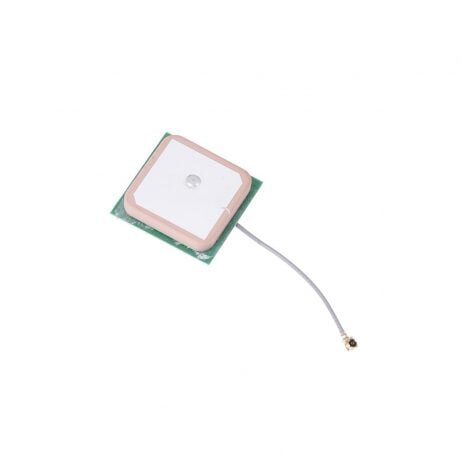
25x25x8mm 28dB High Gain Active GPS Antenna (NEO-6M/7M/8M)
A high-gain ceramic active GPS antenna compatible with popular NEO-series modules. Essential for reliable position lock in each swarm drone — poor GPS lock is one of the most common reasons multi-UAV missions fail.
Frame
For agricultural or surveillance swarms, a robust folding frame is ideal. The EFT agricultural frames are purpose-built for professional multi-drone deployments — they’re durable, carry meaningful payload, and fold for transport.
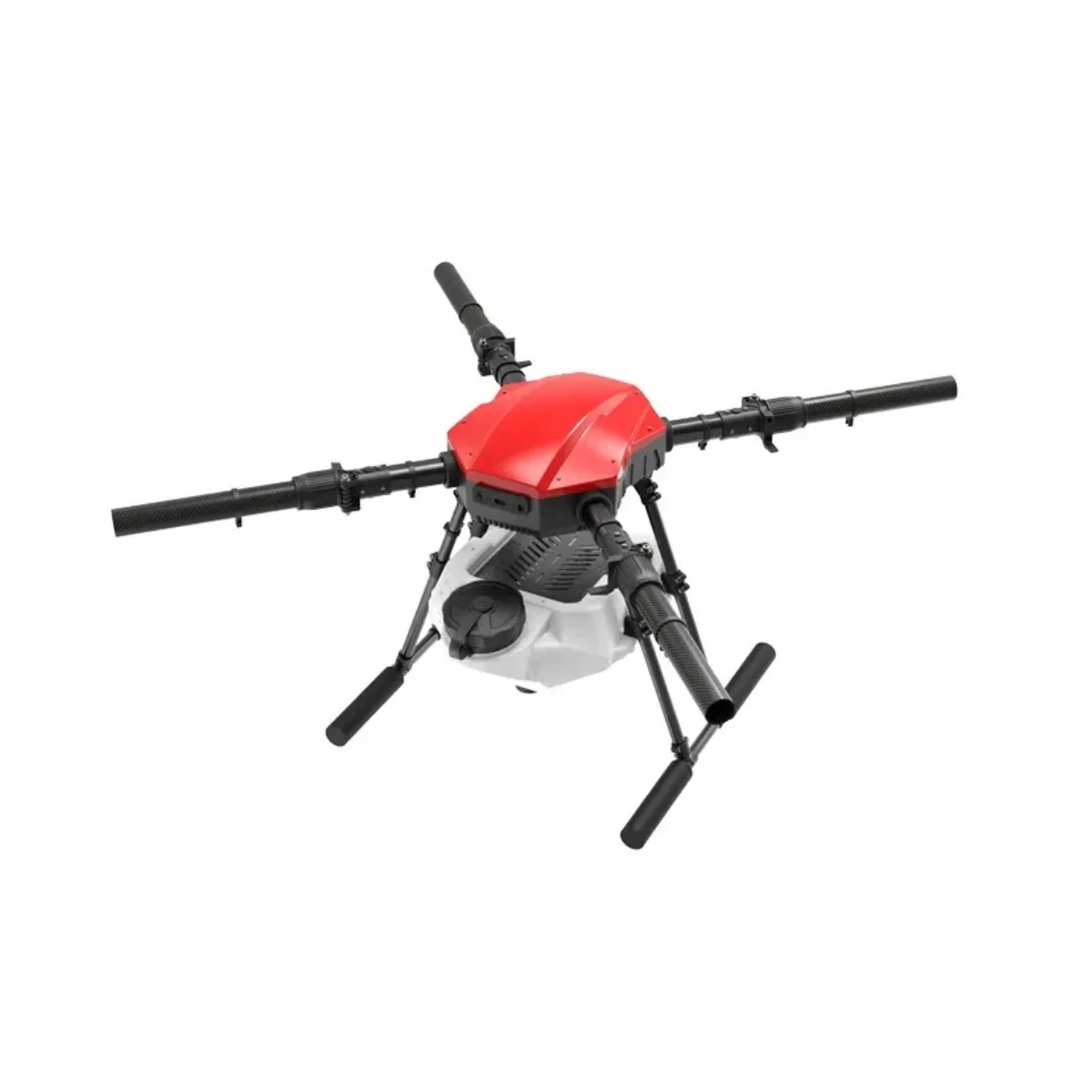
EFT E410P 10L 4-Axis Agricultural Drone Frame
A professional 4-axis agricultural frame with 10L tank capacity. Its folding design makes it easy to transport a fleet of identical drones to the field. Uniform frames in a swarm simplify tuning since all units share the same PID baseline.
Propulsion
Use identical motors, ESCs, and propellers across all swarm drones. This ensures consistent dynamic response and simplifies PID tuning — one tune applies to the whole fleet.
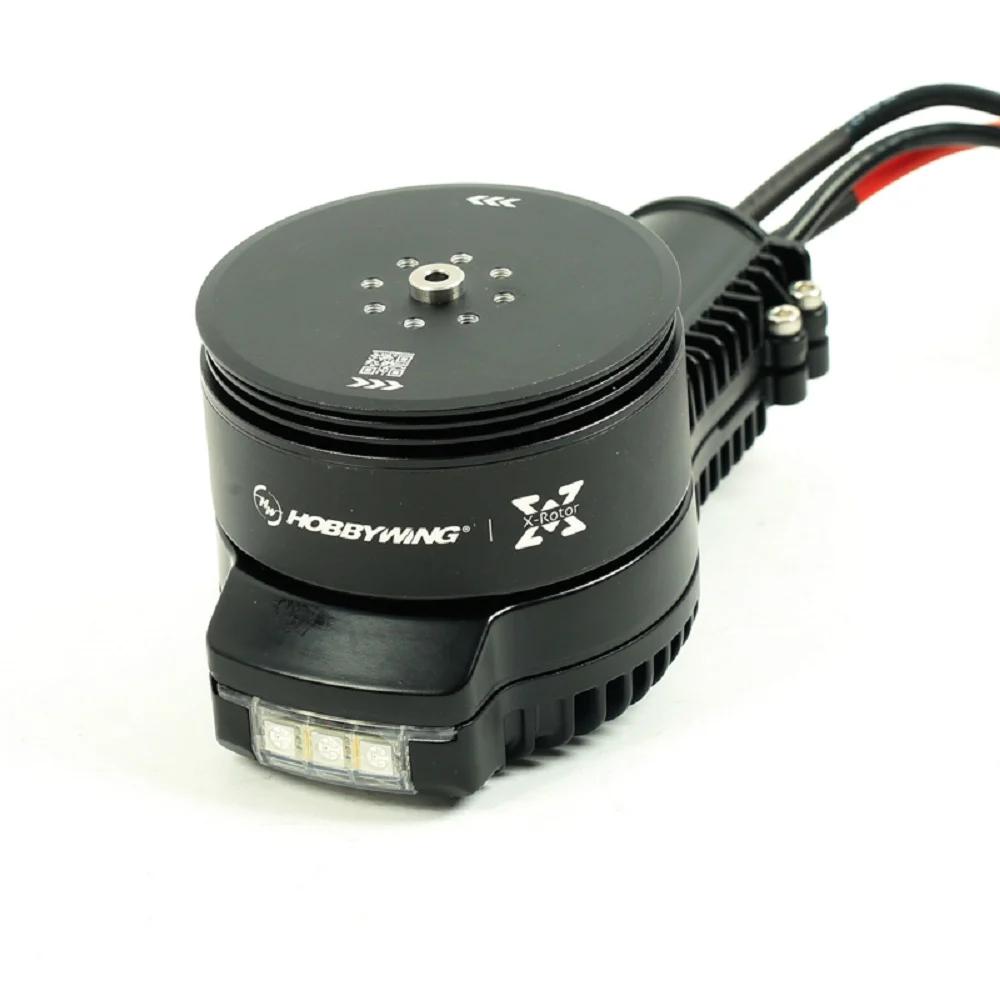
Hobbywing X6 Plus Motor CCW
High-efficiency agricultural-class brushless motor from Hobbywing. When running a fleet, buying matched CCW/CW pairs from the same batch ensures consistent KV and performance across all units — critical for swarm stability.

35A V2.1 2-5S 4-in-1 Brushless ESC
A compact 4-in-1 ESC that simplifies wiring and reduces weight per drone. Using identical ESC batches across your swarm prevents performance variation that could destabilise formation holds.
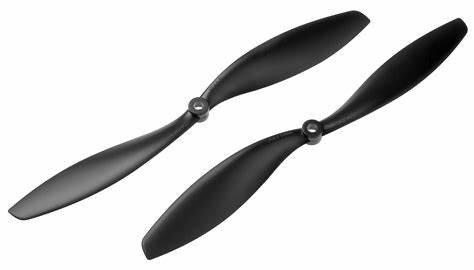
1045 2-Blade Carbon Fiber Propeller CW & CCW
Lightweight carbon fibre propellers (10-inch) for efficient multi-rotor flight. Carbon props are preferred in swarm builds for their stiffness — less flex means more predictable thrust response for tight formation holds.
4. Telemetry & Communication Setup
This is the most critical — and often most frustrating — part of a swarm build. Every drone needs a bi-directional data link to the Ground Control Station (GCS). You have several options:
Option A: One Radio Per Drone (Simplest)
Give each drone its own 433 MHz or 915 MHz telemetry radio. The GCS computer runs multiple Mission Planner instances (or one QGroundControl instance per port). Simple, but RF congestion can become a problem with more than 4–5 drones in the same area.

3DR 100mW Radio Telemetry 915MHz for APM/PX4/Pixhawk
The classic 3DR telemetry radio compatible with all ArduPilot-based flight controllers. For a swarm, assign unique Net IDs to each pair so they don’t interfere with each other. Includes both air and ground units.
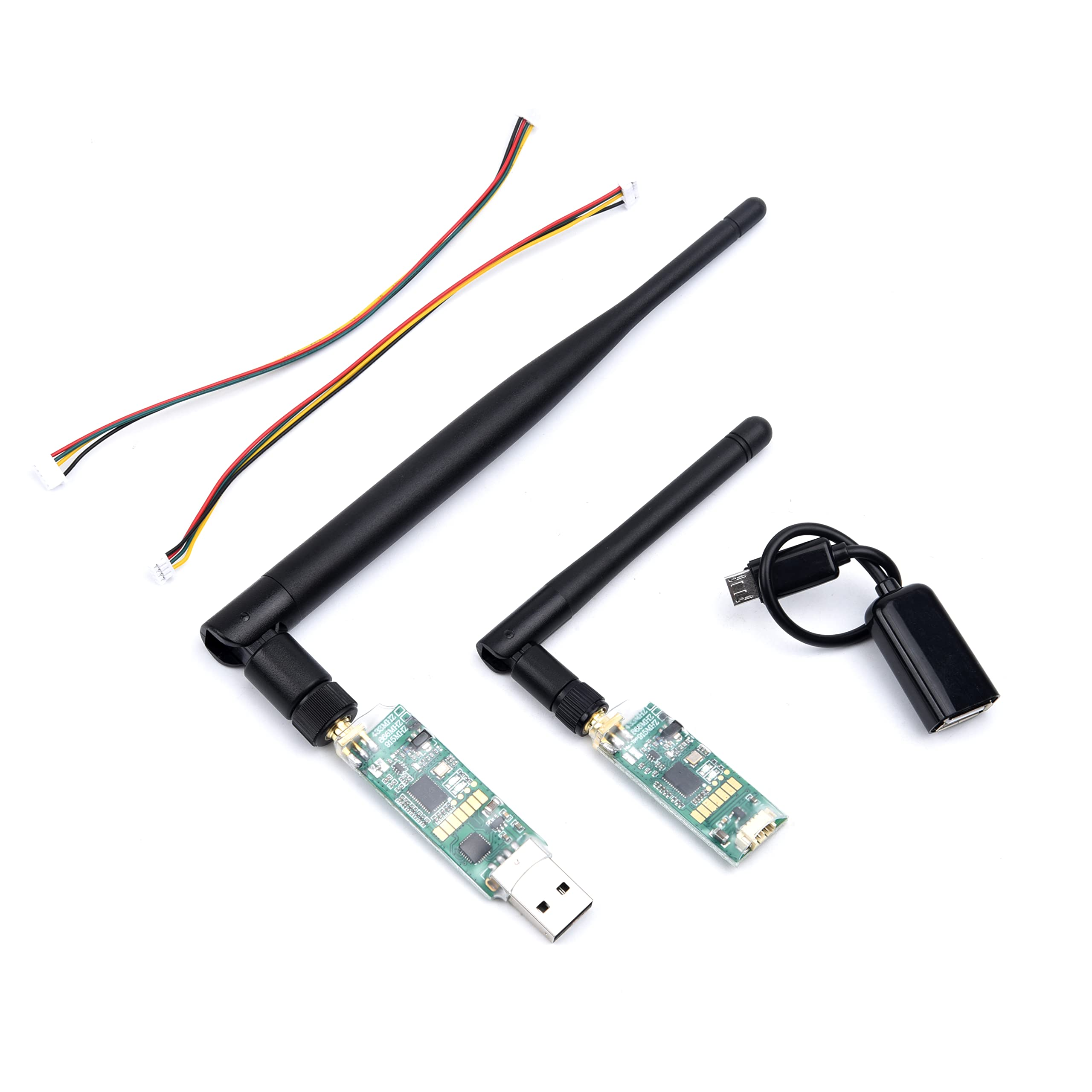
3DR Single TTL Mini Radio Telemetry 433MHz 500mW
A compact 433MHz telemetry module with 500mW output — excellent range in open fields. The 433MHz band tends to have better obstacle penetration than 915MHz, useful in agricultural swarm deployments in uneven terrain.
Option B: MAVLink Routing (Shared Radio)
A single ground radio running MAVLink routing can serve multiple air-side radios if you use different Net IDs AND MAVLink System IDs. Mission Planner supports this via its MAVLink router. This is more RF-efficient but requires careful configuration.
Option C: LTE/4G Modem
For professional or long-range swarms, each drone carries a 4G LTE module and connects to a cloud MAVLink router (like MAVProxy or SkyBrush Cloud). This eliminates the RF range problem entirely. Given India’s excellent 4G coverage, this is increasingly viable for agricultural applications.
5. MAVLink System IDs and Multi-Vehicle Setup
The single most important configuration step for any ArduPilot swarm is assigning unique SYSID_THISMAV values to each drone. MAVLink uses this 8-bit integer (1–255) to route packets to the correct vehicle.
Step-by-Step: Setting Up SYSID
- Connect Drone #1 to Mission Planner via USB.
- Go to Config → Full Parameter List.
- Search for
SYSID_THISMAVand set it to1. Write and reboot. - Repeat for Drone #2 → SYSID =
2, Drone #3 → SYSID =3, and so on. - Also set
SYSID_MYGCSon each drone to match your GCS system ID (default 255).
Multi-Vehicle in Mission Planner
- Open Mission Planner. Under Initial Setup → Optional Hardware → SiK Radio, configure Net IDs for each radio pair.
- Open additional Mission Planner instances (each on a different COM port) for a simple multi-vehicle setup.
- For a unified view, use QGroundControl which natively supports multi-vehicle from a single window.
Anti-Vibration Considerations
Each flight controller must be properly vibration-isolated. High vibration causes accelerometer clipping, which degrades EKF position estimates and can cause formation drift. Use a good vibration damping mount.
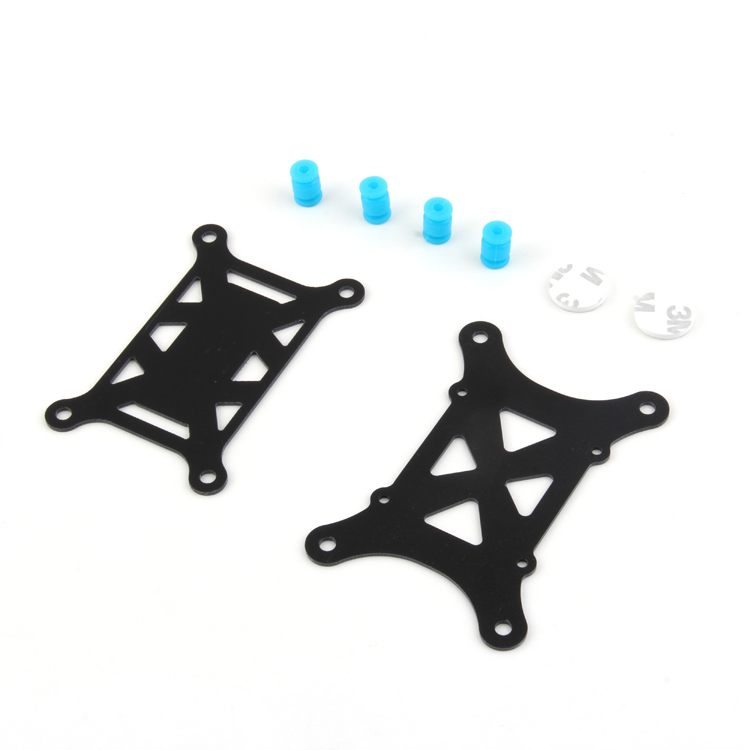
Anti-Vibration Shock Absorber for APM/KK/MWC/PixHawk
A dedicated vibration damping mount for flight controllers. In swarm operations where tight position holds are essential, proper IMU isolation is non-negotiable — this affordable mount is a must-have for every vehicle in the fleet.
6. Follow Me Mode and Formation Flying
ArduCopter’s built-in Follow Mode (available since ArduCopter 3.6) is the simplest way to get a basic swarm moving together. One drone acts as the leader — either a human-piloted drone or a ground vehicle with a MAVLink transmitter — and the follower drones maintain a fixed offset from the leader.
Configuring Follow Mode
FOLL_ENABLE = 1— Enable Follow Mode.FOLL_SYSID— Set to the System ID of the leader drone/vehicle.FOLL_DIST_MAX— Maximum distance the follower will tolerate before going to LOITER (safety cutoff).FOLL_OFS_X / Y / Z— Offset in metres from the leader (body frame or earth frame based on FOLL_OFS_TYPE).FOLL_YAW_BEHAVE— Whether followers face the same direction as the leader or always face the leader.
Formation Patterns
With Follow Mode, you can create simple formations:
- Line astern: Each follower directly behind the leader at a fixed distance.
- V-formation: Two followers at ±45° offset from the leader — great for surveying wide strips.
- Stacked (altitude offset): Followers at different altitudes — used in multi-sensor payloads where drones carry different sensors at different heights.
Advanced: DroneKit / MAVROS
For custom formation algorithms, use Python + DroneKit (simpler) or ROS + MAVROS (more powerful). The leader position is broadcast as a MAVLink GLOBAL_POSITION_INT message, and each follower’s companion computer calculates its own target position and sends SET_POSITION_TARGET_GLOBAL_INT commands in Guided mode.
7. Ground Control Station for Swarms
Your GCS needs to handle multiple simultaneous MAVLink streams. Options for Indian makers:
Mission Planner (Windows)
Open multiple instances, each connected to one drone. Not elegant but very stable and familiar to most ArduPilot users. Works well for 2–5 drones.
QGroundControl (Cross-platform)
QGC has native multi-vehicle support. A vehicle toolbar appears at the top when multiple vehicles are connected. Switch between vehicles easily. Free and actively maintained.
SkyBrush (Drone Show Specialists)
If you’re doing choreographed light shows, SkyBrush is purpose-built for this. It supports up to hundreds of drones, timeline-based choreography, and collision avoidance. Used by professional drone show companies worldwide.
Custom GCS with MAVProxy
MAVProxy can route a single radio connection to multiple software clients. Combined with a Python script, you get full programmatic control. This is the approach used by ArduPilot’s official SITL (Software In The Loop) swarm testing.
8. Challenges in India: Regulations and RF Spectrum
India has specific rules for drone operations under the Drone Rules 2021 and DGCA’s Digital Sky platform. Running a swarm adds complexity:
Regulatory Considerations
- Each drone in the swarm is a separate UAS — each requires its own UIN (Unique Identification Number) from DGCA’s Digital Sky portal.
- All drones above 250g require registration. Most swarm drones fall in the Small category (250g–25kg).
- Flying multiple drones simultaneously in a formation constitutes a “complex operation” and may require an operator permit (UAOP) depending on the zone.
- Agricultural drone operations have a slightly relaxed framework but still require state government approvals in many cases.
- BVLOS (Beyond Visual Line of Sight) operations — common in large agricultural swarms — require special experimental permits from DGCA.
RF Spectrum in India
- 915 MHz is not a license-free ISM band in India (unlike the US). Use 433 MHz for telemetry radios — it falls within the 433–434.79 MHz ISM band.
- 2.4 GHz and 5.8 GHz are licence-exempt in India and suitable for RC links and video.
- For a large swarm, consider cellular (LTE) backhaul to avoid spectrum congestion entirely.
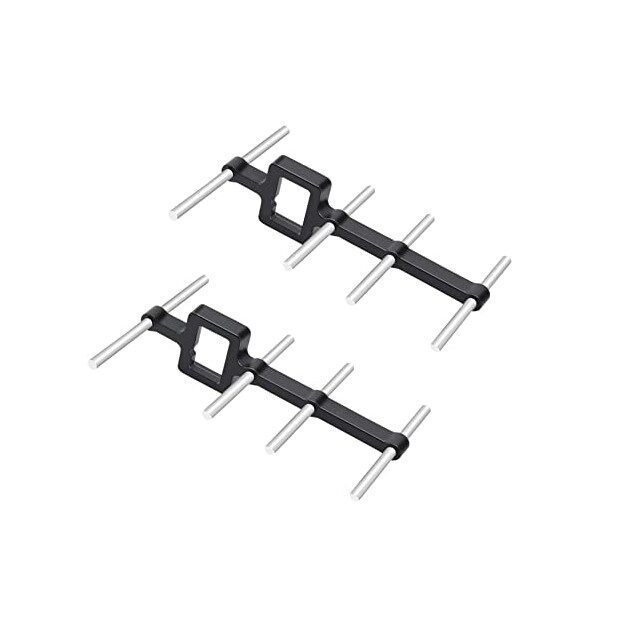
2.4GHz Yagi-UDA Drone Signal Booster
A directional Yagi antenna booster for 2.4GHz RC links. When managing a swarm over larger distances, a high-gain directional antenna on the GCS significantly extends reliable control range. Essential for agricultural or survey swarms.
Battery and Logistics
Running a swarm means managing many batteries simultaneously. Invest in a multi-port parallel charger and a structured battery rotation schedule. For agricultural deployments, a dedicated support vehicle with charging infrastructure is standard practice in India’s commercial drone agriculture sector.
FAQ
Q: How many drones can ArduPilot swarm support?
A: In theory, MAVLink supports up to 254 vehicles (SYSID 1–254). Practically, RF bandwidth limits you to around 10–15 drones over traditional radios. LTE-connected swarms can scale much higher.
Q: Do all drones in the swarm need the same firmware version?
A: Strongly recommended. Mixed firmware versions can have different MAVLink message formats or parameter names, making centralised control unreliable. Flash all vehicles with the same ArduCopter version before deployment.
Q: Can I use a single RC transmitter for a swarm?
A: Not easily with standard RC. You’d need a transmitter with MAVLink output and a router. Most swarm operators fly in Auto or Guided mode with the GCS handling all vehicle movements — the RC transmitter is only for emergency override of one lead vehicle.
Q: Is SITL simulation available for swarm testing?
A: Yes. ArduPilot’s SITL supports multi-vehicle simulation. Run multiple SITL instances on different UDP ports and connect QGC or MAVProxy to all of them. Always test swarm logic in SITL before flying real hardware.
Q: What is the minimum safe separation distance between swarm drones?
A: GPS position accuracy on a standard M8N module is 2–3 metres CEP. A safe minimum separation is 5–10 metres horizontally and 3–5 metres vertically. With RTK GPS, you can reduce this to 2–3 metres safely.
Conclusion
Drone swarms built on ArduPilot/ArduCopter are no longer science fiction — they’re a practical reality for Indian makers with the right knowledge and components. Start small: get two identical drones flying reliably in Follow Mode before attempting complex formations. Master MAVLink System IDs, invest in quality telemetry radios, and always simulate in SITL before risking real hardware in formation.
The agricultural, surveillance, and entertainment applications for drone swarms in India are enormous — and the technology is within reach today. As DGCA regulations mature and the Digital Sky platform evolves, commercial swarm operations will become even more accessible.
Build Your Drone Swarm with Zbotic
Find all the ArduPilot-compatible components, telemetry radios, GPS modules, motors, and frames you need for a multi-UAV project — all shipped from India.






Add comment