
ESD Protection: How to Handle Sensitive Electronics Components Safely
If you have ever damaged an expensive microcontroller or sensor without knowing why, ESD (Electrostatic Discharge) protection when handling sensitive electronics components may be the missing piece. A single invisible zap of static electricity — completely unfelt by you — can instantly destroy a MOSFET gate, corrupt flash memory, or degrade the performance of a microcontroller. In India, with its varied climate and common use of synthetic fabrics, ESD is a very real threat in any electronics workspace. This guide covers everything you need to know to protect your components and projects.
What Is ESD and Why Is It Dangerous?
Electrostatic discharge (ESD) is the sudden flow of electric current between two objects at different electrical potentials. You experience a familiar version of it when you touch a metal door handle after walking on carpet in dry weather — that snap is ESD discharging through your finger.
In electronics, ESD is more sinister because it often happens silently. Your body can accumulate thousands of volts of static charge, but you only feel a discharge when it exceeds about 3,000V. However, electronic components can be damaged or destroyed by discharges as low as 100V — 30 times below the threshold of human sensation.
The damage from ESD falls into two categories:
- Catastrophic failure: The component fails immediately and is obviously dead. Easy to diagnose but expensive.
- Latent damage (EOS — Electrical Overstress): The component appears to work but has microscopic damage to gate oxide layers, junction interfaces, or metallisation. It will fail prematurely in the field — days, weeks, or months later — making it the most insidious and hardest-to-diagnose failure mode.
In a professional electronics manufacturing environment, ESD control is taken extremely seriously. Every workstation has grounded mats, every technician wears a wrist strap, and components are stored in anti-static packaging. Replicating even a fraction of these precautions in your home lab will dramatically reduce component losses.
Which Components Are Most ESD Sensitive?
Not all components are equally vulnerable. Here is a rough ranking from most sensitive to most robust:
Extremely sensitive (can be damaged by less than 100V):
- MOSFET transistors (thin gate oxide is the weakest point)
- CMOS logic ICs (74HC, 74HCT series)
- Operational amplifiers (especially JFET-input types)
- Flash and EEPROM memory chips
- RF transistors and amplifiers
- OLED and LCD driver chips
Moderately sensitive (100V to 1000V range):
- Microcontrollers (ATmega, ESP8266, ESP32, STM32)
- Voltage regulators (LM7805, LM1117)
- BJT transistors (BC547, 2N2222) — more robust but still vulnerable
- Sensor modules (DHT11, LM35, MPU6050)
Relatively robust (usually ESD tolerant):
- Resistors
- Ceramic capacitors
- Inductors and transformers
- Mechanical switches and relays
- Standard silicon diodes (1N4007)

LM35 Temperature Sensor
A popular analog temperature sensor that is moderately ESD sensitive. Handle with care using an anti-static wrist strap and keep in its original packaging until ready to solder.
How Much Voltage Does ESD Generate?
The voltage your body accumulates depends on the activity and the relative humidity of the environment:
| Activity | 10%-25% Humidity (Winter, AC room) | 65%-90% Humidity (Monsoon) |
|---|---|---|
| Walking on carpet | 35,000 V | 1,500 V |
| Walking on vinyl floor | 12,000 V | 250 V |
| Sitting on foam chair | 18,000 V | 1,500 V |
| Picking up plastic bag | 20,000 V | 1,200 V |
Notice that Indian monsoon conditions dramatically reduce static buildup — the humid air provides a leakage path. This is why ESD damage is more common in air-conditioned offices and labs, and during dry winter months. However, do not be complacent during monsoon: 250V is still enough to damage sensitive CMOS gates.
ESD Protection Equipment for Your Workbench
1. Anti-Static Wrist Strap
A wrist strap continuously drains your body’s accumulated charge through a high-resistance connection to ground (typically 1M ohm in series for safety). It is the single most effective and affordable ESD control measure. Cost in India: Rs. 50 to Rs. 200. Connect the ground lead to the centre pin of a grounded mains socket (the earth pin).
2. Anti-Static Mat (ESD Mat)
An anti-static mat on your workbench provides a controlled ground path for tools and components placed on it. High-quality mats have two layers — a dissipative top layer (slow drain to prevent damage from charge equalisation) and a conductive bottom layer. Connect the mat to ground separately from the wrist strap, both using the 1M ohm resistor in the cable.
3. ESD-Safe Tools
Standard metal tweezers and screwdrivers can charge up and discharge into components. Use tools with ESD-safe handles (typically black or yellow-banded handles) for critical work with sensitive ICs.
4. Ioniser (Ion Blower)
An ioniser neutralises static charge on non-conductive surfaces (PCB substrate, plastic enclosures) that cannot be drained by grounding. Used in professional SMD rework stations. Optional for hobbyists, important for industrial production.
Step-by-Step Safe Component Handling
Follow these steps every time you handle sensitive components:
- Prepare the workspace: Clear synthetic materials (plastic bags, styrofoam) from the work area. Static from these can induce charge without contact.
- Wear your wrist strap: Clip the ground lead to a confirmed earth ground. Test with a multimeter — you should read continuity between the earth pin of your socket and the workbench ground point.
- Touch grounded metal first: Before picking up any sensitive component, touch the chassis of a grounded metal enclosure to equalise your charge.
- Handle by non-sensitive areas: Hold ICs by their body edges, not the pins. Avoid touching PCB traces — oil from skin can cause long-term corrosion too.
- Keep in ESD packaging until needed: Anti-static (pink/silver) bags or foam maintain components safely. Remove only when ready to install.
- Solder quickly: Your soldering iron tip can carry charge if not grounded. Use a grounded soldering iron and test it before soldering CMOS chips.
- Power up carefully: After assembly, check for short circuits before powering. Electrostatic damage may cause subtle short circuits not visible to the eye.
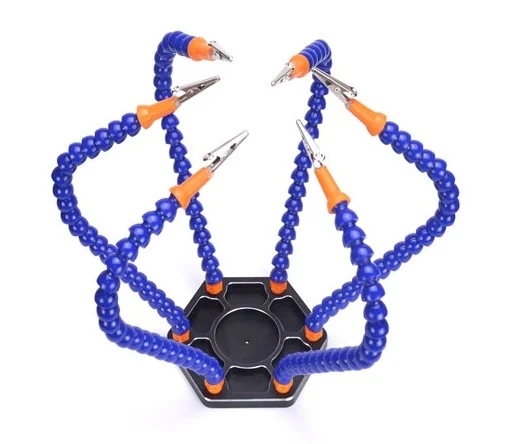
6 Flexible Arms Soldering Station With Alligator Clips
A third-hand soldering station to hold your PCB steady during assembly. Using a proper fixture reduces accidental ESD contact by keeping your hands away from sensitive areas.
ESD-Safe Storage and Shipping
Components damaged during storage are just as useless as components damaged during handling. Follow these guidelines:
- Anti-static bags: Pink polyethylene anti-static bags dissipate charge. Metallised (silver/grey) shielding bags provide better protection against external fields. Always prefer shielding bags for long-term storage or shipping.
- Conductive foam: ICs and components with pins should be stored inserted into conductive (black) foam to short all pins together and prevent differential charge buildup between pins.
- Avoid: Regular plastic bags (highly triboelectric), styrofoam trays (extremely charge-generating), and ordinary bubble wrap.
- Humidity control: In dry months, store sensitive components in airtight containers with silica gel desiccant. Relative humidity of 40-60% is ideal for component storage.
- Labelling: Mark ESD-sensitive components clearly. When receiving components from suppliers, check for the ESD sensitivity symbol (a hand inside a triangle with an arc) on packaging.
Adding ESD Protection to Your Circuits
Beyond workbench precautions, you can add ESD protection directly to your PCB designs for components exposed to external connections (USB, GPIO headers, sensor interfaces):
- TVS diodes: Transient Voltage Suppression diodes clamp voltage spikes at a defined level. For 5V interfaces, use 5V TVS diodes. They respond in picoseconds.
- Series resistors: A 33-100 ohm resistor in series with GPIO lines slows down the discharge impulse, reducing peak current into sensitive inputs.
- Schottky diodes to rails: Place Schottky diodes between the signal line and VCC, and between GND and the signal line. They clamp the signal within supply rails.
- Bypass capacitors: 100nF capacitors on power supply pins (already good practice for decoupling) also help absorb brief ESD events on supply lines.
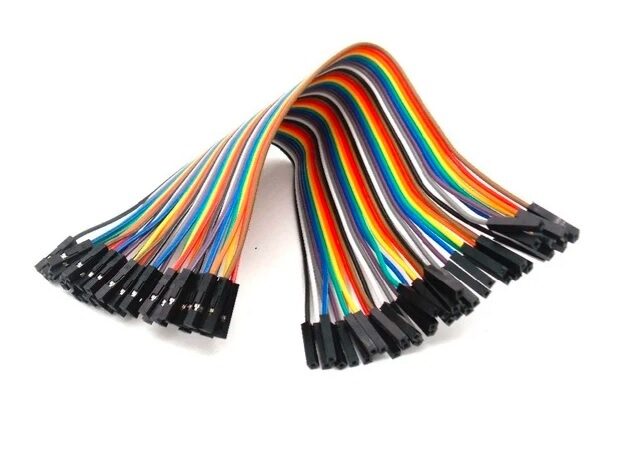
10CM Female To Female Breadboard Jumper Wires – 40Pcs
Use these jumper wires to connect your ESD-sensitive modules safely without handling delicate pins directly. A simple habit that reduces handling-related ESD risk.
Frequently Asked Questions
Do I need an anti-static wrist strap for Arduino projects?
For basic Arduino and breadboard work with modules, the risk is moderate — Arduino Uno and Nano have some ESD protection on their GPIO pins. However, when handling bare OLED modules, ESP32 chips, ATmega ICs directly, or any SMD components, a wrist strap is strongly recommended. They cost very little and prevent potentially expensive damage. It is a habit worth forming early.
Can static electricity damage a component without touching it?
Yes. A strong electric field from a charged body held close to (but not touching) a component can induce charge redistribution within the component. This is called Electrostatic Induction. Additionally, charged surfaces (like styrofoam packaging) can charge a component by proximity. This is why keeping charged materials away from the work area is important even if you avoid direct contact.
Is working during Indian monsoon season safer from ESD?
Higher humidity does reduce static charge buildup significantly — moisture in the air provides a leakage path. However, it is not elimination — voltages of 250V or more can still accumulate, which is sufficient to damage sensitive CMOS components. Additionally, humidity creates condensation risks and corrosion issues. Maintain consistent ESD practices year-round regardless of season.
How do I know if a component has been ESD damaged?
Catastrophic ESD damage causes immediate failure — the component is dead on arrival. Latent damage is invisible and much harder to detect. The component appears to work initially but may malfunction intermittently, have reduced performance (e.g., a sensor with noisy readings), or fail prematurely after days or weeks. If you suspect ESD damage, try replacing the component. If the new one works perfectly in the same circuit, ESD damage is likely the cause.
Can I use a regular plastic bag to store sensitive ICs?
No — regular plastic bags are triboelectric (highly static-generating) and provide zero ESD protection. Worse, sliding a component in or out of a regular plastic bag generates exactly the kind of static discharge that damages CMOS gates. Always use the original anti-static (pink or silver) packaging or purpose-made ESD bags. Conductive foam is also acceptable for short-term storage of ICs.
Build Safely with Quality Components from Zbotic
Good ESD habits start with good quality components that arrive properly packaged. Zbotic sources and stores electronic components with care, delivering across India so you can build your next project with confidence. Explore our full range of sensors, ICs, transistors, resistors, and tools.







Add comment