
When your project demands high current, the XL4016 buck converter is one of the most capable and cost-effective DC-DC step-down modules available to Indian electronics hobbyists. Rated at up to 8A continuous output, the XL4016 can power motors, high-brightness LED arrays, Raspberry Pi clusters, and even act as a bench power supply — all from a single inexpensive module. This complete guide covers everything from how the XL4016 works to practical wiring, efficiency optimisation, and real project applications.
Table of Contents
- What is the XL4016 Buck Converter?
- XL4016 Module Specifications
- How a Buck Converter Works
- Wiring the XL4016: Complete Guide
- Adjusting Output Voltage and Current
- Project Applications for Indian Makers
- XL4016 vs LM2596 vs XL6009: Which to Choose?
- Frequently Asked Questions
What is the XL4016 Buck Converter?
The XL4016 is a high-efficiency step-down (buck) DC-DC converter IC manufactured by XLSEMI. It accepts a higher input voltage and produces a lower, adjustable output voltage at high current — the opposite function of a boost converter like the MT3608. The XL4016 module commonly available in India is a blue PCB board featuring the XL4016 IC, a large inductor, electrolytic capacitors, a schottky diode, and a trimmer potentiometer for voltage adjustment.
What sets the XL4016 apart from lighter-duty modules like the LM2596 (2–3A) is its 8A continuous current capability. This makes it suitable for powering significant loads: high-torque servo clusters, DC motor drivers, LED lighting arrays, single-board computers under full load, and high-power Arduino shields. At a price of ₹80–200 per module in India, it offers exceptional value for high-current applications.
The XL4016 module is available in two common variants: basic voltage-only adjustment, and a CV/CC (Constant Voltage / Constant Current) variant with dual potentiometers. The CV/CC version adds current limiting capability — turning it into a proper bench power supply or a simple battery charger with adjustable current.
XL4016 Module Specifications
| Parameter | Value |
|---|---|
| Input Voltage Range | 5V – 40V DC |
| Output Voltage Range | 1.25V – 36V (adjustable) |
| Continuous Output Current | 8A (with heatsink) |
| Peak Output Current | 10A (brief) |
| Switching Frequency | 180 kHz |
| Efficiency | Up to 96% |
| Output Ripple | <50mV (typical) |
| Short Circuit Protection | Yes (foldback) |
| Thermal Shutdown | Yes |
| Module Size (typical) | ~76mm × 36mm × 32mm |
| Operating Temperature | -40°C to 85°C |
Heatsink requirement: At currents above 3–4A, the XL4016 IC requires a heatsink to prevent thermal shutdown. Most modules include a small aluminium heatsink. For continuous operation above 5A in Indian summer temperatures, attach a larger heatsink or add forced airflow (a small 5V fan).
How a Buck Converter Works
A buck (step-down) converter reduces voltage while increasing current proportionally. The operating principle uses an inductor, switch (MOSFET), and diode:
- Switch ON: The internal MOSFET connects the input voltage to the inductor. Current flows through the inductor into the load and output capacitor, building up the inductor’s magnetic field. Since input voltage > output voltage, current in the inductor ramps up.
- Switch OFF: The MOSFET opens. The inductor resists the sudden current change and keeps current flowing through the catch diode (or synchronous rectifier) into the load. The inductor’s magnetic field collapses, maintaining current flow — but now from stored energy rather than input.
- Regulation: The duty cycle (on-time vs total period) determines output voltage: Vout ≈ Vin × D (where D = duty cycle). The XL4016 adjusts D continuously via feedback from the output voltage to maintain the set point.
At 180 kHz, the XL4016 switches fast enough that ripple is managed by modest filter capacitors. The efficiency advantage over a linear regulator is enormous — where a linear regulator dissipates (Vin – Vout) × Iout as heat, a buck converter converts the same energy to usable output with only ~4% losses at its efficiency peak.
Wiring the XL4016: Complete Guide
Basic Voltage Regulator Connection
The XL4016 module has clearly labelled IN+, IN-, OUT+, OUT- terminals (sometimes labelled as Vin+, Vin-, Vout+, Vout-):
- Connect your power source to IN+ and IN-. Ensure input voltage is higher than desired output (e.g., 24V in for a 12V out).
- Set the desired output voltage first (see next section) before connecting sensitive loads.
- Connect your load to OUT+ and OUT-.
- For high-current connections (above 3A), use thick wire — minimum 18 AWG, preferably 16 AWG or heavier.
Wiring for Battery Pack Applications
A common use case: stepping down a 24V or 36V battery pack to 12V or 5V for electronics.
- IN+: Battery positive (through a suitable fuse — e.g., 15A blade fuse for 8A load)
- IN-: Battery negative
- Set output to required voltage
- OUT+ and OUT-: to load
Always fuse the input! A fault in the load or module could draw full battery short-circuit current through unfused wiring, causing fire in high-energy battery systems.
CV/CC Variant Wiring (for Bench Power Supply or Battery Charger)
The dual-potentiometer CV/CC XL4016 module adds a current-limiting function. The extra terminals are:
- Two trimmer pots: V (voltage) and I (current) — labelled on the PCB
- Set voltage first (load disconnected), then set current limit (connect a dummy load and adjust the current pot to your desired max)
- LED indicators: green for constant voltage mode, red/yellow for constant current mode
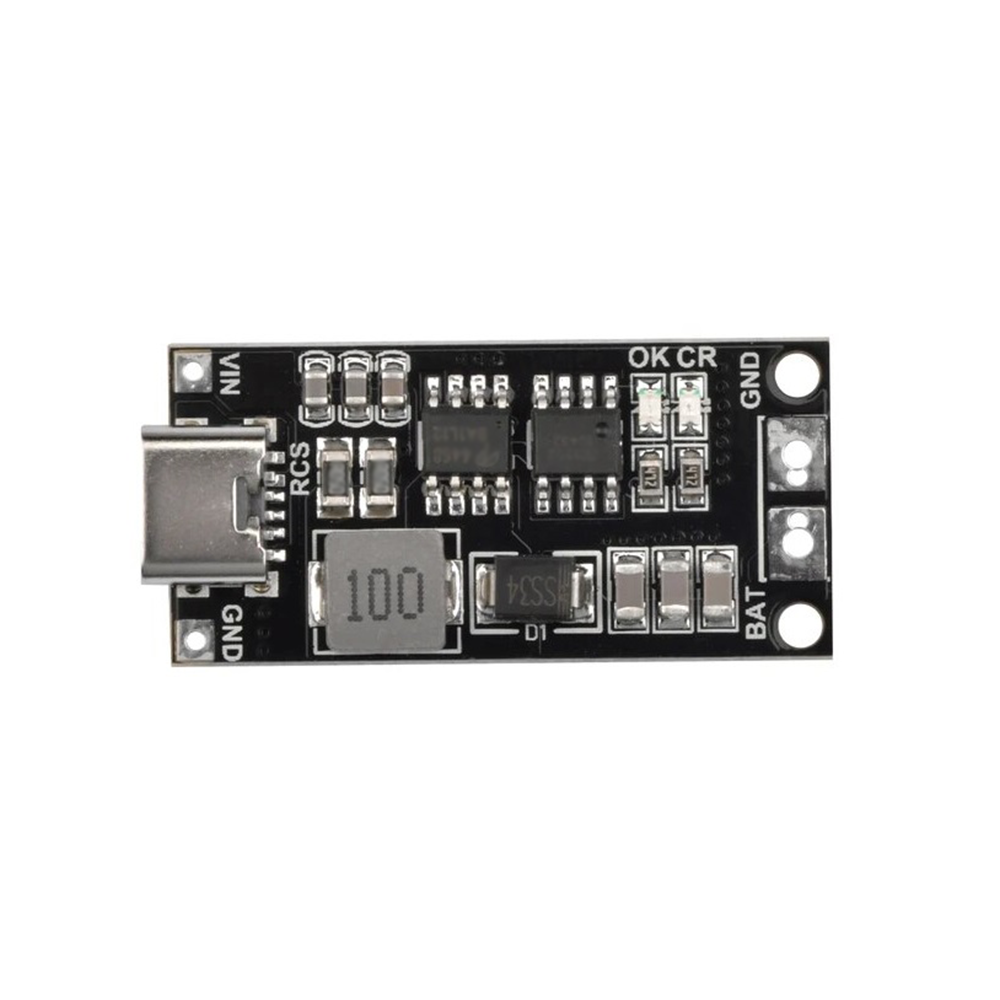
18650 Polymer Li-Ion Charger Type-C to 3S 12.6V 4A Booster Module
Build a high-current portable battery system: use this 4A 3S charger to charge your pack, then the XL4016 to step down to your required output voltage.
Adjusting Output Voltage and Current
Setting Output Voltage
- Power the module with input voltage — do NOT connect the load yet.
- Probe OUT+ and OUT- with a multimeter set to DC voltage.
- Locate the voltage trimmer pot (usually marked “V” on CV/CC modules, or the only pot on basic models).
- Turn slowly with a small flathead screwdriver. Clockwise typically raises voltage on most Indian-market modules.
- Set to your target (e.g., 5.0V for USB charging, 12.0V for automotive accessories, 3.3V for logic level).
- Connect load and verify voltage is stable. Fine-tune as needed.
Setting Current Limit (CV/CC models only)
- First set the output voltage as above.
- Connect a suitable load (e.g., a resistor bank or test load at your target current).
- Adjust the current pot (marked “I”) clockwise to increase current limit.
- The module enters CC mode when the load tries to draw more than the set current — the voltage drops and the CC LED lights.
- For a 1A limit with a 5V output, use a 5Ω dummy load and adjust current until the LED toggles.
Minimum Input-Output Voltage Differential
Buck converters require the input voltage to be higher than the output by a minimum margin. The XL4016 requires at least 1.5–2V headroom. At 24V input, you can regulate down to ~5V with no issues. At 7V input trying to get 6V out, performance degrades — use a linear LDO for such small differentials instead.
Project Applications for Indian Makers
1. DIY Variable Bench Power Supply
The CV/CC XL4016 module paired with a 24V laptop power supply brick makes an excellent bench power supply for the workshop. Output 1.25V–20V at up to 8A (within the input PSU’s limits). Add a digital voltmeter/ammeter display module across the output for real-time readings. This bench supply can power most electronics prototyping needs for under ₹500 total.
2. 48V E-Bike to 12V Accessories Supply
E-bikes running 48V packs need 12V for horn, lights, displays, and USB charging ports. The XL4016 handles 48V input (within its 40V max — use carefully, or choose a 60V-rated variant) stepped down to 12V. At typical accessory loads of 2–3A, it stays cool with its standard heatsink. This replaces expensive automotive-grade DC-DC converters with a ₹150 module.
3. Solar Panel → 5V USB Charging Station
A 24V or 18V solar panel output can be stepped down to 5V with the XL4016 for direct USB phone charging without a full solar charge controller. Pair with a blocking diode to prevent reverse current at night. Current can reach 3–4A from a 100W panel at 5V — enough to fast-charge multiple phones simultaneously.
4. High-Current LED Driver
A string of high-power LEDs rated at 12V/5A can be driven directly from the CV/CC XL4016. Set voltage to LED forward voltage and current to rated current. The constant current mode prevents LED overdriving that kills LEDs prematurely. This is far cheaper and more flexible than dedicated LED driver ICs for DIY LED panel builds.
5. Raspberry Pi / Single Board Computer Stable 5V Supply
Raspberry Pi 4 demands up to 3A at 5V under CPU load. Standard USB chargers often provide inadequate regulation. Driving the XL4016 from a stable 12V wall adapter and setting output to exactly 5.1V provides a rock-solid supply even under peak compute loads, preventing the notorious “low voltage” warnings on Pi.
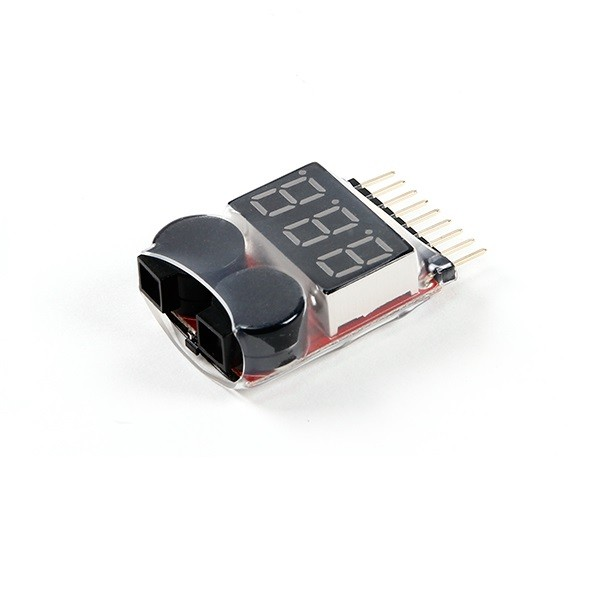
1-8S LiPo Battery Voltage Tester without Alarm
Monitor your battery pack voltage before feeding it into the XL4016. Ensure your input stays above the minimum required for proper regulation.
XL4016 vs LM2596 vs XL6009: Which to Choose?
| Parameter | XL4016 | LM2596 | XL6009 |
|---|---|---|---|
| Type | Buck (step-down) | Buck (step-down) | Boost (step-up) |
| Max Current | 8A | 2–3A | 4A |
| Efficiency | Up to 96% | 73–92% | Up to 94% |
| Input Range | 5–40V | 3–40V | 3–32V in, up to 35V out |
| Cost India | ₹80–200 | ₹40–120 | ₹60–150 |
| Best Use | High-current step-down | General step-down <3A | Step-up applications |
When to choose XL4016: Any application requiring more than 3A continuous output from a step-down converter. The LM2596 is perfectly fine for loads under 2.5A and is smaller. The XL6009 is a boost converter — don’t confuse it with the XL4016 despite similar naming.
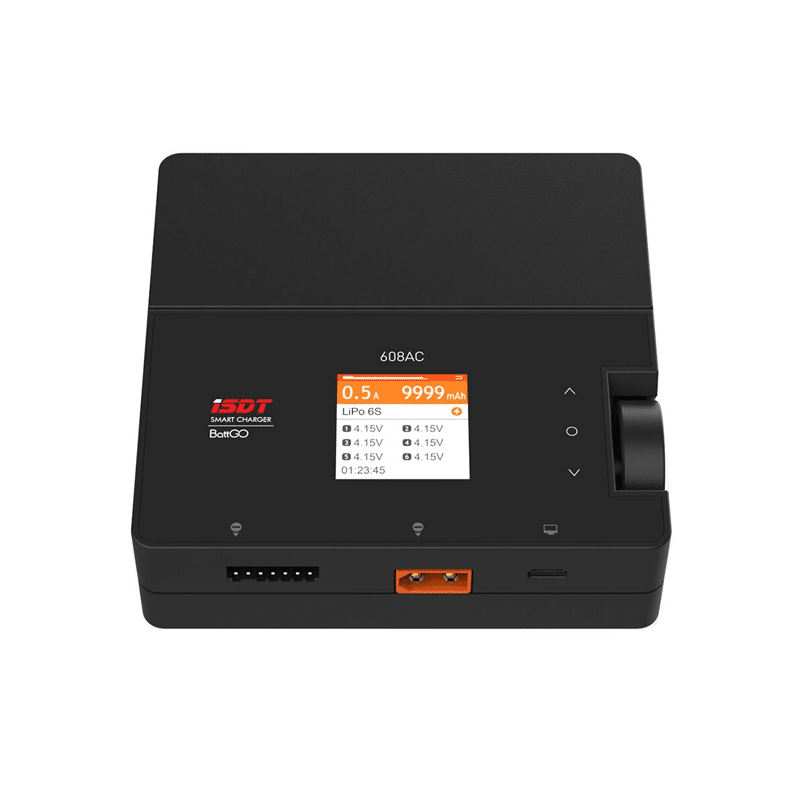
ISDT 608 AC LiPo Battery Charger – AC 50W / DC 200W Dual Mode
Use the ISDT 608 to charge your high-voltage battery pack that feeds the XL4016 step-down converter — professional charging for LiPo, LiFe, NiMH packs.
Frequently Asked Questions
Can the XL4016 handle 40V input from a solar panel?
The XL4016 is rated for 5–40V input. At exactly 40V you are at the absolute maximum — risky because open-circuit solar panel voltage can spike above its nominal Voc on cold mornings. Use a 40V-input XL4016 module with 30–36V panels with caution, or choose a module with a higher input voltage rating (some 60V-rated variants exist). For safety, stay below 36V input for reliable long-term operation.
Why does my XL4016 get hot and shut down?
Thermal shutdown activates when the IC temperature exceeds ~150°C. Causes include: (1) load current exceeding 8A, (2) insufficient heatsink — especially in Indian summer temperatures above 40°C ambient, (3) large input-output differential at high current (e.g., 40V in → 5V out at 8A dissipates ~4W as heat), (4) poor airflow around the module. Add a larger heatsink, reduce ambient temperature, or reduce load current.
Can I use the XL4016 as a battery charger?
The CV/CC variant can serve as a basic CC/CV charger for lead-acid or Li-Ion batteries. Set voltage to the battery’s full charge voltage (e.g., 14.4V for 12V lead-acid, 12.6V for 3S Li-Ion) and current to the desired charge rate (typically 0.5–1C). However, it lacks battery chemistry-specific profiles (bulk, absorption, float) that a dedicated charger implements. Use a dedicated BMS with 18650 packs for best results.
What input capacitor should I add to the XL4016?
For long wire runs between input power source and the XL4016, add a 100–470µF electrolytic capacitor across IN+ and IN- close to the module. This suppresses voltage spikes from inductance in long wires that can exceed the IC’s 40V maximum and destroy it. For very long wire runs (>1m) above 5A, this input capacitor is essential.
Can I control the XL4016 output with an Arduino (PWM)?
Yes, indirectly. You can replace the lower resistor in the feedback divider with a digital potentiometer (e.g., MCP4131) controlled via SPI from an Arduino. This creates a digitally programmable power supply. Alternatively, a MOSFET on the enable pin (if accessible) allows on/off control. Direct PWM of the output is not recommended — use a MOSFET switching stage after the module for load switching.
Is the XL4016 safe for powering microcontrollers directly?
Yes, with proper voltage setting. Set output to exactly 3.3V or 5.0V (verify with a multimeter, not the potentiometer markings alone). The XL4016 has thermal shutdown and short-circuit protection. However, connect a 100µF output capacitor if your PCB doesn’t already have adequate bulk capacitance, as the XL4016’s 180 kHz switching can produce minor ripple that sensitive analog microcontroller peripherals (ADC, oscillators) may respond to.
Build a High-Current Power Supply Today
The XL4016 buck converter punches far above its weight class for an inexpensive module. Whether you’re building a robust bench supply, powering a high-current motor controller, or creating a stable supply for your SBC cluster, the XL4016 delivers reliable, efficient performance. Combined with quality input filtering and a proper heatsink for high-current operation, it will serve your Indian maker workshop for years.
Power your projects with confidence. Shop DC-DC converters, battery modules, and power components at Zbotic — trusted by Indian makers nationwide!




Add comment