
Table of Contents
- Introduction
- What Is a Flex Sensor?
- How Does a Flex Sensor Work?
- Types of Flex Sensors
- Components You Need
- Building the Voltage Divider Circuit
- Wiring the Flex Sensor to Arduino
- Basic Arduino Code: Reading Bend Angle
- Calibration Technique
- Real-World Project Ideas
- Troubleshooting Common Issues
- Frequently Asked Questions
- Conclusion
Introduction
Flex sensors (also called bend sensors) are thin, flexible resistive strips that change their electrical resistance when bent. They are used in data gloves, prosthetic hands, musical interfaces, rehabilitation therapy devices, and anywhere that angular displacement of a surface needs to be measured. For Arduino makers in India, flex sensors open an exciting world of gesture-controlled interfaces, wearable electronics, and soft robotics.
This guide covers everything: how the sensor works at a physics level, how to build the voltage divider circuit, complete Arduino wiring diagrams, sample code that outputs bend angle in degrees, calibration steps, and five project ideas you can build at home.
What Is a Flex Sensor?
A flex sensor is a variable resistor whose resistance changes based on the degree of bending. The most common type is manufactured using a thin plastic strip coated with a resistive carbon ink material. When the strip is flat, it presents a base resistance. When bent (flexed), the ink layer stretches on the outer surface, increasing electrical resistance. Straighten it back and the resistance returns toward the base value.
The most widely used flex sensor in the hobbyist market is the Spectra Symbol FS-L-0055-103-ST (2.2 inch / 55 mm) and the larger FS-L-0112-103-ST (4.5 inch / 112 mm). Indian suppliers typically stock the 2.2-inch version, which is ideal for finger-length applications.
How Does a Flex Sensor Work?
At rest (flat), a typical 2.2-inch flex sensor has a resistance of approximately 25 kΩ. When bent to 90°, resistance rises to approximately 45–75 kΩ depending on the sensor and the direction of bending. This change in resistance is what your Arduino reads.
Since Arduino’s analog inputs read voltage (0–5 V mapped to 0–1023), not resistance directly, you must convert the resistance change into a proportional voltage change. This is done with a voltage divider — a fixed resistor in series with the flex sensor.
Key Physics:
Vout = Vin × R_fixed / (R_flex + R_fixed)
As R_flex increases (more bend), Vout decreases. Arduino reads a lower analog value.
Types of Flex Sensors
1. Single-Direction Flex Sensor
Measures bending in one direction only. The resistive element is on one side of the strip. Bending towards the printed side increases resistance; bending away has almost no effect. This is the most common type in hobbyist modules.
2. Bi-Directional Flex Sensor
Has resistive elements on both sides. Detects bending in both directions (concave and convex). More expensive and less common. Used in professional rehabilitation gloves.
3. Linear Flex Sensor (Short vs Long)
- 2.2 inch (55 mm): Ideal for fingers and small joints
- 4.5 inch (112 mm): Better for wrist flexion, larger surfaces, and robotic arms
Components You Need
- 1× Flex sensor (2.2 inch or 4.5 inch)
- 1× Arduino Uno (or Nano)
- 1× 47 kΩ resistor (for voltage divider)
- Breadboard and jumper wires
- USB cable
- Optional: 0.96″ OLED display for real-time angle display
Why 47 kΩ? The voltage divider works best when the fixed resistor is in the mid-range of the sensor’s resistance swing (25–75 kΩ). A 47 kΩ resistor sits right in the middle, giving you the largest voltage swing across the ADC’s input range, which maximises resolution.
Building the Voltage Divider Circuit
The circuit is straightforward. Connect the top of the flex sensor to 5 V, and the bottom terminal to one end of your 47 kΩ resistor. Connect the other end of the resistor to GND. The junction between the flex sensor and the resistor is your analog output — connect it to Arduino’s A0 pin.
5V ──┬── [Flex Sensor] ──┬── [47kΩ] ── GND
               (top)    │ (bottom)
                        └──► Arduino A0
This gives you Vout ranging from roughly 3.5 V (flat, R_flex ≈ 25 kΩ) down to about 2.0 V (bent 90°, R_flex ≈ 75 kΩ). The ADC maps this to approximately 716–410 in raw counts.
Wiring the Flex Sensor to Arduino
| Connection | Arduino Pin |
|---|---|
| Flex Sensor top leg | 5V |
| Flex Sensor bottom leg → 47 kΩ → GND | GND |
| Junction (between sensor & resistor) | A0 |
Note on polarity: Flex sensors have no polarity — either terminal can go to 5 V. However, the direction of resistance change is fixed by the orientation of the carbon coating. If you find your values go down when flat and up when bent, simply swap the flex sensor’s position in the divider (swap which leg connects to 5 V).
Basic Arduino Code: Reading Bend Angle
// Flex Sensor Bend Angle Reader
// Zbotic.in Tutorial

const int FLEX_PIN = A0;
const float VCC = 5.0;           // Voltage supply
const float R_DIVIDER = 47000.0; // 47k ohm divider resistor

// Calibrated values (adjust after your own calibration)
const float STRAIGHT_RESISTANCE = 25000.0;  // ohms when flat
const float BEND_RESISTANCE = 65000.0;      // ohms at 90 degrees

void setup() {
  Serial.begin(9600);
  Serial.println("Flex Sensor Test");
}

void loop() {
  int rawADC = analogRead(FLEX_PIN);
  float voltage = rawADC * VCC / 1023.0;

  // Calculate flex sensor resistance from voltage divider formula
  float flexResistance = R_DIVIDER * (VCC / voltage - 1.0);

  // Map resistance to angle (0° = flat, 90° = fully bent)
  float angle = map(flexResistance, STRAIGHT_RESISTANCE, BEND_RESISTANCE, 0, 90);
  angle = constrain(angle, 0, 90);

  Serial.print("Raw ADC: "); Serial.print(rawADC);
  Serial.print(" | Voltage: "); Serial.print(voltage, 2); Serial.print(" V");
  Serial.print(" | Resistance: "); Serial.print(flexResistance, 0); Serial.print(" ohms");
  Serial.print(" | Angle: "); Serial.print(angle, 1); Serial.println(" deg");

  delay(200);
}
Calibration Technique
The values STRAIGHT_RESISTANCE and BEND_RESISTANCE in the code above are starting points. Actual flex sensors vary from unit to unit. Here is how to calibrate yours:
- Hold the flex sensor perfectly flat. Note the raw ADC value from Serial Monitor.
- Calculate resistance: R_flex = 47000 × (1023 / rawADC − 1)
- Use this as your
STRAIGHT_RESISTANCE. - Bend the sensor to exactly 90° (use a right-angle corner as a guide). Note the new raw ADC value.
- Calculate resistance again. Use this as your
BEND_RESISTANCE. - Update both constants in the code and re-upload.
For the most reliable results, take 20 readings at each position and average them. Flex sensor resistance can drift with temperature, so recalibrate if the operating environment changes significantly.
Real-World Project Ideas
1. Data Glove for Sign Language Translation
Mount five flex sensors across the knuckles of a lycra glove. Connect each sensor to a separate analog pin on Arduino. Map the five bend angles to a lookup table of hand gestures. Display the corresponding letter or word on an OLED. With an ESP32 and Bluetooth, stream the gesture data to a mobile app.
2. Robotic Finger Mimicry
Wear a glove with flex sensors and control a robotic hand’s servo fingers in real time. Each sensor reading maps to a servo angle via map(). Perfect for remote handling in hazardous environments or prosthetic hand prototyping.
3. Physical Therapy Angle Tracker
Wrap a flex sensor around a knee or finger joint with an elastic bandage. Log bend angle over time to an SD card. Doctors and physiotherapists can review the data to track recovery progress after surgery or injury.
4. Musical Instrument Controller
Map finger-bend angles to MIDI notes or pitch-bend commands. Connect Arduino to a computer via USB-MIDI adapter. Bending fingers plays notes — a completely new way to play digital music.
5. Smart Book / Page Turner
Embed a flex sensor in a book spine. Detect page turn gestures and trigger Bluetooth page-forward commands to a tablet or e-reader. Hands-free reading for musicians or students who need to keep their hands free.

LM35 Temperature Sensor
Add temperature sensing to your glove project for comprehensive environmental and physiological monitoring alongside flex angle data.
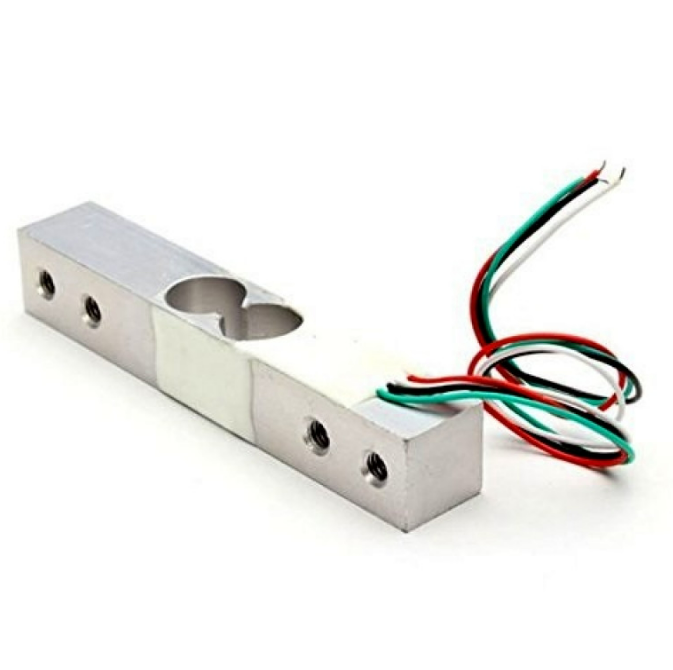
10Kg Load Cell – Electronic Weighing Scale Sensor
Combine a load cell with flex sensors to build a smart gripper that measures both finger bend angle and grip force simultaneously.
Troubleshooting Common Issues
Problem: ADC value stays constant no matter how I bend the sensor
Check your voltage divider wiring. Most likely the junction point (between sensor and resistor) is not connected to A0, or a wire has come loose on the breadboard. Also verify the flex sensor continuity with a multimeter.
Problem: Readings are very noisy
Take multiple readings and average them in software: use a rolling average of 10–20 samples. Also add a 0.1 µF capacitor between A0 and GND to filter high-frequency noise. Keep the flex sensor wire short and away from motor or relay wiring.
Problem: Sensor resistance doesn’t match datasheet values
Flex sensor resistance varies significantly between individual units (±30% is normal). Always calibrate your specific sensor rather than trusting datasheet values.
Problem: Bending the wrong way doesn’t register
Single-direction sensors only respond to bending in one direction. If you need bidirectional sensing, either use a bi-directional sensor or mount two single-direction sensors back-to-back.
Frequently Asked Questions
Q1: What is the lifespan of a flex sensor?
Quality Spectra Symbol sensors are rated for over 1 million bend cycles. Cheap clones may fail after 50,000–100,000 cycles. For long-running projects, invest in genuine parts.
Q2: Can I use a flex sensor with ESP32?
Yes. ESP32 has a 12-bit ADC (0–4095), which gives even more resolution. The ESP32’s ADC has known non-linearity issues — use the ADC calibration API in ESP-IDF for best results, or average multiple readings.
Q3: Can a flex sensor get wet?
Standard flex sensors are not waterproof. Exposure to moisture can cause corrosion on the silver-ink contacts. Use conformal coating on the connector area, or encase the sensor in heat-shrink tubing for wet environments.
Q4: What is the difference between a flex sensor and a potentiometer?
A potentiometer has a defined angular travel (usually 270°) and a shaft. A flex sensor has no defined axis of rotation and can measure gradual bends along its length — ideal for thin, lightweight wearable applications where a potentiometer would be impractical.
Q5: How do I mount the flex sensor on a glove?
Sew a thin fabric channel (a loop of stitching) along the back of each finger of the glove. Slip the flex sensor into the channel. The sensor must be on the outside of the bending finger, not the palm side, to register flexion correctly.
Conclusion
Flex sensors are one of the most versatile and underused components in the Arduino maker toolkit. With just a single resistor and one analog pin, you can measure bend angles, detect gestures, and build wearable interfaces that respond to real-world movement. The key steps are: build the voltage divider correctly, calibrate your specific sensor, average your readings to reduce noise, and map resistance values to meaningful angles.
Whether you are building a data glove, a therapy device, or an art installation, flex sensors give you a clean and reliable way to translate physical movement into digital data. Explore Zbotic’s wide range of sensors and modules to bring your next project to life.







Add comment