
Table of Contents
- What is TPU Filament?
- Why Use TPU for 3D Printing?
- Printer Requirements for TPU
- Temperature Settings
- Speed Settings
- Retraction Settings
- Bed Adhesion Tips
- Common Problems and Solutions
- TPU Applications and Use Cases
- Storage and Moisture Control
- Frequently Asked Questions
TPU (Thermoplastic Polyurethane) flexible filament has become one of the most exciting materials in the 3D printing world. Whether you want to print phone cases, gaskets, shoe insoles, drone propeller guards, or flexible joints, TPU opens up a whole new dimension of what desktop 3D printers can create. However, printing TPU is notoriously tricky — it demands patience, the right settings, and a good understanding of the material’s quirky nature.
In this comprehensive guide, we cover everything Indian hobbyists, engineers, and makers need to know about TPU flexible filament 3D printing — from choosing the right printer and dialling in settings to troubleshooting the most common issues.
What is TPU Filament?
TPU stands for Thermoplastic Polyurethane. It is a class of polyurethane plastic that exhibits both thermoplastic (can be melted and re-moulded) and elastomeric (rubber-like, flexible) properties. In 3D printing, TPU filament is sold in Shore hardness ratings typically ranging from 85A (very soft) to 98A (semi-rigid). The most common variety is 95A, which strikes a balance between flexibility and printability.
Unlike rigid filaments such as PLA or PETG, TPU can be stretched, compressed, and bent repeatedly without cracking. It is also resistant to abrasion, oils, and many chemicals — making it suitable for functional parts that endure real-world stress.
In India, TPU filament is used extensively in:
- Automotive gaskets and seals (small workshops and repair garages)
- Custom-fit phone and tablet cases
- Drone landing legs and propeller guards
- Flexible hinges and living hinges for enclosures
- Medical prosthetic padding components
- Vibration dampening mounts for CNC machines
- Custom footwear prototypes and insoles
Why Use TPU for 3D Printing?
TPU offers a unique set of properties that no rigid filament can replicate. Here is why it has gained such a loyal following among makers:
Key Advantages of TPU
- Excellent Flexibility: Parts printed in TPU can flex, stretch, and bounce back without permanent deformation.
- High Abrasion Resistance: Outperforms PLA and ABS in wear resistance — ideal for shoe soles and mechanical parts that rub against surfaces.
- Good Layer Adhesion: TPU bonds to itself very well between layers, resulting in strong, uniform parts.
- Chemical Resistance: Resists oils, petrol, and many common solvents — great for automotive and industrial applications.
- Food Safety (when sourced correctly): Some TPU grades are food-safe, useful for custom kitchen tools.
- Temperature Range: Most TPU filaments can withstand temperatures from -40°C to 80°C without becoming brittle or melting.
Limitations to Keep in Mind
- Slow print speeds required (generally under 30 mm/s)
- Challenging with Bowden setups — direct drive strongly preferred
- Highly moisture-sensitive — requires dry storage
- Supports are very difficult to remove cleanly
- Bridging performance is poor compared to rigid filaments
Printer Requirements for TPU
Not every 3D printer is equally suited for flexible filaments. Understanding what makes a printer TPU-friendly will save you hours of failed prints and wasted material.
Direct Drive vs. Bowden Extruder
This is the single most important factor in TPU printing success. A direct drive extruder places the motor directly above (or close to) the hotend, meaning the filament path between motor and nozzle is very short — typically under 5 cm. This short path means the flexible filament has almost no chance to buckle, kink, or compress before reaching the melt zone.
A Bowden extruder, on the other hand, has the motor mounted on the printer frame with a long PTFE tube (sometimes 30–50 cm) feeding the hotend. Flexible filaments like TPU stretch and compress within this tube — making it extremely hard to maintain consistent extrusion. Stringing, under-extrusion, and jams are common results.
Recommended: Printers with direct drive extruders like the Bambu Lab X1C, Bambu Lab P1S, Creality Ender 3 S1, Prusa MK4, or any printer with an aftermarket direct drive kit.
Bowden Printing Tips (if you must):
- Use the stiffest TPU you can (98A Shore hardness)
- Reduce speed to 15–20 mm/s
- Set retraction to near zero (0–0.5 mm)
- Keep Bowden tube as short as possible
- Ensure the Bowden tube is properly fitted with no gaps at both ends
Hotend Requirements
Standard all-metal or PTFE-lined hotends both work for TPU. Since TPU printing temperatures are typically 220–240°C, PTFE-lined hotends (which usually have concerns above 240°C) are perfectly safe for TPU. If you plan on printing at higher temperatures for very fast TPU speeds, ensure your hotend is rated for the temperature.
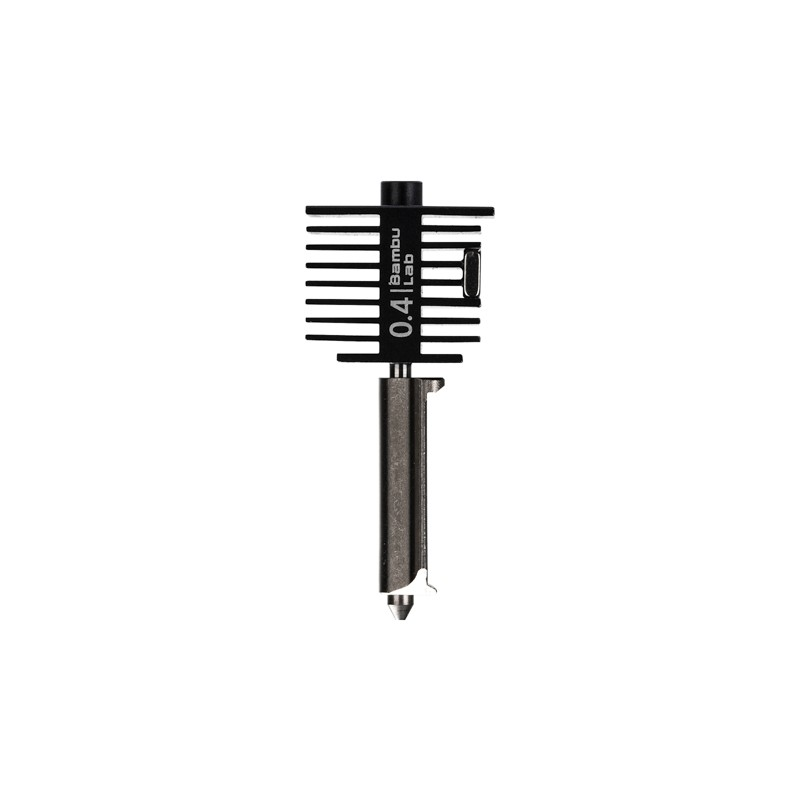
Bambu Lab Hotend with Hardened Steel Nozzle – 0.4mm
A complete hotend assembly for Bambu Lab printers, featuring a hardened steel nozzle ideal for both standard and abrasive filaments including TPU. Ensures consistent temperatures and precise extrusion.
Build Plate
TPU adheres well to most surfaces. PEI spring steel sheets are ideal — parts pop off easily when the bed cools. Glass beds with a light coating of hairspray or glue stick also work well. Avoid bare glass, as TPU can bond aggressively and damage the surface.
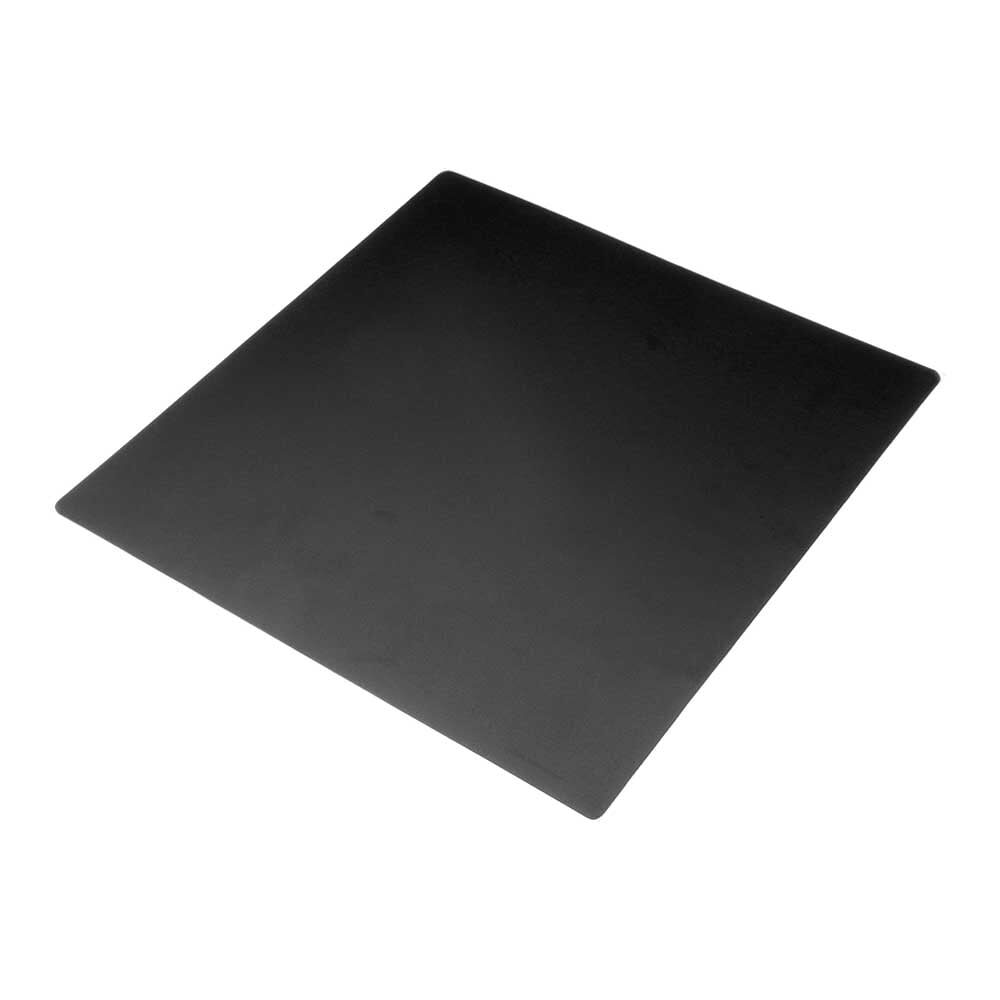
Frosted Heated Bed Sticker Build Plate Tape with Adhesive Backing
A 220×220mm frosted build plate sticker with adhesive backing, providing excellent adhesion for flexible filaments like TPU while allowing easy part removal after cooling.
Temperature Settings
Getting the temperature right is critical for clean TPU prints. Unlike PLA where you can be 10–15°C off and still get decent results, TPU is less forgiving.
Nozzle Temperature
The recommended nozzle temperature range for most 95A TPU filaments is 220°C to 240°C. Start at 230°C as your baseline and adjust based on results:
- Under-extrusion / rough surface texture: Increase temperature by 5°C
- Excessive stringing or oozing: Decrease temperature by 5°C
- Layer delamination: Increase temperature — layers are not bonding properly
- Bubbling or popping sounds: Filament is wet — dry it before printing (see storage section)
Bed Temperature
TPU does not require a heated bed, but using one significantly improves first layer adhesion:
- PEI/Spring Steel: 30–45°C (cooler beds release parts more easily)
- Glass + Hairspray: 40–50°C
- BuildTak / Textured PEI: 25–35°C
Keep in mind that India’s ambient temperatures vary greatly. In summer (35–40°C rooms in cities like Nagpur, Ahmedabad, or Chennai), your bed may not need to go above 30°C. In winter in North India, a bed temp of 45°C helps the first few layers set properly.
Cooling Fan
Unlike ABS or ASA, TPU benefits from active cooling — but not too aggressive. Set your part cooling fan to:
- First 3 layers: 0% (allow good bed adhesion)
- Layers 4 onwards: 30–60%
Too much cooling can cause poor layer bonding and a rough matte surface. Too little cooling leads to drooping on overhangs and stringing.
Speed Settings
Speed is where most beginners go wrong with TPU. The filament’s elasticity means it absorbs pressure changes like a spring — printing too fast causes the filament to stretch inside the extruder, leading to inconsistent flow.
Recommended Print Speeds
| Setting | Bowden Setup | Direct Drive |
|---|---|---|
| Perimeters / Walls | 15–20 mm/s | 25–35 mm/s |
| Infill | 15–20 mm/s | 30–40 mm/s |
| First Layer | 10–15 mm/s | 15–20 mm/s |
| Travel | 80–100 mm/s | 100–150 mm/s |
Modern printers like the Bambu Lab X1C use input shaping and pressure advance algorithms that allow them to print TPU faster (up to 60–80 mm/s for walls) without losing quality. If your printer supports these features, experiment gradually upward from 30 mm/s.
Retraction Settings
Retraction is one of the most debated topics in TPU printing. Because TPU is elastic, the filament stretches rather than retracting cleanly — leading to oozing and stringing even with retraction enabled. The goal is to minimise retraction rather than rely on it heavily.
Recommended Retraction Values
- Direct Drive: 0.5–1.5 mm retraction distance, 25–35 mm/s speed
- Bowden: 0–1 mm retraction distance (more usually makes things worse)
Enable “Wipe Before Retract”
In slicers like PrusaSlicer or Bambu Studio, enabling wipe before retract (also called combing or wipe on layer change) helps reduce stringing by wiping the nozzle inside the model boundary before moving. This is highly recommended for TPU.
Enable Combing / Avoid Crossing Perimeters
Keep travel moves inside the model as much as possible. When the nozzle travels over infill rather than crossing open air, any ooze stays hidden inside the part. Most modern slicers (Cura, PrusaSlicer, OrcaSlicer, Bambu Studio) have this option — enable it for TPU.
Bed Adhesion Tips
TPU generally has good bed adhesion but can sometimes warp slightly on large flat parts, especially at the corners. Here are proven techniques:
- Use a Brim: A 5–10 mm brim dramatically improves adhesion for thin-walled parts and flexible structures. The brim can be peeled off easily after printing.
- First Layer Height: Increase first layer height to 0.3 mm for better squish and bonding.
- First Layer Speed: Keep it at 15 mm/s maximum regardless of other speed settings.
- Clean the Bed: Wipe with isopropyl alcohol (IPA) before every print. Oil from your fingers dramatically reduces adhesion.
- Glue Stick on Glass: A thin, even coat of Fevicol or a standard glue stick creates an excellent bonding surface that releases cleanly when cooled.
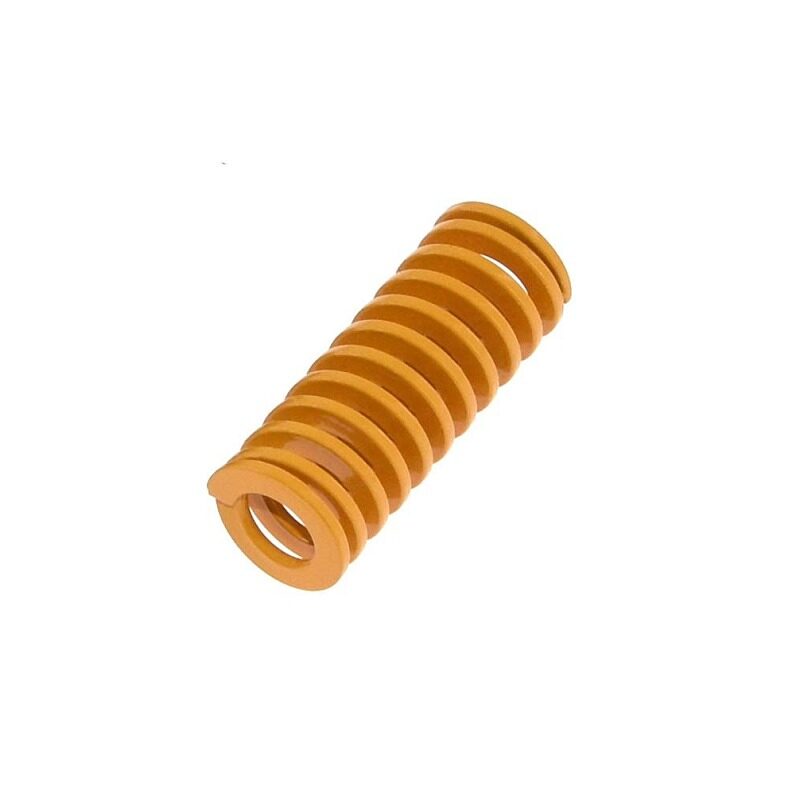
3D Printer Parts Spring for Heated Bed MK3 CR-10 Hotbed
Replacement levelling springs for heated beds on MK3, CR-10, and similar printers. Good bed levelling is essential for consistent TPU first layers and adhesion.
Common Problems and Solutions
1. Stringing
Symptoms: Fine hair-like threads between parts of the print.
Causes: Too high temperature, too slow travel, insufficient combing.
Fix: Lower nozzle temp by 5°C, enable combing/wipe, reduce retraction distance, increase travel speed.
2. Under-Extrusion
Symptoms: Gaps in walls, weak layers, inconsistent surface.
Causes: Printing too fast, filament compression in extruder, too-low temperature, wet filament.
Fix: Reduce print speed to 20 mm/s, increase temperature by 5°C, dry filament, check for partial clog.
3. Clogged Nozzle
Symptoms: No extrusion or inconsistent flow after a print.
Causes: TPU residue hardens at lower temperatures when the printer cools down — especially if you switch directly from TPU to PLA without purging.
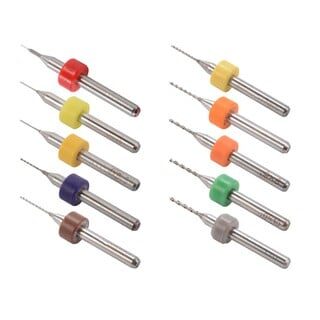
0.1–1.0mm Mixed 3D Printer Nozzle Cleaning Drill Bit Kit (10 Pcs)
A set of 10 micro drill bits in various sizes for clearing stubborn clogs from 3D printer nozzles. Essential maintenance tool for any printer regularly used with flexible filaments like TPU.
4. Spaghetti / Print Failure at Height
Symptoms: The print collapses mid-way and the extruder starts printing in the air.
Causes: Part detached from bed (poor adhesion), or a large overhang collapsed.
Fix: Use a brim, add supports for overhangs greater than 45°, ensure proper bed adhesion.
5. Rough or Textured Surface (Unexpected)
Symptoms: Surface looks fuzzy, rough, or blobby instead of smooth.
Causes: Moisture in filament, excessive cooling.
Fix: Dry the filament at 50°C for 4–8 hours. Reduce part cooling fan speed.
TPU Applications and Use Cases
TPU’s unique combination of flexibility, durability, and printability makes it indispensable for a wide range of projects that rigid filaments simply cannot accomplish:
Consumer Products
- Custom-fit smartphone cases with precise camera cutouts
- Tablet covers and e-reader cases
- Flexible cable organisers and clips
- Custom ear tips for earphones
Engineering and Prototyping
- Vibration-dampening mounts for motors, fans, and compressors
- Flexible pipe fittings and gaskets for low-pressure applications
- Conveyor belt segments and grippers for robotics
- Soft grips and ergonomic handles
Drone and RC Hobby
- Propeller guards (impact-absorbing rather than shattering)
- Flexible landing legs
- Camera gimbal dampeners
- Battery strap pads
Medical and Prosthetics
- Custom prosthetic socket liners and padding
- Orthotic insoles (with proper medical-grade TPU)
- Anatomical models with realistic tissue feel
Storage and Moisture Control
TPU is moderately hygroscopic — it absorbs moisture from the air over time. Wet TPU causes bubbling, popping sounds, rough surfaces, and weak layer adhesion. In India’s humid climate, especially during the monsoon season, proper filament storage is even more critical.
Wet Filament Symptoms
- Popping or crackling sounds during printing
- Steam visible from nozzle
- Rough, bubbly surface finish
- Reduced tensile strength in printed parts
- Excessive stringing
Drying Methods
- Food Dehydrator: Set to 50°C for 4–6 hours — most recommended method
- Filament Dryer Box (e.g., eSUN eBOX): Dedicated filament dryers maintain temperature precisely
- Oven: 50°C for 3–4 hours (be careful — most home ovens are inaccurate below 100°C)
- Print-from-Dry-Box: Keep filament in an airtight box with desiccant while printing
Long-term Storage
- Store in airtight zip-lock bags or vacuum-sealed bags with silica gel desiccant
- Keep away from direct sunlight (UV causes degradation over time)
- Store in a cool, dry location — air-conditioned rooms are ideal during Indian summers
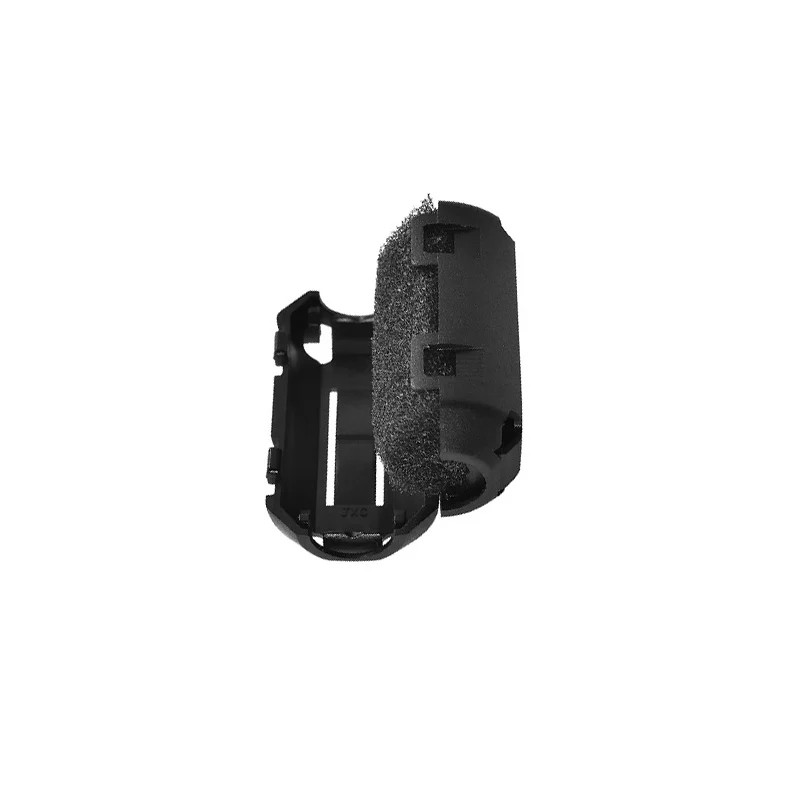
ABS PLA PETG 1.75mm Filament Filter Cleaner – Dust Removal Block
Filament cleaner and dust filter block compatible with 1.75mm filaments including TPU. Removes dust and debris from the filament before it enters the hotend, reducing clogs and improving print quality.
Frequently Asked Questions
Can I print TPU on my Ender 3?
The standard Ender 3 has a Bowden extruder which makes TPU printing difficult but not impossible. Use the stiffest TPU available (98A Shore), reduce speed to 15–20 mm/s, and set retraction to near zero. For regular TPU printing, upgrade to a direct drive extruder kit.
What nozzle size is best for TPU?
A standard 0.4mm nozzle works fine for most TPU applications. For very flexible, thin-walled parts, a 0.6mm nozzle can help by extruding more material per pass and improving layer bonding. Avoid extremely small nozzles (0.2mm) as they are prone to clogging with flexible materials.
Does TPU need supports?
TPU supports can be tricky to remove because the material is flexible — the support bends rather than snapping off cleanly. Design your parts to avoid overhangs greater than 45–50°. If supports are unavoidable, use tree supports (OrcaSlicer, Bambu Studio) and increase the support interface gap so they release more easily.
Can I mix TPU with other filaments in the same print?
Yes, TPU is often paired with PLA in multi-material printers. A common use case is printing rigid structural parts in PLA and flexible grips or gaskets in TPU in a single print. However, this requires a multi-material printer or careful filament changes at specific layers.
Why does my TPU print look rough or stringy?
The most common causes are wet filament (dry it at 50°C for 4–6 hours), printing too fast (slow down to under 30 mm/s), or nozzle temperature too high (reduce by 5°C). Enable combing in your slicer to reduce cross-travel stringing.
Is TPU food safe?
Some TPU grades are food-safe, but FDM printing creates micro-gaps between layers that can harbour bacteria. For food contact applications, post-processing (sanding, food-safe coating) is recommended. Always verify the specific TPU brand’s safety certifications before using for food contact.
Ready to Start Printing with TPU?
TPU flexible filament unlocks a world of functional, durable, and uniquely useful prints that rigid filaments simply cannot achieve. With the right printer setup, dialled-in temperature and speed settings, and proper moisture management, you will find that TPU is genuinely rewarding to work with despite its reputation for being tricky.
The key takeaways: use a direct drive extruder, print slow (25–35 mm/s), keep retraction minimal, dry your filament, and enable combing in your slicer. Follow these fundamentals and you will be producing excellent flexible prints in no time.
Shop TPU Printing Essentials at Zbotic: Zbotic.in stocks a wide range of 3D printing accessories, nozzles, build plates, and filament tools to help you get the best results from your flexible filament prints. Explore our 3D Printing category for everything you need.







Add comment