
If you are starting an IoT project in India and wondering whether to buy an ESP8266 or an ESP32, you are in the right place. Both chips were made by Espressif Systems and both offer built-in Wi-Fi, but they are not the same. Choosing the wrong one can waste time, money, and frustration — especially if you are working with tight budgets typical of student projects and hobbyist builds in India.
In this comprehensive comparison, we go through every important parameter — processing power, GPIO count, memory, power consumption, price, and real-world use cases — so you can make an informed decision. We also look at the popular development boards based on each chip: the NodeMCU and Wemos D1 Mini (ESP8266) versus the ESP32 DevKit (ESP32).
1. Quick Overview: ESP8266 vs ESP32
| Feature | ESP8266 | ESP32 |
|---|---|---|
| CPU Cores | 1 (Tensilica L106) | 2 (Xtensa LX6, dual-core) |
| Clock Speed | 80 / 160 MHz | 240 MHz |
| RAM | 80KB (36KB usable) | 520KB SRAM |
| Flash (typical) | 4MB | 4MB (up to 16MB) |
| Wi-Fi | 802.11 b/g/n (2.4GHz) | 802.11 b/g/n (2.4GHz) |
| Bluetooth | No | BT 4.2 + BLE 5.0 |
| GPIO Pins | 11 usable | 34 usable |
| ADC Channels | 1 (10-bit) | 18 (12-bit) |
| DAC | No | 2 x 8-bit |
| Touch Pins | No | 10 capacitive touch |
| Hall Sensor | No | Yes (built-in) |
| I2C | 1 | 2 |
| SPI | 2 | 4 |
| UART | 2 | 3 |
| Deep Sleep Current | ~20 µA | ~10 µA |
| Active Current (Wi-Fi) | ~80 mA average | ~150–240 mA peak |
| Price in India | ₹120–₹180 | ₹250–₹450 |
2. Processor and Clock Speed
The ESP8266 runs a single-core Tensilica L106 RISC processor at either 80 MHz or 160 MHz. For most simple IoT tasks — connecting to Wi-Fi, reading a sensor, sending data to the cloud — this is perfectly adequate.
The ESP32 uses a dual-core Xtensa LX6 processor running at up to 240 MHz. This is three times faster than the ESP8266 at maximum clock, and having two cores means you can run Wi-Fi handling on Core 0 and your application code on Core 1 simultaneously without blocking.
In real-world terms: if your project involves image processing (ESP32-CAM), audio playback, RTOS multitasking, or complex algorithms, the ESP32 is the clear winner. For a simple temperature sensor that uploads data every 30 seconds, the ESP8266’s processor is more than sufficient.
3. Memory: RAM and Flash
Memory is where the ESP8266’s limitations become most apparent:
- ESP8266: 80KB RAM total, but only about 36KB is available to user code. The Wi-Fi stack and OS consume the rest. Running out of RAM is a common problem on ESP8266 projects with complex JSON parsing or multiple open TCP connections.
- ESP32: 520KB SRAM, which is almost 15x more than the usable RAM on ESP8266. You can run FreeRTOS with multiple tasks, maintain larger data buffers, and use libraries like LVGL for display UI without memory pressure.
Both chips typically come with 4MB of flash storage on development boards, which is enough for almost any Arduino-framework project. The ESP32 supports PSRAM expansion (up to 8MB extra RAM on variants like the WROVER).
4. GPIO Pins and Peripherals
This is a major practical difference when designing projects:
The ESP8266 (in NodeMCU form) gives you about 11 usable GPIO pins. Several pins have restrictions: GPIO0, GPIO2, and GPIO15 affect boot mode; GPIO6–GPIO11 are used for internal flash. The single ADC pin only reads 0–1V (not 3.3V) and has 10-bit resolution. This severely limits sensor connectivity.
The ESP32 gives you 34 GPIO pins (on the 38-pin WROOM module), 18 ADC channels at 12-bit resolution, 2 DAC outputs, 10 capacitive touch pins, 4 hardware SPI interfaces, 2 I2C buses, and 3 UARTs. You can connect far more sensors and peripherals simultaneously.
For a project that needs more than 3–4 sensors plus a display, the ESP32 is often the only practical choice without adding external I/O expanders.
5. Wireless Connectivity
Both chips support 802.11 b/g/n Wi-Fi on the 2.4 GHz band. Wi-Fi range, stability, and throughput are comparable between the two for typical IoT applications.
The critical difference: the ESP32 adds Bluetooth Classic (4.2) and BLE (Bluetooth Low Energy 5.0). This opens up entirely new project categories:
- BLE beacons for indoor positioning
- BLE sensor nodes (heart rate, proximity)
- Bluetooth audio streaming
- BLE to Wi-Fi gateway projects
- Smart locks and access control with BLE
The ESP8266 has no Bluetooth capability whatsoever. If your project needs Bluetooth — even a simple BLE advertiser — you must use the ESP32.
6. Power Consumption
Power is critical for battery-powered IoT sensors deployed in fields, homes, or remote locations across India.
Deep sleep current:
- ESP8266: ~20 µA (modem sleep), ~140 µA (light sleep)
- ESP32: ~10 µA (deep sleep with ULP co-processor active)
Active Wi-Fi current:
- ESP8266: ~80 mA average during active transmission
- ESP32: ~150–240 mA during active Wi-Fi transmission (higher due to more powerful processor)
For battery-powered projects that wake up, read a sensor, send data, and go back to sleep, the ESP8266 can actually last longer on the same battery because its active current is lower. However, for continuous operation on mains power, the difference is negligible.
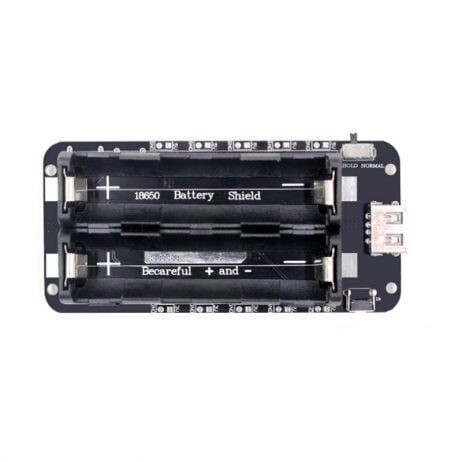
2 x 18650 Lithium Battery Shield V8 for ESP32/ESP8266
5V/3A output with dual 18650 cells — powers both ESP8266 and ESP32 projects reliably for battery-operated IoT deployments.
View on Zbotic7. Price in India
Price is often the deciding factor for students and hobbyists in India:
| Board | Approximate Price |
|---|---|
| Wemos D1 Mini (ESP8266) | ₹120–₹180 |
| NodeMCU V3 (ESP8266) | ₹150–₹220 |
| ESP32 DevKit V1 | ₹250–₹380 |
| ESP32-CAM (with camera) | ₹350–₹500 |
| ESP32-C3 (compact) | ₹180–₹280 |
The ESP32 costs roughly 1.5–2x the price of an equivalent ESP8266 board. For students on a budget building their first project, the ESP8266 (especially the Wemos D1 Mini) remains an excellent and affordable starting point.
8. Popular Development Boards
ESP8266 Boards
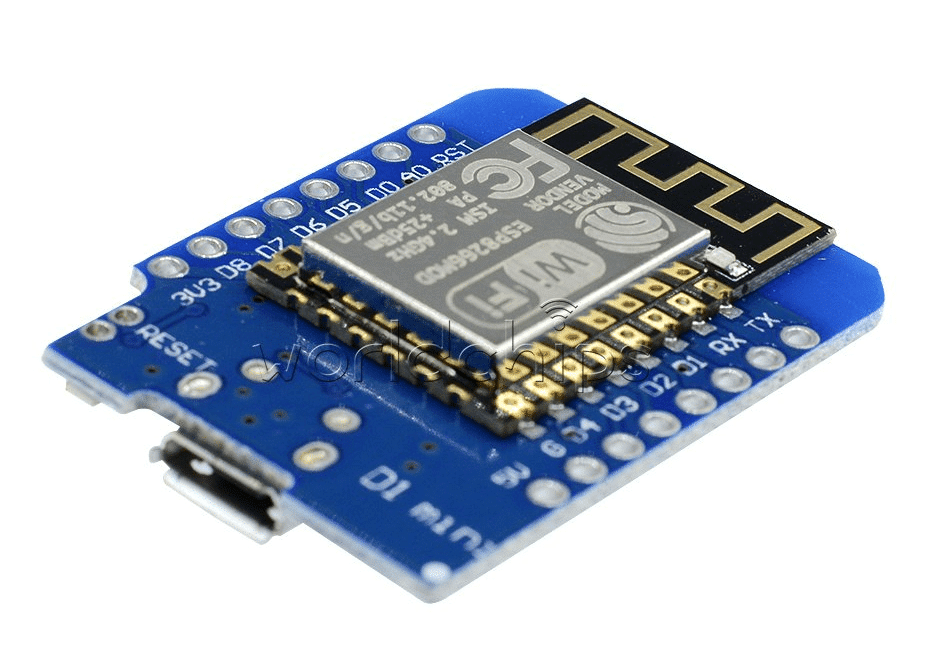
D1 Mini V2 NodeMCU 4M Bytes Lua Wi-Fi Development Board (ESP8266)
Compact, breadboard-friendly ESP8266 board with 4MB flash. Ideal for small IoT projects, shields ecosystem, and wearable builds.
View on Zbotic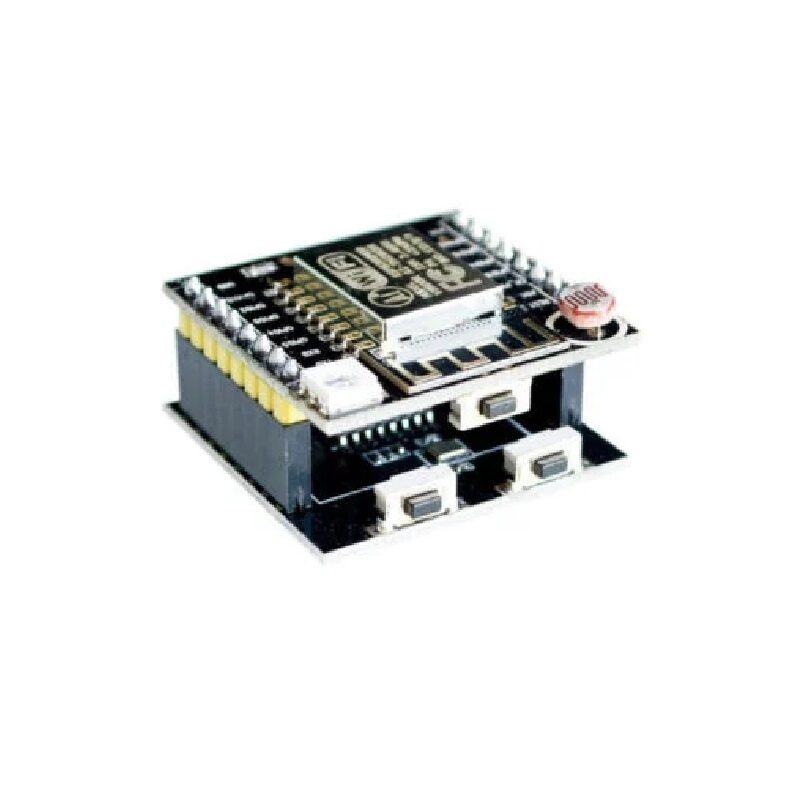
ESP8266 ESP-12F Serial WiFi Witty Cloud Development Board + Mini NodeMCU
Complete ESP8266 development kit with onboard LDR, RGB LED, and push button — great for learning Wi-Fi IoT concepts quickly.
View on ZboticESP32 Boards

Ai Thinker NodeMCU-32S ESP32 Development Board – IPEX Version
Genuine Ai Thinker ESP32 board with dual-core processor, Wi-Fi + BT, 34 GPIO pins, and external antenna connector for extended range.
View on Zbotic
Ai Thinker ESP32-CAM Development Board WiFi+Bluetooth with AF2569 Camera Module
ESP32 with integrated camera — enables face recognition, video streaming, and image capture projects impossible on ESP8266.
View on Zbotic9. Which One Should You Choose?
Choose ESP8266 if:
- Budget is your primary constraint (saving ₹100–₹200 per unit matters at scale)
- Your project only needs Wi-Fi (no Bluetooth required)
- You only need 1–3 sensors and a few digital outputs
- You are a complete beginner building your first project
- You need very low active power consumption for battery projects
- You are building a simple sensor that posts data to Blynk, ThingSpeak, or Home Assistant
Choose ESP32 if:
- You need Bluetooth (BLE or Classic)
- Your project has more than 3–4 sensors or requires many GPIO pins
- You are adding a display (OLED, TFT, e-Paper)
- You need multiple serial ports, I2C buses, or SPI devices simultaneously
- You want to use FreeRTOS with multiple tasks
- Your project involves camera, audio, or other media processing
- You are building a commercial product where reliability matters
- You are working on edge AI or machine learning inference
10. Project Ideas for Each
Great ESP8266 Projects
- Wi-Fi controlled smart switch (relay module)
- MQTT temperature/humidity sensor with DHT11
- Simple web server to control LEDs
- OTA (Over-the-Air) firmware update system
- IR blaster for smart TV control
- Soil moisture monitor with cloud dashboard
Great ESP32 Projects
- Face detection security camera (ESP32-CAM)
- BLE beacon for attendance tracking
- Smart watch with OLED display and sensors
- Multi-sensor weather station with data logging
- Voice assistant with I2S microphone
- Industrial automation controller with multiple I/O
- Vehicle tracker with GPS + GSM + BLE

DHT11 Temperature and Humidity Sensor Module with LED
Popular beginner sensor for both ESP8266 and ESP32 weather station projects — includes onboard LED status indicator.
View on Zbotic11. Shop on Zbotic

Ai Thinker ESP32-C3-01M Wi-Fi + BLE Module
Compact ESP32-C3 module with RISC-V core, Wi-Fi and BLE 5.0 — a modern alternative priced between ESP8266 and ESP32 for new designs.
View on Zbotic12. Frequently Asked Questions
Is ESP32 backward compatible with ESP8266 code?
Mostly yes, within the Arduino framework. Most libraries work on both, and basic code (Wi-Fi, HTTP, MQTT) is nearly identical. However, pin numbers differ between boards, and ESP32-specific features (Bluetooth, dual-core, touch pins) need ESP32-specific code. Porting an ESP8266 project to ESP32 typically takes 15–30 minutes.
Can the ESP8266 run FreeRTOS?
Yes, the ESP8266 can run a limited version of FreeRTOS through the ESP8266 RTOS SDK. However, with only ~36KB of usable RAM, practical multitasking is very limited. The ESP32 with 520KB RAM handles FreeRTOS multitasking much more comfortably.
Which is better for a smart home system?
For a serious smart home system that integrates with Home Assistant, Google Home, or Alexa, the ESP32 is strongly preferred. Its Bluetooth support allows it to act as a BLE proxy/gateway, and the extra GPIO and processing power handle multiple sensors plus display output easily. ESPHome (popular with Home Assistant) supports both, but offers more ESP32 features.
Is ESP8266 still worth buying in 2026?
Yes, absolutely. The ESP8266 is mature, well-documented, and extremely cost-effective for simple Wi-Fi IoT tasks. If you need to deploy dozens of cheap sensor nodes in a factory or farm, the ₹100–150 cost savings per unit add up quickly. However, for new designs with long-term support in mind, the ESP32 (or ESP32-C3) is increasingly the better choice.
What is the ESP32-C3 and how does it compare?
The ESP32-C3 is a newer Espressif chip using a RISC-V core (single core, 160 MHz) with Wi-Fi and BLE 5.0. It sits between the ESP8266 and full ESP32 in terms of capability and price. It is a good choice for low-cost BLE+Wi-Fi projects where the dual-core power of the full ESP32 is not needed. Zbotic stocks the Ai Thinker ESP32-C3 modules.
Shop ESP8266 and ESP32 Boards in India
Get genuine Ai Thinker, Waveshare, and compatible boards with fast shipping across India — all at the best prices from Zbotic.
Browse IoT Boards on Zbotic






Add comment