
ESP32 Mesh Networking with PainlessMesh Library Tutorial
Imagine deploying a dozen sensor nodes across your warehouse, farm, or multi-room home without needing a single Wi-Fi router in every corner. That’s the promise of ESP32 mesh network PainlessMesh: a self-healing, infrastructure-free wireless network where every node forwards data for every other node. The PainlessMesh library makes this surprisingly straightforward to implement in Arduino IDE or PlatformIO. In this tutorial, we’ll build a working mesh from scratch, covering setup, messaging, node discovery, and practical tips for stable deployments in Indian conditions.
What Is a Mesh Network and Why Use It?
Traditional Wi-Fi follows a star topology: every device connects to a central access point. If the AP goes down, all devices lose connectivity. Mesh networks are fundamentally different—every node is both a client and a router. Packets hop from node to node until they reach their destination, automatically finding alternative paths if one node fails or moves out of range.
For Indian hobbyists and professionals, mesh networking solves several real problems:
- Agricultural monitoring: Sensor nodes spread across paddy fields or orchards—often hundreds of metres apart—can relay data through intermediate nodes back to a gateway node with internet access.
- Multi-floor buildings: A mesh across floors eliminates the dead spots that plague single-AP Wi-Fi without costly infrastructure upgrades.
- Disaster resilience: Mesh networks survive partial failures. Lose one node and data routes around it automatically.
- Rapid deployment: No configuration of router, SSID, or DHCP. Power on the nodes and the mesh forms itself within seconds.
PainlessMesh Library Overview
PainlessMesh is an open-source Arduino library built specifically for ESP8266 and ESP32. It creates a dynamic mesh using a proprietary protocol over Wi-Fi (802.11 ad-hoc / softAP mode). Key features:
- Self-healing: Nodes discover, connect, and reconnect automatically.
- No root node: Any node can join or leave without disrupting the mesh.
- Broadcast and unicast: Send a message to all nodes or target a specific node by its 32-bit mesh ID.
- JSON-based messaging: Messages are plain JSON strings—easy to parse with ArduinoJson.
- Time synchronisation: All nodes share a common time reference via the mesh, allowing coordinated sensor sampling.
- Callback-driven: Your code registers callbacks for received messages, new connections, and dropped connections.
Install it via Arduino Library Manager: search for “painlessMesh” (note the capitalisation). It depends on TaskScheduler and ArduinoJson, which the library manager installs automatically.

Ai Thinker ESP32-CAM Development Board WiFi + Bluetooth
A compact ESP32 with onboard camera — perfect as a mesh node for visual monitoring applications. Supports PainlessMesh alongside camera streaming over the same processor.
Hardware Setup and Requirements
For this tutorial, you’ll need a minimum of 3 ESP32 development boards (to demonstrate mesh routing). Any standard ESP32 devkit works: ESP32-WROOM-32, ESP32-S3, or even the compact ESP32-C3. You’ll also need:
- Arduino IDE 2.x or PlatformIO
- ESP32 board support package (Espressif Systems, version 2.x or 3.x)
- Libraries: painlessMesh, TaskScheduler, ArduinoJson (v7.x)
- USB cables for each board
- Optionally: OLED display or serial monitor for debugging
Power each node from USB during development. For field deployment, a 18650 cell with a TP4056 charger module and a boost converter gives each node 8–12 hours of operation at typical mesh activity levels.
Tutorial Part 1: Basic Broadcast Mesh
Let’s start with the simplest case: every node periodically broadcasts a sensor reading, and every node prints what it receives.
#include <painlessMesh.h>

#define MESH_PREFIX     "ZboticMesh"   // Your mesh network name
#define MESH_PASSWORD   "meshPass123"  // Shared password (all nodes must match)
#define MESH_PORT       5555

Scheduler userScheduler;
painlessMesh mesh;

void sendMessage();
Task taskSendMessage(TASK_SECOND * 5, TASK_FOREVER, &sendMessage);

void sendMessage() {
  String msg = "{"node":" + String(mesh.getNodeId()) + ","temp":" + String(random(25, 40)) + "}";
  mesh.sendBroadcast(msg);
  Serial.println("Sent: " + msg);
}

void receivedCallback(uint32_t from, String &msg) {
  Serial.printf("From node %u: %sn", from, msg.c_str());
}

void newConnectionCallback(uint32_t nodeId) {
  Serial.printf("New connection, nodeId = %un", nodeId);
}

void droppedConnectionCallback(uint32_t nodeId) {
  Serial.printf("Dropped connection, nodeId = %un", nodeId);
}

void setup() {
  Serial.begin(115200);
  mesh.setDebugMsgTypes(ERROR | STARTUP);
  mesh.init(MESH_PREFIX, MESH_PASSWORD, &userScheduler, MESH_PORT);
  mesh.onReceive(&receivedCallback);
  mesh.onNewConnection(&newConnectionCallback);
  mesh.onDroppedConnection(&droppedConnectionCallback);
  userScheduler.addTask(taskSendMessage);
  taskSendMessage.enable();
}

void loop() {
  mesh.update();
  userScheduler.execute();
}
Flash this identical sketch to all three nodes. Open serial monitors on each. You’ll see nodes discovering each other within 5–10 seconds and broadcasting messages that hop through the mesh. The node ID is a 32-bit number derived from the ESP32’s unique MAC address — no manual addressing needed.
Tutorial Part 2: Unicast Messaging Between Specific Nodes
For targeted commands — like telling a specific relay node to activate — use sendSingle(). You need to know the target node’s mesh ID, which you can distribute at startup or discover dynamically:
// On the controller node: send command to a known node ID
uint32_t targetNodeId = 3456789012UL; // Replace with actual node ID

void sendCommand() {
  if (mesh.isConnected(targetNodeId)) {
    String cmd = "{"cmd":"relay_on","duration":5}";
    mesh.sendSingle(targetNodeId, cmd);
    Serial.println("Command sent to node " + String(targetNodeId));
  } else {
    Serial.println("Target node not reachable");
  }
}

// Get the list of all connected node IDs:
void printNodeList() {
  SimpleList<uint32_t> nodes = mesh.getNodeList();
  Serial.printf("%d nodes connected:n", nodes.size());
  for (auto && node : nodes) {
    Serial.printf("  Node ID: %un", node);
  }
}
A practical pattern: have each node broadcast its role (“controller”, “sensor_DHT22”, “relay_node”) in its first broadcast message. The controller node reads these announcements and builds a lookup table of role→nodeId pairs, then sends unicast commands to the right nodes.
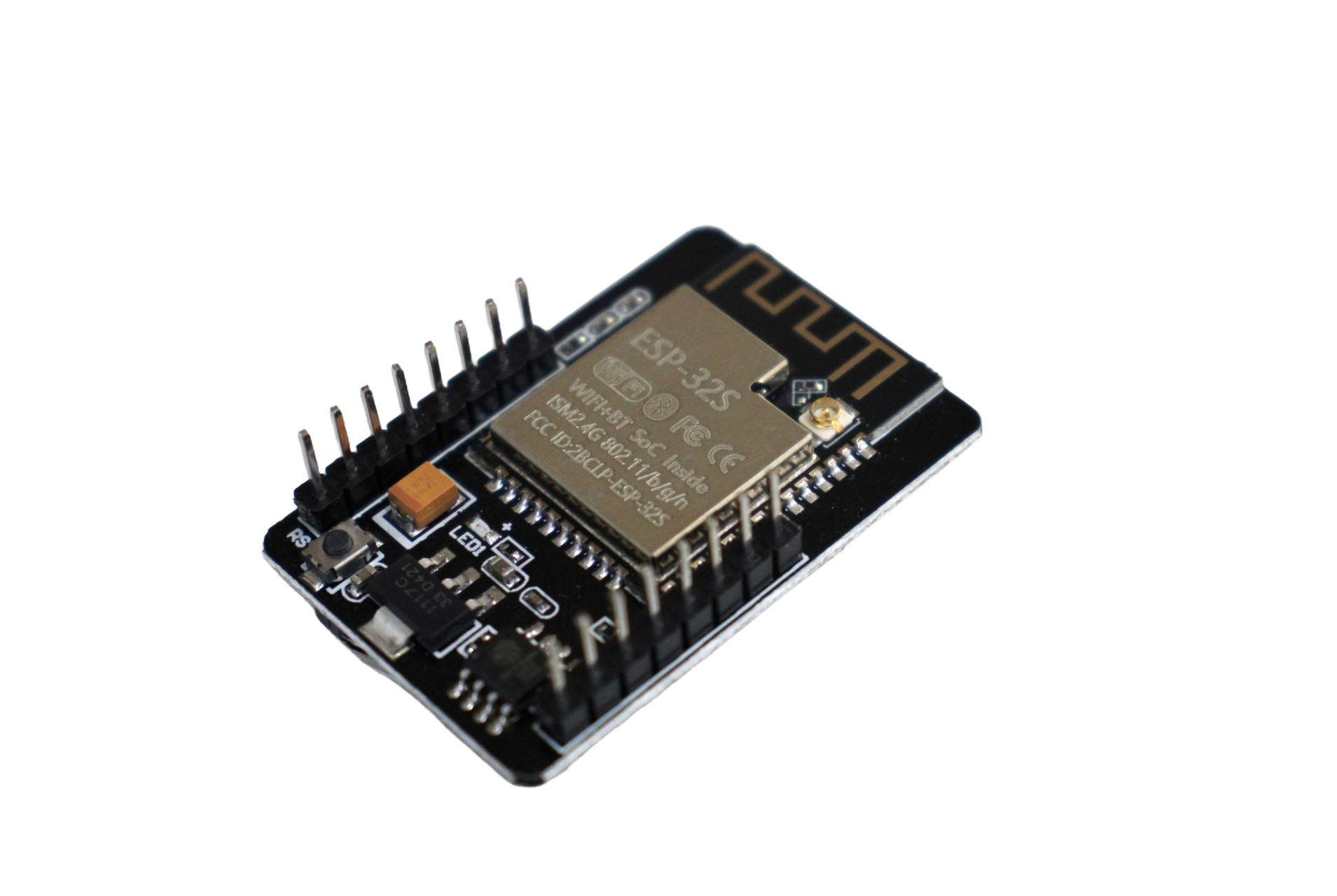
ESP32-CAM WiFi Module with OV2640 2MP Camera
Add visual sensing to your mesh network. Each ESP32-CAM can act as a mesh node that captures images on command from other nodes in the network — ideal for security monitoring grids.
Tutorial Part 3: Bridge Node to External Network / MQTT
A pure mesh with no external connectivity is useful for local automation, but most IoT projects need to push data to the cloud (MQTT, HTTP API, Firebase). PainlessMesh provides a painlessMesh class that can coexist with a normal Wi-Fi station connection on the ESP32 — but only one node should do this (the “bridge” node) to avoid channel conflicts.
#include <painlessMesh.h>
#include <WiFiClient.h>
#include <PubSubClient.h>

// Mesh settings
#define MESH_PREFIX   "ZboticMesh"
#define MESH_PASSWORD "meshPass123"
#define MESH_PORT     5555

// External Wi-Fi
#define EXT_SSID      "YourHomeWiFi"
#define EXT_PASS      "YourWiFiPass"

// MQTT
#define MQTT_BROKER   "broker.hivemq.com"
#define MQTT_PORT     1883

Scheduler userScheduler;
painlessMesh mesh;
WiFiClient wifiClient;
PubSubClient mqttClient(wifiClient);

void receivedCallback(uint32_t from, String &msg) {
  // Forward to MQTT
  String topic = "zbotic/mesh/node/" + String(from);
  mqttClient.publish(topic.c_str(), msg.c_str());
  Serial.printf("Bridge: forwarded from %u to MQTTn", from);
}

void setup() {
  Serial.begin(115200);
  // Init mesh (uses softAP internally)
  mesh.setDebugMsgTypes(ERROR | STARTUP);
  mesh.init(MESH_PREFIX, MESH_PASSWORD, &userScheduler, MESH_PORT, WIFI_AP_STA, 6);
  mesh.onReceive(&receivedCallback);

  // Connect to external Wi-Fi in station mode
  WiFi.begin(EXT_SSID, EXT_PASS);
  while (WiFi.status() != WL_CONNECTED) delay(500);
  Serial.println("External WiFi connected: " + WiFi.localIP().toString());

  // Connect to MQTT
  mqttClient.setServer(MQTT_BROKER, MQTT_PORT);
  mqttClient.connect("ESP32_Bridge");
}

void loop() {
  mesh.update();
  userScheduler.execute();
  mqttClient.loop();
  if (!mqttClient.connected()) mqttClient.connect("ESP32_Bridge");
}
Important note on channels: The mesh and your home Wi-Fi must operate on the same 2.4 GHz channel. Pass the channel number (1–13) as the 6th argument to mesh.init() and ensure it matches your router’s channel setting. If they’re on different channels, the bridge node cannot be a member of both networks simultaneously.
Optimization Tips for Stable Mesh Networks
Keep Message Intervals Reasonable
PainlessMesh nodes consume significant CPU maintaining the mesh protocol. Each node has limited throughput — roughly 10–20 JSON messages per second across the whole mesh. Do not broadcast faster than every 2–5 seconds per node. For high-frequency sensor data, aggregate locally and send a batch.
Limit Mesh Size
PainlessMesh works best with 2–10 nodes. Beyond 15 nodes, the overlay routing overhead increases significantly and you may experience message loss. For large deployments, segment your network into multiple smaller meshes each with their own bridge node.
Use Fixed Channel and Higher TX Power
Let the mesh settle on a single fixed channel rather than scanning. ESP32 supports TX power up to +20 dBm — set it explicitly:
esp_wifi_set_max_tx_power(80); // 80 = 20 dBm (in 0.25 dBm units)Monitor Heap Fragmentation
PainlessMesh allocates and frees JSON strings frequently. Long-running meshes can suffer heap fragmentation. Print free heap periodically and restart the mesh if it drops below 20 KB:
if (ESP.getFreeHeap() < 20000) {
  Serial.println("Low heap, restarting mesh...");
  mesh.stop();
  delay(1000);
  ESP.restart();
}
Ai Thinker ESP32-C3-01M Wi-Fi + BLE Module
Ultra-compact ESP32-C3 module ideal for low-power mesh nodes. RISC-V core with Wi-Fi 4 and Bluetooth 5 — significantly cheaper than full ESP32 devkits while running PainlessMesh efficiently.
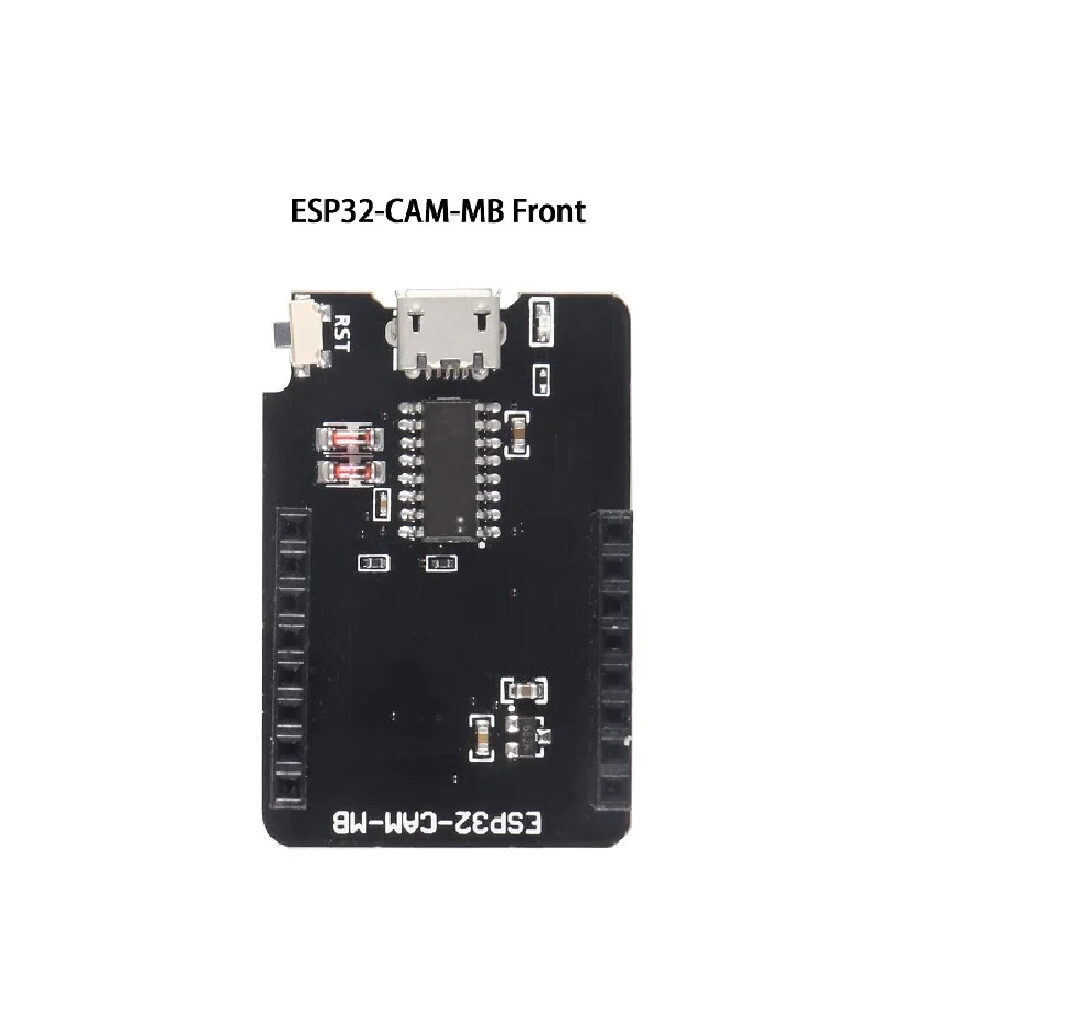
ESP32-CAM-MB Micro USB Download Module
Makes flashing the ESP32-CAM effortless — no separate FTDI adapter or button-holding gymnastics. Essential when you’re flashing mesh firmware to multiple ESP32-CAM nodes repeatedly.
Frequently Asked Questions
How many ESP32 nodes can a PainlessMesh network support?
Theoretically unlimited, but practically 5–15 nodes deliver the best reliability. Beyond 20 nodes, routing table updates consume significant bandwidth and processor time, leading to message loss and instability. For large networks, partition into clusters with bridge nodes between them.
Does PainlessMesh work with ESP8266 alongside ESP32?
Yes. ESP8266 and ESP32 nodes can coexist in the same PainlessMesh network, as long as they use identical MESH_PREFIX, MESH_PASSWORD, and MESH_PORT values. However, ESP8266 nodes have less RAM and slower processing, so keep message rates lower when ESP8266 nodes are present.
Can I use PainlessMesh for real-time applications like audio or video streaming?
No. PainlessMesh is designed for low-throughput sensor data and command messaging. The maximum practical throughput per hop is around 50–100 kbps, with significant latency variability. For real-time media, look at proprietary Wi-Fi mesh solutions or use ESP-NOW for lower-latency point-to-point links.
My nodes lose connectivity after a few hours. What’s wrong?
This is most commonly caused by heap fragmentation (monitor with ESP.getFreeHeap()), watchdog timer resets (add esp_task_wdt_reset() in your loop), or Wi-Fi channel conflicts if a bridge node is present. Add a daily scheduled restart task as a maintenance measure for long-running deployments.
Can I encrypt PainlessMesh messages?
The mesh password provides a basic authentication layer but does not encrypt message content. For sensitive data, encrypt the JSON payload in your application layer using AES (available in mbedTLS which ships with the ESP32 SDK) before passing it to mesh.sendBroadcast() or mesh.sendSingle().
Start Your ESP32 Mesh Network Today
Get ESP32 modules, CAM boards, and development kits from Zbotic — delivered fast across India with community support for your IoT projects.







Add comment