
Table of Contents
- What Is Altitude Hold and Why Does It Matter?
- Barometer vs Optical Flow: Understanding Each Sensor
- How Sensor Fusion Works
- Hardware Selection for Altitude Hold Build
- Flight Controller Configuration
- ArduPilot Setup for Barometer + Optical Flow
- Betaflight / iNav Setup
- Tuning Altitude Hold Parameters
- Real-World Use Cases in India
- Recommended Components
- FAQ
One of the most transformative capabilities you can add to a drone build is reliable altitude hold — the ability to maintain a precise, stable height without constant manual throttle correction. For photography, agricultural surveying, inspection work, or even racing in GPS-denied environments, altitude hold separates a frustrating drone from a genuinely useful one.
The challenge is that no single sensor provides perfect altitude data in all conditions. GPS altitude is too coarse (±3m accuracy). Barometers are affected by wind gusts, temperature gradients, and prop wash from the motors themselves. Ultrasonic rangefinders have limited range. This is where sensor fusion — specifically combining a barometer with optical flow — delivers results that neither sensor can achieve alone.
This guide covers the complete build: hardware selection, sensor integration, and flight controller configuration for smooth, reliable altitude hold that works indoors, outdoors, and in wind.
What Is Altitude Hold and Why Does It Matter?
Altitude hold is the flight mode where the drone maintains a set altitude automatically. The pilot can still control roll, pitch, and yaw, but the throttle input becomes altitude command (above centre) and altitude descent (below centre) rather than direct motor power.
Why Altitude Hold Is Difficult Without Sensor Fusion
Altitude hold sounds simple but involves solving several challenging problems simultaneously:
- Barometer drift: Air pressure changes with weather, and the pressure wave created by the drone’s own props causes false altitude readings. A drone hovering in place can drift 0.5-2 metres using barometer alone
- GPS altitude inaccuracy: GPS altitude is inherently less accurate than GPS horizontal position — typical ±3-5 metre vertical error makes it unsuitable for precision altitude hold
- Motor wash: The air turbulence below the drone distorts any downward-facing sensor (ultrasonic, LIDAR) that relies on reflection
- Wind disturbances: Gusts suddenly change the lift equation, requiring immediate throttle correction
By fusing data from multiple sensors — each compensating for the other’s weaknesses — modern flight controllers can achieve altitude hold accuracy of ±5-20 centimetres in good conditions.
Barometer vs Optical Flow: Understanding Each Sensor
Barometer (Pressure Sensor)
The barometer measures atmospheric pressure, which decreases predictably with altitude. At sea level pressure is ~1013 hPa; every 100 metres of altitude reduces this by about 12 hPa. The drone’s onboard barometer tracks these changes to estimate altitude.
Advantages:
- Works at any altitude, any environment — indoors, outdoors, over water
- No range limitations
- Low cost (built into most modern FCs)
- Fast response to large altitude changes
Disadvantages:
- Prop wash creates a pressure differential that confuses the sensor
- Wind gusts cause momentary pressure spikes that look like altitude changes
- Temperature gradients affect pressure-to-altitude conversion
- Accuracy degrades near walls, ceilings, and surfaces that reflect pressure
- Absolute accuracy typically ±0.5-1.5 metres indoors
Optical Flow Sensor
An optical flow sensor is essentially a very small, high-speed camera (or specialized optical sensor array) that looks downward and tracks movement of ground features — similar to how a computer mouse tracks surface movement. By combining this visual motion data with altitude (from another sensor like a rangefinder), the FC can calculate exact position changes over the ground.
Advantages:
- Highly accurate horizontal position hold (which complements altitude hold)
- Not affected by GPS denial (indoor use, under canopy, etc.)
- Can detect very small drift movements and correct before they accumulate
- Works well for altitude-hold when combined with downward rangefinder
Disadvantages:
- Requires a textured, illuminated surface to track — cannot work over featureless water, snow, or very dark surfaces at night
- Works best below ~10 metres altitude (limited sensor resolution)
- Needs a separate rangefinder for distance-to-ground measurement
- Sensor must be mounted level and with vibration damping
How Sensor Fusion Works
Modern flight controllers use a sophisticated algorithm called an Extended Kalman Filter (EKF) to fuse data from multiple sensors. The EKF maintains a probabilistic model of the drone’s state (position, velocity, orientation) and continuously updates it with new sensor readings, weighted by each sensor’s known accuracy and current noise level.
In practice, for altitude hold with barometer + optical flow:
- The barometer provides coarse altitude estimation and handles large altitude changes
- The optical flow sensor (with rangefinder) provides precise low-altitude corrections and velocity estimation that helps predict where the drone will be in the next 50-100ms
- The IMU (accelerometers) bridges the gap during sudden manoeuvres where both sensors lag momentarily
- The EKF blends all three, giving high weight to the sensor with the lowest estimated noise at each moment
The result is altitude hold that is more stable than any single sensor, adapts to changing conditions, and degrades gracefully — if the optical flow sensor is temporarily blinded, the barometer continues providing altitude data.
Hardware Selection for Altitude Hold Build
Flight Controller Requirements
For proper sensor fusion, you need a flight controller that supports:
- Onboard barometer (most modern FCs include MS5611 or BMP280)
- I2C or UART port for optical flow sensor connection
- Sufficient processing power for EKF (F4 minimum, F7/H7 recommended)
- ArduPilot, iNav, or PX4 firmware support (Betaflight’s altitude hold is more basic)
Optical Flow Sensor Options
| Sensor | Interface | Best Use | Price Range (₹) |
|---|---|---|---|
| PMW3901 + VL53L1X | SPI + I2C | Indoor, <4m | 800-1500 |
| PX4FLOW | I2C/UART | Indoor/outdoor, <5m | 2000-3500 |
| OpenMV + rangefinder | UART | Advanced, <10m | 4000-8000 |
| Matek 3901-L0X | UART | ArduPilot/iNav, <3m | 1200-2000 |
Rangefinder (for Optical Flow Height Reference)
The optical flow sensor alone can measure horizontal motion but needs an accurate distance-to-ground measurement to scale that motion correctly. Most optical flow modules include an integrated rangefinder, or you can pair a separate sensor:
- VL53L0X/VL53L1X — I2C LIDAR, 0-4m range, very popular with PMW3901
- TFmini/TFmini-S — UART LIDAR, 0.3-12m range, excellent for outdoor use
- HC-SR04 — Ultrasonic, 0.02-4m range, simple but affected by wind and surface texture
Barometer Coverage
Most F4/F7 flight controllers include a barometer (MS5611, BMP280, or DPS310). The key requirement is shielding the barometer from prop wash. This is often done with foam tape over the barometer hole on the FC — a small piece of soft foam that allows slow pressure equalization while blocking fast pressure waves from prop turbulence.
If your FC doesn’t have an onboard barometer, you can add an external one on I2C, but this is rarely necessary — nearly all ArduPilot-compatible FCs include one.
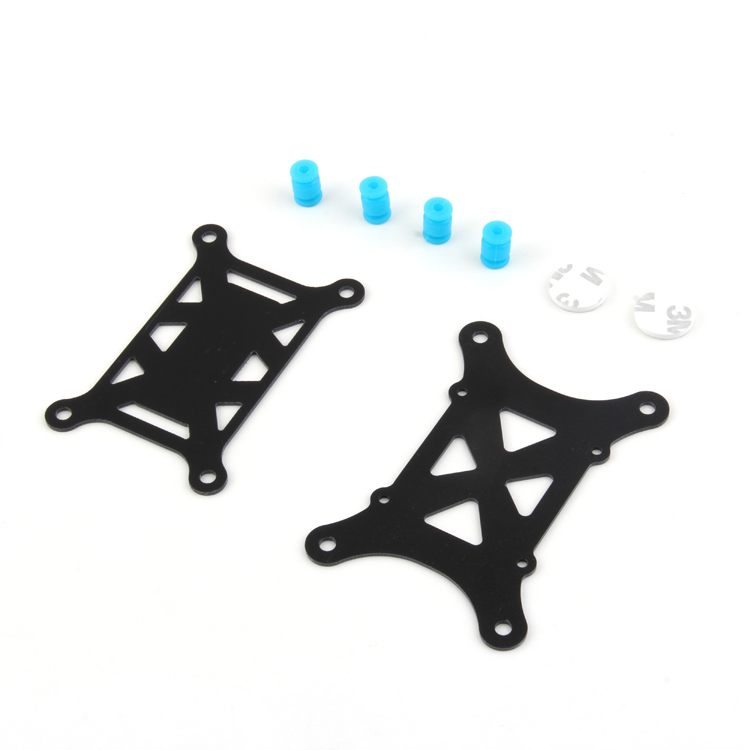
Anti-Vibration Shock Absorber for APM/KK/MWC/PixHawk
Critical for altitude-hold builds — mechanical vibration isolation for PixHawk and APM flight controllers prevents IMU and barometer noise that destabilises altitude hold.
Flight Controller Configuration Overview
The approach to configuring altitude hold with barometer + optical flow depends on your flight controller firmware. ArduPilot (ArduCopter) provides the most sophisticated sensor fusion implementation. iNav offers a good middle ground for FPV pilots who want basic position and altitude hold. Betaflight’s altitude hold is more rudimentary but works for basic applications.
ArduPilot Setup for Barometer + Optical Flow
Step 1: Configure Rangefinder
In Mission Planner, navigate to Config → Full Parameter List. Set:
RNGFND1_TYPE = 1 (Analog) or appropriate type for your rangefinder
RNGFND1_MAX_CM = 400 (4 metres for VL53L0X)
RNGFND1_MIN_CM = 5
RNGFND1_ORIENT = 25 (downward facing)
Step 2: Configure Optical Flow Sensor
FLOW_TYPE = 6 (for PMW3901-based sensors on SPI) or 1 (for PX4FLOW on I2C)
FLOW_FXSCALER = 0 (calibrate after initial testing)
FLOW_FYSCALER = 0
FLOW_ORIENT_YAW = 0 (adjust if sensor is rotated)

# Enable EKF optical flow fusion
EK2_FLOW_DELAY = 10 (ms — adjust for your sensor latency)
EK3_FLOW_DELAY = 10
Step 3: EKF Source Configuration
For indoor or GPS-denied altitude hold, configure the EKF to use optical flow as the primary position source:
# ArduCopter 4.1+
EK3_SRC1_POSXY = 5 (OpticalFlow)
EK3_SRC1_VELXY = 5 (OpticalFlow)
EK3_SRC1_POSZ = 1 (Baro)
EK3_SRC1_VELZ = 0 (None — baro handles Z velocity)

# Keep GPS as fallback source 2
EK3_SRC2_POSXY = 3 (GPS)
EK3_SRC2_VELXY = 3 (GPS)
EK3_SRC2_POSZ = 1 (Baro)
Step 4: Barometer Configuration
The physical foam shielding is critical. Cover the barometer with a small piece of open-cell foam tape. In software:
GND_ALT_OFFSET = 0 (calibrate at ground level)
GND_TEMP = 0 (use temperature sensor on baro)
Step 5: Altitude Hold Tuning Parameters
PSC_VELZ_P = 5.0 (vertical velocity P gain)
PSC_ACCZ_P = 0.5 (vertical acceleration P gain)
PSC_ACCZ_I = 1.0
PSC_ACCZ_D = 0.0
PILOT_VELZ_MAX = 250 (max climb rate in cm/s for AltHold mode)
iNav Setup for Altitude Hold
iNav provides altitude hold through its position estimator, which combines barometer and GPS data (optical flow support varies by iNav version):
Enable BARO in iNav Configurator
- In the Configuration tab, enable Barometer
- If you have optical flow, enable it under Ports with the appropriate UART
- In Advanced Tuning, find the altitude hold PID parameters
iNav Altitude Hold PIDs
set nav_baro_cf = 0.72  # Barometer confidence factor
set nav_use_midthr_for_althold = OFF
set nav_mc_hover_thr = 1500  # Hover throttle — calibrate
set alt_hold_deadband = 50  # Stick deadband around hover throttle
Tuning Altitude Hold Parameters
Calibrating Hover Throttle
The most important parameter for smooth altitude hold is the hover throttle value. This is the throttle percentage at which the drone maintains stable altitude with no acceleration. To calibrate:
- Fly in manual mode and find the throttle position where the drone hovers level
- Note the throttle percentage (usually shown in Betaflight/Mission Planner telemetry)
- Set this as your hover throttle baseline
- In ArduPilot, use
MOT_HOVER_LEARN = 2to enable automatic hover throttle learning during flight
Tuning Vertical Response
Altitude hold tuning follows a similar P-I-D approach as roll/pitch control:
- Too oscillatory: Reduce P gain on altitude. The drone bobs up and down around the target altitude
- Too slow to respond: Increase P gain. The drone accepts altitude changes passively without correcting
- Overshoots and corrects: Add D gain or reduce P slightly. The drone passes the target altitude and takes several oscillations to settle
- Slow steady-state drift: Increase I gain. The drone gradually drifts up or down even without disturbances
Barometer Shielding Test
Blow gently on the side of your drone while it’s in altitude hold mode. If the altitude jumps significantly (more than 30-40cm), your barometer needs better shielding from air currents. The foam pad over the barometer hole is the most effective fix. Some builders use a small tube with a pinhole for slower pressure equalization.
Real-World Use Cases in India
Indoor Inspection and Mapping
GPS signals are often unreliable inside warehouses, industrial facilities, and heritage structures. Optical flow + barometer enables stable flight in GPS-denied environments — critical for industrial inspection work at facilities like textile mills, chemical plants, and cold storage warehouses that are increasingly common in Gujarat, Maharashtra, and UP industrial corridors.
Agricultural Monitoring
For crop health monitoring at fixed altitudes (typically 5-15m), altitude hold ensures consistent image overlap for photogrammetry stitching. Consistent altitude means consistent ground sample distance (GSD) in your imagery, making analysis more accurate and comparable between surveys.
Photography and Cinematography
For smooth cinematic footage, altitude hold removes the constant micro-throttle corrections that appear as subtle vertical oscillation in stabilised video. Combined with a gimbal, altitude-hold drones produce noticeably steadier footage in all conditions.
Search and Rescue in Hilly Terrain
In India’s diverse terrain — from the Himalayas to the Western Ghats — altitude hold allows operators to focus on the search task rather than piloting technique. A drone following a ridgeline at constant AGL (above ground level) altitude is far more useful than one drifting up and down.

3DR 100mW Radio Telemetry 915MHz For APM PX4 Pixhawk
Essential for ArduPilot-based altitude hold builds — provides real-time telemetry link to Mission Planner for monitoring altitude hold performance and parameter tuning during flight.
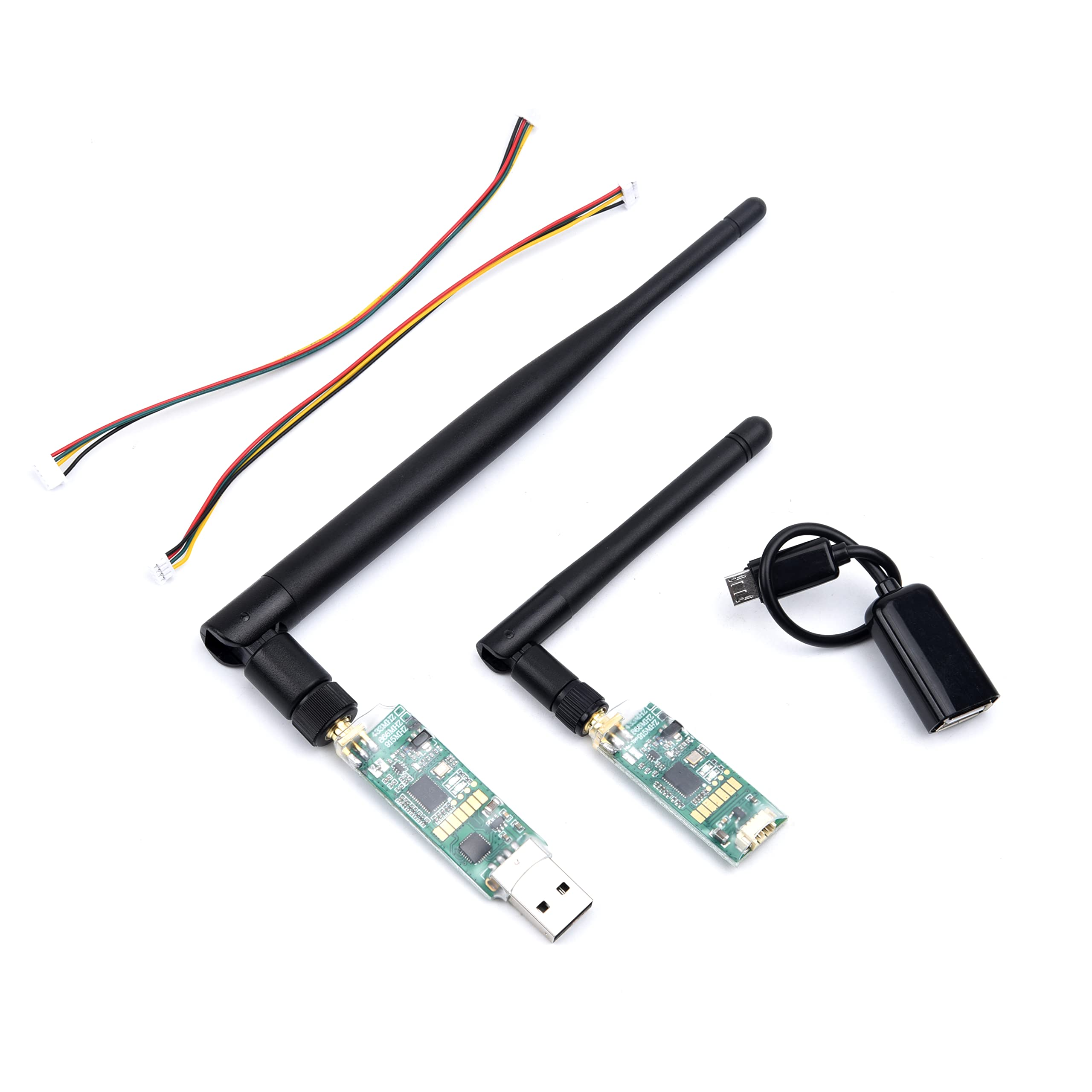
3DR Single TTL MINI Radio Telemetry 433MHz 500mW for PIXHAWK and APM FC
Compact 433MHz telemetry module with 500mW power for longer range telemetry. Pairs with Mission Planner for real-time altitude monitoring and in-flight parameter adjustments.
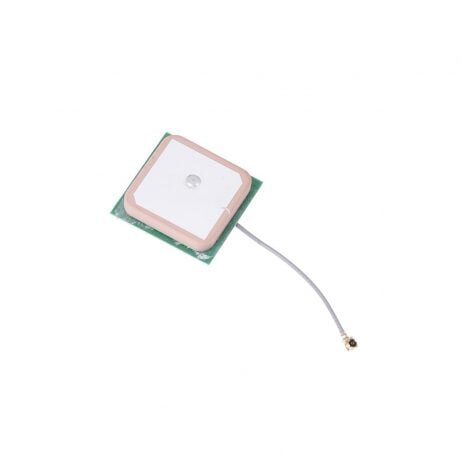
25x25x8mm 28dB High Gain Ceramic Active GPS Antenna for NEO-6M/7M/8M
High-gain GPS antenna for PixHawk-based altitude hold builds. Strong GPS lock provides the position reference needed for full outdoor altitude and position hold functionality.
Frequently Asked Questions
Can I use altitude hold indoors without GPS?
Yes — that’s actually where barometer + optical flow fusion shines. GPS signals are unreliable or completely unavailable indoors. With optical flow providing horizontal position hold and the barometer providing altitude reference, you can achieve stable hover indoors. The key limitation is that optical flow needs a textured, illuminated surface below the drone to work.
How accurate is barometer + optical flow altitude hold?
In calm conditions with a well-tuned system and good optical flow sensor placement, you can achieve ±5-15 cm altitude accuracy. In windy conditions (more than 20 kmh), expect ±30-50 cm as the barometer gets affected by pressure changes. Adding a LIDAR rangefinder significantly improves accuracy near the ground.
What is the minimum recommended altitude for optical flow to work reliably?
Most optical flow sensors need at least 30-50 cm above the ground to avoid the turbulent air directly under the props. Maximum reliable altitude depends on the sensor — consumer-grade sensors work up to 3-5 metres; professional sensors extend to 10-15 metres. Above optical flow’s reliable range, the barometer takes over as the primary altitude reference.
Does my existing Betaflight-based FPV quad support altitude hold?
Betaflight does have a Baro Alt Hold mode, but it’s significantly less sophisticated than ArduPilot or iNav. For basic photography drones, Betaflight altitude hold may be sufficient. For professional or research applications requiring precise altitude hold, consider iNav (which adds navigation features) or ArduPilot (which provides the most complete sensor fusion).
How do I shield the barometer from prop wash?
The simplest effective method is a small piece of open-cell foam (like the foam packaging material that came with your electronics) placed over the barometer hole on the FC. It must be porous enough to allow slow air equalization while blocking fast pressure pulses. Double-sided tape holds it in place. Some pilots also tilt the foam slightly to create a vented chamber effect.
Build Your Altitude Hold Drone
From PixHawk flight controllers and telemetry modules to GPS antennas and vibration dampers — Zbotic stocks everything you need for a stable altitude hold drone build. Browse our Drones & FPV category for the full range.






Add comment