
One of the most underused features of the ESP32 is its dual-core architecture. While most Arduino sketches run everything on Core 1 (the application core), ESP32 dual core task split programming lets you distribute work across both cores — dramatically improving performance and responsiveness in complex IoT projects. In this guide we will cover everything from the basics of FreeRTOS tasks to real-world examples of splitting sensor reading, networking, and UI tasks across both ESP32 cores.
Understanding ESP32 Dual-Core Architecture
The ESP32 contains two Xtensa LX6 processor cores, each running at up to 240MHz. Espressif names them:
- PRO_CPU (Core 0): The protocol CPU. By default, the Wi-Fi and Bluetooth stack runs here. This is the radio-handling core.
- APP_CPU (Core 1): The application CPU. This is where the Arduino
setup()andloop()run by default.
Both cores share the same address space, peripherals, and memory — there is no separate memory bus between them. Communication between cores happens via shared RAM, protected by FreeRTOS synchronisation primitives (queues, semaphores, mutexes, event groups).
The key insight is: Core 0 is often sitting idle while Core 1 is busy running your application. If you have time-sensitive tasks (sensor polling, display updates, audio processing), you can offload them to Core 0 while Core 1 handles Wi-Fi, MQTT, and HTTP.
Important caveat: When Wi-Fi is active, Core 0 is partially busy handling radio tasks. However, Wi-Fi tasks do not run 100% of the time — they burst to handle packets and then sleep. This means Core 0 still has significant available capacity for your application tasks even with Wi-Fi enabled.

Ai Thinker NodeMCU-32S-ESP32 Development Board – IPEX Version
The NodeMCU-32S gives you access to the full dual-core ESP32 — the ideal board to experiment with FreeRTOS multi-core programming and IoT task splitting.
FreeRTOS Basics: Tasks, Priorities, and Scheduling
The ESP32’s Arduino framework is built on top of FreeRTOS, a real-time operating system. Even your standard setup() and loop() run inside a FreeRTOS task. Understanding a few key concepts is essential before splitting tasks across cores:
- Task: A self-contained function that runs as an independent thread with its own stack. FreeRTOS can run many tasks simultaneously (time-sliced on a single core, or truly parallel on two cores).
- Priority: A number from 0 (lowest) to configMAX_PRIORITIES-1 (highest). Higher priority tasks preempt lower priority ones. Arduino’s
loop()runs at priority 1. - Stack size: Each task gets its own stack. You must allocate enough stack — stack overflows are a common cause of ESP32 resets.
- Core affinity: You can pin a task to run only on Core 0 or Core 1, or let FreeRTOS schedule it on whichever core is free.
Pinning Tasks to Specific Cores
The Arduino ESP32 framework provides xTaskCreatePinnedToCore() to create a task on a specific core. Here is its signature:
BaseType_t xTaskCreatePinnedToCore(
    TaskFunction_t  pvTaskCode,     // Function to run as the task
    const char*     pcName,         // Task name (for debugging)
    const uint32_t  usStackDepth,   // Stack size in words (not bytes)
    void*           pvParameters,   // Parameter passed to task function
    UBaseType_t     uxPriority,     // Task priority
    TaskHandle_t*   pvCreatedTask,  // Handle to the created task (or NULL)
    const BaseType_t xCoreID        // 0 or 1 to pin; tskNO_AFFINITY for either
);
Here is a complete example that reads a DHT sensor on Core 0 while sending MQTT data on Core 1:
#include <WiFi.h>
#include <PubSubClient.h>
#include <DHT.h>

#define DHTPIN 4
#define DHTTYPE DHT11

// Shared data between tasks (protected by mutex)
float g_temperature = 0.0;
float g_humidity    = 0.0;
SemaphoreHandle_t xMutex;

DHT dht(DHTPIN, DHTTYPE);
WiFiClient espClient;
PubSubClient mqttClient(espClient);

// Task on Core 0: Read sensors continuously
void sensorTask(void* pvParam) {
    dht.begin();
    for(;;) {
        float t = dht.readTemperature();
        float h = dht.readHumidity();
        if (!isnan(t) && !isnan(h)) {
            xSemaphoreTake(xMutex, portMAX_DELAY);
            g_temperature = t;
            g_humidity    = h;
            xSemaphoreGive(xMutex);
        }
        vTaskDelay(pdMS_TO_TICKS(2000)); // Read every 2 seconds
    }
}

// Task on Core 1: Publish to MQTT every 30 seconds
void mqttTask(void* pvParam) {
    mqttClient.setServer("192.168.1.100", 1883);
    for(;;) {
        if (!mqttClient.connected()) mqttClient.connect("ESP32_Node");
        mqttClient.loop();

        xSemaphoreTake(xMutex, portMAX_DELAY);
        float t = g_temperature;
        float h = g_humidity;
        xSemaphoreGive(xMutex);

        mqttClient.publish("home/temp", String(t).c_str());
        mqttClient.publish("home/hum",  String(h).c_str());

        vTaskDelay(pdMS_TO_TICKS(30000));
    }
}

void setup() {
    Serial.begin(115200);
    xMutex = xSemaphoreCreateMutex();

    WiFi.begin("YOUR_SSID", "YOUR_PASS");
    while (WiFi.status() != WL_CONNECTED) delay(500);

    // Pin sensor reading to Core 0 (alongside Wi-Fi)
    xTaskCreatePinnedToCore(sensorTask, "SensorTask", 4096, NULL, 2, NULL, 0);

    // Pin MQTT publishing to Core 1 (the app core)
    xTaskCreatePinnedToCore(mqttTask, "MQTTTask", 8192, NULL, 1, NULL, 1);
}

void loop() {
    // Intentionally left empty — all work done in tasks
    vTaskDelay(portMAX_DELAY);
}
Notice the xSemaphoreCreateMutex() and xSemaphoreTake/Give() calls. The mutex ensures that the sensor task and MQTT task never read and write the shared variables at the same time — without this, you can get corrupted readings (called a race condition).
Inter-Task Communication: Queues and Semaphores
FreeRTOS provides several mechanisms for safe communication between tasks running on different cores:
Queues
A queue is a FIFO buffer for passing data between tasks without shared variables. The sending task writes to the queue; the receiving task reads from it. Queues are thread-safe by design:
// Create a queue for 10 float values
QueueHandle_t sensorQueue = xQueueCreate(10, sizeof(float));

// In sensor task (sender):
float temp = dht.readTemperature();
xQueueSend(sensorQueue, &temp, pdMS_TO_TICKS(100));

// In MQTT task (receiver):
float receivedTemp;
if (xQueueReceive(sensorQueue, &receivedTemp, pdMS_TO_TICKS(0)) == pdTRUE) {
    // Use receivedTemp
}
Semaphores and Mutexes
- Binary semaphore: Used to signal from one task to another (e.g. “new data is ready”)
- Counting semaphore: Allows N tasks to access a resource simultaneously
- Mutex (mutual exclusion): Ensures only one task accesses a shared resource at a time
Event Groups
Event groups let you set and clear bit flags that multiple tasks can wait on. Useful for synchronising many tasks without complex logic.
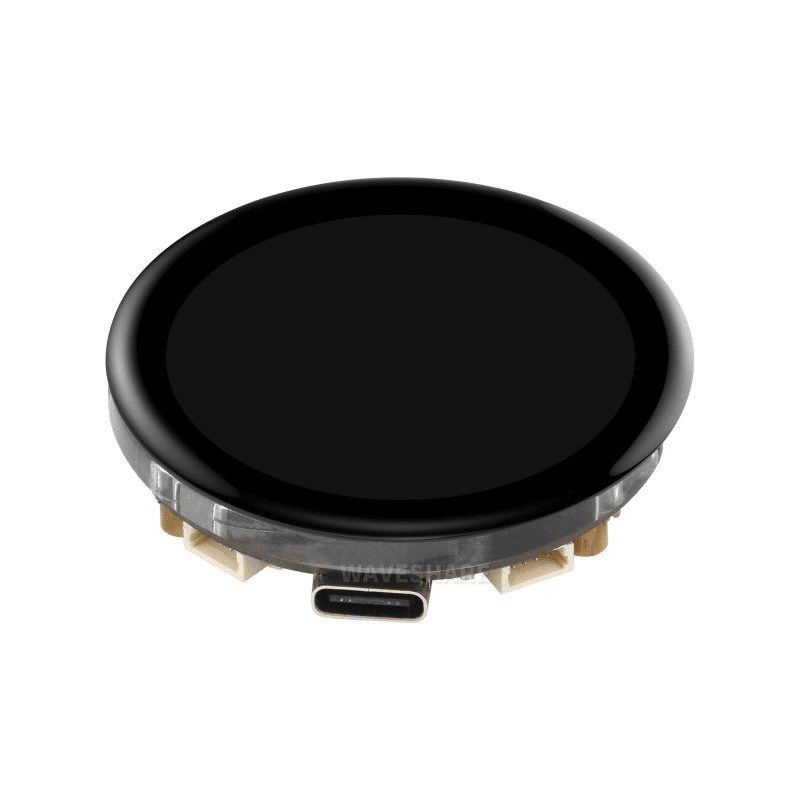
Waveshare ESP32-S3 1.43inch AMOLED Display Development Board
This ESP32-S3 board with built-in display is ideal for dual-core projects where one core drives the UI while the other handles sensors and networking — all in one compact package.
Practical Examples: Real IoT Use Cases
Here are proven task split patterns for common IoT project types:
Pattern 1: Display + Networking
This is the most popular split. Updating a TFT or OLED display in a tight loop while simultaneously handling Wi-Fi causes lag and glitches in single-core mode. Split it:
- Core 0: Display refresh task (updates screen at 30fps using LVGL or TFT_eSPI)
- Core 1: Wi-Fi, MQTT, HTTP server task
- Shared: Data struct protected by a mutex
Pattern 2: Audio + Control
For I2S audio streaming (web radio), keeping Wi-Fi and audio on separate cores eliminates audio stuttering:
- Core 0: Audio decoding and I2S output task (time-critical, needs uninterrupted CPU time)
- Core 1: Wi-Fi management, station selection button handling, serial commands
Pattern 3: Fast Sampling + Batch Upload
For industrial monitoring or power quality analysis where you need high sample rates:
- Core 0: ADC sampling task running at 1kHz+ filling a ring buffer
- Core 1: Process the ring buffer data, apply filters, and upload to MQTT/HTTP in batches
Pattern 4: Sensor Fusion
For robotics or drones with multiple sensors requiring real-time fusion:
- Core 0: IMU reading at 100Hz + complementary filter
- Core 1: Motor control commands, Wi-Fi OTA updates, telemetry

BMP280 Barometric Pressure and Altitude Sensor I2C/SPI Module
High-accuracy pressure and temperature sensor that integrates perfectly into a dual-core ESP32 setup — sample it on Core 0 while Core 1 handles data upload and display.
Common Mistakes and How to Avoid Them
Mistake 1: Accessing shared variables without a mutex
This causes race conditions — unpredictable corrupted values, occasional wrong readings, or hard-to-reproduce bugs. Always use a mutex or queue when two tasks share data, even if the variable is a single float. On ESP32 (32-bit architecture), 32-bit float reads/writes are NOT guaranteed to be atomic.
Mistake 2: Using delay() in FreeRTOS tasks
Arduino’s delay() blocks the task AND wastes CPU cycles by busy-waiting. In FreeRTOS tasks, always use vTaskDelay(pdMS_TO_TICKS(ms)) instead — this yields the core to other tasks during the wait period.
Mistake 3: Insufficient stack size
Stack overflows cause silent resets. Start with 8192 bytes of stack for complex tasks (especially those using Wi-Fi libraries). Use uxTaskGetStackHighWaterMark(NULL) in your task to check how much stack headroom remains.
Mistake 4: Calling non-thread-safe Arduino libraries from multiple tasks
Many Arduino libraries (including Serial, Wire, SPI) are not thread-safe. If two tasks need to use the same peripheral, protect all accesses with a shared mutex. Alternatively, dedicate one task exclusively to each peripheral.
Mistake 5: Creating too many high-priority tasks
If every task runs at maximum priority, FreeRTOS has no ability to preempt and schedule fairly. Use priorities carefully: put real-time-critical tasks at higher priority and background tasks at lower priority.
Measuring Core Load and Performance
FreeRTOS provides run-time statistics that show how much CPU time each task has consumed. Enable it by adding to your sketch:
char taskStats[1024];
vTaskGetRunTimeStats(taskStats);
Serial.println(taskStats);
This prints a table showing each task name, state, priority, stack watermark, and CPU time percentage. This is invaluable for identifying bottlenecks — if one task shows 95% CPU usage, it is a candidate for splitting further or optimising.
You can also use the ESP32’s esp_timer_get_time() to benchmark specific code sections and verify that your dual-core split is actually improving latency.
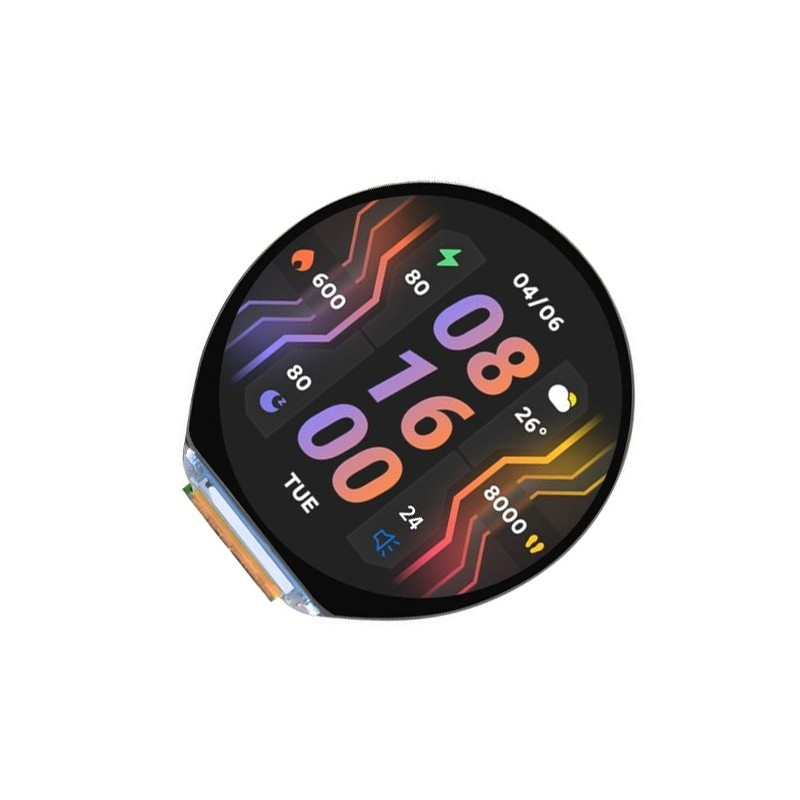
Waveshare ESP32-S3 1.46inch Round Display – WiFi, Bluetooth, Speaker and Mic
A feature-packed ESP32-S3 board that benefits enormously from dual-core programming — run UI on one core and audio/networking on the other for a seamless smart display experience.
Frequently Asked Questions
Does ESP32 dual-core programming require FreeRTOS knowledge?
You need to know the basics: how to create tasks, use vTaskDelay, and protect shared data with a mutex. You do not need to understand the full FreeRTOS API to get started. The examples in this article cover 80% of what most IoT projects need.
Can I run Arduino libraries on Core 0?
Most Arduino libraries are designed for single-core use. Libraries that use hardware peripherals (SPI, I2C, UART) must be accessed from only one task at a time. Use a mutex if multiple tasks need the same peripheral, or dedicate one task to each peripheral and use queues to pass data.
Does the ESP32-S3 also have dual cores?
Yes — the ESP32-S3 has dual Xtensa LX7 cores running at up to 240MHz, which is faster than the LX6 in the original ESP32. The same FreeRTOS programming model applies, and task pinning works identically.
Will my ESP32 get hotter running both cores at full speed?
The ESP32 typically runs 5–10°C above ambient at full load. This is within the operating range of the chip (up to 125°C junction temperature). However, if you are running your ESP32 inside an enclosed enclosure in a hot Indian summer, consider adding a small heatsink or thermal pad.
Is the ESP32-C3 (single core) suitable for multi-task projects?
The ESP32-C3 has only one core. FreeRTOS tasks still run on it (time-sliced), but there is no true parallelism. For truly concurrent operations like simultaneous audio streaming and display updates, the dual-core ESP32 or ESP32-S3 is required.
Power Your Next IoT Project with Zbotic
Zbotic offers the full range of ESP32 development boards — from the classic dual-core DevKit to the powerful ESP32-S3 with AMOLED displays. All stocked and shipped from India with fast delivery.






Add comment