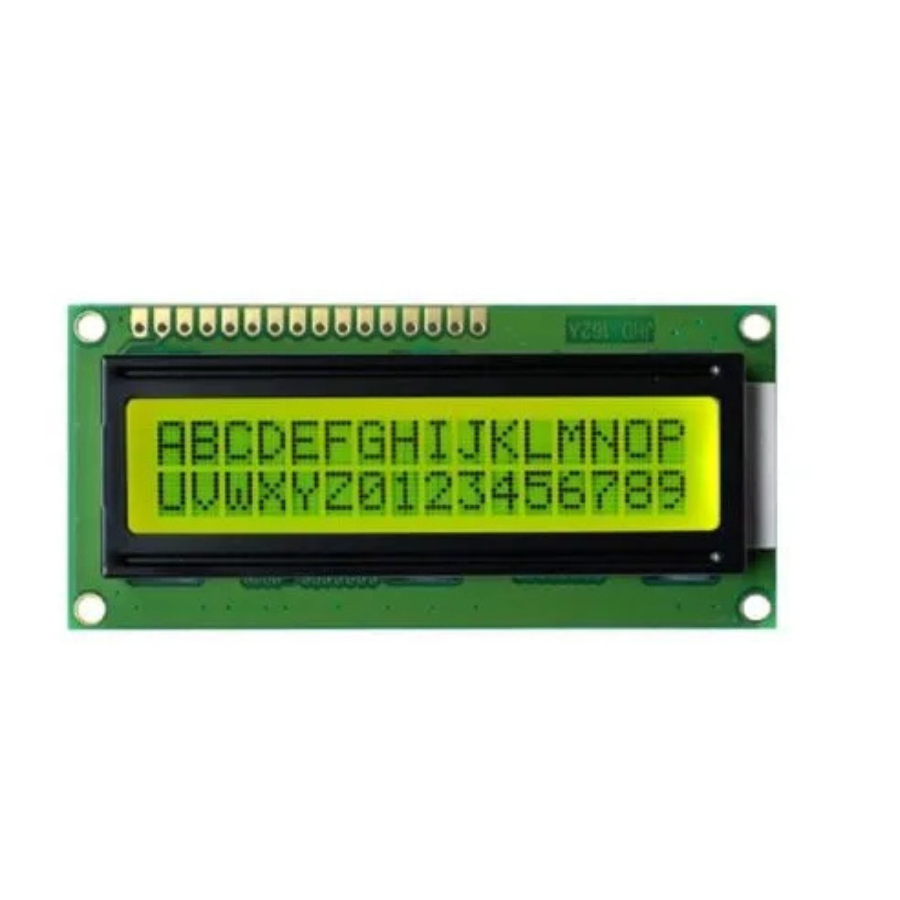
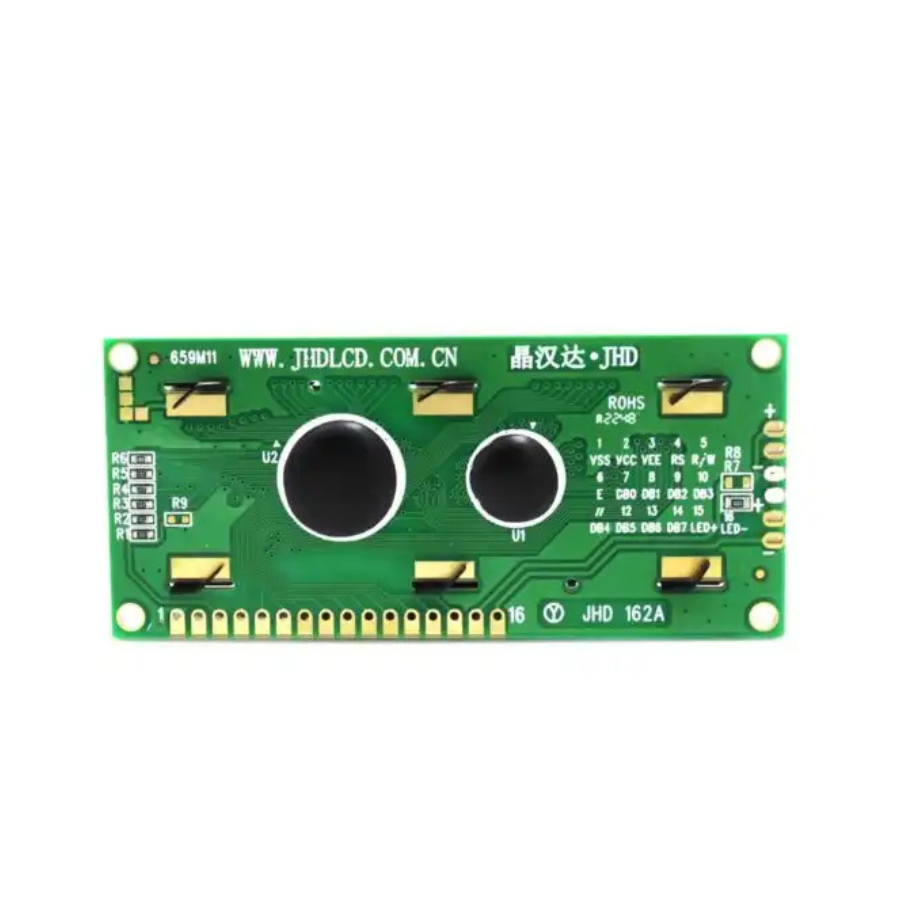

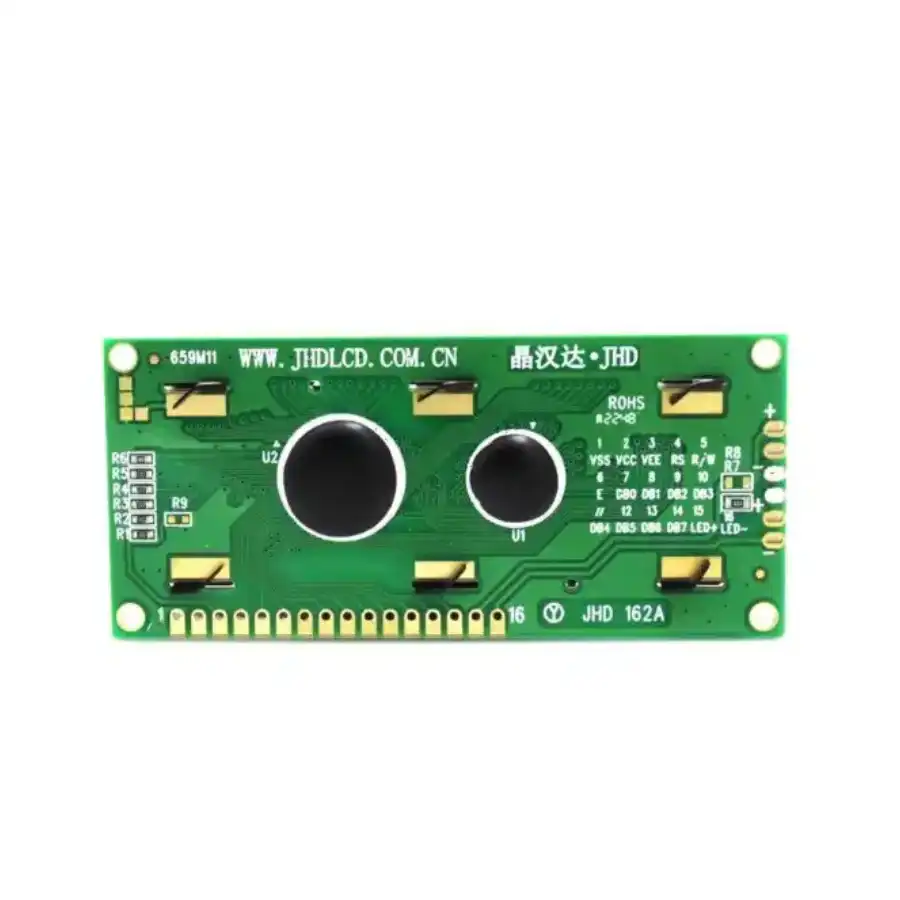
This is the Green variant of the JHD 16×2 Character LCD Display with Green Backlight in TFT LCD Displays. Available at ₹141.60 (₹120.00 + GST) with free shipping across India.
JHD 16×2 Character LCD Display with Green Backlight
Description:
If you want to add some visual output to your Arduino projects, you’ll need a display. If you need only a little to display, the LCD 16×2 Parallel LCD Display is a quite good solution.
This is the great yellow backlight LCD display. It is fantastic for Arduino based project. This LCD 16×2 Parallel LCD Display with Yellow Backlight is very easy to interface with Arduino or Other Microcontrollers.This is LCD 16×2 Parallel LCD Display that provides a simple and cost-effective solution for adding a 16×2 Black on RGB Liquid Crystal Display into your project. The display is 16 characters by 2-line display has a very clear and high contrast black text upon a yellow background/backlight.
The values shown on the display can be either simple text or numerical values read by the sensors, such as temperature or pressure, or even the number of cycles that the Arduino is performing.
Note: This is a genuine JHD Display as there are many fake JHD Displays in the Market.
Features:
- 16 characters wide, 2 rows
- Black text on the yellow background
- Single LED backlight included can be dimmed easily with a resistor or PWM.
- Can be fully controlled with only 6 digital lines! (Any analog/digital pins can be used)
Tutorial:
https://www.electronicwings.com/sensors-modules/lcd-16×2-display-module
Package Includes:
1 x JHD 16×2 Character LCD Display with Green Backlight
JHD 16×2 Character LCD Display with Green Backlight Overview
The JHD 16×2 Character LCD Display with Green Backlight (Model: JHD659 Y/YG) is a compact parallel-interface module that shows up to 32 alphanumeric characters on two lines. With its high-contrast black text on a green backlight, it is ideal for adding readable visual output to Arduino, Raspberry Pi, and other microcontroller projects.
Key Features of JHD 16×2 Character LCD Display with Green Backlight
- 16×2 character format for clear display of messages and data
- Green LED backlight for excellent readability in various lighting conditions
- SPLC780D controller with 1/16 duty driver for reliable performance
- Parallel 8-bit or 4-bit interface simplifies connection to microcontrollers
- Compact dimensions: 80.0×36.0×14.5 mm outline, 64.5×14.5 mm viewing area
- Character cell size of 2.95×4.35 mm for sharp, legible text
- Genuine product with fast shipping from Zbotic—in-stock items ship within 24 hours
Applications and Use Cases
- Arduino-based weather stations showing temperature, humidity, and time
- Menu-driven user interfaces on DIY embedded panels
- Status indicators in home automation systems
- Real-time data display for sensors or industrial controls
- Debugging and development feedback on microcontroller prototypes
- Custom alarm clocks or countdown timers
How to Use JHD 16×2 Character LCD Display with Green Backlight
To get started, wire VCC (5 V) and GND to power pins, connect RS, RW, and E control pins plus D4–D7 data lines (for 4-bit mode) to your microcontroller, and add a potentiometer to the Vo pin for contrast adjustment. Include a suitable LCD library (e.g., LiquidCrystal for Arduino) in your code, initialize the display with its SPLC780D controller settings, and use standard commands to print text, move the cursor, or clear the screen. Adjust the backlight current resistor if you need to fine-tune brightness.
Why Buy from Zbotic?
- Genuine Products: All items sourced from authorized distributors
- Fast Shipping: Orders ship within 24 hours with tracking (non backordered products)
- Free Shipping: Free delivery on qualifying orders
- COD Available: Cash on Delivery, UPI, cards, net banking
- Technical Support: Expert help for setup and troubleshooting
- Easy Returns: Hassle-free replacement for defective products
Frequently Asked Questions
How do I interface the JHD659 display with an Arduino?
Use the Arduino LiquidCrystal library in 4-bit mode by wiring RS, E, D4–D7, VCC, GND, and a contrast potentiometer to Vo. Initialize with LiquidCrystal(rs, en, d4, d5, d6, d7) and call lcd.begin(16, 2).
Can I adjust the backlight brightness of this LCD?
Yes. You can insert a series resistor or use a PWM pin on your microcontroller to modulate the anode/cathode current of the green LED backlight for dimming.
What supply voltage and current does this module require?
The display operates at 5 V for both logic and backlight. Typical current draw is around 1 mA for logic and up to 20 mA for the backlight, depending on brightness settings.

I2C LCD 20×4: Displaying Multiple Lines with Arduino
The 20x4 LCD with an I2C backpack is one of the most useful display modules in any Arduino...
Read More →
Arduino DHT11 Troubleshooting: Fix NaN and Timeout Errors
The DHT11 is the most popular entry-level temperature and humidity sensor in the hobbyist world — cheap, easy...
Read More →
Arduino Waveform Generator: Build a Function Generator with DDS
An Arduino function generator using DDS (Direct Digital Synthesis) is one of the most rewarding electronics projects you...
Read More →Technical Specifications
| Brand | JHD |
|---|---|
| Package Quantity | 2 pcs |
| Color | Green |
| SKU | AI4254 |
| Weight | 0.04 kg |
| Availability | In Stock |
Applications & Use Cases
The JHD 16×2 Character LCD Display with Green Backlight is a versatile tft lcd displays used across a wide range of applications including embedded HMI interfaces, Raspberry Pi touchscreen projects, Arduino display projects, industrial control panels, and information kiosks.
Common use cases:
- Adding a touch display to a Raspberry Pi project
- Building a portable game console
- Creating a dashboard for sensor data
This product is ideal for embedded developers, IoT makers, and industrial engineers.
Technical Tip: Check interface type (SPI, I2C, HDMI, RGB) and driver IC compatibility with your development board. IPS panels offer better viewing angles than TN.
Shipping & Delivery
- Free shipping on orders above ₹999 across India
- Dispatched within 1-3 business days
- Expected delivery: 3-7 business days depending on location
- Secure packaging to ensure safe transit of electronic components
- Genuine JHD product sourced from authorized channels