
A watchdog timer embedded in your microcontroller is one of the most underappreciated reliability features in all of electronics. If you have ever deployed a project in the field — a weather station, a smart relay, an IoT node — only to find it frozen solid days later, requiring a manual power cycle, you needed a watchdog timer. This hardware peripheral is your system’s automatic reset mechanism, and understanding it could be the difference between a product that runs reliably for years and one that requires constant babysitting. This guide explains how watchdog timers work and how to use them in your Arduino and embedded projects.
What Is a Watchdog Timer?
A watchdog timer (WDT) is a hardware timer built into the microcontroller that counts down independently from the main program. The firmware must periodically “pet” or “kick” the watchdog — resetting its counter before it reaches zero. If the firmware fails to do this within the configured time period (because it is stuck in an infinite loop, waiting for a peripheral that never responds, or has crashed), the watchdog timer expires and triggers a system reset.
Think of it like a dead man’s switch on a train: the driver must press a button every so often to prove they are alive and conscious. If they fail to press it (because they collapsed), the train automatically applies the emergency brakes. In your MCU, the “dead man’s switch” is the watchdog pet, and the “emergency brakes” are the system reset.
The key property that makes a watchdog timer valuable is that it runs from a completely separate oscillator — often an internal RC oscillator that is independent of the main CPU clock. Even if the CPU clock fails or the main firmware freezes, the watchdog timer continues running and will eventually reset the system.
How a Watchdog Timer Works
The operating cycle of a watchdog timer is simple:
- Enable and configure: Firmware enables the WDT and sets a timeout period (e.g., 1 second on an ATmega328P).
- Timer counts down: The WDT hardware counter begins counting, driven by its own independent oscillator (~128 kHz internal RC on AVR).
- Firmware pets the watchdog: In the main loop, the firmware calls a “reset” instruction (WDR on AVR, IWDG_KR on STM32) that resets the WDT counter to zero, restarting the countdown.
- Normal operation: As long as the firmware pets the WDT faster than the timeout, the counter never reaches zero and no reset occurs.
- Firmware hangs: If the firmware gets stuck — infinite loop, deadlock, waiting forever for a sensor — it stops petting the WDT. The counter reaches zero.
- WDT action: Depending on configuration, the WDT either resets the entire system or triggers an interrupt (allowing the firmware to log the event before resetting).
On reset, the firmware can check the reset source register to determine whether the last reset was caused by a watchdog timeout, power-on, external reset pin, or brownout detector. This allows the firmware to log WDT resets and alert the user or a remote monitoring system.
Why Embedded Systems Hang and Freeze
Understanding why firmware hangs helps you appreciate why a WDT is not optional for real-world deployments. Common causes include:
- Infinite loops: Waiting for a flag or condition that never becomes true. Example:
while (!Serial.available());— if nothing is connected, this blocks forever. - Deadlocks: Two tasks each waiting for a resource held by the other.
- Stack overflow: Recursive functions or deep call chains exceed available RAM, corrupting the stack and causing unpredictable behaviour.
- Peripheral timeout failure: A sensor or module stops responding (power glitch, I2C bus lockup), and the firmware waits indefinitely for a response that never comes.
- Memory corruption: A bug writes past the end of an array, corrupting code or data that causes unpredictable execution.
- Hardware faults: Brownout conditions, power supply glitches, or ESD events can corrupt CPU registers or cause the program counter to jump to an undefined location.
- Cosmic rays (SEU): In high-radiation environments (industrial, automotive, aerospace), single-event upsets can flip bits in RAM or registers — a watchdog is one line of defence.

DHT11 Temperature and Humidity Sensor Module with LED
A popular sensor that sometimes causes firmware hangs due to timing-sensitive one-wire protocol. Always use a watchdog timer when polling DHT11 in production systems.
Types of Watchdog Timers
Window Watchdog Timer (WWDT)
A standard WDT only requires that you pet it before the timeout. A Window Watchdog Timer adds an additional constraint: you must pet it within a specific time window — not too early, and not too late. Petting the WWDT too early (before the lower bound) or too late (after the timeout) both trigger a reset.
This is useful in safety-critical applications where abnormally fast loop execution is also a sign of trouble. STM32 MCUs have both an IWDG (Independent Watchdog) and a WWDG (Window Watchdog) for exactly this reason.
Software Watchdog Timer
A software WDT is implemented using a timer peripheral interrupt. It can provide more sophisticated behaviour — monitoring multiple tasks, providing different timeout windows for different parts of the code, or triggering a graceful shutdown sequence rather than an immediate reset. However, a software WDT has a critical weakness: if the timer interrupt itself fails, the WDT stops working. For maximum reliability, always combine a hardware WDT with software monitoring.
External Watchdog IC
For the highest reliability, a dedicated external watchdog IC (like the MAX6369 or TPS3823) watches over the MCU from outside. The MCU must toggle a GPIO pin periodically; if it stops, the external IC pulls the MCU’s reset line. This protects against clock failures and power supply issues that might defeat the internal WDT.
Using Watchdog Timer on Arduino
The Arduino avr/wdt.h library makes it straightforward to use the ATmega328P’s hardware watchdog. The WDT supports eight timeout periods from 16ms to 8 seconds.
Basic Usage
#include <avr/wdt.h>

void setup() {
  wdt_enable(WDTO_2S); // Enable WDT with 2-second timeout
  Serial.begin(9600);
}

void loop() {
  // --- Normal work ---
  Serial.println("Alive");
  readSensor();
  processData();
  // --- Pet the watchdog ---
  wdt_reset(); // Must be called at least once every 2 seconds
}
Available Timeout Constants (AVR)
| Constant | Timeout |
|---|---|
| WDTO_15MS | 15 ms |
| WDTO_30MS | 30 ms |
| WDTO_60MS | 60 ms |
| WDTO_120MS | 120 ms |
| WDTO_250MS | 250 ms |
| WDTO_500MS | 500 ms |
| WDTO_1S | 1 second |
| WDTO_2S | 2 seconds |
| WDTO_4S | 4 seconds |
| WDTO_8S | 8 seconds |
Detecting a WDT Reset
After a WDT reset, you can detect it by checking the MCUSR register in setup():
#include <avr/wdt.h>

void setup() {
  uint8_t mcusr = MCUSR;  // Save reset source
  MCUSR = 0;              // Clear flags
  wdt_disable();          // Disable WDT immediately (safety)

  Serial.begin(9600);
  if (mcusr & (1 << WDRF)) {
    Serial.println("WARNING: Last reset was caused by Watchdog Timer!");
    // Log to EEPROM, send alert, etc.
  }

  wdt_enable(WDTO_2S);    // Re-enable WDT
}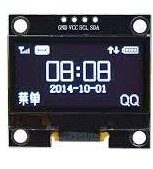
1.3 Inch I2C 128×64 White OLED Display Module
Add a small OLED display to your embedded project to show watchdog reset counts, uptime, or system status. I2C interface is easy to add to any MCU project.
Watchdog Timer for Power Saving (Sleep Mode)
The watchdog timer has a second useful mode beyond system reset: it can generate a periodic interrupt instead of (or before) a reset. This is extremely useful for ultra-low-power applications where you want the MCU to sleep most of the time and wake up periodically.
On AVR, the WDT can wake the MCU from power-down sleep mode (the deepest sleep, consuming just a few microamps). By using the WDT interrupt mode instead of reset mode, you can create a battery-friendly system that wakes every 8 seconds, takes a reading, transmits data, and goes back to sleep:
#include <avr/sleep.h>
#include <avr/wdt.h>

ISR(WDT_vect) {
  // WDT interrupt — just wake up, do nothing here
  WDTCSR &= ~(1 << WDIE); // Disable WDT interrupt
}

void deepSleep8s() {
  // Configure WDT for interrupt mode, 8s
  MCUSR &= ~(1 << WDRF);
  WDTCSR |= (1 << WDCE) | (1 << WDE);
  WDTCSR = (1 << WDIE) | (1 << WDP3) | (1 << WDP0); // 8s, interrupt only

  set_sleep_mode(SLEEP_MODE_PWR_DOWN);
  sleep_enable();
  sleep_cpu(); // MCU sleeps here
  sleep_disable();
}

void loop() {
  takeMeasurement();
  transmitData();
  deepSleep8s(); // Sleep 8 seconds, then loop again
}
In this mode, the MCU draws only 1–5 µA during sleep (depending on the MCU and supply voltage) versus ~15–20 mA during active operation. A 1000mAh battery could power this system for over 2 years at 8-second wake intervals with brief active periods.

LM35 Precision Temperature Sensor
Ideal for watchdog-protected remote sensor nodes. Read temperature, transmit via RF or GSM, then sleep — with WDT as your safety net for reliable long-term operation.
Best Practices and Common Pitfalls
Best Practices
- Enable the WDT as early as possible in
setup(), after clearing and checking MCUSR. - Choose a realistic timeout. Your worst-case loop time (including all blocking operations like sensor reads, network calls) must be less than the WDT timeout. A 2-second timeout works for most projects.
- Pet the WDT only in the main loop, never inside ISRs or sub-functions. If you pet it everywhere, you lose the safety guarantee — the WDT could be getting pet even while the main loop is stuck.
- Add timeouts to all blocking operations. If you call
WiFi.begin(), add a timeout so it cannot block longer than your WDT period. - Log WDT resets to EEPROM. A counter in EEPROM that increments on every WDT reset is invaluable for diagnosing field failures.
Common Pitfalls
- Bootloader issues: The Arduino bootloader can be incompatible with the WDT — it may not disable the WDT on startup, causing the MCU to repeatedly reset during the bootloader delay. Use an updated bootloader (like Optiboot) or add
MCUSR = 0; wdt_disable();at the very start of setup(). - Petting in long delays: If your code has
delay(5000)and your WDT timeout is 2 seconds, the WDT will reset the MCU. Never usedelay()longer than your WDT timeout. Use non-blocking timing withmillis()instead, or callwdt_reset()during the delay. - Disabling WDT is hard: On some AVR MCUs, once the WDT is enabled by the fuse bits (as a system-level default), it cannot be disabled by software. This is actually a feature in safety-critical applications.
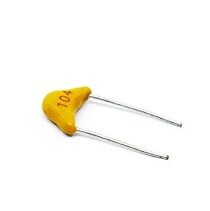
0.1/100nF TH Multilayer Ceramic Capacitor (Pack of 50)
Decoupling capacitors are essential near MCU power pins for a stable supply — preventing brownout resets that can trigger your watchdog timer unnecessarily.
Frequently Asked Questions
Q1: Does the ESP32 have a watchdog timer?
Yes, the ESP32 actually has two watchdogs: a Task Watchdog Timer (TWDT) that monitors FreeRTOS tasks, and an Interrupt Watchdog Timer (IWDT) that monitors ISR execution. The Arduino ESP32 core enables the TWDT by default with a 5-second timeout. You can configure it using esp_task_wdt_init() and pet it with esp_task_wdt_reset().
Q2: What is the difference between a watchdog timer and a brownout detector?
A brownout detector (BOD) monitors the supply voltage and resets the MCU if voltage drops below a safe threshold (e.g., below 2.7V on AVR). A watchdog timer monitors firmware health — it resets if the firmware stops responding. They complement each other: BOD handles power supply issues; WDT handles firmware issues.
Q3: Should I use a watchdog timer in every project?
For any project that will run unattended — especially in the field, outdoors, or in a product — yes, absolutely. For a bench prototype that you are constantly watching and resetting manually, it is optional. The general rule: if a human is not physically present to intervene when the system hangs, you need a watchdog.
Q4: What timeout period should I set for the watchdog?
Set the timeout to be at least 3–5× longer than your typical loop execution time, but short enough to recover quickly from a hang. For most Arduino projects with simple sensors and display updates, 2–4 seconds is a good starting point. If you have network operations (WiFi, GPRS), 8 seconds may be more appropriate to handle legitimate network latency.
Q5: Will a watchdog timer prevent all system hangs?
A watchdog timer will recover from most hangs, but not all. It cannot help if the firmware is in an infinite loop that still reaches and pets the WDT (the program is looping, just not doing useful work). This is where the Window Watchdog (which requires petting within a specific time window) or software health monitors (checking that tasks actually complete their work) add value.
Zbotic stocks sensors, displays, capacitors, and microcontroller components that Indian makers trust for dependable projects. Shop Electronics Components at Zbotic — quality parts delivered fast across India.







Add comment