
Table of Contents
- What Is USB-C Power Delivery?
- How USB-C PD Negotiation Works
- Components Needed for a 65W PD Charger Build
- Circuit Design and Wiring Guide
- Using PD Trigger Modules for Easy Builds
- Safety Tips for High-Power USB-C Projects
- Real-World Applications for Your DIY PD Charger
- Frequently Asked Questions
If you have ever wanted to build your own USB-C Power Delivery 65W fast charger project, you are in the right place. USB-C PD has become the universal standard for charging laptops, tablets, smartphones, and even DIY electronics — and understanding how to harness it opens up a world of possibilities for Indian makers and hobbyists. In this guide we walk through everything from the basics of PD negotiation to a complete step-by-step build for a 65W charger, with practical component recommendations available right here in India.
What Is USB-C Power Delivery?
USB-C Power Delivery (PD) is a charging specification published by the USB Implementers Forum (USB-IF) that allows devices to negotiate higher voltages and currents over a USB-C cable. Unlike the old USB 5V/500mA standard that delivered a paltry 2.5W, USB-C PD can deliver up to 240W under the latest PD 3.1 specification — though 65W (20V/3.25A) remains the sweet spot for most laptop and DIY applications.
The key innovation is the CC (Configuration Channel) line in the USB-C connector. Both devices — the charger (DFP, Downstream Facing Port) and the load (UFP, Upstream Facing Port) — exchange Power Data Objects (PDOs) over this CC line using a half-duplex serial protocol running at 300 kbps. The load requests a specific voltage/current combination, and the charger accepts or proposes an alternative. This handshake happens in milliseconds and enables safe, efficient power transfer.
For a DIY 65W build, you will typically use a GaN (Gallium Nitride) or conventional silicon-based AC-DC converter that can output 5V, 9V, 12V, 15V, and 20V, paired with a USB-C PD controller IC that handles the CC negotiation.
How USB-C PD Negotiation Works
Understanding the negotiation sequence is important before you design any circuit:
- Attach Detection: When a USB-C cable is inserted, the host detects the connection via the CC lines (pull-up on the charger side, pull-down on the device side).
- Capabilities Advertisement: The charger broadcasts its Source_Capabilities PDO list — for example: 5V/3A, 9V/3A, 12V/3A, 15V/3A, 20V/3.25A.
- Request: The device sends a Request_Message asking for its preferred PDO (say 20V/3.25A for a laptop).
- Accept + PS_Ready: The charger accepts and switches its output to 20V, then signals PS_Ready. The entire handshake takes under 50ms.
- Continuous Negotiation: Voltage can be renegotiated mid-session as the device’s power demand changes (e.g., dropping to 9V during idle).
Key voltages in the standard PD profiles: 5V, 9V, 12V, 15V, and 20V. Extended Power Range (EPR) under PD 3.1 adds 28V, 36V, and 48V, but most DIY-relevant hardware targets the standard profiles.
Components Needed for a 65W PD Charger Build
Here is the bill of materials for a practical 65W USB-C PD charger project:
- AC-DC Power Module: A 65W GaN module (e.g., 20V/3.25A) or a repurposed laptop charger brick.
- USB-C PD Controller IC: FUSB302, STUSB4500, or IP2721 are popular choices. The STUSB4500 is programmable via I2C and is great for custom PDO tables.
- USB-C Receptacle: Use a full-featured 24-pin USB-C connector, not a cheap 16-pin variant, to get access to both CC lines.
- Decoupling Capacitors: 100nF + 10µF on the VDD rail of the controller IC.
- Buck Converter (optional): If you want a regulated 5V/3A auxiliary output from the same build, add an XL4016 or MP2307 buck.
- Fuse: A 4A fast-blow fuse on the output is mandatory for protection.
- Enclosure: A plastic project box — never leave a mains-connected project open.
For projects that do not involve mains AC (e.g., you want to consume PD power from an existing charger), you only need a PD Trigger Board — a tiny module with a pre-programmed PD controller that requests a fixed voltage. These are far simpler and safer for most maker projects.
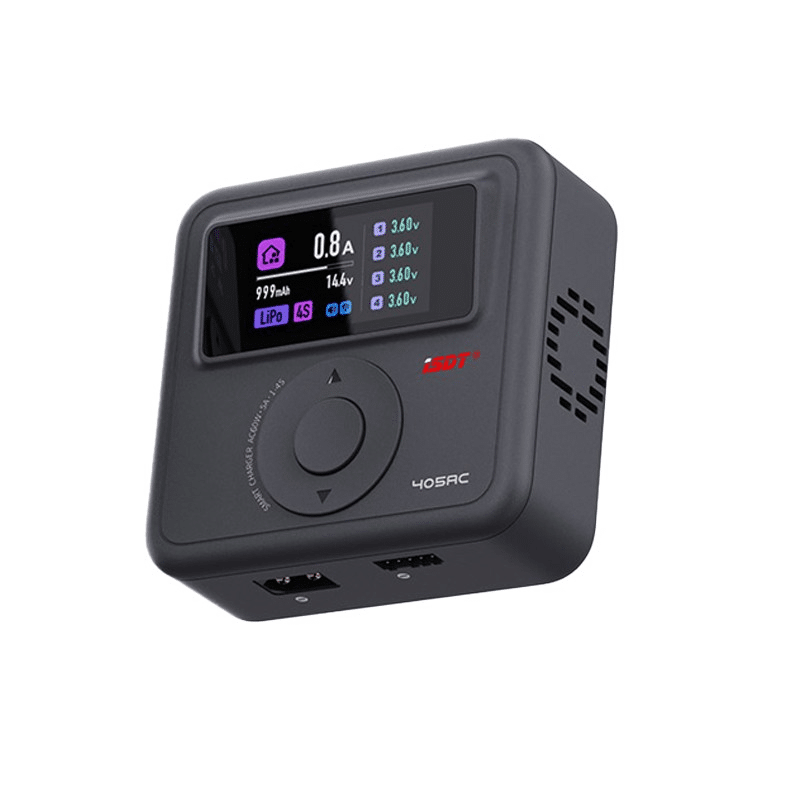
ISDT 405AC 60W AC GaN Smart Charger
A compact 60W GaN-based smart charger supporting 1–4S LiPo/LiHv/LiFe with XT60 output — perfect for understanding GaN power delivery architecture in your 65W PD project.
Circuit Design and Wiring Guide
Below is a step-by-step wiring guide for a PD trigger-based project (the safer, no-mains approach that most hobbyists should start with):
Step 1 — Choose Your PD Trigger Board Voltage
PD trigger boards come pre-set for specific voltages: 5V, 9V, 12V, 15V, or 20V. Select 12V if you are powering a motor driver or LED strips, 20V for a laptop-style load, or 5V for microcontrollers.
Step 2 — Connect the Trigger Board to Your USB-C Source Charger
Plug a USB-C cable from a PD-capable charger (at least 65W rated) into the trigger board’s USB-C input. The board immediately negotiates the programmed voltage. Measure with a multimeter to confirm.
Step 3 — Add Output Filtering
Place a 470µF/35V electrolytic capacitor across the output rails. This smooths any switching noise and protects sensitive loads.
Step 4 — Integrate a 18650-Based Backup Bank
Combine your PD trigger output with a 3S 18650 battery pack + BMS for a 65W pass-through UPS-style power bank. The PD source charges the bank while simultaneously powering the load.
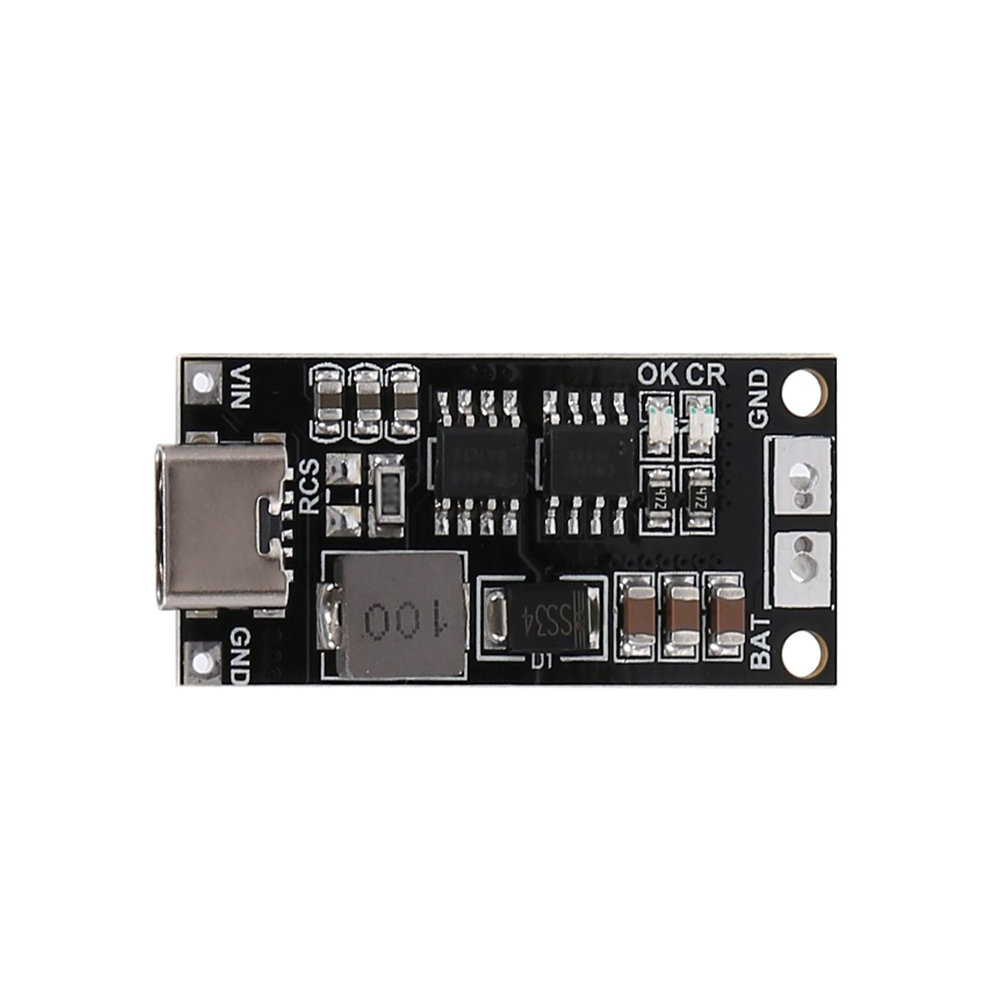
18650 Polymer Lithium ion Charger Type C to 3S 12.6V 2A Booster Module
This Type-C input 3S booster and charger module is a perfect companion for a USB-C PD project, allowing you to charge a 3S 18650 pack directly from any PD charger at 12.6V/2A.
Using PD Trigger Modules for Easy Builds
For Indian makers who want to jump straight into projects without designing PD controller circuits from scratch, PD trigger modules are the answer. These small boards (typically 2×3 cm) integrate a PD sink controller IC, a USB-C female connector, and output pads. You simply set the required voltage using DIP switches or solder bridges, connect a PD charger, and get a clean regulated output.
Common use-cases for PD trigger modules in India:
- 12V LED strip controllers — no separate power adapter needed, just a 65W PD charger.
- FPV drone ground stations — power a 12V monitor + video receiver from one USB-C PD bank.
- Raspberry Pi 5 — the Pi 5 natively supports 5V/5A (25W) PD; a trigger module set to 5V from a 65W charger handles this perfectly.
- Motor driver boards — request 20V from a PD charger to run 6S-equivalent motor drivers on the bench.
When selecting a PD trigger module, check that it supports your charger’s PDO. A 65W charger that only outputs 20V/3.25A will not satisfy a trigger module set to 15V/4.33A (a non-standard PDO). Always verify compatibility.
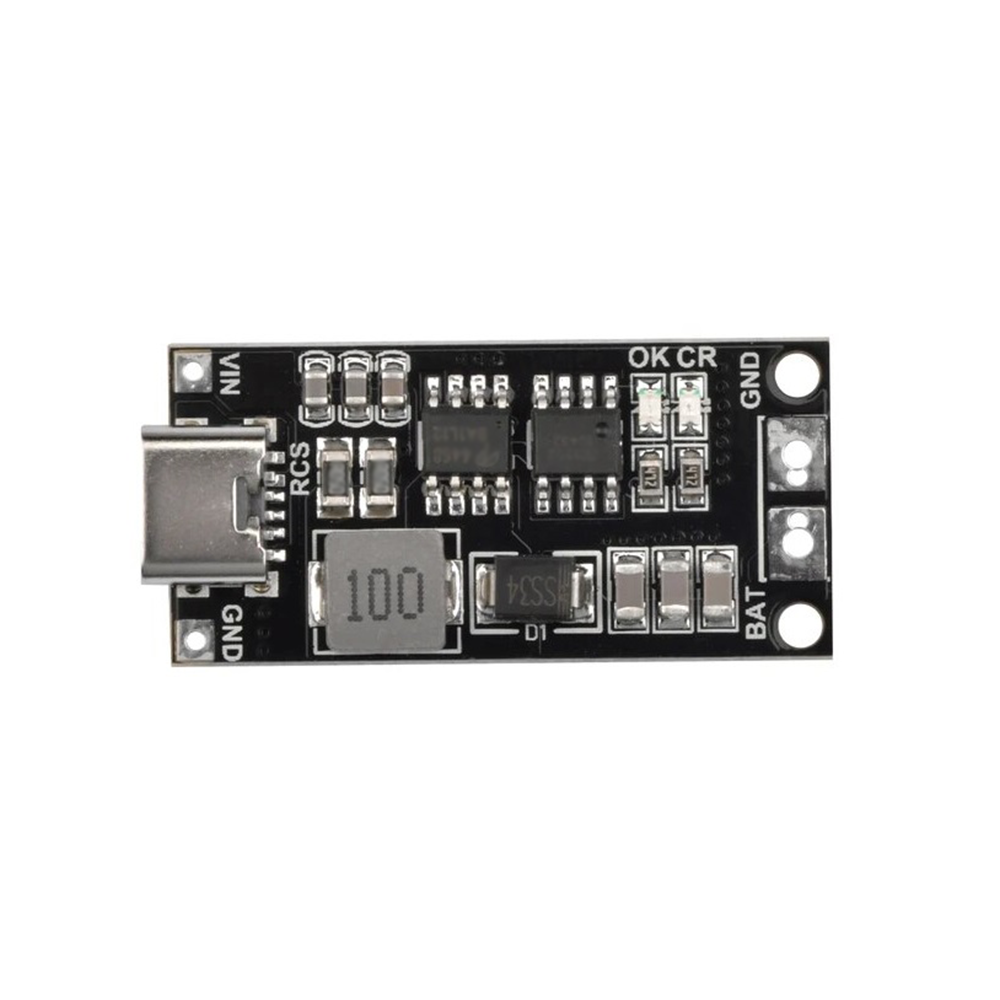
18650 Polymer Lithium ion Charger Type C to 3S 12.6V 4A Booster Module
The 4A variant delivers twice the charging current for your 3S pack — ideal when building a high-capacity USB-C PD battery backup or a fast-charge station for RC equipment.
Safety Tips for High-Power USB-C Projects
Working at 65W (20V/3.25A) is no joke. Follow these safety rules:
- Use rated cables: Only use USB-C cables rated for 5A (the E-Marker chip is inside the cable). Thin cables can overheat at high currents.
- Always fuse the output: A 4A fuse at the load side prevents fire if there is a short circuit.
- Thermal management: GaN controllers and MOSFETs get hot. Add heatsinks or ensure airflow inside enclosures.
- Capacitor voltage rating: All filter capacitors must be rated at least 25% above your maximum rail voltage (i.e., 25V caps minimum on a 20V rail).
- Do not exceed PDO limits: If the charger advertises 20V/3.25A, do not try to draw 4A — the charger will cut out or degrade.
- Isolation for mains builds: If you are building the AC-DC converter stage yourself, use proper transformer isolation and keep mains wiring away from your microcontroller circuits.
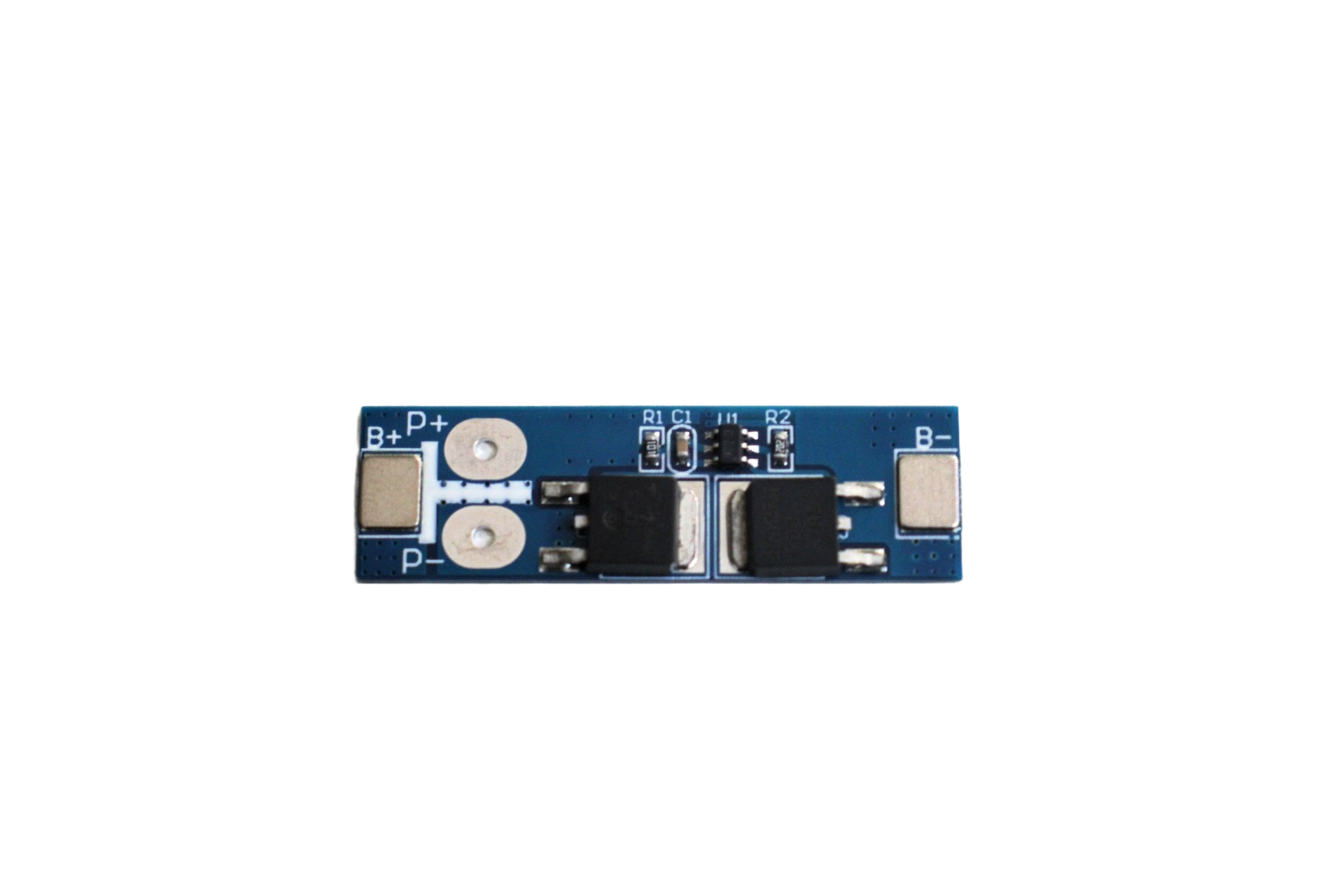
1S 12A 3.6V BMS Battery Protection Board for Li-ion Cell
Every PD-powered battery project needs a BMS. This 1S 12A protection board safeguards your Li-ion cell from overcharge, over-discharge, and short circuit — essential safety hardware.
Real-World Applications for Your DIY PD Charger
Once your USB-C PD 65W charger project is working, here are exciting ways to use it:
- Portable workbench PSU: A PD trigger + adjustable buck converter gives you a 0–20V variable bench supply powered by any 65W laptop charger.
- Field battery charger: Use a PD bank + BMS-protected 18650 pack as a field charger for FPV drone batteries while shooting on location.
- Smart IoT power hub: Power a Raspberry Pi 4/5 plus a 12V router from a single 65W PD charger using two PD trigger boards at different voltages.
- Solar PD integration: Combine a solar panel + DC-DC boost to feed a custom PD source controller — charge your laptop from sunlight.
- Educational kit: Demonstrate USB-C PD negotiation in workshops using an oscilloscope on the CC lines — a great project for engineering college labs in India.
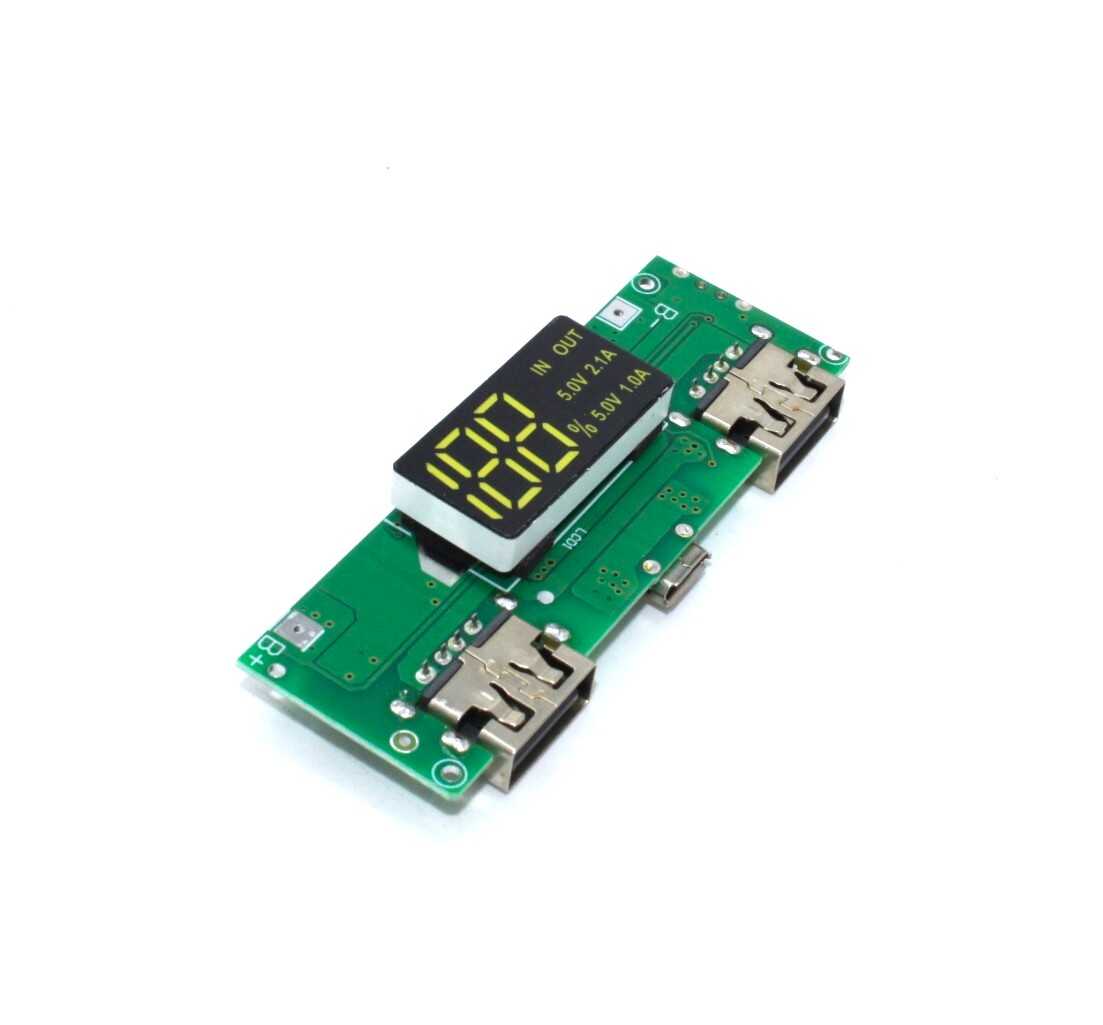
18650 5V 1A/2A Lithium Battery Digital Display & Charging Module
Build a 5V USB output power bank using 18650 cells. This all-in-one module handles charging, protection, boosting, and display — the perfect complement to your USB-C PD input stage.
Frequently Asked Questions
Q1. What is the difference between USB-C PD and Quick Charge?
Quick Charge (QC) is a Qualcomm proprietary standard that typically uses modified voltages on the USB A/B data lines. USB-C PD is the open, universal standard that communicates over the CC lines and supports much higher power levels (up to 240W vs QC’s 65W max). For new designs, always prefer USB-C PD.
Q2. Can I use a USB-C PD charger to power an Arduino or ESP32?
Yes, but you need a PD trigger board set to 5V, or a PD trigger + LDO/buck to step down to 3.3V. Connect the 5V output of the trigger board to your Arduino’s VIN pin (which has its own 5V regulator). Never apply 9V or 20V directly to Arduino or ESP32 boards.
Q3. How do I know if a charger actually supports 65W PD?
Check for the USB-C PD logo and look for a 20V/3.25A specification on the charger label. You can also use a USB-C power meter (available for under ₹500 on Indian electronics sites) to confirm the negotiated voltage and current.
Q4. Is it safe to build a 65W charger from scratch for beginners?
The AC-DC converter stage involves mains voltages (230V AC in India) and is not recommended for beginners without proper electrical safety training. However, the DC-side PD trigger module approach — where you use a commercial 65W PD charger as your AC-DC source and only work on the DC output — is very safe and a great starting point.
Q5. Which PD controller IC is easiest to use for DIY projects?
The STUSB4500 is highly recommended because it is programmable via I2C, supports custom PDO tables stored in non-volatile memory, and has extensive community resources and Arduino libraries. The IP2721 is a simpler fixed-voltage option if you just need one output voltage without programming.
Start Building Your USB-C PD Project Today
USB-C Power Delivery is not just for commercial chargers — it is a powerful tool for any maker who wants clean, negotiated, high-power DC from a single cable. Whether you are building a portable bench supply, a smart battery pack, or a field power station, the 65W PD ecosystem gives you everything you need. Start with a PD trigger module and a good 18650 BMS, learn the fundamentals, then scale up to full PD source controller designs as your confidence grows.
Browse Zbotic’s complete range of battery, BMS, and charging modules to find everything you need for your next USB-C PD project — with fast delivery across India.




Add comment