
The SW-520D tilt sensor is one of the simplest yet most useful components in an electronics maker’s toolkit. Also called a ball tilt switch or mercury-free tilt sensor, it detects orientation changes and triggers a digital signal whenever the sensor is tilted beyond a certain angle. In this complete Arduino tutorial, we cover everything from how the SW-520D works to building real tilt detection projects with code examples.
What Is the SW-520D Tilt Sensor?
The SW-520D is a mechanical tilt switch that contains two conductive balls inside a small cylindrical housing. When the sensor is in its upright position, the balls rest at the bottom of the cylinder and bridge the two electrical contacts, closing the circuit. When tilted beyond approximately 45°, the balls roll away from the contacts and the circuit opens.
This makes the SW-520D perfect for:
- Detecting when an object has been moved or tilted
- Building simple alarms triggered by disturbance
- Orientation detection in simple robotics
- Anti-theft alarm systems
- Automatic display rotation (basic)
Unlike accelerometers (which give continuous 3-axis angle data), the SW-520D gives a simple binary signal — tilted or not tilted — making it extremely easy to use with any microcontroller.
How It Works
Inside the SW-520D sensor body there are two small metal balls (sometimes copper balls) and two contact pins that extend from one end of the cylinder. The principle is straightforward:
- Upright position: Balls rest at the closed end (near the pins) → circuit CLOSED → LOW signal (if pull-up used)
- Tilted position: Balls roll away from pins → circuit OPEN → HIGH signal (with pull-up)
The SW-520D has no specific trigger axis — it responds to tilt in any direction as long as the balls roll far enough to lose contact. The typical trigger angle is 30–45 degrees from the upright axis, though this varies between individual units.
Why is it better than mercury switches? The SW-520D uses metal balls instead of liquid mercury, making it completely non-toxic and safe to use in consumer and educational electronics. The European RoHS directive banned mercury tilt switches, so the SW-520D became the standard replacement.
Specifications & Pin Details
| Parameter | Value |
|---|---|
| Operating Voltage | 3V – 24V DC |
| Current Rating | Max 60mA (continuous) |
| Contact Resistance | < 10Ω (closed) |
| Insulation Resistance | > 10MΩ (open) |
| Trigger Angle | ~30–45° from upright |
| Operating Temperature | -10°C to +70°C |
| Lifetime | > 50,000 cycles |
| Dimensions | Approx 10mm × 6mm |
The SW-520D has two legs (pins) — it is a two-terminal passive switch with no polarity. Either pin can connect to signal or ground.
Wiring to Arduino
There are two common wiring configurations:
Method 1: Internal Pull-Up Resistor (Recommended)
Use Arduino’s internal 20kΩ pull-up resistor — no external resistor needed:
- Pin 1 of SW-520D → Arduino Digital Pin D2
- Pin 2 of SW-520D → Arduino GND
In code, use pinMode(2, INPUT_PULLUP). When upright (closed), you read LOW. When tilted (open), you read HIGH.
Method 2: External Pull-Down Resistor
- Pin 1 of SW-520D → Arduino 5V
- Pin 2 of SW-520D → Arduino Digital Pin D2 (also connect a 10kΩ resistor from this pin to GND)
When closed (upright): reads HIGH. When open (tilted): reads LOW.
Basic Arduino Code
// SW-520D Tilt Sensor Basic Example
// Using internal pull-up resistor

const int TILT_PIN = 2;
const int LED_PIN  = 13; // onboard LED

void setup() {
  Serial.begin(9600);
  pinMode(TILT_PIN, INPUT_PULLUP); // Enable internal pull-up
  pinMode(LED_PIN, OUTPUT);
  Serial.println("SW-520D Tilt Sensor Ready");
}

void loop() {
  int state = digitalRead(TILT_PIN);

  if (state == LOW) {
    // Circuit closed = upright
    Serial.println("Status: UPRIGHT");
    digitalWrite(LED_PIN, HIGH); // LED ON when upright
  } else {
    // Circuit open = tilted
    Serial.println("Status: TILTED !");
    digitalWrite(LED_PIN, LOW);
  }

  delay(200);
}
Open the Serial Monitor at 9600 baud and tilt the sensor to see the output change.
Project: Tilt Alarm System
This project sounds a buzzer when the sensor is tilted — useful for protecting fragile equipment or as a simple disturbance detector.
Components
- Arduino Uno
- SW-520D tilt sensor
- Active piezo buzzer
- Red LED
- 220Ω resistor (for LED)
Wiring
- SW-520D: Pin1 → D2, Pin2 → GND (internal pull-up)
- Buzzer: Positive → D8, Negative → GND
- LED: Anode → D9 (via 220Ω), Cathode → GND
const int TILT_PIN  = 2;
const int BUZZER    = 8;
const int LED_RED   = 9;

bool alarmActive = false;
unsigned long lastDebounce = 0;
const int DEBOUNCE_MS = 50;

void setup() {
  pinMode(TILT_PIN, INPUT_PULLUP);
  pinMode(BUZZER, OUTPUT);
  pinMode(LED_RED, OUTPUT);
  Serial.begin(9600);
}

void loop() {
  int reading = digitalRead(TILT_PIN);
  unsigned long now = millis();

  if ((now - lastDebounce) > DEBOUNCE_MS) {
    if (reading == HIGH) { // TILTED
      alarmActive = true;
    } else {
      alarmActive = false;
    }
    lastDebounce = now;
  }

  if (alarmActive) {
    tone(BUZZER, 2000); // 2kHz alarm tone
    digitalWrite(LED_RED, HIGH);
    Serial.println("ALARM: Tilt Detected!");
  } else {
    noTone(BUZZER);
    digitalWrite(LED_RED, LOW);
  }

  delay(50);
}
Project: Anti-Theft Vehicle Alarm
Mount the SW-520D on a two-wheeler or bicycle frame to trigger an alarm if someone attempts to move the vehicle. The tilt sensor detects when the bike is lifted, tilted, or rolled.
How It Works
- SW-520D is mounted vertically on the vehicle frame
- When the vehicle is upright and stationary, the circuit is closed (no alarm)
- If the bike is tilted, pushed over, or lifted — the sensor opens and the alarm sounds
- A latching mechanism in code keeps the alarm active even after the sensor returns to upright
// Anti-theft tilt alarm with latching
const int TILT_PIN  = 2;
const int BUZZER    = 8;
const int RESET_BTN = 4; // Secret reset button

bool alarmed = false;

void setup() {
  pinMode(TILT_PIN, INPUT_PULLUP);
  pinMode(BUZZER, OUTPUT);
  pinMode(RESET_BTN, INPUT_PULLUP);
}

void loop() {
  int tilt = digitalRead(TILT_PIN);
  int reset = digitalRead(RESET_BTN);

  // Latch alarm on tilt
  if (tilt == HIGH) alarmed = true;

  // Secret reset button clears alarm
  if (reset == LOW) alarmed = false;

  if (alarmed) {
    tone(BUZZER, 3000);
    delay(200);
    tone(BUZZER, 1500);
    delay(200);
  } else {
    noTone(BUZZER);
    delay(100);
  }
}
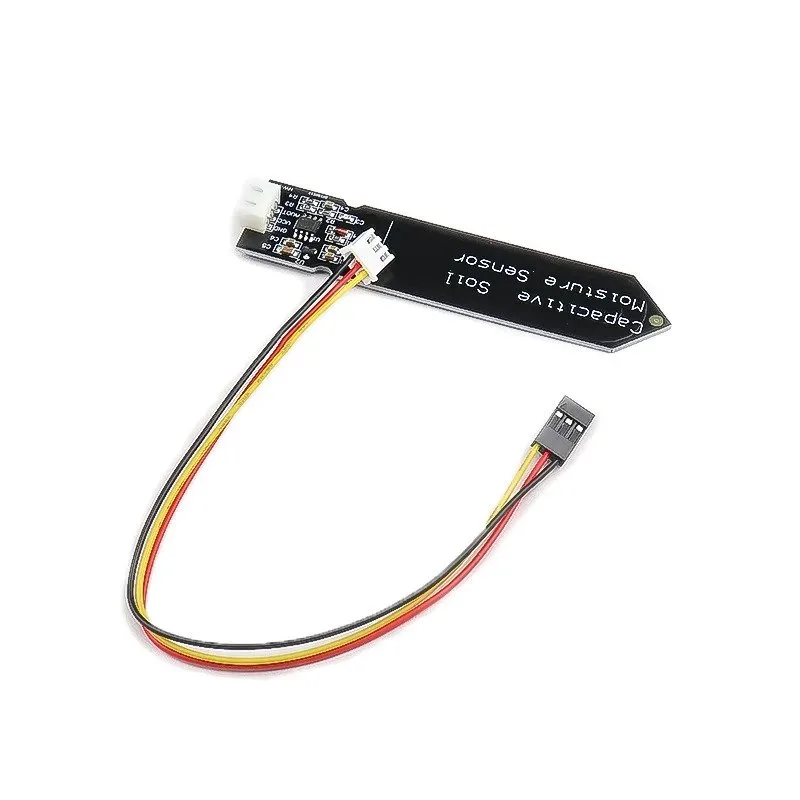
Capacitive Soil Moisture Sensor
Another versatile sensor for Arduino projects — pair it with a tilt sensor for smart plant monitoring that detects pot movement and soil dryness.
SW-520D vs Accelerometer: When to Use Which
| Feature | SW-520D Tilt Sensor | Accelerometer (MPU-6050) |
|---|---|---|
| Output Type | Binary (on/off) | Analog (continuous) |
| Axis Information | None (any tilt) | 3-axis (X, Y, Z) |
| Cost | ~₹10–30 | ~₹150–300 |
| Code Complexity | Very simple | Moderate to complex |
| Best For | Simple alarm, disturbance detection | Drones, robotics, orientation |
| Precision | Low (threshold only) | High (±2°) |
Rule of thumb: If you just need to know whether something has been disturbed (yes/no), use the SW-520D. If you need to know the exact angle, speed, or direction of movement, use an accelerometer/gyroscope like the MPU-6050.
Debouncing Tilt Sensors
One challenge with the SW-520D is that the metal balls can bounce when transitioning, causing multiple false triggers. This is called contact bounce and is similar to button debouncing.
There are two ways to debounce:
Software Debouncing
Use a time delay to ignore transitions that happen too quickly:
unsigned long lastChange = 0;
int lastState = LOW;
const unsigned long DEBOUNCE_DELAY = 50; // 50ms

void loop() {
  int current = digitalRead(TILT_PIN);
  if (current != lastState) {
    lastChange = millis();
    lastState = current;
  }
  if ((millis() - lastChange) > DEBOUNCE_DELAY) {
    // Stable reading - use current state
  }
}
Hardware Debouncing
Add a 0.1µF capacitor across the sensor pins (in parallel). This smooths out the signal transitions and reduces bouncing at the hardware level. A simple RC filter with a 10kΩ resistor and 100nF capacitor also works well.
Applications in India
- Tool safety: Detect when a power tool is tilted or dropped
- Locker alarm: Trigger an alert when a safe or cabinet is disturbed
- Earthquake sensor: A simple tilt chain can detect vibrations (though professional seismometers are far more complex)
- Smart medication reminder: Detect when a medicine bottle is picked up
- Student projects: Ball maze games, tilt-controlled robots

MQ-135 Air Quality/Gas Detector Sensor
Build a complete safety monitoring system — combine tilt detection with gas sensing to detect tampered equipment and potential gas leaks simultaneously.
Frequently Asked Questions
Yes, to some extent. The metal balls are sensitive to vibration and will briefly open the circuit when the sensor is shaken. However, for precise vibration measurement, use a dedicated vibration sensor (SW-420) which is a spring-based sensor with more sensitivity to vibration.
The SW-520D typically triggers at approximately 30–45 degrees from the vertical axis. This varies between units due to manufacturing tolerances. If you need a specific trigger angle, you should characterize your specific unit or use an accelerometer for precise angle control.
No, the standard SW-520D is not waterproof. However, being an enclosed switch, it has moderate protection against dust. For outdoor or wet applications, pot the sensor in epoxy resin or use a waterproof enclosure.
Yes! Mount two SW-520D sensors at 90 degrees to each other to detect tilt in two orthogonal directions. This gives you basic X-Y tilt information with two binary signals. For true 3-axis sensing, an accelerometer like the MPU-6050 is a better choice.
The SW-520 and SW-520D are virtually identical in function. The “D” designation typically refers to the package type (cylindrical vs flat). Both contain two metal balls inside a cylindrical housing and operate on the same principle. They are interchangeable for most DIY projects.
Conclusion
The SW-520D tilt sensor is one of the most affordable and versatile components for Arduino beginners. Its simple two-pin interface and digital output make it easy to integrate into any project without complex libraries or calibration. Whether you’re building a simple tilt alarm, an anti-theft device, or a fun tilt-controlled game, the SW-520D provides reliable and fast tilt detection.
The key takeaways from this tutorial: use internal pull-up resistors for simplest wiring, implement software debouncing for stable readings, and consider the SW-520D vs accelerometer tradeoff carefully — sometimes simple is better. For more complex projects requiring precise angle data, upgrade to the MPU-6050 or a dedicated IMU module.
Build Your Arduino Projects with Zbotic
Browse our complete range of sensors, modules, and Arduino accessories — everything you need for your next maker project, delivered across India.


Add comment