
If you’ve ever heard a beep from a microwave, a smoke alarm, or an Arduino project, chances are a piezo buzzer active passive component was responsible for that sound. Piezoelectric buzzers are among the most commonly used audio output components in electronics, yet many beginners confuse the two main types — active and passive — and end up frustrated when their circuit doesn’t work as expected. This comprehensive guide will clear up the confusion, explain the underlying physics, and show you exactly how to drive each type in your projects.
How the Piezoelectric Effect Works
The word piezo comes from the Greek word for pressure. The piezoelectric effect, discovered in 1880 by the Curie brothers, describes the ability of certain crystalline materials — such as quartz, Rochelle salt, and lead zirconate titanate (PZT) — to generate an electric charge when mechanically stressed. The reverse is also true: apply a voltage and the material deforms mechanically.
In a piezo buzzer, a thin ceramic disc is bonded to a brass or stainless steel plate. When an alternating voltage is applied across the ceramic, it expands and contracts rapidly, causing the metal plate to flex. This flexing displaces air and produces sound. The frequency of the electrical signal determines the pitch of the tone.
Piezo buzzers are preferred over electromagnetic buzzers for many applications because they:
- Consume very little current (typically 1–30 mA at 5V)
- Are extremely durable with no moving magnetic parts
- Can operate across a wide voltage range (3V to 24V)
- Are available for as little as ₹5–₹20 in India
- Are resistant to humidity and temperature extremes
Active vs Passive Buzzer: Key Differences
This is where most beginners get confused. Both look nearly identical from the outside — typically a small black cylinder with a hole on top and two pins at the bottom. The internal circuitry, however, is completely different.
Active Buzzer
An active buzzer has a built-in oscillator circuit inside its housing. When you apply a DC voltage (typically 3.3V or 5V), it immediately starts beeping at a fixed frequency — usually between 2 kHz and 4 kHz. You don’t need to send any PWM signal; just turn the power on and it buzzes.
Pros of active buzzers:
- Extremely simple to use — just HIGH/LOW control
- Consistent tone regardless of microcontroller PWM capability
- Great for alarms and simple notifications
- Works even with slow microcontrollers or simple logic gates
Cons:
- Fixed pitch — you cannot change the tone frequency
- Slightly higher current draw due to internal oscillator (~25–30 mA)
- Cannot play melodies or music
Passive Buzzer
A passive buzzer has no internal oscillator. It is essentially just a piezoelectric element with lead wires. To produce sound, you must drive it with an alternating signal — a square wave or PWM signal at the frequency corresponding to the pitch you want. Apply DC power and it will just click once and stay silent.
Pros of passive buzzers:
- Can produce any frequency — play musical notes and melodies
- Lower power consumption at rest
- More control over sound characteristics
- Can be used to play tones like beep sounds from buzzer alarms in many variations
Cons:
- Requires PWM or oscillating signal to produce sound
- Needs slightly more complex code
- Sound quality varies with driving voltage and frequency
| Feature | Active Buzzer | Passive Buzzer |
|---|---|---|
| Internal Oscillator | Yes | No |
| Drive Signal | DC (HIGH/LOW) | AC / PWM square wave |
| Frequency Control | Fixed | Variable (you control it) |
| Typical Current | 25–30 mA | 2–10 mA |
| Play Melodies | No | Yes |
| Price (India) | ₹8–₹20 | ₹5–₹15 |
Driving an Active Buzzer
Active buzzers are delightfully simple to interface. Since they draw around 25–30 mA, many microcontroller GPIO pins (which are typically rated for 20–40 mA) can drive them directly, though using a transistor driver is better practice for longevity.
Direct GPIO Drive (Arduino)
Connect the positive pin of the active buzzer to Arduino digital pin 8, and the negative pin to GND. That’s literally the entire circuit. To beep:
void setup() {
  pinMode(8, OUTPUT);
}
void loop() {
  digitalWrite(8, HIGH); // Buzzer ON
  delay(500);
  digitalWrite(8, LOW);  // Buzzer OFF
  delay(500);
}
Transistor-Driven Active Buzzer
For safer operation and to protect your GPIO pin, use a BC547 NPN transistor:
- Base → 1kΩ resistor → Arduino GPIO pin
- Collector → Active buzzer (+) pin
- Buzzer (−) → 5V supply
- Emitter → GND
- Add a 1N4007 flyback diode in reverse across the buzzer
This configuration lets your microcontroller sink current through the transistor rather than sourcing it directly, which is far more reliable and protects against voltage spikes.

BC547 NPN 100mA Transistor TO-92 (Pack of 10)
Perfect for driving buzzers and LEDs from microcontroller GPIO pins. TO-92 package, easy to use on breadboards.
Driving a Passive Buzzer
Passive buzzers need an oscillating signal. The most practical way to drive them from a microcontroller is via PWM at 50% duty cycle. The frequency you set determines the musical note played.
Standard Note Frequencies (for Indian music makers)
Standard Western musical notes map to these frequencies:
- C4 (Middle C): 262 Hz
- D4: 294 Hz
- E4: 330 Hz
- G4: 392 Hz
- A4: 440 Hz
- C5: 523 Hz
For Indian classical music scales (Sa Re Ga Ma Pa Dha Ni), you can map these to the corresponding Western note frequencies and use them with a passive buzzer to play recognizable tunes.
Voltage Divider Protection
Passive buzzers rated for 3–5V can be damaged if driven at 5V PWM from 100% duty cycle. Always use 50% duty cycle (tone() in Arduino handles this automatically), or add a 100Ω series resistor to limit peak current.
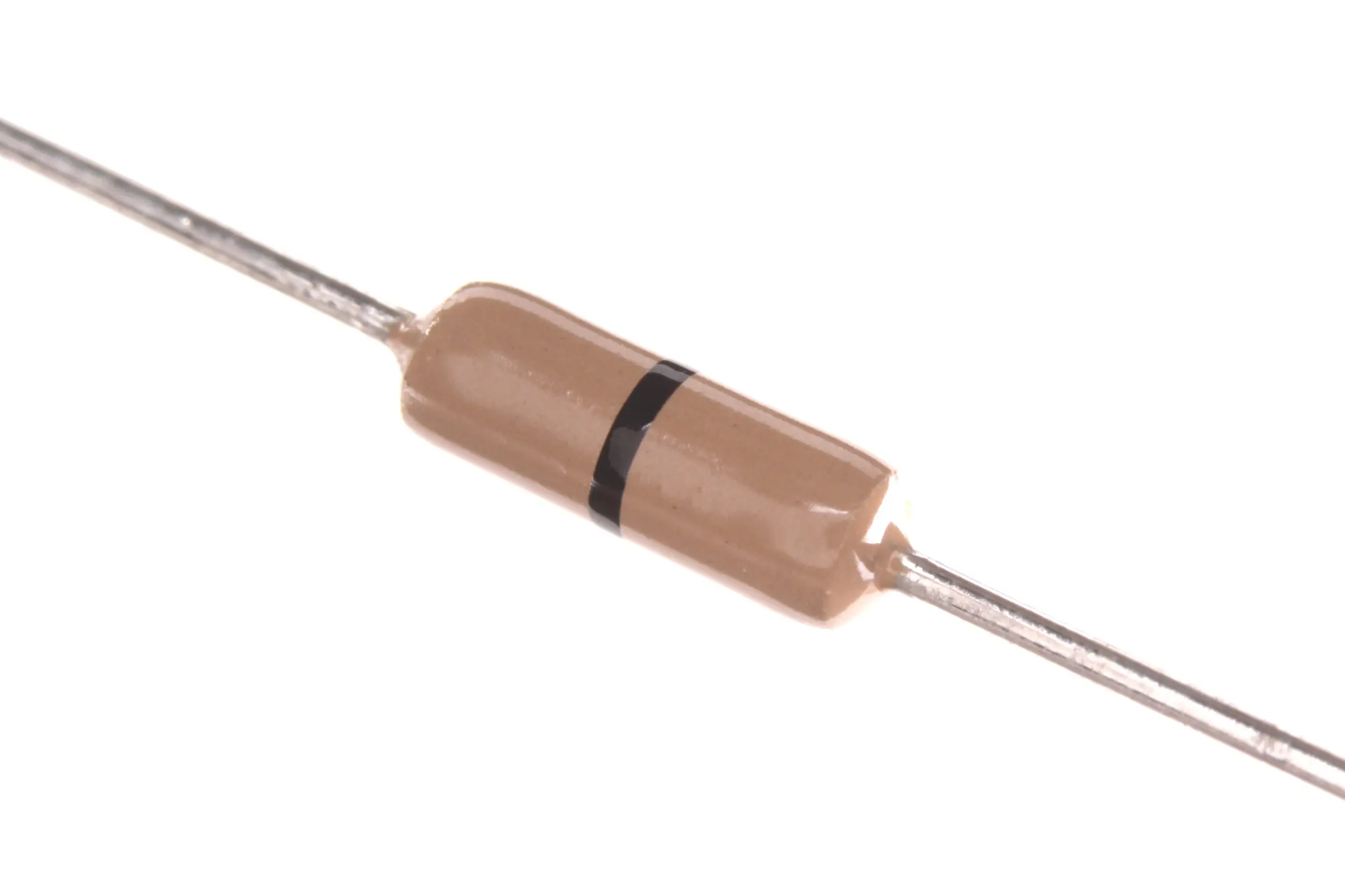
Carbon Film Resistors (Pack of 100)
Use series resistors to protect your passive buzzer and limit current from GPIO pins. Available in multiple values.
Arduino Code for Both Types
Active Buzzer — Morse Code SOS
#define BUZZER_PIN 8
#define DOT  150
#define DASH 450
#define GAP  150

void beep(int dur) {
  digitalWrite(BUZZER_PIN, HIGH);
  delay(dur);
  digitalWrite(BUZZER_PIN, LOW);
  delay(GAP);
}
void setup() { pinMode(BUZZER_PIN, OUTPUT); }
void loop() {
  // S: dot dot dot
  beep(DOT); beep(DOT); beep(DOT); delay(500);
  // O: dash dash dash
  beep(DASH); beep(DASH); beep(DASH); delay(500);
  // S: dot dot dot
  beep(DOT); beep(DOT); beep(DOT); delay(2000);
}
Passive Buzzer — Play a Melody
#define BUZZER_PIN 9
// Note frequencies (Hz)
#define NOTE_C4 262
#define NOTE_E4 330
#define NOTE_G4 392
#define NOTE_C5 523

int melody[]     = {NOTE_C4, NOTE_E4, NOTE_G4, NOTE_C5, NOTE_G4, NOTE_E4, NOTE_C4};
int durations[]  = {500, 500, 500, 800, 500, 500, 800};

void setup() { pinMode(BUZZER_PIN, OUTPUT); }
void loop() {
  for (int i = 0; i < 7; i++) {
    tone(BUZZER_PIN, melody[i], durations[i]);
    delay(durations[i] + 50);
    noTone(BUZZER_PIN);
  }
  delay(2000);
}
The key Arduino functions for passive buzzers are tone(pin, frequency, duration) and noTone(pin). The tone() function generates a 50% duty cycle square wave on the specified pin, which is perfect for driving a passive buzzer.

10CM Male To Female Breadboard Jumper Wires 2.54MM – 40Pcs
Ideal for connecting buzzers and transistors to your breadboard and Arduino. Colour-coded for easy wiring.
How to Identify Your Buzzer Type
Since both buzzers often look identical from the outside, here are four reliable ways to tell them apart:
- Apply 5V DC directly: If it beeps continuously, it’s active. If it just clicks once and stays silent, it’s passive.
- Measure resistance with a multimeter: Active buzzers typically show 16–100Ω (due to internal coil). Passive piezo buzzers usually show very high resistance (megaohms) or behave capacitively.
- Look at the bottom: Some manufacturers print the type on the PCB or housing — look for “active” or “passive” labels.
- Check the label: If the part number starts with HMB, TMB, or includes “12085” it’s often active. Bare piezo discs are always passive.
Real-World Applications
Active Buzzer Use Cases
- Alarm systems: Door/window intrusion alerts, smoke detectors, timer alarms
- Status indicators: Boot-up beep for embedded systems, error beep for user feedback
- Attendance systems: RFID/fingerprint scanner confirmation beep
- Battery level alerts: Low voltage warning in robotics projects
Passive Buzzer Use Cases
- Music projects: Play national anthem, nursery rhymes, or custom tunes on Arduino
- Keyboard feedback: Different tones for correct vs. incorrect key presses
- DTMF generation: Touch-tone phone dialling signals
- Ultrasonic ranging: Some passive buzzers can be driven at 40 kHz for ultrasonic applications (though dedicated transducers are better)
- Game sound effects: Unique sounds for each game event

10CM Male To Male Breadboard Jumper Wires 2.54MM – 40Pcs
Essential for breadboard prototyping with buzzers and other components. Pack of 40, multiple colours.
Frequently Asked Questions
Q1: Can I use a passive buzzer as an active buzzer?
You can drive a passive buzzer with a fixed-frequency square wave from a 555 timer or NE555-based oscillator circuit to mimic an active buzzer. This gives you the simplicity of DC control but requires an extra oscillator chip. However, if you already have an active buzzer, just use that — it’s simpler and cheaper.
Q2: My buzzer is very quiet. How can I make it louder?
For a passive buzzer, drive it at its resonant frequency (usually 2.3–4 kHz) — this is the frequency at which the piezoelectric element vibrates most efficiently and produces maximum volume. For active buzzers, increase the supply voltage (within its rated range) or use a transistor amplifier stage. Placing the buzzer in a small resonating enclosure (like a hollow box) also dramatically increases perceived volume.
Q3: Does polarity matter for piezo buzzers?
For most passive piezo elements, polarity doesn’t technically matter since AC drives them. However, most active buzzers have a polarity marking (+/−) on the pins and must be connected correctly — the internal oscillator circuit requires correct polarity. The longer pin is usually positive, just like an LED.
Q4: Can I use a buzzer directly with a 3.3V Raspberry Pi GPIO?
Active buzzers: Most 5V active buzzers will beep weakly at 3.3V. Look for 3.3V-rated active buzzers for clean operation. Passive buzzers work fine at 3.3V with the tone() equivalent in Python (RPi.GPIO PWM). Always use a transistor driver to avoid GPIO damage, since Pi GPIO pins are rated for only 16 mA.
Q5: What is the difference between a buzzer and a speaker?
A buzzer (piezoelectric) works via mechanical deformation of a ceramic crystal and is efficient for narrow-band tones. A speaker uses electromagnetic induction (a voice coil in a magnetic field) and can reproduce the full audio frequency spectrum including music and voice. Buzzers are simpler, cheaper, and need no audio amplifier; speakers need a driver IC like PAM8403 and produce far better audio quality.
Ready to Add Audio to Your Next Project?
Zbotic stocks a wide range of electronic components for Indian makers and hobbyists — from buzzers and transistors to Arduino boards and prototyping accessories.




Add comment