
The ESP8266 AP mode (Access Point mode) lets you create a completely standalone WiFi network without any external router. Your phone or laptop connects directly to the ESP8266, making it perfect for field deployments, product configuration portals, offline sensor dashboards, and anywhere the internet is unavailable. This tutorial covers everything from basic AP setup to building a multi-client web server with authentication — all targeting Indian IoT hobbyists using Arduino IDE.
ESP8266 WiFi Modes: Station, AP, and AP+Station
The ESP8266 supports three WiFi operating modes, and understanding them is essential before you start coding:
- Station (STA) mode: The ESP8266 connects to an existing WiFi router like a normal device. Your home network setup uses this mode. Internet access is available.
- Access Point (AP) mode: The ESP8266 becomes the router. Other devices connect to it directly. No external router, no internet — a completely self-contained local network. Up to 8 clients can connect simultaneously (4 recommended for stability).
- AP+STA mode (Dual mode): The ESP8266 runs both simultaneously — it connects to your home WiFi (STA) while also broadcasting its own network (AP). Useful for WiFi configuration portals and bridge scenarios.
AP mode is ideal for: product configuration wizards (like how a new smart bulb lets you enter your WiFi password), field sensor dashboards accessible from a phone, RC car/drone controllers, and offline classroom demonstrations.
Basic AP Mode Setup — Hello World
Install the ESP8266 Arduino core via Board Manager (https://arduino.esp8266.com/stable/package_esp8266com_index.json) if you have not already. Then:
#include <ESP8266WiFi.h>

const char* AP_SSID = "Zbotic-Sensor";
const char* AP_PASS = "maker1234";

void setup() {
  Serial.begin(115200);

  // Disconnect from any previous connections
  WiFi.disconnect();
  delay(100);

  // Start AP mode
  WiFi.mode(WIFI_AP);
  WiFi.softAP(AP_SSID, AP_PASS);

  Serial.print("AP started. IP: ");
  Serial.println(WiFi.softAPIP()); // Default: 192.168.4.1
}

void loop() {
  // Your code here
  delay(1000);
}
After uploading, open your phone’s WiFi settings. You will see Zbotic-Sensor in the list. Connect with password maker1234. Your phone gets the IP 192.168.4.2 and the ESP8266 is at 192.168.4.1.
Customising AP Parameters
// Full softAP signature:
// WiFi.softAP(ssid, password, channel, hidden, max_connections)
WiFi.softAP("Zbotic-Sensor", "maker1234", 6, false, 4);

// Custom IP configuration
IPAddress ap_ip(10, 0, 0, 1);
IPAddress gateway(10, 0, 0, 1);
IPAddress subnet(255, 255, 255, 0);
WiFi.softAPConfig(ap_ip, gateway, subnet);
Choosing a custom IP like 10.0.0.1 is cleaner for professional products. Always set max_connections to 4 or fewer — the ESP8266 has limited RAM for TCP sockets.
Building a Web Server on AP Mode
Once AP mode is running, attach an HTTP server to serve sensor data or a control panel. This example shows a live temperature and humidity dashboard (works with DHT11 or any sensor):
#include <ESP8266WiFi.h>
#include <ESP8266WebServer.h>
ESP8266WebServer server(80);
const char* AP_SSID = "Zbotic-Sensor";
const char* AP_PASS = "maker1234";
// Simulated sensor values (replace with actual sensor reads)
float temperature = 28.5;
float humidity = 65.0;
void handleRoot() {
String html = "<!DOCTYPE html><html><head>";
html += "<meta charset='UTF-8'><meta name='viewport' content='width=device-width,initial-scale=1'>";
html += "<title>Sensor Dashboard</title>";
html += "<style>body{font-family:sans-serif;text-align:center;padding:30px;background:#f0f0f0}";
html += ".card{background:#fff;border-radius:12px;padding:20px;margin:15px auto;max-width:300px;box-shadow:0 2px 8px rgba(0,0,0,.1)}";
html += "h1{color:#ff6b00}span.val{font-size:2.5em;font-weight:bold;color:#333}</style></head><body>";
html += "<h1>Live Sensor Data</h1>";
html += "<div class='card'><p>Temperature</p><span class='val'>" + String(temperature, 1) + " °C</span></div>";
html += "<div class='card'><p>Humidity</p><span class='val'>" + String(humidity, 1) + "%</span></div>";
html += "<p><small>Auto-refresh in 5s</small></p>";
html += "<script>setTimeout(()=>location.reload(),5000)</script>";
html += "</body></html>";
server.send(200, "text/html", html);
}
void handleAPI() {
String json = "{"temp":" + String(temperature,1) +
","humidity":" + String(humidity,1) + "}";
server.send(200, "application/json", json);
}
void setup() {
Serial.begin(115200);
WiFi.mode(WIFI_AP);
WiFi.softAP(AP_SSID, AP_PASS);
Serial.println(WiFi.softAPIP());
server.on("/", handleRoot);
server.on("/api/data", handleAPI);
server.begin();
}
void loop() {
server.handleClient();
}Captive Portal for Easy Device Configuration
A captive portal automatically redirects all DNS requests to the ESP8266’s IP, so users who connect to your AP see your web page automatically — exactly like hotel WiFi login pages. This is the standard pattern for IoT device first-time setup.
#include <ESP8266WiFi.h>
#include <ESP8266WebServer.h>
#include <DNSServer.h>

DNSServer    dnsServer;
ESP8266WebServer server(80);

const byte DNS_PORT = 53;

void setup() {
  WiFi.mode(WIFI_AP);
  WiFi.softAP("Zbotic-Setup");

  // Redirect ALL DNS queries to our IP
  dnsServer.start(DNS_PORT, "*", WiFi.softAPIP());

  server.on("/", []() {
    server.send(200, "text/html",
      "<h1>Device Setup</h1>"
      "<form method='POST' action='/save'>"
      "WiFi SSID: <input name='ssid'><br>"
      "Password: <input name='pass' type='password'><br>"
      "<button type='submit'>Save & Connect</button></form>"
    );
  });

  server.onNotFound([]() {
    server.sendHeader("Location", "http://192.168.4.1", true);
    server.send(302, "text/plain", "");
  });

  server.begin();
}

void loop() {
  dnsServer.processNextRequest();
  server.handleClient();
}
A popular alternative is the WiFiManager library by tzapu, which implements a full captive portal with network scanning, credential saving to EEPROM, and fallback AP mode — all in a few lines of code.
Securing Your AP Network
An open or weakly secured ESP8266 AP is a security risk, especially for deployments in shared spaces. Follow these practices:
- Always set a password: WPA2-PSK is enforced automatically when you pass a password to
softAP(). Never leave the network open in production. - Change default IP:
192.168.4.1is well-known. Use a custom subnet like172.16.10.1. - Implement HTTP basic auth: Add
if (!server.authenticate("admin", "secret")) { server.requestAuthentication(); return; }to sensitive handlers. - Limit client count: Set
max_connections=1for single-user devices like a configuration portal or personal sensor dashboard. - Add session tokens: For control endpoints that toggle relays or change settings, implement a simple CSRF token in forms.
Advanced: AP+STA Mode for Cloud + Local Access
In AP+STA mode, the ESP8266 bridges two networks simultaneously. A common use case is a gateway device that reads local sensors (accessible via AP) while pushing data to a cloud server (via STA/home WiFi):
#include <ESP8266WiFi.h>

void setup() {
  Serial.begin(115200);

  // Enable both modes simultaneously
  WiFi.mode(WIFI_AP_STA);

  // Connect to home network
  WiFi.begin("HomeWiFi", "homepassword");

  // Also broadcast local AP
  WiFi.softAP("LocalSensor", "sensor123");

  Serial.print("AP IP: ");
  Serial.println(WiFi.softAPIP()); // 192.168.4.1

  // Wait for STA connection
  while (WiFi.status() != WL_CONNECTED) {
    delay(500);
    Serial.print(".");
  }
  Serial.print("STA IP: ");
  Serial.println(WiFi.localIP());
}

void loop() {
  // Handle local clients via AP (192.168.4.x)
  // AND push data to cloud via STA (your router's subnet)
}
Note: AP+STA mode uses a single radio chip. Both AP and STA operate on the same WiFi channel. If your router uses channel 1 and you want your AP on channel 6, the radio will stay on channel 1 (the STA connection dictates it). Plan accordingly.
Recommended ESP8266 Hardware from Zbotic

Ai Thinker ESP32-C3-01M Wi-Fi + BLE Module
Compact and affordable Wi-Fi + BLE module compatible with ESP8266 AP mode concepts. The ESP32-C3 offers more RAM and better security features for standalone WiFi network projects.

Ai Thinker ESP32 CAM Development Board
Run AP mode on the ESP32-CAM to create a standalone camera stream server accessible directly from a phone without a router. Popular for DIY security cameras and RC car vision systems.
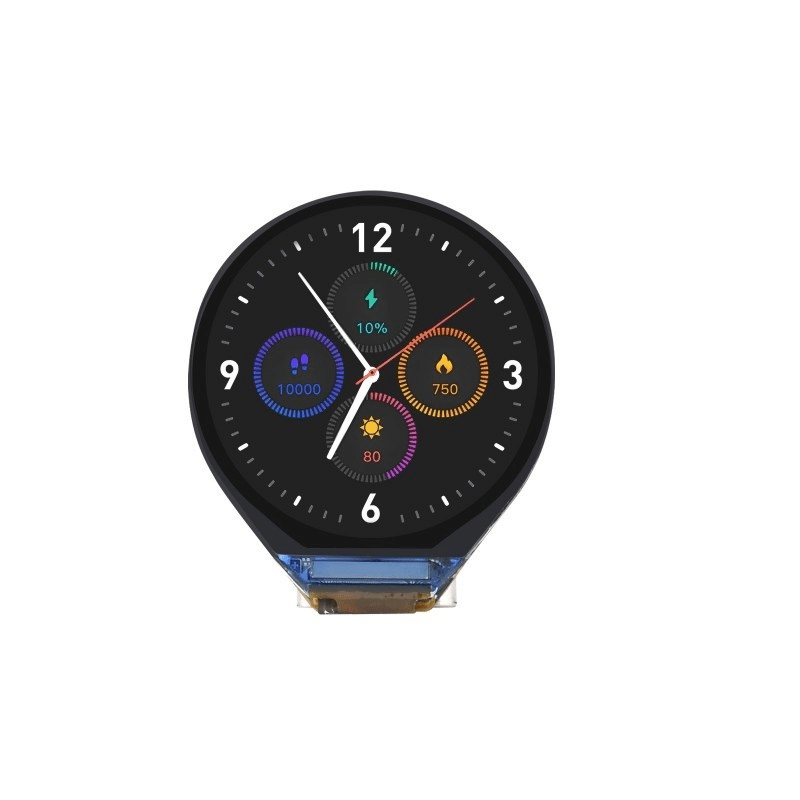
Waveshare ESP32-C3 0.71inch Round Display Development Board
Tiny ESP32-C3 board with a built-in round display. Run AP mode and show connected client count or sensor values on the display — a complete self-contained IoT node.

0.96 Inch I2C OLED LCD Module (White, SSD1306)
Show AP IP address and connected client count on a small OLED. Connect to ESP8266 via I2C (GPIO4/GPIO5) — adds a professional touch to your standalone WiFi projects.
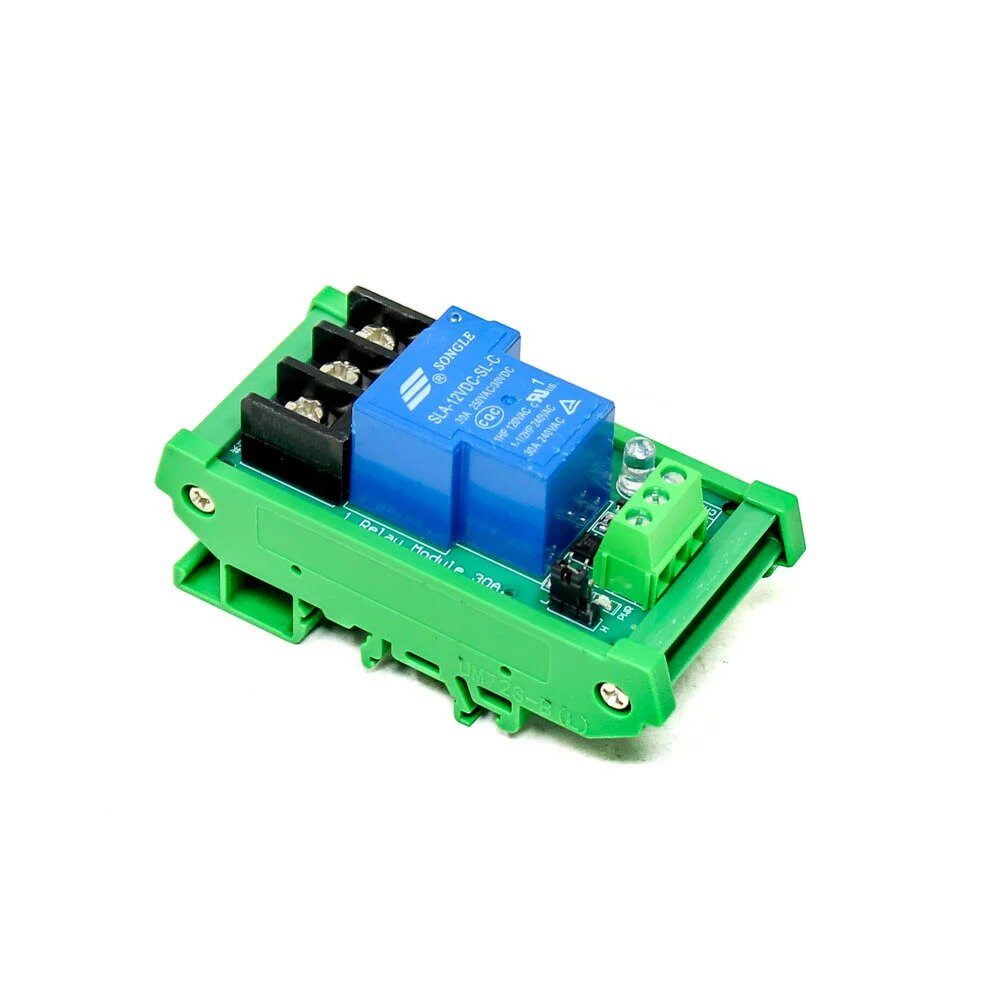
1 Channel 12V 30A Relay Module with Optocoupler
Control heavy loads (pumps, lights, fans) through the ESP8266 AP web server. This 30A relay with optocoupler isolation is the safest way to switch Indian 230V AC appliances from your IoT controller.
Frequently Asked Questions
How many clients can connect to ESP8266 in AP mode?
The ESP8266 officially supports up to 8 clients in AP mode, but the practical limit is 4 before performance degrades significantly. Each TCP connection consumes around 4–8 KB of RAM from the 80 KB heap. For stable operation with a web server, keep it at 2–3 simultaneous browser connections.
Does ESP8266 AP mode have internet access?
No. In pure AP mode, the ESP8266 does not have an uplink to the internet — it is just a local network. Devices connected to the AP can only communicate with the ESP8266 itself and other connected devices. Use AP+STA mode if you need both local AP access and internet connectivity.
What is the default IP address of ESP8266 in AP mode?
The default gateway IP is 192.168.4.1. Connected clients receive addresses in the range 192.168.4.2 to 192.168.4.5 from the built-in DHCP server. You can change this to any subnet using WiFi.softAPConfig().
Can I use ESP8266 AP mode without a password (open network)?
Yes — simply omit the password parameter: WiFi.softAP("MyAP"). This creates an open WEP-style network. Do not use this in production — any nearby device can connect and access your web server endpoints. Always add a WPA2 password for real deployments.
My ESP8266 AP disconnects clients after a few minutes — how do I fix it?
This is usually caused by the DTIM beacon interval or by the watchdog timer triggering a reset. In the loop, ensure server.handleClient() is called frequently (avoid delay() calls over 1 second). Also call WiFi.softAPgetStationNum() periodically to keep the AP stack active. For very idle APs, add a watchdog reset every 30 seconds using ESP.wdtFeed().
Start Building Your Standalone WiFi Project
Pick up ESP8266 and ESP32 modules, OLED displays, relay modules, and more from Zbotic. Fast shipping to all Indian pin codes — get building today!





Add comment