
If you have ever wanted to build your own internet radio or MP3 player using a tiny microcontroller, ESP32 I2S audio MP3 web radio projects are exactly what you need. The ESP32’s built-in I2S (Inter-IC Sound) peripheral makes it one of the most capable budget boards for audio streaming, and with the right libraries you can pull live radio streams from the internet and output crystal-clear audio — all for under ₹500 in hardware.
What Is I2S and Why Use It on ESP32?
I2S stands for Inter-IC Sound — it is a serial bus standard originally developed by Philips for connecting digital audio devices. Unlike a simple PWM audio output, I2S carries high-quality digital audio data that is then decoded by a dedicated DAC (Digital-to-Analog Converter) chip, giving you much cleaner sound with low noise and distortion.
The ESP32 has two I2S controllers built right into the SoC. These can operate in master or slave mode, support sample rates from 8 kHz up to 96 kHz, and handle 8, 16, 24, or 32-bit audio. What makes this even more exciting is that the ESP32 also has built-in Wi-Fi, so a single chip can:
- Connect to your home Wi-Fi network
- Open an HTTP or HTTPS stream from an internet radio station
- Decode MP3, AAC, or other audio codecs in real time
- Feed the decoded PCM data over I2S to a DAC
- Output the audio to a speaker or headphones
This is a completely self-contained audio streaming solution that costs a fraction of what any commercial internet radio device would. Indian makers have found this especially popular because there are many free shoutcast and icecast streams available, and the total component cost is very low.
Hardware You Need
To build an ESP32 internet radio or MP3 player you will need just a few components:
- ESP32 development board — any standard 38-pin or 30-pin DevKit will work
- I2S DAC module — the MAX98357A is extremely popular, costs under ₹150, and includes a built-in amplifier
- Small speaker — a 3W, 4Ω or 8Ω speaker works well with the MAX98357A
- Jumper wires
- Micro-USB cable and 5V power supply
- Optional: SD card module and micro-SD card for local MP3 playback
- Optional: 18650 battery shield for portable use
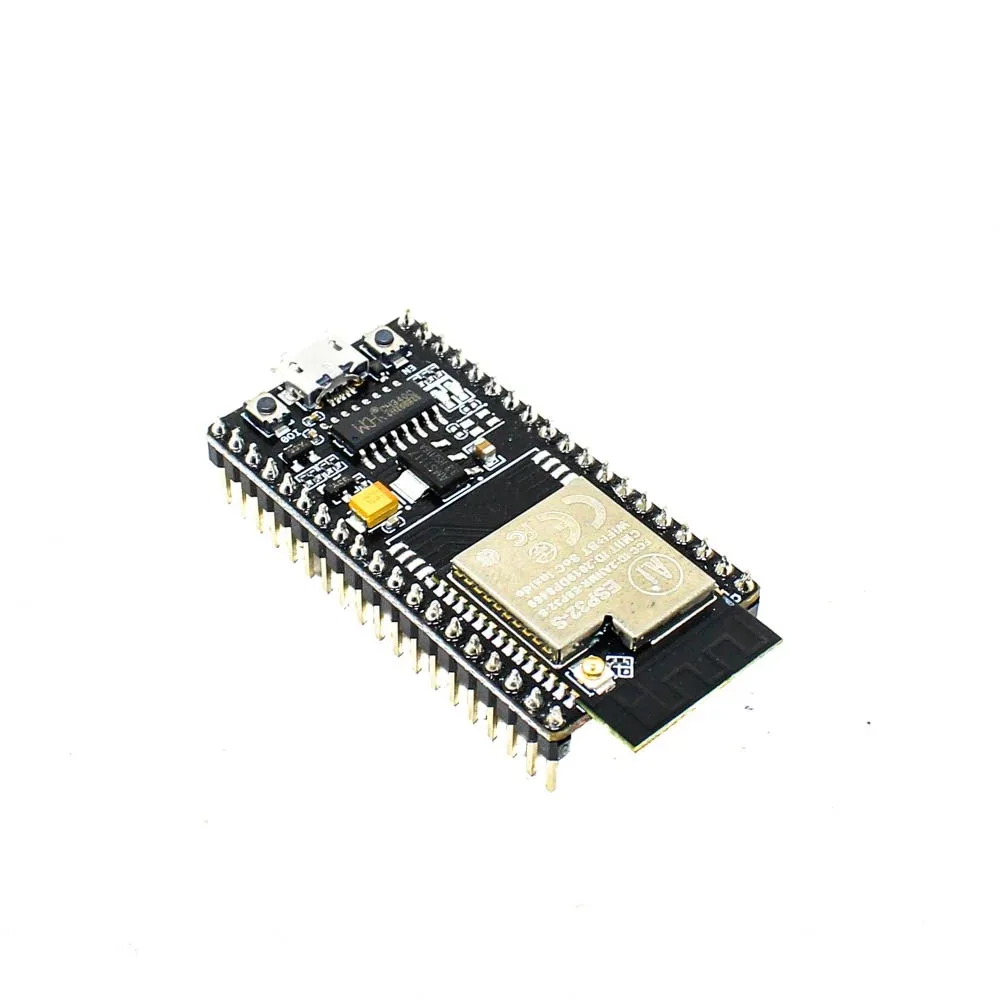
Ai Thinker NodeMCU-32S-ESP32 Development Board – IPEX Version
A reliable, full-featured ESP32 board with dual-core Xtensa LX6 processor and Wi-Fi+BT, perfect for I2S audio streaming projects.

2 x 18650 Lithium Battery Shield for Arduino, ESP32, ESP8266
Power your ESP32 internet radio portably with this dual-cell 18650 battery shield — no wall socket required.
Wiring the I2S DAC to ESP32
The MAX98357A I2S DAC module has four signal pins that connect to the ESP32. Below is the standard wiring that works with most example sketches:
| MAX98357A Pin | ESP32 GPIO | Function |
|---|---|---|
| LRC (LRCLK / WS) | GPIO 25 | Left/Right clock (word select) |
| BCLK | GPIO 27 | Bit clock |
| DIN | GPIO 26 | Data in |
| GND | GND | Ground |
| VIN | 3.3V or 5V | Power supply |
Connect your small speaker to the + and – speaker output pads on the MAX98357A module. The module includes a built-in Class D amplifier rated at up to 3.2W, so no additional amplifier is needed for a small desk radio.
Note for Indian builders: The MAX98357A module is available from Zbotic and most local electronics suppliers. Do not confuse it with the PCM5102A, which is a higher-quality stereo DAC but requires a separate amplifier stage.
Libraries and Arduino IDE Setup
You will need the Arduino IDE (version 1.8.x or 2.x) with the ESP32 board package installed. Add the ESP32 board URL in preferences: https://dl.espressif.com/dl/package_esp32_index.json.
The best library for ESP32 audio streaming is the ESP32-audioI2S library by schreibfaul1. Install it via the Library Manager (search for “ESP32-audioI2S”). This single library handles:
- HTTP and HTTPS audio stream fetching
- Real-time MP3, AAC, FLAC, and WAV decoding
- I2S output configuration
- Metadata extraction (song title, station name, bitrate)
- Volume control
You will also need the Arduino ESP32 filesystem uploader tool if you plan to store credentials in SPIFFS. If you only want to hardcode your Wi-Fi credentials in the sketch, this is not required.
Make sure your board manager has ESP32 version 2.x or later, as the I2S driver was significantly improved in that version. If you use ESP32 version 3.x, note that the I2S API changed slightly — check the library’s GitHub readme for version-specific notes.
Code: Streaming Web Radio with ESP32
Below is a minimal but complete sketch to stream an internet radio station. Replace the Wi-Fi credentials and stream URL with your own:
#include "Arduino.h"
#include "WiFi.h"
#include "Audio.h"

// I2S pin definitions
#define I2S_DOUT 26
#define I2S_BCLK 27
#define I2S_LRC  25

// WiFi credentials
const char* ssid     = "YOUR_SSID";
const char* password = "YOUR_PASSWORD";

Audio audio;

void setup() {
    Serial.begin(115200);

    WiFi.begin(ssid, password);
    while (WiFi.status() != WL_CONNECTED) {
        delay(500);
        Serial.print(".");
    }
    Serial.println("nConnected to WiFi");

    audio.setPinout(I2S_BCLK, I2S_LRC, I2S_DOUT);
    audio.setVolume(12); // 0..21

    // Replace with any Icecast/Shoutcast stream URL
    audio.connecttohost("http://icecast.radiofrance.fr/fip-midfi.mp3");
}

void loop() {
    audio.loop();
}

// Optional: print metadata to Serial
void audio_info(const char *info) {
    Serial.printf("audio_info: %sn", info);
}
void audio_id3data(const char *info) {
    Serial.printf("id3data: %sn", info);
}
void audio_eof_mp3(const char *info) {
    Serial.printf("eof_mp3: %sn", info);
}
Upload this sketch and open the Serial Monitor at 115200 baud. Once Wi-Fi connects you should hear audio within a few seconds. The metadata callbacks will print the station name and song title when available.
Finding free stream URLs in India: Sites like internet-radio.com and radio.garden expose direct Icecast/Shoutcast URLs. Look for MP3 or AAC streams at 128kbps — higher bitrates may stutter on slow connections. All India Radio (AIR) also publishes direct stream URLs for many of its stations.
Playing MP3 Files from SD Card
The same library supports local MP3 playback from an SD card connected via SPI. Add the following to your setup (after the I2S init) to play a file named song.mp3 from the root of a FAT32-formatted SD card:
#include "SD.h"
#include "FS.h"

// Add in setup(), after audio.setVolume()
SD.begin(5); // CS pin
audio.connecttoSD("/song.mp3");
For a combined internet radio + SD player, you can toggle between sources based on a button press. This makes for a very practical desk radio that also serves as a media player when offline.
Common SD card SPI pins on an ESP32 DevKit: MOSI=23, MISO=19, SCK=18, CS=5. Use a level shifter or SD module with 3.3V logic to avoid damaging the ESP32 GPIO pins if you use a raw SD card socket.
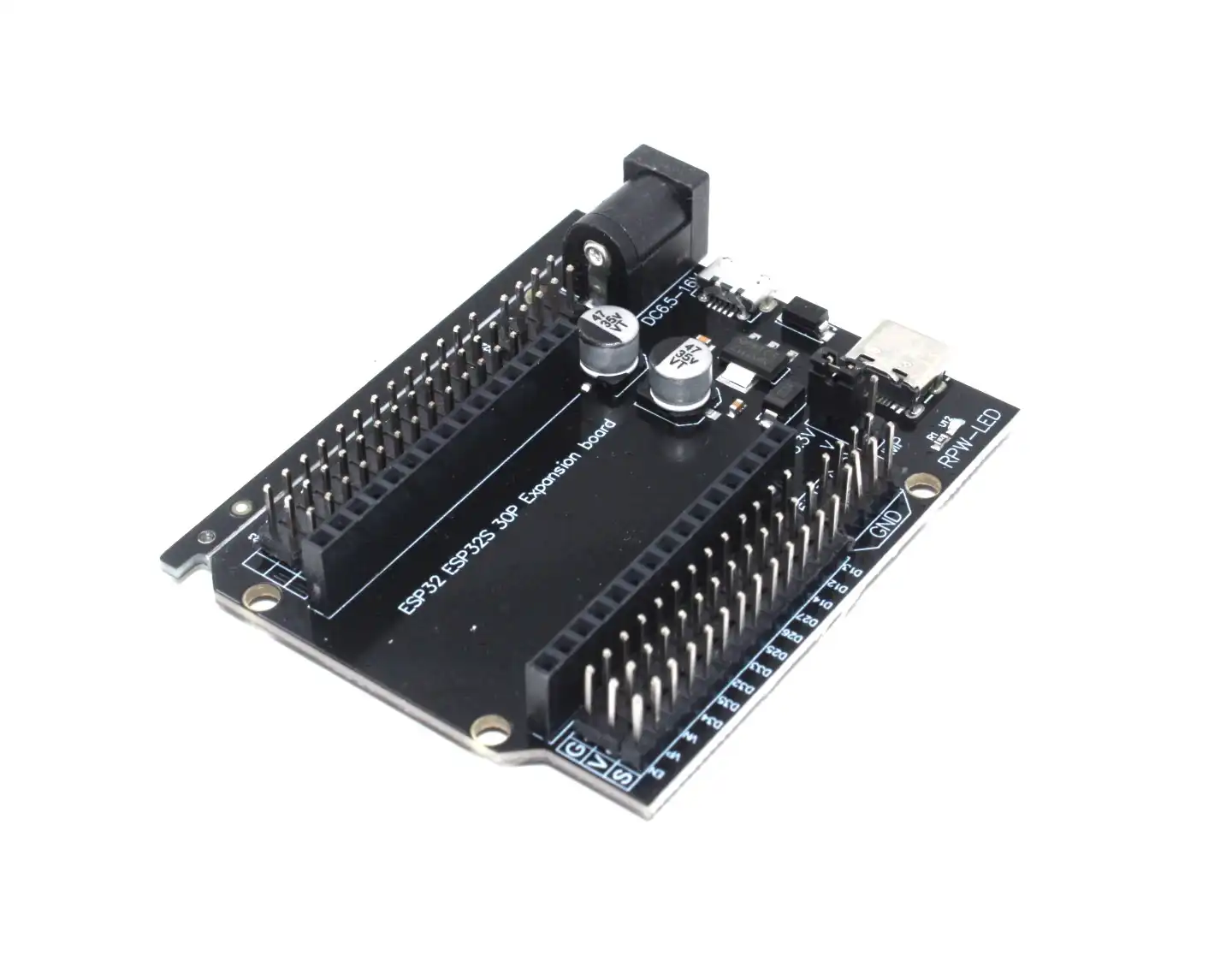
30Pin ESP32 Expansion Board with Type-C USB and Micro USB Dual Interface
This expansion board breaks out all ESP32 pins cleanly, making it much easier to wire your I2S DAC, SD card module, and speaker in one tidy build.
Troubleshooting Common Issues
Here are the most common problems Indian makers face when building ESP32 audio projects and how to fix them:
- No audio output / only noise: Double-check your I2S pin numbers in the sketch match your physical wiring. The BCLK and LRC pins are the most commonly swapped.
- Stuttering or buffer underruns: The stream bitrate may be too high for your Wi-Fi signal. Try a 64kbps stream first. Also increase the buffer size in the library settings.
- Sketch compiles but board not found: Select “ESP32 Dev Module” in the Arduino IDE board menu. Set Partition Scheme to “No OTA (2MB APP/2MB SPIFFS)” to give more program space for the audio decoder.
- HTTPS streams not working: The ESP32-audioI2S library handles HTTPS but requires the server’s root certificate. Use HTTP streams first to verify your setup works.
- Low volume: The MAX98357A gain can be set via the GAIN pin. Leaving it unconnected gives 9dB gain (default). Connect GAIN to GND for 6dB or to a 100kΩ resistor to VDD for 12dB.
- Board crashes during audio: Allocate the audio object in heap with
Audio *audio = new Audio();if you see stack overflow errors.
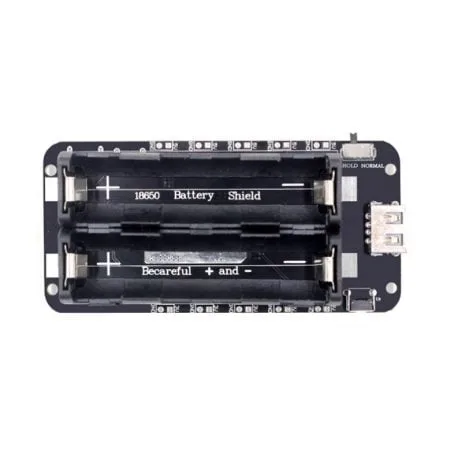
2 x 18650 Lithium Battery Shield V8 – 5V/3A for ESP32 ESP8266
Power your ESP32 internet radio from 18650 cells with this V8 shield — includes USB charging, 5V/3A output, and a power-on LED indicator.
Frequently Asked Questions
Can the ESP32 decode MP3 in real time without external hardware?
Yes — the dual-core ESP32 is fast enough to decode MP3 streams in software. The ESP32-audioI2S library runs the decoder on one core while the other handles Wi-Fi. However, FLAC decoding at high sample rates may occasionally stutter on slower Wi-Fi connections.
What is the best I2S DAC to use with ESP32 for music quality?
The MAX98357A is excellent for basic projects because it includes an amplifier. For better audio quality (music listening), the PCM5102A is a popular choice — it offers a 32-bit stereo DAC with very low noise, though you will need a separate amplifier. The UDA1334A is another good stereo option with I2S support.
Can I stream Spotify or YouTube audio with ESP32?
No — Spotify and YouTube use DRM-protected streams that require licensed decoders. You can stream public Icecast, Shoutcast, and SHOUTcast stations freely. Some makers use a Raspberry Pi for Spotify Connect and send audio to the ESP32 as a speaker endpoint.
Will this project work with ESP8266?
ESP8266 has only a software I2S implementation and less RAM, making audio streaming much harder. Some basic MP3 streaming is possible but expect frequent stuttering. The ESP32 is strongly recommended for any audio project.
How do I add a display to show the currently playing station?
Use the audio_info() callback to capture metadata and display it on an OLED or TFT screen via I2C or SPI. The Waveshare ESP32-S3 boards with built-in AMOLED displays are ideal for a complete radio-with-display project.
Build Your ESP32 Audio Project with Zbotic
Ready to build your own internet radio or MP3 player? Zbotic stocks a wide range of ESP32 development boards, expansion shields, and accessories — all shipped fast within India.


Add comment