
Building an ESP32 Bluetooth mesh nodes network opens up a new paradigm for sensor deployments that covers areas too large for a single WiFi access point and too power-constrained for always-on WiFi radios. Bluetooth Mesh (based on the Bluetooth SIG Mesh Profile 1.0.1 standard) enables many-to-many communication where each node can relay messages, extending coverage far beyond a single Bluetooth radio’s range. This tutorial covers everything from understanding the mesh architecture to deploying a full network of smart sensor nodes using ESP32 and ESP-IDF’s Bluetooth Mesh stack.
Bluetooth Mesh vs WiFi Mesh: When to Choose BLE Mesh
Not every IoT deployment should use WiFi. Here is a clear comparison to help you decide when ESP32 Bluetooth mesh nodes are the right choice:
| Parameter | WiFi Mesh (ESP-MDF) | BLE Mesh (ESP-IDF) |
|---|---|---|
| Power consumption | High (25–250 mA active) | Very low (5–15 mA active, <1 µA sleep) |
| Data rate | High (Mbps) | Low (1 Mbps, practical ~50 kbps) |
| Latency | Low (ms) | Medium (100ms–2s depending on hop count) |
| Node count | Limited by router DHCP (typically <32) | Up to 32,767 nodes theoretically |
| Battery life | Days to weeks | Months to years |
| Best use case | Video streaming, high-frequency telemetry | Smart lighting, sensor networks, building automation |
BLE Mesh is the ideal choice for smart building projects — deploying temperature and humidity sensors in every room of a large office in Bangalore, monitoring soil moisture across a greenhouse in Nashik, or managing smart lighting across an entire hotel in Goa. The low power requirement means sensors can run for months on two AA batteries.
Understanding Bluetooth Mesh Architecture
Bluetooth Mesh has a layered architecture distinct from traditional star-topology Bluetooth. Key concepts:
Node Roles
- Unprovisioned Device: A new ESP32 node that has not yet been added to the mesh network.
- Provisioner: The device that adds unprovisioned nodes to the network, distributes encryption keys, and assigns addresses. Typically a smartphone app or a dedicated ESP32 node.
- Relay Node: Receives mesh messages and retransmits them to extend coverage. Any node can be configured as a relay.
- Proxy Node: Bridges between GATT-based devices (smartphones) and the Bluetooth Mesh network. Allows a phone app to communicate with the mesh without being a full mesh node.
- Friend Node: Stores messages for Low Power Nodes that are in sleep mode. Acts as a mailbox.
- Low Power Node (LPN): A battery-powered node that sleeps most of the time and polls its Friend Node for stored messages periodically.
Message Propagation: Managed Flooding
BLE Mesh uses managed flooding — messages are broadcast and each relay node retransmits them, but a TTL (Time To Live) counter prevents infinite loops. Each message also carries a sequence number; nodes cache recently seen messages and discard duplicates. This makes the network self-healing: if one relay node fails, the message finds another path.
Security Model
BLE Mesh has built-in end-to-end encryption using two keys:
- Network Key (NetKey): Shared across the network, used to encrypt the network layer. All nodes in the same network share one NetKey.
- Application Key (AppKey): Used to encrypt the application payload. Different AppKeys can be used for different applications (e.g., lighting vs. HVAC) running on the same mesh network.
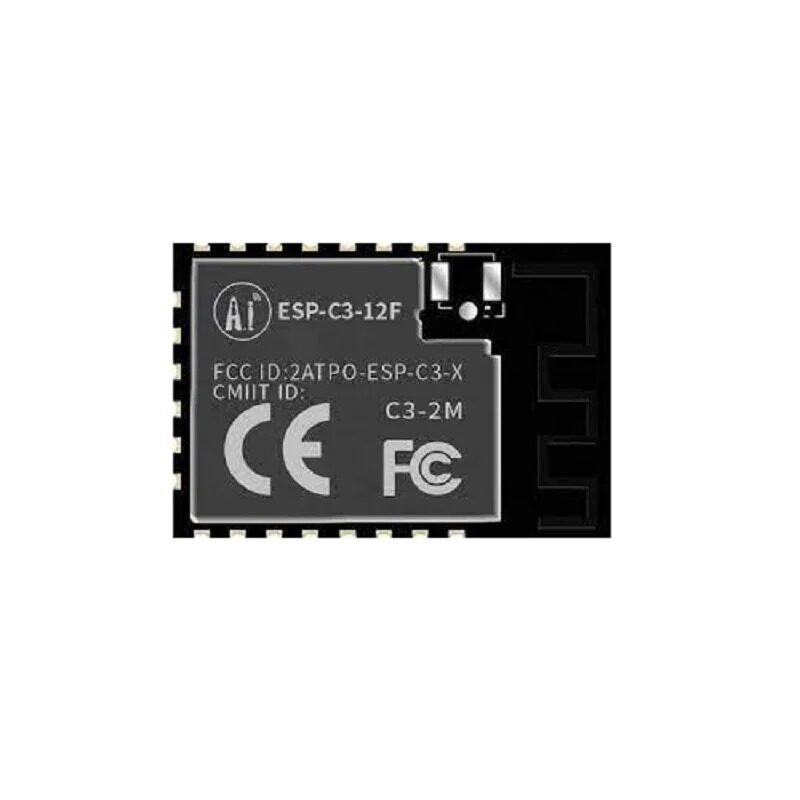
Ai-Thinker ESP32-C3-12F Wi-Fi + BLE Module
The ESP32-C3 is purpose-built for low-power BLE Mesh sensor nodes. Its single-core RISC-V processor with BLE 5.0 offers excellent battery life for always-on mesh deployments.
Setting Up ESP-IDF Bluetooth Mesh
ESP-IDF (Espressif IoT Development Framework) provides a full Bluetooth Mesh stack. Here is how to set up your development environment and configure a basic mesh node:
Prerequisites
# Install ESP-IDF v5.x
git clone --recursive https://github.com/espressif/esp-idf.git
cd esp-idf
./install.sh esp32
source ./export.sh

# Get BLE Mesh example
cd examples/bluetooth/esp_ble_mesh/onoff_models/onoff_client
idf.py set-target esp32
idf.py menuconfig  # Enable BLE Mesh in Component config
idf.py build flash monitor
Key menuconfig Settings for BLE Mesh
Component config --> Bluetooth -->
  [*] Bluetooth
  [*] Bluedroid Enable
  [*] BLE Mesh Support
      [*] BLE Mesh Sensor Server Model
      [*] BLE Mesh Sensor Client Model
      [*] BLE Mesh Relay support
      [*] BLE Mesh Friend support
      [*] BLE Mesh Low Power Node support
Partition Table --> Custom (ble_mesh app needs larger NVS)
Sensor Node Implementation
Here is a complete BLE Mesh sensor node that publishes temperature data using the Sensor Server Model. This is the ESP-IDF C approach, which gives you the most control over power management:
#include <stdio.h>
#include <string.h>
#include "esp_log.h"
#include "nvs_flash.h"
#include "esp_ble_mesh_defs.h"
#include "esp_ble_mesh_common_api.h"
#include "esp_ble_mesh_provisioning_api.h"
#include "esp_ble_mesh_networking_api.h"
#include "esp_ble_mesh_sensor_model_api.h"
#include "board.h" // Your hardware abstraction layer

#define TAG "SENSOR_NODE"

// Device UUID - must be unique per node
// Generate from MAC address in production
static uint8_t dev_uuid[16] = {
  0x32, 0x10, 0xfe, 0x00, 0x00, 0x01,
  0x00, 0x00, 0x00, 0x00, 0x00, 0x00,
  0x00, 0x00, 0x00, 0x00
};

// Sensor descriptor for temperature
static esp_ble_mesh_sensor_descriptor_t sensor_descriptor = {
    .positive_tolerance = ESP_BLE_MESH_SENSOR_UNSPECIFIED_POS_TOLERANCE,
    .negative_tolerance = ESP_BLE_MESH_SENSOR_UNSPECIFIED_NEG_TOLERANCE,
    .sampling_function = ESP_BLE_MESH_SAMPLE_FUNC_UNSPECIFIED,
    .measure_period = ESP_BLE_MESH_SENSOR_NOT_APPL_MEASURE_PERIOD,
    .update_interval = ESP_BLE_MESH_SENSOR_NOT_APPL_UPDATE_INTERVAL,
};

// Temperature Property ID (from Bluetooth Mesh Device Properties spec)
#define PROP_ID_PRESENT_AMBIENT_TEMPERATURE 0x004F

static esp_ble_mesh_sensor_state_t sensor_states[1] = {
    [0] = {
        .sensor_property_id = PROP_ID_PRESENT_AMBIENT_TEMPERATURE,
        .descriptor = sensor_descriptor,
        .sensor_data = {
            .format = ESP_BLE_MESH_SENSOR_DATA_FORMAT_A,
            .length = 1, // 1 byte
        },
    },
};

// Read temperature from DHT sensor and update mesh state
void update_sensor_data(float temp_celsius) {
    // Convert to Bluetooth Mesh temperature format (0.5°C resolution)
    int8_t mesh_temp = (int8_t)(temp_celsius * 2);
    memcpy(sensor_states[0].sensor_data.raw_value->data,
           &mesh_temp, sizeof(mesh_temp));
    ESP_LOGI(TAG, "Temperature updated: %.1f°C (mesh: %d)",
             temp_celsius, mesh_temp);
}

void ble_mesh_provisioning_cb(esp_ble_mesh_prov_cb_event_t event,
                               esp_ble_mesh_prov_cb_param_t *param) {
    switch (event) {
    case ESP_BLE_MESH_NODE_PROV_COMPLETE_EVT:
        ESP_LOGI(TAG, "Provisioned! NetIdx: 0x%04x, Addr: 0x%04x",
                 param->node_prov_complete.net_idx,
                 param->node_prov_complete.addr);
        break;
    case ESP_BLE_MESH_NODE_PROV_RESET_EVT:
        ESP_LOGI(TAG, "Node reset - unprovisioned");
        break;
    default:
        break;
    }
}
For Arduino users, the NimBLE-Arduino or ESP32 BLE Arduino libraries support basic BLE but not the full Bluetooth Mesh stack. For production mesh deployments, ESP-IDF is the recommended approach. However, several third-party libraries like SilverMesh and esp32-ble-mesh-arduino are working to bring mesh support to the Arduino framework.

DHT11 Digital Relative Humidity and Temperature Sensor Module
The perfect companion sensor for BLE Mesh nodes — reports both temperature and humidity with a single digital GPIO pin, ideal for indoor environmental monitoring across buildings.
Deployment Strategies for Indian Buildings
Coverage Planning
BLE 5.0 has a nominal range of 10–40 metres in open space, but Indian residential buildings with concrete-and-steel construction reduce this to 8–15 metres per hop. For a 4-storey building, plan for relay nodes every 10 metres horizontally and at each floor.
Node Placement Strategy
- Anchor nodes: Place mains-powered nodes (relay + friend) in corridor ceiling fixtures, mounted switch boxes, or in AC units. These are always on and handle message relaying.
- Sensor nodes: Battery-powered LPN (Low Power Node) sensors on walls, ceilings, or inside duct work. These sleep most of the time and wake up to publish data.
- Provisioner/gateway: A single ESP32 with both WiFi and BLE, connected to your cloud backend. Placed centrally for best BLE reach.
NimBLE vs Bluedroid Stack
ESP-IDF supports two BLE host stacks: Bluedroid (full-featured, higher RAM) and NimBLE (lighter, lower RAM). For pure BLE Mesh sensor nodes, NimBLE is recommended as it uses ~40 KB less RAM and is faster to initialise, which matters for LPN nodes that frequently wake from deep sleep.
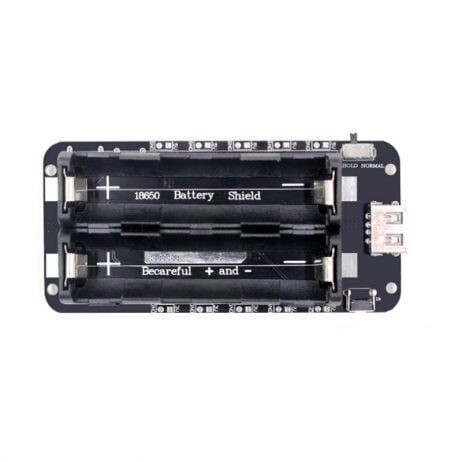
2 x 18650 Battery Shield V8 for ESP32/ESP8266
Power your BLE Mesh sensor nodes with this dual 18650 battery shield. Provides stable 3.3V/5V output with USB charging — perfect for wall-mounted sensor nodes in areas without wiring.
Frequently Asked Questions
How many hops can a BLE Mesh message take on ESP32?
The default TTL (Time To Live) in BLE Mesh is 7, meaning a message can traverse up to 7 relay hops. Each hop has a range of 10–40 metres depending on obstacles. Theoretically, a message can travel 70–280 metres through 7 hops, but in practice, dense relay placement is better than maximum-hop chains for reliability.
Can ESP32 BLE Mesh interoperate with commercial BLE Mesh devices like Philips Hue or IKEA Tradfri?
BLE Mesh is a standard Bluetooth SIG specification, so interoperability is theoretically possible. In practice, commercial devices often use proprietary extensions on top of the standard. ESP32 BLE Mesh nodes can share a network with standard-compliant commercial devices if they use the same Generic OnOff, Level, or Sensor models and are provisioned to the same network key. Proprietary extensions will not be compatible.
What is the maximum number of nodes in an ESP32 BLE Mesh network?
The Bluetooth Mesh specification supports up to 32,767 unicast addresses per network. ESP-IDF’s implementation is tested and stable up to around 100 nodes, with larger deployments requiring careful tuning of relay retransmission counts, TTL, and network key management. For building automation projects in India, networks of 20–50 nodes are common and work very reliably.
How do I update firmware on all BLE Mesh nodes remotely?
ESP-IDF supports Bluetooth Mesh OTA (Over-The-Air) firmware updates using the Mesh DFU (Device Firmware Update) profile introduced in Bluetooth Mesh 1.1. For Mesh 1.0 deployments, a common approach is to have each node also maintain a WiFi connection (dual-mode ESP32) and use standard HTTP/HTTPS OTA for firmware updates while using BLE Mesh only for sensor data.
Build Your BLE Mesh Sensor Network
Zbotic.in stocks ESP32 and ESP32-C3 modules perfect for BLE Mesh projects, along with temperature, humidity, and motion sensors to populate your network. Shop now and start building your smart building mesh infrastructure.






Add comment