
Building an ESP32 BLE GATT server with a custom service is the foundation of almost every Bluetooth Low Energy project — from fitness trackers to smart home sensors. Unlike classic Bluetooth, BLE uses a structured GATT (Generic Attribute Profile) hierarchy of services and characteristics that lets your phone app discover exactly what data your device exposes. In this step-by-step tutorial aimed at Indian makers, you will learn how to create a fully working GATT server on the ESP32 using Arduino IDE, define your own 128-bit UUIDs, handle read/write/notify characteristics, and test it with a smartphone.
GATT Architecture: Services, Characteristics & Descriptors
Before writing a single line of code, it is essential to understand the GATT hierarchy. Think of it as a filing cabinet:
- Profile: The top-level concept (e.g., Heart Rate Profile). Not transmitted over the air; just a design concept.
- Service: A collection of related data. Each service has a UUID. Standard services (like Battery Service = 0x180F) are assigned by the Bluetooth SIG. Custom services use 128-bit UUIDs.
- Characteristic: An individual data value inside a service. It has a UUID, properties (read, write, notify, indicate), and a value. This is where your sensor data lives.
- Descriptor: Metadata about a characteristic. The most important descriptor is the CCCD (Client Characteristic Configuration Descriptor, UUID 0x2902) — clients write to this to enable/disable notifications.
For example, a custom environment sensor service might look like this:
| Level | UUID | Description |
|---|---|---|
| Service | 12345678-1234-1234-1234-1234567890AB | Zbotic Environment Service |
| Characteristic | 12345678-1234-1234-1234-1234567890AC | Temperature (READ + NOTIFY) |
| Characteristic | 12345678-1234-1234-1234-1234567890AD | Humidity (READ + NOTIFY) |
| Characteristic | 12345678-1234-1234-1234-1234567890AE | LED Control (READ + WRITE) |
Designing Your Own Service UUIDs
When creating a custom (vendor-specific) GATT service, you must use 128-bit UUIDs to avoid conflicts with Bluetooth SIG assigned numbers. Generate a random UUID at uuidgenerator.net or with python3 -c "import uuid; print(uuid.uuid4())". Use the same base UUID for your service and increment the last segment for each characteristic — this makes them visually grouped and easy to identify in apps like nRF Connect.
Never use these reserved short UUIDs for custom services: 0x1800–0x18FF (services) and 0x2900–0x29FF (descriptors) are all reserved by the Bluetooth SIG. Using them for custom data creates ambiguity for generic BLE clients.
Setting Up Arduino IDE for ESP32 BLE
The ESP32 Arduino core includes the BLE stack (based on NimBLE or BlueDroid depending on version). Here is the setup:
- Install ESP32 board support: Arduino IDE → Boards Manager → search “esp32” → install “esp32 by Espressif Systems” version 2.0.x or later
- The BLE library is included — no separate installation needed
- Select your board: Tools → Board → ESP32 Dev Module (or your specific board)
- Set partition scheme: Tools → Partition Scheme → Default 4MB with spiffs (the BLE stack is large; avoid Minimal partition)
- Required includes:
#include <BLEDevice.h>
#include <BLEServer.h>
#include <BLEUtils.h>
#include <BLE2902.h>
Note: The ESP32 Arduino BLE library uses ~450KB of flash and ~60KB of RAM. If you are using an ESP32-C3 or ESP32-S3, the APIs are identical. The BLE library works across all ESP32 variants.
Complete GATT Server Code with Custom Service
The following sketch creates a fully functional GATT server with one custom service, three characteristics (temperature read/notify, humidity read/notify, and LED write), and proper connection/disconnection handling:
#include <BLEDevice.h>
#include <BLEServer.h>
#include <BLEUtils.h>
#include <BLE2902.h>

// ── Custom UUIDs ─────────────────────────────────────────────────────────────
#define SERVICE_UUID        "12345678-1234-1234-1234-1234567890ab"
#define CHAR_TEMP_UUID      "12345678-1234-1234-1234-1234567890ac"
#define CHAR_HUM_UUID       "12345678-1234-1234-1234-1234567890ad"
#define CHAR_LED_UUID       "12345678-1234-1234-1234-1234567890ae"

BLEServer*         pServer    = nullptr;
BLECharacteristic* pTempChar  = nullptr;
BLECharacteristic* pHumChar   = nullptr;
BLECharacteristic* pLedChar   = nullptr;

bool deviceConnected    = false;
bool oldDeviceConnected = false;
uint8_t ledState        = 0;
float   temperature     = 28.5f;
float   humidity        = 65.0f;

// ── Server Callbacks ─────────────────────────────────────────────────────────
class MyServerCallbacks : public BLEServerCallbacks {
  void onConnect(BLEServer* pServer) override {
    deviceConnected = true;
    Serial.println("Client connected");
  }
  void onDisconnect(BLEServer* pServer) override {
    deviceConnected = false;
    Serial.println("Client disconnected");
  }
};

// ── LED Write Callback ────────────────────────────────────────────────────────
class LedWriteCallbacks : public BLECharacteristicCallbacks {
  void onWrite(BLECharacteristic* pChar) override {
    std::string val = pChar->getValue();
    if (val.length() > 0) {
      ledState = (uint8_t)val[0];
      digitalWrite(2, ledState ? HIGH : LOW); // ESP32 onboard LED
      Serial.printf("LED set to %dn", ledState);
    }
  }
  void onRead(BLECharacteristic* pChar) override {
    pChar->setValue(&ledState, 1);
  }
};

void setup() {
  Serial.begin(115200);
  pinMode(2, OUTPUT);

  // 1. Init BLE device with a friendly name
  BLEDevice::init("Zbotic-EnvSensor");

  // 2. Create server
  pServer = BLEDevice::createServer();
  pServer->setCallbacks(new MyServerCallbacks());

  // 3. Create service
  BLEService* pService = pServer->createService(SERVICE_UUID);

  // 4. Temperature characteristic: READ + NOTIFY
  pTempChar = pService->createCharacteristic(
    CHAR_TEMP_UUID,
    BLECharacteristic::PROPERTY_READ | BLECharacteristic::PROPERTY_NOTIFY
  );
  pTempChar->addDescriptor(new BLE2902()); // enables CCCD for notifications

  // 5. Humidity characteristic: READ + NOTIFY
  pHumChar = pService->createCharacteristic(
    CHAR_HUM_UUID,
    BLECharacteristic::PROPERTY_READ | BLECharacteristic::PROPERTY_NOTIFY
  );
  pHumChar->addDescriptor(new BLE2902());

  // 6. LED characteristic: READ + WRITE (no notify)
  pLedChar = pService->createCharacteristic(
    CHAR_LED_UUID,
    BLECharacteristic::PROPERTY_READ | BLECharacteristic::PROPERTY_WRITE
  );
  pLedChar->setCallbacks(new LedWriteCallbacks());

  // 7. Set initial values (IEEE 754 float as 4-byte little-endian)
  pTempChar->setValue(temperature);
  pHumChar->setValue(humidity);
  pLedChar->setValue(&ledState, 1);

  // 8. Start service
  pService->start();

  // 9. Start advertising
  BLEAdvertising* pAdv = BLEDevice::getAdvertising();
  pAdv->addServiceUUID(SERVICE_UUID);
  pAdv->setScanResponse(true);
  pAdv->setMinPreferred(0x06); // iPhone compatibility
  pAdv->setMinPreferred(0x12);
  BLEDevice::startAdvertising();

  Serial.println("BLE GATT Server started. Waiting for connections...");
}

void loop() {
  // Simulate sensor data change every 2 seconds
  static unsigned long lastUpdate = 0;
  if (millis() - lastUpdate > 2000) {
    lastUpdate = millis();
    temperature += random(-10, 11) * 0.1f; // ±1.0°C noise
    humidity    += random(-5, 6)  * 0.1f;  // ±0.5% noise

    // Update characteristic values
    pTempChar->setValue(temperature);
    pHumChar->setValue(humidity);

    // Send notifications if client subscribed
    if (deviceConnected) {
      pTempChar->notify();
      pHumChar->notify();
      Serial.printf("Notified: T=%.1f C, H=%.1f%%n", temperature, humidity);
    }
  }

  // Handle reconnection after disconnect
  if (!deviceConnected && oldDeviceConnected) {
    delay(500); // Give stack time to clean up
    pServer->startAdvertising();
    Serial.println("Restarted advertising");
    oldDeviceConnected = false;
  }
  if (deviceConnected && !oldDeviceConnected) {
    oldDeviceConnected = true;
  }
}
Key points about this code:
- The
BLE2902descriptor is the CCCD — adding it to a characteristic is mandatory for notifications to work. Without it, the client cannot enable notify. - Values set via
setValue(float)are stored as IEEE 754 32-bit little-endian. When reading on Android/iOS, parse as a 4-byte float. - The reconnection block in
loop()is essential — without it, the ESP32 stops advertising after the first client disconnects.
Implementing Notifications & Indications
BLE has two mechanisms for the server to push data to the client without the client polling:
- Notifications (PROPERTY_NOTIFY): Server sends data, no acknowledgement from client. Fast, suitable for continuous sensor streams. Call
pChar->notify(). - Indications (PROPERTY_INDICATE): Server sends data, client must acknowledge. Reliable delivery but slower. Call
pChar->indicate().
For most sensor applications, notifications are the right choice. Use indications only when you need guaranteed delivery (e.g., alarm events, configuration writes back to the phone).
Notification rate limit: BLE connection intervals on ESP32 default to 7.5 ms–4 s. With a typical 45 ms connection interval, you can send one notification per interval (22 notifications/sec maximum). For faster streams, negotiate a shorter connection interval:
// In onConnect callback:
pServer->updateConnParams(conn_handle, 6, 12, 0, 400);
// Params: min_interval=6×1.25ms=7.5ms, max=12×1.25ms=15ms
// latency=0, timeout=400×10ms=4s
BLE Security: Pairing & Bonding on ESP32
For production IoT products in India, leaving your GATT server open (no pairing) is a security risk. The ESP32 BLE stack supports multiple security modes:
- No security (default): Any device can read/write. Fine for prototyping.
- Just Works pairing: Devices pair without user interaction. Prevents eavesdropping but not MITM attacks.
- Passkey display: ESP32 displays a 6-digit code on Serial; user enters it on the phone. Recommended for consumer products.
- Bonding: After pairing, keys are stored. The phone reconnects instantly without re-pairing.
// Add this in setup() before starting the service:
BLESecurity* pSecurity = new BLESecurity();
pSecurity->setAuthenticationMode(ESP_LE_AUTH_BOND);
pSecurity->setCapability(ESP_IO_CAP_OUT); // Display passkey on Serial
pSecurity->setInitEncryptionKey(ESP_BLE_ENC_KEY_MASK | ESP_BLE_ID_KEY_MASK);
// Then set characteristics to require encryption:
pTempChar->setAccessPermissions(ESP_GATT_PERM_READ_ENCRYPTED);
pLedChar->setAccessPermissions(ESP_GATT_PERM_WRITE_ENCRYPTED);
Testing with nRF Connect & LightBlue Apps
Two apps are essential for ESP32 BLE development:
nRF Connect for Mobile (Android/iOS — Free)
- Install nRF Connect from Play Store or App Store
- Open app → Scan → find “Zbotic-EnvSensor”
- Tap Connect → expand the service UUID starting with 12345678…
- The three characteristics appear. Tap the downward arrow on temperature to read, or the bell icon to subscribe to notifications
- To test LED write: tap the upward arrow on the LED characteristic, select “Byte Array” format, enter
01and tap Write
LightBlue (iOS/Android)
LightBlue shows characteristics in a more user-friendly way and lets you format values as integers, floats, or strings. Useful for quick demos to non-technical stakeholders.
Interpreting float values in nRF Connect: Select the characteristic, tap the value bytes, and choose “Format: Float (IEEE 754 32-bit)” to see the temperature as a decimal number instead of raw hex bytes.
Recommended ESP32 Boards & Accessories

Ai Thinker ESP32-C3-01M Wi-Fi + BLE Module
Compact ESP32-C3 module with Wi-Fi + BLE 5.0. Ideal for battery-powered BLE GATT server projects with its ultra-low deep sleep current and small form factor.
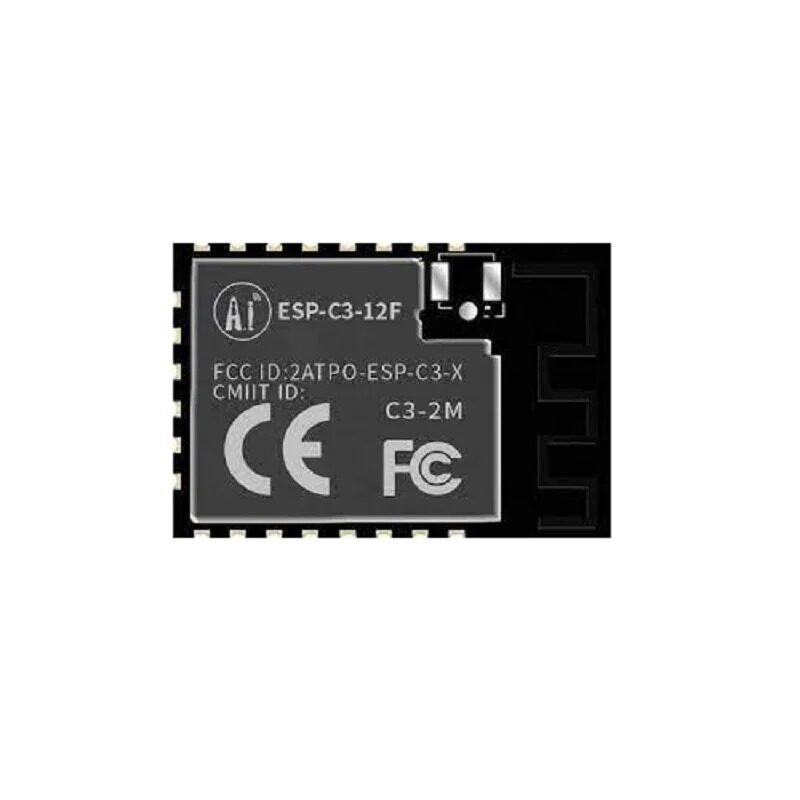
Ai-Thinker ESP32-C3-12F Wi-Fi + BLE Module
The larger 12F variant with 4 MB flash and PCB antenna — perfect for more complex BLE GATT server firmware with OTA update support built in.
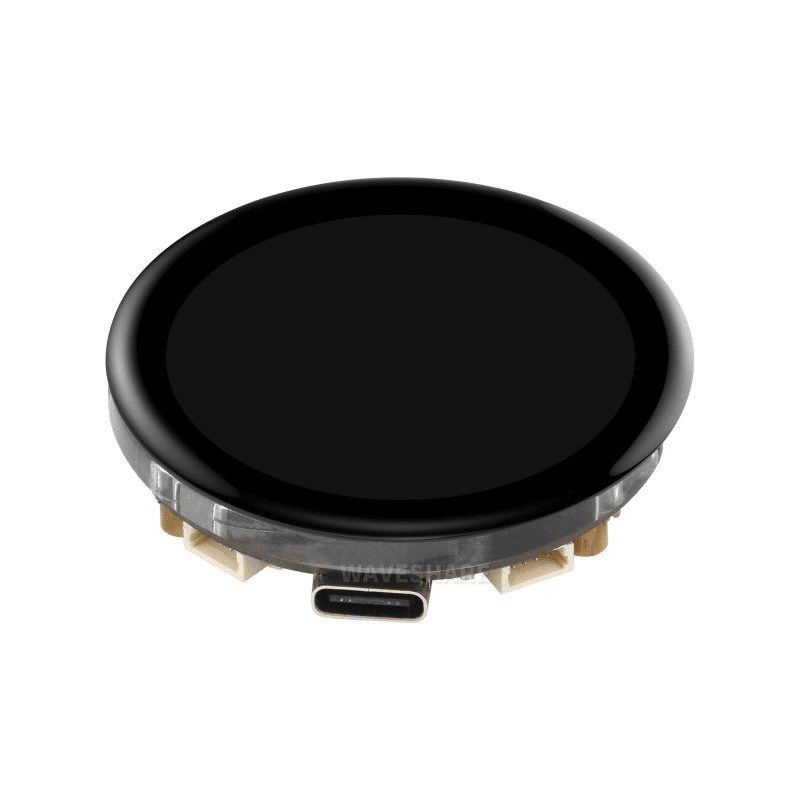
Waveshare ESP32-S3 1.43inch AMOLED Display Board
ESP32-S3 with a beautiful 466×466 round AMOLED display — ideal for a wearable BLE sensor display project showing live GATT data from your custom service.

0.96 Inch I2C OLED LCD Module (SSD1306) White
Add a tiny display to your BLE GATT server to show connection status, characteristic values, and debugging info without opening Serial Monitor.
Frequently Asked Questions
Q: My ESP32 BLE GATT server stops advertising after the first disconnect. How do I fix it?
This is a very common issue. In onDisconnect(), or in the loop after detecting disconnect, call pServer->startAdvertising(). Without this, the ESP32 does not automatically resume advertising. Always add the reconnection block shown in the code example above — check deviceConnected vs oldDeviceConnected to detect the transition, add a 500ms delay for stack cleanup, then restart advertising.
Q: What is the maximum number of characteristics I can add to a service?
The ESP32 BLE stack has a default GATT attribute table limit of 40 handles. Each service uses 1 handle, each characteristic uses 2 handles (declaration + value), and each descriptor uses 1 handle. So a service with 10 characteristics + CCCD descriptors = 1 + 10×2 + 10×1 = 31 handles — well within limits. For larger tables, increase CONFIG_BT_GATT_MAX_SR_PROFILES in menuconfig (ESP-IDF). With Arduino IDE, you can increase this via BLEDevice::init() with a custom config.
Q: Can I run BLE GATT server and Wi-Fi simultaneously on ESP32?
Yes, the ESP32 supports simultaneous BLE + Wi-Fi, but they share the same 2.4 GHz radio and RF front-end, which means there is mutual interference and throughput is reduced for both. For typical IoT applications (sensor data via BLE + MQTT over Wi-Fi) this is not a practical problem. For high-throughput BLE (e.g., audio or firmware OTA), disable Wi-Fi during BLE transfers using esp_wifi_stop() and re-enable it afterward.
Q: How do I set a human-readable name for each characteristic in nRF Connect?
Add a User Description descriptor (UUID 0x2901) to each characteristic. Create a BLEDescriptor with UUID BLEUUID((uint16_t)0x2901), set its value to a string like “Temperature (°C)”, and add it to the characteristic. nRF Connect will display this string label next to the characteristic UUID.
Q: What is the maximum BLE payload size (MTU) on ESP32?
The default ATT MTU is 23 bytes, giving 20 bytes of usable payload per packet. The ESP32 supports MTU negotiation up to 517 bytes (512 bytes payload). To request a larger MTU from your Android app use BluetoothGatt.requestMtu(512). On ESP-IDF, set CONFIG_BT_ATT_PREFERRED_PDU_SIZE to 517. With Arduino BLE library, this is negotiated automatically when the client requests it.
Build Your BLE Project Today
Get ESP32 modules, displays, and all the components you need delivered across India. From Mumbai to Chennai, Bengaluru to Delhi — Zbotic ships everywhere.







Add comment