
If you want ESP32 Alexa Fauxmo local voice control no cloud, you are in the right place. Fauxmo is an open-source library that makes your ESP32 pretend to be a WeMo smart plug, letting Amazon Echo devices control it directly over your local Wi-Fi network — no internet, no AWS, no monthly fees. This tutorial walks through everything from wiring to working voice commands.
What Is Fauxmo and How Does It Work?
Fauxmo (short for “Fake WeMo”) is a firmware library originally written for ESP8266 and later ported to ESP32. It implements the UPnP (Universal Plug and Play) protocol that Amazon Echo speakers use to discover and control Belkin WeMo smart plugs. Because your ESP32 speaks exactly the same protocol, Alexa treats it as a real WeMo device — no cloud account, no API key, no Alexa Skills Kit needed.
When you say “Alexa, turn on the fan”, the Echo broadcasts a UPnP discovery packet on your local network. Your ESP32 responds with its IP address and a virtual device name. Alexa then sends a direct HTTP request to the ESP32, which toggles a GPIO pin. The entire transaction happens within your router — packets never leave your home.
This is fundamentally different from cloud-based Alexa integrations where your command travels: your voice → Echo → AWS → your IFTTT/Tuya account → back to AWS → your device. With Fauxmo, the path is: your voice → Echo → ESP32. Latency drops from 1-3 seconds to under 200 ms.
Why Local Voice Control Matters in India
Indian internet connections, while improving rapidly, still experience periodic outages — especially during monsoon season when OFC cables get damaged. Cloud-dependent smart home devices become completely non-functional during these outages. With Fauxmo on ESP32, your voice-controlled lights and appliances keep working even when Jio or Airtel is down.
Privacy is another major concern. Every cloud-based voice command is logged by Amazon and potentially by third-party skill developers. With local control, your command never leaves your network. This matters for home offices and anyone who values data privacy.
Finally, many cloud smart home platforms impose API rate limits or shut down their services entirely (remember Samsung SmartThings V1, or Wink’s sudden subscription wall). Local Fauxmo setups have no such dependency — they will keep working as long as your ESP32 is powered.
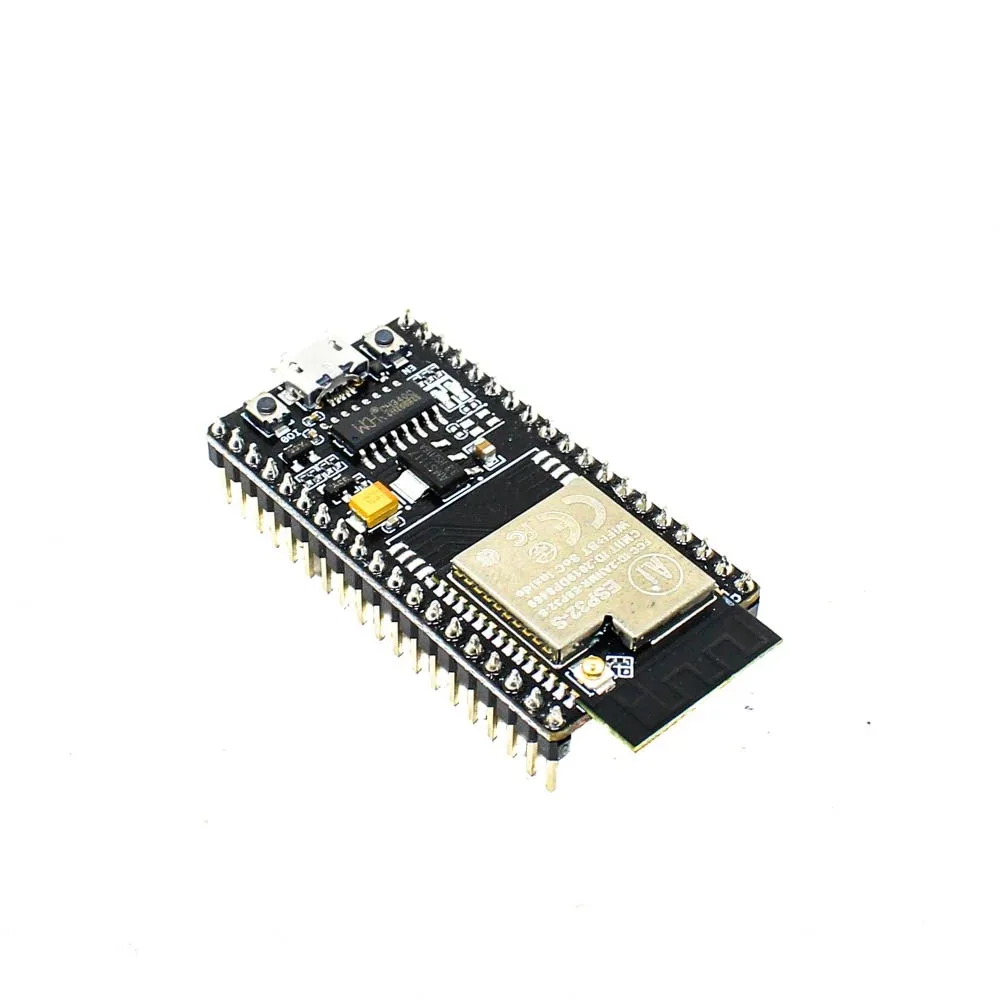
Ai Thinker NodeMCU-32S-ESP32 Development Board – IPEX Version
A reliable ESP32 development board with dual-core Xtensa processor, 4 MB flash, and breadboard-friendly pinout — ideal for Fauxmo home automation projects.
Hardware You Need
The beauty of Fauxmo is that the hardware requirements are minimal. Here is what you need for a typical smart relay project:
- ESP32 development board — any variant works (NodeMCU-32S, WROOM-32, etc.)
- 5V relay module — single or multi-channel depending on your appliances
- Power supply — 5V USB adapter or 18650 battery shield for portable setups
- Connecting wires — jumper wires for breadboard prototyping
- Amazon Echo device — any generation (Echo Dot, Echo, Echo Plus, Echo Show)
The ESP32 GPIO pins operate at 3.3V logic, and most relay modules are designed for 5V signals. You have two options: use a relay module that has an opto-coupler with active-low trigger (most blue relay boards work this way at 3.3V), or use a 3.3V relay module. Most standard blue relay modules work fine with ESP32 GPIO at 3.3V in practice.
For a cleaner installation, the 30-pin ESP32 Expansion Board provides screw terminals and organized pin access, making it much easier to wire multiple relays without a breadboard.
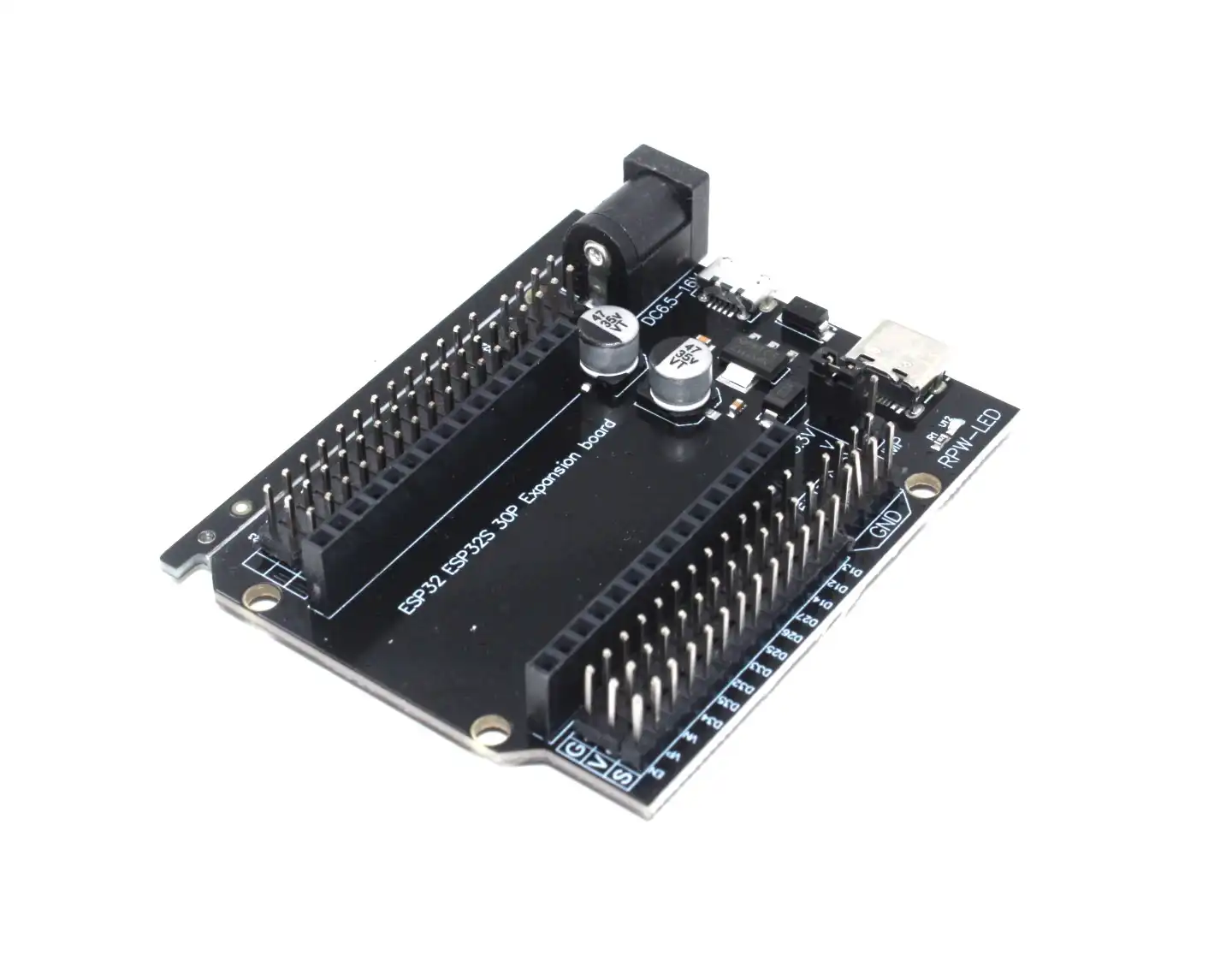
30Pin ESP32 Expansion Board with Type-C USB and Micro USB Dual Interface
Adds screw-terminal breakouts and dual USB interfaces to your ESP32, making multi-relay Alexa automation wiring clean and professional.
Installing Fauxmo on ESP32
The most popular Fauxmo library for ESP32 is ESP32 Fauxmo by Xose Pérez (aka @xoseperez), available on GitHub and through the Arduino Library Manager. Here is how to install it:
Method 1 — Arduino Library Manager:
- Open Arduino IDE
- Go to Sketch → Include Library → Manage Libraries
- Search for
fauxmoesp - Install “FauxmoESP” by Xose Pérez (version 3.4 or higher)
Method 2 — Manual ZIP install:
- Download from
https://github.com/simap/fauxmoesp - Sketch → Include Library → Add .ZIP Library
You also need the AsyncTCP library (ESP32 version) since FauxmoESP depends on it:
- Library Manager → search “AsyncTCP” → install by dvarrel or me-no-dev
Board settings in Arduino IDE:
- Board: ESP32 Dev Module
- CPU Frequency: 240 MHz
- Flash Size: 4 MB
- Partition Scheme: Default 4MB with spiffs
Full Arduino Sketch: Controlling a Relay
Below is a complete, production-ready sketch that registers two virtual Alexa devices — one for a fan and one for a light — and controls the corresponding relay pins on your ESP32.
#include <Arduino.h>
#include <WiFi.h>
#include <fauxmoESP.h>

// Wi-Fi credentials
#define WIFI_SSID "YourSSID"
#define WIFI_PASS "YourPassword"

// Relay GPIO pins (active LOW for most relay modules)
#define RELAY_FAN   GPIO_NUM_26
#define RELAY_LIGHT GPIO_NUM_27

fauxmoESP fauxmo;

void setupWiFi() {
  WiFi.mode(WIFI_STA);
  WiFi.begin(WIFI_SSID, WIFI_PASS);
  Serial.print("Connecting to Wi-Fi");
  while (WiFi.status() != WL_CONNECTED) {
    delay(200);
    Serial.print(".");
  }
  Serial.println();
  Serial.print("IP: ");
  Serial.println(WiFi.localIP());
}

void setup() {
  Serial.begin(115200);

  // Initialize relay pins (HIGH = relay OFF for active-LOW modules)
  pinMode(RELAY_FAN,   OUTPUT);
  pinMode(RELAY_LIGHT, OUTPUT);
  digitalWrite(RELAY_FAN,   HIGH);
  digitalWrite(RELAY_LIGHT, HIGH);

  setupWiFi();

  // Fauxmo setup
  fauxmo.createServer(true);  // required for Gen3 Echo devices
  fauxmo.setPort(80);          // default WeMo port
  fauxmo.enable(true);

  // Register virtual devices — these are the names you say to Alexa
  fauxmo.addDevice("ceiling fan");
  fauxmo.addDevice("bedroom light");

  fauxmo.onSetState([](unsigned char device_id, const char * device_name, bool state, unsigned char value) {
    Serial.printf("Device #%d (%s) -> %sn",
      device_id, device_name, state ? "ON" : "OFF");

    if (strcmp(device_name, "ceiling fan") == 0) {
      digitalWrite(RELAY_FAN, state ? LOW : HIGH);
    } else if (strcmp(device_name, "bedroom light") == 0) {
      digitalWrite(RELAY_LIGHT, state ? LOW : HIGH);
    }
  });
}

void loop() {
  fauxmo.handle();
  // Other non-blocking code here
}
Key points about this code:
createServer(true)— required for Echo 3rd generation and newer. Older tutorials usefalseand only work with Echo 1st/2nd gen.setPort(80)— WeMo protocol requires port 80. If another service is using port 80, you must change it there.- Device names are case-insensitive. “Ceiling Fan”, “ceiling fan”, and “CEILING FAN” all work.
- The
valueparameter in the callback carries a 0-255 brightness value when dimming — useful for PWM-controlled lights. - Do NOT call
delay()in your loop — it blocks Fauxmo’s internal web server from responding to Alexa’s HTTP requests.
Device Discovery and Alexa Setup
After flashing your ESP32 and ensuring it connects to Wi-Fi (check Serial Monitor at 115200 baud for the IP address), follow these steps to make Alexa discover your devices:
- Open the Amazon Alexa app on your phone
- Tap the Devices tab at the bottom
- Tap the + icon at top right → Add Device
- Select Other → Link Device
- Alexa will scan your network for UPnP devices
- Your ESP32 virtual devices should appear within 30-60 seconds
Alternatively, just say “Alexa, discover devices” — this is usually faster.
Troubleshooting tips:
- Both your Echo and ESP32 must be on the same subnet (same Wi-Fi network, not guest network)
- If discovery fails, ensure no firewall rule is blocking UDP port 1900 (UPnP SSDP) between devices
- Some routers with “AP Isolation” (like many Jio routers in their default config) block device-to-device communication — disable AP isolation or enable multicast
- After changing device names in your sketch, you must delete the old device in the Alexa app before re-discovering
- If port 80 conflicts with OTA update server or web dashboard, use the older Gen1/Gen2 mode with port 1901

2 x 18650 Lithium Battery Shield for ESP32
Power your Fauxmo ESP32 node from two 18650 cells, giving hours of runtime during power cuts — keeps your local voice control alive when mains power fails.
Advanced: Multiple Devices and Dimming
Fauxmo supports up to 10 virtual devices per ESP32 (the library sets this as a compile-time constant you can increase). For a typical Indian home automation setup — fans, lights, geyser, TV socket, AC socket — 10 devices is sufficient.
Dimming with PWM: The value parameter (0-255) in the onSetState callback lets you implement true dimming. For LED dimmers, map the 0-255 range to your PWM duty cycle:
fauxmo.onSetState([](unsigned char device_id, const char* device_name, bool state, unsigned char value) {
  if (strcmp(device_name, "living room light") == 0) {
    int pwmValue = state ? map(value, 0, 255, 0, 255) : 0;
    ledcWrite(0, pwmValue); // Channel 0, connected to LED
  }
});
Persistent state with NVS: By default, if your ESP32 reboots, all relays go to their setup() initial state. Use the Preferences library to save relay states to non-volatile storage so they restore after a power cut:
#include <Preferences.h>
Preferences prefs;
// In callback:
prefs.begin("relay", false);
prefs.putBool("fan", state);
prefs.end();
// In setup(), after WiFi:
prefs.begin("relay", true);
bool fanState = prefs.getBool("fan", false);
digitalWrite(RELAY_FAN, fanState ? LOW : HIGH);
prefs.end();
OTA updates: Combine Fauxmo with ArduinoOTA for remote firmware updates without opening the electrical enclosure. Just ensure OTA doesn’t block Fauxmo’s handle() call — both work with non-blocking event loops.
Adding a temperature sensor: Many Fauxmo projects also log room temperature via DHT11 or DHT20 and send it to a local MQTT broker (Home Assistant, Node-RED). The ESP32’s dual cores help here — run Fauxmo on Core 1 (default) and sensor reading on Core 0 via a FreeRTOS task.
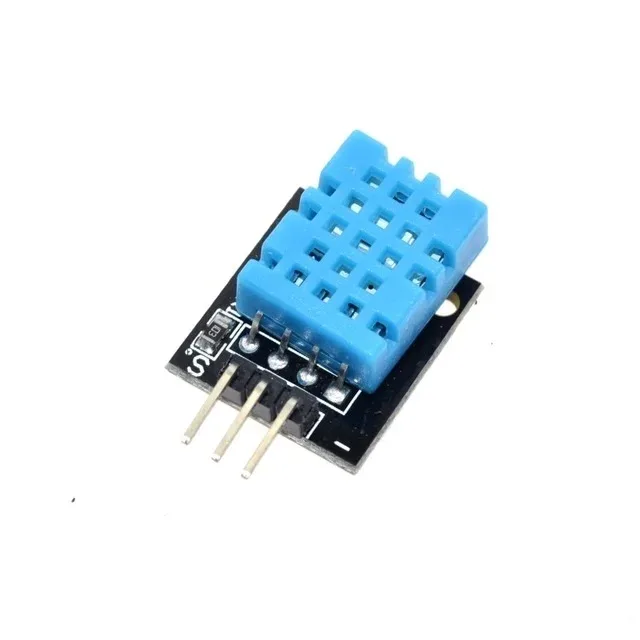
DHT11 Digital Relative Humidity and Temperature Sensor Module
Add temperature and humidity monitoring to your Fauxmo smart home node — ask Alexa to turn on the AC when the DHT11 reports above 30°C.
Frequently Asked Questions
Does Fauxmo work with Alexa routines?
Yes. Once your ESP32 Fauxmo devices are discovered by Alexa, they appear in your Alexa app like any other smart device. You can include them in routines (“Good morning” → turn on bedroom light), groups (“all lights”), and schedules. The local control path is used for direct voice commands, while routines may use a hybrid path depending on your Echo firmware version.
Can I use Fauxmo with ESP8266 instead of ESP32?
Yes, the original FauxmoESP library was written for ESP8266. However, ESP32 is strongly recommended because: it has more RAM (520 KB vs 80 KB), supports dual cores (run Fauxmo and your application code in parallel), and has more GPIO pins for controlling multiple relays. ESP8266 can run out of RAM with more than 3-4 Fauxmo devices.
Will Fauxmo work with Google Home or Apple HomeKit?
No. Fauxmo specifically emulates the Belkin WeMo protocol that Amazon Alexa uses. For Google Home, use a different approach (custom MDNS service). For Apple HomeKit, look at the “HomeSpan” library for ESP32, which implements the HAP (HomeKit Accessory Protocol) entirely locally — similar philosophy to Fauxmo but for Apple’s ecosystem.
What happens if my ESP32 gets a new IP address?
Alexa discovers devices by their UUID (a unique identifier embedded in the Fauxmo response), not by IP address. If your ESP32’s IP changes, Alexa re-discovers the new IP automatically the next time you issue a discovery command. To prevent IP changes, assign a static IP in your router’s DHCP reservation table using the ESP32’s MAC address.
Can Fauxmo control my existing Tuya or Shelly devices?
Fauxmo runs on ESP32/ESP8266 and requires your own firmware. Tuya and Shelly devices have their own firmware (some Shelly devices actually support local control natively). Fauxmo is specifically for custom ESP32 builds where you want Alexa compatibility without any cloud dependency.
Build Your Local Alexa Smart Home
Get all the ESP32 boards, sensors, and accessories you need for your Fauxmo home automation project from Zbotic — fast shipping across India.


Add comment