
A multimeter is the single most important instrument on any electronics workbench. Whether you are debugging a microcontroller circuit, measuring battery voltage, or tracing a short on a PCB, nothing replaces a reliable digital multimeter (DMM). In 2026, the Indian market offers everything from ultra-affordable sub-₹500 testers to serious benchtop-grade handheld units that rival professional lab equipment.
This buying guide covers the best multimeters for electronics hobbyists in India in 2026 — with plain-language explanations of every spec that actually matters, safety ratings you must not ignore, and honest recommendations at every budget. Let’s dive in.
Why Every Hobbyist Needs a Good Multimeter
Sensors fail silently. Microcontrollers reset without warning. Wires look fine until they don’t. A multimeter lets you see what is actually happening in your circuit rather than guessing. Without one you will spend hours debugging a problem that takes thirty seconds to locate with a meter.
For Indian hobbyists in 2026, the options are better than ever. Precision auto-ranging meters that cost ₹4,000 five years ago are now available for under ₹1,200. True-RMS capability has trickled down to the ₹2,000 bracket. And a growing selection of Bluetooth-enabled meters means you can log sensor data directly to your phone.
Key Specifications Explained
Display Counts
Display counts tell you the resolution of the measurement. A 2,000-count meter can display up to 1.999 V in the 2 V range. A 6,000-count meter resolves to 0.001 V in the same range. For most hobbyist work, 4,000–6,000 counts is more than adequate. Auto-ranging multimeters above 10,000 counts are overkill unless you are calibrating precision sensors.
True-RMS vs Average-Responding
Average-responding meters are calibrated for a perfect sine wave. If you measure a PWM signal, a switching power supply output, or any non-sinusoidal AC, an average-responding meter gives a wrong reading — sometimes by 10–40%. True-RMS meters compute the actual RMS value regardless of waveform shape. If you work with motor drivers, DC-DC converters, or Arduino PWM outputs, spend the extra few hundred rupees for True-RMS.
DC and AC Voltage Ranges
Most hobbyist work lives between 0–30 V DC. Make sure the meter has a 200 mV range for measuring small sensor differentials and a range of at least 600 V for safe mains work.
Resistance and Continuity
Continuity testing with an audible beep is essential for PCB debugging. Look for a beep that responds in under 50 ms — slow beepers make tracing connections frustrating.
Capacitance Measurement
Handy for verifying electrolytic capacitors before soldering them into a sensor power rail. Even cheap meters now include this, but accuracy varies widely below 10 nF.
Frequency and Duty Cycle
If you work with PWM, servo signals, or oscillator circuits, a meter that can measure frequency up to 10 MHz saves you from firing up the oscilloscope for quick checks.
Temperature Measurement
Many meters include a K-type thermocouple input. This is extremely useful when testing thermistor linearization circuits or calibrating temperature sensors like the LM35 or DS18B20.
Safety Ratings: CAT I, II, III, IV
This is the most overlooked spec and also the most critical. CAT ratings define the maximum transient energy the meter can safely withstand without exploding in your face.
- CAT I: Low-energy circuits, signal-level electronics. Fine for sensors and microcontrollers.
- CAT II: Single-phase receptacle, plugged-in equipment. Household outlets.
- CAT III: Three-phase distribution, fixed installation. Industrial panels.
- CAT IV: Utility entry, power meters, outdoor conductors.
For a hobbyist who will ever measure mains voltage (even once), a CAT III 600 V minimum is strongly recommended. Cheap meters sold on e-commerce sites often have fake CAT ratings — the probe wires are thin, the internal fuses are inadequate, and the insulation is insufficient. Stick to brands with genuine IEC 61010 certification: Fluke, UNI-T, Victor, Mastech, or HoldPeak.
Best Budget Multimeters Under ₹1,500
UNI-T UT33C+ (₹700–₹900)
The most popular entry-level pick in the Indian hobbyist community. Manual ranging, 2,000 counts, diode test, continuity beep, NCV (non-contact voltage detection), and a compact form factor. The probe quality is surprisingly good for the price. It will not measure True-RMS but for DC sensor circuits it is perfectly adequate.
HoldPeak HP-37C (₹900–₹1,200)
Auto-ranging with 6,000 counts at this price is outstanding. Includes temperature measurement with a bundled K-type thermocouple probe, backlit display, and auto-power-off. A serious value play for beginners who want to grow into the instrument.
Mastech MS8268 (₹1,100–₹1,400)
A well-regarded manual-ranging 4,000-count meter with an analog bar graph — useful for watching live fluctuations while adjusting a trimmer. Mastech is one of the more reliable brands in this segment with actual safety compliance.
Best Mid-Range Multimeters ₹1,500–₹5,000
UNI-T UT61E+ (₹2,800–₹3,500)
This is the mid-range king for hobbyists. 22,000 counts, True-RMS, auto-ranging, USB/RS232 PC interface for data logging, relative mode, and a genuine CAT III 600 V rating. The UT61E has been a community favourite for years and the Plus variant adds Bluetooth logging. For anyone doing serious sensor characterisation or writing Arduino libraries that need real measurement data, this is the meter to buy.
Victor VC97 (₹1,800–₹2,400)
4,000-count auto-ranging True-RMS meter with temperature, frequency, and capacitance. Victor meters are popular in the Indian professional market and spare probes/accessories are readily available. Great build quality for the price.
Fluke 101 (₹3,500–₹4,200)
The entry point into the Fluke ecosystem. 4,000 counts, not True-RMS, but the measurement accuracy and build quality are noticeably better than Chinese alternatives. The CAT III 600 V rating is genuine. If you ever test household wiring this is the minimum you should use. Note: it lacks capacitance and temperature — it is a focused, reliable instrument, not a feature showcase.
Best Advanced Multimeters Above ₹5,000
Fluke 115 (₹11,000–₹14,000)
6,000-count True-RMS with LoZ (low-impedance) mode that prevents phantom voltage readings — invaluable when debugging EMI-heavy motor driver circuits. CAT III 600 V / CAT IV 300 V. The gold standard for professional hobbyist work.
UNI-T UT171C (₹9,000–₹12,000)
60,000 counts, True-RMS, 0.1% DC accuracy, dual display, capacitance up to 100 mF, and Bluetooth. This is effectively a benchtop-grade meter in handheld form. Overkill for most hobbyists but if you design precision sensor circuits professionally, the accuracy class justifies the cost.
Owon OW18E (₹6,500–₹8,000)
A newer entry with Bluetooth logging, 6,000 counts True-RMS, and a surprisingly good app that graphs readings in real time. Excellent for data-logging temperature or current sensor outputs over time without a laptop.
Features to Look for in 2026
- Auto-ranging: Saves time switching ranges. Essential for beginners.
- Backlit display: Needed for any real workspace lighting condition.
- Auto-power-off: Saves batteries — you will always forget to turn it off.
- Min/Max/Avg recording: Catch transient voltage spikes on sensor power rails without an oscilloscope.
- Relative (REL) mode: Zero out a reading to measure small differences — useful when calibrating sensors.
- NCV (Non-Contact Voltage): Handy safety check before touching wiring.
- Bluetooth/USB logging: Game changer for characterising sensor behaviour over time.
- LoZ mode: Prevents ghost voltage false positives in motor/relay circuits.
Multimeter vs Oscilloscope: Which Do You Need First?
Buy the multimeter first, always. An oscilloscope shows you signal shape and timing; a multimeter tells you voltages, resistances, and continuity — the fundamentals you need for 90% of debugging tasks. Once you have a reliable meter, a budget oscilloscope (Fnirsi or Rigol DS1054Z in India) becomes a natural complement for signal-level debugging.
Exception: if your primary interest is radio frequency circuits, audio, or high-speed digital design, move to an oscilloscope sooner rather than later.
Using Your Multimeter with Sensors and Modules
Once you have a good meter, it unlocks a whole world of sensor debugging capability.
Checking a Temperature Sensor (LM35 / DS18B20)
The LM35 outputs 10 mV per degree Celsius. At 25°C the output should read 250 mV. Use the 2 V DC range on your multimeter. If the reading is wrong, check the supply voltage (should be 5 V ±0.1 V) and ground continuity before assuming the sensor is dead.

LM35 Temperature Sensors
Linear 10 mV/°C output makes LM35 perfect for multimeter-based calibration — no code needed, just read the voltage.
Verifying a Current Sensor (ACS712)
The ACS712 outputs 2.5 V at zero current. Measure this idle voltage with your multimeter — if it reads significantly off 2.5 V your power supply is sagging. Under load, each amp shifts the output by 66 mV (5A version), 100 mV (20A version), or 66 mV (30A version).

20A Range Current Sensor Module ACS712
Verify the 2.5 V idle offset and sensitivity with any decent multimeter before wiring it into your circuit.
Load Cell / HX711 Circuits
Use your multimeter to measure the excitation voltage (typically 5 V across E+ and E−) and the bridge output (a few millivolts at zero load). If excitation is wrong the HX711 will never read correctly.
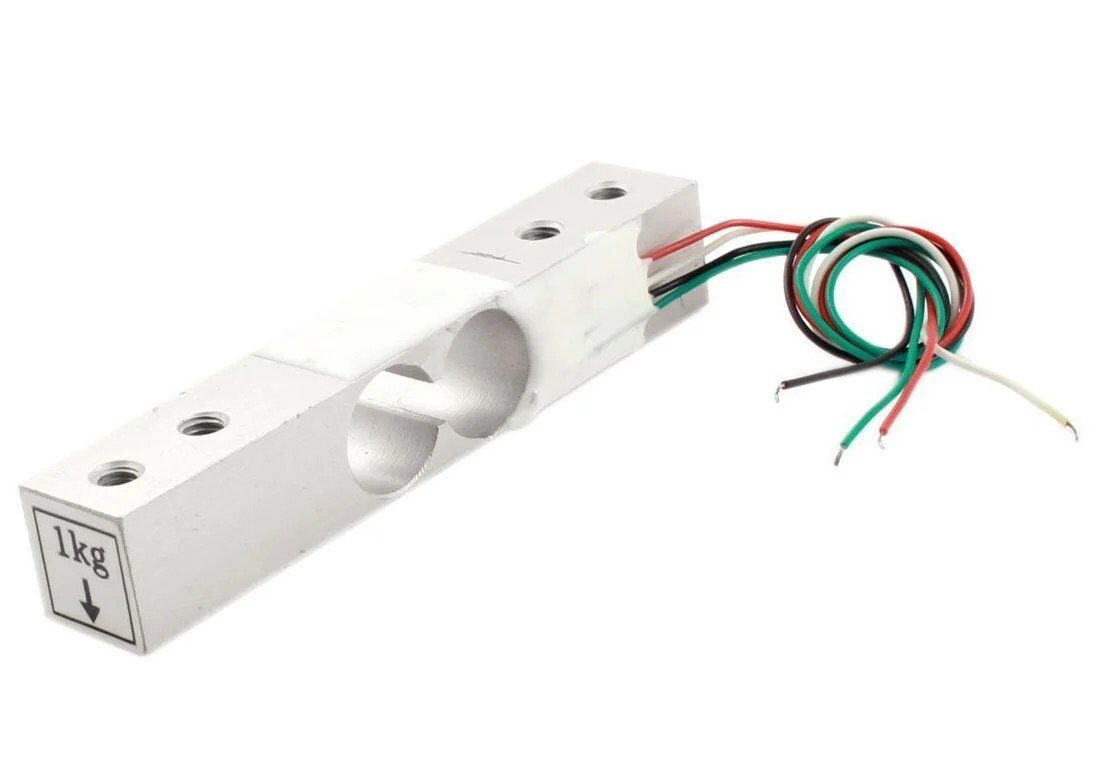
1Kg Load Cell – Electronic Weighing Scale Sensor
A multimeter helps you verify excitation voltage and bridge balance before connecting the HX711 amplifier.
Soil Moisture Sensors
Resistive soil moisture sensors can be checked by measuring the resistance between the two probes directly — dry soil shows very high resistance (MΩ), wet soil drops to tens of kΩ. This quick sanity check tells you whether the sensor is working before connecting it to an ADC.

Capacitive Soil Moisture Sensor
Measure the analog output voltage in air vs water to quickly verify sensor calibration with your multimeter.
Frequently Asked Questions
Q: Is a ₹300 multimeter from a local shop safe?
A: For measuring battery voltages and LED circuits (under 12 V), a basic meter is physically safe. But the accuracy can be ±5% or worse and it will likely fail within months. Spend at least ₹700–₹900 on a UNI-T or HoldPeak for a reliable instrument that will last years.
Q: Do I need True-RMS for Arduino projects?
A: If you only measure DC voltages and resistances, no. If you measure PWM signals, motor back-EMF, or switching power supplies, True-RMS gives significantly more accurate readings. It is worth the upgrade.
Q: What is the difference between a 2,000-count and a 6,000-count meter?
A: Resolution. A 6,000-count meter can display 5.999 V in the 6 V range, while a 2,000-count meter only shows 1.999 V before auto-ranging to the next range. More counts mean finer graduations and ability to spot small changes.
Q: Can I use a multimeter to test I2C or SPI sensors?
A: A multimeter can verify supply voltages and pull-up resistor values. It cannot capture I2C/SPI data transactions — for that you need a logic analyser or oscilloscope. But checking power rail voltages (3.3 V or 5 V) is always the first debugging step.
Q: How do I know if my multimeter’s CAT rating is genuine?
A: Look for IEC 61010 certification and a rating that includes both voltage and CAT level (e.g., CAT III 600 V). If the probe wires are thin single-strand wire and feel flimsy, the CAT rating is likely fictional. Brands like Fluke, UNI-T, Victor, and Mastech have genuine certifications.
Q: Which multimeter is best for a complete beginner in India?
A: The HoldPeak HP-37C (around ₹1,000) for its auto-ranging, temperature measurement, and good beginner-friendly features. If budget is very tight, the UNI-T UT33C+ at ₹700–₹900 is the most reliable entry-level option.
Conclusion
A good multimeter is not just a tool — it is your primary debugging instrument for every sensor, module, and circuit you will ever build. In 2026, Indian hobbyists have excellent options at every price point. Start with at least a ₹900 auto-ranging meter, graduate to a True-RMS unit like the UNI-T UT61E+ as your projects grow, and always verify the CAT rating before probing anything connected to mains.
Once your meter is sorted, explore the wide range of sensors and measurement modules available at Zbotic — from temperature and humidity sensors to current transducers and soil moisture probes, all designed to work seamlessly with Arduino, ESP32, and Raspberry Pi.
Ready to Build Your Sensor Toolkit?
Browse Zbotic’s full range of sensors, measurement modules, and electronics components — fast shipping across India.







Add comment