
Table of Contents
- What Is the ADXL345?
- How MEMS Accelerometers Work
- ADXL345 Key Features
- Wiring ADXL345 via I2C
- Wiring ADXL345 via SPI
- Arduino Code: Read Raw Acceleration
- Calculating Tilt Angles (Roll and Pitch)
- Vibration Detection and Tap Recognition
- Free-Fall Detection
- Activity and Inactivity Detection
- Project Ideas
- Recommended Products from Zbotic
- Frequently Asked Questions
Motion sensing is one of the most versatile capabilities you can add to an Arduino project. The ADXL345 from Analog Devices is a legendary 3-axis digital accelerometer that has appeared in everything from budget fitness trackers to industrial vibration monitors and drone flight controllers. Its unique combination of low noise, high resolution, programmable interrupt outputs, and dirt-cheap cost makes it a staple of the hobbyist electronics toolkit in India and worldwide.
In this comprehensive guide, you will understand how the ADXL345 works at the physics and circuit level, wire it to Arduino over both I2C and SPI, read raw acceleration data, calculate real tilt angles using trigonometry, detect vibration and individual taps, trigger free-fall detection, and build several practical projects. Full Arduino code is included at every step.
What Is the ADXL345?
The ADXL345 is a 3-axis, digital output MEMS (Micro-Electro-Mechanical System) accelerometer made by Analog Devices. It measures acceleration in three orthogonal axes (X, Y, Z) simultaneously, with a selectable measurement range of ±2g, ±4g, ±8g, or ±16g. It communicates over I2C or SPI and includes a generous set of built-in interrupt features that can autonomously detect taps, double taps, free-fall events, and activity/inactivity transitions — all without needing the main microcontroller to continuously poll it.
The ADXL345 is available as a bare IC (LFCSP-14 package) or, more commonly for hobbyists, as a small breakout module (sometimes called GY-291) with voltage regulation and I2C pull-ups already fitted. Cost in India: approximately ₹100–₹200 for the module.
How MEMS Accelerometers Work
Inside the ADXL345 is a microscopic mechanical structure etched into silicon — a tiny proof mass suspended by microscopic springs, with fixed capacitor plates above and below it. When the device accelerates, inertia causes the proof mass to shift relative to the fixed plates, changing the capacitance between them. A differential capacitance measurement circuit converts this capacitance change into a digital reading via an onboard 13-bit ADC.
When the sensor is stationary on a flat surface, the Z-axis reads approximately +1g (Earth’s gravitational acceleration) and X/Y read near 0g. This is the key insight behind tilt calculation — gravity is a constant 1g vector, and by reading how much of that vector falls on each axis, you can calculate the sensor’s orientation.
ADXL345 Key Features
| Feature | Specification |
|---|---|
| Measurement range | ±2g, ±4g, ±8g, ±16g (selectable) |
| Resolution | 10-bit (up to 13-bit in full-resolution mode) |
| Sensitivity (±2g) | 256 LSB/g → 3.9 mg/LSB |
| Output data rate | 0.1 Hz to 3200 Hz (configurable) |
| Interface | I2C (up to 400 kHz) or SPI (up to 5 MHz) |
| I2C addresses | 0x53 (SDO=GND), 0x1D (SDO=VCC) |
| Supply voltage | 2.0 V to 3.6 V I/O; 2.0–3.6 V supply |
| Current (measurement) | 140 µA at 100 Hz ODR |
| Current (standby) | 0.1 µA |
| Interrupts | INT1, INT2 — configurable for 7 events |
| FIFO buffer | 32-sample onboard FIFO |
| Package | LFCSP-14 (3 × 5 × 1 mm) |
Important note on voltage: The ADXL345 I/O pins are 3.3 V logic. On a 5 V Arduino, you must use a logic level shifter or resistor divider on the SDA/SCL/MOSI/SS lines, OR use the GY-291 breakout module which includes an onboard 3.3 V regulator and level-shifting resistors.
Wiring ADXL345 via I2C
Using the GY-291 module (5V compatible breakout):
| GY-291 Module Pin | Arduino Uno Pin |
|---|---|
| VCC | 5V (or 3.3V if 3.3V module) |
| GND | GND |
| SDA | A4 |
| SCL | A5 |
| SDO/ADO | GND (I2C address = 0x53) |
| CS | Leave floating or tie to VCC (enables I2C) |
| INT1 | D2 (optional — for interrupt-driven projects) |
Wiring ADXL345 via SPI
| ADXL345 Pin | Arduino Uno Pin |
|---|---|
| VCC | 3.3V (use level shifter for 5V) |
| GND | GND |
| SCK | D13 (SCK) |
| SDA/MOSI | D11 (MOSI) |
| SDO/MISO | D12 (MISO) |
| CS | D10 (SS) |
When CS is pulled LOW, the ADXL345 uses SPI. When CS is HIGH (or floating), it defaults to I2C. SPI is faster for high data-rate applications (> 800 Hz ODR).
Arduino Code: Read Raw Acceleration
// ADXL345 Raw Acceleration Reader (I2C)
// Zbotic.in Tutorial
// Uses Adafruit ADXL345 library
// Install: Library Manager → search "Adafruit ADXL345"

#include <Wire.h>
#include <Adafruit_ADXL345_U.h>

Adafruit_ADXL345_Unified accel = Adafruit_ADXL345_Unified(12345);

void setup() {
  Serial.begin(115200);
  if (!accel.begin()) {
    Serial.println("No ADXL345 detected — check wiring!");
    while (1);
  }
  // Set range to ±2g for highest resolution
  accel.setRange(ADXL345_RANGE_2_G);
  // Set data rate to 100 Hz
  accel.setDataRate(ADXL345_DATARATE_100_HZ);
  Serial.println("ADXL345 Accelerometer - Zbotic.in");

  sensor_t sensor;
  accel.getSensor(&sensor);
  Serial.print("Max Value: "); Serial.println(sensor.max_value);
  Serial.print("Min Value: "); Serial.println(sensor.min_value);
  Serial.print("Resolution: "); Serial.println(sensor.resolution);
}

void loop() {
  sensors_event_t event;
  accel.getEvent(&event);

  Serial.print("X: "); Serial.print(event.acceleration.x, 2); Serial.print(" m/s^2 | ");
  Serial.print("Y: "); Serial.print(event.acceleration.y, 2); Serial.print(" m/s^2 | ");
  Serial.print("Z: "); Serial.print(event.acceleration.z, 2); Serial.println(" m/s^2");

  delay(100);
}
Calculating Tilt Angles (Roll and Pitch)
With a stationary sensor, the gravitational vector (1g = 9.81 m/s²) distributes across all three axes based on orientation. Using trigonometry:
- Roll (rotation around X axis):
roll = atan2(ay, az) × (180/π) - Pitch (rotation around Y axis):
pitch = atan2(-ax, sqrt(ay² + az²)) × (180/π)
#include <Wire.h>
#include <Adafruit_ADXL345_U.h>
#include <math.h>

Adafruit_ADXL345_Unified accel = Adafruit_ADXL345_Unified(12345);

void setup() {
  Serial.begin(115200);
  accel.begin();
  accel.setRange(ADXL345_RANGE_2_G);
}

void loop() {
  sensors_event_t event;
  accel.getEvent(&event);

  float ax = event.acceleration.x; // m/s^2
  float ay = event.acceleration.y;
  float az = event.acceleration.z;

  // Convert to g (divide by 9.81)
  ax /= 9.81; ay /= 9.81; az /= 9.81;

  float roll  = atan2(ay, az) * 180.0 / M_PI;
  float pitch = atan2(-ax, sqrt(ay * ay + az * az)) * 180.0 / M_PI;

  Serial.print("Roll: "); Serial.print(roll, 1); Serial.print("° | ");
  Serial.print("Pitch: "); Serial.print(pitch, 1); Serial.println("°");

  delay(100);
}
Accuracy note: This two-axis tilt calculation is accurate for static or slow-moving situations. For dynamic platforms (vehicles, drones), combine with a gyroscope (e.g., MPU6050’s built-in gyro) using a complementary filter or Kalman filter to eliminate acceleration noise.
Vibration Detection and Tap Recognition
The ADXL345 has a built-in single-tap and double-tap detection engine that triggers INT1 or INT2 pins automatically — no polling required. Configure via three registers:
// ADXL345 Tap Detection Setup (using Wire directly)
#include <Wire.h>

#define ADXL345_ADDR 0x53

void writeReg(uint8_t reg, uint8_t val) {
  Wire.beginTransmission(ADXL345_ADDR);
  Wire.write(reg); Wire.write(val);
  Wire.endTransmission();
}

void setupTapDetection() {
  writeReg(0x2A, 0x00); // Disable tap interrupts first
  writeReg(0x1D, 50);   // THRESH_TAP: 50 * 62.5mg = 3.125g threshold
  writeReg(0x21, 15);   // DUR: 15 * 625us = 9.375ms tap duration
  writeReg(0x22, 80);   // Latent: 80 * 1.25ms = 100ms (for double tap)
  writeReg(0x23, 240);  // Window: 240 * 1.25ms = 300ms (for double tap)
  writeReg(0x2A, 0x07); // Tap axes: X, Y, Z all enabled
  writeReg(0x2E, 0x60); // INT_ENABLE: enable Single Tap + Double Tap on INT1
  writeReg(0x2F, 0x00); // INT_MAP: route to INT1
  writeReg(0x31, 0x08); // DATA_FORMAT: ±2g, full resolution
  writeReg(0x2D, 0x08); // POWER_CTL: Measurement mode
}

void setup() {
  Serial.begin(115200);
  Wire.begin();
  setupTapDetection();
  pinMode(2, INPUT); // INT1 → D2
  attachInterrupt(digitalPinToInterrupt(2), tapISR, RISING);
  Serial.println("Tap to detect!");
}

void tapISR() {
  // Read INT_SOURCE register (0x30) in loop() to determine which event triggered
  // Don't do Serial.print() inside ISR
}

void loop() {
  Wire.beginTransmission(ADXL345_ADDR);
  Wire.write(0x30); // INT_SOURCE register
  Wire.endTransmission();
  Wire.requestFrom(ADXL345_ADDR, 1);
  uint8_t src = Wire.read();

  if (src & (1<<6)) Serial.println("Single TAP detected!");
  if (src & (1<<5)) Serial.println("Double TAP detected!");

  delay(50);
}
Free-Fall Detection
The ADXL345 can autonomously detect when all three axes drop below a threshold simultaneously — the signature of free fall:
// Configure free-fall detection
// THRESH_FF (0x28): threshold below which all axes must read to trigger
// TIME_FF  (0x29): minimum duration all axes must be below threshold

void setupFreeFall() {
  writeReg(0x28, 9);   // THRESH_FF: 9 * 62.5mg = ~562.5mg (tune to 300-600mg)
  writeReg(0x29, 20);  // TIME_FF: 20 * 5ms = 100ms minimum free-fall duration
  writeReg(0x2E, 0x84); // INT_ENABLE: Free Fall + Data Ready
  writeReg(0x2D, 0x08); // POWER_CTL: Measurement mode
}
// INT_SOURCE bit 2 = FREE_FALL event
Activity and Inactivity Detection
These are power-saving features that let the ADXL345 wake up the main microcontroller from sleep only when motion starts, and put it back to sleep when motion stops:
void setupActivityDetection() {
  writeReg(0x24, 4);    // THRESH_ACT: 4 * 62.5mg = 250mg activity threshold
  writeReg(0x25, 2);    // THRESH_INACT: 2 * 62.5mg = 125mg inactivity threshold
  writeReg(0x26, 10);   // TIME_INACT: 10 seconds of inactivity before trigger
  writeReg(0x27, 0xFF); // ACT_INACT_CTL: AC-coupled, all axes for both
  writeReg(0x2E, 0x18); // INT_ENABLE: Activity + Inactivity interrupts
}
// Perfect for battery-powered devices: MCU sleeps, ADXL345 wakes it on motion
Project Ideas
1. Inclinometer / Digital Spirit Level
Display roll and pitch angles on an OLED screen with a graphical bubble-level indicator. Accurate to ±1° for woodworking, civil engineering, or machinery levelling applications.
2. Vibration Logger for Industrial Equipment
Sample the ADXL345 at 800 Hz, compute RMS acceleration over a 1-second window, and log to an SD card. Detect bearing wear in motors or pump cavitation by tracking vibration signatures over weeks.
3. Anti-Theft Alarm
Put the system in inactivity mode. When the ADXL345 detects motion (activity interrupt), trigger a buzzer or send a Telegram alert via ESP8266. Ultra-low power between alerts.
4. Step Counter / Pedometer
Apply a low-pass filter to remove high-frequency vibration, then detect the characteristic 1–2 Hz peak acceleration of a walking cycle using the FIFO buffer at 50 Hz ODR. Count zero-crossings for step count.
5. Gesture-Controlled Robot
Hold an Arduino + ADXL345 as a remote: tilt forward = robot moves forward, tilt left = turn left, etc. Transmit tilt angles over nRF24L01 radio to the robot. The 2° tilt dead zone prevents jitter when held still.
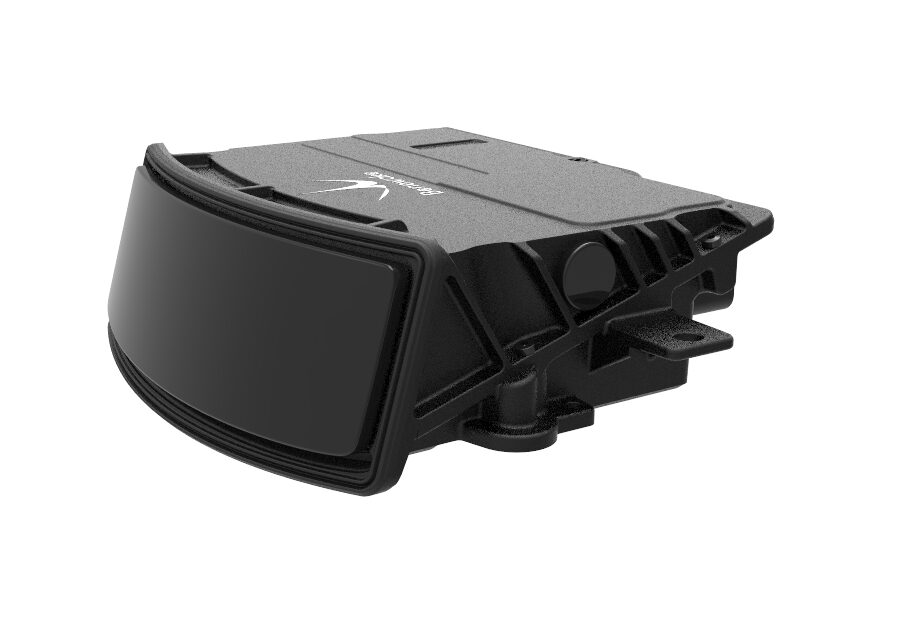
Benewake AD2-S-X3 Automotive LiDAR
Combine the ADXL345’s tilt and vibration awareness with the AD2-S-X3’s 3D LiDAR environment mapping for a complete autonomous robot perception system.
Recommended Products from Zbotic
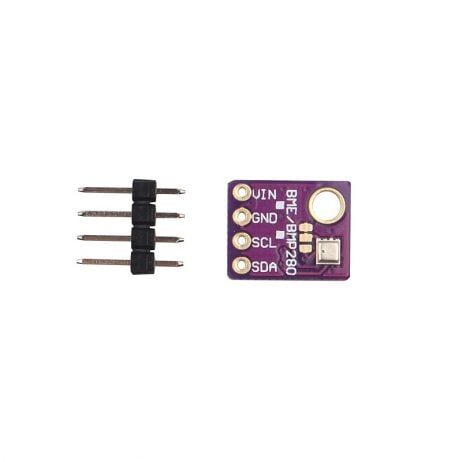
GY-BME280-5V Temperature and Humidity Sensor
Share the I2C bus with your ADXL345 — the BME280 adds temperature, humidity, and pressure to your vibration/tilt logger for full environmental context. Both sensors active simultaneously on 2 wires.

INA219 I2C Current/Power Monitor
For battery-powered tilt/vibration loggers: the INA219 tracks battery state of charge on the same I2C bus as the ADXL345, letting you estimate remaining runtime and trigger safe shutdown before data loss.
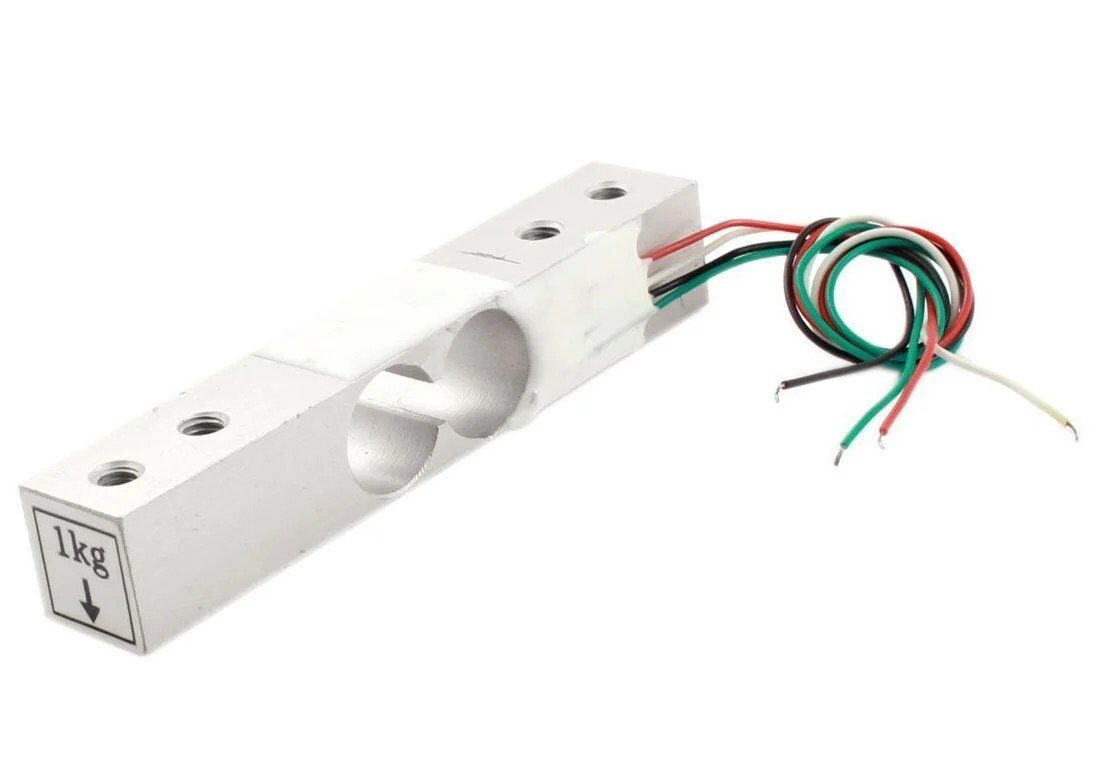
1Kg Load Cell – Electronic Weighing Scale Sensor
Combine a load cell with the ADXL345 to build a smart scale that also logs vibration — for shipping applications where you need to know both the package weight and whether it was mishandled in transit.
Frequently Asked Questions
Q1: Why does my ADXL345 always read ~9.8 m/s² on the Z axis when flat?
That is correct behaviour. A stationary accelerometer measures the reaction force to gravity — equivalent to +1g (9.81 m/s²) pointing upward on the axis perpendicular to Earth’s surface. This is the same principle that makes accelerometers useful for tilt calculation: gravity provides a constant reference vector.
Q2: I2C address 0x53 not found on I2C scanner. What’s wrong?
Check that CS pin is tied HIGH (or floating) to enable I2C mode. If CS is LOW, the chip uses SPI and won’t respond to I2C. Also verify the SDO/ADO pin: SDO=GND gives 0x53, SDO=VCC gives 0x1D. On some breakout boards, SDO is labelled ALT ADD.
Q3: What is the difference between ADXL345 and ADXL335?
The ADXL335 is an analogue output accelerometer (three analogue voltage outputs directly connected to ADC pins). It’s simpler to read but less precise and lacks digital features like FIFO, interrupt engine, and configurable range. The ADXL345 is digital (I2C/SPI), has selectable range, higher resolution, and a comprehensive interrupt system. Choose ADXL345 for serious projects; ADXL335 for very simple analogue applications.
Q4: How do I combine ADXL345 with a gyroscope for better angle accuracy?
The most common approach is a complementary filter: combine the low-frequency accuracy of the accelerometer (good for slow tilts) with the high-frequency accuracy of the gyroscope (good for fast rotation, but drifts over time). Many hobbyists use the MPU6050 (which has both ADXL-class accelerometer and gyroscope in one chip with a built-in DMP) for flight controllers and advanced robotics.
Q5: Can ADXL345 measure vibration frequency?
Yes. At 800 Hz or 3200 Hz output data rate, you can capture vibration signals up to 400 Hz or 1600 Hz (Nyquist). Apply an FFT (Fast Fourier Transform) in Python or on a more powerful microcontroller (ESP32) to identify vibration frequency peaks — useful for predictive maintenance of rotating machinery.
Q6: What does the FIFO buffer do and when should I use it?
The 32-sample FIFO prevents data loss when the microcontroller is busy. In FIFO mode, the ADXL345 stores up to 32 acceleration samples autonomously; you then read them all at once when the MCU has time. Use FIFO when your main loop has variable timing (e.g., WiFi operations on ESP8266) or when sampling at rates > 100 Hz on a slow microcontroller.
Q7: Is the ADXL345 suitable for measuring shock events (drop, impact)?
Yes — set ±16g range for the highest shock tolerance. The tap detection engine with configurable threshold and duration handles most shock detection needs. For very high-g events (>16g), consider the ADXL377 (±200g range) or ADXL193 (±250g single-axis).
Add Motion Intelligence to Every Project
The ADXL345 packs tilt detection, vibration sensing, tap recognition, free-fall detection, and motion wake-up into a tiny chip that costs less than a cup of chai. It is one of the most capable and versatile sensors available for the price — whether your project is a drone, an industrial monitor, a gesture controller, or a simple digital spirit level. Explore the full range of sensors, modules, and components at Zbotic.







Add comment