
Table of Contents
- Introduction
- How Diode Laser Engravers Work
- What to Realistically Expect Under ₹10,000
- Top Budget Laser Engravers to Consider
- Materials You Can Engrave or Cut
- Software & Connectivity
- Safety: Non-Negotiable Rules
- Tips for Best Results
- Must-Have Accessories
- FAQ
Introduction
Laser engravers have moved from industrial workshops into Indian maker labs, home studios, and small businesses at a remarkable pace. Where a capable diode laser machine once cost ₹25,000 or more, 2026 brings genuine options under the ₹10,000 mark — machines that can engrave wood, leather, anodised aluminium, and even make light cuts through thin materials. Whether you want to personalise gifts, prototype product packaging, engrave nameplates, or start a small customisation business from home, a budget diode laser is a legitimate entry point.
This guide cuts through the marketing noise and tells you exactly what to expect, which machines are worth considering, what materials work, and — critically — how to use these tools safely. India’s maker community has grown significantly, and laser engraving has become one of the fastest-growing segments, driven by the rise of small e-commerce businesses selling personalised goods.
How Diode Laser Engravers Work
Budget laser engravers in this price range are all diode lasers — as opposed to the CO₂ lasers found in industrial cutters. A diode laser uses a semiconductor to generate a focused beam of light, typically in the blue-violet spectrum (around 450 nm wavelength). This beam is focused to a tiny spot (sometimes less than 0.05 mm × 0.1 mm on premium machines) that delivers enough energy per unit area to vaporise or char material.
Under ₹10,000, you will find machines with diode powers ranging from 1.5W to 5W optical output. The number printed on the listing (often 20W or 30W) refers to electrical input or marketing-inflated figures — the actual optical output hitting the material is what matters for cutting and engraving depth. A true 5W optical machine is meaningfully more capable than a 1.5W, and no machine under ₹10,000 genuinely delivers more than 5–6W optical output.
These machines work on an open-frame, gantry-style design: a laser module moves across X and Y axes, controlled by stepper motors, guided by G-code commands sent from a computer or SD card. Assembly is required (15–45 minutes typically) and the work area is open — there is no protective enclosure by default, which has important safety implications we will cover in detail.
What to Realistically Expect Under ₹10,000
Setting the right expectations is the most important thing this guide can do for you. Here is what sub-₹10,000 machines genuinely offer:
- Engraving on wood, plywood, bamboo: Excellent. Dark, detailed engravings on light-coloured woods are the sweet spot for diode lasers.
- Engraving on leather: Very good. Personalised wallets, notebooks, and accessories are popular applications.
- Engraving on anodised aluminium: Possible with the right settings, though results vary by anodising quality.
- Cutting thin materials (under 3 mm wood or 2 mm acrylic): Achievable with multiple passes on a 5W machine, but not reliable on 1.5W machines.
- Cutting cardboard and craft paper: Works well on most machines in this range.
- Engraving on bare metal, glass, or stone: Not possible without special marking sprays on budget diode lasers.
- Accuracy: Expect ±0.1–0.3 mm positioning accuracy — adequate for most decorative and hobby applications.
- Speed: Engraving at 3,000–6,000 mm/min. A 10 × 10 cm detailed image takes 15–40 minutes depending on settings.
What you should not expect: CO₂-laser-quality cutting, engraving on bare steel or polished surfaces, professional production-grade repeatability, or a plug-and-play experience without some learning curve.
Top Budget Laser Engravers to Consider
The sub-₹10,000 market is dominated by Chinese brands with varying quality. Here are the categories worth looking at:
1. Sculpfun S6 Pro / S9 (5W–10W optical)
The Sculpfun S series has earned a strong reputation in the Indian maker community for build quality above its price point. Fixed focus design with air-assist port, good frame rigidity, and reliable stepper motors. The S6 Pro at around ₹8,000–₹9,500 is one of the best-value machines in this bracket. Work area is typically 410 × 420 mm — generous for the price.
2. Ortur Laser Master 2 Pro S2 (5W optical)
Ortur machines come with built-in safety features including flame detection, tilt detection, and limit switches — important for unattended operation. The LM2 Pro S2 is well-documented online with extensive community support. Priced at ₹8,500–₹10,000, it sits at the top of the budget bracket but delivers a more polished experience.
3. Generic/Unbranded 2.5W–3W Machines
Available on Amazon and Flipkart in the ₹3,000–₹6,000 range. These machines work — but with significant caveats. Frame rigidity is often poor, leading to accuracy issues. Customer support is minimal. If budget is the absolute constraint, these can serve as a learning platform, but manage your expectations accordingly.
4. xTool D1 Pro (5W/10W)
xTool has differentiated itself with genuinely better build quality, a more rigid frame, and excellent software (xTool Creative Space). The D1 Pro at 5W is available in India around ₹9,500–₹12,000 — slightly above our bracket but worth the stretch if possible. The quality jump over sub-₹8,000 machines is noticeable.
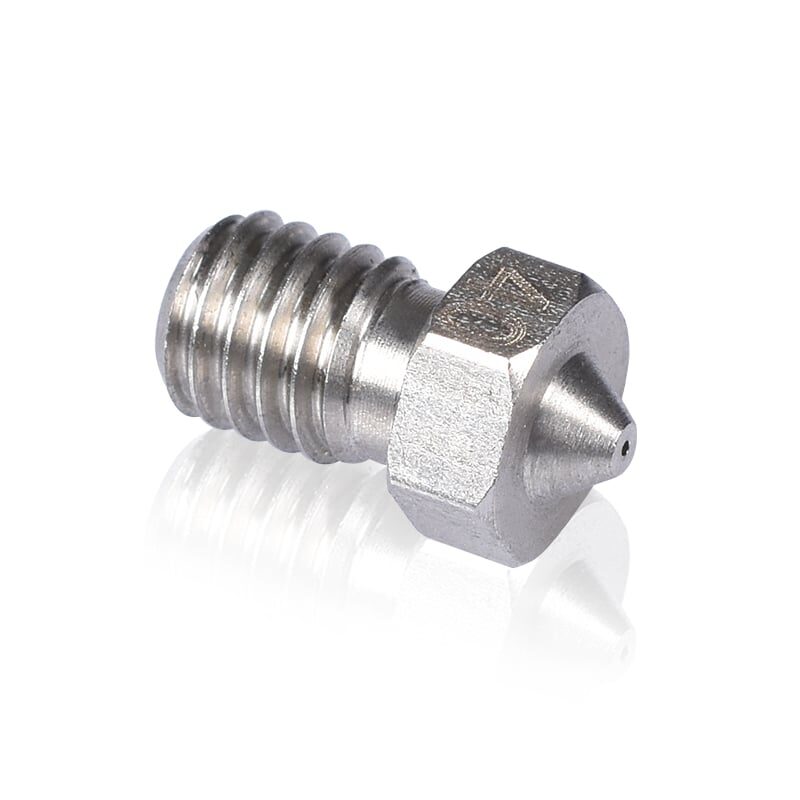
3D Printers Stainless Steel Nozzle 0.4mm
If you are also running a 3D printer alongside your laser engraver, keep spare nozzles on hand — consumables wear out faster than you expect.
Materials You Can Engrave or Cut
Understanding material compatibility is crucial before you buy. Here is a practical breakdown for Indian buyers:
Works Great
- Plywood & MDF (up to 3–4 mm with 5W+): The most popular material. Craft plywood from local hardware stores works well. MDF produces excellent detail but releases formaldehyde fumes — ventilation is essential.
- Bamboo: Widely available and produces beautiful dark engravings. Bamboo cutting boards and boxes are popular base materials.
- Leather (genuine and PU): Clean engravings with minimal charring. Ideal for wallets, phone cases, and journal covers.
- Cardboard and thick paper: Excellent for stencils, packaging prototypes, and decorative cuts.
- Anodised aluminium: The laser removes the anodising to expose bare aluminium, creating bright marks on dark backgrounds. Works well on branded items.
Works with Limitations
- Acrylic (coloured cast, not clear): Coloured acrylic engraves with a frosted effect. Clear acrylic is transparent to blue-violet laser wavelengths and barely marks — not recommended.
- Slate and stone: Requires marking spray pre-treatment. Results are variable.
- Painted or powder-coated metal: Surface marking only, not cutting. Good for industrial tagging with the right coatings.
Do NOT Use
- PVC, vinyl, chlorinated plastics: Releases toxic chlorine gas. Dangerous and potentially lethal in enclosed spaces.
- Polycarbonate: Produces toxic fumes and chars badly.
- Mirrors or reflective surfaces: Beam reflection can damage the laser module or cause eye injuries.
- Food or anything that will contact food: Laser-charred wood is not food-safe.
Software & Connectivity
Nearly all budget laser engravers connect via USB to a computer. Most ship with either proprietary software or recommend LaserGRBL (free, Windows) or LightBurn (paid, ₹3,500 one-time licence, works on Windows/Mac/Linux). LaserGRBL is adequate for simple engraving tasks. LightBurn is the industry standard and worth the investment if you get serious — it has vastly better design tools, camera registration for repeat positioning, and a much more intuitive workflow.
For image engraving (photos of faces, logos, etc.), you need to convert the image to a dot-pattern (dithering) first. Both LaserGRBL and LightBurn handle this internally. For vector cutting (precise shapes), LightBurn’s SVG import is significantly better.
Some machines include an SD card slot for standalone operation without a connected computer — a useful feature for longer jobs where you do not want to keep your laptop occupied.
Safety: Non-Negotiable Rules
This section is not optional reading. Laser engravers are genuinely dangerous tools if misused. Follow these rules every single time:
Eye Protection
Never operate a laser engraver without laser safety glasses rated for the specific wavelength (450 nm for blue diode lasers). Even indirect or scattered laser light can permanently damage your eyes. Standard sunglasses offer zero protection. Wavelength-specific OD4+ goggles cost ₹500–₹2,000 and are non-negotiable. Many budget machines ship with inadequate safety glasses — upgrade immediately.
Fire Safety
Open-frame laser engravers are a fire risk. Never leave them unattended while operating. Keep a CO₂ fire extinguisher within arm’s reach. Ensure your work surface is non-flammable (metal grating or ceramic tile works well). Do not engrave near curtains, paper scraps, or other flammable materials.
Ventilation
All laser engraving produces smoke and particulates. Some materials (MDF, certain plastics, leather) produce toxic fumes. Always operate in a well-ventilated space — open windows and use an exhaust fan. Ideally, enclose the work area with a box vented to outside air. In Indian climates where all-year ventilation is feasible, this is more practical than in cold-climate countries.
Electrical Safety
Use a good quality surge protector. Laser modules and stepper drivers are sensitive to power fluctuations common in Indian grid supplies. A UPS is worth considering if you plan to use the machine frequently.
Tips for Best Results
- Do a focus test first: Proper focus (the laser module at the correct height above your material) is the single biggest factor in engraving quality. Most machines have a focus ring — adjust it for every material thickness change.
- Run a power/speed test grid: Before engraving your actual project, burn a small grid of squares at different power/speed combinations on a scrap piece. This reveals the optimal settings for your specific material.
- Use masking tape on wood: Apply painter’s masking tape to the engraving surface before engraving. It absorbs smoke residue, leaving crisp edges after removal. Remove carefully after engraving.
- Clean your lens regularly: Smoke deposits on the laser lens rapidly degrade output power. Clean monthly (or more often under heavy use) with isopropyl alcohol and a cotton swab.
- Multiple passes for cutting: For thick materials, multiple passes at lower power produce cleaner cuts than one pass at maximum power, which tends to char excessively.
Must-Have Accessories
Plan for these additional costs when budgeting:
- Laser safety goggles (OD4+, 450 nm rated): ₹800–₹2,000. Non-negotiable.
- Honeycomb work bed: ₹800–₹1,500. Allows airflow under material during cutting, preventing scorching on the underside.
- Air assist nozzle: ₹500–₹1,500. Blows air at the cutting point to clear smoke, improving cut quality and fire safety.
- LightBurn software: ₹3,500 one-time. Dramatically improves workflow versus free alternatives.
- Exhaust fan + ducting: ₹1,000–₹2,500. Essential for indoor use.
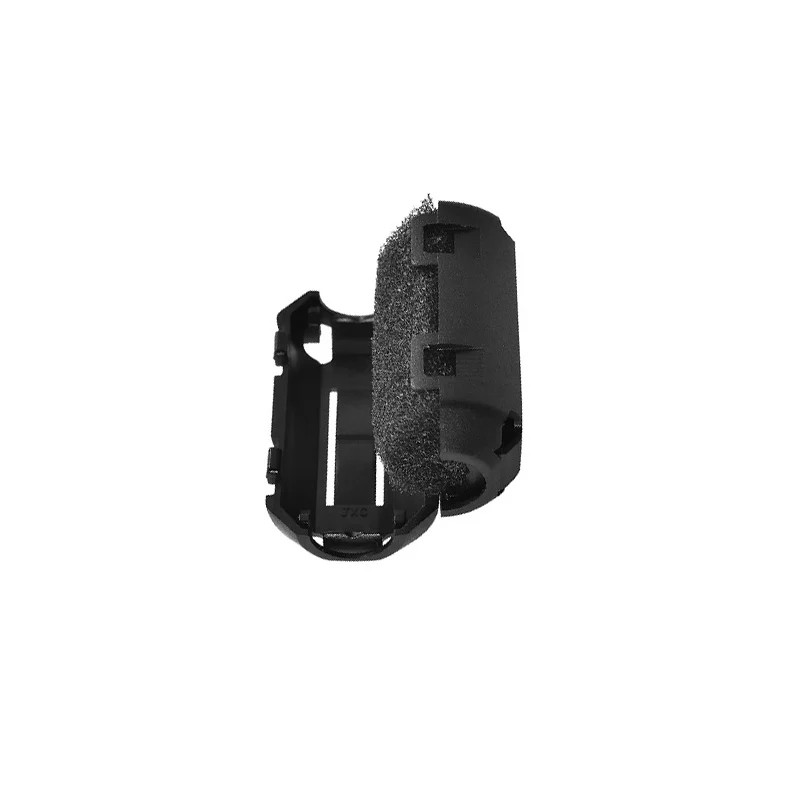
3D Printer Filament Filter & Dust Cleaner
Running both a laser engraver and 3D printer? Keep your filament clean with this dust filter — contaminants in filament cause clogs and failed prints.
Frequently Asked Questions
Can a budget laser engraver under ₹10,000 cut acrylic?
Clear acrylic cannot be cut by blue-violet diode lasers — it is largely transparent to that wavelength. Coloured cast acrylic (not extruded) can be surface-marked with higher power settings, but clean cuts through acrylic require a CO₂ laser, which starts at a much higher price point.
Is a laser engraver legal to use at home in India?
Yes, diode laser engravers are legal for personal and commercial use in India. There are no specific licensing requirements for sub-50W laser devices used in a workshop or home setting. However, operating one in a commercial space (such as a multi-unit building) may be subject to local fire safety regulations.
How long do diode laser modules last?
A quality diode module is rated for 10,000–20,000 hours of operation, though this degrades significantly at higher power levels. Budget modules operated at 100% power constantly may show 20–30% power loss within 500–1,000 hours. Operating at 70–80% of maximum power extends module life considerably.
Can I engrave photos and realistic images?
Yes. Photo engraving uses dithering algorithms to convert greyscale images into dot patterns. Results depend heavily on material choice (light-coloured wood or leather is best), software settings, and machine precision. Higher-resolution images and slower engraving speeds produce better photo detail.
What is the difference between engraving power and electrical power listed in specs?
Electrical (input) power is what the machine draws from the wall. Optical (output) power is what actually hits the material. A machine listed as “40W” typically delivers 5–10W optical output — the rest is lost as heat in the diode. Always look for the optical watt rating when comparing machines.
Equip Your Maker Lab
Zbotic stocks 3D printing filaments, spare parts, and electronics for makers across India. Build your complete maker toolkit with fast, reliable shipping.





Add comment