
3D Printer Extruder Skipping: Diagnose and Fix Under-Extrusion
Few things are more frustrating than watching your 3D printer produce a web of gaps, missing layers, or stringy thin walls when you expected a solid, clean print. That rhythmic “click-click-click” sound from your extruder — or those tell-tale skip marks on your filament — are your printer crying out for help. Extruder skipping and under-extrusion are among the most common problems faced by Indian 3D printing enthusiasts, and the good news is that almost every cause is fixable once you know where to look.
In this comprehensive guide, we’ll walk you through every possible reason your extruder could be skipping, how to diagnose each one systematically, and the exact steps to fix them. Whether you’re running a budget Ender 3, a mid-range machine, or a Bambu Lab printer, the principles are universal. By the end, you’ll understand your extruder well enough to prevent these problems from recurring.
What Is Under-Extrusion and Extruder Skipping?
Under-extrusion occurs when your printer’s hot end receives less filament than the slicer instructed it to deposit. The extruder motor tries to push the filament forward, but the resistance is too great — and instead of pushing more plastic through, the motor skips backward. That distinctive clicking sound is the extruder gear losing its grip on the filament and snapping back.
Think of it like trying to push toothpaste through a tube with a kink in it. The cap (nozzle) is partially blocked, the tube (PTFE) is kinked, or you’re simply squeezing too fast. The result: the paste that exits is less than what you pushed in.
The problem can be intermittent (only skips on certain layers or overhangs) or constant (skipping from the very first layer). Both types have different root causes, and we’ll address all of them.
Recognising the Symptoms
Before diving into fixes, make sure you’re actually dealing with under-extrusion. Here’s what to look for:
- Clicking or grinding sound from the extruder area — the most obvious sign
- Gaps in infill — visible holes in the internal structure of your print
- Missing or incomplete top layers — the surface looks rough, porous, or has visible infill lines showing through
- Layer delamination — layers aren’t bonding properly and peel apart
- Thin walls — walls that should be solid are translucent or have gaps
- Visible filament scoring — grooves or flat spots ground into the filament by the extruder gear
- Random extrusion dropouts — extrusion suddenly stops for a few seconds then resumes
It’s important to distinguish under-extrusion from over-extrusion (too much filament) or stringing (too little retraction). Under-extrusion always means you’re getting less material out than expected.
Root Causes of Extruder Skipping
Extruder skipping has multiple possible causes, and they often compound each other. Here is the full list in order of probability:
- Partial or full nozzle clog
- Printing temperature too low for the filament
- Print speed too fast for the hot end’s melt rate
- Extruder arm tension incorrect (too loose or too tight)
- Bowden tube degraded, kinked, or poorly seated
- Heat creep melting filament in the cold zone
- Worn or damaged extruder drive gear
- Low-quality or inconsistent diameter filament
- E-steps not calibrated correctly
- Slicer flow rate misconfigured
We’ll tackle each in turn with detailed diagnostic steps.
Fix 1: Clearing a Clogged Nozzle
A clogged nozzle is the number one cause of extruder skipping. Debris, carbonised filament, or filament residue from a previous material narrows the nozzle opening, creating back-pressure that overwhelms the extruder motor.
How to diagnose: With the printer idle and hot end at print temperature, manually push filament through. If it requires significant force or comes out as a thin, curly strand rather than a straight bead, you likely have a clog.
Cold pull method (most effective):
- Heat the nozzle to your normal print temperature
- Manually push filament through until fresh material flows
- Lower the temperature to 90°C for PLA (or 130–140°C for PETG/ABS)
- As the hot end cools, apply steady gentle forward pressure on the filament
- At the target temperature, pull the filament out sharply in one smooth motion
- Inspect the tip of the pulled filament — it should be a perfect cast of the nozzle interior, including any debris embedded in it
- Repeat 3–5 times until the pulled tip is clean and smooth
Atomic pull with cleaning needle: For stubborn clogs, heat to 200°C and insert a nozzle cleaning drill bit or acupuncture needle into the nozzle from below. Gently work it in and out. The goal is to break up the carbonised material so it can be purged.
When to replace the nozzle: If cold pulls and needle cleaning don’t clear the clog after 3–4 attempts, the nozzle interior may be too damaged or worn. A standard brass 0.4mm nozzle costs very little and replacement is always faster than fighting a stubborn blockage.
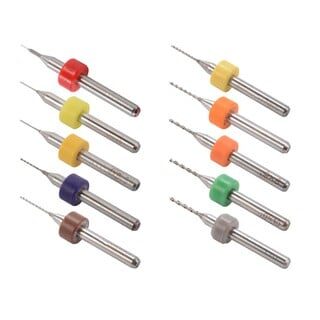
0.1–1.0mm Mixed Nozzle Cleaning Drill Bit Kit (10 Pcs)
A complete set of drill bits for clearing partial nozzle clogs in MK7, MK8, and RepRap hotends. Ten sizes from 0.1mm to 1.0mm cover every standard nozzle diameter.
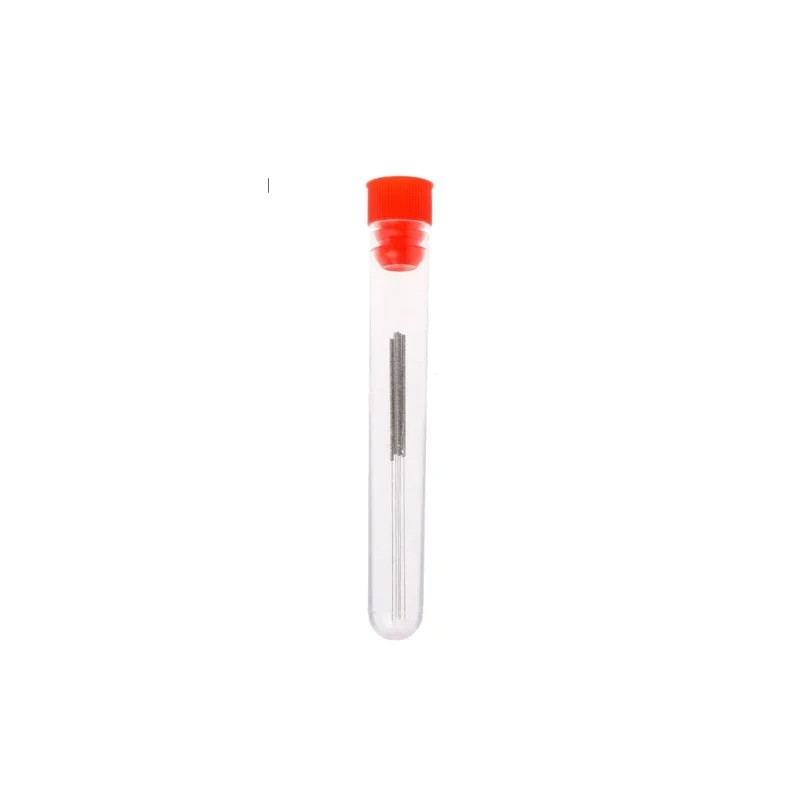
0.4mm Stainless Steel Nozzle Cleaning Needle (Pack of 10)
Purpose-made stainless steel needles for the most common 0.4mm nozzle size. Keep a pack near your printer for quick cold-pull assistance and debris clearing.
Fix 2: Temperature Too Low
Each filament material has a viscosity curve — the hotter it gets, the more freely it flows. If you’re printing too cold, the filament won’t melt fast enough to satisfy the extruder’s demand, and it skips.
Common temperature starting points for Indian hobbyists:
- PLA: 195–215°C (humid Indian summer conditions may need the upper end)
- PETG: 230–245°C
- ABS: 235–250°C
- TPU: 220–235°C
Print a temperature tower (available free on Thingiverse and Printables) to find your filament’s ideal temperature. Increase in 5°C increments if you hear skipping. A 10°C increase in temperature can dramatically reduce back-pressure.
Thermistor accuracy: If your thermistor is giving inaccurate readings, your actual temperature may be lower than displayed. Verify with a separate thermocouple if you suspect this.
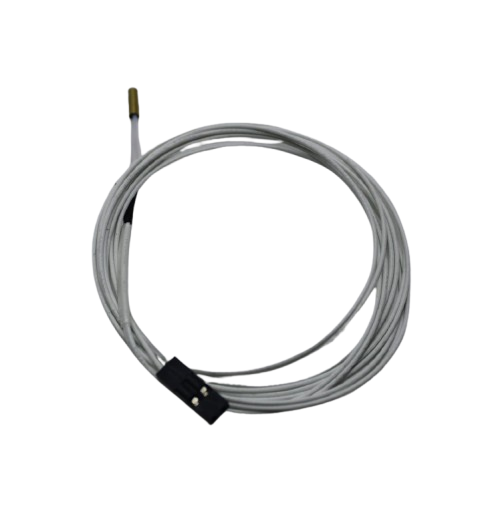
100k NTC Thermistor With Copper Tip for MK8 Extruder
A precision 100k NTC thermistor with copper tip for accurate hot end temperature sensing. Essential for diagnosing and fixing temperature-related under-extrusion.
Fix 3: Print Speed Too High
Every hot end has a maximum volumetric flow rate — the volume of melted plastic it can push per second. If your slicer asks for more than the hot end can deliver, the extruder skips.
As a starting rule for a standard brass 0.4mm nozzle:
- PLA: up to 8–10 mm³/s
- PETG: up to 6–8 mm³/s
- ABS: up to 7–9 mm³/s
To calculate current volumetric flow: layer height × line width × print speed. For example, 0.2mm × 0.4mm × 60mm/s = 4.8 mm³/s — well within limits. But 0.3mm × 0.5mm × 80mm/s = 12 mm³/s — this will cause skipping on most standard hot ends.
Reduce print speed by 20–30% and see if skipping stops. Many Indian hobbyists run Ender 3-class machines at 80–100mm/s when they should stay at 40–60mm/s for reliable prints.
Fix 4: Extruder Tension Issues
The extruder arm’s spring-loaded idler bears against the filament to grip it against the drive gear. Too loose and the gear can’t grip well enough to push. Too tight and it can grind into the filament, creating dust and debris that clogs the nozzle.
Diagnosing tension: Inspect the filament that comes out from the extruder side. If you see a clean groove (normal gear impression), tension is fine. If you see a flat or ground-down section, it’s too tight. If the gear barely leaves any mark, it’s too loose.
Adjust the tensioning screw (usually on the extruder arm) gradually. Most Bowden extruders have an optimal tension point where the filament shows a neat groove but isn’t being crushed.
Fix 5: Bowden Tube Problems
On Bowden-style printers (Ender 3, CR-10, Anet, etc.), the PTFE tube must seat perfectly against the nozzle. Any gap creates a melt zone extension where filament oozes into the gap, solidifies, and creates a blockage.
Common Bowden issues:
- Tube not fully seated — push it in while slightly warming the hot end to ~80°C so the nozzle expands slightly
- Tube end cut at an angle — re-cut squarely with a sharp knife or proper tube cutter
- PTFE degraded and yellowed — replace the tube; standard inner diameter is 2mm for 1.75mm filament
- Kinks in the tube — any kink adds friction and restricts flow; replace the tube
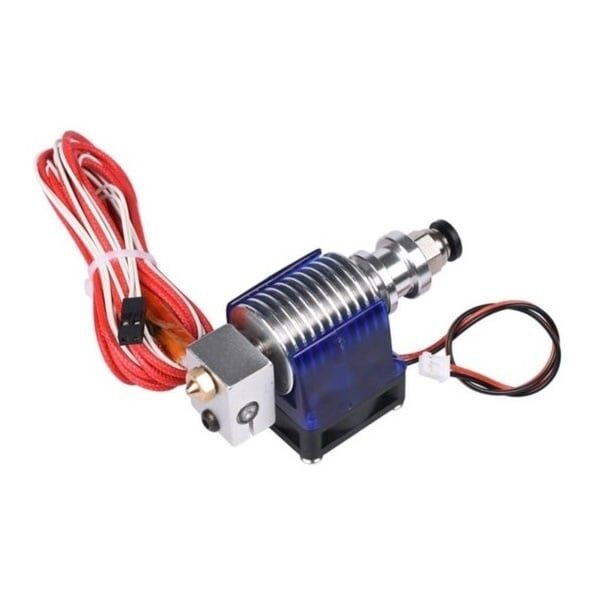
Complete Bowden V6 Hot End with Fan Cable – 1.75mm / 0.2mm Nozzle
A complete replacement V6 Bowden assembly with fan cable, ideal for Ender 3 and compatible printers. Includes nozzle, heat block, and heatsink for a full hot end refresh.
Fix 6: Heat Creep
Heat creep happens when heat migrates up from the hot zone into the cold zone (heatsink area) of the hot end. This partially melts the filament before it should be melted, causing it to expand and jam the cold zone.
Signs of heat creep:
- Printer works fine for the first 10–20 minutes, then starts skipping
- Long prints fail but short prints succeed
- The heatsink feels warm to touch during printing
Fixes:
- Ensure the cold end fan is working and blowing directly on the heatsink — not just nearby
- Check that the fan runs at 100% as soon as printing starts
- Replace the stock fan with a higher-CFM model
- Upgrade to an all-metal hot end if you’re printing at high temperatures regularly
- In Indian summers (35–40°C ambient), heat creep is more likely — consider adding a dedicated heatsink fan duct
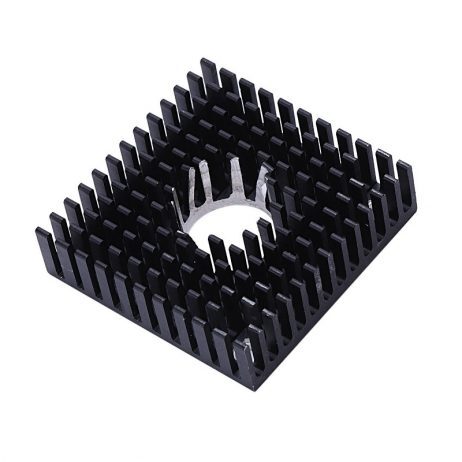
B Type Aluminium Heat Sink for MK7 MK8 Extruder
High-conductivity aluminium heatsink for MK7/MK8 extruders. Better heat dissipation in the cold zone prevents heat creep, a crucial fix for Indian summer conditions.
Fix 7: Worn Extruder Gear
The hobbed or knurled drive gear grips the filament through tiny teeth. Over months of printing, these teeth wear down and the gear loses its bite. Brass filaments, abrasive composites (carbon fibre, wood), and glow-in-the-dark materials accelerate this wear dramatically.
Inspect the gear teeth with a magnifying glass or phone camera macro mode. If the teeth look smooth or rounded, it’s time for a replacement. An MK8 drive gear is inexpensive and worth swapping as preventive maintenance every 6–12 months of regular use.
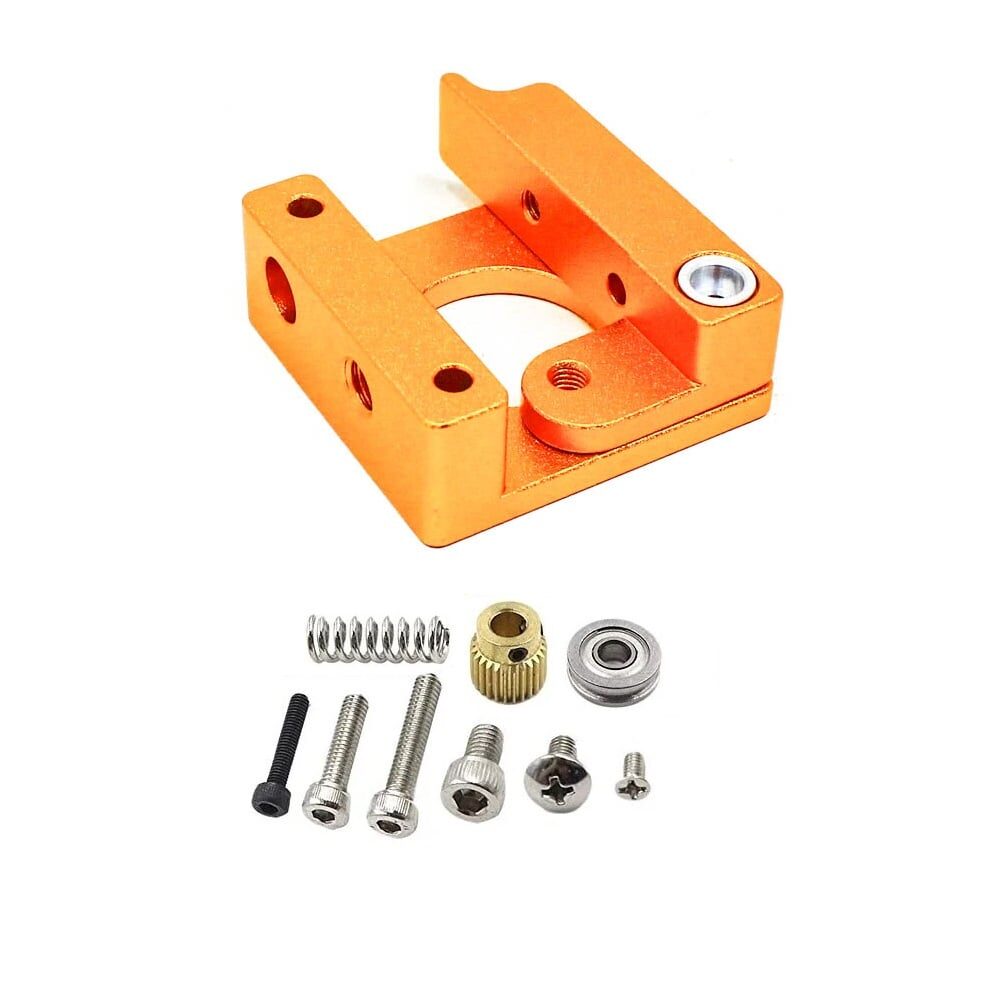
Left Side MK8 Extruder Aluminium Block
Precision-machined aluminium extruder block for MK8-compatible printers. A durable upgrade that provides better grip and more consistent filament feeding than stock plastic parts.
Fix 8: Filament Quality and Diameter
Not all 1.75mm filament is actually 1.75mm. Low-quality or improperly stored filament can have significant diameter variation — sometimes ±0.1mm or worse. A thicker section creates instant back-pressure; a thinner section causes momentary under-extrusion.
Measure your filament at 10 random points along a 1-metre length using digital callipers. Good filament should be within ±0.02mm. Anything beyond ±0.05mm will cause visible print quality issues.
Moisture damage: In humid Indian conditions (especially coastal cities and monsoon season), PLA absorbs moisture and produces popping/crackling sounds during printing, along with bubbles and poor surface finish. Dry your filament in an oven at 45°C for 4–6 hours, or use a food dehydrator. Store in airtight containers with silica gel packets after drying.
Using a filament filter also helps remove dust and surface particles that can contribute to clogging, especially in dusty workshop environments common across India.
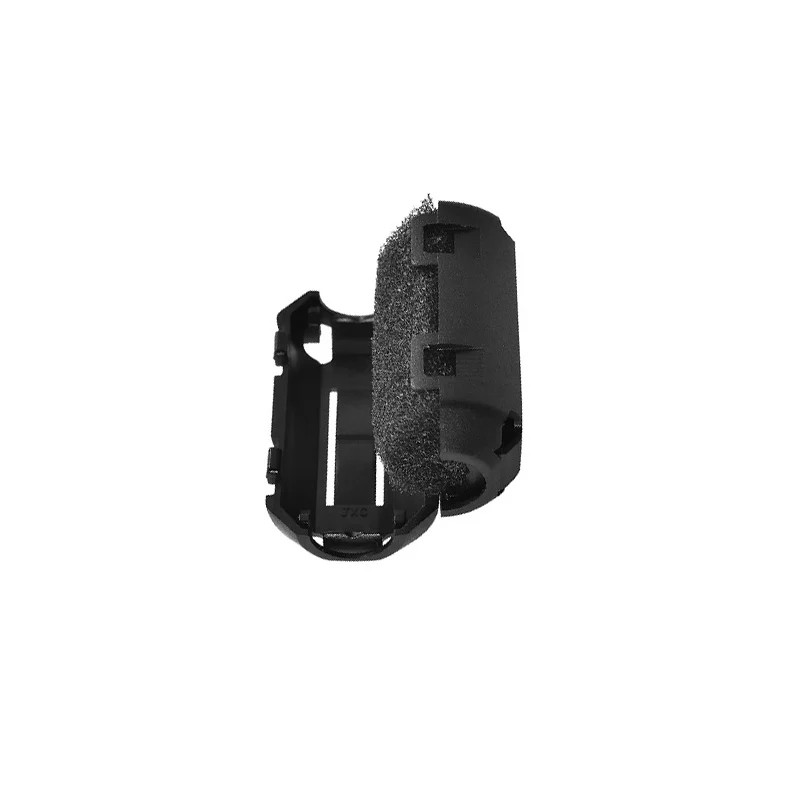
ABS PLA PETG Filament Filter Cleaner – Dust Removal for Ender 3, CR-10, A6, A8
Foam-based filament cleaner that removes dust, debris, and surface moisture before the filament enters your nozzle. Reduces partial clogs and keeps your nozzle clean longer.
Fix 9: Calibrating E-Steps
E-steps (extruder steps per millimetre) tell the firmware how many motor steps are needed to advance the filament 1mm. If this value is incorrect, you will always over- or under-extrude regardless of other settings.
How to calibrate e-steps:
- Mark the filament 100mm and 120mm from the extruder intake
- Command the printer to extrude exactly 100mm (G1 E100 F100)
- Measure how much was actually extruded
- New E-steps = (Current E-steps × 100) ÷ Actual extrusion distance
- Save to EEPROM with M500
This is the single most important calibration step and should be done whenever you change extruder hardware. For Creality printers, the stock value is usually 93–95 steps/mm but can vary.
Fix 10: Slicer Settings Optimisation
Sometimes the hardware is fine but the slicer is asking for the impossible. Key slicer settings that affect extrusion:
- Flow rate / Extrusion multiplier: Should be 0.95–1.05 for calibrated printers. Values above 1.05 suggest an e-steps problem. Values below 0.90 suggest the printer is over-extruding at the hardware level.
- Retraction distance: Too aggressive retraction (more than 6mm on Bowden, more than 1.5mm on direct drive) can pull molten filament partially back into the cold zone, creating a plug.
- Retraction speed: Extremely fast retraction (above 50mm/s on Bowden) can pull air back into the nozzle. 25–40mm/s is usually safer.
- Line width: Don’t set line width below 75% of nozzle diameter. Thin lines require very high pressure that the extruder may not maintain.
- Minimum layer time: Setting this too short on tall thin prints doesn’t allow sufficient cooling, forcing layers to print while previous ones are still hot. Increase minimum layer time to 5–8 seconds.
Special Tips for Indian Climatic Conditions
India’s diverse climate creates unique challenges for 3D printer users that their counterparts in Europe or North America rarely face:
Summer heat (March–June): Ambient temperatures of 35–45°C significantly reduce the temperature gradient between the hot and cold zones of your hot end. Heat creep is far more likely. Run cold-end fans at 100% from the first layer and consider printing during cooler night hours for critical prints.
Monsoon humidity (June–September): PLA is highly hygroscopic and absorbs moisture within hours in high-humidity environments. Always store filament in sealed bags or boxes with desiccant. If your prints start sounding like popcorn, the filament has absorbed moisture — dry it before the next print.
Dusty environments: Workshops, garages, and industrial areas across India tend to be dustier than typical Western homes. Filament picks up dust as it spools through the air, and that dust clogs nozzles faster. Use a filament filter and keep your printer covered when not in use.
Power supply stability: Voltage fluctuations from state electricity boards can cause the heater block to cycle more than necessary, causing temperature instability that contributes to inconsistent extrusion. A UPS or voltage stabiliser is a worthwhile investment for serious hobbyists.
Recommended Products from Zbotic
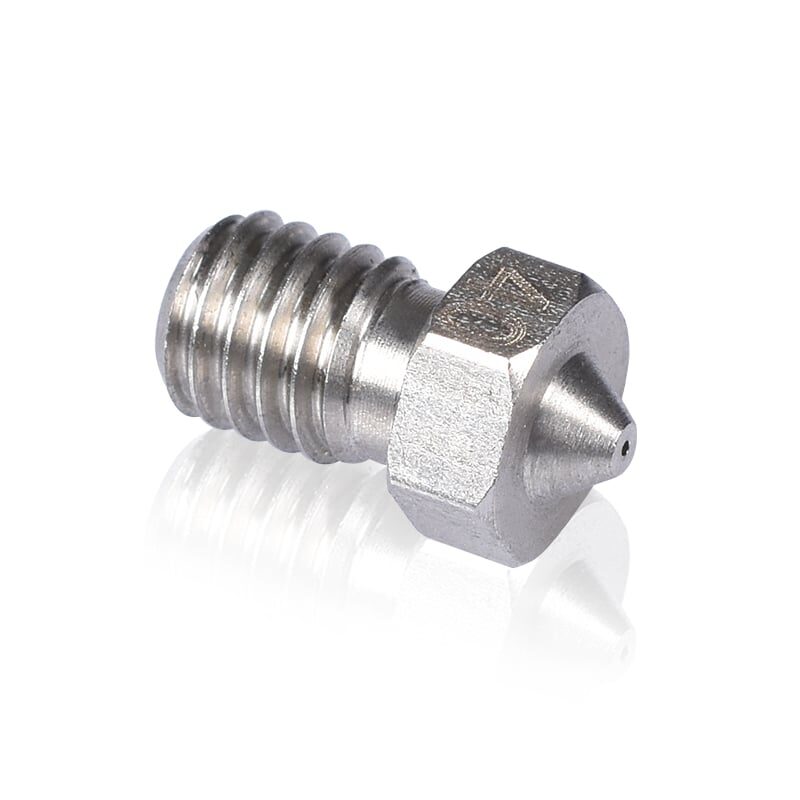
3D Printers Stainless Steel Nozzle 0.4mm
A hardened stainless steel 0.4mm nozzle that offers excellent wear resistance for abrasive filaments. Upgrade from brass for longer-lasting performance and fewer clogs.
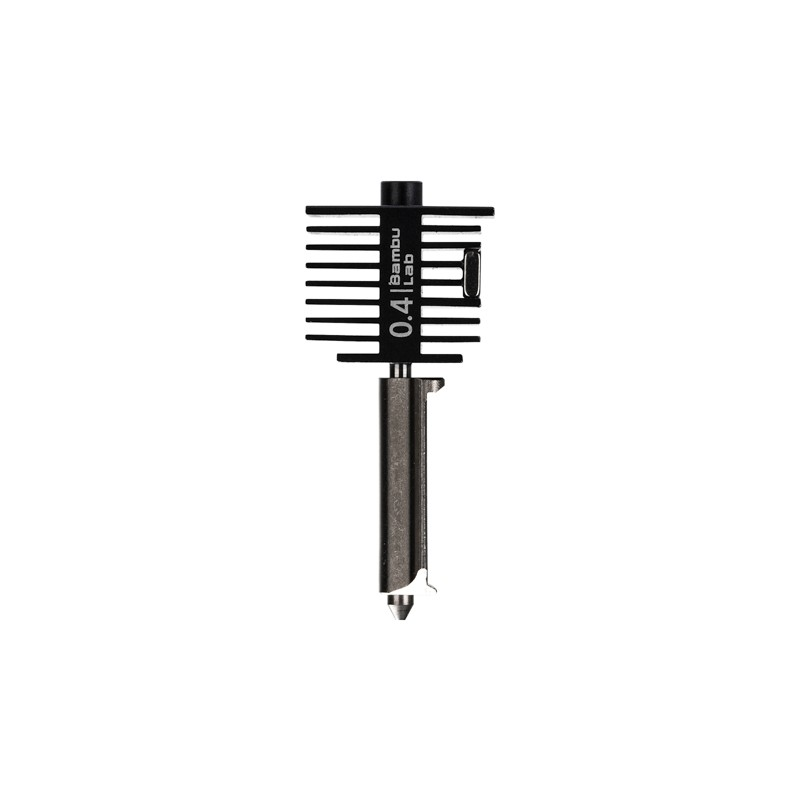
Bambu Lab Hotend with Hardened Steel Nozzle – 0.4mm
Genuine Bambu Lab hotend replacement with hardened steel nozzle for A1 Mini and compatible printers. A complete solution when your current hotend is causing persistent skipping.
Frequently Asked Questions
Why does my extruder skip only on the first few layers?
First-layer skipping is usually caused by the nozzle being too close to the bed, creating excessive back-pressure. Re-level your bed and increase the Z offset slightly so the first layer doesn’t squeeze the filament too flat.
Why does my extruder click only at high speeds?
Your hot end cannot melt filament fast enough at that speed. You’ve exceeded its maximum volumetric flow rate. Either reduce speed, increase temperature by 5–10°C, or upgrade to a volcano-style nozzle with a larger melt zone.
Can I print PETG and PLA with the same settings?
No. PETG requires higher temperatures (230–245°C vs 195–215°C for PLA), slower retraction to prevent stringing, and different cooling settings. Always use material-specific profiles in your slicer.
My extruder skips only on infill, not perimeters. Why?
Infill is usually printed faster than perimeters in most slicers. The higher infill speed exceeds your hot end’s volumetric flow limit. Reduce infill speed to 80% of perimeter speed as a starting fix.
How often should I change my nozzle in India?
With standard PLA/PETG and a brass nozzle, replace every 3–6 months of regular printing. If you print abrasive filaments (carbon fibre, wood, glow), switch to stainless steel or hardened steel nozzles which last much longer.
Does filament brand matter for extrusion reliability?
Yes, significantly. Premium filaments like Bambu Lab and eSUN maintain tight diameter tolerances (±0.02mm) and consistent material properties. Cheaper no-brand filaments can vary ±0.1mm causing intermittent skipping.
Ready to Fix Your 3D Printer?
Get all the extruder repair parts, cleaning tools, and quality filaments you need to eliminate under-extrusion for good. Zbotic ships across India with fast delivery.






Add comment