
Table of Contents
- What Is Torque and Why Does It Matter?
- How Torque Sensors Work
- Types of Torque Sensors
- Key Specifications to Understand
- Interfacing a Torque Sensor with Arduino
- Wiring Diagram and Signal Conditioning
- Real-World Applications
- How to Choose the Right Torque Sensor
- Common Issues and Troubleshooting
- Frequently Asked Questions
What Is Torque and Why Does It Matter?
Torque is the rotational equivalent of linear force. When a motor spins, it does not just move in a straight line — it twists. That twisting force, measured in Newton-metres (Nm) or kilogram-force centimetres (kgf·cm), is what we call torque. Whether you are designing a robotic arm, calibrating an electric motor for an EV drivetrain, or building an industrial conveyor, understanding the torque on a shaft is absolutely fundamental.
Without accurate torque measurement, engineers would have no way to verify that a motor is operating within its rated limits, detect mechanical overload before equipment fails, optimise power consumption, or ensure consistent product quality in manufacturing processes. A torque sensor — sometimes called a torque transducer — bridges the gap between the physical world of rotational mechanics and the digital world of data acquisition and control systems.
In the maker and hobbyist community in India, torque sensors are increasingly appearing in robotics projects, electric bicycle controllers, precision CNC spindle monitors, and even small test benches for evaluating motor performance. Understanding how they work empowers you to build smarter, safer, and more efficient systems.
How Torque Sensors Work
The most common operating principle behind a torque sensor is strain gauge technology. When a shaft experiences torque, it undergoes a very slight mechanical deformation — it twists by a tiny, often invisible amount. Strain gauges bonded to the shaft surface detect this deformation by changing their electrical resistance proportionally.
The resistance change is fed into a Wheatstone bridge circuit, which converts it into a differential voltage signal. This voltage is then amplified, filtered, and either output as an analogue voltage (typically 0–5 V or ±5 V), a 4–20 mA current loop, or a digital signal (CAN bus, RS-485, SPI, or I2C depending on the sensor model).
For rotating shaft applications, the challenge is transmitting the signal from a spinning component to a stationary readout device. Engineers solve this through:
- Slip rings: Physical brushes that maintain electrical contact as the shaft rotates. Simple but subject to wear.
- Telemetry systems: Wireless transmission using FM or digital radio from the rotating sensor to a fixed receiver.
- Rotary transformers: Contactless inductive coupling, offering long life and no wear.
Static (reaction) torque sensors do not rotate at all — the shaft deflects slightly against a fixed housing, making signal extraction straightforward.
Types of Torque Sensors
1. Strain Gauge Torque Sensors
The workhorse of the industry. Bonded foil strain gauges measure shaft deformation. They offer high accuracy (typically ±0.1–0.5% full scale), wide measurement ranges, and excellent linearity. Available in both rotary and static configurations.
2. Magnetoelastic (Magnetostrictive) Torque Sensors
These exploit the magnetostrictive effect — the change in magnetic permeability of certain materials when mechanically stressed. A coil detects the change without any physical contact with the shaft, making these sensors extremely durable and ideal for high-speed applications. Many EV powertrains and industrial servo drives use this principle.
3. Optical Torque Sensors
A light source and detector measure the angular twist between two discs on the shaft. The amount of light passing through apertures changes with twist. High resolution, but sensitive to contamination and shaft misalignment.
4. Capacitive Torque Sensors
Two sets of capacitor plates, one on the shaft and one on a fixed collar, change capacitance as the shaft twists. Contactless and durable, often found in medical devices and precision instruments.
5. Reaction Torque Sensors (Static)
Used in test benches and assembly tools where the sensor body is fixed and only the central shaft rotates or deflects. Simpler to integrate, no need for slip rings.
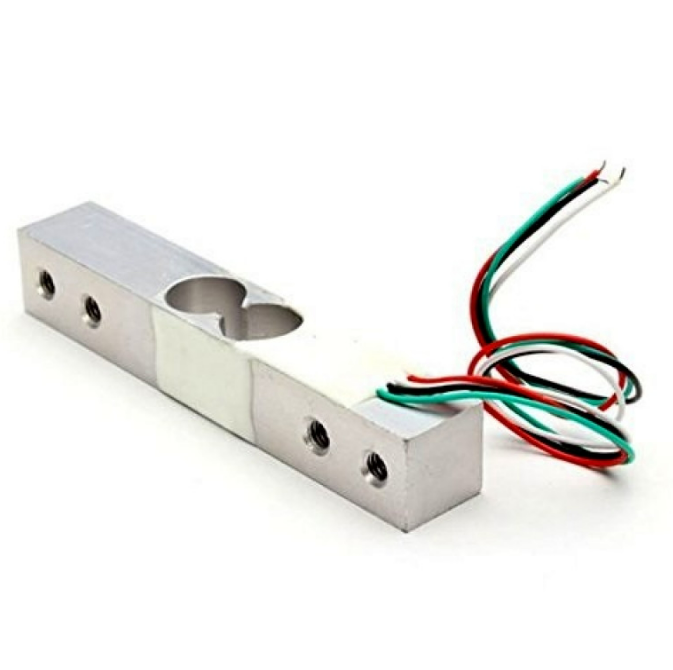
10Kg Load Cell – Electronic Weighing Scale Sensor
A high-quality load cell for force and weight measurement projects. Pairs perfectly with an HX711 amplifier for Arduino-based torque and force measurement rigs.
Key Specifications to Understand
Before selecting a torque sensor, you need to understand these critical parameters:
- Rated Torque (Full-Scale Range): The maximum torque the sensor can measure. Always choose a range that exceeds your expected peak torque with a safety margin of at least 1.5×.
- Accuracy / Non-linearity: Expressed as a percentage of full-scale output. ±0.1% is laboratory grade; ±0.5% is typical industrial; ±1% is acceptable for hobby applications.
- Overload Capacity: The torque the sensor can survive without permanent damage, often 200–300% of rated torque.
- Hysteresis: The difference in output when approaching a value from above versus below. Lower is better.
- Operating Speed (RPM): Rotary sensors have a maximum shaft speed; exceeding it can damage slip rings or cause signal errors.
- Output Signal: Analogue voltage, 4–20 mA, or digital (CAN, RS-485, SPI, I2C).
- IP Rating: Dust and water ingress protection. IP65 or higher for industrial environments.
- Temperature Range: Affects calibration and stability. Standard range is -20°C to +80°C.
Interfacing a Torque Sensor with Arduino
Most hobbyist-accessible torque setups use a load cell in a lever-arm configuration rather than a dedicated rotary torque transducer (which can be expensive). Here is how to build a practical torque measurement system with an Arduino:
Components Required
- Load cell (1 kg, 5 kg, or 10 kg depending on expected torque)
- HX711 24-bit ADC amplifier module
- Arduino Uno or Nano
- Known-length lever arm (aluminium bar or rigid rod)
- Shaft coupling and motor under test
Working Principle
Torque (Nm) = Force (N) × Lever Arm Length (m). By fixing the load cell at a known distance from the shaft axis and measuring the force it exerts on a fixed stop, you can calculate torque directly. This is called a reaction torque measurement setup.
Arduino Code (HX711 Library)
#include <HX711.h>

#define DOUT_PIN 3
#define CLK_PIN 2
#define LEVER_ARM_M 0.10  // 10 cm lever arm in metres

HX711 scale;

void setup() {
  Serial.begin(9600);
  scale.begin(DOUT_PIN, CLK_PIN);
  scale.set_scale(420.0);  // Calibration factor — adjust for your cell
  scale.tare();
  Serial.println("Torque Measurement Ready");
}

void loop() {
  float force_grams = scale.get_units(10);
  float force_newtons = force_grams * 0.00981;
  float torque_nm = force_newtons * LEVER_ARM_M;
  Serial.print("Force: ");
  Serial.print(force_newtons, 3);
  Serial.print(" N  |  Torque: ");
  Serial.print(torque_nm, 4);
  Serial.println(" Nm");
  delay(500);
}
Wiring Diagram and Signal Conditioning
Connect the HX711 module to the Arduino as follows:
- HX711 VCC → Arduino 5V
- HX711 GND → Arduino GND
- HX711 DT → Arduino D3
- HX711 SCK → Arduino D2
- Load cell Red → HX711 E+
- Load cell Black → HX711 E-
- Load cell White → HX711 A-
- Load cell Green → HX711 A+
Signal conditioning tips: Keep signal cables away from motor power wires. Use shielded cable for the load cell if the distance exceeds 50 cm. Add a 100 nF ceramic capacitor across VCC and GND on the HX711 for noise suppression. If you see erratic readings, ferrite beads on the HX711 power lines can help.
For professional analogue torque sensors with 0–5 V output, connect the output directly to an Arduino analogue input pin. Use the formula: Torque = (ADC_Value / 1023.0) × 5.0 × (Rated_Torque / 5.0). Always use a 10-bit or higher ADC with a stable reference voltage.
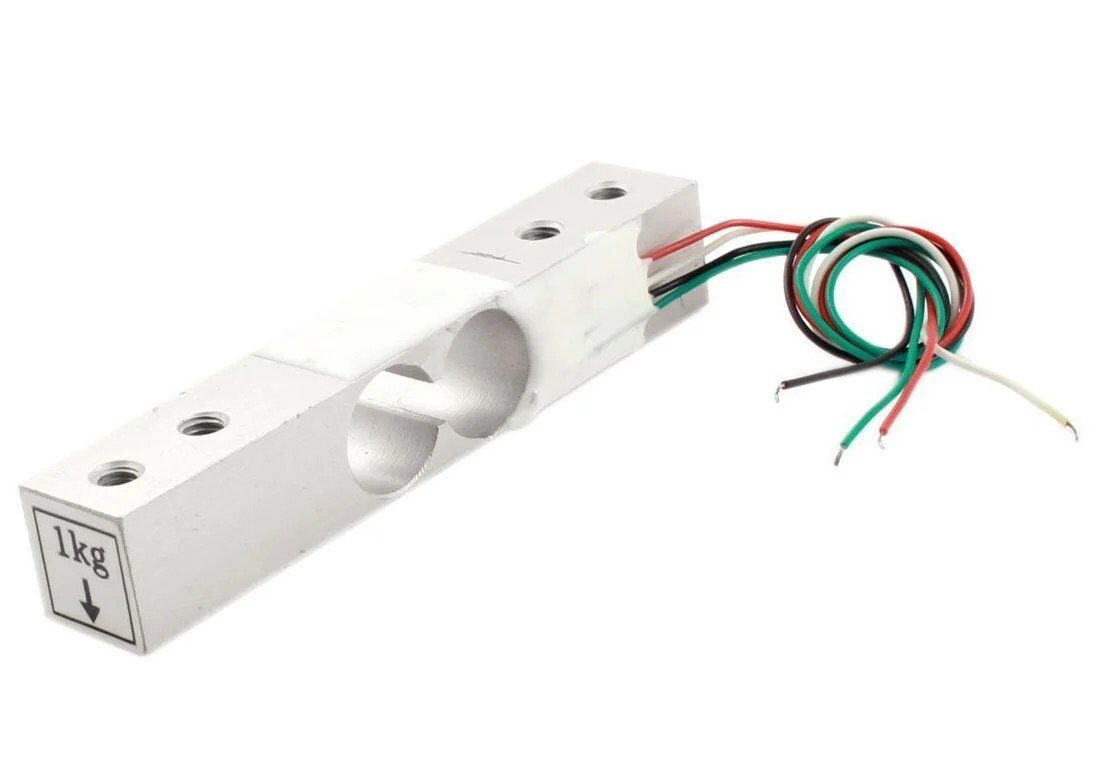
1Kg Load Cell – Electronic Weighing Scale Sensor
Ideal for small motor torque rigs. Accurately measures forces up to 1 kg with high sensitivity, suitable for stepper and servo motor characterisation.
Real-World Applications
Robotics and Servo Control
Torque sensing in robot joints enables force-controlled manipulation — the robot can detect when it contacts an obstacle and limit force automatically. This is critical for collaborative robots (cobots) working alongside humans. Torque sensors at each joint allow impedance control, making robots compliant and safe.
Electric Motor Testing and Development
Every motor manufacturer and R&D engineer needs a dynamometer — a test bench that measures torque versus RPM to generate a power curve. Torque sensors are the heart of any dynamometer. For hobbyists building brushless DC motor controllers or BLDC speed controllers in India, a simple reaction torque setup can validate your design before final deployment.
Electric Vehicles and E-Bikes
Mid-drive e-bike systems use torque sensors in the bottom bracket to measure how hard the rider is pedalling. The controller uses this data to provide proportional pedal assistance — more torque input means more motor assist. This creates a natural, intuitive riding experience compared to simpler cadence sensors.
Industrial Process Control
Conveyor drives, mixers, extruders, and pumps all benefit from torque monitoring. A sudden torque spike can indicate a jam or blockage, triggering an automatic shutdown before mechanical damage occurs. Continuous torque trending can also reveal bearing wear developing over time.
Precision Assembly
Torque wrenches with digital feedback sensors ensure that bolts are tightened to exact specifications in aerospace, automotive, and medical device assembly. Over-torquing can strip threads; under-torquing can cause loosening under vibration.
How to Choose the Right Torque Sensor
Follow this decision tree when selecting a torque sensor for your project:
- Is the shaft rotating or static? Rotating shaft → rotary torque sensor or load-cell lever-arm setup. Static application → reaction torque sensor.
- What is the expected torque range? Measure or calculate peak torque, add 50% safety margin, pick the next standard range up.
- What speed (RPM) is involved? High speeds (>3000 RPM) demand non-contact sensing (magnetoelastic, telemetry, or rotary transformer coupling).
- What accuracy is needed? Research/calibration → ±0.1%. Industrial process → ±0.25–0.5%. Hobby/indicative → ±1–2%.
- What is the environment? Wet/dusty → IP65+. Explosive atmosphere → ATEX-rated sensors.
- What output does your system accept? Analogue voltage suits Arduino. 4–20 mA suits long cable runs. CAN bus suits automotive. RS-485 suits industrial PLCs.
- What is the budget? DIY load-cell rigs: ₹500–₹2,000. Commercial reaction torque transducers: ₹15,000–₹2,00,000 depending on accuracy and range.
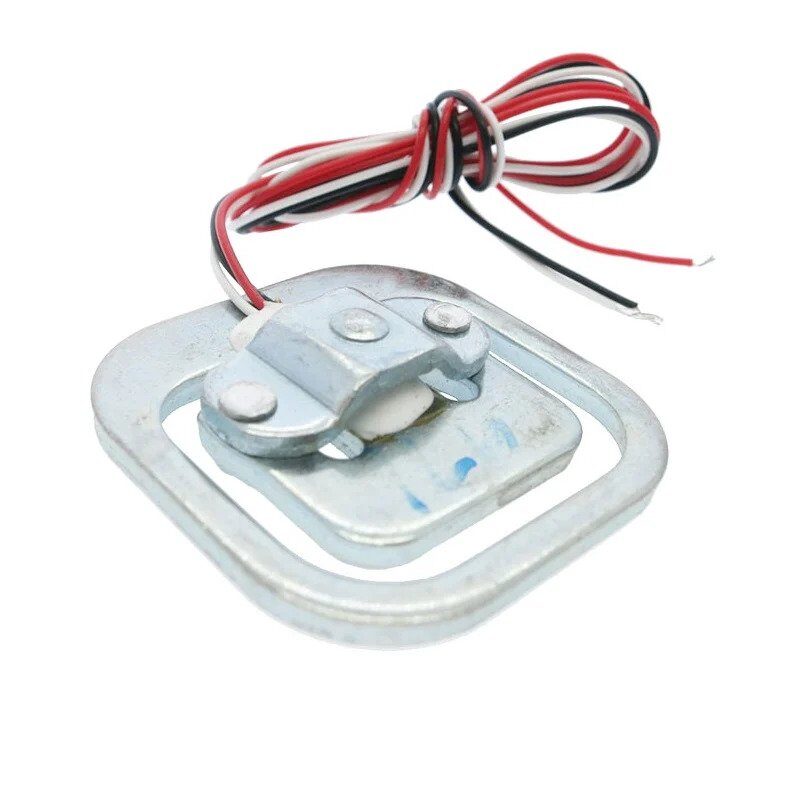
50kg Half-bridge Load Cell Sensor
For larger motor test benches and torque rigs requiring higher force measurement range. Rugged half-bridge design suitable for experimental setups.
Common Issues and Troubleshooting
Sensor Reads Zero or Saturates Immediately
Check wiring polarity on the Wheatstone bridge. An inverted bridge connection can cause immediate saturation. Verify the excitation voltage matches the sensor’s rated voltage (typically 5 V or 10 V).
Noisy or Unstable Readings
Electrical noise from motor switching is the most common culprit. Use shielded cables, add decoupling capacitors, and ensure a solid common ground between the sensor, amplifier, and microcontroller. Moving power lines away from signal lines helps significantly.
Zero Drift Over Temperature
All strain gauge sensors exhibit some thermal drift. If accuracy over a wide temperature range is needed, choose a temperature-compensated sensor. For DIY setups, implement a software zero-correction routine that runs at startup after a thermal stabilisation period.
Mechanical Hysteresis
If the sensor reads differently when loading versus unloading, check for loose mounting hardware, shaft misalignment, or excessive friction in couplings. The sensor shaft must be free to deflect without constraint from adjacent components.
HX711 Not Detecting Load Cell
The HX711 has a known sensitivity to capacitance on the DOUT line. Ensure the wire from DOUT to Arduino is short. Try running at 10 SPS mode (RATE pin low) instead of 80 SPS for better noise performance.
Frequently Asked Questions
What is the difference between torque and force?
Force is a linear push or pull measured in Newtons (N). Torque is a rotational force — it is force applied at a distance from a pivot point, measured in Newton-metres (Nm). A 10 N force applied at 0.1 m from a shaft centre produces 1 Nm of torque.
Can I use an ACS712 current sensor to estimate torque?
Indirectly, yes. For a DC motor, torque is approximately proportional to armature current (T ≈ Kt × I, where Kt is the torque constant). An ACS712 can measure current, and if you know Kt from the motor datasheet, you can estimate torque. However, this method ignores efficiency losses and friction, so it is less accurate than a direct torque sensor.
What is a dynamometer and how does it use a torque sensor?
A dynamometer (dyno) is a device for measuring mechanical power output of an engine or motor. It applies a controlled load (brake) to the shaft and measures both torque and RPM simultaneously. Power = Torque × Angular Velocity (P = T × ω). The torque sensor provides the T measurement, and an encoder or tachometer provides ω.
Is a load cell the same as a torque sensor?
Not exactly. A load cell measures linear force (compression or tension). A torque sensor measures rotational force. However, load cells can be used to build reaction torque measurement rigs by measuring the force exerted at a known radius from the shaft — effectively computing torque from force × distance.
What accuracy do I need for a hobbyist motor test bench?
For most hobbyist applications — comparing motors, validating controller efficiency, or characterising servo performance — ±2% accuracy is perfectly sufficient. This is easily achievable with a calibrated load cell and HX711 setup. For precision research or product certification, ±0.1–0.5% sensors are required.
How do I calibrate a torque sensor?
Apply known torque values (using calibrated weights at a known radius) and record the sensor output. Plot output versus known torque, fit a linear curve, and derive the calibration factor (sensitivity). Re-calibrate periodically, especially after mechanical shock or extreme temperature exposure.
Torque measurement is a fascinating intersection of mechanical engineering and electronics. Whether you are fine-tuning a BLDC motor controller, building a robot joint, or designing a motor test bench, understanding how to measure rotational force on a motor shaft opens up an entirely new dimension of control and insight. Start with a simple load-cell lever-arm setup and a HX711 module — the results will surprise you with their accuracy and usefulness.







Add comment