
If you need to send sensor data across kilometres with a coin-cell battery lasting years, the SX1276 LoRa module is your answer. Understanding how spreading factor affects LoRa range and sensitivity unlocks the full potential of this remarkable chip — and it is what separates hobbyists who get 500m range from makers who consistently achieve 5 km or more. This comprehensive guide covers the SX1276’s key parameters, how spreading factors work, real-world range expectations for Indian environments, and practical wiring and code examples.
What Is the SX1276 LoRa Module?
The SX1276 is a long-range, low-power transceiver chip from Semtech that implements LoRa (Long Range) modulation — a patented spread-spectrum technique that achieves extraordinary receiver sensitivity. The chip is found on popular module boards like the Ra-02 from Ai-Thinker (433 MHz), Ra-01H (470 MHz), HopeRF RFM95W (868/915 MHz), and many LoRaWAN gateway designs.
What makes the SX1276 exceptional is its receiver sensitivity of up to –148 dBm at the lowest data rate — roughly 25 dB better than FSK receivers. This means it can decode signals that are completely buried in noise, enabling kilometre-scale communication with just milliwatts of transmit power. The SX1276 also supports standard FSK/OOK modulation, but LoRa modulation is its defining feature.
Key SX1276 specifications:
- Frequency range: 137–1020 MHz (specific modules cover 433 MHz or 868/915 MHz)
- LoRa receiver sensitivity: up to –148 dBm
- Maximum output power: +20 dBm (100 mW)
- SPI interface (up to 10 MHz)
- Operating voltage: 3.3V (NOT 5V tolerant)
- TX current: ~120 mA at +20 dBm
- RX current: ~10.8 mA
- Sleep current: 0.2 µA
- Frequency modulation: LoRa (CSS), FSK, OOK
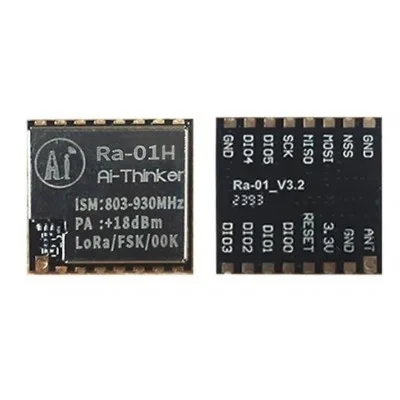
Ai Thinker LoRa Ra-01H Module (SX1276)
The Ra-01H operates at 470 MHz with the SX1276 chip — sub-GHz LoRa module ideal for long-range sensor networks in India with excellent wall penetration.
Understanding Spreading Factor (SF7 to SF12)
The spreading factor is the most important parameter to understand when working with LoRa. It determines how a LoRa symbol is spread across the channel bandwidth over time. Spreading factors range from SF7 (fastest, shortest range) to SF12 (slowest, longest range).
How spreading factor works: Each LoRa symbol represents a chirp (a signal that sweeps across the bandwidth). The spreading factor controls how many chips make up one symbol. At SF7, one symbol = 2^7 = 128 chips. At SF12, one symbol = 2^12 = 4096 chips. Higher SF means each symbol takes longer to transmit, improving noise immunity — but at the cost of data rate and air time.
| SF | Data Rate (125 kHz BW) | Sensitivity | Best For |
|---|---|---|---|
| SF7 | 5.47 kbps | –123 dBm | Short range, fast updates |
| SF8 | 3.125 kbps | –126 dBm | City/suburban sensor nodes |
| SF9 | 1.76 kbps | –129 dBm | Mixed urban/suburban |
| SF10 | 976 bps | –132 dBm | Suburban/rural |
| SF11 | 537 bps | –134.5 dBm | Rural/outdoor long range |
| SF12 | 293 bps | –137 dBm | Maximum range, deep indoor |
Each step up in spreading factor (e.g., SF7 to SF8) roughly doubles the time-on-air and improves link budget by 3 dB. Going from SF7 to SF12 gives you a 25 dB improvement in link budget — translating to roughly 5–10x increase in range in real-world conditions.
Practical guidance: Start with SF9 for most Indian outdoor sensor projects. If you reliably get data, try SF7 or SF8 to increase capacity. If coverage is marginal, increase to SF10 or SF11. Only use SF12 when you truly need maximum range — it dramatically increases air time, which matters for duty cycle compliance on LoRaWAN networks.
Bandwidth and Coding Rate Explained
Beyond spreading factor, two more parameters affect LoRa performance: bandwidth (BW) and coding rate (CR).
Bandwidth: LoRa supports 7.8 kHz, 10.4 kHz, 15.6 kHz, 20.8 kHz, 31.25 kHz, 41.7 kHz, 62.5 kHz, 125 kHz, 250 kHz, and 500 kHz bandwidths. Narrower bandwidth = better sensitivity (lower noise floor) but slower data rate and more sensitivity to frequency drift. 125 kHz is the standard for most LoRaWAN deployments and is the best starting point.
Coding Rate: Forward error correction ratio, expressed as 4/5, 4/6, 4/7, or 4/8. Higher coding rate (4/8) adds more redundancy, improving link reliability in noisy channels at the cost of increased air time. 4/5 is standard; 4/8 is useful for very noisy RF environments.
The combination of SF, BW, and CR determines the link budget — the total path loss the system can tolerate. For the SX1276 at +20 dBm TX power, SF12, BW=125 kHz:
Link Budget = TX Power + |Sensitivity| = 20 + 137 = 157 dBm
A 157 dBm link budget is extraordinary — it enables communication across many kilometres even with typical antenna and feeder losses subtracted.
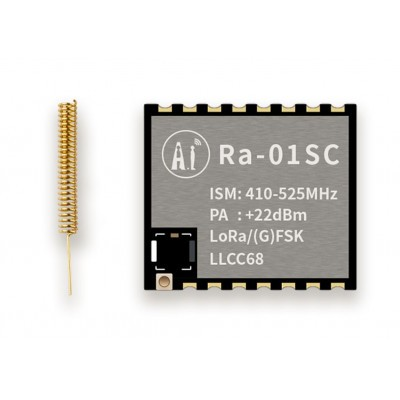
Ai Thinker LoRa Ra-01SC Module
Compact SX1262-based LoRa module with 22 dBm output power and even better sensitivity than SX1276 — ideal for next-generation long-range IoT deployments.
Range vs Spreading Factor: What to Expect in India
Range estimates vary enormously based on environment. Here are realistic expectations for the SX1276 at +20 dBm with a simple wire/quarter-wave antenna at both ends:
| Environment | SF7 | SF9 | SF12 |
|---|---|---|---|
| Open farmland (Gujarat, Punjab, Maharashtra) | 2–3 km | 4–6 km | 8–15 km |
| Suburban (Pune, Ahmedabad, Surat) | 500m–1 km | 1–2 km | 3–5 km |
| Dense urban (Mumbai, Delhi, Bangalore) | 200–500m | 500m–1 km | 1–3 km |
| Indoor (through concrete floors) | 1–2 floors | 3–5 floors | 5–10 floors |
Important tips for maximising range in India:
- Antenna height matters enormously — elevating the gateway antenna by just 5 metres can double effective range
- Use a proper tuned antenna (quarter-wave wire: 16.4cm for 433 MHz) — the PCB stub antenna loses 6–10 dB
- Avoid 433 MHz in Pune, Mumbai, Bangalore city centres where RF noise floors are high — consider 470 or 868 MHz
- For smart agriculture projects, SF10 or SF11 with gateway antenna on a water tank or rooftop covers an entire village
Wiring SX1276 to Arduino and ESP32
The SX1276 module (Ra-01H or Ra-02) uses SPI with an additional DIO0 interrupt pin for TX/RX done signaling. Like all SX1276-based modules, it runs at 3.3V — use level shifters with Arduino Uno.
| SX1276 Pin | Arduino Uno | ESP32 |
|---|---|---|
| 3.3V | 3.3V | 3.3V |
| GND | GND | GND |
| MOSI | D11 | GPIO23 |
| MISO | D12 | GPIO19 |
| SCK | D13 | GPIO18 |
| NSS/CS | D10 | GPIO5 |
| DIO0 | D2 | GPIO2 |
| RST | D9 | GPIO14 |
Antenna is critical: Never power up the SX1276 without an antenna attached — transmitting without an antenna load can damage the RF front-end. Use the supplied spring antenna or solder a 16.4cm (for 433 MHz) or 8.2cm (for 868 MHz) wire antenna for best results.
Arduino Code with RadioLib Library
The RadioLib library by Jan Gromeš is the best modern library for SX1276 on Arduino and ESP32. It supports LoRa, LoRaWAN, FSK, and many other modulations in a unified API. Install it from the Arduino Library Manager.
#include <RadioLib.h>

// SX1276 on ESP32: NSS=5, DIO0=2, RESET=14, DIO1=35
SX1276 radio = new Module(5, 2, 14, 35);

void setup() {
  Serial.begin(115200);

  Serial.print("Initialising SX1276... ");
  // frequency, bandwidth, spreading factor, coding rate
  int state = radio.begin(433.0, 125.0, 9, 7);
  if (state == RADIOLIB_ERR_NONE) {
    Serial.println("OK!");
  } else {
    Serial.print("Failed: ");
    Serial.println(state);
  }

  // Set output power to +17 dBm (safe limit for most modules)
  radio.setOutputPower(17);
}

void loop() {
  Serial.print("Transmitting... ");
  int state = radio.transmit("Hello from SX1276! RSSI test.");
  if (state == RADIOLIB_ERR_NONE) {
    Serial.println("Sent!");
  }
  delay(5000);
}
For the receiver, replace the loop with:
void loop() {
  String received;
  int state = radio.receive(received);
  if (state == RADIOLIB_ERR_NONE) {
    Serial.println(received);
    Serial.print("RSSI: "); Serial.print(radio.getRSSI()); Serial.println(" dBm");
    Serial.print("SNR: "); Serial.print(radio.getSNR()); Serial.println(" dB");
  }
}
The SNR (Signal-to-Noise Ratio) reading from the receiver is invaluable for range testing — a positive SNR means you have link margin to spare, while negative SNR values (LoRa can decode down to –20 dB SNR!) indicate you are working at the sensitivity limits.
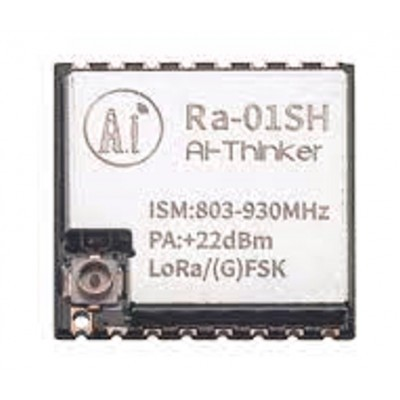
Ai Thinker LoRa Ra-01SH Spread Spectrum Module
High-frequency LoRa module with excellent sensitivity — ideal for long-range outdoor deployments in smart agriculture and asset tracking across Indian farms.
LoRaWAN in India: The Tata Networks
LoRaWAN (Long Range Wide Area Network) is the network protocol layer built on top of LoRa modulation. In India, Tata Communications operates a public LoRaWAN network in major cities — Mumbai, Pune, Bangalore, Chennai, Hyderabad, Delhi NCR — allowing your SX1276-based sensors to connect to the internet without any WiFi or cellular SIM.
For LoRaWAN, your device needs to implement the LoRaWAN Class A or Class C protocol stack. RadioLib supports LoRaWAN directly on SX1276. Alternatively, commercial LoRaWAN modules like the RAK3172 include the MAC layer onboard.
For private deployments in rural India (smart agriculture, water level monitoring), you can set up your own LoRaWAN gateway (a single gateway covers 10–15 km radius in open fields) and use The Things Network (TTN) — which has community gateways in major Indian cities — or ChirpStack as a self-hosted network server.
Private point-to-point LoRa (without LoRaWAN protocol) using the SX1276 directly is perfectly legal in India on the 433 MHz band for low-power applications, and is simpler to set up for maker projects.
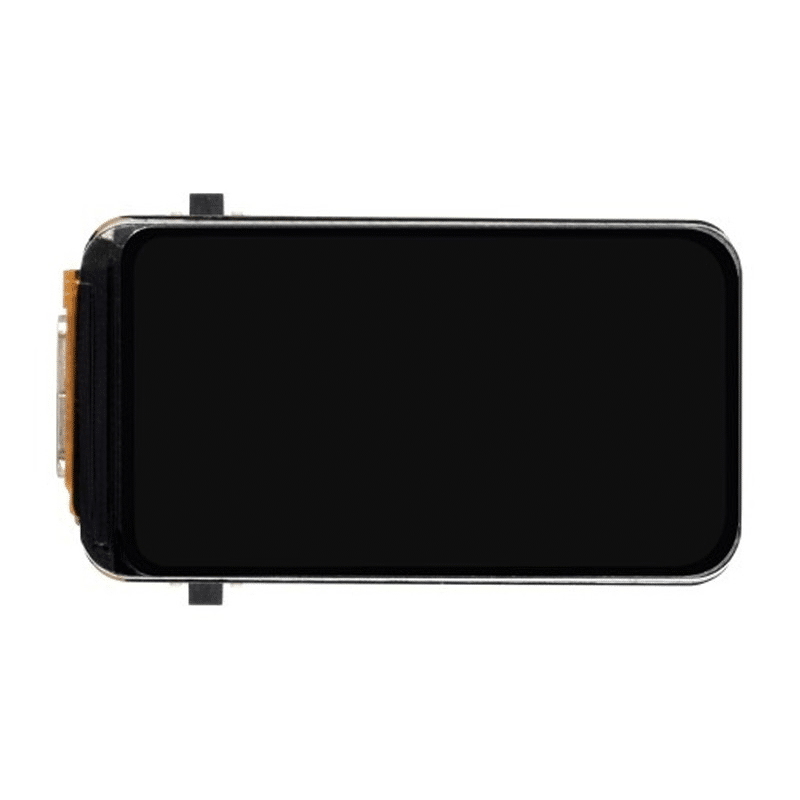
Waveshare ESP32-S3 1.47inch LCD Display Board
ESP32-S3 with built-in colour LCD — pair with SX1276 LoRa module to build a handheld LoRa tester or range finder with live RSSI and SNR display.
Frequently Asked Questions
What is the difference between Ra-01H and Ra-02 LoRa modules?
Both are Ai-Thinker modules based on the SX1276 chip. The Ra-02 operates at 433 MHz. The Ra-01H operates at 470 MHz, which is particularly well-suited to Indian deployments and has slightly better regulatory status in some Asian markets. Both have identical SPI interfaces and work with the same libraries. Choose based on your antenna availability and regional frequency preference.
Why does my SX1276 range seem much shorter than claimed?
Three common causes: (1) Using the PCB stub antenna — replace with a proper quarter-wave wire antenna for 6–10 dB gain. (2) Wrong spreading factor — try SF10 or SF11 for longer range. (3) Duty cycle limitations — if your code transmits too frequently, the module’s internal protection can limit power. Also ensure both modules are on the exact same frequency — even 50 kHz offset at 433 MHz will kill the link.
Can I use SX1276 with Raspberry Pi?
Yes. Connect via SPI and use Python libraries like pyLoRa or the RadioLib Python bindings. The Raspberry Pi 3.3V GPIO pins connect directly to the SX1276 without level shifting. This is a popular setup for LoRa gateways or for data collection systems that aggregate data from multiple sensor nodes.
Is it legal to use LoRa at 433 MHz in India?
Yes, the 433 MHz ISM band (433.05–434.79 MHz) is license-free in India for short-range, low-power devices under WPC rules. Keep transmit power within limits (typically 10 mW ERP equivalent) and avoid continuous transmission. Duty cycle limitations of 1% (common in European LoRaWAN regulations) are not formally mandated in India for private ISM use, but are good practice.
What is the maximum payload size per LoRa packet?
The SX1276 supports a maximum payload of 255 bytes in explicit header mode. However, for LoRaWAN, the maximum depends on the spreading factor and regional parameters — at SF12, maximum payload is just 51 bytes in the EU868 band (due to duty cycle limits). For private point-to-point LoRa without LoRaWAN, you can use the full 255 bytes.
The SX1276 is one of the most capable wireless chips available to Indian makers at an unbeatable price. From smart agriculture sensor networks to urban asset tracking, the right spreading factor setting can transform your project’s range. Explore Zbotic’s range of LoRa & Wireless Modules — shipped fast across India.





Add comment