
A motorised gate opener transforms a mundane entrance into a convenient, automated experience — and building one yourself with Arduino, a DC gear motor, and an IR remote is far more achievable than most people expect. You get full control over the logic, add safety limit switches to prevent over-travel, and customise the remote codes to match whatever remote you already own.
This complete project guide walks you through every step: choosing the right motor, designing the mechanical coupling, wiring the H-bridge driver and limit switches, writing the Arduino code, and adding auto-close and obstacle detection for a genuinely usable smart gate opener you can install at your home.
Project Overview & Architecture
The gate opener uses a DC geared motor mechanically coupled to the gate (via rack-and-pinion, chain drive, or direct arm linkage). An H-bridge motor driver IC controls motor direction and speed from Arduino PWM signals. An IR receiver module listens for remote button presses. Two limit switches cut power when the gate reaches fully open or fully closed positions. An optional IR beam sensor detects obstacles in the gate path and reverses the motor.
Operating sequence (open): Press OPEN on remote → Arduino receives IR code → checks limit switches → drives motor forward → gate moves to open position → open limit switch triggers → motor stops. Optionally: after 30 seconds, auto-close sequence begins.
Operating sequence (close): Auto-timer or CLOSE button → motor reverses → gate moves to closed position → closed limit switch triggers → motor stops.
Choosing the Right Motor
Gate weight and width determine motor torque requirements. As a general guide:
| Gate Type | Weight | Recommended Motor |
|---|---|---|
| Small garden gate (1m) | 2–5 kg | 25GA-370 12V, 12 RPM |
| Medium wooden gate (2m) | 10–20 kg | 25GA-370 12V with higher torque variant |
| Heavy metal gate (2–3m) | 20–50 kg | Linear actuator or high-torque motor |
For a typical small-to-medium home gate in India (1–1.5m wide, wooden or light metal, 5–15 kg), the 25GA-370 12V geared DC motor is an excellent choice. It provides excellent torque at low RPM (12 RPM variant), built-in gear reduction, and is priced affordably. The self-locking worm gear inside means the gate stays exactly where it stops without requiring the motor to hold position.
Complete Components List
- Arduino Uno or Nano
- 25GA-370 12V 12 RPM DC gear motor (or linear actuator for swing gates)
- L298N or IBT-2 (BTS7960) H-bridge motor driver
- IR receiver module (VS1838B or TSOP38238)
- IR remote (any NEC protocol remote, or the remote you already own)
- 2× micro switch / limit switch (SPDT, NO type)
- 12V 5A power adapter (or sealed lead-acid battery for off-grid)
- 7805 or step-down module for Arduino 5V supply
- IR obstacle sensor module (optional, for safety)
- 1000µF/25V electrolytic capacitor
- Flyback diodes (1N4007 × 4) if using discrete H-bridge
- Weatherproof project enclosure
- Appropriate mechanical hardware: gear rack, pinion, mounting brackets
Mechanical Design & Coupling
The mechanical coupling between motor shaft and gate is the most project-specific part. Three common approaches:
Option 1: Rack and Pinion (Sliding Gates)
A gear rack is mounted along the bottom or top rail of a sliding gate. A pinion gear on the motor shaft meshes with the rack. As the motor turns, the gate slides laterally. This is the most common professional gate opener design. A 12 RPM motor with a 20-tooth pinion on a M4 rack moves the gate approximately 2.5 mm per revolution — opening a 1.5m gate in about 30 seconds at 12 RPM.
Option 2: Arm Linkage (Swing Gates)
A rigid arm is attached to the motor shaft at one end and to the gate at the other. As the motor rotates, the arm swings the gate open. Requires careful geometry to ensure the arm movement matches the gate’s arc. This approach works well with a 12V gear motor mounted on the gate post.
Option 3: Linear Actuator (Swing Gates)
A linear actuator mounts between the gate post and the gate leaf. Extension pushes the gate open, retraction closes it. Very reliable and used in most commercial automatic swing gate openers. Zbotic stocks various linear actuators for this application.
Circuit Wiring
L298N Motor Driver:
  ENA       → D5 (PWM for speed)
  IN1       → D6
  IN2       → D7
  OUT1/OUT2 → Motor terminals
  12V       → 12V power supply
  GND       → Common GND
  5V (out)  → Arduino Vin (or use separate 7805)

IR Receiver (VS1838B):
  VCC → 5V
  GND → GND
  OUT → D11

Limit Switches (NO type, pull-down with 10kΩ):
  OPEN  limit → one leg to 5V, other leg to D2 (INPUT_PULLUP)
  CLOSE limit → one leg to 5V, other leg to D3 (INPUT_PULLUP)
  (Arduino INPUT_PULLUP means switch pulls pin LOW when pressed)

IR Obstacle Sensor (optional):
  VCC → 5V
  GND → GND
  OUT → D4
Power supply note: Add a 1000µF capacitor between 12V and GND as close to the L298N as possible. Power the Arduino from a separate 7805 regulator (12V input → 5V output) rather than from the L298N’s 5V output pin — this prevents motor noise from resetting the Arduino.
Decoding the IR Remote
Before writing the main gate code, decode your remote’s button signals using the IRremote library:
#include <IRremote.hpp>

const int IR_PIN = 11;
IRrecv irrecv(IR_PIN);

void setup() {
  Serial.begin(9600);
  irrecv.enableIRIn();
}

void loop() {
  if (irrecv.decode()) {
    Serial.print("Code: 0x");
    Serial.println(irrecv.decodedIRData.decodedRawData, HEX);
    irrecv.resume();
  }
}
Upload this sketch, open Serial Monitor at 9600 baud, press each button on your remote, and note the hex codes. Write down the codes for the buttons you want to use as OPEN, CLOSE, and STOP. You will hardcode these into the main sketch.
Arduino Sketch: Full Code
#include <IRremote.hpp>

// Pin definitions
const int ENA_PIN        = 5;
const int IN1_PIN        = 6;
const int IN2_PIN        = 7;
const int IR_PIN         = 11;
const int LIMIT_OPEN     = 2;   // INPUT_PULLUP
const int LIMIT_CLOSE    = 3;   // INPUT_PULLUP
const int OBSTACLE_PIN   = 4;
const int MOTOR_SPEED    = 200; // 0-255 PWM

// IR codes from your remote (replace with your values)
const uint32_t CODE_OPEN  = 0xFF30CF;
const uint32_t CODE_CLOSE = 0xFF18E7;
const uint32_t CODE_STOP  = 0xFF7A85;

// Auto-close timer (ms); set to 0 to disable
const unsigned long AUTO_CLOSE_DELAY = 30000;

enum GateState { STOPPED, OPENING, CLOSING, OPEN, CLOSED };
GateState gateState = CLOSED;
unsigned long openedAt = 0;

IRrecv irrecv(IR_PIN);

void setup() {
  pinMode(ENA_PIN,     OUTPUT);
  pinMode(IN1_PIN,     OUTPUT);
  pinMode(IN2_PIN,     OUTPUT);
  pinMode(LIMIT_OPEN,  INPUT_PULLUP);
  pinMode(LIMIT_CLOSE, INPUT_PULLUP);
  pinMode(OBSTACLE_PIN,INPUT_PULLUP);
  stopMotor();
  irrecv.enableIRIn();
  Serial.begin(9600);
}

void loop() {
  // Check IR remote
  if (irrecv.decode()) {
    uint32_t code = irrecv.decodedIRData.decodedRawData;
    irrecv.resume();
    if (code == CODE_OPEN)  startOpening();
    if (code == CODE_CLOSE) startClosing();
    if (code == CODE_STOP)  stopMotor();
  }

  // Check limit switches (LOW = triggered with INPUT_PULLUP)
  if (gateState == OPENING  && digitalRead(LIMIT_OPEN)  == LOW) {
    stopMotor();
    gateState = OPEN;
    openedAt  = millis();
    Serial.println("Gate fully OPEN");
  }
  if (gateState == CLOSING && digitalRead(LIMIT_CLOSE) == LOW) {
    stopMotor();
    gateState = CLOSED;
    Serial.println("Gate fully CLOSED");
  }

  // Obstacle detection: reverse if something is in the way while closing
  if (gateState == CLOSING && digitalRead(OBSTACLE_PIN) == LOW) {
    Serial.println("Obstacle detected — reversing!");
    startOpening();
  }

  // Auto-close
  if (gateState == OPEN && AUTO_CLOSE_DELAY > 0) {
    if (millis() - openedAt >= AUTO_CLOSE_DELAY) {
      Serial.println("Auto-closing gate");
      startClosing();
    }
  }
}

void startOpening() {
  if (gateState == CLOSED || gateState == STOPPED) {
    Serial.println("Opening gate...");
    analogWrite(ENA_PIN, MOTOR_SPEED);
    digitalWrite(IN1_PIN, HIGH);
    digitalWrite(IN2_PIN, LOW);
    gateState = OPENING;
  }
}

void startClosing() {
  if (gateState == OPEN || gateState == STOPPED) {
    Serial.println("Closing gate...");
    analogWrite(ENA_PIN, MOTOR_SPEED);
    digitalWrite(IN1_PIN, LOW);
    digitalWrite(IN2_PIN, HIGH);
    gateState = CLOSING;
  }
}

void stopMotor() {
  analogWrite(ENA_PIN, 0);
  digitalWrite(IN1_PIN, LOW);
  digitalWrite(IN2_PIN, LOW);
  gateState = STOPPED;
}
Limit Switches: Critical Safety Feature
Limit switches are non-negotiable for a gate opener. Without them, the motor keeps running after the gate reaches its endpoint — stalling the motor (generating huge current and heat), stripping gears, or breaking the mechanical coupling.
Position the open limit switch at the mechanical end of the gate’s open travel — typically the stop bolt or latch point. Position the close limit switch at the fully closed and latched position. Use SPDT switches with the common (C) and normally-open (NO) terminals. When the gate actuates the switch’s plunger, NO closes — pulling the Arduino input pin LOW (with INPUT_PULLUP), triggering the stop.
Wire limit switches with INPUT_PULLUP, not INPUT (floating). Floating inputs pick up noise and trigger false stops. With INPUT_PULLUP, the pin reads HIGH when the switch is open (not triggered) and LOW when the switch closes (triggered) — the most reliable configuration.
Auto-Close Timer Logic
The auto-close feature uses millis() to measure time since the gate reached the fully open state. This is non-blocking — the loop continues checking remote codes and obstacle sensor during the countdown. Set AUTO_CLOSE_DELAY = 0 to disable auto-close. For a main entrance gate, 30 seconds is a reasonable timer. For a driveway gate, 60 seconds gives time for a car to drive through.
Add a visual indicator (LED or buzzer) that activates 5 seconds before auto-close so anyone near the gate is warned. Wire a buzzer to D8 and add a 5-second warning beep in the auto-close section of the loop.
Obstacle Detection with IR Sensor
Mount an IR obstacle sensor module on the gate frame such that its beam crosses the gate path horizontally. If the beam is interrupted while the gate is closing (a person, animal, or object blocking the path), the sensor output goes LOW and the code immediately reverses to opening. This is a basic safety feature. For a critical installation, use a proper safety edge (pressure-sensitive strip) or photoelectric beam (light curtain).
Power Supply for Outdoor Use
Indoor prototyping uses a 12V 3A desktop adapter. For a permanent outdoor installation:
- Mains adapter in waterproof box: Install a quality 12V 5A SMPS inside a rated outdoor enclosure (IP65 minimum). Run 12V DC through weatherproof cable to the gate motor enclosure.
- 12V sealed lead-acid (SLA) battery with solar charger: A 12V 7Ah SLA battery powers the gate for 3–6 months of normal use without mains power. Add a 20W solar panel and charge controller for perpetual off-grid operation — ideal for farm gates or remote properties.
Installation Tips
- Mount the motor and electronics enclosure on the fixed gate post, not the moving gate leaf — avoids flexing cables.
- Use conduit for all outdoor cable runs to protect from UV, pests, and rain.
- Apply silicone sealant to all enclosure cable entry points.
- Test the full open/close cycle 20 times before trusting it with an unattended gate.
- Add a manual override: a simple push-button inside the gate enclosure that triggers open/close regardless of remote. Essential when remote battery dies.
- Label which IR button does what on a sticker inside the enclosure — future you will be grateful.
Recommended Products from Zbotic
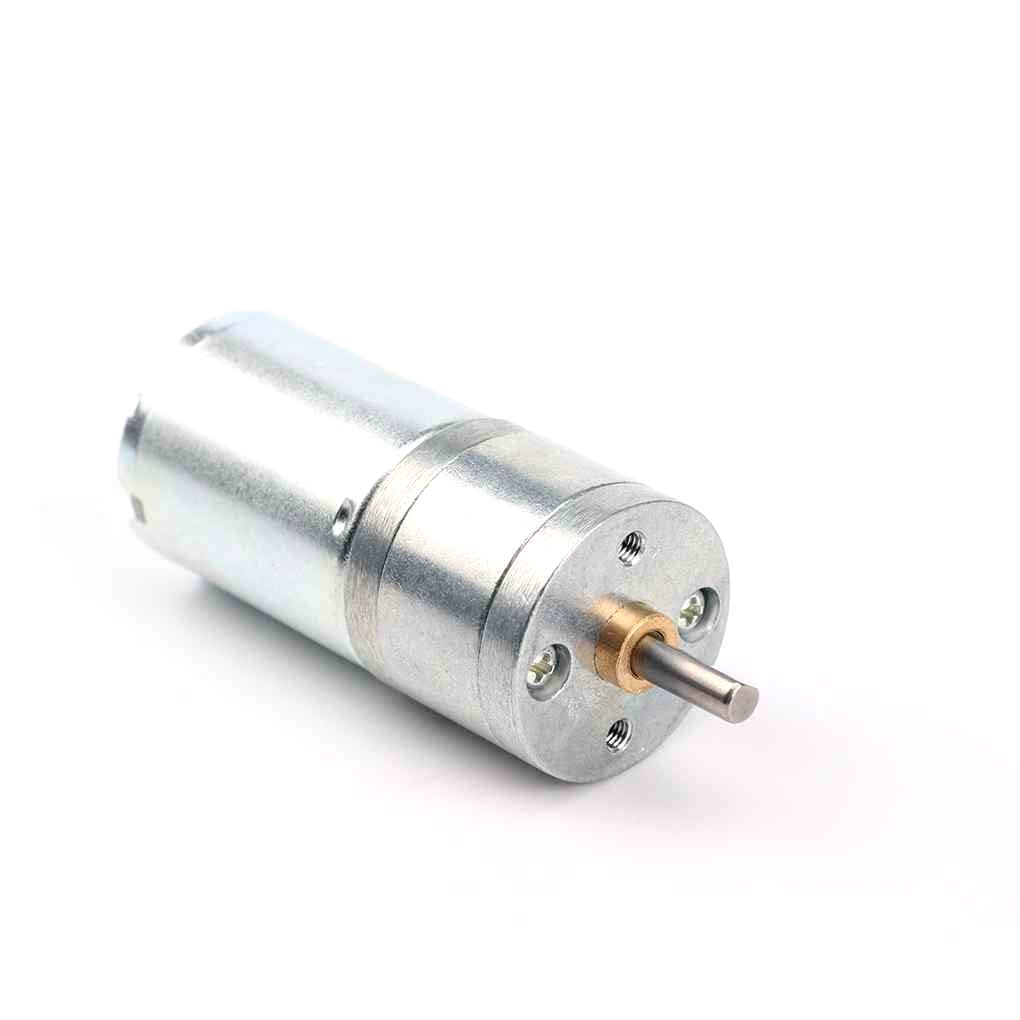
25GA-370 12V 12RPM DC Reducer Gear Motor
Compact geared DC motor at 12RPM — self-locking worm gear means the gate holds position without power. The ideal motor for a small home gate opener project.
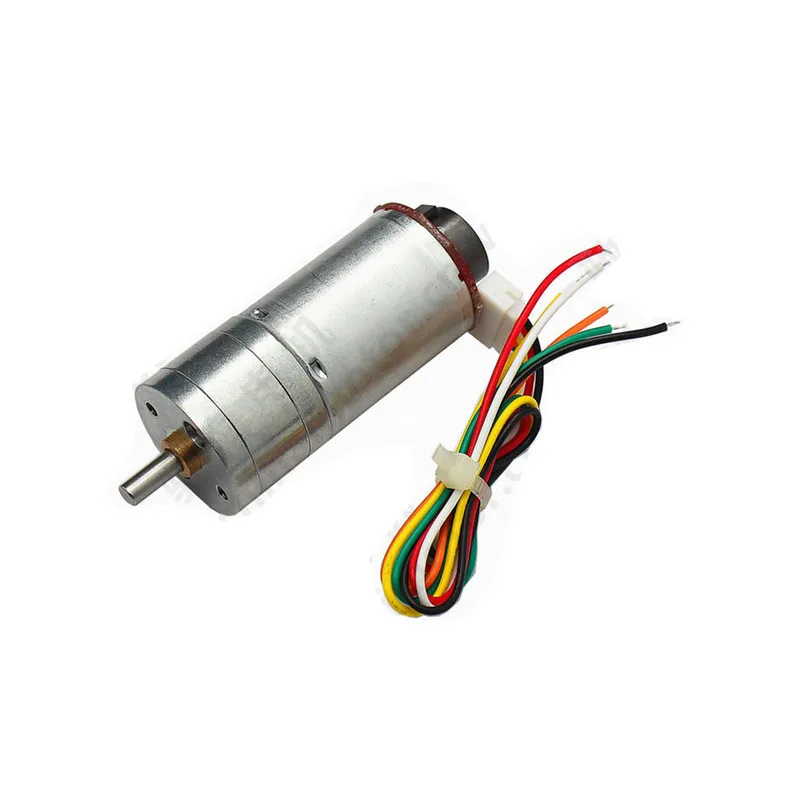
25GA-370 12V 12RPM DC Reducer Gear Motor with Encoder
Same gate motor but with a quadrature encoder — lets you track gate position precisely in software as a backup to limit switches, enabling softer start/stop profiles.
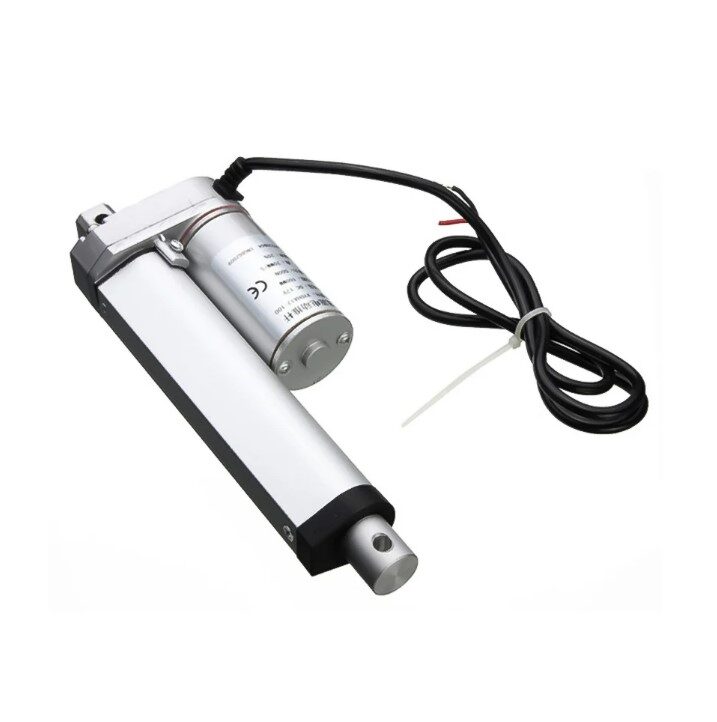
Linear Actuator 100MM 1500N 12V
A 1500N (150kg-force) linear actuator for swing gate applications — replaces the rotary motor with a push-pull mechanism that directly controls the gate leaf angle.
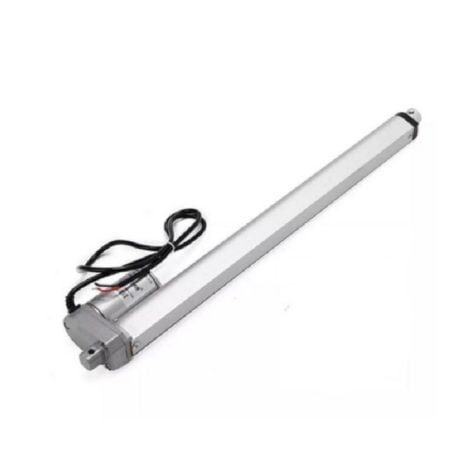
DC12V 500MM 2000N Electric Linear Actuator
500mm stroke, 2000N force — for larger swing gates where you need more travel distance and substantial pushing force to reliably move a heavy gate leaf.
Frequently Asked Questions
What if two IR buttons send the same code?
This happens with low-quality remotes. Check every button on your remote with the decoder sketch and note duplicates. Choose unique-code buttons for OPEN and CLOSE. Most NEC remotes have at least 10–15 unique button codes.
Can I use the same IR remote for multiple devices?
Yes. IR remote codes are just numbers — different Arduino sketches can listen for the same remote and act on different buttons. Just avoid assigning the TV power button to the gate.
What if the gate hits an obstacle while opening?
Add obstacle detection logic for the opening direction too. Mount a second IR sensor on the other side of the gate frame. The code change is one additional if-statement that calls stopMotor() when the opening-direction sensor triggers.
My gate doesn’t hold position after the motor stops. What is wrong?
If the motor back-drives (gate slides back under gravity/wind), you need a self-locking motor (worm gear type) or a mechanical latch/brake. The 25GA-370 with worm gear is self-locking. Linear actuators are inherently self-locking. Planetary gear motors are not — they require active braking or a solenoid latch.
Can I add smartphone control instead of IR?
Yes. Replace the IR receiver with an ESP8266 WiFi module or an HC-05 Bluetooth module. Use the Blynk app or a custom Android app to send open/close commands over WiFi or Bluetooth. The motor control code remains identical — only the input method changes.
How do I slow down the gate near the end of travel for a softer stop?
Use the encoder variant of the motor. Count encoder pulses to detect when the gate is 90% of the way open/closed, then reduce PWM on ENA from 200 to 100 for a decelerated approach. This reduces mechanical shock and extends the life of the limit switches and gate hardware.
Shop DC gear motors, linear actuators, and motor drivers at Zbotic Motors & Actuators. All components in stock with fast delivery across India — your weekend project is one order away.







Add comment