
When you need to measure distance in a robotics or automation project, ultrasonic sensors are the default choice — but they have significant blind spots (below 2cm), cannot detect thin transparent objects, and struggle with soft surfaces that absorb sound. Sharp IR distance sensors solve all of these problems elegantly. They are compact, require minimal circuitry, detect nearly any surface including glass and polished metal, and have an extremely short minimum range.
This comprehensive guide covers the complete family of Sharp GP2Yxxx analog IR distance sensors, explains the non-linear voltage-to-distance relationship, shows you how to linearize it with a lookup table or mathematical fitting, and provides production-ready Arduino code for your distance measurement projects.
What Are Sharp IR Distance Sensors?
Sharp GP2Y-series proximity and distance sensors use infrared light triangulation to measure the distance to a target. They output an analog voltage that varies with distance — making them directly readable by any microcontroller’s ADC input without additional conversion electronics.
The most popular models for Arduino projects are:
- GP2Y0A21YK0F: 10–80cm range, the “standard” hobbyist IR sensor
- GP2Y0A02YK0F: 20–150cm range, for longer-range detection
- GP2Y0A41SK0F: 4–30cm range, for close-range work
- GP2Y0A710K0F: 100–550cm range, long-range applications
These sensors are used in consumer electronics (robotic vacuums, printers, copiers), industrial proximity sensing, and countless hobby robotics projects. Their compact size (29.5mm × 13mm × 13.5mm typical), 5V operation, and single analog output make them extremely easy to integrate.
How Optical Triangulation Works
Unlike time-of-flight sensors that measure the travel time of a light pulse, Sharp IR sensors use the angle of reflected light to determine distance. This is called optical triangulation.
The sensor has two windows side by side:
- IR emitter: An IR LED that projects a focused beam forward.
- Position-Sensitive Detector (PSD): A linear CCD array that captures the reflected spot.
When the IR beam hits a target and reflects back, the reflected spot falls on a different position on the PSD depending on how far away the target is. Close targets reflect the spot to one extreme of the PSD; distant targets reflect it to the other extreme. The internal signal processing IC converts the PSD position reading into an analog output voltage.
Key implication: the triangulation geometry means the output voltage is proportional to 1/distance, not distance itself. This is the source of the non-linear response curve you must account for in your code.
Advantages of triangulation over time-of-flight:
- No minimum pulse width or timing constraints on the controller
- Works on black surfaces (where ultrasonic absorption is problematic)
- Unaffected by humidity and temperature (unlike ultrasonic sensors)
- No crosstalk between multiple sensors (unlike multiple ultrasonic sensors firing simultaneously)
Sharp Sensor Model Comparison
| Model | Range | Voltage at Min | Voltage at Max | Best Use |
|---|---|---|---|---|
| GP2Y0A41 | 4–30 cm | ~2.8V | ~0.4V | Close-range obstacle |
| GP2Y0A21 | 10–80 cm | ~2.3V | ~0.4V | Standard range robot |
| GP2Y0A02 | 20–150 cm | ~2.5V | ~0.3V | Open-space navigation |
| GP2Y0A710 | 100–550 cm | ~2.5V | ~0.5V | Long-range detection |
Warning about the minimum range: When an object is closer than the minimum rated distance, the output voltage actually increases again (the curve “flips”). This means you cannot distinguish between an object 5cm away and 50cm away if your sensor is a GP2Y0A21 — they may output the same voltage. Always add software checks to ignore readings below the minimum range.
Components Required
- Sharp GP2Y0A21YK0F IR distance sensor (with JST connector)
- Arduino Uno / Nano / ESP32
- JST PH 3-pin cable (to connect sensor, or solder wires directly)
- 10μF electrolytic capacitor (across VCC and GND — critical for noise reduction)
- Optional: 0.1μF ceramic capacitor (parallel with 10μF)
- Breadboard and jumper wires
- Optional: I2C OLED display for real-time distance readout
Wiring Sharp IR Sensor to Arduino
The GP2Y0A21 has a 3-pin JST connector. Pin order from left to right when facing the sensor:
| Sensor Pin | Wire Color (typical) | Arduino Connection |
|---|---|---|
| Pin 1 (Vo) | Yellow | A0 (analog input) |
| Pin 2 (GND) | Black | GND |
| Pin 3 (Vcc) | Red | 5V |
Decoupling capacitor is mandatory: Place a 10μF electrolytic capacitor between the 5V and GND pins of the sensor as close to the sensor as possible. The sensor draws up to 40mA peak current during IR pulse emission — this spike creates voltage noise that corrupts the analog output. The decoupling capacitor absorbs this spike. Without it, you will see erratic ±5cm measurement jumps.
Understanding the Non-Linear Voltage Curve
The GP2Y0A21 output is not linear with distance. It follows a power law approximately described as:
Voltage ≈ k / distance^n

Where for GP2Y0A21:
  k ≈ 21  (empirical constant)
  n ≈ 1.0 (close to pure inverse relationship)

Therefore:
  distance ≈ k / voltage
The actual curve from Sharp’s datasheet looks like this (approximate values for GP2Y0A21):
| Distance (cm) | Output Voltage (V) | ADC Count (5V ref) |
|---|---|---|
| 10 | 2.30 | 471 |
| 15 | 1.55 | 318 |
| 20 | 1.15 | 236 |
| 30 | 0.78 | 160 |
| 40 | 0.62 | 127 |
| 60 | 0.45 | 92 |
| 80 | 0.38 | 78 |
Basic Arduino Code: Reading Analog Voltage
// Sharp GP2Y0A21 IR Distance Sensor
// Sensor output connected to analog pin A0
// 10uF decoupling cap on VCC-GND (mandatory!)

const int IR_PIN = A0;
const float VCC = 5.0;          // Arduino supply voltage
const float ADC_RESOLUTION = 1023.0; // 10-bit ADC

void setup() {
  Serial.begin(9600);
  Serial.println("Sharp IR Distance Sensor");
  Serial.println("========================");
}

void loop() {
  int rawADC = analogRead(IR_PIN);
  float voltage = rawADC * (VCC / ADC_RESOLUTION);

  Serial.print("ADC: "); Serial.print(rawADC);
  Serial.print(" | Voltage: "); Serial.print(voltage, 3); Serial.println(" V");

  delay(100);
}
Converting Voltage to Distance: Linearization Methods
Method 1: Inverse Relationship Formula
The simplest approximation. Works well for the GP2Y0A21 over most of its range:
// GP2Y0A21: distance = 21 / voltage (in cm)
// Valid for voltage range 0.4V to 2.3V (10cm to 80cm)

float distanceCm = 21.0 / voltage;

// Clamp to valid range:
if (distanceCm < 10.0) distanceCm = 10.0;
if (distanceCm > 80.0) distanceCm = 80.0;
Method 2: Power Law Fitting
More accurate across the full range. Uses the power relationship with fitted constants from the datasheet curve:
// GP2Y0A21 power law fit (more accurate)
distanceCm = 29.988 * pow(voltage, -1.173);
Method 3: Lookup Table with Interpolation
Most accurate — directly maps ADC readings to calibrated distances using your own measurements:
// Lookup table: {ADC_value, distance_cm}
// Values measured with a ruler for YOUR specific sensor
struct IrPoint { int adc; float dist; };

IrPoint LUT[] = {
  {78, 80}, {92, 60}, {127, 40}, {160, 30},
  {236, 20}, {318, 15}, {471, 10}
};
const int LUT_SIZE = 7;

float adcToDistance(int adcVal) {
  // Find surrounding table entries and interpolate
  for (int i = 0; i < LUT_SIZE - 1; i++) {
    if (adcVal <= LUT[i].adc && adcVal >= LUT[i+1].adc) {
      float slope = (LUT[i].dist - LUT[i+1].dist) /
                    (float)(LUT[i].adc - LUT[i+1].adc);
      return LUT[i+1].dist + slope * (adcVal - LUT[i+1].adc);
    }
  }
  return -1; // Out of range
}
Advanced Code with Smoothing and Filtering
Raw ADC readings contain shot noise. A running average of 5–10 samples reduces noise significantly without adding much latency:
const int SAMPLES = 10;
int readings[SAMPLES];
int readIndex = 0;
long total = 0;

void setup() {
  // Initialize readings array
  memset(readings, 0, sizeof(readings));
  Serial.begin(9600);
}

void loop() {
  // Rolling average
  total -= readings[readIndex];
  readings[readIndex] = analogRead(IR_PIN);
  total += readings[readIndex];
  readIndex = (readIndex + 1) % SAMPLES;

  float avgADC = (float)total / SAMPLES;
  float voltage = avgADC * (5.0 / 1023.0);
  float distanceCm = 29.988 * pow(voltage, -1.173);

  // Enforce valid range
  distanceCm = constrain(distanceCm, 10.0, 80.0);

  Serial.print("Distance: ");
  Serial.print(distanceCm, 1);
  Serial.println(" cm");

  delay(50);
}
Limitations and Mitigation Strategies
1. Ambient Light Interference
Strong sunlight or bright halogen lights produce IR that saturates the sensor PSD. Sharp sensors include a filter that blocks visible light, but direct sunlight can still cause problems outdoors. Mitigation: shield the sensor from direct sunlight; use a lens hood; or switch to a time-of-flight sensor (VL53L0X) for outdoor applications.
2. Target Reflectivity Variation
A black matte surface reflects much less IR than a white glossy surface. The sensor measures 10–20% differently on these targets at the same actual distance. Mitigation: for critical applications, calibrate against the specific material you will be measuring.
3. Angular Sensitivity
The sensor assumes the target surface is perpendicular to the IR beam. At angles greater than 15–20 degrees, accuracy degrades. Mitigation: mount the sensor so the target surface is approximately perpendicular; or use multiple sensors at different angles.
4. Minimum Range Ambiguity
Below the minimum rated range, the voltage curve reverses (objects appear farther as they get closer). Always check that the measured distance is within the rated range. Add a sanity check: if the previous reading was 80cm and the new reading is suddenly 10cm, the object is probably actually inside the minimum range.
5. Update Rate
The GP2Y0A21 internally averages 32.38ms of IR pulses per output update. Reading the sensor more often than every 40ms provides no additional information and just adds noise from ADC sampling. 25Hz is the practical maximum update rate.
Recommended Products from Zbotic
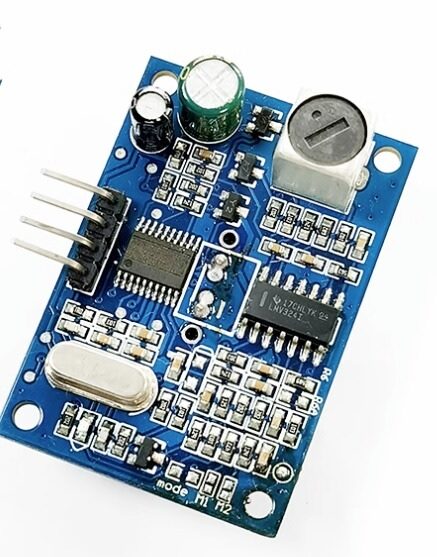
JSN-SR04T Waterproof Ultrasonic Rangefinder Module
When Sharp IR’s sunlight interference is a problem outdoors, the JSN-SR04T waterproof ultrasonic sensor measures 20–600cm in any lighting condition.
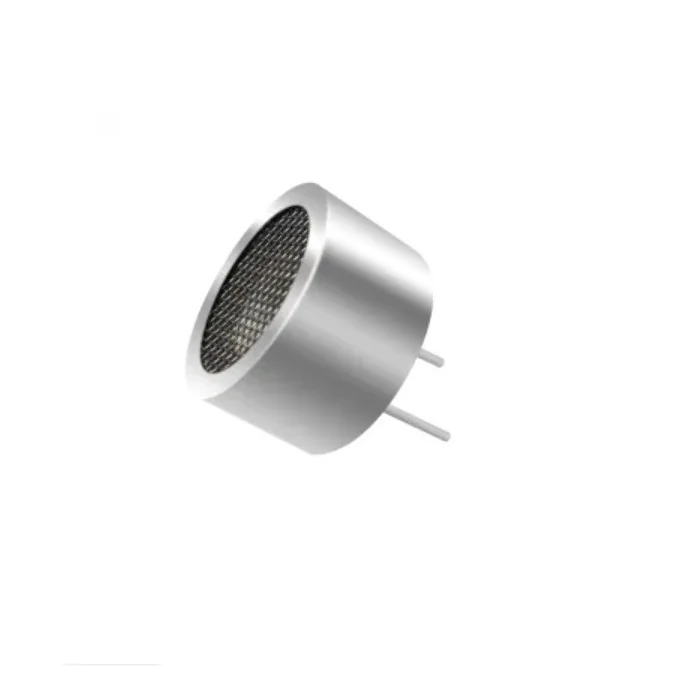
25kHz Ultrasonic Sensor Receiver T25 16mm
Industrial-grade ultrasonic transducer — complement your IR distance sensors with ultrasonic for multi-modal proximity sensing in robotics and automation.
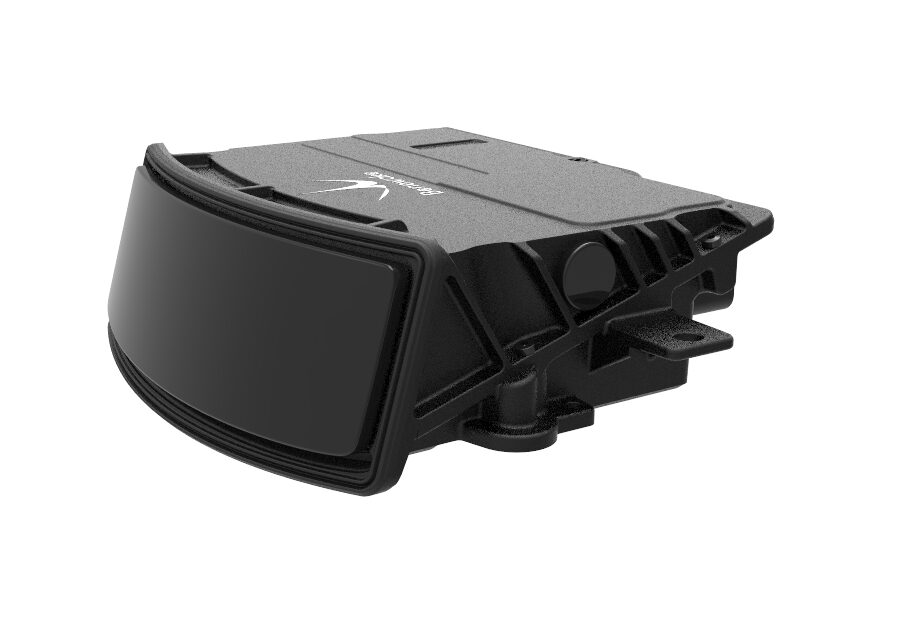
Benewake AD2-S-X3 Automotive-Grade LiDAR
When you need precision ranging beyond what IR triangulation can offer, this automotive LiDAR provides 3D point clouds at centimeter accuracy for autonomous systems.
Frequently Asked Questions
Q: Can I use a Sharp IR sensor to detect transparent objects like glass?
Yes — this is one of the major advantages over ultrasonic sensors. IR light reflects off glass surfaces quite reliably. However, the reflection intensity varies with the glass thickness and any coating. Clear float glass typically reflects about 4% of IR light per surface, which is enough for the PSD to detect. Frosted or tinted glass reflects even more. For through-glass scenarios where the sensor is behind glass, expect some attenuation but generally still functional detection.
Q: Why does my reading jump between a small value and 80cm randomly?
This is almost certainly the minimum range issue. If an object is closer than 10cm (for GP2Y0A21), the voltage curve reverses and the formula gives a very large distance. Add a check: if raw ADC is above 450 (close to minimum range), report “TOO CLOSE” rather than an invalid large distance.
Q: Can I use multiple Sharp IR sensors simultaneously on one Arduino?
Yes. Connect each sensor to its own analog pin. The sensors operate independently with no crosstalk (unlike multiple ultrasonic sensors firing simultaneously). You can read all sensors in sequence with analogRead(A0), analogRead(A1), etc. — no special synchronization needed. Arduino Uno supports up to 6 sensors (A0–A5).
Q: What is the difference between Sharp analog and digital IR sensors?
Analog Sharp IR sensors output a variable voltage proportional to distance (the GP2Y0A series). Digital Sharp IR sensors output a simple HIGH/LOW signal when an object is detected within a threshold distance (the GP2Y0D series). For distance measurement, you want the analog series. For simple presence detection, the digital series is simpler to use.
Q: How do I use a Sharp IR sensor with an ESP32 at 3.3V?
The GP2Y0A21 requires 5V supply for proper operation. However, the analog output voltage is compatible with 3.3V ADC inputs only up to about 2.5V (close range). At ranges below 12cm, the output may exceed 3.3V and damage the ESP32 ADC. Use a voltage divider (10kΩ + 6.8kΩ) to scale the output from 5V max to 3.3V max before connecting to the ESP32. Alternatively, use a 3.3V-compatible sensor like the VL53L0X ToF module.
Q: How accurate are Sharp IR sensors for an autonomous robot?
Typical accuracy is ±3–5cm over the rated range after power law fitting. With lookup table interpolation and averaging, ±1–2cm is achievable. This is sufficient for wall-following, obstacle avoidance, and room mapping at walking speeds. For faster robots or tighter spaces, combine IR sensors with an IMU for velocity-compensated readings.
Zbotic carries a wide range of proximity and distance sensors for robotics and automation projects across India. Quality tested, fast delivery, and expert support.






Add comment