
One of the most frustrating problems beginners face after assembling their first robot is that it doesn’t travel in a straight line. Robot speed control and motor driver tuning is the key to solving this. Even two identical DC motors from the same batch have slightly different internal resistances, back-EMF characteristics, and friction profiles. Without proper calibration, your robot will curve left or right even when you command equal speed to both wheels. This tutorial explains exactly how to diagnose, tune, and fix this problem using PWM control, feedback techniques, and PID correction.
Table of Contents
- Why Robots Drift: Root Cause Analysis
- Motor Driver Options and Their Role in Speed Control
- PWM Basics for DC Motor Speed Control
- Manual Calibration Method
- Using Encoders for Closed-Loop Control
- PID Tuning for Straight Motion
- Special Case: Mecanum Wheel Speed Balancing
- FAQ
Why Robots Drift: Root Cause Analysis
Before tuning, you need to understand why drift happens in the first place. The main causes are:
- Motor mismatch: Two motors at the same PWM duty cycle run at different RPMs due to manufacturing tolerances (typically 5–15% variation).
- Friction differences: One wheel may have more bearing friction, load imbalance, or different tyre grip.
- Motor driver deadband: L298N drivers have a ~1.4V drop per transistor (total 2.8V). At low PWM values, one channel may be in the driver’s dead zone while the other is active.
- Battery voltage sag: As the battery discharges, voltage drops unevenly affect the two motor channels differently.
- Structural asymmetry: If your chassis is not perfectly balanced or the centre of gravity is off-centre, one wheel bears more weight and experiences more drag.
Motor Driver Options and Their Role in Speed Control
Your choice of motor driver significantly affects how well you can tune speed. Here are the most common options:
| Driver | Max Current | Voltage Drop | PWM Freq |
|---|---|---|---|
| L298N | 2A/channel | 2.8V (high) | Up to 25kHz |
| L293D | 600mA/ch | 3V+ (very high) | Up to 5kHz |
| TB6612FNG | 1.2A/ch | 0.5V (low) | Up to 100kHz |
| DRV8833 | 1.5A/ch | 0.3V (very low) | Up to 100kHz |
For precision speed control, TB6612FNG or DRV8833 are far superior to the L298N because of their MOSFET-based design with minimal voltage drop. However, L298N is the most commonly used in starter kits and can still be tuned effectively.
PWM Basics for DC Motor Speed Control
PWM (Pulse Width Modulation) controls motor speed by rapidly switching power on and off. The duty cycle — percentage of time the signal is HIGH — determines effective voltage:
- 100% duty cycle = full voltage to motor = maximum speed
- 50% duty cycle = ~half voltage = approximately half speed
- 25% duty cycle = very slow, but may stall under load
On Arduino, analogWrite(pin, value) sets duty cycle from 0–255. So analogWrite(ENA, 128) is ~50% duty cycle. The default Arduino PWM frequency is 490Hz on most pins (980Hz on pins 5 and 6). For motor control, 490Hz creates audible whining — you can change the Timer prescaler to use higher frequencies if needed.
Key insight: Never run motors below their minimum effective PWM value (usually 60–80 for L298N) — below this threshold the motor won’t move but will hum and heat the driver.
Manual Calibration Method
If you don’t have encoders, use this simple manual method:
- Set both motors to PWM 200 out of 255.
- Run the robot on a flat surface for exactly 1 metre. Mark start and end points.
- Measure lateral drift (how far it veered left or right).
- If it drifts right, reduce right motor PWM by 5. If left, reduce left motor PWM by 5.
- Repeat until the robot travels straight within ±2cm over 2 metres.
Store calibration offsets as constants in your code:
const int BASE_SPEED = 200;
const int LEFT_TRIM = 0;   // adjust these
const int RIGHT_TRIM = -8; // negative = reduce speed

void moveForward() {
  analogWrite(ENA, BASE_SPEED + LEFT_TRIM);
  analogWrite(ENB, BASE_SPEED + RIGHT_TRIM);
  // direction pins...
}
Using Encoders for Closed-Loop Control
Manual calibration breaks down when battery voltage changes or the robot moves on different surfaces. Wheel encoders provide real-time speed feedback for true closed-loop control. Two types are common:
- Hall effect encoders: Magnetic. More accurate, works at low speed, immune to dust. Built into some geared motors.
- Optical encoders: A slotted disk interrupts an IR beam. Simple and cheap. Used with encoder disks clipped onto wheels.
With encoder counts, you can calculate actual RPM:
// Interrupt-driven encoder counting
volatile long leftCount = 0, rightCount = 0;

void leftISR() { leftCount++; }
void rightISR() { rightCount++; }

void setup() {
  attachInterrupt(digitalPinToInterrupt(2), leftISR, RISING);
  attachInterrupt(digitalPinToInterrupt(3), rightISR, RISING);
}
Compare left and right counts every 50ms. If they diverge, adjust the lagging motor’s PWM upward.
PID Tuning for Straight Motion
For the smoothest results, implement a PID controller on the speed error between left and right wheels:
float Kp = 1.2, Ki = 0.01, Kd = 0.5;
float error, prevError = 0, integral = 0;

void loop() {
  // Reset counts every 50ms
  long L = leftCount; long R = rightCount;
  leftCount = 0; rightCount = 0;

  error = L - R; // positive = left faster
  integral += error;
  float derivative = error - prevError;
  float correction = Kp*error + Ki*integral + Kd*derivative;
  prevError = error;

  int leftPWM  = constrain(BASE_SPEED - correction, 0, 255);
  int rightPWM = constrain(BASE_SPEED + correction, 0, 255);
  analogWrite(ENA, leftPWM);
  analogWrite(ENB, rightPWM);
  delay(50);
}
Tuning guide: Start with Kp only (Ki=0, Kd=0). Increase Kp until the robot oscillates, then halve it. Add small Kd to dampen oscillation. Add tiny Ki only if there’s persistent steady-state error. Most differential drive robots need very small Ki values (0.001–0.05).
Special Case: Mecanum Wheel Speed Balancing
Mecanum wheel robots require all four wheels to run at precisely matched speeds. Speed imbalance causes unexpected lateral drift rather than just curved forward motion. For mecanum platforms:
- Use encoders on all four wheels (or at minimum, diagonal pairs).
- Run separate PID loops per motor.
- Calibrate at the exact operating voltage — mecanum drift is highly sensitive to voltage variations.
- Test all four motion modes: forward, strafe, rotate, diagonal.
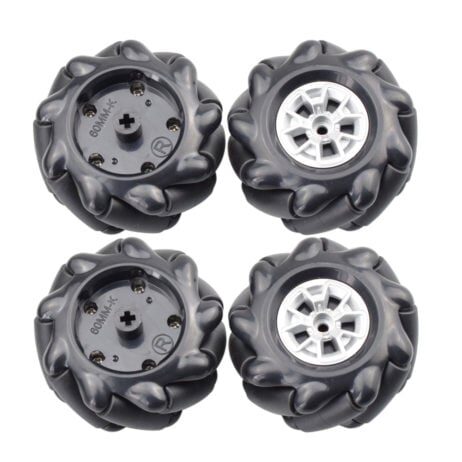
60MM-K Mecanum Wheel (Pack of 4) – Black
A complete set of 60mm mecanum wheels for omnidirectional robot movement. Requires precise speed matching across all four motors for smooth strafe and diagonal motion.
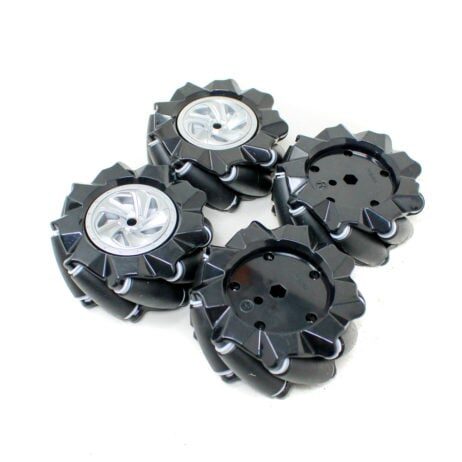
80mm-A Mecanum Wheel (Pack of 4) – Black
Larger 80mm mecanum wheels for heavier robot platforms. Provides better load capacity while maintaining omnidirectional capability. Compatible with 6.7mm motor shaft couplings.
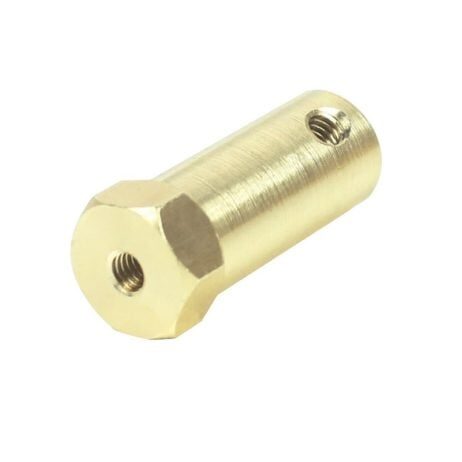
4mm Hex Coupling for Robot Smart Car Wheel (30mm)
Metal hex couplings for attaching wheels to DC motor shafts. Essential for mecanum and standard wheel builds to ensure zero slip between motor shaft and wheel hub.
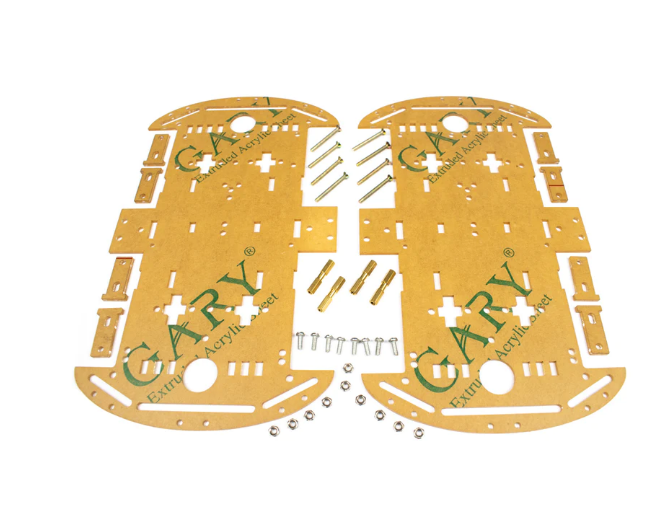
4 Wheels Car Chassis Acrylic Frame
A well-proportioned 4WD acrylic chassis for building a speed-tuned robot. Balanced weight distribution helps reduce the structural asymmetry that causes drift.
Frequently Asked Questions
- Why does my robot drift more at lower speeds?
- At low PWM values, you’re closer to the motor’s deadband — tiny differences in motor resistance have a proportionally larger effect. This is why L298N robots drift more at slow speeds. Use TB6612FNG for better low-speed control.
- Should I use hardware or software PWM?
- Always use hardware PWM (Arduino’s
analogWriteon PWM pins). Software PWM interrupts the main loop and causes timing jitter that makes speed control unreliable. - How do I know if I need PID or if manual trim is enough?
- If your robot runs on a single surface type at a fixed speed, manual trim often suffices. If speed varies, surface changes, or battery depletes during operation, use PID with encoders.
- My L298N gets very hot — is this normal?
- The L298N dissipates 2.8V × motor current as heat. At 1A per channel, that’s 2.8W of heat — significant. Attach the included heatsink. If it gets uncomfortably hot to touch, your motor current is too high or you need to switch to a MOSFET driver.
- Can I tune speed control without encoders using IMU?
- Yes — an MPU6050 gyroscope can measure yaw rotation. If the robot turns left, increase right motor speed. This is less accurate than encoders but works without modifying the wheels.
Build a Robot That Truly Travels Straight
Proper robot speed control and motor driver tuning transforms a wobbly prototype into a reliable machine. Whether you use manual trim for a simple 2WD robot or full PID with encoders for a competition bot, the principles here apply universally. Find all the motor drivers, wheels, couplings, and chassis components you need at Zbotic — shipped fast across India.







Add comment