
LoRa Gateway Setup: RAK7243 Raspberry Pi LoRaWAN Gateway India
India’s maker community is increasingly turning to LoRaWAN for long-range IoT deployments — from smart agriculture in Maharashtra’s farms to asset tracking across logistics corridors. Setting up your own LoRa gateway RAK7243 Raspberry Pi India installation is now the most cost-effective way to get a private LoRaWAN network running. This guide walks you through everything: hardware assembly, OS configuration, packet forwarder setup, and connecting to The Things Network (TTN) or a private ChirpStack server — all optimised for Indian conditions including the IN865 frequency plan.
What Is the RAK7243 Gateway?
The RAK7243 Pilot Gateway is a professional-grade LoRaWAN gateway HAT (Hardware Attached on Top) designed for the Raspberry Pi. It uses the RAK2245 concentrator module, which is based on the Semtech SX1301 baseband chip — the same chip used in commercial Kerlink and Multitech gateways. The SX1301 can handle 8 simultaneous LoRa channels, making it a true full-duplex 8-channel gateway capable of serving hundreds of end nodes concurrently.
Key specifications relevant to Indian deployments:
- Frequency bands: EU868, US915, AS923, IN865 (India band), CN470
- Sensitivity: -142.5 dBm (SF12)
- TX power: up to 27 dBm (with external PA)
- Backhaul: Ethernet + optional 4G LTE via RAK2013 cellular hat
- GPS: integrated for accurate time synchronisation
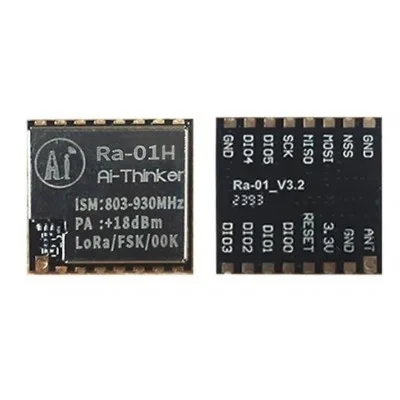
Ai Thinker LoRa Ra-01H Module
SX1276-based 868 MHz LoRa module — the ideal end node module to pair with your RAK7243 IN865 gateway for long-range sensor nodes.
LoRaWAN Frequency Plan for India (IN865)
This is the most critical point for Indian deployments. India uses the IN865 band (865–867 MHz), regulated by TRAI and WPC (Wireless Planning and Coordination Wing). This is a licence-exempt band under the Short Range Device rules. The default channels for IN865 are:
| Channel | Frequency (MHz) | Data Rates |
|---|---|---|
| 0 | 865.0625 | DR0–DR5 |
| 1 | 865.4025 | DR0–DR5 |
| 2 | 865.9850 | DR0–DR5 |
| RX2 (downlink) | 866.550 | DR2 (SF10BW125) |
Do NOT use the EU868 plan in India — frequencies overlap with restricted bands. Always select IN865 in both your gateway configuration and your end-node LoRaWAN stack.
Hardware Assembly and Power
The RAK7243 kit typically includes the concentrator HAT, a Raspberry Pi 3B/4, enclosure, antenna, and power adapter. Assembly steps:
- Mount the RAK2245 HAT onto the Raspberry Pi’s 40-pin GPIO header.
- Attach the LoRa antenna to the SMA connector. Never power on the gateway without the antenna connected — the TX stage can damage the SX1301 without a proper load.
- Optionally attach the GPS antenna to the u.FL connector for accurate time sync.
- Power the Raspberry Pi using a quality 5V 3A USB-C or micro-USB adapter. Power instability causes random disconnects — use a dedicated adapter, not a phone charger.
- Connect to your router via Ethernet for the most reliable backhaul. WiFi works but adds latency jitter to LoRa timestamps.
Raspberry Pi OS and RAK Firmware
RAK Wireless provides a pre-built Raspberry Pi OS image with the packet forwarder and configuration tools pre-installed. This is the fastest route:
- Download the latest RAK Pi image from docs.rakwireless.com (look for the RAK7243 Quick Start Guide).
- Flash to a 32GB+ Class 10 microSD card using Balena Etcher or Raspberry Pi Imager.
- Enable SSH by placing an empty file named
sshin the boot partition before first boot. - Boot the Pi and connect via SSH:
ssh [email protected](default password:raspberry). Change this immediately. - Run the RAK configuration tool:
sudo gateway-config
Alternatively, if you prefer a clean Raspberry Pi OS Lite installation, install the RAK packet forwarder manually:
sudo apt update && sudo apt upgrade -y
sudo raspi-config  # Enable SPI interface

# Install RAK packet forwarder
git clone https://github.com/RAKWireless/rak_common_for_gateway.git ~/rak
cd ~/rak
sudo bash install.sh
Configuring the Packet Forwarder
The packet forwarder bridges LoRa radio packets to your network server via UDP (Semtech UDP protocol). After running sudo gateway-config, select:
- Setup RAK Gateway Channel Plan → Select IN865
- Server Address: Enter the TTN address for India region:
au1.cloud.thethings.network(TTN uses the AU1 cluster for India) - Port Up/Down: 1700/1700 (default Semtech UDP ports)
The configuration generates /opt/ttn-gateway/packet_forwarder/lora_pkt_fwd/global_conf.json. Verify the IN865 channel frequencies are correct (865.0625, 865.4025, 865.985 MHz).
Start the forwarder service:
sudo systemctl enable ttn-gateway
sudo systemctl start ttn-gateway
sudo journalctl -u ttn-gateway -f  # watch logs
You should see PULL_RESP received messages confirming the gateway is talking to TTN.
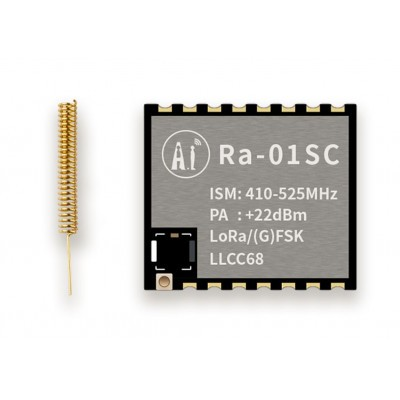
Ai Thinker LoRa Ra-01SC Module
SX1262-based LoRa module with improved sensitivity and lower power consumption — perfect for battery-powered end nodes connecting to your gateway.
Registering on The Things Network
- Create a free account at thethingsnetwork.org.
- Go to the AU1 cluster console (for India): au1.cloud.thethings.network.
- Create a new application (e.g.,
zbotic-farm-monitor). - Under Gateways, click Register Gateway. Enter your gateway EUI — find this by running
gateway-versionon the Pi or checkingglobal_conf.jsonfor thegateway_IDfield (convert from hex to EUI format). - Select frequency plan: India 865-867 MHz (IN865).
- Submit — within a minute, your gateway should appear as Connected in the TTN console.
For production deployments in India, consider running a self-hosted ChirpStack server on a local VM or cloud instance for data sovereignty and lower latency. ChirpStack supports IN865 natively and removes dependency on TTN’s international infrastructure.
Connecting LoRa End Nodes
With your gateway running, it is time to connect end nodes. Use Arduino-compatible LoRa modules running the LMIC library (LoRaMAC-in-C). For IN865, set the frequency plan in LMIC:
// In lmic_project_config.h:
#define CFG_in865 1   // Enable IN865 band
// Do NOT define CFG_eu868 or other bands
Register each end node on TTN as a device under your application. Use OTAA (Over-the-Air Activation) for production — it generates session keys dynamically and is more secure than ABP. You will need the AppEUI, DevEUI, and AppKey from the TTN device console.
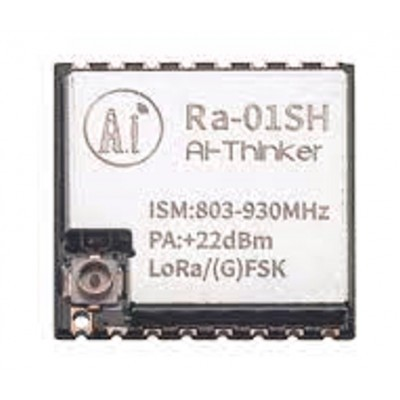
Ai Thinker LoRa Series Ra-01SH Spread Spectrum Wireless Module
High-frequency SX1262 LoRa module supporting 868 MHz for IN865 deployments — ideal for long-range sensor nodes in agricultural and industrial IoT.
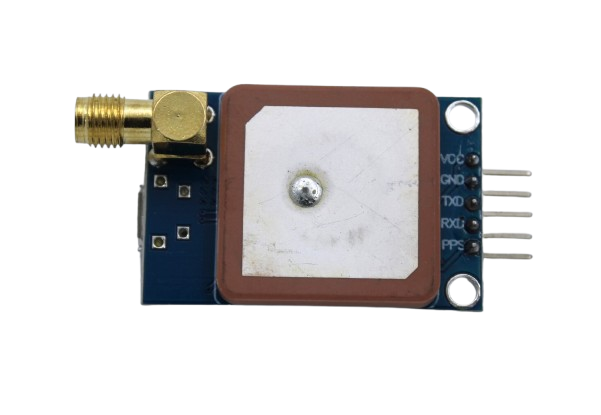
GPS NEO-6M Satellite Positioning Module Development Board
Add GPS positioning to your LoRa end nodes for asset tracking applications — pairs perfectly with LoRa modules for nationwide tracking networks.
Frequently Asked Questions
Is LoRaWAN legal to use in India without a licence?
Yes. The IN865 band (865–867 MHz) is designated as a Short Range Device (SRD) spectrum by the Wireless Planning and Coordination (WPC) Wing of DoT. Usage is licence-exempt provided TX power stays within limits (maximum 1W ERP). Both gateway and end-node operation is legal without any spectrum licence.
How far can a RAK7243 gateway communicate with end nodes?
In open terrain (farms, rural areas), a properly installed gateway with a high-gain antenna can achieve 15–30 km range with SF12. In urban areas of Indian cities, expect 2–5 km due to buildings and interference. Antenna height is the single most impactful factor — install the gateway as high as possible.
Which Raspberry Pi model should I use with the RAK7243?
Raspberry Pi 3B or 3B+ is the sweet spot — enough processing power for the packet forwarder plus ChirpStack, without the cost and power draw of a Pi 4. The Pi Zero 2 W also works for TTN-only deployments where you don’t need to run local network server software.
Can I run a private LoRaWAN network without using TTN?
Absolutely. Install ChirpStack (open-source LoRaWAN Network Server) on any Linux server. Configure the Semtech UDP packet forwarder to point to your ChirpStack instance instead of TTN. This gives you full control over data, device management, and API access — important for enterprise deployments in India where data residency matters.
What is the maximum number of end nodes a RAK7243 gateway can handle?
The SX1301 chip handles 8 uplink channels simultaneously. In practice, a single gateway can serve hundreds to thousands of end nodes, as long as each node transmits infrequently (LoRaWAN duty cycle limits are typically 1% on IN865). For a farm with 100 soil moisture sensors sending one reading per 10 minutes, one gateway is more than sufficient.
Build Your LoRaWAN Network Across India
Zbotic stocks a full range of LoRa modules and communication hardware — get everything for your gateway and end-node builds delivered across India.







Add comment