
Table of Contents
- What Is the TF-Luna LiDAR?
- How Time-of-Flight LiDAR Works
- TF-Luna Specifications
- Wiring TF-Luna to Arduino (UART Mode)
- Wiring TF-Luna to Arduino (I2C Mode)
- Arduino Code — UART Mode
- Arduino Code — I2C Mode
- Obstacle Avoidance Robot Project
- Advanced Uses: ROS, Data Logging, Multiple Sensors
- Recommended Products from Zbotic
- Frequently Asked Questions
Robots need distance. Whether a wheeled robot is navigating a corridor, a drone is landing safely, or an automated guided vehicle is avoiding a forklift, the ability to measure the distance to obstacles in real time is fundamental to autonomy. The Benewake TF-Luna is one of the most popular short-range LiDAR sensors in the hobbyist and robotics market — combining millimetre-accuracy Time-of-Flight distance measurement with a compact, affordable form factor that connects directly to Arduino or Raspberry Pi over UART or I2C.
This guide covers everything from how TF-Luna works at the physics level, through complete wiring diagrams and Arduino code for both communication modes, to a full obstacle-avoidance robot example and advanced integration with ROS. By the end, you will have all the knowledge needed to add centimetre-accurate LiDAR sensing to your robot project.
What Is the TF-Luna LiDAR?
The TF-Luna (sometimes written TFLuna) is a single-point Time-of-Flight (ToF) LiDAR distance sensor manufactured by Benewake, a Chinese company specialising in LiDAR for robotics applications. Unlike multi-beam spinning LiDARs used in autonomous vehicles (which cost lakhs of rupees), the TF-Luna is a single-point sensor that measures distance along one straight line — like a very accurate tape measure that updates 250 times per second.
Key selling points:
- Compact: 35 mm × 21.25 mm × 13.5 mm — tiny enough for nano-drones and micro-robots
- Dual communication: UART or I2C, switchable
- High update rate: Up to 250 Hz (4 ms measurement cycle)
- Indoor and outdoor: Works in moderate ambient light (not direct sunlight)
- Affordable: ~₹1,500–₹2,500 in India
How Time-of-Flight LiDAR Works
LiDAR stands for Light Detection And Ranging. The TF-Luna uses the direct Time-of-Flight (dToF) principle:
- A near-infrared laser diode (850 nm wavelength) emits a very short pulse of light
- The pulse travels through air at the speed of light (≈ 3 × 10⁸ m/s)
- When the pulse hits an object, it reflects back toward the sensor
- A photodetector (SPAD — Single Photon Avalanche Diode) detects the returning photons
- Dedicated timing circuitry measures the time of flight (Δt) between emission and detection
- Distance = (c × Δt) / 2 — divided by 2 because the light travels there and back
For a 1 m measurement, Δt ≈ 6.67 nanoseconds — that’s why TF-Luna requires specialised high-speed timing hardware rather than a simple microcontroller timer.
Why LiDAR Over Ultrasonic?
Many beginners start with HC-SR04 ultrasonic sensors. LiDAR (specifically TF-Luna) is superior in several ways:
| Feature | HC-SR04 Ultrasonic | TF-Luna LiDAR |
|---|---|---|
| Range | 2 cm – 4 m | 0.2 m – 8 m |
| Accuracy | ±3 mm typical | ±2% within 2m; ±6% 2-8m |
| Update rate | ~25 Hz max | Up to 250 Hz |
| Beam angle | ~15° cone (blurry) | 2° (point-precise) |
| Affected by fabric | Yes (absorbs sound) | Less (optical) |
| Multiple sensors | Interference issues | Minimal crosstalk |
TF-Luna Specifications
| Parameter | Value |
|---|---|
| Detection range | 0.2 m – 8 m (indoor, >70% reflectivity) |
| Range accuracy | ±2% (0.2–2 m), ±6% (2–8 m) |
| Distance resolution | 1 cm |
| Frame rate | 1–250 Hz (configurable) |
| Light source | 850 nm NIR laser, Class 1 (eye-safe) |
| FOV | 2° round |
| Supply voltage | 5 V (4.5–5.5 V) |
| Current consumption | ≤35 mA average |
| Communication | UART (default) or I2C (configurable) |
| UART baud rate | 115200 bps default |
| I2C address | 0x10 default (configurable) |
| Operating temp | -10°C to +60°C |
| Dimensions | 35 × 21.25 × 13.5 mm |
| Connector | PH2.0 5-pin (Vin, GND, TX/SDA, RX/SCL, RESET) |
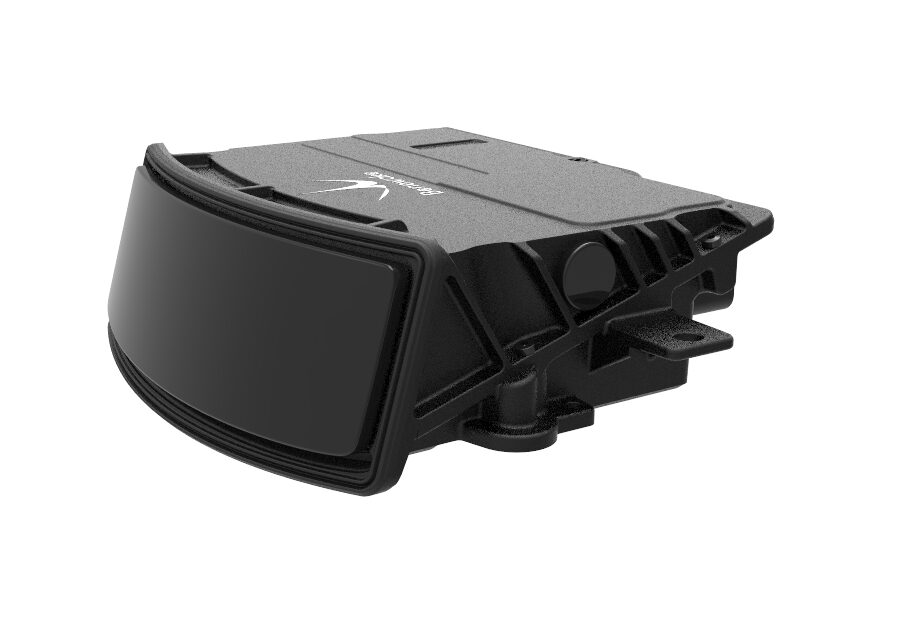
Benewake AD2-S-X3 Automotive-Grade LiDAR
When your robot project needs to graduate from TF-Luna’s single-point to full 3D environment mapping for autonomous driving applications, Benewake’s AD2-S-X3 is the natural next step.
Wiring TF-Luna to Arduino (UART Mode)
The TF-Luna uses a PH2.0 5-pin connector. The pin order (from left to right facing the connector):
- VCC (5V)
- GND
- TX (TF-Luna transmits → Arduino receives)
- RX (TF-Luna receives ← Arduino transmits)
- RESET (active high, leave unconnected for normal operation)
| TF-Luna Pin | Arduino Mega Pin |
|---|---|
| VCC (red) | 5V |
| GND (black) | GND |
| TX (white/green) | RX1 (pin 19) |
| RX (blue) | TX1 (pin 18) |
On Arduino Uno, use SoftwareSerial on pins D10 (RX) and D11 (TX) for the TF-Luna, keeping D0/D1 hardware serial for USB debugging.
Wiring TF-Luna to Arduino (I2C Mode)
To switch to I2C, first send the configuration command over UART, then rewire:
| TF-Luna Pin | Arduino Uno Pin |
|---|---|
| VCC | 5V |
| GND | GND |
| TX/SDA | A4 (SDA) |
| RX/SCL | A5 (SCL) |
Add 4.7 kΩ pull-up resistors on SDA and SCL lines to 5V. The TF-Luna’s I2C lines are internally open-drain compatible.
Arduino Code — UART Mode
// TF-Luna LiDAR UART Reader
// Zbotic.in Tutorial
// Arduino Mega - TF-Luna on Serial1

HardwareSerial &tfLuna = Serial1;

struct TFLunaData {
  uint16_t distance; // cm
  uint16_t strength; // signal strength (0-65535)
  uint16_t temp;     // temperature * 8 (in Celsius: temp/8)
};

bool readTFLuna(TFLunaData &data) {
  if (tfLuna.available() < 9) return false;

  // Wait for frame header: 0x59 0x59
  if (tfLuna.read() != 0x59) return false;
  if (tfLuna.read() != 0x59) return false;

  uint8_t buf[7];
  for (int i = 0; i < 7; i++) buf[i] = tfLuna.read();

  // Verify checksum
  uint8_t checksum = 0x59 + 0x59;
  for (int i = 0; i < 6; i++) checksum += buf[i];
  if (checksum != buf[6]) return false;

  data.distance = buf[0] | (buf[1] << 8);
  data.strength = buf[2] | (buf[3] << 8);
  data.temp     = buf[4] | (buf[5] << 8);
  return true;
}

void setup() {
  Serial.begin(115200);
  tfLuna.begin(115200); // TF-Luna default baud
  Serial.println("TF-Luna LiDAR Reader - Zbotic.in");
}

void loop() {
  TFLunaData data;
  if (readTFLuna(data)) {
    Serial.print("Distance: "); Serial.print(data.distance); Serial.print(" cm");
    Serial.print(" | Strength: "); Serial.print(data.strength);
    float tempC = data.temp / 8.0 - 256.0;
    Serial.print(" | Chip Temp: "); Serial.print(tempC, 1); Serial.println(" C");

    // Signal quality check
    if (data.strength < 100) Serial.println("  WARNING: Low signal — check target reflectivity");
    if (data.strength == 65535) Serial.println("  WARNING: Sensor saturated — too close or bright");
  }
}
Arduino Code — I2C Mode
// TF-Luna LiDAR I2C Reader
// Zbotic.in Tutorial

#include <Wire.h>

#define TFLUNA_ADDR 0x10
#define REG_DIST_L  0x00
#define REG_DIST_H  0x01
#define REG_STRENGTH_L 0x02
#define REG_STRENGTH_H 0x03
#define REG_TEMP_L  0x04
#define REG_TEMP_H  0x05

void readI2CRegisters(uint8_t reg, uint8_t *buf, uint8_t len) {
  Wire.beginTransmission(TFLUNA_ADDR);
  Wire.write(reg);
  Wire.endTransmission(false);
  Wire.requestFrom(TFLUNA_ADDR, len);
  for (int i = 0; i < len; i++) buf[i] = Wire.read();
}

void setup() {
  Serial.begin(115200);
  Wire.begin();
  delay(1000);
  Serial.println("TF-Luna I2C Mode - Zbotic.in");
}

void loop() {
  uint8_t buf[6];
  readI2CRegisters(REG_DIST_L, buf, 6);

  uint16_t distance = buf[0] | (buf[1] << 8);
  uint16_t strength = buf[2] | (buf[3] << 8);
  uint16_t rawTemp  = buf[4] | (buf[5] << 8);
  float tempC = rawTemp / 8.0 - 256.0;

  Serial.print("Dist: "); Serial.print(distance); Serial.print(" cm");
  Serial.print(" | Str: "); Serial.print(strength);
  Serial.print(" | Temp: "); Serial.print(tempC, 1); Serial.println(" C");

  delay(50); // 20 Hz polling
}
Obstacle Avoidance Robot Project
Here’s a minimal wheeled robot obstacle avoidance loop using TF-Luna and a dual motor driver:
// TF-Luna Obstacle Avoidance Robot
// Zbotic.in Tutorial
// TF-Luna on Serial1 (Mega), L298N motor driver

#define MOTOR_L_FWD 4
#define MOTOR_L_BWD 5
#define MOTOR_R_FWD 6
#define MOTOR_R_BWD 7
#define STOP_DIST   40 // Stop if obstacle within 40 cm

void motorForward()  { digitalWrite(MOTOR_L_FWD,1); digitalWrite(MOTOR_L_BWD,0); digitalWrite(MOTOR_R_FWD,1); digitalWrite(MOTOR_R_BWD,0); }
void motorStop()     { digitalWrite(MOTOR_L_FWD,0); digitalWrite(MOTOR_L_BWD,0); digitalWrite(MOTOR_R_FWD,0); digitalWrite(MOTOR_R_BWD,0); }
void motorTurnRight(){ digitalWrite(MOTOR_L_FWD,1); digitalWrite(MOTOR_L_BWD,0); digitalWrite(MOTOR_R_FWD,0); digitalWrite(MOTOR_R_BWD,1); }

void loop() {
  uint16_t dist = readDistance(); // from readTFLuna() above
  Serial.print("Dist: "); Serial.println(dist);

  if (dist > 0 && dist < STOP_DIST) {
    motorStop();
    delay(200);
    motorTurnRight();
    delay(500);
  } else {
    motorForward();
  }
  delay(20); // 50 Hz control loop
}
Advanced Uses: ROS, Data Logging, Multiple Sensors
1. ROS (Robot Operating System) Integration
The TF-Luna has an official ROS package (benewake_tf_luna) available on ROS GitHub. It publishes sensor_msgs/Range messages on a topic. Use with ROS Noetic on a Raspberry Pi 4 for full robot navigation stacks (Navigation2, AMCL).
2. Multiple TF-Luna Sensors for 2D Coverage
Mount 5 TF-Luna sensors in I2C mode at 0°, 45°, 90°, 135°, and 180° offsets on the front of a robot. Change each sensor’s I2C address (command 0x22 over UART) to 0x10–0x14. Poll all five in a round-robin loop for a crude but effective 180° distance map without a spinning LiDAR.
3. Drone Altitude Hold
The TF-Luna’s 250 Hz update rate and 2% accuracy makes it excellent for drone altitude hold when flying below 5 m. Connect to a flight controller (Betaflight/ArduPilot) via UART — it is natively supported as a rangefinder in ArduPilot.
4. Presence Detection for Smart Lighting
Unlike PIR sensors that detect movement, TF-Luna detects presence even when a person is stationary. Great for smart lighting that stays on while someone is reading — no more waving your arms to keep the lights from switching off.
Recommended Products from Zbotic
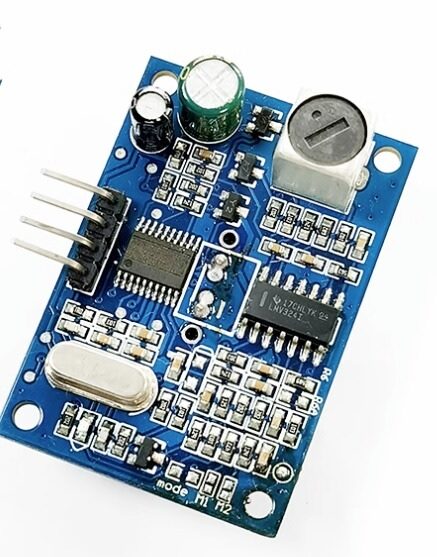
JSN-SR04T Waterproof Ultrasonic Rangefinder Module
Budget-friendly alternative for outdoor/waterproof distance sensing — complement your TF-Luna (for front obstacle detection) with a JSN-SR04T for downward-facing liquid level measurement.
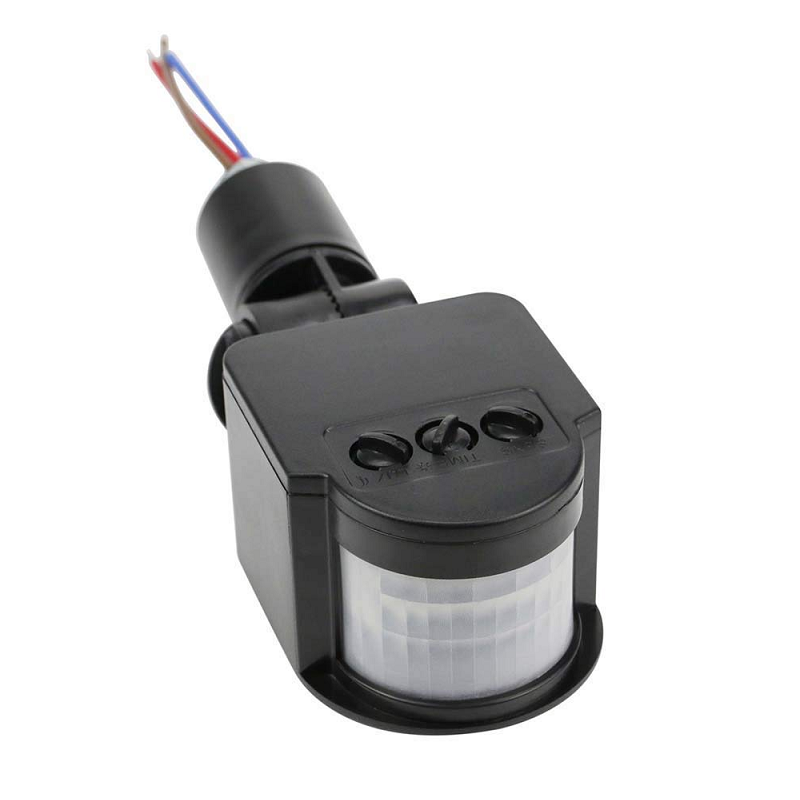
AC 220V PIR Human Body Motion Sensor Detector
Combine with TF-Luna for a two-tier detection system: PIR triggers a broad sweep alert, TF-Luna provides precise distance to the detected person for smart response decisions.

INA219 I2C Current/Power Monitor
Monitor your robot’s battery current draw alongside TF-Luna distance data — both share the I2C bus, making it easy to implement low-battery return-to-base behaviour when current consumption drops below a threshold.
Frequently Asked Questions
Q1: Will TF-Luna work on black surfaces?
Black surfaces absorb most light, reducing signal strength. The TF-Luna can still detect black objects at shorter ranges (typically within 1–2 m) but accuracy degrades. Monitor the Strength register — if below 100, measurements are unreliable. For dark-surface robots, consider mounting the sensor at a slight downward angle and using a lighter floor colour strip as a reflective target.
Q2: Can I use TF-Luna outdoors in direct sunlight?
Direct sunlight is a strong source of 850 nm near-IR radiation that can saturate the SPAD detector. Benewake rates TF-Luna for outdoor use in indirect sunlight but not direct sunlight. In bright conditions, reduce frame rate (lowers laser duty cycle) and use the low-ambient-light operating mode command (0x3B via UART).
Q3: My distance readings jump randomly. Why?
Check the Strength value — if it’s below 100 or equals 65535 (saturation), the distance is invalid. Other causes: target at the minimum 20 cm range (below minimum, returns error code); target angle > 45° from perpendicular (specular reflection); flickering light source (fluorescent lights can cause periodic false readings).
Q4: How do I change the I2C address?
First connect in UART mode and send: 5A 05 22 newAddr checksum where newAddr is the desired I2C address (0x10–0x7F). Then save with: 5A 04 11 6F. Power cycle and rewire to I2C mode. Each sensor needs a unique address on the same bus.
Q5: What is the minimum blind zone (closest readable distance)?
The TF-Luna specification states 0.2 m (20 cm) minimum range. Objects closer than 20 cm return error code 65535 in the distance register. For close-range work (< 20 cm), consider a different ToF sensor such as the VL53L0X (2 cm minimum) or VL53L1X (4 cm minimum).
Q6: Does TF-Luna need calibration?
No field calibration is required for normal use. The factory calibration is stored internally. If you replace the front lens window cover with non-standard glass (e.g., for weatherproofing), you will need to add a manual distance offset in your firmware to compensate for the glass’s optical path length.
Give Your Robot Laser-Sharp Distance Awareness
The TF-Luna LiDAR sensor brings a dramatic upgrade over ultrasonic sensors — faster updates, higher accuracy, and a precision 2° beam that lets your robot know exactly what’s in front of it at up to 8 metres. Whether you’re building an obstacle-avoider, a drone, or an indoor navigation robot, the TF-Luna is a worthy investment. Find it and hundreds of other sensors at Zbotic.





Add comment