
IoT device provisioning zero touch setup production is the process of automatically configuring a new IoT device with its network credentials, security certificates, cloud endpoint, and firmware — without any human touching a keyboard or a phone. When you are shipping 100 units to customers across India, manually configuring each one is impractical and error-prone. This guide covers the architecture, implementation strategies, and practical code for building a robust zero-touch provisioning system using ESP32 devices.
What Is IoT Device Provisioning?
IoT provisioning encompasses every step needed to take a device from blank hardware to a fully operational, secure, production-ready state. It includes:
- Identity provisioning — assigning a unique device ID, serial number, and cryptographic certificate
- Network provisioning — configuring Wi-Fi credentials, MQTT broker URL, TLS certificates
- Firmware provisioning — flashing the production firmware and verifying its integrity
- Cloud provisioning — registering the device with your IoT platform (AWS IoT, Azure IoT Hub, custom MQTT broker) so it can send and receive data
- Configuration provisioning — setting device-specific parameters (device name, customer ID, region, sampling interval)
“Zero touch” means the end customer should never need to perform any of these steps. The device ships, the customer powers it on, and it configures itself automatically. This is the gold standard for consumer IoT products and commercial deployments.
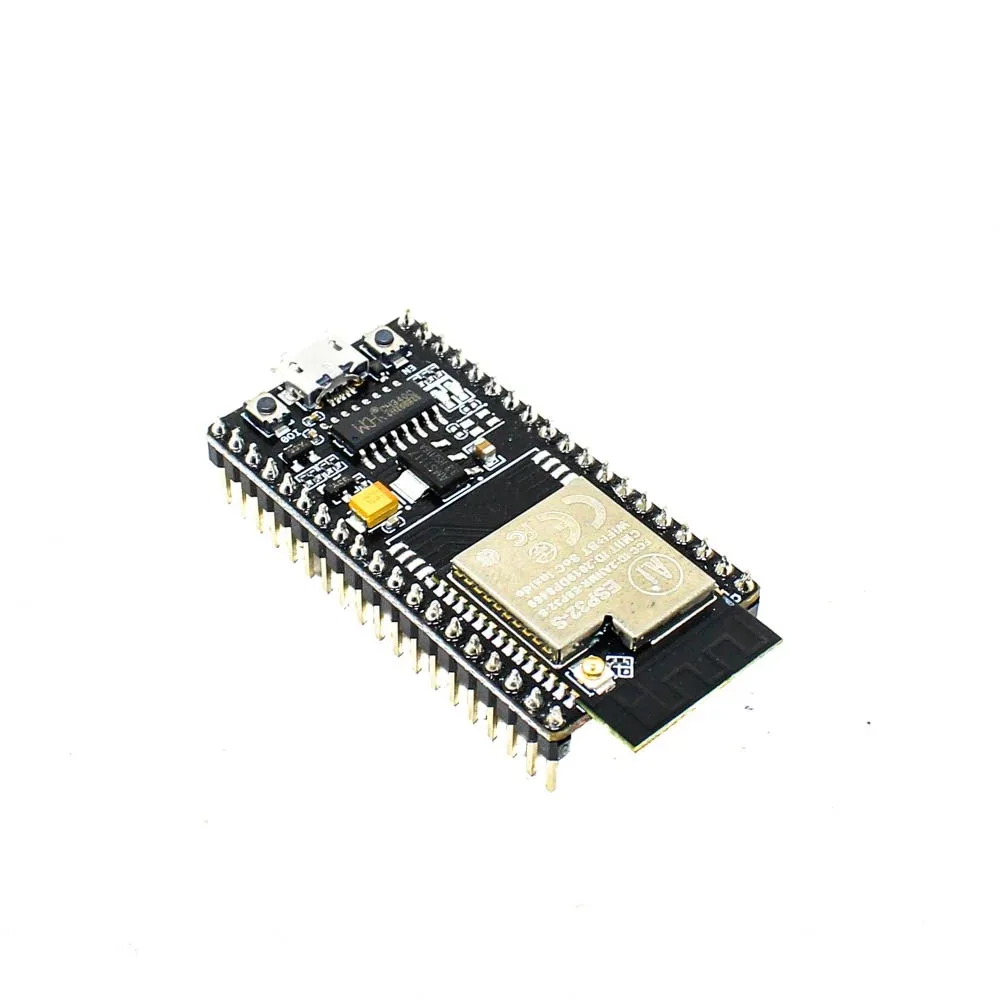
Ai Thinker NodeMCU-32S-ESP32 Development Board – IPEX Version
A production-grade ESP32 module with NVS flash storage ideal for storing provisioning data, certificates, and Wi-Fi credentials securely.
Provisioning Challenges at Scale
Before diving into solutions, understanding why provisioning is hard helps design a better system:
The Wi-Fi credential problem: Wi-Fi SSID and password are unique to each customer’s home or office. Your factory has no way to pre-program them. This is the most fundamental provisioning challenge for consumer IoT products.
The security certificate problem: For mTLS (mutual TLS) authentication with cloud services, each device needs a unique private key and certificate. Generating and injecting these at scale requires a secure, automated certificate manufacturing pipeline.
The identity problem: Each device needs a unique ID that links it to a specific customer account in your backend. The device must self-identify to your cloud so you know which customer’s dashboard to update.
The network diversity problem: Indian deployments encounter every type of Wi-Fi setup: hidden SSIDs, WPA2-Enterprise (common in offices and hostels), portal-authenticated hotspots, dual-band routers where 5 GHz and 2.4 GHz have the same SSID, mobile hotspots. Your provisioning flow must handle all of these gracefully.
Zero Touch Provisioning Strategies
There are several approaches to zero-touch provisioning, each suited for different deployment contexts:
| Strategy | Best For | Customer Action Required |
|---|---|---|
| SoftAP + Mobile App | Consumer products | Connect phone to device Wi-Fi, enter SSID/password in app |
| BLE Provisioning | Consumer/prosumer | Open app, approve Bluetooth pairing |
| QR Code + Cloud | Enterprise, field deployment | Scan QR on device label with app |
| Pre-provisioned SIM (NB-IoT/LTE-M) | Cellular IoT, no Wi-Fi | Power on only |
| Factory pre-programmed Wi-Fi | Controlled deployments (hotels, offices) | None (Wi-Fi known in advance) |
Wi-Fi Credential Provisioning on ESP32
Espressif provides the ESP Unified Provisioning framework that supports both BLE-based and SoftAP-based Wi-Fi provisioning with a standard mobile app (ESP BLE Prov / ESP SoftAP Prov). Here is a working SoftAP provisioning implementation:
#include <Arduino.h>
#include <WiFi.h>
#include <WiFiProv.h>
#include <Preferences.h>

Preferences prefs;

// Called when provisioning is complete
void SysProvEvent(arduino_event_t *sys_event) {
  switch (sys_event->event_id) {
    case ARDUINO_EVENT_WIFI_STA_GOT_IP:
      Serial.print("Connected! IP: ");
      Serial.println(WiFi.localIP());
      // Save credentials so we don't provision again
      prefs.begin("prov", false);
      prefs.putBool("done", true);
      prefs.end();
      break;
    case ARDUINO_EVENT_PROV_START:
      Serial.println("Provisioning started. Connect to device Wi-Fi.");
      break;
    case ARDUINO_EVENT_PROV_CRED_RECV:
      Serial.println("Credentials received.");
      break;
    case ARDUINO_EVENT_PROV_CRED_FAIL:
      Serial.println("Provisioning failed. Wrong password?");
      break;
    default: break;
  }
}

bool isProvisioned() {
  prefs.begin("prov", true);
  bool done = prefs.getBool("done", false);
  prefs.end();
  return done;
}

void setup() {
  Serial.begin(115200);
  WiFi.onEvent(SysProvEvent);

  if (isProvisioned()) {
    // Already have credentials — connect normally
    WiFi.begin();
    Serial.println("Using stored Wi-Fi credentials.");
  } else {
    // Start provisioning mode
    // SoftAP name: "ZBOTIC-DEVICE-XXXXXX" where XXXXXX = last 3 bytes of MAC
    WiFiProv.beginProvision(
      WIFI_PROV_SCHEME_SOFTAP,
      WIFI_PROV_SCHEME_HANDLER_NONE,
      WIFI_PROV_SECURITY_1, // encrypted provisioning
      "zbotic123",          // POP (Proof of Possession) shown on device label
      "ZBOTIC-DEVICE",      // SoftAP SSID prefix
      NULL,                 // service key (NULL = open AP)
      0,                    // QR code type (0=disabled)
      false                 // reset provisioning
    );
  }
}

void loop() {
  // Your application code here
  delay(10);
}
The customer flow using this code:
- Power on the device — it broadcasts a Wi-Fi hotspot named “ZBOTIC-DEVICE-XXXXXX”
- Customer downloads your app (built with ESP IDF Provisioning SDK for Android/iOS)
- App connects to the device hotspot automatically
- App sends home Wi-Fi credentials (encrypted with the POP code from the device label)
- Device connects to home Wi-Fi, saves credentials, reboots into normal mode
- Device never re-enters provisioning mode unless factory reset

Ai Thinker ESP32-C3-01M Wi-Fi + BLE Module
A compact, cost-effective module for production IoT deployments — supports BLE provisioning, has hardware security features, and is ideal for high-volume manufacturing.
AWS IoT Core Fleet Provisioning
For production deployments connecting to AWS IoT Core, the Fleet Provisioning service handles device registration at scale. The flow:
Manufacturing time:
- Create a Fleet Provisioning template in AWS IoT Core
- Generate a “claim certificate” — a temporary certificate with limited permissions, only allowing the RegisterThing API call
- Flash all devices with: production firmware + claim certificate + your AWS IoT endpoint
First boot (at customer site):
- Device connects to Wi-Fi (via provisioning flow above)
- Device connects to AWS IoT Core using the claim certificate
- Device calls
RegisterThingAPI with its serial number and device type - AWS IoT Core creates a permanent device certificate, registers the device Thing, and attaches appropriate IoT policies
- Device receives its permanent certificate over MQTT
- Device saves the permanent certificate to NVS flash, discards the claim certificate
- Device reconnects using the permanent certificate — now fully operational
This process is completely automatic and happens in under 10 seconds. Here is the Arduino ESP32 code snippet for the Fleet Provisioning MQTT calls:
// After connecting to AWS IoT with claim cert:
// Subscribe to the provisioning response topic
mqttClient.subscribe("$aws/provisioning-templates/MyTemplate/provision/json/accepted");
mqttClient.subscribe("$aws/provisioning-templates/MyTemplate/provision/json/rejected");

// Publish the RegisterThing request
String payload = "{"templateName":"MyTemplate","parameters":{"SerialNumber":""
               + String(getSerialNumber())
               + "","DeviceType":"sensor-v2"}";
mqttClient.publish(
  "$aws/provisioning-templates/MyTemplate/provision/json",
  payload.c_str()
);
// Wait for response, extract and save permanent cert
Security: Certificates, Keys, and Secure Boot
Security is non-negotiable for production IoT deployments. Here are the key mechanisms available on ESP32:
NVS Encryption: The ESP32 Preferences/NVS storage can be encrypted at rest using a unique 256-bit XTS-AES key stored in eFuse. Enable this in your partition table config to protect stored Wi-Fi passwords and certificates even if someone physically extracts the flash chip.
Secure Boot V2: The ESP32 verifies a cryptographic signature on the firmware bootloader and app partition before executing anything. Even if an attacker flashes modified firmware, the device won’t run it. Enable via CONFIG_SECURE_BOOT=y in sdkconfig.
Flash Encryption: The flash storage is encrypted with a key burned into eFuse. Combined with Secure Boot, this makes it extremely difficult to extract firmware or modify device behavior.
Hardware Security Key Injection: During manufacturing, use Espressif’s espsecure.py and esptool.py to burn unique keys and certificates into each device’s flash at the factory. Automate this in your manufacturing test jig.
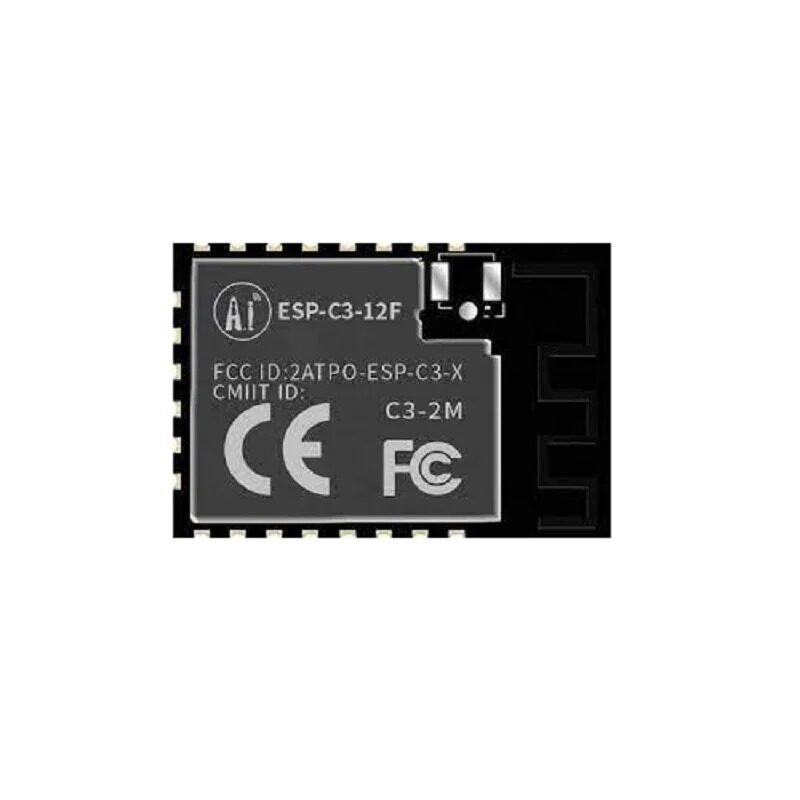
Ai-Thinker ESP32-C3-12F Wi-Fi + BLE Module
The ESP32-C3 includes a RISC-V core with hardware security features including RSA acceleration and AES — ideal for production IoT products requiring secure provisioning.
Production Deployment Checklist
Before shipping IoT devices at scale, verify each of these points:
- Firmware: Production build (optimizations enabled, debug logs disabled), version string embedded, OTA update endpoint configured
- Identity: Unique serial number burned into NVS or eFuse, appears correctly in cloud dashboard
- Security: Secure Boot and Flash Encryption enabled, no hardcoded passwords in firmware, claim certificates are per-batch (not per-device)
- Provisioning: SoftAP/BLE provisioning tested on Android 10+, iOS 14+; edge cases handled (wrong password retry, network not found, timeout)
- OTA: Automatic firmware update on first boot if new version available; rollback mechanism if new firmware fails to boot
- Factory reset: Button sequence or app-triggered factory reset clears NVS and re-enters provisioning mode
- Watchdog: Hardware watchdog configured — device auto-reboots if firmware hangs
- Error reporting: Fatal errors logged to cloud for fleet-level diagnostics
- Power loss resilience: Device state survives unexpected power cuts and restores correctly
- Regulatory: BIS certification for devices with Wi-Fi, Bluetooth; MTCTE if telecom interfaces involved
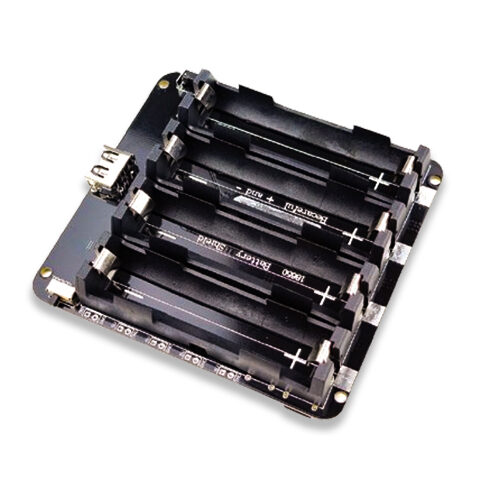
4 x 18650 Lithium Battery Shield V8/V9 for ESP32 with On-Off Button
For field-deployed IoT sensors that need provisioning without mains power — this 4-cell shield provides extended runtime and a clean power switch for installation.
Frequently Asked Questions
What is the difference between provisioning and configuration?
Provisioning is the one-time process of bringing a device into an operational state — identity, credentials, and cloud registration. Configuration is ongoing parameter management — changing thresholds, update intervals, or feature flags after the device is deployed. Provisioning happens at first boot; configuration can be pushed any time via MQTT or OTA. In practice, the boundary blurs for complex devices, and many provisioning platforms also handle runtime configuration.
How do I handle provisioning for devices deployed in offices with WPA2-Enterprise (802.1x)?
WPA2-Enterprise (used in corporate offices, hostels, and many Indian educational institutions) requires a username, password, and often a CA certificate in addition to the SSID. The ESP32 supports WPA2-Enterprise via the WiFi.begin(ssid, WPA2_AUTH_PEAP, identity, username, password, ca_cert) call. Your provisioning app must collect these additional fields and transmit them securely. Test this scenario specifically — it catches many provisioning implementations off-guard.
Can I use QR codes for zero-touch Wi-Fi provisioning?
Yes. The Wi-Fi Easy Connect (DPP — Device Provisioning Protocol) standard, supported on Android 10+ and newer iOS versions, allows scanning a QR code on the device label to provision Wi-Fi credentials. The QR code contains the device’s public key. No app installation is required — Android’s built-in camera app handles it. This is the closest to true zero-touch provisioning for consumer Wi-Fi devices today, but requires DPP support in your ESP-IDF configuration.
How do I provision 500 devices efficiently at the factory?
Build a manufacturing test jig with a pogo-pin connector for the ESP32’s programming interface. Use a Python script with esptool.py to flash the firmware, burn a unique serial number into eFuse, and inject the claim certificate — all in one automated pass that takes 30-60 seconds per device. Use a barcode scanner to scan the module’s printed MAC address and associate it with your order management system. Run production tests (Wi-Fi scan, sensor read, cloud connect) automatically before the jig releases the board.
What Indian regulatory requirements apply to IoT devices with Wi-Fi?
In India, any device with wireless radio interfaces (Wi-Fi, Bluetooth, ZigBee) requires BIS (Bureau of Indian Standards) type approval under the Compulsory Registration Order (CRO). The relevant standards are IS 13252 and IS 616. For devices with telecom interfaces (SIM cards, NB-IoT), MTCTE (Mandatory Testing and Certification of Telecom Equipment) from TERM (Telecom Engineering Centre) is required. Budget 3-6 months for these approvals in your product launch timeline.
Ready to Build Production IoT Devices?
Get ESP32 modules, sensors, battery shields, and all components for your IoT product development from Zbotic — bulk pricing available for production orders across India.





Add comment