
If you are a maker or hobbyist in India who regularly works with lithium-ion cells, you have almost certainly encountered a dead 18650 battery at some point. Whether from over-discharge, extended storage, or a faulty BMS cutting off the cell, a seemingly dead 18650 can sometimes be revived. This guide covers exactly how to revive a dead 18650 battery safely, the real risks involved, when to try recovery, and — critically — when to stop and recycle safely. Read every section before attempting anything.
Why Does an 18650 Cell Go “Dead”?
An 18650 cell does not simply “die” — it typically reaches a state where the protection circuit or charger refuses to charge it. The most common causes:
- Over-discharge (most common): When the cell voltage drops below about 2.5V, the BMS protection board cuts off output. If the discharge continues (through a slow parasitic drain or a faulty BMS), the cell voltage can drop to 1.5V, 1V, or even below 0.5V. At these levels, standard chargers refuse to begin charging because they detect the cell as faulty or absent.
- Extended storage at low charge: A cell stored for 6–12 months without maintenance can self-discharge to dangerous levels. This is extremely common with cells salvaged from old laptop batteries in India.
- BMS lockout: The protection board trips into a permanent lockout state after sensing an overcharge, overdischarge, or short-circuit event. The cell itself may be fine — it is just the BMS refusing to let current flow.
- Internal lithium plating: Fast charging or charging in cold conditions causes metallic lithium to deposit on the anode. This can short-circuit internally over time and is not recoverable.
Of these causes, only the first two (over-discharge and storage self-discharge) are potentially recoverable. BMS lockout is solvable by bypassing or replacing the BMS. Internal lithium plating is a safety hazard and the cell must be discarded.
Check the Cell First: Safe or Dangerous?
Before touching the cell, do a visual inspection and basic measurement:
- Look for physical damage: Any bulging, denting, rusting around the terminals, or electrolyte leakage (a brownish oily residue or strong chemical smell) means the cell is unsafe. Do NOT attempt revival — dispose of it at a battery recycling point.
- Measure open-circuit voltage: Use a digital multimeter on the DC voltage setting. Touch red probe to the positive terminal (the small raised nub at the top) and black probe to the negative (the flat bottom). Note the reading:
- Above 2.5V → Probably recoverable
- 1.5V–2.5V → Possibly recoverable with trickle charge, proceed with caution
- 0.5V–1.5V → Recovery is risky; attempt only with proper equipment and monitoring
- Below 0.5V → Almost certainly not safe to attempt; internal damage is likely
- Check cell temperature: A healthy dead cell will be at room temperature. If the cell is warm or hot when you pick it up (and you have not recently tried to charge it), this indicates internal short-circuit — do not proceed.
Method 1: Trickle Charge Recovery
This is the safest method for a cell reading between 1.5V and 2.5V. The idea is to bring the cell voltage slowly back above the 2.5V threshold so a standard charger can safely resume normal charging.
What you need:
- A DC power supply with adjustable voltage and current limit (a lab bench supply is ideal)
- Alternatively, a TP4056 module with the charge current resistor modified to give very low current (330µA–500µA)
- A multimeter to monitor voltage
- An 18650 cell holder
Steps:
- Set the power supply to 3.0V output and current limit to 50–100mA maximum. This is about 1/20th of the standard charge rate.
- Connect positive supply to positive cell terminal, negative to negative. Double-check polarity — reversing it can cause a fire.
- Monitor the cell voltage with your multimeter every 5–10 minutes.
- If the cell voltage rises steadily over 30–60 minutes, the cell is accepting charge. Continue until it reaches 2.8–3.0V.
- At 3.0V+, transfer the cell to a normal 18650 charger and complete the charge at the standard rate (0.5C or 1C).
- If the voltage does not rise or immediately drops back when you disconnect, the cell has high internal resistance and is not worth recovering.
Time required: 1–3 hours for the trickle phase, then 2–3 hours on a normal charger. Total: 3–6 hours.
Method 2: Using a Smart Charger’s Recovery Mode
Many professional LiPo/Li-Ion smart chargers like those from ISDT, iCharger, and Junsi have a dedicated “recovery” or “revive” mode. This mode applies a carefully controlled low-current pre-charge phase below 2.5V, exactly like Method 1 but with built-in safety monitoring.
If you own an ISDT smart charger or similar, check the menu for options like “Revive,” “Recover,” or “Pre-charge.” Enable this mode, insert the cell, and let the charger handle the recovery process automatically. The charger will monitor temperature, internal resistance, and voltage rise rate, and abort if it detects anything unsafe.
This is the most recommended method if you have access to a quality smart charger. The built-in safety logic reduces the risk of an incident significantly compared to manual trickle charging.
Method 3: The Pulse Charge Method (Advanced)
Sometimes a cell refuses to accept a steady trickle but responds to brief current pulses. This is an advanced technique borrowed from NiMH battery recovery and works by breaking through a thin layer of lithium oxide that may have formed on deeply discharged anodes.
What you need:
- A charged AA or AAA alkaline battery (1.5V)
- Two wires with alligator clips
- A multimeter
Steps:
- Briefly touch the positive of the alkaline battery to the positive terminal of the dead 18650, and the negatives together, for just 1–2 seconds at a time.
- Measure the 18650 voltage after each brief pulse.
- Repeat 5–10 times, checking that voltage is slowly rising each time.
- Once the cell reaches 2.5V via pulse charging, switch to a proper charger.
Important: This delivers very low energy per pulse (a AA cell has far less capacity than an 18650), so the risk is low. However, if the cell does not show any voltage rise after 10–15 pulses, stop — further attempts will not help.
After Recovery: How to Test if the Cell Is Still Good
Just because a cell accepts charge does not mean it is safe or useful to use in your project. After revival, you must test:
- Full charge voltage: After a full charge cycle, the cell should read 4.18–4.21V. If it only reaches 4.0V or less, internal capacity is degraded.
- Internal resistance: Use a smart charger with IR measurement or a dedicated battery tester. A healthy 18650 has internal resistance below 100mΩ. Over 200mΩ means poor condition. Over 500mΩ means the cell is not usable for anything but the lowest-drain applications.
- Capacity test: Charge fully, then discharge at a controlled rate (1A) and measure how many mAh it delivers before hitting 3.0V cutoff. A cell claiming 2500mAh that only delivers 800mAh post-revival is not reliable for projects.
- Temperature during charging: A healthy cell stays cool to warm during charging. A cell that gets hot (above 40°C at the surface) during charging has internal issues and should not be used.
Risks You Must Understand Before Attempting Revival
Lithium-ion cells are energy-dense — a single 18650 cell at full charge contains enough energy to cause a serious fire if mishandled. Specifically:
- Thermal runaway: A deeply discharged cell may have experienced copper dissolution inside, which can create internal short circuits when charged. This can trigger thermal runaway — an unstoppable self-heating chain reaction that ends in fire or explosion. This is the most serious risk.
- Gas generation: Charging a deeply discharged or damaged Li-Ion cell can generate gas (CO₂, H₂, vaporised electrolyte). If the cell seal fails, this gas is toxic and flammable.
- Electrolyte leakage: A physically damaged cell may leak electrolyte during charging. Lithium hexafluorophosphate (the common Li-Ion electrolyte) is corrosive and reacts with moisture to form hydrofluoric acid — an extremely dangerous compound.
Mandatory safety precautions:
- Never attempt revival indoors in an enclosed space — work outdoors or near an open window
- Keep a bucket of dry sand nearby (not water — lithium fires react violently with water)
- Never leave a cell unattended during revival
- Use a fireproof LiPo safety bag to contain the cell during the trickle charge phase
- If the cell becomes hot, puffy, or emits any smell — immediately stop, place it in the safety bag, and take it outdoors away from flammable material
When to Give Up and Recycle
Not every dead cell is worth reviving. Recycle immediately if:
- The cell shows any physical swelling (bulging sides or deformed ends)
- There is visible rust, corrosion, or electrolyte leakage around either terminal
- The cell voltage is below 0.5V
- The cell gets warm within the first few minutes of trickle charging
- After recovery, internal resistance exceeds 300mΩ or capacity is below 50% of rated
- The cell smells of burnt plastic or chemicals at any point
In India, many e-waste shops and electronics stores accept old lithium cells for recycling. Large cities also have authorised CPCB e-waste recyclers. Never throw lithium cells in regular trash — they can puncture in landfill and cause fires.
Recommended Products from Zbotic
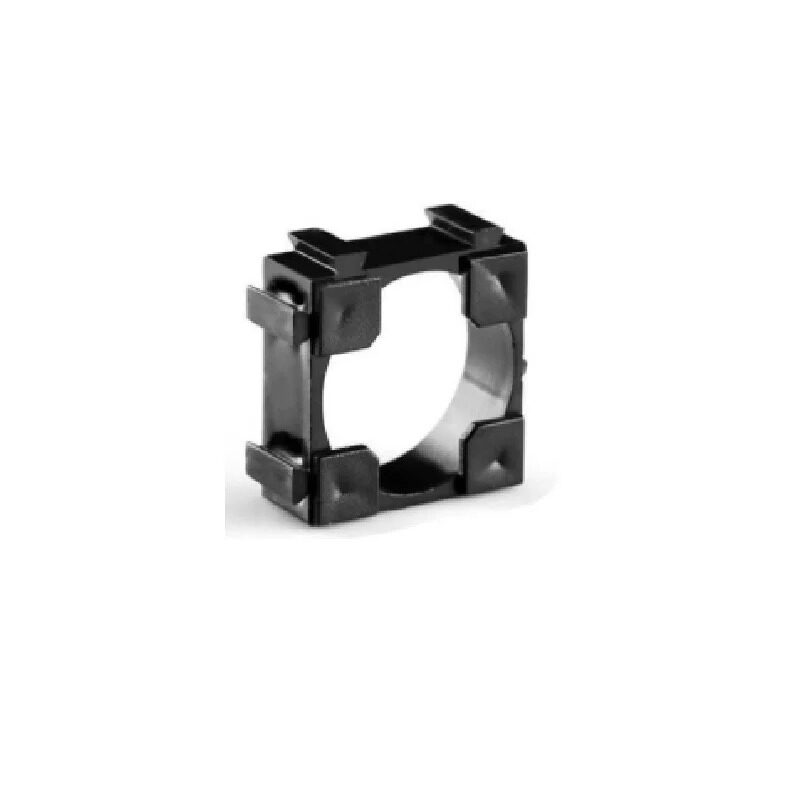
1 × 18650 Battery Holder with 18.4mm Bore Diameter (Pack of 4)
Secure 18650 holders with proper contact springs — essential for safe testing and revival procedures. Avoids direct soldering to cell terminals during recovery experiments.

ISDT A4 Air Smart Battery Charger (NiMH, NiCd, Li-Ion, LiFePO4) with Bluetooth
A professional smart charger with recovery mode, internal resistance measurement, and Bluetooth monitoring — the ideal tool for safely reviving and testing 18650 cells.

1S 18650 Li-Ion BMS Charger Protection Board for 3.7V Battery
Replace a faulty BMS that caused a false “dead battery” lockout. This affordable protection board includes overcharge, overdischarge, and short-circuit protection for 18650 cells.
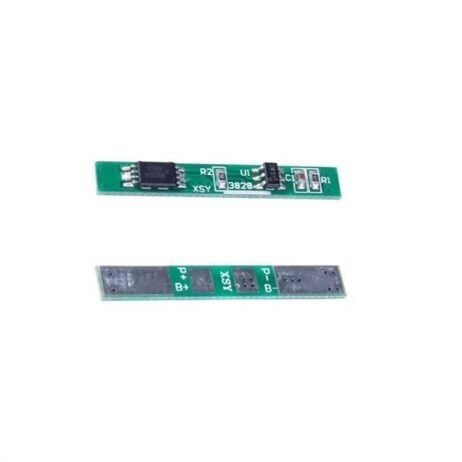
1S 3.7V 2A 1MOS BMS Li-Ion 18650 Battery Protection Board
A compact single-cell protection board to pair with your recovered 18650 — ensures the revived cell never gets over-discharged again, extending its remaining service life.
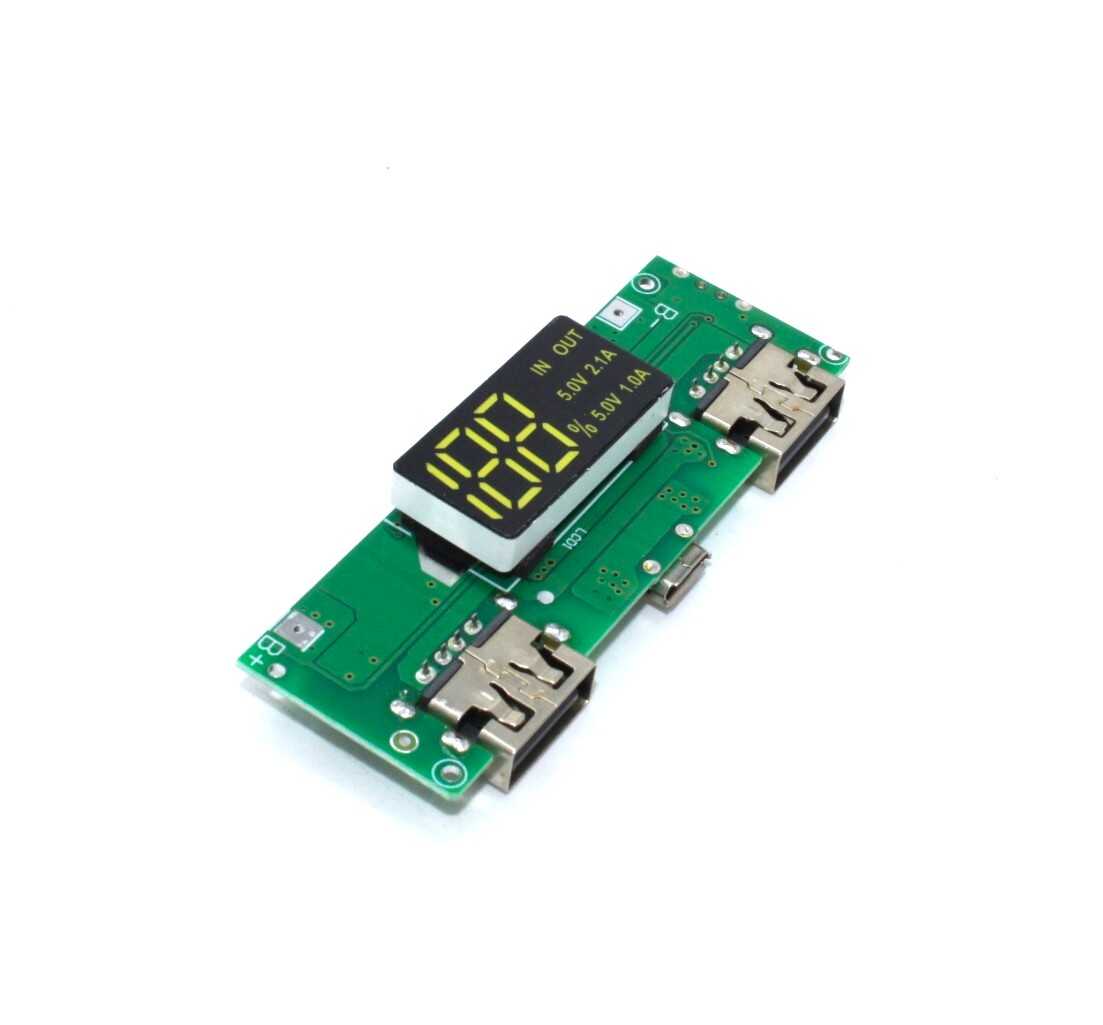
18650 5V 1A/2A Lithium Battery Charging Module with Digital Display
After a successful revival, use this dual-USB booster module to put your recovered cell back to work as a compact power bank — a practical, low-cost second life for old 18650 cells.
Frequently Asked Questions
Is it safe to revive an 18650 battery from an old laptop?
It depends on the cell’s condition. Old laptop cells are among the most commonly revived cells in India. First test the voltage and inspect for swelling. If the cell reads above 1.5V and shows no physical damage, it is worth a careful trickle charge attempt. However, laptop battery packs often contain multiple cells in series — test each cell individually before attempting revival of the pack as a whole.
How do I know if the cell is dead because of the BMS or the cell itself?
Remove the BMS protection board and measure voltage directly at the bare cell terminals (the metal can contacts). If the cell reads reasonable voltage but the BMS output reads zero, the BMS has tripped into protection mode. In that case, you only need to reset or replace the BMS, not recover the cell itself. A BMS reset often involves briefly applying correct-polarity voltage directly to the cell terminals through the BMS charging port.
Can I use a phone charger to trickle-charge a dead 18650 cell?
No. A phone charger outputs 5V via USB, which is too high for a single 18650 cell (max 4.2V). Connecting a cell directly to a 5V USB source without a charging IC (like TP4056) will overcharge and damage or ignite the cell. Always use a dedicated charger or properly designed charging circuit.
After revival, how long will the cell last?
Expect reduced capacity and cycle life compared to a new cell. A well-revived cell from mild over-discharge might retain 70–80% of its original capacity. A cell that was deeply discharged to under 1V may only retain 40–60% after recovery. Plan accordingly — use recovered cells in low-drain applications like IoT sensors or LED projects rather than high-drain applications like power tools or drones.
Is it legal to buy and sell used/refurbished 18650 cells in India?
Yes, there is no regulation prohibiting the sale of used 18650 cells in India. However, sellers are obligated to accurately represent the cell’s condition. Buying untested refurbished cells from unknown sources is risky — always test capacity and internal resistance before using them in any project.
Get the Right Tools for Battery Work
From BMS protection boards and 18650 holders to professional smart chargers, Zbotic stocks everything you need for safe battery projects. Fast delivery across India.





Add comment