
Table of Contents
- Understanding FPV Receiver Protocols
- ELRS (ExpressLRS) Binding Guide
- SBUS: Wiring and Configuration
- SmartPort Telemetry: Setup and Use
- FrSky Receiver Binding (D8/D16/ACCESS)
- Configuring Betaflight for Your Receiver
- Channel Mapping and Mode Setup
- Setting Up Failsafe
- Troubleshooting Binding Problems
- Recommended Products from Zbotic
- Frequently Asked Questions
Getting the radio link between your transmitter and drone working correctly is the essential first step before any flying can happen. For a first-time builder, FPV receiver binding can feel intimidating — there are multiple protocols, confusing UART assignments, and firmware settings that must all align before Betaflight shows any channel activity. This guide demystifies the entire process, covering ELRS (the modern standard), SBUS (the universal wiring protocol), SmartPort telemetry, and legacy FrSky bindings — all the way through to configuring channels in Betaflight and setting a safe failsafe.
Understanding FPV Receiver Protocols
In FPV, “receiver protocol” can refer to two distinct things that are often confused:
Radio Frequency Protocol (Air Protocol)
This is the over-the-air communication system between your transmitter module and receiver. Examples:
- ELRS (ExpressLRS): Modern open-source protocol at 2.4 GHz or 900 MHz. Extremely low latency (as low as 4 ms at 500 Hz packet rate), outstanding range (20 km+ demonstrated), free firmware. Industry standard for new FPV builds in 2024–2025.
- TBS Crossfire: 900 MHz proprietary system with excellent penetration and 40+ km range. Popular for long-range builds but requires TBS hardware.
- FrSky D8/D16/ACCESS: FrSky’s legacy and modern protocols. D8 is compatible with many OpenTX radios; D16 requires FrSky hardware; ACCESS is FrSky’s newest encryption-based system.
- FlySky AFHDS 2A: Budget-friendly protocol found on FS-i6 and similar entry-level transmitters. Works fine but limited to 1 km range and no bidirectional telemetry.
FC-to-Receiver Serial Protocol (Wire Protocol)
Once the receiver decodes the air signal, it sends channel data to the flight controller via a wire. Common options:
- SBUS: Single-wire serial protocol, inverted signal, 100 kbps. Carries 16 channels in one wire. Most popular for connecting receivers to flight controllers.
- CRSF (Crossfire Serial): TBS’s protocol, also used by ELRS. Non-inverted, faster than SBUS, bi-directional, carries telemetry back to the transmitter. The preferred protocol for ELRS and Crossfire.
- iBUS: FlySky’s single-wire protocol. Similar concept to SBUS but simpler and non-inverted.
- PPM: Older analog-multiplexed protocol. All channels on one wire but much higher latency. Mostly obsolete in modern FPV.
- PWM: One wire per channel. Only used on old, simple ESC setups with no flight controller.
ELRS (ExpressLRS) Binding Guide
ELRS has taken over the FPV world due to its exceptional range, low latency, and zero cost (open source). Here is how to bind an ELRS receiver to an ELRS transmitter module for the first time.
Prerequisites
- ELRS transmitter module (e.g., BetaFPV Nano TX, Radiomaster Ranger, or built-in ELRS on Radiomaster TX16S/Boxer).
- ELRS receiver (e.g., BetaFPV ELRS Nano, Radiomaster RP1/RP2, GEPRC ELRS Nano).
- Both TX module and receiver flashed to the same ELRS firmware version (very important).
- Both configured with the same binding phrase (ELRS 3.x) or same binding phrase pre-flashed at build time.
Step 1: Configure the Binding Phrase
ELRS 3.x uses binding phrases instead of traditional button binding. The binding phrase is a string of text that acts as a unique identifier for your radio-receiver pair. Set your binding phrase in ELRS Configurator when you flash both the TX module and the RX:
- Open ExpressLRS Configurator on your PC.
- Select your TX module hardware target.
- Enter a unique binding phrase (e.g., “myname-drone1-2025”).
- Flash the TX module.
- Repeat the same process for the RX, entering exactly the same binding phrase.
Devices flashed with the same binding phrase will automatically connect without any button-pressing binding procedure.
Step 2: Power On Both Devices
Turn on your transmitter with the ELRS TX module active. Power the receiver via a 5V supply through the flight controller (or directly during bench testing). Within 5–10 seconds you should see the ELRS LED on the receiver go solid — this indicates it is bound and receiving packets.
Step 3: Verify in Betaflight
Connect your FC to Betaflight Configurator. Go to the Receiver tab and set:
- Receiver Mode: Serial (via UART)
- Serial Receiver Provider: CRSF
Ensure the UART you connected the ELRS receiver to has “Serial RX” enabled in the Ports tab. Move your transmitter sticks and confirm all channels respond correctly in the channel indicator bars.
ELRS Packet Rate Selection
In the ELRS LUA script on your transmitter, you can choose packet rate and output power:
- 500 Hz: Lowest latency (4 ms), moderate range. Best for racing.
- 250 Hz: Good balance of latency and range. Best for freestyle.
- 50 Hz: Maximum range mode. Best for long-range cruising.
SBUS: Wiring and Configuration
SBUS is the universal “glue” that connects virtually any receiver brand to any flight controller. Even if your radio system is ELRS, Crossfire, or FrSky, most receivers output SBUS on one of their pins. Here is how to wire and configure it.
SBUS Wiring
An SBUS connection uses three wires from receiver to flight controller:
- VCC (+5V): From FC’s 5V output to receiver’s VCC pin.
- GND: Shared ground between FC and receiver.
- SBUS Signal: From receiver’s SBUS OUT pin to the FC’s dedicated SBUS/UART RX pin.
SBUS is an inverted serial signal (logic-level inverted compared to standard UART). Most modern STM32-based flight controllers have a hardware signal inverter on the dedicated SBUS input pin. If your FC doesn’t (some F4 boards), you need an external signal inverter or use SoftSerial.
Betaflight SBUS Configuration
- In the Ports tab, ensure the UART where you connected SBUS has “Serial RX” enabled.
- In the Configuration tab, set Receiver Mode to “Serial (via UART)” and Provider to “SBUS”.
- Save and reboot. The receiver tab should now show channel activity.
SBUS Latency
Standard SBUS updates at 9 ms (approximately 111 Hz). This is adequate for general flying but higher than CRSF. If you are using an ELRS receiver, use the CRSF output (if available) rather than SBUS for lower latency. If you must use SBUS (e.g., compatibility with an older FC), know that you are limited to 9 ms update rate regardless of ELRS packet rate.
SmartPort Telemetry: Setup and Use
SmartPort (S.Port) is FrSky’s bidirectional telemetry protocol that lets the flight controller send sensor data back to the transmitter — battery voltage, RSSI, GPS coordinates, altitude, flight mode — all visible on your transmitter’s telemetry screen.
SmartPort Wiring
S.Port uses a single wire (plus ground) connected from the receiver’s S.Port pin to one of the FC’s UART TX pins. The wire carries data in both directions using a half-duplex protocol. On many FrSky receivers, the S.Port pin is labeled separately from SBUS.
Betaflight SmartPort Configuration
- In the Ports tab, find the UART where you connected S.Port.
- Enable “Telemetry” output on that UART and set the protocol to “SmartPort”.
- Some UARTs are half-duplex-capable out of the box; others require enabling the “Half Duplex” option in the Betaflight CLI:
set sport_halfduplex = ON - Save and reboot.
Configuring Telemetry on the Transmitter
On an FrSky or OpenTX transmitter:
- Go to the Model → Telemetry menu.
- Select “Discover Sensors” — the radio will poll the S.Port bus and find all sensors the FC is broadcasting.
- You will see sensors like Vfas (battery voltage), RxBt (receiver voltage), GPS, Alt (altitude), Hdg (heading), and more appear automatically.
- Add these to your telemetry screen for in-flight monitoring.
ELRS + SmartPort?
ELRS uses CRSF for telemetry, not SmartPort. If you switch from FrSky to ELRS, you also switch from S.Port telemetry to CRSF telemetry. CRSF telemetry carries the same sensor data (battery, GPS, RSSI, LQ) and is visible on OpenTX/EdgeTX transmitters in the Telemetry menu after sensor discovery.

1/3″ CMOS 700TVL Mini FPV Camera 2.1mm Lens PAL/NTSC
A lightweight 700TVL analog FPV camera with OSD-compatible output. Pairs with your SBUS/ELRS receiver setup to give clear first-person view during flights.
FrSky Receiver Binding (D8/D16/ACCESS)
FrSky still powers a large portion of the Indian FPV community, especially those on older OpenTX radios. Here is a quick reference for each mode:
D8 Mode (Compatible with OpenTX)
- Put the receiver into bind mode by holding the BIND button while powering on.
- On your transmitter, go to Model → Bind and select D8.
- The receiver LED will go solid when bound.
- Power cycle the receiver to exit bind mode.
D16 Mode (FCC/EU)
Same procedure as D8 but select D16 on the transmitter. Note that D16 EU and D16 FCC are different sub-protocols — your receiver must match the transmitter’s region setting or binding will fail.
ACCESS (FrSky Newest Protocol)
ACCESS is FrSky’s encrypted protocol found on Archer and other modern FrSky receivers. Binding requires a PIN code entered on the transmitter and a button press on the receiver simultaneously. Detailed steps vary by receiver model — consult FrSky’s documentation for your specific hardware.
Configuring Betaflight for Your Receiver
Regardless of which protocol you use, here is the Betaflight configuration process:
Ports Tab
Identify which UART header your receiver is physically connected to (UART1, UART2, etc. printed on the FC silkscreen). In the Ports tab, enable “Serial RX” on that UART. If using SmartPort/CRSF telemetry, enable “Telemetry” on the relevant UART as well.
Configuration Tab
- Receiver Mode: Serial (for SBUS, CRSF, iBUS) or PPM if using PPM.
- Serial Receiver Provider: SBUS, CRSF, IBUS, etc. matching your receiver’s output.
Receiver Tab
After saving and rebooting, open the Receiver tab. Move all sticks and switches on your transmitter and confirm channels respond correctly. The centre value for Roll/Pitch/Yaw should be close to 1500. Throttle at zero should be close to 1000. If values are inverted, reverse the relevant channel on your transmitter.
Channel Mapping and Mode Setup
The standard Betaflight channel order is AETR1234 (Aileron, Elevator, Throttle, Rudder) but your transmitter may output channels in a different order. You can rearrange channels in Betaflight’s Receiver tab using the channel map dropdown, or rearrange them in your transmitter’s mixer/output settings.
Arm Switch
Configure an Arm switch in the Modes tab. A two-position switch on AUX 1 is the most common setup: arm is “position high” (channel value above 1800). Enable “Arm” mode on the appropriate AUX channel range.
Flight Modes
Assign Angle mode (self-levelling), Horizon mode, or Acro (rate) mode to a three-position switch on AUX 2. Most beginners start with Angle mode and progress to Acro as their skills improve.
Setting Up Failsafe
Failsafe determines what your drone does if the radio link is lost. A proper failsafe setup can save your drone and prevent injury or property damage.
Receiver-Level Failsafe
Most receivers have built-in failsafe — they output preset channel values if the transmitter signal is lost. For SBUS receivers, configure receiver failsafe to output: Throttle = minimum (below arm threshold), Arm switch = disarmed. This ensures the drone falls rather than flying away.
Betaflight Failsafe
- Go to the Failsafe tab in Betaflight Configurator.
- Channel fallback: set throttle to 1000 (minimum), arm channel to disarm value.
- Failsafe procedure: choose “Drop” for racers (immediately cut motors), “GPS Rescue” for GPS-equipped quads.
- Guard time: set to 1.0 second — this is the delay before failsafe activates after signal loss.
Troubleshooting Binding Problems
ELRS: Receiver LED Flashes but Won’t Connect
Cause: Firmware version mismatch between TX module and RX.
Fix: Flash both to the same ELRS version using ExpressLRS Configurator. Even a minor version difference (3.3.0 vs 3.3.1) can prevent connection.
SBUS: No Channel Activity in Betaflight
Cause: Wrong UART selected, or Serial RX not enabled on the correct UART.
Fix: Double-check the physical SBUS wire goes to the RX pad of the UART you enabled in the Ports tab. Try enabling Serial RX on a different UART and moving the wire.
SmartPort: Sensors Not Discovered
Cause: Half-duplex mode not enabled, or wrong UART pin (must be TX pad, not RX).
Fix: Ensure your S.Port wire is on a UART TX pad. Enable half-duplex in CLI. Some F4 FCs have hardware limitations on which UART supports half-duplex — check your FC documentation.
FrSky D8: Receiver Binds But Loses Connection in Flight
Cause: Often a power supply issue — receiver supply voltage drops under motor load.
Fix: Add a dedicated 5V BEC for the receiver rather than powering it from the FC’s onboard regulator. Also check for antenna placement — keep receiver antennas away from carbon fiber and motor wires.
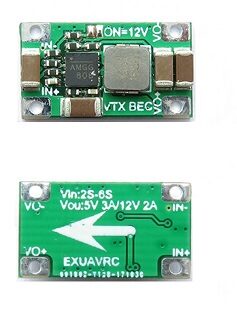
2-6S 5V 5A BEC For Quadcopter Drone
A dedicated BEC providing stable 5V at up to 5A for powering your FPV receiver, VTX, and FC accessories without voltage dips from motor load.
Recommended Products from Zbotic
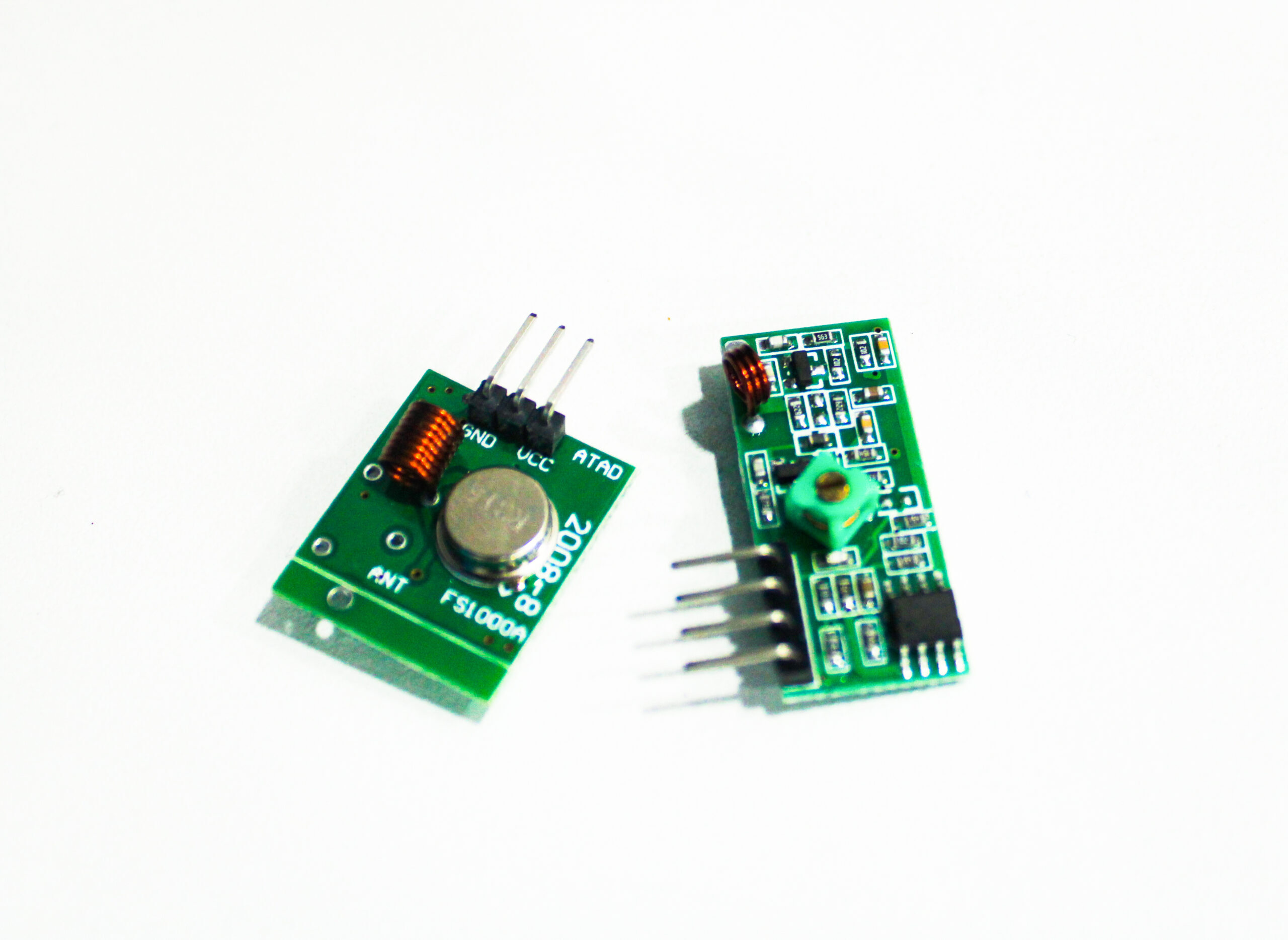
315MHz RF Transmitter Receiver Module
A compact 315 MHz RF pair for short-range wireless control projects. Useful for custom telemetry and lightweight control link experiments.
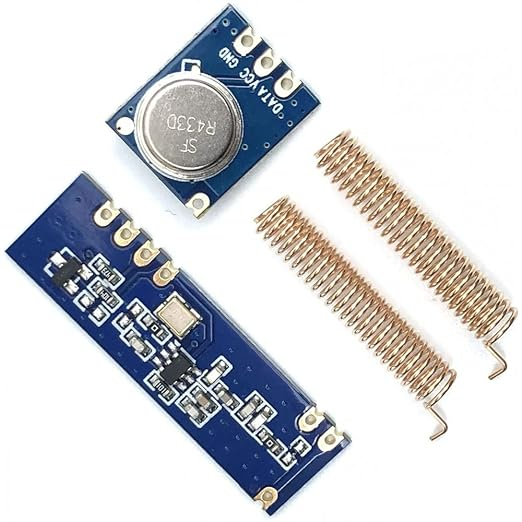
433MHz 100m STX882 ASK Transmitter + SRX882 Receiver Module
A 433 MHz superheterodyne transmitter-receiver pair with antenna, ideal for telemetry and custom link experiments on ArduPilot and INAV builds.
Frequently Asked Questions
What is the difference between SBUS and CRSF?
SBUS is an analog-derived single-wire protocol that updates at 9 ms (111 Hz) and carries 16 channels in one direction only. CRSF is a modern bidirectional digital protocol used by ELRS and Crossfire that runs at up to 500 Hz with full telemetry return. CRSF offers significantly lower latency and is preferred for all new builds using ELRS hardware.
Can I use an FrSky receiver with a Radiomaster Zorro?
Yes, the Radiomaster Zorro (and most Radiomaster radios) run EdgeTX and support multi-protocol modules. You can use the internal multi-protocol module to transmit in FrSky D8 or D16 mode, binding to any compatible FrSky receiver.
Why does my ELRS receiver show solid LED but Betaflight shows no stick movement?
A solid ELRS LED means RF binding is successful but the FC is not reading the data. Check that your CRSF wire is on the RX pad of the correct UART, that UART has Serial RX enabled in Betaflight Ports tab, and the Serial Receiver Provider is set to CRSF in the Configuration tab.
How do I know if my SBUS is inverted?
Plug your receiver into the FC and check if Betaflight receives any data in the Receiver tab. If you see no movement at all (not just wrong direction), the signal may need hardware inversion. Check if your FC has an SBUS-specific pad (often labeled SBUS or RX_i for inverted) versus a standard UART RX pad. SBUS must go to an inverting-capable pin.
Do I need SmartPort telemetry for FPV flying?
SmartPort / CRSF telemetry is optional but very useful. Seeing battery voltage on your goggles OSD or transmitter screen without needing a separate voltage sensor is convenient. For ELRS users, CRSF telemetry also provides Link Quality (LQ) and RSSI data that helps you monitor signal health in flight.
Get Your FPV Build Flying with Zbotic
Zbotic stocks FPV cameras, ESCs, BECs, RF modules, and drone components to complete your build — delivered quickly across India. Everything you need from frame to first flight.







Add comment