
When your IoT deployment site has no Wi-Fi and no Ethernet, the ESP32 SIM7600 4G LTE IoT combination becomes your best friend. Whether you’re monitoring a remote agricultural field in Rajasthan, a telecom tower in the hills of Himachal, or a construction site far from city infrastructure, the SIM7600 module paired with ESP32 gives you full cellular internet connectivity. This guide covers everything you need to know — from hardware wiring to AT commands, TCP socket communication, and practical tips for reliable deployments in India.
Why 4G LTE for IoT in India?
India has one of the world’s most extensive 4G LTE networks, with Jio, Airtel, and Vi providing near-nationwide coverage. For IoT applications, this means you can deploy sensors and controllers virtually anywhere in the country and maintain reliable data connectivity. Compared to 2G/GPRS (which is being phased out) and NB-IoT (still limited coverage), 4G LTE with the SIM7600 offers the best balance of speed, latency, coverage, and cost for most Indian IoT use cases.
Common Indian applications for ESP32 + 4G IoT include: remote weather stations for agriculture (crucial in states like Punjab, Maharashtra, and Karnataka where precision farming is growing), diesel generator monitoring at telecom towers, water level monitoring for rural water supply schemes, fleet GPS tracking systems, and solar panel monitoring in remote installations.
Data costs are also extremely low in India — a Jio IoT SIM with 1GB/month costs just ₹19-₹99 depending on the plan. For most sensor data applications sending a few KB per day, a basic plan lasts months.
SIM7600 Module Overview
The SIM7600 is a high-speed, multi-band LTE Cat-4 module manufactured by SIMCom. It supports download speeds up to 150 Mbps and upload up to 50 Mbps — far more than any IoT application needs, but this headroom ensures reliability even on congested networks. Key specifications relevant to Indian IoT deployment:
- LTE Bands: B1/B3/B5/B8/B40/B41 — covers Jio (B40/B41), Airtel (B3/B40), and Vi (B3/B5)
- Fallback: WCDMA 3G and GSM 2G for areas with weak 4G
- Interface: UART (AT commands), USB
- Supply Voltage: 3.4V–4.2V (requires proper power management)
- SIM: Standard/Micro/Nano SIM (varies by breakout board)
- Built-in GPS: Many SIM7600 modules include a GPS receiver — useful for tracking applications
- Operating Temperature: -40°C to +85°C — suitable for harsh outdoor Indian climate
The SIM7600 is available in various form factors. For prototyping, a development board breakout with USB-to-serial converter, power regulation, and SIM card slot is the easiest to work with.
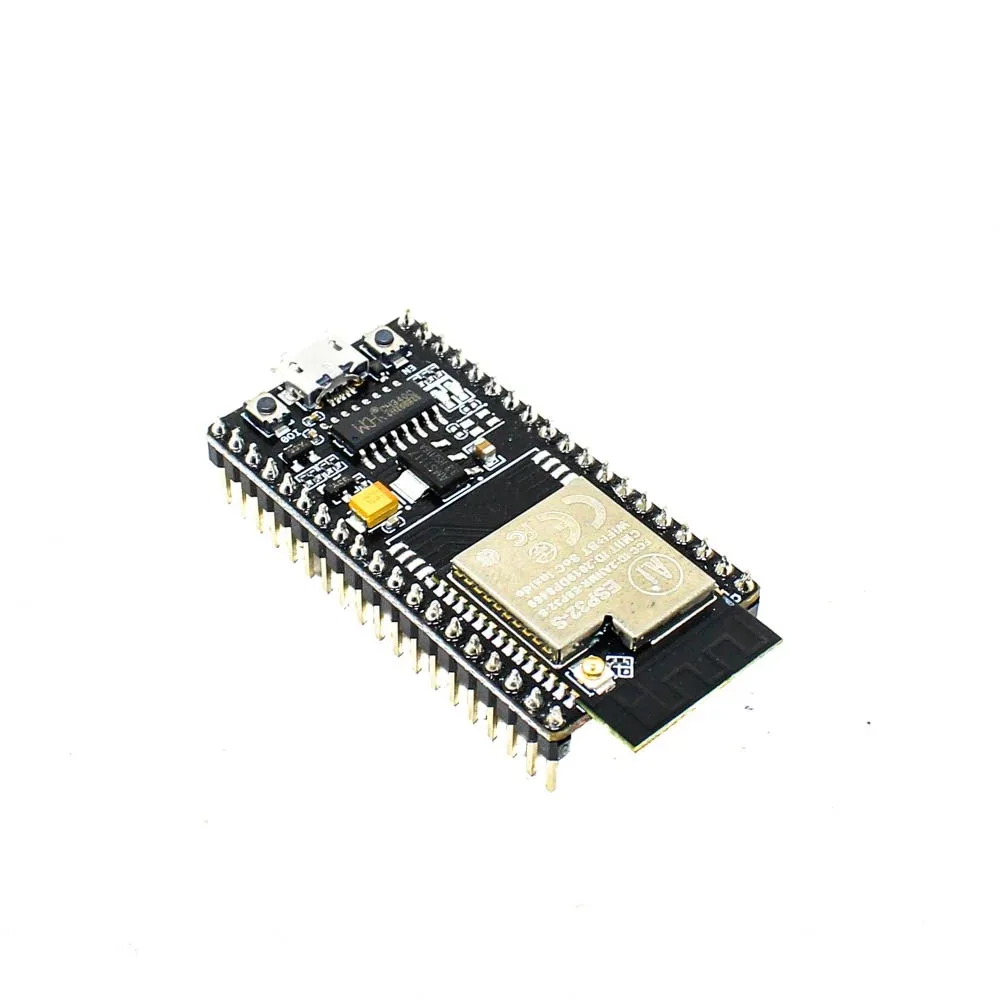
Ai Thinker NodeMCU-32S ESP32 Development Board – IPEX Version
Ideal ESP32 development board for SIM7600 4G LTE projects — IPEX antenna connector and multiple UART ports make interfacing the cellular module straightforward.
Hardware Setup and Wiring
The SIM7600 communicates with the ESP32 via UART (serial). The most important consideration is power — the SIM7600 can draw up to 2A during LTE transmission bursts, which a USB cable or weak regulator cannot supply. Use a dedicated LiPo battery or a high-current 3.7V supply with the SIM7600 breakout’s onboard regulator.
Wiring Table
| SIM7600 Pin | ESP32 Pin | Notes |
|---|---|---|
| VCC (module) | External 4V supply | NOT from ESP32 3.3V |
| GND | GND | Common ground |
| TXD | GPIO 16 (RX2) | SIM7600 TX → ESP32 RX |
| RXD | GPIO 17 (TX2) | SIM7600 RX → ESP32 TX |
| PWRKEY | GPIO 4 | Pull LOW 500ms to power on |
| RESET (optional) | GPIO 5 | Active LOW hardware reset |
Note on voltage levels: The SIM7600 UART operates at 2.8V logic while the ESP32 uses 3.3V. Many breakout boards include level shifters. If yours doesn’t, use a simple voltage divider on the TX line from ESP32 to SIM7600 RX.
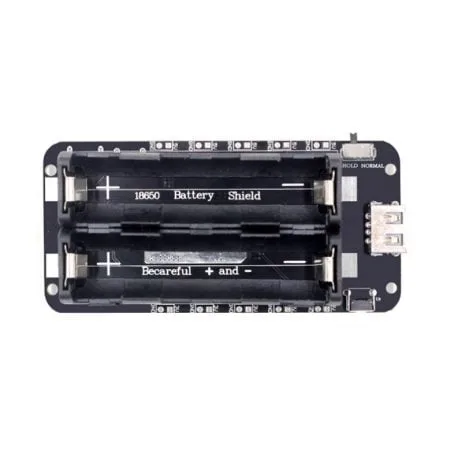
2 x 18650 Lithium Battery Shield V8 – 5V/3A Output for ESP32/ESP8266
Provides up to 3A at 5V, enough to power both ESP32 and SIM7600 reliably during peak LTE transmission bursts in remote deployments.
Essential AT Commands for SIM7600
The SIM7600 is controlled via AT commands sent over UART. Here are the critical ones for establishing a 4G data connection:
AT                    // Test communication — responds OK
AT+CPIN?             // Check SIM status — should return +CPIN: READY
AT+CSQ               // Signal quality — +CSQ: 20,0 (higher=better, 99=no signal)
AT+COPS?             // Current operator — +COPS: 0,0,"Airtel"
AT+CREG?             // Network registration — +CREG: 0,1 (1=registered)
AT+CPSI?             // System info — shows LTE/GSM/WCDMA and band
AT+NETOPEN           // Open network service
AT+IPADDR            // Get assigned IP address
AT+HTTPINIT          // Initialize HTTP service
// For TCP socket:
AT+CIPOPEN=0,"TCP","api.yourserver.com",80   // Open TCP connection
AT+CIPSEND=0,length  // Send data (length bytes follow)
AT+CIPCLOSE=0        // Close connection
ESP32 Code: Send Sensor Data Over 4G
Here’s a practical sketch that reads temperature from a DHT11 sensor and sends it to a server via HTTP POST over 4G LTE:
#include <Arduino.h>
#include <DHT.h>

#define SIM_TX 17
#define SIM_RX 16
#define SIM_PWRKEY 4
#define DHTPIN 22
#define DHTTYPE DHT11

HardwareSerial sim7600(2);
DHT dht(DHTPIN, DHTTYPE);

void sendAT(String cmd, int timeout = 2000) {
  sim7600.println(cmd);
  long start = millis();
  while (millis() - start < timeout) {
    while (sim7600.available()) {
      Serial.write(sim7600.read());
    }
  }
}

void setup() {
  Serial.begin(115200);
  sim7600.begin(115200, SERIAL_8N1, SIM_RX, SIM_TX);
  dht.begin();
  // Power on SIM7600
  pinMode(SIM_PWRKEY, OUTPUT);
  digitalWrite(SIM_PWRKEY, LOW);
  delay(500);
  digitalWrite(SIM_PWRKEY, HIGH);
  delay(5000); // Wait for module to initialize
  sendAT("AT");
  sendAT("AT+NETOPEN");
  delay(3000);
}

void loop() {
  float temp = dht.readTemperature();
  float hum  = dht.readHumidity();
  String payload = "{"temp":" + String(temp) + ","hum":" + String(hum) + "}";
  int payLen = payload.length();
  sendAT("AT+CIPOPEN=0,"TCP","api.yourserver.com",80", 5000);
  sendAT("AT+CIPSEND=0," + String(payLen), 3000);
  sim7600.print(payload);
  delay(2000);
  sendAT("AT+CIPCLOSE=0");
  delay(300000); // Send every 5 minutes
}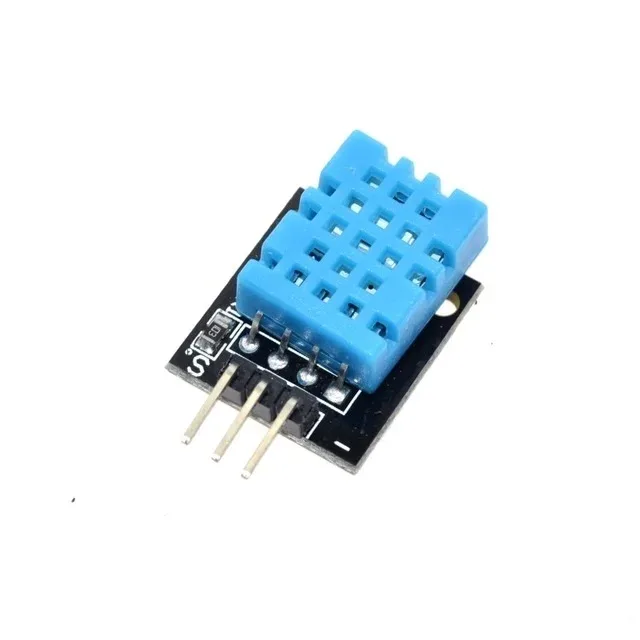
DHT11 Digital Relative Humidity and Temperature Sensor Module
A proven, affordable sensor to pair with your ESP32+SIM7600 for remote environmental monitoring — reads temperature and humidity with a single data wire.
Power Management and SIM Selection Tips for India
Choosing the Right SIM
For IoT projects in India, here’s a quick comparison of SIM options:
| Operator | Best For | Rural Coverage | Cost |
|---|---|---|---|
| Jio | Urban + semi-urban | Good | Very low (₹19/GB) |
| Airtel | Remote areas | Best in class | Moderate |
| Vi (Vodafone-Idea) | Mixed regions | Moderate | Low |
| BSNL | Hilly/tribal areas | Excellent (govt) | Very low |
Reducing Power Consumption
For battery-powered remote deployments, power consumption is critical. The SIM7600 draws ~300mA idle and up to 2A during transmission. Use these strategies: enable PSM (Power Saving Mode) with AT+CPSMS=1, put the ESP32 into deep sleep between readings, only power on the SIM7600 during transmission windows, and use eDRX for periodic wake-up without full reconnection overhead.
With PSM enabled and data sent every 15 minutes, a 10,000mAh battery can last 3–6 months in the field.

4 x 18650 Lithium Battery Shield V8/V9 for ESP32/ESP8266 with On-Off Button
A high-capacity 4-cell battery shield that can power your ESP32+SIM7600 remote IoT node for months without recharging — includes an on/off switch for field deployment.
Frequently Asked Questions
Can I use any SIM card with SIM7600, including Jio?
Yes. Jio works well with SIM7600 in urban areas. However, Jio uses VoLTE exclusively (no 2G/3G fallback), so in areas with weak Jio 4G, you’ll get no connectivity. For rural deployments, Airtel or BSNL with 2G/3G fallback is more reliable.
What is the difference between SIM7600E, SIM7600G, and SIM7600SA?
These variants differ in LTE band support. SIM7600E supports European and Asian bands (best for India), SIM7600G is global (all bands), and SIM7600SA supports South American bands. For India, SIM7600E or SIM7600G are the right choices — both support Jio and Airtel bands.
How do I debug AT commands if nothing is working?
Use a USB-to-serial adapter to connect directly to the SIM7600’s UART and type AT commands manually in a terminal like PuTTY or minicom. This bypasses the ESP32 and confirms whether the module itself is responding. Common issues: wrong baud rate (try 9600 and 115200), insufficient power supply, or SIM card not seated properly.
Can I use SIM7600 for MQTT instead of raw TCP?
Yes. The SIM7600 supports SSL/TLS TCP connections, which you can use to connect to an MQTT broker like HiveMQ, Mosquitto, or AWS IoT Core. Alternatively, use the TinyGSM Arduino library which abstracts the AT commands and provides a standard Client interface compatible with MQTT libraries like PubSubClient.
Find ESP32 boards, battery shields, sensors, and all components for your 4G IoT project at Zbotic.in. Fast shipping across India, genuine components, and expert support.



Add comment